
A 32-inch digital picture frame transforms a blank wall into a living gallery, but the leap from a smaller desktop frame to this massive display brings a whole new set of considerations. You are no longer choosing a simple gadget; you are selecting a piece of decor that demands the right resolution, storage architecture, and sharing ecosystem to make those 16:9 memories look sharp from across the room.
I’m Min — the co-founder and writer behind Gadgets Feed. For this guide, I spent hours dissecting the technical specifications, user reviews, and real-world performance of every major 32-inch digital picture frame currently available, focusing on what actually matters for a screen this size: pixel density, app reliability, and mounting flexibility.
After comparing nine models across five different brands and price tiers, this detailed analysis isolates exactly which features separate a stunning digital gallery from a frustrating pixelated mess, helping you find the best 32 inch digital picture frame for your home.
How To Choose The Best 32 Inch Digital Picture Frame
The jump to a 32-inch screen changes the buying criteria dramatically. Small imperfections in resolution, color accuracy, and user interface that were invisible on a 10-inch frame become glaring on this scale. Understanding a few key specifications will prevent the common mistake of ending up with a frame that looks great in the listing photos but disappoints on the wall.
Screen Resolution and Panel Type
At 32 inches, a 1920×1080 Full HD (1080p) panel is the baseline for acceptable clarity when viewed from a typical living-room distance of 6 to 10 feet. Any frame listing a resolution below 1080p will produce visibly soft or pixelated images. IPS (In-Plane Switching) panel technology is critical at this size because it maintains consistent color and contrast across a wide 178-degree viewing angle — essential when the frame is mounted on a wall and seen from different parts of the room.
Storage Capacity and Expansion
The convenience of a 32-inch frame depends heavily on how many photos it can hold. Most premium and mid-range models ship with 64GB of internal memory, which translates to roughly 160,000 JPEG photos at standard resolution. However, if you plan to store full-resolution images or long video clips, look for models that also support MicroSD card expansion up to 128GB or USB drive connectivity. The ability to import and export photos via external media prevents the frame from becoming a digital dead-end if the app ever loses support.
Wi-Fi Connectivity and App Ecosystem
A frame this large is almost always a shared family device, meaning multiple people will send photos to it remotely. Dual-band Wi-Fi (2.4GHz and 5GHz) is non-negotiable for fast uploads — models that only support 2.4GHz will take noticeably longer to transfer large batches. The companion app (Frameo, VPhoto, NexFoto, or proprietary platforms) determines how many users can connect, whether they can send videos, and if they can add captions or timed greetings. Read recent app store reviews before committing to a specific brand’s ecosystem.
Quick Comparison
On smaller screens, swipe sideways to see the full table.
| Model | Category | Best For | Key Spec | Amazon |
|---|---|---|---|---|
| Cozyla Frame 32″ | Premium | Unlimited Cloud Storage | 32″ 1080p / No Subscription | Amazon |
| KODAK 32″ | Premium | Solid Wood Build | 32″ 1080p / 32GB Storage | Amazon |
| Frameo 32″ (BIGASUO) | Mid-Range | Touchscreen & Frameo App | 32″ 1080p IPS Touch / 64GB | Amazon |
| NexFoto 32″ Touchscreen | Mid-Range | Touchscreen & Google Photos | 32″ 1080p Touch / 64GB | Amazon |
| Arktronic 32″ Touchscreen | Mid-Range | Wood Pattern Design | 32″ 1080p IPS / 64GB | Amazon |
| Nethgrow 32″ | Mid-Range | Screen Mirroring | 32″ 1080p IPS / 64GB | Amazon |
| Dragon Touch Classic 32 | Mid-Range | Remote Control Operation | 32″ 1080p / 64GB | Amazon |
| Uhale 32″ (FANGOR) | Mid-Range | 100-Photo Batch Upload | 32″ 1080p IPS / 64GB | Amazon |
| FULLJA 32″ Digital Calendar | Premium | Family Calendar & Chores | 32″ 1080p Touch / Sync Calendars | Amazon |
In‑Depth Reviews
1. Cozyla Frame 32″ WiFi Digital Picture Frame
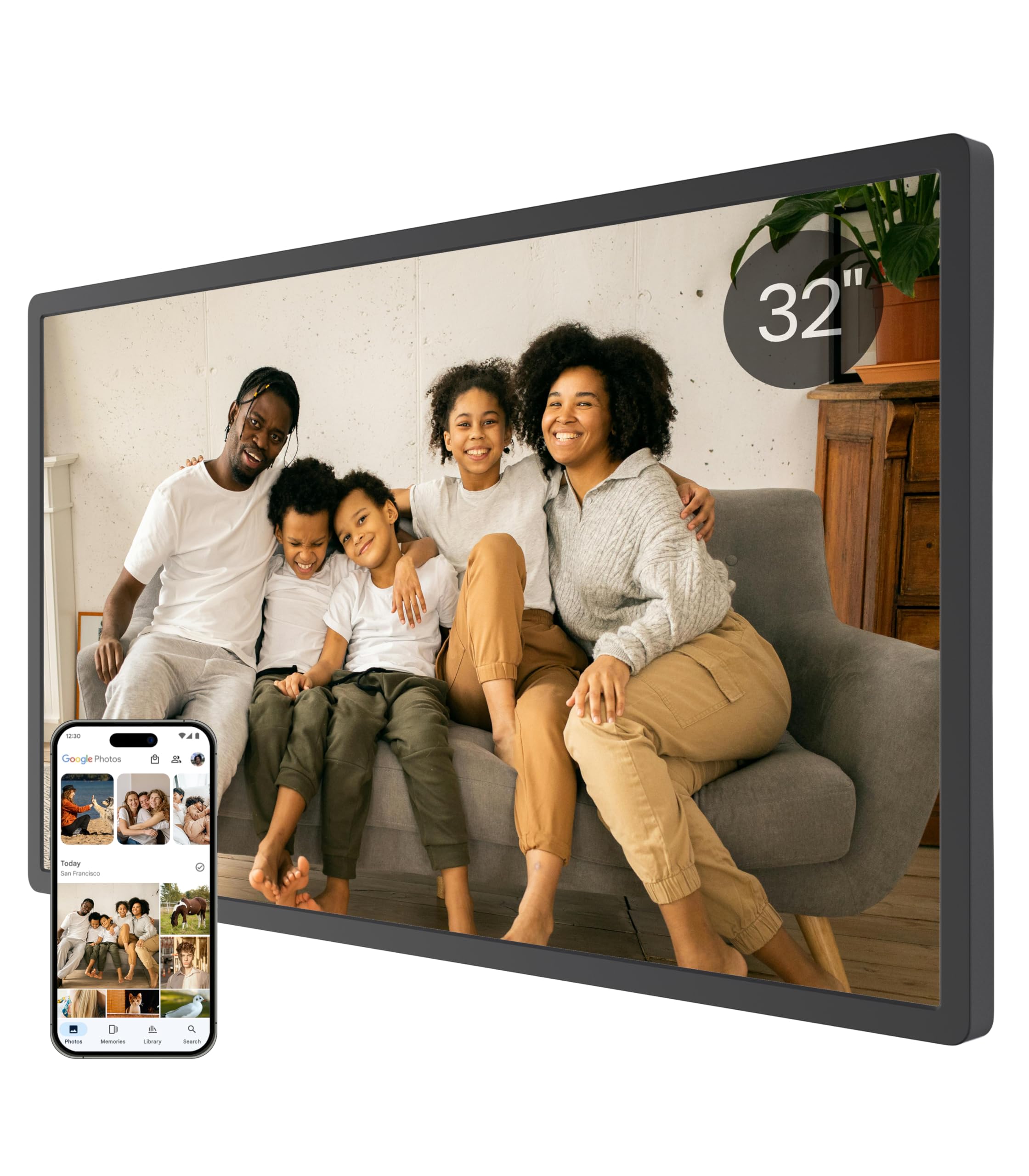
The Cozyla Frame is the rare 32-inch digital picture frame that eliminates the single biggest frustration in this category: running out of storage or being hit with subscription fees. Its unlimited cloud storage is backed by bank-level AWS encryption, meaning you can upload thousands of high-resolution photos and long video clips (full graduation speeches, baby’s first steps) without ever seeing a “Storage Full” warning. The 1080p IPS display delivers vivid colors and sharp details that hold up well in a bright living room, and the auto-brightness adjustment prevents eye strain at night.
Setup takes minutes via the Cozyla app, and the frame supports multiple upload paths — the dedicated app, Google Photos, email, or a web interface — making it easy for less tech-savvy family members to contribute. The included AI restoration feature is a genuine differentiator: it intelligently sharpens blurry or damaged old photos before displaying them, giving heirloom images a second life on the big screen. The frame also supports voice-memo attachment to photos, so you can preserve the story behind each image.
On the downside, the Cozyla does not include a touchscreen interface — you navigate entirely through the app or the included remote. The stand feels slightly unstable when the frame is placed on a tabletop, so wall mounting is the recommended configuration for most users. Customer service responsiveness is excellent based on user reports, with quick resolution of hardware issues. For anyone who wants a set-and-forget 32-inch gallery without recurring costs, this is the top pick.
Why it’s great
- Unlimited cloud storage with no subscription fees and bank-level encryption
- AI photo restoration feature sharpens old and blurry images automatically
- Supports long video clips, not just 15-second snippets
Good to know
- No touchscreen — all navigation is via remote or mobile app
- Tabletop stand design is less stable than some competitors
2. KODAK 32 Inch WiFi Digital Picture Frame
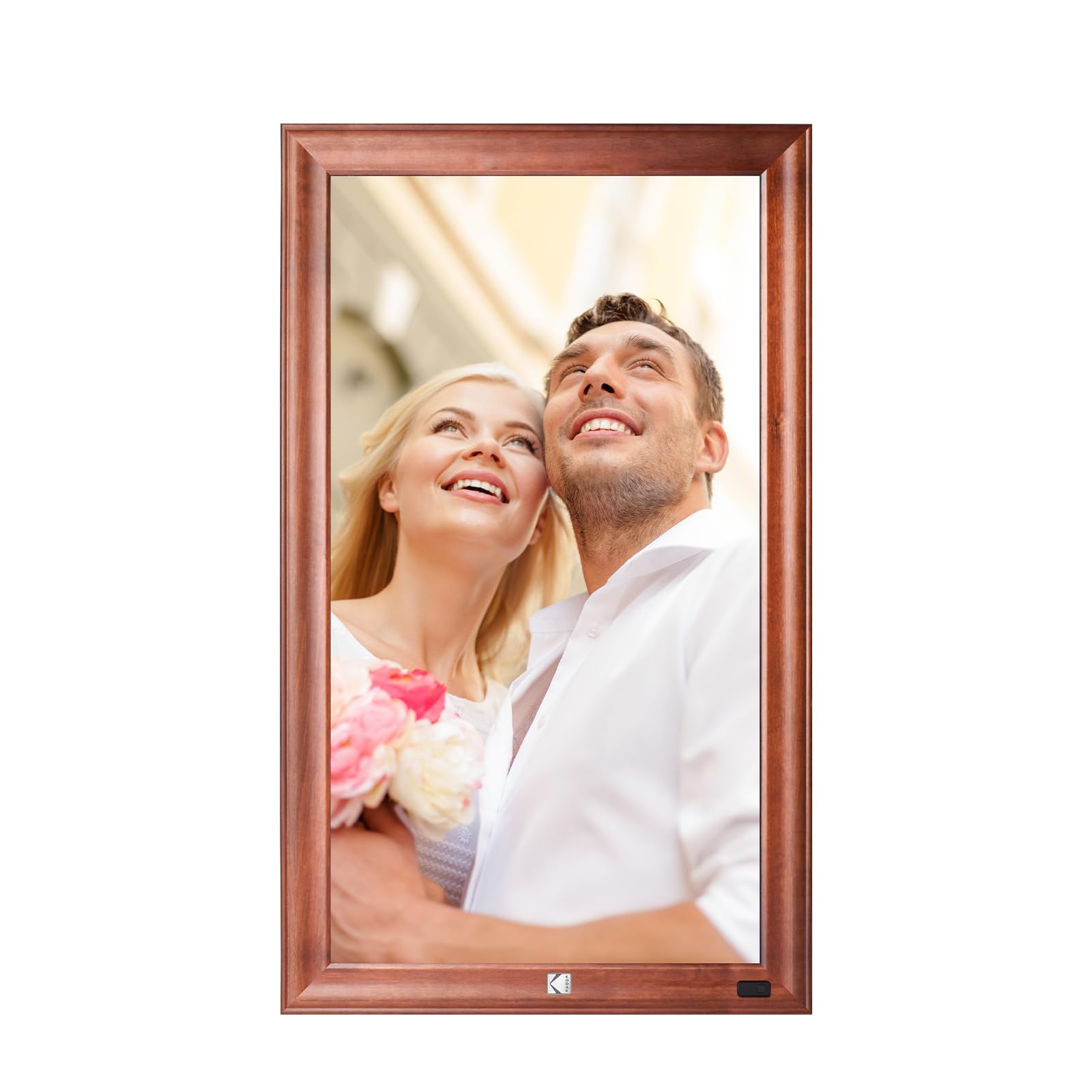
KODAK brings its photography heritage to the large-format frame category with a 32-inch model that prioritizes build quality above all else. The frame is constructed from solid wood and sturdy metal rather than the ubiquitous black plastic found on most competitors, giving it a furniture-grade appearance that actually complements a well-decorated home. The 1920×1080 Full HD screen delivers cinema-grade clarity, and the quad-core CPU paired with 2GB of DDR4 RAM ensures lag-free slideshow transitions and fast data transfer even when handling 120-photo upload batches.
A standout feature is the human body sensor, which automatically wakes the frame when someone enters the room and puts it into standby when the room is empty — a practical energy-saving touch for a display this large. The gravity sensor automatically detects whether the frame is mounted in portrait or landscape orientation and adjusts the photo display accordingly. Upload options include phone album, email, and computer, and the IR remote control makes navigation straightforward for elderly users who may find app-based controls confusing.
The primary limitation is the 32GB of internal storage, which is half of what most rivals offer at this price point. Additionally, some users report the frame is quite heavy at 10 kilograms, and the mounting instructions recommend concrete wall installation rather than standard drywall — an important consideration before purchase. A few customer service complaints suggest support responsiveness varies. Still, for buyers who value aesthetic craftsmanship and motion-activated intelligent display, the KODAK frame is a compelling premium option.
Why it’s great
- Solid wood and metal frame construction feels like real furniture
- Human body sensor wakes the display when someone approaches
- Quad-core CPU and 2GB RAM provide smooth, lag-free performance
Good to know
- 32GB internal storage is half the capacity of competing models
- Heavy unit may require concrete wall anchors for safe mounting
3. Frameo 32″ Extra Large Digital Picture Frame (BIGASUO)
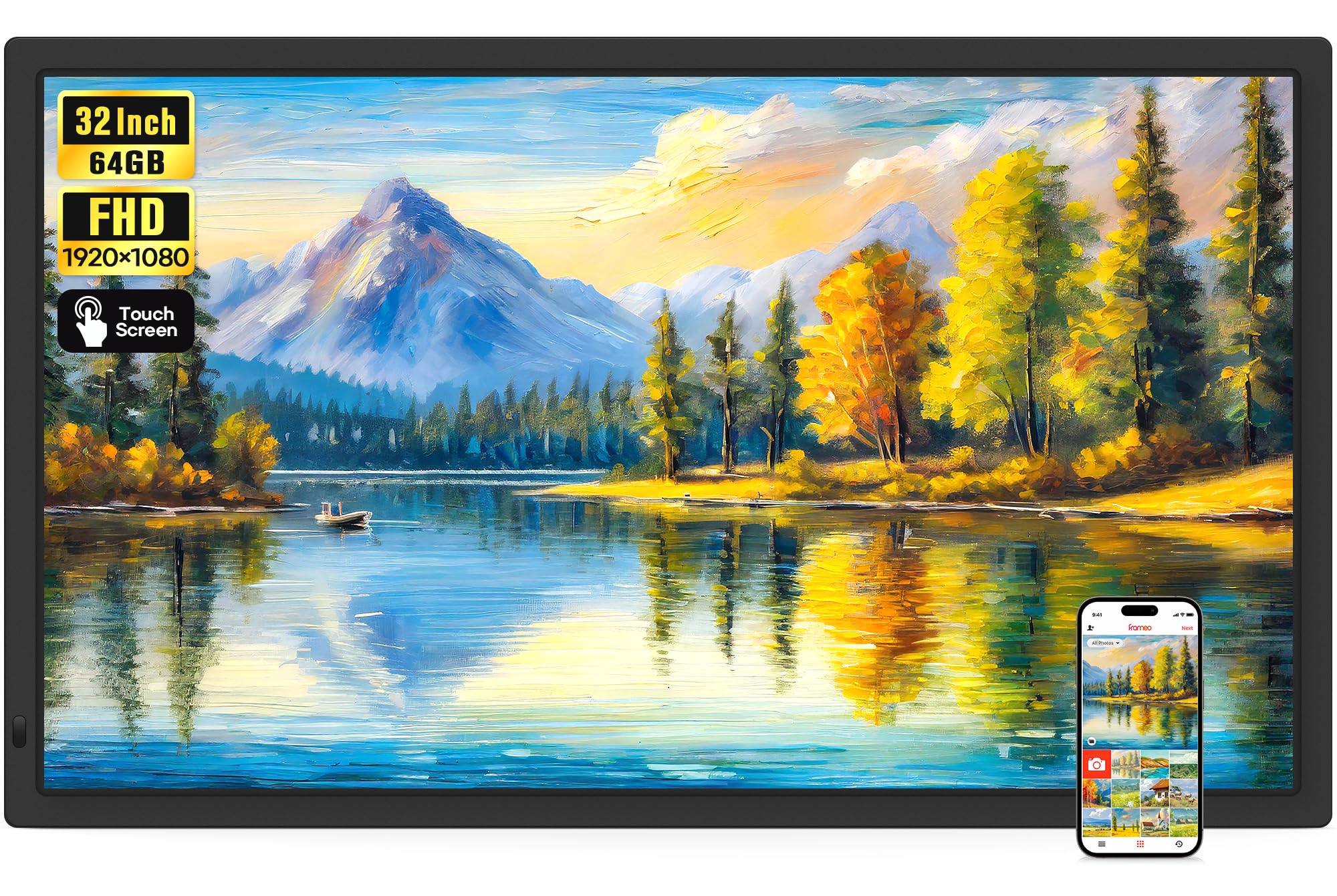
The Frameo 32-inch by BIGASUO punches well above its price tier by coupling a full 1920×1080 IPS touchscreen with the acclaimed Frameo app ecosystem. The Frameo app, developed in Denmark, is widely considered one of the most polished digital frame companion apps available — it supports multiple simultaneous senders, real-time emoji reactions, and titles on photos, and it lets users bind multiple frames to a single account. The touchscreen interface makes on-device navigation instinctive, which is a genuine advantage for seniors or anyone who prefers not to juggle a remote control.
The IPS panel offers a 178-degree viewing angle, so colors stay consistent whether the frame is mounted high on a wall or placed on a side table. The auto-rotation function works with the included wall mount to switch between landscape and portrait orientations seamlessly. With 64GB of built-in storage (enough for 160,000+ photos), plus support for SD cards and USB drives up to 128GB, storage expansion is generous. The frame also plays MP4 videos with sound via SD card or USB — though the app limits video uploads to 15 seconds.
Some users note that SD card and USB drive compatibility can be finicky with 64GB and 128GB cards; formatting them to FAT32 before use is recommended. The remote control is basic compared to touchscreen models, though the touchscreen largely makes the remote unnecessary. The simple black bezel design is clean but won’t stand out as a decorative piece. For the combination of a responsive touchscreen, excellent app ecosystem, and generous 64GB storage, this frame represents the strongest value proposition in the 32-inch category.
Why it’s great
- Full IPS touchscreen eliminates the need for a remote control
- Frameo app supports multiple senders and real-time emoji reactions
- 64GB internal storage plus support for SD cards up to 128GB
Good to know
- App limits video uploads to 15 seconds per clip
- High-capacity SD cards require FAT32 formatting for compatibility
4. NexFoto 32 Inch Touchscreen Digital Picture Frame
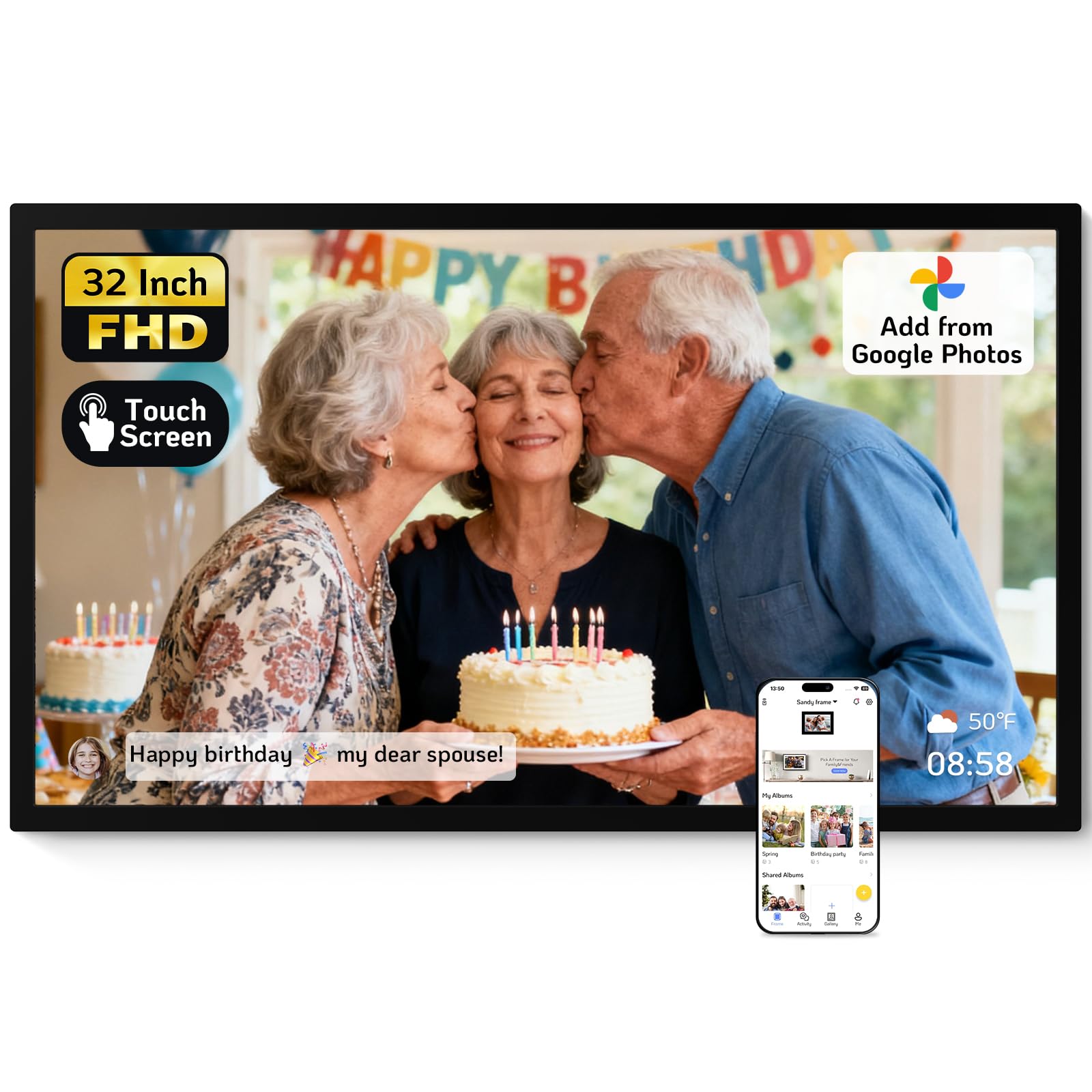
The NexFoto 32-inch is the only frame in this lineup that combines a full glossy touchscreen display with direct Google Photos integration, making it the most convenient option for users who already manage their photo library in Google’s ecosystem. The 1920×1080 IPS touchscreen delivers vibrant colors and sharp details, and the glossy finish enhances contrast for photos with deep blacks — though it does produce more glare in brightly lit rooms compared to matte panels. The 64GB internal memory can store approximately 160,000 pictures, and the MicroSD slot adds another 64GB of expansion.
The NexFoto app allows batch uploading of 50 photos at a time, and the built-in photo editor lets you crop and adjust images before they hit the frame. Multifunctional features include customizable slideshow playlists, weather and clock display, sleep mode scheduling, and the ability to send timed greetings to the frame. The two-year warranty is among the best in the category, and customer support promises a 12-hour response window. The minimalist black design works well for wall mounting with the included swivel mount, which makes orientation adjustments effortless.
Some users report that the touchscreen has a slight delay that sometimes registers double presses, requiring precise taps to avoid accidental menu jumps. The 16:9 aspect ratio means photos shot in 4:3 or square formats will be cropped unless you adjust them beforehand. A small number of reliability complaints mention the frame stopping working after a few weeks, though the warranty covers replacement. For Google Photos enthusiasts who want touch control and generous storage, the NexFoto is a strong mid-range contender.
Why it’s great
- Direct Google Photos integration for seamless library uploads
- 64GB storage plus up to 64GB MicroSD expansion
- Two-year warranty with responsive customer support
Good to know
- Touchscreen has a slight delay that can cause double-tap errors
- Glossy screen produces glare in very bright rooms
5. Arktronic 32 Inch Digital Picture Frame
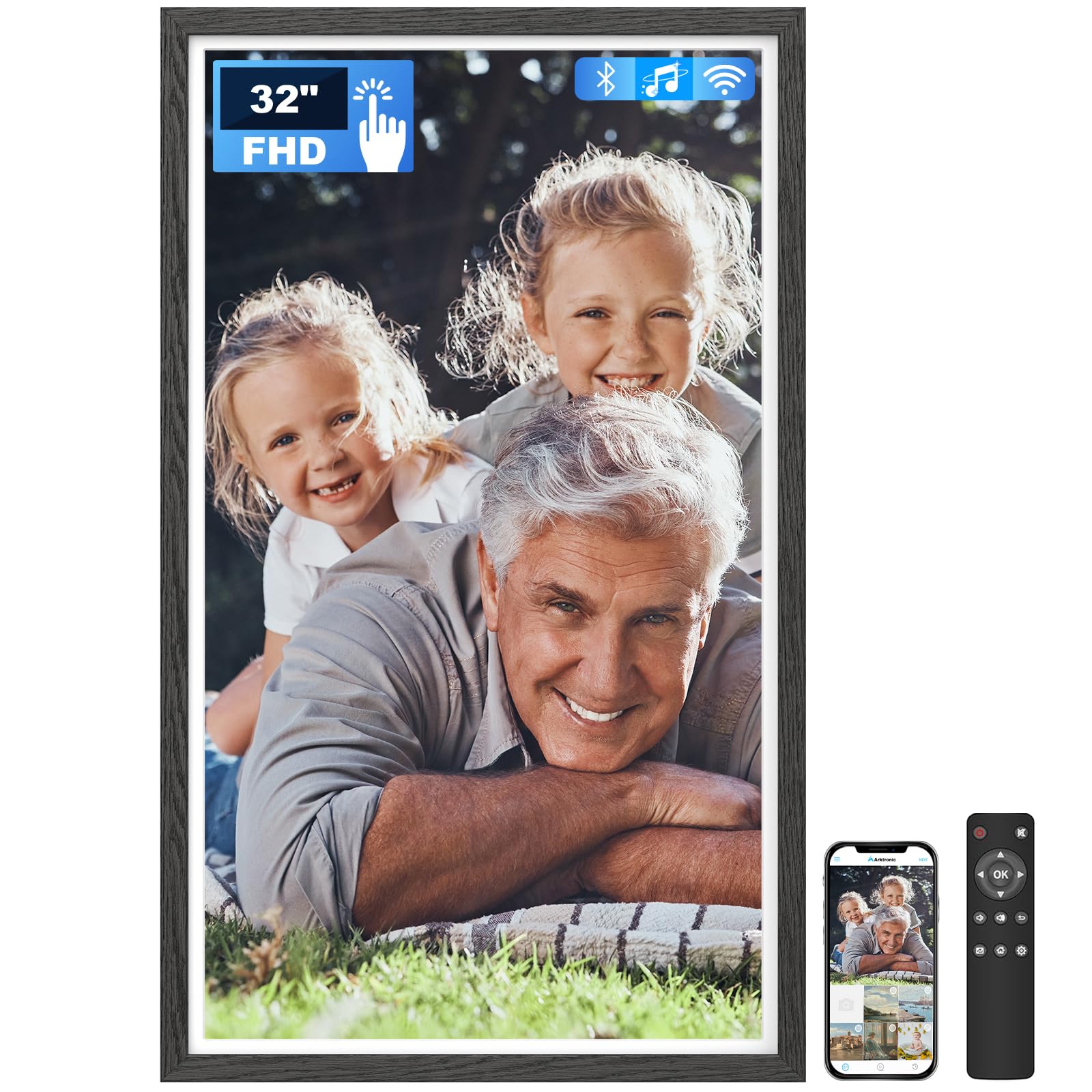
The Arktronic 32-inch frame stands out with its black wood pattern finish, which gives it a warmer, more traditional appearance than the standard black plastic frames that dominate this category. The 1920×1080 IPS touchscreen provides excellent off-angle viewing, and the combination of touchscreen plus IR remote control makes it accessible for both tech-savvy users and grandparents who prefer physical buttons. The VPhoto app (compatible with iOS and Android) supports sending photos and videos via Wi-Fi or email, and multiple family members can connect to the same frame simultaneously.
The 64GB internal storage holds up to 160,000 photos, and the frame supports MicroSD expansion up to 64GB. One of the more thoughtful features is the ability to add captions to each photo, preserving the context of when and where the image was taken. The frame supports a wide range of video formats including MPEG4, AVI, MOV, and MKV, making it one of the most versatile options for mixed photo-and-video slideshows. The two-way wall mount allows you to change the frame’s direction to follow the room layout.
The primary limitation reported by users is that the picture adjustment feature only works in vertical orientation — horizontal images cannot be repositioned within the frame. The remote requires AAA batteries that are not included, which is a minor inconvenience during initial setup. A few users mention that the touchscreen responsiveness could be snappier. For buyers who prioritize aesthetic variety and video format support in a mid-range price tier, the Arktronic is a well-rounded choice.
Why it’s great
- Black wood pattern finish offers a warmer aesthetic than standard plastic
- Supports a wide variety of video formats including MOV and MKV
- Touchscreen plus IR remote provides dual control options
Good to know
- Picture repositioning is only available in vertical orientation
- Remote control requires AAA batteries not included in the package
6. Nethgrow 32-Inch Digital Picture Frame
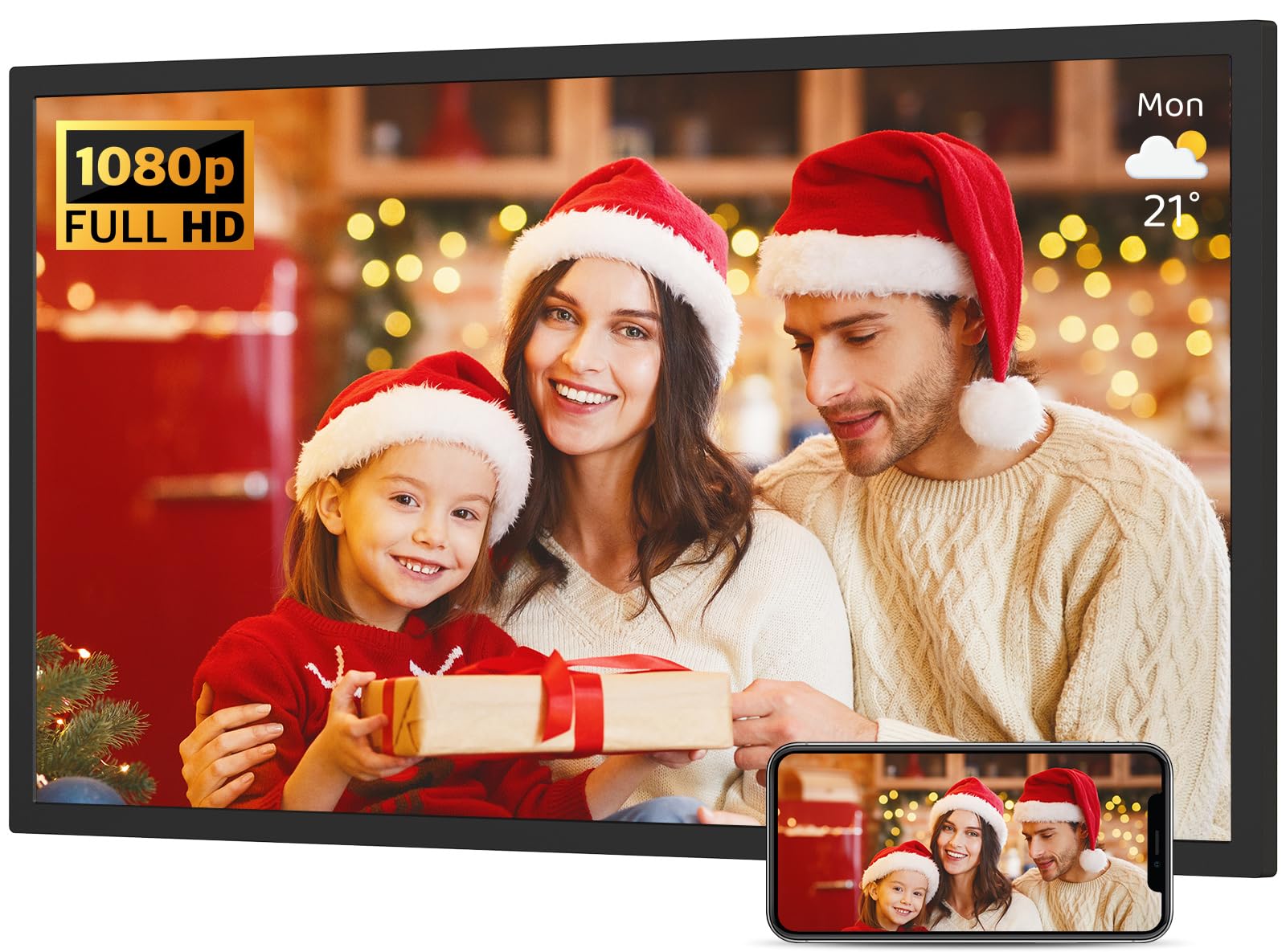
The Nethgrow 32-inch frame distinguishes itself with a feature rarely seen in this category: WiFi screen mirroring from a smartphone or tablet. This allows you to cast social media feeds, YouTube videos, TikTok clips, or even a live weather radar directly onto the 1920×1080 IPS display without the need to download files first. The panel offers a claimed 180-degree viewing angle, which is exceptionally wide even by IPS standards, making it ideal for open-concept spaces where the frame is visible from multiple rooms.
Built-in 64GB storage can hold over 50,000 photos, and the cloud storage integration provides an online backup layer. The auto-rotation mode switches between portrait and landscape based on the wall mount orientation, and the included remote control makes navigation simple. The frame also includes a split-screen mode and an alarm clock function, expanding its utility beyond a simple photo viewer. The VPhoto app ecosystem supports multiple senders and scheduled greeting delivery.
The screen mirroring feature, while powerful, can introduce latency depending on your home network speed — live video casting may not be perfectly smooth on slower connections. The USB port is positioned very close to the power cord input, which can make plugging in a flash drive awkward. Some users wish the internal storage was larger than 64GB, especially if they plan to store long video files. For families who want a digital frame that doubles as a secondary home display for content sharing, the Nethgrow is an innovative option.
Why it’s great
- WiFi screen mirroring from smartphone or tablet for live content casting
- 180-degree viewing angle maintains color from any position in the room
- Split-screen mode and alarm clock add extra functionality beyond photo display
Good to know
- Screen mirroring can lag on slower home networks
- USB port placement is too close to the power cord for some flash drives
7. Dragon Touch Large Digital Picture Frame 32 Inch

The Dragon Touch Classic 32 takes a straightforward approach: a large 32-inch 1080p display with generous 64GB storage, controlled entirely through a remote rather than a touchscreen. This design philosophy works well for families buying a frame for elderly relatives who find touchscreens confusing or for installation in hard-to-reach locations like high walls. The VPhoto app allows unlimited users to send photos to the frame from anywhere, and the dual-band 2.4GHz and 5GHz WiFi ensures fast uploads of up to 50 photos per batch.
The auto-rotate function works with the included wall mount to switch between landscape and portrait orientations. The frame also supports TF card expansion up to 64GB and USB drive connectivity for importing local photo collections. Built-in memory of 64GB provides ample space for the average family photo library, and the ability to export received photos back to a computer via USB or SD card gives you control over your data. User reviews consistently praise the image quality and the ease of setup, noting that the frame can be unboxed and running within minutes.
The lack of a touchscreen means you must rely on the remote for all navigation, which can feel less intuitive for adjusting slideshow settings or browsing photos. Some users report that the access code required for app pairing needs to be refreshed approximately every 12 hours, which can be an annoyance for remote family members who want to send photos without checking in with the frame owner. The plastic frame construction is functional but not particularly decorative. For simplicity and reliable remote control operation, the Dragon Touch delivers consistent performance.
Why it’s great
- Remote-only control is ideal for elderly users and high-wall installations
- 64GB storage supports large photo libraries without expansion
- Fast dual-band WiFi (2.4GHz and 5GHz) for quick photo uploads
Good to know
- App pairing access code requires periodic refreshing every 12 hours
- No touchscreen means all navigation depends on the remote control
8. Uhale 32″ Large Digital Picture Frame (FANGOR)

The Uhale 32-inch frame by FANGOR addresses one of the most common pain points in large digital frames: slow upload speeds. While most competing frames limit batch uploads to 50 photos, the Uhale allows you to transfer up to 100 photos at once via the Uhale app, cutting the initial library setup time in half. The 1920×1080 IPS panel includes anti-glare coating, which is a significant practical advantage for a 32-inch display that will likely be placed in a room with ambient light from windows or overhead fixtures.
The frame supports dual-band 2.4GHz and 5GHz WiFi, SD card expansion up to 128GB, and USB drive connectivity up to 128GB — the highest expansion limits in this comparison. The remote control interface is simple enough for users of all ages, and auto-rotation works with the included wall mount. The Uhale PC web interface allows you to import photos from a computer without using the mobile app, which is convenient for organizing large collections. Video playback from SD card or USB has no time limit, unlike app-based video sharing which is capped at 2 minutes.
A few users report that the included wall-mounting bracket does not swivel, making it more difficult to achieve the perfect viewing angle without additional hardware. The instruction manual could be clearer about certain features, though the setup process itself is straightforward. At 19 pounds, this is one of the heavier frames in the category, so ensure your wall anchors are rated for the weight. For users with large photo libraries who want faster initial setup and an anti-glare screen, the Uhale is a practical choice.
Why it’s great
- 100-photo batch upload is double the capacity of most competing frames
- Anti-glare IPS panel reduces reflections in bright rooms
- Supports SD card and USB expansion up to 128GB each
Good to know
- Wall-mounting bracket does not swivel for angle adjustment
- Heavy 19-pound frame requires sturdy wall anchors for safe installation
9. FULLJA 32″ Digital Calendar Digital Picture Frame
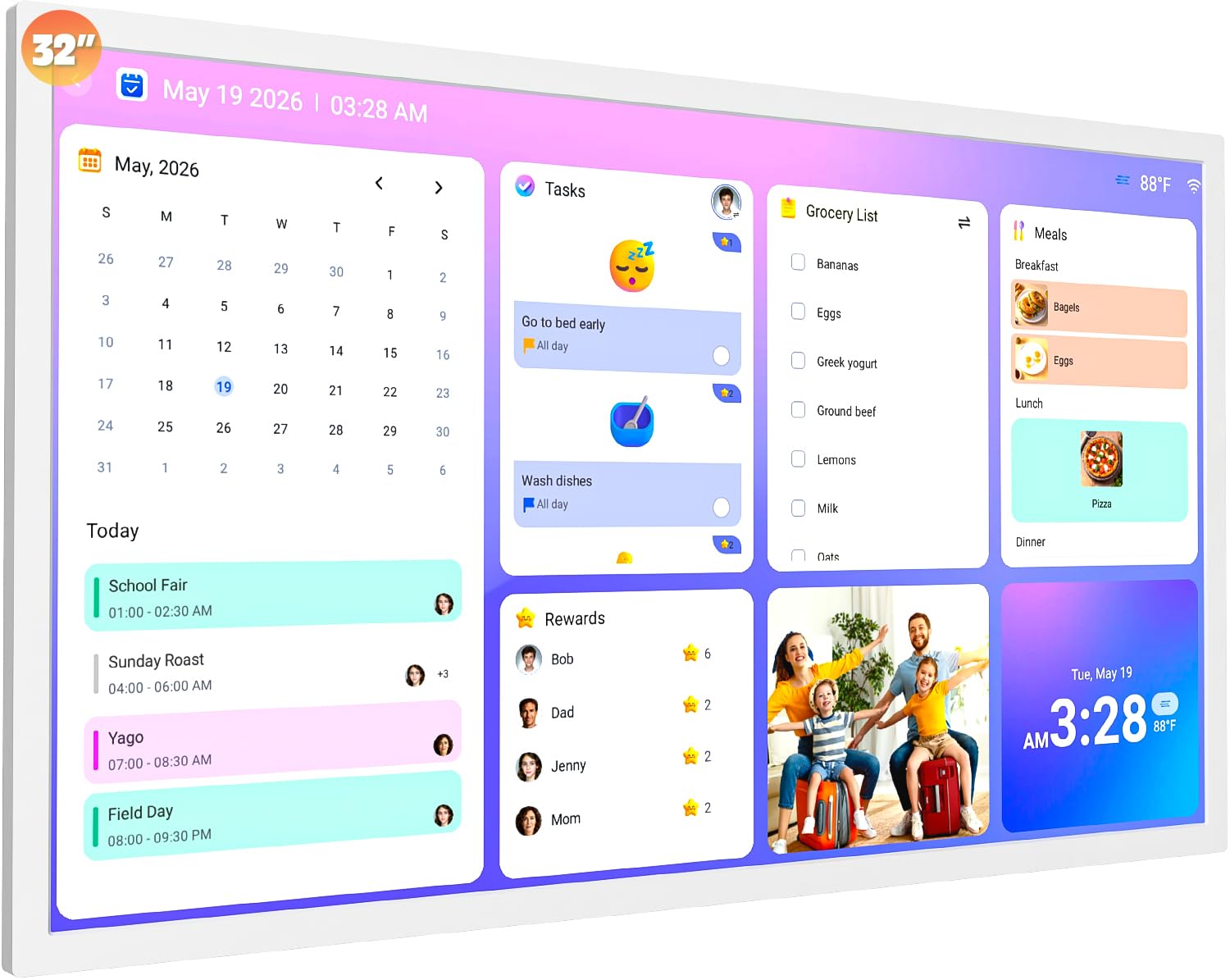
The FULLJA 32-inch is not just a digital picture frame — it is a full family command center that integrates a synchronized calendar, chore chart with star reward system, meal planner, and photo display into one interface. The 1920×1080 IPS touchscreen serves as both a photo gallery and an interactive family organizer. It auto-syncs with Google, iCloud, Outlook, Cozi, and Yahoo calendars, so everyone’s appointments appear on the big screen without manual entry. Each family member gets a unique color-coded avatar and can earn stars by completing assigned chores displayed on the frame.
The digital photo frame function remains fully intact — you can cycle through family photos in slideshow mode between calendar views. The touchscreen is responsive enough for quick navigation between the calendar, chore chart, meal planner, and photo gallery. Auto-rotation switches between portrait and landscape based on wall mount orientation, and the white frame design blends well with modern kitchen or home office decor. There are no mandatory subscription fees for core functionality, and the eCalendar app handles all data synchronization securely.
This is a niche product that excels as a family organizer but makes compromises as a dedicated photo frame — the photo display is secondary to the calendar interface, and you cannot run a full-screen slideshow while the calendar layout is active. The chore reward system requires consistent parental involvement to maintain motivation. At the premium end of the price spectrum, it represents strong value only if you actually need the organizational features. For families drowning in scheduling chaos who also want their photos visible, the FULLJA is a uniquely capable hybrid.
Why it’s great
- Syncs with Google, iCloud, Outlook, Cozi, and Yahoo calendars automatically
- Interactive chore chart with star reward system motivates kids
- No mandatory subscription fees for core organizational features
Good to know
- Photo display is secondary to the calendar interface — no full-screen slideshow mode
- Chore reward system requires consistent parental engagement to be effective
FAQ
Can I wall-mount a 32-inch digital picture frame without it falling?
How many people can send photos to a 32-inch digital frame at the same time?
Do 32-inch digital picture frames support vertical photo display?
Final Thoughts: The Verdict
For most users, the best 32 inch digital picture frame winner is the Cozyla Frame 32″ because its unlimited cloud storage without subscription fees eliminates the single biggest headache in this category while delivering sharp 1080p images and AI photo restoration. If you want a responsive touchscreen with a polished app ecosystem, grab the Frameo 32″ by BIGASUO. And for families who need a centralized scheduling hub that also displays photos, nothing beats the FULLJA 32″ Digital Calendar.