
Finding a 32-inch screen that handles console or PC gaming without breaking your desk or your budget is harder than it looks. Most bedroom-friendly TVs cap out at 60Hz or 720p, while monitors built for competitive play often skip a smart OS entirely. The sweet spot is a display that delivers a fluid, low-lag image for fast-paced titles and still streams Netflix or YouTube without a separate dongle.
I’m Rikta — the co-founder and writer behind Gadgets Feed. I’ve spent years analyzing refresh-rate specs, panel types, and connectivity standards to find the screens that genuinely improve gameplay without hidden compromises. (And Homer 🐱 keeps knocking the remote off my lap whenever a game gets too loud).
Whether you play on a PlayStation, Xbox, or gaming laptop, choosing the right display means balancing resolution, motion handling, and input lag. That’s exactly where best 32 inch gaming tv decisions come down to real specs, not marketing labels.
How To Choose The Best 32 Inch Gaming TV
A 32-inch gaming display lives in a unique space between a desk monitor and a bedroom TV. The wrong choice can mean motion blur in fast shooters or a smart interface that lags when switching inputs. Focus on panel type, refresh rate, and the connectivity your console or PC actually uses.
Panel Technology: VA vs IPS
VA panels dominate the 32-inch gaming space because they deliver deeper blacks and higher native contrast — typically 3000:1 to 4000:1 — which makes dark scenes in horror and RPG titles look punchy rather than washed out. IPS panels offer wider viewing angles but lower contrast, which matters less when you sit directly in front of the screen. For single-player immersion and competitive visibility, VA is the better bet at this size.
Refresh Rate and Adaptive Sync
60Hz feels sluggish once you’ve played at 120Hz or higher. Most modern consoles support 120fps output, and a display that can match that refresh rate eliminates judder during fast camera pans. AMD FreeSync Premium or basic VRR keeps the monitor and GPU in sync, preventing screen tearing without adding noticeable lag. Look for at least 120Hz native or overclockable to 180Hz for a genuinely smooth experience.
Resolution and Pixel Density
At 32 inches, 1080p yields roughly 69 PPI — perfectly sharp from two to three feet away in a desk setup. Jumping to 1440p (QHD) on the same diagonal gives about 91 PPI, which looks noticeably crisper for text and desktop use but demands more GPU power in games. For pure gaming fluidity on mid-range hardware, 1080p at high refresh rates makes more sense than 1440p locked at 60fps.
Quick Comparison
On smaller screens, swipe sideways to see the full table.
| Model | Category | Best For | Key Spec | Amazon |
|---|---|---|---|---|
| Samsung Odyssey G3 G30D | Premium Gaming Monitor | Ergonomic desk setup | 180Hz / 1ms / 1080p | Amazon |
| ASUS TUF Gaming VG32VQM5AZ | Premium Gaming Monitor | Ultra-smooth competitive play | 240Hz / 0.5ms / 1080p | Amazon |
| LG UltraGear 32GS60QC | Premium Gaming Monitor | QHD immersion and detail | 180Hz / 1ms / 1440p | Amazon |
| Sceptre C325B-FWD240 | Mid-Range Gaming Monitor | High-refresh on a budget | 240Hz / 1ms / 1080p | Amazon |
| Samsung F6000 Smart TV | Smart TV | Streaming plus casual gaming | 60Hz / 1080p / HDR | Amazon |
| CRUA 32 Curved Monitor | Budget Gaming Monitor | Curved VA at a low entry price | 200Hz / 1ms / 1080p | Amazon |
| Gawfolk 32 Curved Monitor | Budget Gaming Monitor | 180Hz curved at entry price | 180Hz / 1080p / VA | Amazon |
| Roku Select Series 32 | Smart TV | Simple streaming with private listening | 1080p / Bluetooth headphone mode | Amazon |
| Amazon Ember 2-Series | Smart TV | Cost-effective secondary room TV | 720p / Fire TV / Alexa | Amazon |
In‑Depth Reviews
1. Samsung Odyssey G3 (G30D) 32

The Samsung Odyssey G3 G30D hits the sweet spot for serious gamers who spend hours at a desk. Its native 180Hz refresh rate and 1ms MPRT response time keep fast-paced shooters like Call of Duty and Overwatch 2 feeling fluid without motion blur. The 1080p VA panel delivers a 3000:1 contrast ratio, so dark corners in Resident Evil or Dead Space remain genuinely black rather than gray.
What sets this model apart from the competition is the fully ergonomic stand. You get height adjustment, swivel, tilt, and pivot — rare at this price tier — which makes dual-monitor alignment or finding the perfect eye level straightforward. The Black Equalizer lifts shadow detail in multiplayer maps without washing out bright areas, giving a competitive edge in dimly lit environments.
AMD FreeSync keeps the refresh rate synced with your GPU to eliminate tearing, and the three-sided borderless design works well in multi-monitor arrays. The built-in speakers are adequate for system sounds, but a dedicated headset or external speakers will serve you better for immersive gameplay.
Why it’s great
- Fully adjustable stand (height, swivel, tilt, pivot) for long sessions
- 180Hz with 1ms response delivers buttery-smooth competitive gameplay
- Black Equalizer enhances visibility in dark game scenes
Good to know
- Onboard speakers are basic, best paired with a headset
- Brightness caps at 250 cd/m², fine for indoor use only
2. ASUS TUF Gaming VG32VQM5AZ
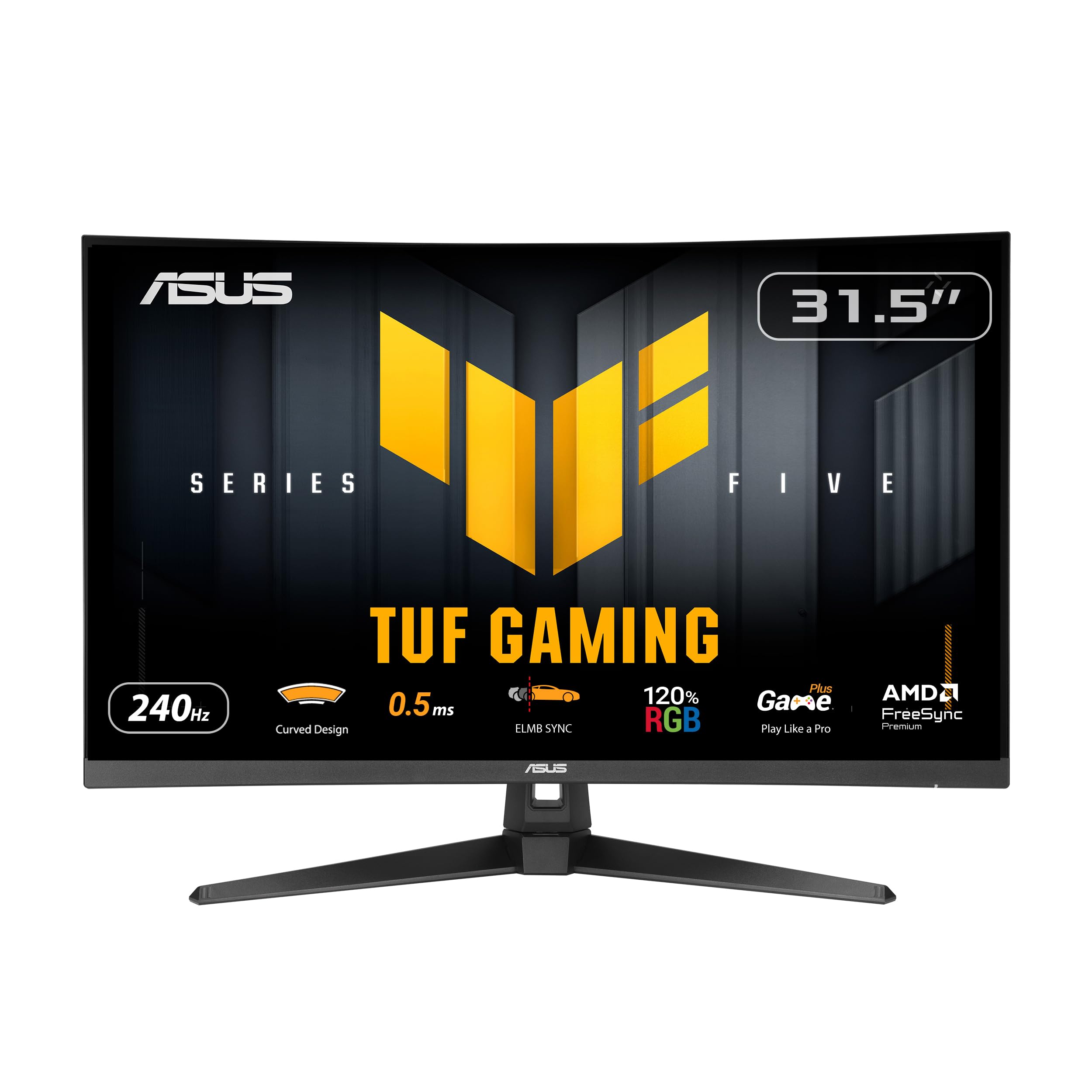
The ASUS TUF Gaming VG32VQM5AZ pushes the refresh-rate ceiling at this screen size with an overclockable 240Hz panel and an astonishing 0.5ms GTG response time. That combination practically eliminates motion blur in competitive titles like Valorant and Apex Legends, where every frame matters in a split-second duel. The 1500R curvature wraps around your field of view, reducing eye strain during marathon sessions.
ASUS Extreme Low Motion Blur Sync works alongside FreeSync Premium to give you both smooth motion and tear-free frames without the brightness penalty that older blur-reduction technologies impose. The 120% sRGB color gamut makes the image look vibrant out of the box, and the built-in crosshair overlay gives console players an aiming reticle in games that lack one. DisplayWidget Center lets you tweak settings with a mouse rather than navigating an on-screen menu.
The stand offers tilt adjustment but no height or swivel, so you will need a VESA arm if perfect ergonomics are critical. Built-in speakers are decent for a monitor this thin, but the real reason to buy this screen is the raw speed it offers at a very competitive price point.
Why it’s great
- 240Hz overclocked refresh rate with 0.5ms response for elite-level responsiveness
- ELMB Sync combines blur reduction with variable refresh rate support
- 120% sRGB coverage produces punchy, oversaturated colors
Good to know
- Stand only tilts — no height or swivel adjustment included
- Requires DisplayPort to hit full 240Hz at 1080p
3. LG UltraGear 32GS60QC

The LG UltraGear 32GS60QC steps above 1080p with a native 2560×1440 QHD resolution that delivers noticeably sharper detail — about 91 PPI — making textures in Cyberpunk 2077 and the latest RPGs look far more refined than on a standard HD panel. The 1000R curve is the steepest in this roundup, pulling the edges of the screen into your peripheral vision for an immersive effect that rivals ultrawide setups.
With a 180Hz refresh rate and 1ms GTG response, motion clarity remains excellent even in fast-moving scenes. The VA panel offers a 3000:1 contrast ratio and HDR10 support, so explosions and neon signs pop against dark backgrounds. AMD FreeSync ensures the experience stays tear-free across both DisplayPort and dual HDMI 2.0 inputs, making it versatile for PC and current-gen console use.
The Black Stabilizer lifts shadow detail without overexposing highlights, and the Dynamic Action Sync reduces input lag to keep your reactions competitive. The stand only offers tilt adjustment, so you will want a VESA arm if height adjustment matters. This is the pick for gamers who prioritize image sharpness over raw refresh-rate numbers.
Why it’s great
- QHD resolution offers a clear step up in detail over 1080p models
- 1000R curve creates strong immersion for single-player and sim titles
- Black Stabilizer and Dynamic Action Sync enhance competitive viability
Good to know
- Stand is tilt-only, ergonomic flexibility requires a separate VESA mount
- QHD demands a more powerful GPU to maintain high frame rates
4. Sceptre C325B-FWD240

The Sceptre C325B-FWD240 brings a 240Hz refresh rate into an aggressively priced mid-range package. The 1500R curved VA panel with 110% sRGB coverage delivers vibrant colors that make games like Forza Horizon 5 and Battlefield look rich and saturated. FreeSync Premium keeps the high frame rate smooth without tearing, and the 1ms response time minimizes ghosting during rapid camera movements.
Built-in speakers save desk space and handle casual use, though their audio profile is thin for immersive gaming. Both DisplayPort and HDMI can deliver the full 240Hz refresh rate, which is unusual at this price — most budget monitors lock higher refresh rates to DisplayPort only. The bezel-less design on three sides gives it a modern look that fits well in multi-monitor configurations.
The stand is basic with tilt-only adjustment, and some units have reported contrast degradation after extended use, so keeping the receipt handy is wise. For the price, this monitor delivers exceptional motion clarity that rivals more expensive gaming screens.
Why it’s great
- 240Hz refresh rate available over both HDMI and DisplayPort
- 110% sRGB gamut produces vivid, oversaturated colors
- FreeSync Premium certification ensures smooth variable refresh
Good to know
- Some user reports of contrast and sharpness degradation after a month
- Tilt-only stand limits ergonomic adjustment
5. Samsung F6000 Smart TV (2025)

The Samsung F6000 occupies a different lane from dedicated gaming monitors — it is a smart TV first, with a 60Hz 1080p panel that handles streaming, cable, and casual console gaming capably. Tizen OS gives you access to Samsung TV Plus with hundreds of free channels plus all major streaming apps, and the slim three-bezel-less design looks clean in a bedroom or living room setting.
HDR support (basic HDR10, not Dolby Vision) adds a bit more punch to compatible content, and Object Tracking Sound Lite creates a virtual surround effect even without a separate soundbar. Q Symphony works with compatible Samsung soundbars to combine TV and soundbar speakers, though the built-in speakers are clear enough for dialogue-heavy shows at moderate volume.
The biggest catch for gaming is the 60Hz cap, which means no smooth motion at 120fps on PS5 or Xbox Series X. Some users report noticeable remote lag and channel memory dropouts. It works fine for turn-based RPGs, platformers, and streaming, but fast-twitch competitive players will want the higher refresh rates of the dedicated monitors above.
Why it’s great
- Full smart TV platform with 2700+ free channels and all major streaming apps
- Object Tracking Sound Lite and Q Symphony enhance audio immersion
- Ultra-slim bezel-less design blends into any room decor
Good to know
- 60Hz panel means no 120fps support for modern consoles
- User reports of remote lag and channel memory being lost at power-off
6. CRUA 32 Curved Gaming Monitor

The CRUA 32-inch curved monitor packs a native 200Hz refresh rate and 1ms GTG response into a budget-friendly VA frame. The 1800R curvature and 4000:1 contrast ratio create deep blacks and good immersion for single-player gaming. AMD FreeSync helps keep frames consistent, though the implementation is basic compared to FreeSync Premium found on pricier screens.
Color coverage reaches 120% sRGB, which makes titles like Genshin Impact and Ori look vibrant and saturated. The stand is functional but lacks any tilt or height adjustment, and there are no built-in speakers — you will need external audio. Connectivity includes one HDMI port (limited to 120Hz) and one DisplayPort that unlocks the full 200Hz refresh rate.
Build quality feels solid for the price, and the OSD menu is navigable through a small joystick on the back. The panel is best for gamers on a tight budget who want a curved VA experience and high refresh rates without moving into premium pricing territory.
Why it’s great
- 200Hz native refresh rate available via DisplayPort
- 120% sRGB gamut delivers vivid, punchy colors for gaming
- 4000:1 contrast ratio provides deep blacks in dark game scenes
Good to know
- No built-in speakers and no ergonomic stand adjustment
- HDMI port is capped at 120Hz, DisplayPort required for full speed
7. Gawfolk 32 Curved Gaming Monitor
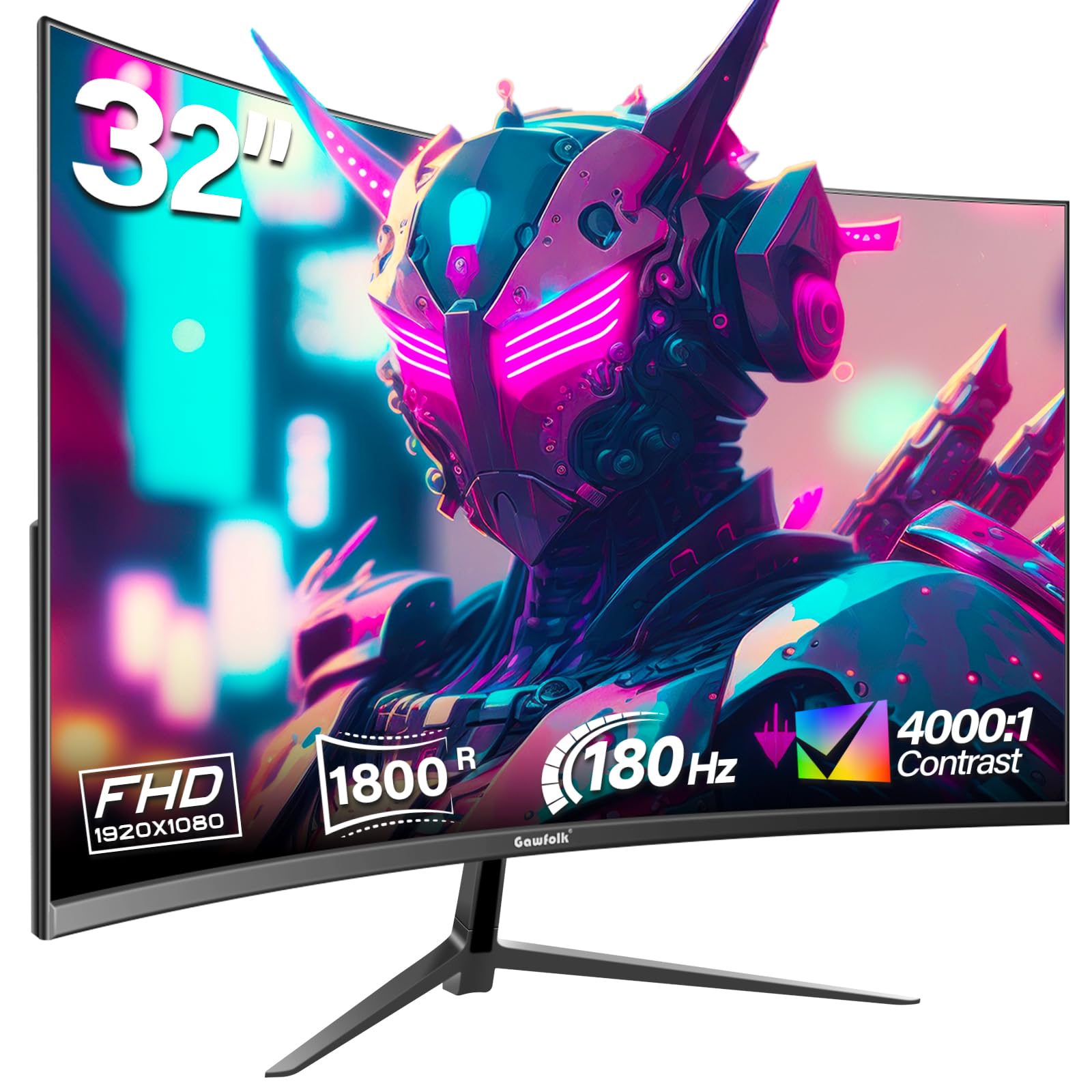
The Gawfolk 32-inch curved monitor offers an 1800R VA panel with a 180Hz refresh rate at a very low entry price. The 4000:1 contrast ratio delivers the deep blacks typical of VA technology, and AMD FreeSync keeps motion smooth during gaming sessions. Build quality feels decent for the price, and the included HDMI and DisplayPort cables are a welcome addition.
The 1080p resolution at this size means a standard 69 PPI, which looks fine at desk distance and is easier to drive at high frame rates than higher-resolution panels. Color coverage is rated at 99% sRGB, so images are vibrant enough for most gaming scenarios. The stand is basic with tilt-only adjustment, and the OSD is controlled by buttons on the back rather than a joystick.
Some users have reported screen cutout issues and ghosting after a few days of use, which suggests quality control can be inconsistent. If you get a good unit, this monitor delivers impressive specs for the money, but buying from a retailer with a flexible return policy is recommended.
Why it’s great
- 180Hz refresh rate at the lowest price point in this roundup
- 1800R VA panel delivers good contrast and color reproduction
- Includes both HDMI and DisplayPort cables in the box
Good to know
- Inconsistent quality control — some units experience screen cutting out
- No built-in speakers and only tilt adjustment on the stand
8. Roku Select Series 32
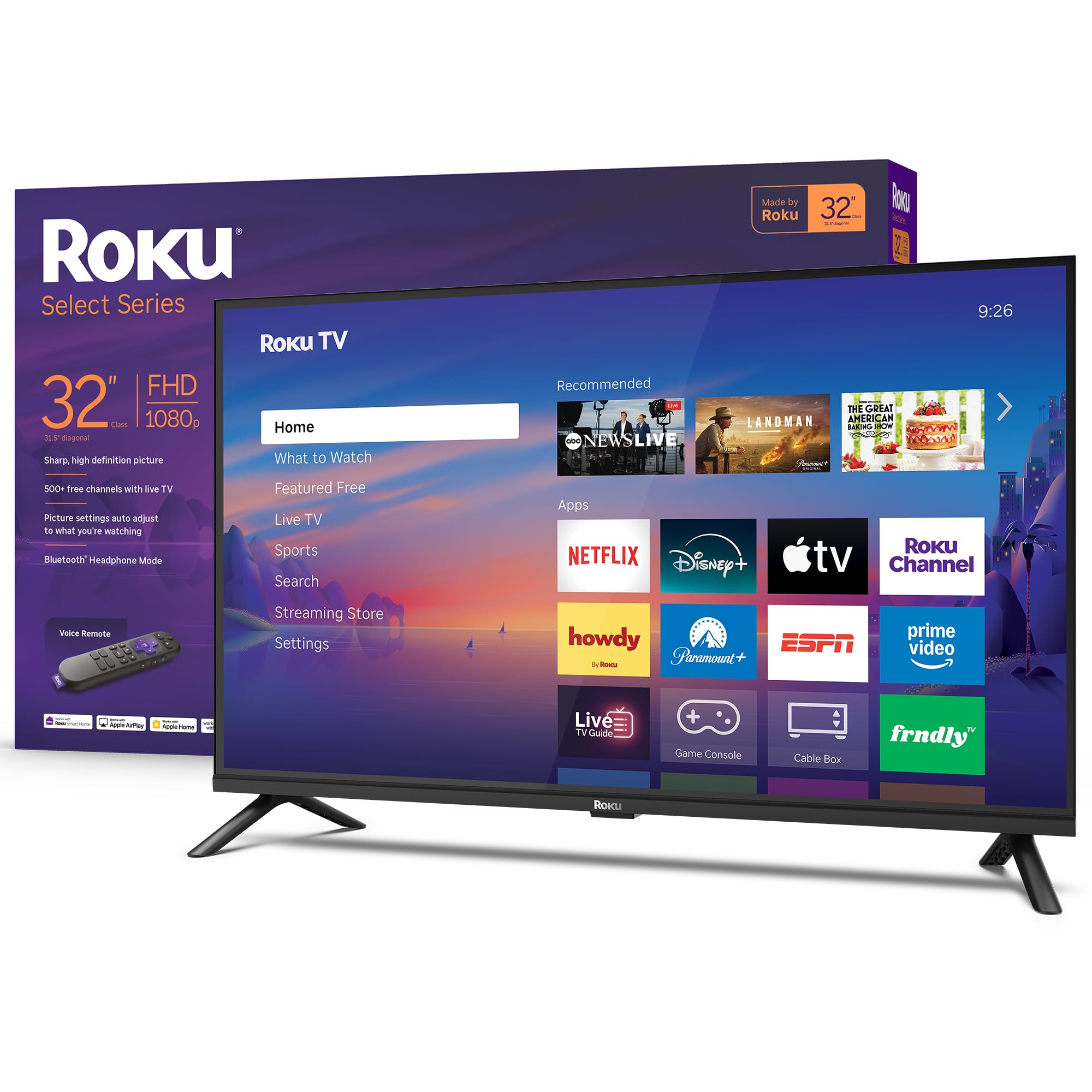
The Roku Select Series 32 is a dedicated smart TV with a 1080p Full HD panel, built around Roku’s famously simple interface. Setup is genuinely fast — roughly 20 minutes from unboxing to streaming — and the home screen organizes apps cleanly without clutter. The 60Hz panel works fine for casual gaming and streaming, though competitive players will miss higher refresh rates.
The standout feature here is Bluetooth Headphone Mode, which lets you pair wireless headphones directly to the TV for private listening without waking the household. This is incredibly convenient for late-night gaming or streaming in a shared bedroom. Roku Voice, Siri, Alexa, and Google Assistant are all supported, and Apple AirPlay makes sharing content from an iPhone effortless.
Roku Smart Picture processing cleans up standard-definition and compressed streams reasonably well, and the speakers are tuned for clearer dialogue than many budget TVs. For a secondary space where streaming is the primary activity and gaming is occasional, this is a very reliable choice.
Why it’s great
- Bluetooth Headphone Mode enables private late-night listening easily
- Roku interface is fast, simple, and receives automatic updates
- Apple AirPlay and multi-assistant voice control built in
Good to know
- 60Hz panel limits competitive gaming performance
- Onboard sound can be improved with a soundbar for fuller audio
9. Amazon Ember 2-Series 32

The Amazon Ember 2-Series is a 720p HD smart TV designed for secondary rooms where absolute clarity is less important than cost and convenience. Fire TV integration means you get Alexa voice control, access to thousands of apps, and Amazon Luna cloud gaming support. Wi-Fi 6 keeps streaming snappy even on a busy network, and the quad-core processor handles app switching without major lag.
The Omnisense ambient mode wakes the display when you enter the room, showing artwork or a clock when idle — a neat trick for a budget television. The Alexa Voice Remote Enhanced includes preset buttons for Prime Video, Netflix, Amazon Music, and Freevee, so getting to your favorite services feels immediate. Two HDMI inputs give you room for a console and a streaming box.
The key limitation is the 720p resolution. Text looks soft at desk distance, and game textures lack the detail you get from a 1080p or QHD panel. The audio quality is adequate for news and casual shows but benefits from external speakers. For a kitchen, guest room, or child’s room where budget is the top priority, this is a functional and easy-to-use option.
Why it’s great
- Full Fire TV OS with Alexa voice control and Wi-Fi 6 support
- Omnisense ambient mode wakes the screen when you enter the room
- Two HDMI inputs and budget-friendly price for a secondary room
Good to know
- 720p resolution limits detail in games and text clarity at desk distance
- Built-in speakers are basic, a soundbar is recommended for better audio
FAQ
Can I use a 32-inch gaming monitor as a TV for streaming?
Is 1080p good enough on a 32-inch screen for gaming?
Does HDMI 2.0 support 120Hz at 1080p or 1440p?
Final Thoughts: The Verdict
For most users looking for the best 32 inch gaming tv the winner is the Samsung Odyssey G3 G30D because it combines a fast 180Hz VA panel with a fully adjustable stand and gaming-specific features like Black Equalizer. If you want the highest possible frame rates, grab the ASUS TUF Gaming VG32VQM5AZ with its 240Hz overclock and 0.5ms response. And for gamers who prioritize sharp image quality, nothing beats the LG UltraGear 32GS60QC with its QHD resolution and immersive 1000R curve.