
Our readers keep the lights on and my morning glass full of iced black tea. As an Amazon Associate, I earn from qualifying purchases.
Specs are compiled from manufacturer listings and verified buyer reviews and can change over time — please confirm the key details on the product page before buying.
Here’s the plain truth about buying a 32-inch monitor for work: the wrong screen leaves your eyes stinging after a long day of spreadsheets, open browser tabs, and chat windows. The right one fits four windows side by side at a comfortable viewing distance. This guide breaks down eleven genuinely good options by their real specs and what owners actually experience, so you can match the screen to how you work rather than to a spec sheet.
I’m Min — the founder and writer behind Gadgets Feed. This guide is built by comparing the manufacturers’ published specifications and the patterns across verified customer reviews, so you get each pick’s real strengths and trade-offs instead of marketing spin.
We’ll cover pixel density versus screen size, why panel type changes how text looks, and how port selection can make or break your daily setup. Here is your complete guide to the best 32 Inch Monitor For Work.
Our Picks at a Glance

How To Choose The Best 32 Inch Monitor For Work
The most important question is not “which is biggest?” — it is “how sharp is the text at arm’s length?” A 32-inch screen is a genuine step up in workspace, but the resolution packed into that space determines whether documents look crisp or fuzzy. Buy for the work you actually do, not the biggest number on the spec sheet.
Resolution and pixel density
Pixel density is how tightly the pixels are packed together — the tighter they sit, the sharper small text looks. A 4K UHD screen (that is 3840 x 2160 pixels) squeezes well over eight million pixels onto the panel, so spreadsheets, code, and PDF documents stay readable without zooming. A 1440p screen (2560 x 1440) and a 1080p screen (1920 x 1080) each pack fewer pixels across the same physical space, so text looks softer the lower you go.
Panel type and viewing angle
An IPS panel (in-plane switching — a type of LCD that keeps colors steady when you view from the side) is the safe pick if you share your screen or turn your head to a second display. A VA panel (vertical alignment) typically produces deeper blacks and higher contrast, which some office workers prefer for reading dark-mode interfaces. Both are fine for work; the trade is off-angle color against on-axis contrast.
Connectivity and ergonomics
Look at which ports you actually use. HDMI and DisplayPort cover most laptops and desktops, and a USB-C port (a single cable that carries video, data, and charging) can power a laptop while driving the display. An ergonomic stand that adjusts height, tilt, and pivot lets you position the screen at eye level instead of craning your neck for eight hours.
Quick Comparison
| Model | Best For | Resolution | Panel Type | Refresh Rate | Amazon |
|---|---|---|---|---|---|
| KTC 32 Inch 2K Computer Monitor (White)★ Best Overall | All-day office work | 2560 x 1440 | IPS | 120Hz | Amazon |
| KTC 32 Inch Monitor H32T13Best Value | Budget-friendly office setup | 2560 x 1440 | LCD | 120Hz | Amazon |
| ViewSonic VS3225-2KMulti-Monitor Ready | Multi-monitor desk setups | 2560 x 1440 | LED (IPS) | 75Hz | Amazon |
| Samsung S3 (S39GD) 32-inch | Casual home office | 1920 x 1080 | LED (Curved) | 100Hz | Amazon |
| ASUS VP327Q | 4K on a tighter budget | 3840 x 2160 | IPS | 60Hz | Amazon |
| LG 32UR500K-B Ultrafine | Everyday home office | 3840 x 2160 | VA | 60Hz | Amazon |
| Dell S3225QS | Balanced work and play | 3840 x 2160 | VA | 120Hz | Amazon |
| LG 32UP83AK-W | Laptop docking via USB-C | 3840 x 2160 | IPS | 60Hz | Amazon |
| Samsung ViewFinity S8 (S80D) | Design and creative workflows | 3840 x 2160 | LED | 60Hz | Amazon |
| ASUS ProArt PA329CRV | Color-critical professional work | 3840 x 2160 | IPS | 60Hz | Amazon |
| BenQ RD320U | Full-time programmers and coders | 3840 x 2160 | LCD | 60Hz | Amazon |
In‑Depth Reviews
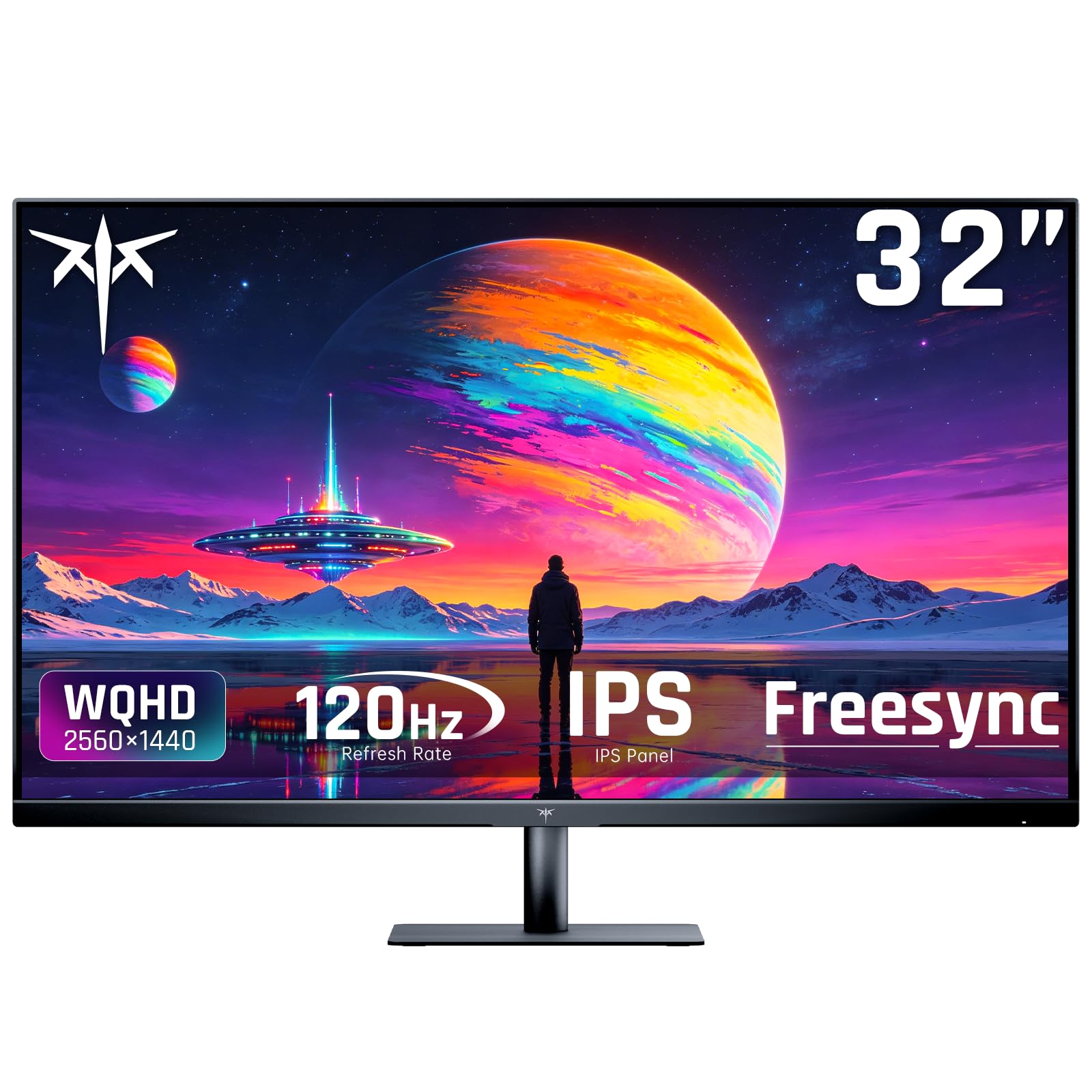
1. KTC 32 Inch 2K Computer Monitor, QHD 120Hz Monitor with IPS Panel, White
Our pick — 4.5★ from 900+ verified ratings; the strongest balance of quality and price.
A white 1440p IPS panel that out-resolves 1080p and outpaces 75Hz rivals on smoothness
The KTC 32-inch 2K monitor runs at 2560 x 1440 resolution on an IPS panel (in-plane switching — the LCD type that keeps colors steady when you glance from the side). That pixel count is the deciding factor for desk work: it spreads your documents, browser tabs, and chat windows across a genuinely wide workspace instead of forcing you to stack them. At 120Hz base, it refreshes the image 120 times every second, which makes scrolling through long pages feel far smoother than the 75Hz ViewSonic VS3225-2K manages — that 120Hz versus 75Hz gap is the clearest speed difference in this lineup.
This is a well-loved screen, holding 4.5 stars across 900+ ratings, and it earns that from daily-office owners. The KTC picks up plenty of love for its brightness and accurate colors from the start — 350 cd/m² (a candela per square meter, the standard brightness unit) means the screen stays readable in a bright room, and a 109% sRGB color gamut (the range of colors it can reproduce) keeps charts and photos looking natural. A ΔE<2 rating (the measured color difference from a perfect reference — lower is better) makes it a solid choice if your work touches visual design. FreeSync and G-Sync Compatible adaptive sync eliminate screen tearing, so text stays stable while you scroll.
Owners who upgraded from a similar 1440p 27-inch KTC describe the panel as crisp for coding and gaming alike, and the fully adjustable stand and clean white build come up again and again. The catch worth knowing: more than one owner has reported that a rear-mounted power or joystick button is awkward to reach, especially when the monitor is wall-mounted on a VESA 100 x 100 arm. There’s a small rear control hub to learn. Once you set your preferred brightness and input, though, you rarely need to touch it. Connectivity covers 1 x DisplayPort 1.4 and 2 x HDMI 2.0 — all rated up to 120Hz — so there’s plenty of room for a laptop, a desktop, and a console.
What earns its keep
- 1440p IPS panel gives sharp text and steady colors from any seat at the desk
- 120Hz refresh keeps scrolling smooth — noticeably faster than the 75Hz ViewSonic VS3225-2K
- 350 cd/m² brightness and 109% sRGB make it dependable in a bright home office
The honest caveats
- Rear-mounted controls are fiddly to reach once the monitor is on a wall arm
- DisplayPort and HDMI inputs are limited to 120Hz max — no higher ceiling for growth
Reach for this if: you want the sharpest text-per-dollar at 1440p with a smoothing refresh rate that most rivals at this level skip.
Look elsewhere if: you need a monitor that sits flush on a wall arm — you will be reaching behind it for power and input buttons.
2. KTC 32 Inch Monitor 2K Monitor, IPS 1440p Monitor with Ultra-Thin Bezels, HDR10, Freesync/G-sync, Black, H32T13
A 1440p black-frame workhorse that plugs straight into older machines with zero fuss
What makes the KTC H32T13 punch above its price is how quickly it disappears into your setup. At 2560 x 1440 resolution on a 32-inch frame, it renders crisp text in office apps, and it drives a smooth 120Hz refresh rate with Freesync & G-sync compatibility plus HDR10 support. But the real story here is backwards compatibility — an owner running a late-2013 iMac plugged this display in as a working third monitor with no adapter drama. If you have an older desktop or laptop that other modern 4K panels tend to reject, this screen plays nice.
The picture quality does not get lost in the price. Owners describe accurate skin tones, true black and white separation, and a bright, fast panel that handles everything from documents to video playback. Five viewing presets — Game, Movie, Web, Text, and Mono — let you shift the gamma curve for what you are doing. Pick Text for hours of reading small type, then switch to Movie for streaming at night. Flicker-free technology and a blue light filter also pair together to keep eye fatigue down during long work sessions, which is exactly what you want when the display is doing double duty as a workstation and a movie screen.
Now the honest catch that shows up repeatedly: the power and menu controls sit on a rear joystick, which is fiddly to reach when you are seated. The menu structure itself is logical — several owners say they figured it out quickly — but if you tweak brightness often, you’ll feel the placement. The stand also supports landscape orientation only; rotating to portrait requires a separate VESA stand. Those are real limitations, but at this price tier, you are buying picture quality and compatibility, not premium control design. This is a 4.1-star display across 350+ ratings, and for that money, the picture still earns its place on your desk.
Port-friendly for older rigs: HDMI, DisplayPort, and Mini DisplayPort inputs mean you can pair it with laptops, PCs, and Macs — even a late-2013 iMac ran it as a clean third screen, which is unusual for a display at this level.
Mind the reach-around controls: the rear joystick makes menu navigation less pleasant than a front-facing button strip, so set your brightness once and leave it.
Suits you if: you want a sharp 1440p panel that plays well with older hardware and avoids the premium price of big-brand rivals.
Best to skip if: you regularly adjust brightness or need a portrait-mode stand from the start.
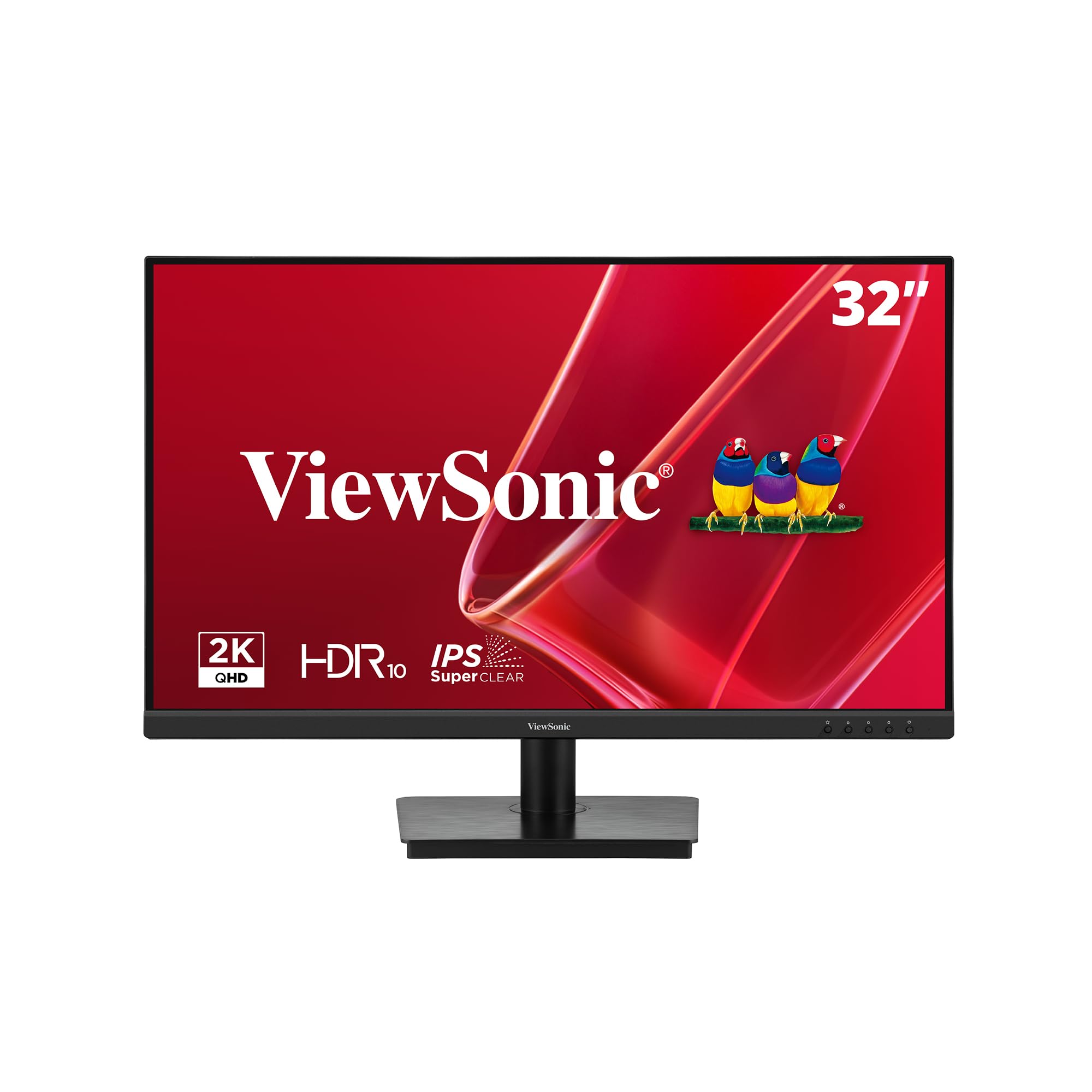
3. ViewSonic VS3225-2K 32 Inch QHD 1440p IPS Computer Monitor, 75Hz LCD
The one that turns a cramped desk into a two-screen command center with a single cable
For anyone who has ever crawled behind a desk to swap cables, the ViewSonic VS3225-2K answers the question every multi-monitor worker asks. It supports DisplayPort-out daisy chaining — that means you can extend your workspace across two of these screens using one cable between them, with a single cable running back to your laptop. Add an edge-to-edge frameless design and you get a nearly smooth dual-screen spread. The picture itself is sharp: 2560 x 1440 resolution on an IPS panel, which keeps colors consistent from wide angles so the second screen still looks right when you turn to it.
What owners consistently rave about is the screen quality. The 1200:1 contrast ratio beats the KTC’s 1000:1 panel, so dark backgrounds and text sit with a touch more definition — a real benefit when you read black-on-white documents for hours. The 250 cd/m² brightness keeps it readable in a normal office, and the 75Hz refresh makes scrolling smooth enough for documents and web pages, though it falls short of the 120Hz panels above. AMD FreeSync and Flicker-Free technology with a Blue Light Filter ease eye strain during long sessions, and ViewSonic’s exclusive ViewMode presets — Game, Movie, Web, Text, and Mono — let you dial in the best settings for each task.
The 3-year limited warranty and US-based customer service are note, since most monitors in this lineup carry shorter coverage. The honest trade-off: built-in speakers show up as the weakest point in owner feedback, and the sound is thin. If you take video calls without a headset, you’ll want external speakers or a headset. For pure work output, though, that does not affect the picture. This is a 4.4-star panel across 400+ ratings, and for dual-screen builders, the daisy-chain feature alone justifies a close look.
Why multi-monitor folks choose it
- DisplayPort-out daisy chaining drives two screens from one cable back to your laptop
- 1200:1 contrast ratio edges out the KTC’s 1000:1 panel for deeper black definition
- 3-year limited warranty with US-based service beats most rivals here
Where it falls short
- Built-in speakers sound thin and lose out to almost any dedicated audio setup
- 75Hz refresh is fine for documents but slower than the 120Hz panels higher up this list
Ideal for: anyone building a two-screen workstation who wants cable clutter cut down to one run to the laptop.
Not the pick if: you rely on monitor speakers for calls — budget for external audio.
4. Samsung 32-inch S3 (S39GD) FHD 100Hz Curved Monitor

A curved 1080p screen with a 3000:1 contrast punch and speakers built right in
The Samsung S39GD wins on one measurable spec that stands out against the rest of this lineup: a 3000:1 contrast ratio, the deepest black-to-white separation here. That means dark-mode interfaces and dim scenes show real depth, and black text on white documents reads with clean edges. The curvature wraps the screen around your field of view so the edges stay in reach, and the 1920 x 1080 FHD resolution delivered at 100Hz keeps motion smooth and lag down during video calls and light editing. Built-in speakers mean you skip the separate audio box if you just need basic call sound, and TÜV-certified eye comfort technology reduces blue light and screen flicker to ease long sessions.
Samsung’s design language comes through clearly — owners love the curved shape and describe the display as bright and easy on the eyes, with plenty of viewing adjustment options right in the menu. Game Mode and Eye Saver Mode are both present for those who do a little gaming after work, and HDMI connectivity makes it straightforward to hook up a laptop or console. It holds 4.5 stars across 200+ ratings, and the picture quality is the top thing owners celebrate.
The honest caveat is resolution. At 1920 x 1080 spread across 32 inches, text is not as crisp as the 1440p and 4K panels on this list, and work apps that do not scale well can look softer. That is the trade you accept for the price and the curve. If you mostly browse, email, watch video, and run a few basic productivity apps, this is an easygoing choice with real ergonomic appeal. If you stare at tiny spreadsheets all day, go with a higher-density panel.
Bright, comfortable, and curved: the 3000:1 contrast ratio gives this screen a level of depth the sharper panels here do not match, and the curve keeps the far edges in natural view for casual work and video.
The resolution reality check: 1920 x 1080 across 32 inches means less-sharp text than the 1440p or 4K picks, so it suits lighter productivity more than fine-detail data work.
You will love it if: you want an rich curved screen with speakers built in for basic home-office tasks.
Look past it if: you need maximum text sharpness for dense spreadsheets or small-font documents all day.
5. ASUS VP327Q 32 Inch 4K UHD Computer Monitor, HDMI, DisplayPort, Speakers

A 4K panel that quadruples the pixel count of FHD — sharp text without the flagship price
The VP327Q is how you get 3840 x 2160 resolution, four times the pixel density of the 1080p Samsung S39GD, without jumping to flagship territory. That density matters most when you read fine print for a living: small on-screen text stays legible at arm’s length, and you can fit two full documents side by side. The IPS panel keeps colors steady to 178 degrees, which helps if you share your screen with a colleague sitting off to the side. A 3000:1 contrast ratio and HDR-10 support give the display real depth for dark-mode work and video playback, and a 99% sRGB color gamut keeps document graphics and photos looking faithful.
ASUS fits plenty of connections here: dual HDMI ports plus DisplayPort let you run a laptop, a desktop, and a console simultaneously and hop between them. Eye Care technology includes TV-certified flicker-free operation and low blue light filters, so those long work shifts leave your eyes less tired. Built-in stereo speakers cover basic audio, and VESA mounting keeps the option open for a monitor arm if your desk runs tight on space. A 3-year warranty with advanced replacement and repair adds confidence if anything goes wrong.
The honest trade: this screen scores 4.0 stars across 160+ ratings, the lowest in this lineup, and the reliability picture is mixed — most buyers report it works right from the start, but a smaller number have had a unit stop working early. Brightness also draws the most negative feedback of any aspect. If you want a 4K screen at this price and can accept a bit more variance, it is a strong value. If you prioritize maximum reliability, the LG and Samsung 4K panels above carry a stronger track record.
Big resolution, small ask
- 3840 x 2160 resolution packs four times the pixels of the 1080p Samsung S39GD for sharper small text
- Dual HDMI plus DisplayPort connects a laptop, desktop, and console without unplugging
- 3-year warranty with advanced replacement service
Weigh before buying
- Brightness earns the most criticism in owner feedback — not the brightest option here
- Occasional early failures show up in feedback, so this is one to buy with confidence in the warranty
Great match for: shoppers who want 4K density at a friendlier tier and don’t mind the reliability luck of the draw.
Think twice if: maximum brightness or a rock-solid long-term record is your first priority.
6. LG 32UR500K-B Ultrafine 32-inch 4K UHD Computer Monitor

The 4K LG that owners call the best big screen to point a friend toward
What makes the LG 32UR500K-B a home-office favorite is how much 4K clarity it delivers without crossing into premium pricing. The 3840 x 2160 UHD panel reproduces up to 90% of DCI-P3 — the wide color range filmmakers use — so photos, video, and design work show rich, true-to-life color. Two built-in speakers with Waves MaxxAudio handle audio without extra gear, and OnScreen Control software lets you split the display into custom zones with a few mouse clicks, which is a genuinely useful trick when you want your email, spreadsheet, and video call laid out your way.
Owners rave most about the picture, describing a big, bright, sharp image that stays easy on the eyes. The VA panel clicks with people who value deep blacks, and the HDR10 support adds contrast for streamed shows and games between work tasks. The 250 cd/m² brightness works fine in a typical office or living room, and the ergonomic stand tilts the screen to your preferred angle. Dynamic Action Sync and Black Stabilizer, features usually marketed to gamers, quietly help here too — the fast refresh timing means less blur when video plays, and dark scenes brighten for better readability. This panel scores 4.4 stars across 500+ ratings.
The catch, and it shows up honestly in owner feedback: SDR content looks a little washed out alongside dedicated SDR monitors, so you may need to nudge a few settings to get the colors you want. It takes a few minutes of tuning. Once calibrated, most owners mention no regrets and several plan to buy a second unit. Two HDMI ports and a DisplayPort keep your devices connected, and the borderless design keeps your desk looking clean.
Colour that pulls you in: up to 90% DCI-P3 coverage and HDR10 make this a genuinely satisfying 4K screen for both documents and streaming, and owners single out the picture quality above all else.
Budget a few minutes for setup: SDR content can look slightly flat from the start against a dedicated SDR panel, so expect a short calibration session before you settle in.
Buy this if: you want a large, bright 4K workhorse for mixed office and entertainment duties at a sensible tier.
Consider alternatives if: you need perfect color straight from the start with zero tuning.
7. Dell 32 Monitor S3225QS, 4K UHD VA, 120Hz, FreeSync Premium, Eye Comfort

Sharp 4K detail at 120Hz with a colour engine built for long creative hours
The Dell S3225QS pairs two numbers that rarely travel together on a work screen: 3840 x 2160 resolution and a 120Hz refresh rate, boosted by AMD FreeSync Premium. That combination means dense text stays crisp while scrolling and video move without stutter, and it puts this monitor ahead of the LG 32UR500K-B on refresh — the Dell reaches 120Hz where the LG stays at 60Hz. A 1500:1 contrast ratio, in the same ballpark as the ViewSonic’s 1200:1 panel, keeps black text clean and dark interfaces readable. The 99% sRGB and 95% DCI-P3 coverage supports color-accurate work, and HDR readiness adds punch to video content.
Where owners notice the difference most is image quality, especially in the depth of dark text against white — several describe it as clearer with deeper contrast than a competing Samsung panel. ComfortView Plus reduces blue light to ≤35%, so long days do not leave your eyes stinging, and Dell backs this up with a stand that handles height, tilt, and even rotation for portrait documents. The re-engineered speakers produce louder, more detailed sound than the previous generation, though they are not for critical audio work. Built-in speakers override USB or headphone audio at random times for some owners, which is a small quirk worth flagging. The whole thing holds 4.4 stars across 500+ ratings.
The honest caveat: this is a VA panel, so extreme off-angle viewing washes out a little, and one owner reported flicker that was resolved by disabling Smart HDR. It is a minor adjustment, but something to know before you plug in. For pure work, the trade is more contrast than an IPS panel in exchange for tighter viewing angles. If you sit dead center — which most desk workers do — that trade is barely noticeable and the deeper blacks win.
Where it leads: a 120Hz panel at 4K outpaces the 60Hz LG 32UR500K-B, and ComfortView Plus reduces blue light to ≤35% for long sessions.
The one to know: VA viewing angles wash out at extreme side angles, so pair it with a centered seating position for the best result.
Right for you if: you want 4K depth plus a 120Hz smoothness that most work monitors skip, with an adjustable stand for a proper ergonomic setup.
Less ideal if: you frequently share your screen with someone sitting far off to the side.
8. LG 32UP83AK-W 32-inch Ultrafine 4K UHD IPS Computer Monitor, USB Type-C 60W PD

One USB-C cable that feeds your laptop power and drives the screen at once
If your desk is drowning in dongles and chargers, the LG 32UP83AK-W is the fix. Its USB Type-C port carries 4K video, data, and up to 60W of laptop charging over a single cable, so your notebook plugs in and both powers up and lights the display. That 60W is enough to top up most ultrabooks while you work. The 31.5-inch IPS panel runs 3840 x 2160 resolution with consistent brightness from nearly any angle — a real advantage over VA panels when you shift in your seat. HDR10 with up to 95% DCI-P3 coverage adds color depth, and the ergonomic stand adjusts height, tilt, and pivot, with enough range to rotate the screen into portrait mode for long documents.
Owners praise it as a reliable daily driver, particularly for coding and development work: crisp IDE text, sharp images, and the rotatable stand all come up as wins. OnScreen Control and Reader Mode further tune the experience, and the built-in speakers are adequate for non-gamers though not for critical listening. This 4K IPS screen scores 4.4 stars across 160+ ratings, and it draws especially strong loyalty from laptop users who want a clean single-cable dock setup.
The honest trade-offs: semi-circular feet on the stand take up more desk space than a flat base, and some owners pairing it with an M1 Mac Mini hit occasional one-to-two-second black screens. That is a known quirk with that particular configuration, and owners worked around it by capping the refresh rate. For laptop dockers, the convenience of one cable usually outweighs those quirks. Just budget the desk footprint for the wide feet before you buy.
Why laptop users adore it
- USB Type-C delivers 4K video, data, and up to 60W charging over a single cable
- Adjustable stand pivots to portrait mode for longer documents
- IPS panel keeps brightness and color steady from almost any seating position
Before you commit
- Wide semicircular stand feet eat more desk space than a slim base
- Occasional short black screens reported on M1 Mac Mini setups, worked around by adjusting refresh
Made for: laptop owners who want one cable to power their machine and light a sharp 4K screen.
Skip if: you work on a Mac Mini M1 and want a totally trouble-free plug-in experience, or your desk is very tight.
9. SAMSUNG 32″ ViewFinity S8 (S80D) Series 4K UHD Monitor

A 4K panel with 3000:1 contrast and a stand you can assemble without a single tool
Designers and content creators need pixel density and accurate color in equal measure, and the Samsung ViewFinity S8 delivers 3840 x 2160 resolution with up to 4K UHD pixel density that reveals increased detail. The 3000:1 contrast ratio matches the highest in this lineup, giving designers deeper darks and brighter brights for checking how artwork reads. HDR10 pushes that color realism further, and the matte finish tames glare so you can work near a window without fighting reflections. If you spend your day inside Photoshop, Lightroom, or a design tool, this is the kind of panel that lets you see the difference between two nearly identical shades.
The setup story is a genuine convenience: the Easy Setup Stand clicks together with no tools or screws, and the ergonomic stand handles height, tilt, swivel, and pivot — with a full 90-degree rotation for reviewing long documents or portrait mockups. HDMI, DisplayPort, USB-A, and USB-B ports handle peripherals without a separate dock, and TÜV-certified eye care adjusts brightness and color temperature to your environment and reduces flicker and excessive blue light. Owners rate this monitor 4.6 stars across 240+ ratings, which is the highest score in this roundup, and they highlight its sharp picture and suitability for creative tools.
The honest trade: this monitor does not include speakers, a camera, or a microphone, so you will need to supply audio yourself. Some owners also find the rear control button hard to locate at first — it sits in the center back, about two inches up, and toggles rather than presses. A small number of owners reported cracks at the bottom of the screen on arrival. For pure creative and productivity output, those are manageable quirks, and the picture quality keeps this at the top of the scoreboard.
Sharp and accurate where it counts: 3840 x 2160 resolution with a 3000:1 contrast ratio and HDR10 gives creative work the depth and clarity it needs, and the tool-free stand is a rare convenience.
Bring your own sound: no built-in speakers or webcam here, so plan for external audio and a separate microphone for calls.
Perfect for: designers and creators who value resolution, contrast, and a fuss-free setup over built-in audio.
Not the fit if: you want a display with speakers and a webcam included from the start.
10. ASUS ProArt PA329CRV 32 Inch 4K Professional Monitor for Mac

Factory-calibrated colour accuracy with 96W laptop charging through one cable
If your paycheck depends on colors being right, the ASUS ProArt PA329CRV is built for you. It arrives Calman Verified and factory calibrated to a Delta E of less than 2, meaning the colors on screen are measured close to a perfect reference straight from the start — no tweaking required for professional color grading, photo retouching, or print prep. The 31.5-inch IPS panel covers 98% of DCI-P3 (the film-industry color range), so vivid and accurate color reproduction holds across the wide gamut. VESA DisplayHDR400 certification adds contrast and brightness suited to professional workflows, and the 4K resolution gives you the pixel density to judge fine detail.
Connectivity is where this becomes a workstation hub: DisplayPort over USB-C delivers up to 96W of power to a laptop — the most power delivery of any monitor in this lineup — alongside DisplayPort (MST), HDMI, and a USB hub. That means one cable can power your MacBook, drive the screen, and connect your peripherals. Owned primarily by photographers, video editors, and digital artists, this monitor is praised for build quality and spot-on color accuracy, and it carries a 5-year warranty (3 years plus a 2-year extension with registration), the longest coverage here. It scores 4.2 stars across 150+ ratings.
The honest caveats are worth knowing before you spend at the premium end. Owner feedback mentions occasional connectivity trouble with some computers, and a small number have reported dead pixels or a unit that stopped working after a year. Some owners also find the built-in speakers weak. This is not a screen you buy for audio or for a bulletproof track record — you buy it for calibrated color and Mac-friendly USB-C workflow. If those are your priorities, the ProArt is a serious tool. If you want maximum reliability and you don’t need color-perfect output, the Samsung ViewFinity S8 or LG 32UP83AK-W cover the basics for less.
Built for colour pros
- Factory-calibrated to Delta E under 2 with Calman Verified accuracy straight from the start
- 98% DCI-P3 coverage for professional photo, video, and print work
- 96W USB-C power delivery — the most of any monitor here — plus a USB hub and 5-year warranty
Where it stumbles
- Built-in speakers are weak — plan on external audio for real work
- Occasional connection trouble and a few early-failure reports put reliability below the LG and Samsung 4K picks
Worth it for: photographers, video editors, and Mac owners who need calibrated color and a single-cable USB-C workflow.
Reconsider if: you want a spotless reliability record or good built-in audio — this is a specialist tool, not an all-rounder.
11. BenQ RD320U 32″ 4K Programming Monitor with 2000:1 Contrast, 90W USB-C

A 4K screen with dedicated coding modes and a light bar for late-night programming
Programmers stare at text more than almost anyone, and the BenQ RD320U is built entirely around that reality. Its Nano Matte panel has a low-reflection finish that minimizes glare, so you can read code clearly near a window without watching your own reflection. Dedicated Coding Modes with both Dark Theme and Light Theme presets deliver sharper fonts and better code differentiation — color-coding syntax is easier to scan when the screen helps you distinguish terms. The 3840 x 2160 resolution means sharp text, and a 2000:1 contrast ratio keeps the interface depth clean through long working sessions. That contrast ratio is the second-highest in this roundup after the 3000:1 Samsung panels.
The eye-care engineering here goes further than most. Night Hours Protection uses minimum brightness technology for dark-room sessions, and the MoonHalo Backlight adds adjustable color temperature and brightness to light your desk without glare. A 90W USB-C port runs video and charges your laptop at the same time, so developers can work from a single cable. Owners describe the text as crisp and easy on aging eyes, and the coding presets are repeatedly named as the reason this display exists — it is rated 4.4 stars across a smaller set of 30+ ratings, which reflects its niche appeal rather than any weakness.
There is one caveat that any developer considering this screen should hear up front: multiple owners describe the refresh rate as poor for a monitor at this price tier. It is not a gaming screen, and if you split your time between code and fast-action games, this is not the one. But for text work, coding, reviewing documents, and late-night sessions, that refresh limitation rarely registers. It is also on the heavier side, owing to the light bar and durable adjustable stand, so check your monitor arm’s weight capacity before mounting.
Engineered around text: Coding Modes with Dark and Light themes, a Nano Matte low-reflection panel, and a 2000:1 contrast ratio all combine to make long coding sessions easier on the eyes.
The one honest limitation: the refresh rate is weak for its tier, so this is a dedicated work screen rather than a hybrid gaming one.
Built for: full-time programmers and coders who want dedicated presets, low-reflection glass, and 90W USB-C charging in one panel.
Not for you if: you want a monitor that also handles fast gaming — the refresh rate will leave you wanting.
Understanding the Specs
Resolution and pixel density
Resolution is the number of pixels on screen, written as width by height. A 4K UHD panel runs 3840 x 2160, which is why it makes small text look crisp. A 1440p panel runs 2560 x 1440, and a 1080p panel runs 1920 x 1080. On a 32-inch frame, every step down in resolution means softer text. If your work involves reading dense documents, spreadsheets, or code, higher resolution keeps characters sharp without zooming. Gamers can accept lower resolution for a faster refresh rate; office workers generally benefit from higher resolution first.
Refresh rate and panel type
Refresh rate is how many times per second the screen redraws itself, measured in Hz. A 60Hz screen redraws 60 times a second; a 120Hz screen does it 120 times. Higher numbers make scrolling and motion smoother, which eases eye strain during long sessions. Panel type decides how the image looks from an angle. IPS panels hold color steady when you shift in your seat, which suits shared or multi-monitor desks. VA panels usually deliver deeper blacks, which suits dark-mode reading. Neither is universally better — match the panel to how you actually use the screen.
FAQ
Is a 32 inch monitor too big for a normal desk?
Should I choose 4K or 1440p for office work?
What does USB-C on a monitor actually do for my laptop?
Does a curved monitor help or hurt for work?
Will a 32 inch 4K monitor work with my Mac?
How much does panel type change text sharpness?
Do I need built-in speakers in a work monitor?
Which is better for coding, a dedicated coding monitor or a general 4K panel?
What is contrast ratio and why does it matter for office work?
How long should a work monitor last before I replace it?
Final Thoughts: The Verdict
For most people building a workspace around the best 32 inch monitor for work winner is the KTC 32 Inch 2K Computer Monitor because its 2560 x 1440 IPS panel keeps text sharp and its 120Hz refresh outpaces the 75Hz ViewSonic VS3225-2K — all backed by 4.5 stars across 900+ ratings. If you want the sharpest text and the highest owner score, the Samsung ViewFinity S8 delivers 4K detail and a 4.6-star record. And for laptop owners who want one cable to power everything, the LG 32UP83AK-W with its 60W USB-C port is the one to reach for.
How We Picked
We do not accept paid placement. Every pick is matched to a real buyer and a real use-case; we do not hands-on test units.
Sources & Methodology
Specifications: manufacturer listings and product documentation. Review insights: verified customer reviews, as of September 2026. Pricing: not shown on this page (it changes often); check the current price via the retailer link.
As an Amazon Associate, Gadgets Feed earns from qualifying purchases. This does not affect which products we feature.