
The jump from a standard LCD to a 32-inch OLED at 240Hz is not incremental—it is a categorical shift in how games, movies, and even desktop work are perceived. You stop seeing a screen and start seeing light emitting from individual pixels, creating blacks so deep they appear infinite and motion so fluid that 60Hz suddenly feels like a slideshow. This is the panel that makes every other monitor feel compromised once you have lived with it.
I’m Min — the co-founder and writer behind Gadgets Feed. I have spent hundreds of hours dissecting the technical specifications, reading through genuine user reports, and cross-referencing panel technologies to find the monitors that truly deliver on their promises without the marketing gloss.
The competition is fierce, but a few models rise above the noise. After methodically evaluating refresh rates, color coverage, connectivity, and real-world HDR performance, I have narrowed the options to the thirteen best choices for anyone seeking the definitive 32 inch oled monitor 240hz experience.
How To Choose The Best 32 Inch OLED Monitor 240Hz
Not all OLED panels are created equal, and the wrong choice can leave you with a monitor that is either too dim for a bright room or prone to burn-in after a year. The key is understanding which specific technologies and certifications actually matter for your use case.
Panel Type: QD-OLED versus WOLED
Quantum Dot OLED (QD-OLED) panels, made by Samsung Display, use a blue OLED layer with quantum dot color conversion to produce wider color volume and higher peak brightness in HDR highlights. WOLED panels, sourced from LG Display, use white OLED with color filters, which often results in slightly lower color brightness but better text clarity due to a different sub-pixel layout. If you prioritize vibrant HDR and color pop in games, QD-OLED is the standard; if you do significant text work, WOLED may feel sharper.
Refresh Rate and Response Time Realities
240Hz on a 32-inch 4K OLED is the current ceiling for consumer gaming monitors. The 0.03ms GtG response time is near-instantaneous, eliminating ghosting entirely. However, driving 4K at 240Hz requires either HDMI 2.1 (48 Gbps) or DisplayPort 1.4 with Display Stream Compression (DSC). Without proper bandwidth, you will be capped at lower refresh rates or forced into chroma subsampling, which reduces text sharpness.
HDR Certification and Real Brightness
Look for VESA DisplayHDR True Black 400 certification, which guarantees a minimum of 0.0005 nits black level and 400 nits sustained brightness on a full-screen white pattern. Many manufacturers claim 1000 nits peak brightness, but that number is measured on a tiny 3% window for specular highlights. The sustained brightness of the panel—typically 250 to 275 nits in SDR mode—determines usability in a well-lit room.
Quick Comparison
On smaller screens, swipe sideways to see the full table.
| Model | Category | Best For | Key Spec | Amazon |
|---|---|---|---|---|
| ASUS ROG Swift PG32UCDM | Premium | Best Overall Performance | 32″ 4K QD-OLED, 240Hz, 0.03ms | Amazon |
| MSI MPG 321URX QD-OLED | Premium | Best Value 4K OLED | 32″ 4K QD-OLED, 240Hz, 0.03ms | Amazon |
| LG 32GS95UE Ultragear | Premium | Best Dual Mode (480Hz FHD) | 32″ 4K WOLED, 240Hz, 0.03ms | Amazon |
| Alienware AW3225QF | Premium | Best for Bright Rooms | 32″ 4K QD-OLED, 240Hz, 0.03ms | Amazon |
| Samsung Odyssey G8 (G81SF) | Premium | Best Matte Anti-Glare | 32″ 4K QD-OLED, 240Hz, 0.03ms | Amazon |
| MSI MPG 321URXW QD-OLED | Premium | Best White Aesthetic | 32″ 4K QD-OLED, 240Hz, 0.03ms | Amazon |
| ASUS ROG Strix OLED XG32UCWMG | Premium | Best Glossy WOLED Panel | 32″ 4K WOLED, 240Hz, 0.03ms | Amazon |
| Acer Predator X32 | Mid-Range | Best Curved OLED | 32″ 4K QD-OLED, 240Hz, 0.03ms | Amazon |
| INNOCN GA27W1Q | Mid-Range | Best Entry-Level Price | 27″ 4K QD-OLED, 240Hz, 0.03ms | Amazon |
| Deco Gear 49″ QD-OLED | Mid-Range | Best Ultrawide Alternative | 49″ 5120×1440 QD-OLED, 240Hz | Amazon |
| ASUS ROG Swift PG32UCDP | Premium | Best Connectivity Overall | 32″ 4K WOLED, 240Hz, 0.03ms | Amazon |
| Alienware AW3425DW | Mid-Range | Best 34″ Ultrawide Quality | 34″ 3440×1440 QD-OLED, 240Hz | Amazon |
| ASUS ROG Swift OLED PG32UCDM (High-end) | Luxury | No-Compromise Ultimate | 32″ 4K QD-OLED, 240Hz, 0.03ms | Amazon |
In‑Depth Reviews
1. ASUS ROG Swift 32” 4K OLED Gaming Monitor (PG32UCDM)

The ASUS ROG Swift PG32UCDM is the current reference point for what a 32-inch 4K OLED gaming monitor should be. Its QD-OLED panel delivers a DCI-P3 color gamut that reaches 99% with a Delta E of less than 2, meaning colors are not just vibrant—they are accurate out of the box. The custom heatsink paired with a graphene film keeps thermal runaway in check, which directly reduces the risk of burn-in over years of use.
At 240Hz with a 0.03ms GtG response time, motion clarity is essentially perfect. There is zero perceivable ghosting, and the 4K resolution at 32 inches gives a pixel density of roughly 140 PPI, making text sharp enough for daily productivity without the fringing issues that plagued early OLED monitors. The inclusion of a 90W USB-C port with Power Delivery means you can charge a laptop through a single cable while driving the display at full resolution.
It also supports both FreeSync Premium Pro and G-Sync Compatible, so it adapts to whichever GPU ecosystem you use. The 3-year warranty with burn-in coverage provides peace of mind that few competitors match at this tier. The only real trade-off is the glossy screen finish, which enhances clarity and contrast in dim rooms but can reflect overhead lights in bright spaces.
Why it’s great
- Exceptional QD-OLED color volume with 99% DCI-P3 and Delta E < 2 accuracy
- Custom heatsink and graphene film for superior burn-in protection
- 90W USB-C Power Delivery for single-cable laptop setups
Good to know
- Glossy screen shows reflections in brightly lit rooms
- Firmware updates require a Windows utility and can be tricky to source
2. MSI MPG 321URX QD-OLED

The MSI MPG 321URX offers nearly the same QD-OLED panel as the ASUS flagship but at a price point that makes it the smart pick for buyers who want premium performance without stretching into luxury territory. The 31.5-inch UHD panel runs at 240Hz with a 0.03ms response time and is VESA DisplayHDR True Black 400 certified, delivering deep blacks and 1000 nits peak brightness on small HDR highlights.
MSI’s Gaming Intelligence software includes OLED Care 2.0, which runs pixel refresh cycles automatically and detects static logos to dim them preventatively. A built-in KVM switch with PiP/PbP support means you can control two input sources with a single keyboard and mouse, a feature normally reserved for professional productivity monitors. The connectivity suite includes HDMI 2.1 with CEC support, DisplayPort 1.4a, and a USB-C port that delivers 90W of power delivery.
One notable advantage is the 3-year warranty that covers burn-in, matching ASUS in peace of mind while undercutting it on cost. The stand is fully adjustable with tilt, swivel, and height changes, though it lacks the RGB lighting flair of the ROG line. Some users report that the out-of-box color settings are a touch warm, but a quick calibration fixes this easily.
Why it’s great
- Same premium QD-OLED panel as flagship models at a lower price
- Full KVM support with PiP/PbP for multi-device workflows
- Comprehensive 3-year warranty covering burn-in
Good to know
- Out-of-box color calibration leans slightly warm
- USB hub runs at 2.0 speeds on Type-A ports
3. LG 32GS95UE Ultragear OLED
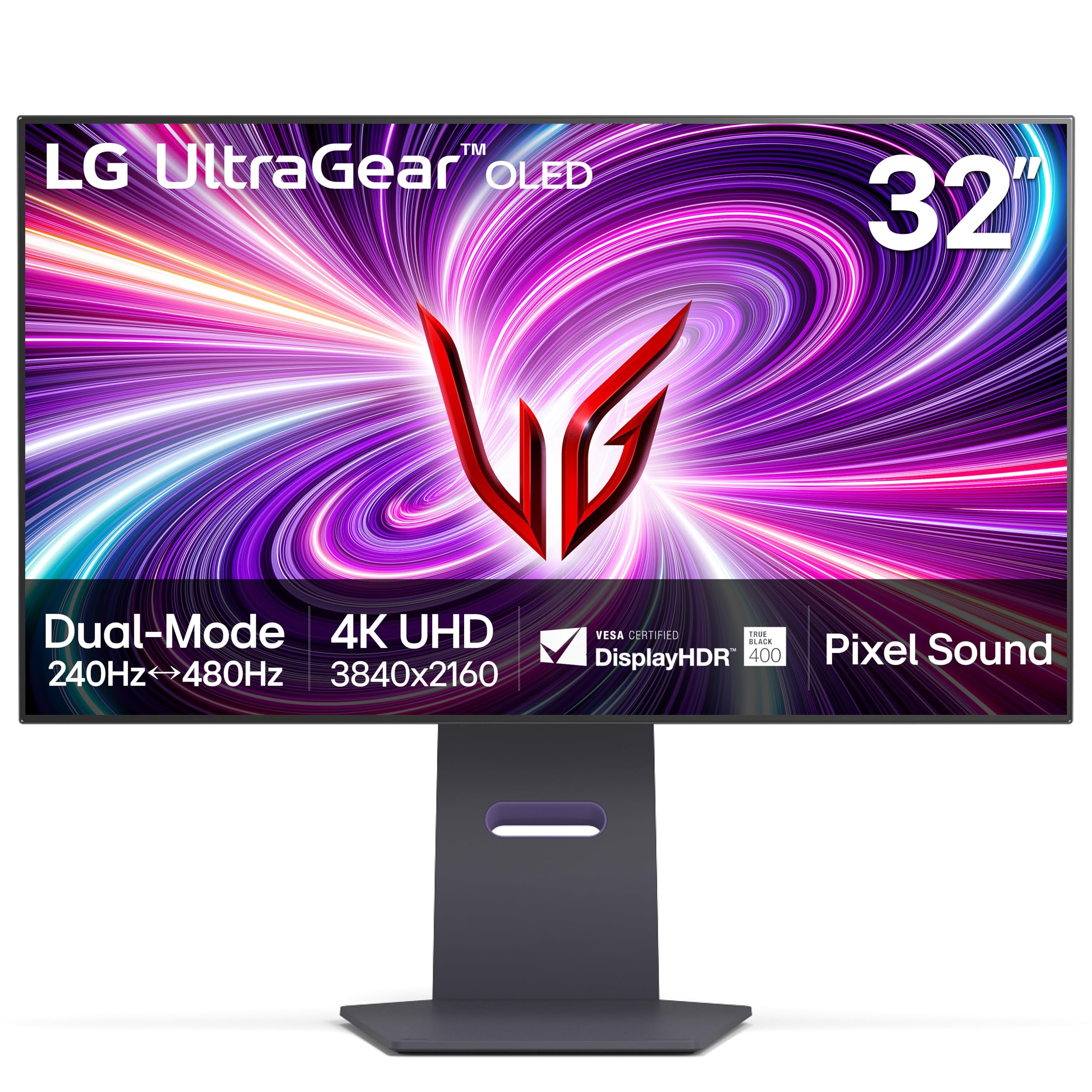
The LG 32GS95UE is the only monitor in this comparison that offers a certified Dual Mode: 4K at 240Hz for immersive single-player titles, and a switch to Full HD at 480Hz for competitive shooters where every millisecond counts. This is made possible by LG’s WOLED panel, which uses a white OLED structure with color filters—a design that also results in notably sharper text than QD-OLED alternatives.
The anti-glare coating on this model is one of the best in class, reducing reflections without adding the graininess that cheaper matte coatings introduce. It also includes Pixel Sound technology, where sound waves are emitted directly from the screen surface rather than from downward-firing speakers, creating a more direct audio image. The 1.5M:1 contrast ratio delivers the inky blacks that OLED is known for, and VESA DisplayHDR True Black 400 certification ensures consistency across HDR content.
Connectivity covers HDMI 2.1 and DisplayPort 1.4, both supporting 4K at 240Hz with DSC. The stand offers tilt, height, and swivel adjustment, though the base is relatively wide and requires a deep desk. The two-year warranty is shorter than some competitors, but LG’s panel quality and the unique Dual Mode feature make this a strong contender for hybrid gamers.
Why it’s great
- World’s first VESA certified Dual Mode (4K 240Hz / FHD 480Hz)
- Excellent anti-glare coating with minimal graininess
- Pixel Sound delivers screen-based audio for better clarity
Good to know
- Two-year warranty is shorter than many competitors
- WOLED panel has slightly lower color volume than QD-OLED
4. Alienware AW3225QF

The Alienware AW3225QF combines a 32-inch 4K QD-OLED panel with Dolby Vision support, a feature that remains rare in gaming monitors. Dolby Vision allows for dynamic metadata that adjusts brightness and color on a scene-by-scene basis, which makes HDR content look noticeably richer than standard HDR10. The monitor is VESA DisplayHDR True Black 400 certified and reaches 1000 nits peak brightness in small highlight areas.
Alienware’s anti-glare coating is more aggressive than the glossy finish on the ASUS PG32UCDM, making this a better choice if your desk sits near a window or under direct overhead lighting. The stand provides full ergonomic adjustment including height, tilt, swivel, and pivot, and the overall build quality feels substantial with very little panel wobble. Connectivity includes HDMI 2.1, DisplayPort 1.4, and USB 3.2 Gen 1 ports with a hub function.
The main drawback is the lack of a built-in KVM switch, which is surprising at this price point. Users with multiple devices will need an external KVM solution. Additionally, the warranty terms vary by region, with some markets receiving only one year of burn-in coverage rather than the three years that Dell advertises for other markets.
Why it’s great
- Dolby Vision support for superior dynamic HDR performance
- Aggressive anti-glare coating suitable for bright rooms
- Full ergonomic stand with pivot function
Good to know
- No built-in KVM switch for multi-device setups
- Warranty coverage for burn-in varies by region
5. Samsung Odyssey G8 (G81SF)

Samsung’s Odyssey G8 (G81SF) uses a QD-OLED panel with a unique matte finish that Samsung claims is 54% less glossy than conventional anti-reflection films. In practice, this means reflections are diffused into a soft haze rather than sharp mirror-like images, making it the best option for rooms with uncontrolled lighting. The 4K resolution at 32 inches provides excellent sharpness, and the 240Hz refresh rate with 0.03ms response time ensures buttery smooth motion.
The monitor features a dynamic cooling system that uses a pulsating heat pipe—a first for a monitor—to dissipate heat five times faster than traditional graphite sheets. This reduces core panel temperature and actively prevents burn-in. Additional burn-in protections include logo and taskbar detection that automatically dims static elements, and a thermal modulation system that adjusts brightness based on panel temperature.
CoreSync lighting projects the colors from your screen onto the desk or wall behind the monitor using 16.7 million colors, adding ambient immersion. The stand is fully adjustable, though some users report that the mini joystick for OSD navigation can feel finicky. There have also been isolated reports of dead pixels appearing after the return window, so careful inspection upon arrival is recommended.
Why it’s great
- Industry-leading matte anti-glare finish for bright environments
- Pulsating heat pipe cooling system reduces burn-in risk
- CoreSync ambient lighting enhances gaming immersion
Good to know
- Some users report dead pixels appearing after initial use
- Joystick OSD navigation can be imprecise
6. MSI MPG 321URXW QD-OLED

The MSI MPG 321URXW is the white variant of the excellent MPG 321URX, featuring the same 31.5-inch 4K QD-OLED panel with 240Hz refresh rate and 0.03ms response time. The white chassis and stand make it the obvious choice for those building a light-themed PC setup, but the performance underneath is identical to its black sibling—meaning you do not sacrifice specs for aesthetics.
The panel delivers 1.07 billion colors at 10-bit depth with 99% DCI-P3 coverage and Delta E ≤ 2 accuracy. VESA DisplayHDR True Black 400 certification ensures deep blacks and controlled HDR brightness. MSI’s Gaming Intelligence software includes OLED Care 2.0 with pixel refresh and static area detection, and the graphene heatsink provides fanless passive cooling that keeps the panel running within safe thermal limits.
Connectivity includes DisplayPort 1.4a, HDMI 2.1 with CEC, and a USB-C port delivering 90W of power delivery. The KVM functionality allows control of two systems with a single keyboard and mouse, a genuinely useful feature for anyone switching between a work laptop and a gaming PC. The stand offers full height, tilt, and swivel adjustment, though some users note that the adjustment range is slightly less generous than competing models.
Why it’s great
- Identical premium specs to the standard MPG 321URX in a white chassis
- Graphene heatsink for reliable fanless OLED cooling
- KVM support with 90W USB-C power delivery
Good to know
- Standard ergonomic adjustment range is adequate but not class-leading
- White finish may show dust more readily than black models
7. ASUS ROG Strix OLED XG32UCWMG

The ASUS ROG Strix XG32UCWMG uses a WOLED panel with a TrueBlack Glossy coating that delivers a veil-free surface for exceptionally sharp images. The glossy finish eliminates the hazy diffusion that matte coatings can introduce, making colors appear more saturated and blacks even deeper. At 32 inches and 4K resolution, the clarity is striking, and the 240Hz refresh rate with 0.03ms response time keeps motion perfectly fluid.
A standout feature is the OLED Care Pro system, which includes a Neo proximity sensor that detects when the user leaves the desk and automatically switches the screen to a black state to prevent burn-in. This is more intelligent than the simple taskbar detection found on many competitors. The monitor also supports a Dual Mode function, switching from 4K at 240Hz to FHD at 480Hz for competitive gaming scenarios.
Connectivity covers DisplayPort 1.4 with DSC, HDMI 2.1, and USB-C with 15W power delivery—lower than the 90W on some rivals, but sufficient for peripherals and mobile devices. The build quality is excellent, with a solid stand that offers height, tilt, and swivel adjustment. The main criticism is that the proximity sensor takes roughly three minutes to activate, which somewhat defeats the purpose of an instant protection mechanism.
Why it’s great
- TrueBlack glossy coating provides unmatched sharpness and contrast
- Neo proximity sensor for automatic burn-in prevention
- Dual Mode (4K 240Hz / FHD 480Hz) for versatile gaming
Good to know
- Proximity sensor delay of ~3 minutes limits its utility
- USB-C power delivery is only 15W
8. Acer Predator X32

The Acer Predator X32 is a 31.5-inch 4K QD-OLED with a 1700R curvature, making it the most immersive option among the flat 32-inch panels on this list. The curvature wraps around your peripheral vision at typical desk distances, which is particularly effective for racing games, flight simulators, and immersive single-player titles. The 240Hz refresh rate and 0.03ms response time keep motion crisp and ghost-free.
Color performance is excellent with a DCI-P3 99% gamut and true 10-bit depth. The VESA DisplayHDR True Black 400 certification ensures deep blacks and controlled highlights, though some users report that peak brightness in real-world usage falls short of the advertised 1000 nits, measuring closer to 600-700 nits on larger HDR windows. Image retention refresh technology helps prevent static image sticking during long sessions.
The stand offers tilt, swivel, and height adjustment, though the V-shaped feet require substantial desk depth. Connectivity includes USB-C, two DisplayPort 1.4 ports, and two HDMI 2.1 ports, all supporting 4K at 240Hz. The built-in speakers are adequate for system sounds but not for serious gaming or media consumption. The OSD menu has been described as limited compared to competitors, with fewer fine-tuning options for color and gamma.
Why it’s great
- 1700R curve enhances immersion in simulators and story-driven games
- Dual HDMI 2.1 ports for console and PC connectivity
- Image retention refresh technology for static image protection
Good to know
- Real-world peak brightness is lower than 1000 nits advertised
- V-shaped stand base requires a deep desk surface
9. INNOCN GA27W1Q

The INNOCN GA27W1Q is the most affordable entry point into 4K OLED gaming at 240Hz. While it uses a 27-inch panel rather than the full 32 inches, it still delivers the same fundamental OLED advantages: 1,500,000:1 contrast ratio, 99% DCI-P3 color gamut, and 1.07 billion colors at 10-bit depth. The 240Hz refresh rate and 0.03ms response time are identical to the premium models, and the monitor supports both FreeSync and G-Sync Compatible adaptive sync.
The design is surprisingly stylish for a budget-focused model, with ultra-narrow bezels on three sides and RGB LED atmosphere lights that add a gaming aesthetic without looking cheap. The stand offers height, tilt, and swivel adjustment, plus it supports VESA 100x100mm wall mounting. INNOCN also includes dedicated MAC-View modes that optimize color matching when connected to Apple devices, a thoughtful addition for hybrid work-gaming setups.
The trade-offs come in build quality and connectivity. The materials feel less premium than the ASUS or MSI options, and the external power brick with short cables can be inconvenient for cable management. The OSD menu is basic and lacks the gaming-focused features like on-screen timers or crosshairs that dedicated gaming monitors offer. Some users also report that the HDR1000 mode produces a slightly hazy image, though the standard True Black 400 mode looks excellent.
Why it’s great
- Lowest entry cost for a 4K 240Hz OLED monitor
- Dedicated MAC-View mode for Apple device users
- Full ergonomic stand with VESA support
Good to know
- Build quality feels less substantial than premium alternatives
- External power brick complicates cable management
10. Deco Gear 49″ QD-OLED Curved Ultrawide
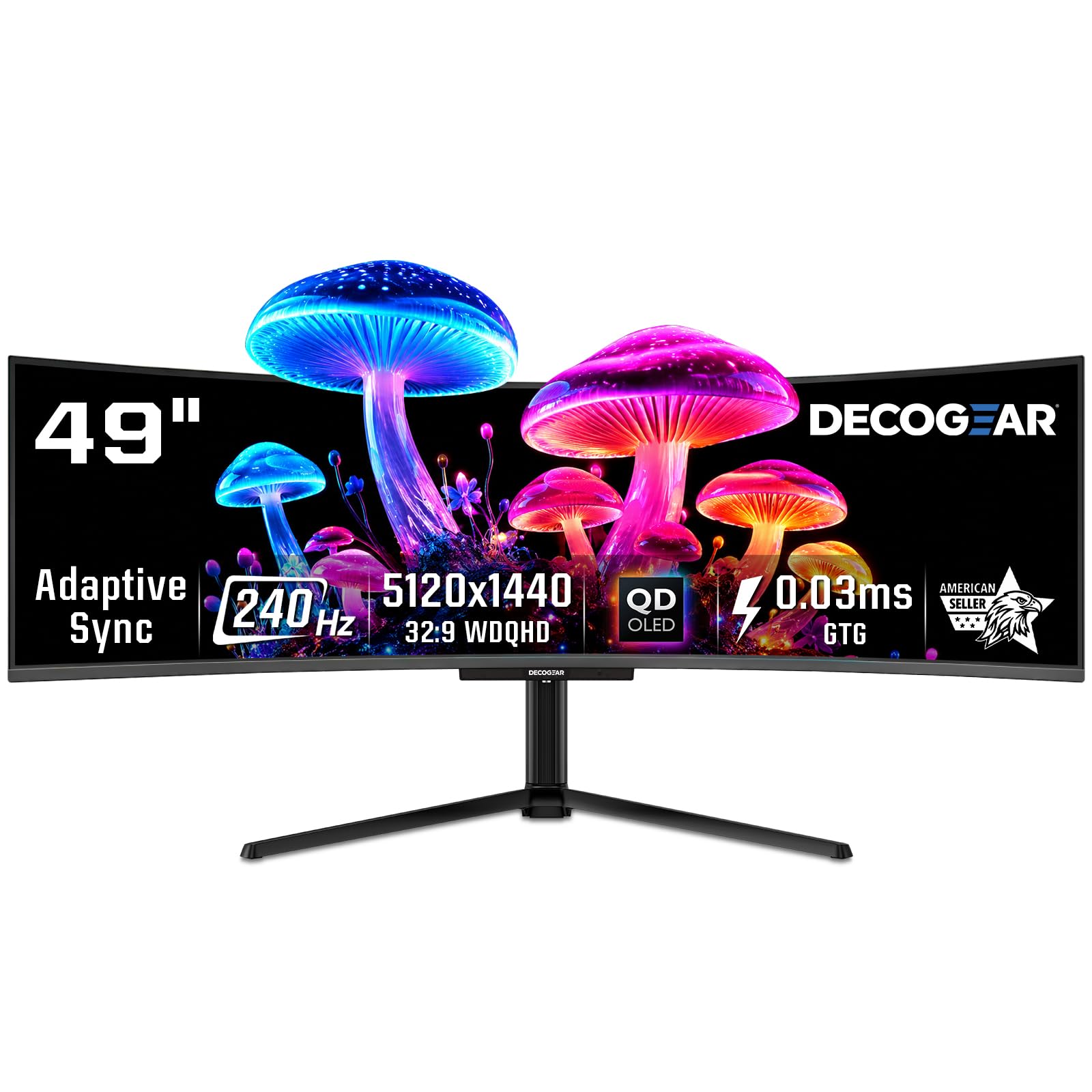
The Deco Gear 49″ QD-OLED is a 49-inch ultrawide with a 32:9 aspect ratio and 5120×1440 resolution, effectively replacing two 27-inch QHD monitors. The 240Hz refresh rate and 0.03ms response time keep motion smooth across the entire massive field of view, and the QD-OLED panel delivers the same 1,500,000:1 contrast ratio and 1.07 billion colors as smaller OLED monitors. The 1800R curvature wraps around the user for an immersive cockpit-like experience.
For productivity users, the built-in KVM switch allows controlling two connected devices with a single keyboard and mouse, and the PiP/PbP modes let you view two inputs side by side. The USB-C port delivers 90W of power delivery, enough to charge most laptops while driving the display. The monitor also includes HDMI 2.1 and DisplayPort 1.4, supporting the full 5120×1440 resolution at 240Hz.
The main challenge is physical: this monitor requires a desk at least 55 inches wide and a GPU capable of driving 5120×1440 at high frame rates. The stand base is very large, and most users will prefer a monitor arm for better desk space management. Quality control has been inconsistent, with some users reporting power cable issues and others experiencing failures on refurbished units. Buying new with a solid return policy is strongly advised.
Why it’s great
- Replaces dual 27-inch monitors with a seamless QD-OLED canvas
- Built-in KVM switch with 90W USB-C power delivery
- 240Hz across an ultrawide format for smooth multitasking
Good to know
- Requires a very large desk and a powerful GPU
- Quality control has been inconsistent based on user reports
11. ASUS ROG Swift PG32UCDP

The ASUS ROG Swift PG32UCDP is the most future-proofed monitor in this list because it includes DisplayPort 2.1, which provides enough bandwidth to run 4K at 240Hz without any form of Display Stream Compression. This is a meaningful improvement for users who notice compression artifacts in fine text or gradients, and it ensures compatibility with next-generation GPUs. The panel itself is a 32-inch 4K WOLED with a 240Hz refresh rate and 0.03ms response time.
The WOLED panel uses LG Display’s latest technology and offers excellent text clarity due to its different sub-pixel arrangement compared to QD-OLED. The anti-glare matte coating is the best in class for bright rooms, completely eliminating reflections without the hazy look that cheaper matte finishes produce. The monitor also supports Dual Mode, switching from 4K at 240Hz to FHD at 480Hz for competitive gaming, and is VESA DisplayHDR True Black 400 certified.
Connectivity is comprehensive with HDMI 2.1, USB-C, and the aforementioned DP 2.1. The stand is solid and adjustable, and the overall build quality is typical ROG—excellent. The main concern is the price, which sits firmly in luxury territory. Some users have reported intermittent black screen issues that require a mechanical reset, and while this is not widespread, it is worth noting. The warranty includes burn-in coverage for three years.
Why it’s great
- DisplayPort 2.1 enables 4K 240Hz without DSC compression
- Excellent anti-glare matte coating for bright rooms
- Dual Mode for flexible competitive gaming
Good to know
- Premium price puts it in luxury tier
- Isolated reports of intermittent black screen issues
12. Alienware 34″ QD-OLED (AW3425DW)

The Alienware AW3425DW is a 34-inch ultrawide QD-OLED with a 21:9 aspect ratio and WQHD resolution of 3440×1440. While this is not a 32-inch 4K panel, it offers the advantage of a wider field of view in games without requiring the GPU horsepower to drive 4K. The 240Hz refresh rate and 0.03ms response time keep motion perfectly smooth, and the 1800R curvature wraps around your vision for immersive gameplay.
The QD-OLED panel covers 99.3% of DCI-P3 with Delta E < 2 color accuracy, making it suitable for color-sensitive work. VESA DisplayHDR TrueBlack 400 certification ensures deep blacks and controlled HDR highlights. The monitor supports AMD FreeSync Premium Pro and is G-Sync Compatible, and the connectivity suite includes HDMI 2.1, DisplayPort 1.4, and a USB hub. The glossy screen delivers exceptional clarity and color pop, though it shows reflections in bright rooms.
Some users report slightly lower brightness in well-lit rooms compared to the latest 32-inch 4K QD-OLED panels, and text clarity can appear less sharp than 4K options due to the lower pixel density at 34 inches. The stand offers full ergonomic adjustment, and the build quality is premium with good cable management options. The 34-inch ultrawide format is excellent for gaming and multitasking but is a compromise for productivity work that benefits from vertical space.
Why it’s great
- Wider 21:9 field of view with 1800R curve for immersive gameplay
- Excellent QD-OLED color accuracy with Delta E < 2
- Lower pixel count is less demanding on GPU than 4K
Good to know
- Lower peak brightness than latest 32-inch QD-OLED models
- WQHD resolution has lower pixel density than 4K alternatives
13. ASUS ROG Swift OLED PG32UCDM (Luxury Edition)

The ASUS ROG Swift OLED PG32UCDM is the highest-end iteration of this monitor lineup, featuring the same core 32-inch 4K QD-OLED panel but with additional refinements in brightness calibration and cooling. The custom heatsink, graphene sheet, and advanced airflow design work together to maintain thermal stability even during extended HDR gaming sessions, directly reducing the risk of burn-in. The 240Hz refresh rate and 0.03ms response time are as fast as monitors get in 4K.
What sets this specific model apart is the combination of VESA DisplayHDR True Black 400 certification with 1000 nits peak brightness and a 99% DCI-P3 gamut at true 10-bit depth. The optional uniform brightness setting ensures consistent luminance across the entire screen, which is useful for productivity work where edge brightness variations can be distracting. The DisplayWidget Center software allows you to control OLED Care functions and monitor settings using a mouse instead of the OSD joystick.
Connectivity includes DisplayPort 1.4 with DSC, HDMI 2.1, and USB-C with 90W Power Delivery. The monitor supports both G-Sync Compatible and FreeSync Premium Pro. The build quality is the best in class, with a solid stand that offers full ergonomic adjustment. The main drawback is the price, which places it at the very top of the market. Additionally, some users report that certain functions like the proximity sensor are disabled when HDR is active without the latest firmware update.
Why it’s great
- Best-in-class thermal management with custom heatsink and graphene film
- Uniform brightness setting for professional productivity use
- Comprehensive 3-year warranty with burn-in coverage
Good to know
- Highest price point in the comparison
- Firmware update required for full HDR functionality
FAQ
Will a 32-inch 4K OLED at 240Hz require a specific GPU to run properly?
How does burn-in risk compare between QD-OLED and WOLED monitors at 240Hz?
Final Thoughts: The Verdict
For most users, the 32 inch oled monitor 240hz winner is the ASUS ROG Swift PG32UCDM because it combines reference-level QD-OLED color accuracy, excellent thermal management, and a comprehensive three-year warranty with burn-in coverage at a price that, while premium, does not venture into luxury territory. If you want the best value without sacrificing performance, grab the MSI MPG 321URX for nearly identical image quality. And for the ultimate no-compromise HDR experience with DisplayPort 2.1 and uncompressed video, nothing beats the ASUS ROG Swift PG32UCDP.