
Our readers keep the lights on and my morning glass full of iced black tea. As an Amazon Associate, I earn from qualifying purchases.
Specs are compiled from manufacturer listings and verified buyer reviews and can change over time — please confirm the key details on the product page before buying.
A 32-inch OLED monitor gives you the best picture you can get today — blacks so deep the screen looks off, colors that pop naturally, and motion so fast blur practically disappears. The hard part is picking one when models differ in refresh rates (how often the screen refreshes per second), color certifications (standards that guarantee accurate colors), and burn-in fears (permanent image ghosting). This guide shows you which 32-inch OLED monitor fits your games, your desk, and your budget by focusing on published specs and real buyer reports.
I’m Min — the founder and writer behind Gadgets Feed. This guide is built by comparing the manufacturers’ published specifications and the patterns across verified customer reviews, so you get each pick’s real strengths and trade-offs instead of marketing spin.
If you play competitive shooters at 240Hz (meaning 240 screen refreshes per second), edit color-critical photos, or just want a desk that looks clean, this breakdown of the best 32 inch oled monitor options will help you match the right panel to your daily use.
Quick Picks
- MSI MPG 322URX QD-OLED — Top Performer
- ASUS ROG Swift PG32UCDM (32″ 4K OLED) — Premium Pick
- LG 32GS95UE Ultragear OLED — Versatile Choice
- KOORUI S3241XO 32″ 4K OLED — Value Pick
- Dell 32″ QD-OLED (4K, 120Hz) — Best Overall
- Samsung Odyssey G8 (G81SF) 32″ QD-OLED — Low-Glare Champ
- Samsung G80SD 32″ OLED 4K — Smart Hub
How To Choose The Best 32 Inch OLED Monitor
Every 32-inch OLED monitor shares the same superpower — perfect blacks that make images look three-dimensional — but they split into two different camps once you look closer. The choice between an all-rounder and a specialist usually depends on three things: what kind of games you play, whether your room gets direct sunlight, and if you plan to work on text-heavy documents.
Refresh Rate: The Smoothness Gap
The refresh rate (Hz) tells you how many times per second the screen redraws the image. A 120Hz panel, like the one inside the Dell, refreshes 120 times per second and feels smooth for most single-player games and movies. A 240Hz panel refreshes 240 times per second versus the Dell’s 120Hz, which competitive players can feel as less blur when turning corners in a shooter. If you play fast-paced multiplayer games (Call of Duty, Overwatch, Valorant), 240Hz is the difference between seeing an enemy first and getting shot.
Contrast and Brightness for Bright Rooms
All OLED monitors produce perfect blacks in a dark room, but the contrast ratio tells you how deep that black stays. Most QD-OLED models land at a 1500000:1 ratio. The Samsung Odyssey G8 measures at 1000000:1 versus 1500000:1 for the MSI and several other QD-OLED panels, which means those panels keep black levels slightly richer when the screen shows a mix of bright and dark content. For a bright room, look for a monitor with a strong anti-glare coating or matte finish so reflections do not wash out the image.
Color Accuracy for Creative Work
If you edit photos or video, you care about covering the full DCI-P3 color space (the cinema color standard). Every model here covers at least 99% DCI-P3, but the difference comes in how that color is calibrated at the factory. The MSI MPG 322URX has a Delta E≤2 rating, which means the color error is near invisible to the human eye. The ASUS ROG Swift goes a step further with a Delta E < 2 and a true 10-bit panel (meaning it shows 1.07 billion colors instead of 16.7 million), so gradients in a sunset sky look smooth instead of banded.
Quick Comparison
On smaller screens, swipe sideways to see the full table.
| Model | Best For | Refresh Rate | Contrast Ratio | Color Gamut | Amazon |
|---|---|---|---|---|---|
| MSI MPG 322URX | High-end gaming & content creation | 240Hz | 1,500,000:1 | 99% DCI-P3 | $934.99$999.00Amazon |
| ASUS ROG Swift PG32UCDM | Enthusiast gaming & HDR | 240Hz | 1,500,000:1 | 100% DCI-P3 | $1,199.00Amazon |
| LG 32GS95UE | Dual-resolution gaming (4K/1080p) | 240Hz (4K) / 480Hz (FHD) | 1,500,000:1 | 98.5% DCI-P3 | Amazon |
| Samsung Odyssey G8 (G81SF) | Competitive gaming, low-glare rooms | 240Hz | 1,000,000:1 | 99% DCI-P3 | $769.99$1,299.99Amazon |
| KOORUI S3241XO | Budget 240Hz FPS gaming | 240Hz | 1,500,000:1 | 99% DCI-P3 | Amazon |
| Dell 32″ QD-OLED | Professional work & multimedia | 120Hz | 1,500,000:1 | 99% DCI-P3 | Amazon |
| Samsung G80SD | PS5 & Smart monitor features | — | — | — | Amazon |
In‑Depth Reviews
1. MSI MPG 322URX QD-OLED

The complete package for PC gamers who want uncompromised 4K speed and color.
This monitor is the answer if you are building a high-end rig and refuse to leave any performance on the table. The 3rd Gen QD-OLED panel delivers a 1500000:1 contrast ratio (meaning black is 1.5 million times darker than white), which keeps shadows inky deep while bright highlights stay punchy — and the 240Hz refresh rate means moving objects stay sharp. Unlike the Dell at 120Hz, this panel runs at 240Hz, which competitive players will feel the instant they flick their mouse. Buyers report the “32” 4K QD-OLED, 240Hz, near-instant response” is a standout, and the DisplayPort 2.1a UHBR20 connection (a video cable standard) offers up to 80Gbps bandwidth so you can run the full 4K at 240Hz without any video compression (which would otherwise lose detail in motion).
The HDR (high dynamic range) performance is certified at VESA DisplayHDR True Black 400, which means dark cave sequences in games like Diablo IV look properly menacing rather than washed-out gray. The QD Premium Color rating ensures a Delta E (color error) ≤ 2, so photo editors can trust the greens and skin tones without a separate calibration tool.
The honest downside: the glossy screen coating scratches easily, as multiple verified owners mention, so you need to handle the panel carefully during setup. And it requires a serious graphics card — one reviewer mentions a 3090 Ti (a top-end NVIDIA GPU) or better — to drive 4K at 240Hz without stuttering.
What You Get
- Full 80Gbps DP 2.1a bandwidth for uncompressed 4K 240Hz
- Factory color calibration with Delta E≤2
- 3-year burn-in warranty (OLED Care 2.0)
What to Watch
- Glossy screen can scratch easily if you are not careful
- Needs a very powerful GPU (3090 Ti+) to drive 4K at high settings
Reach for this if: you want the cleanest 4K signal path (DP 2.1a) paired with pro-grade color accuracy and a 3-year burn-in warranty — a no-compromise desktop display.
Look elsewhere if: your budget is tighter or your graphics card is older than an RTX 3090; you will still be fine, but the DP 2.1a speed will go to waste.
2. ASUS ROG Swift PG32UCDM (32″ 4K OLED)

The enthusiast’s choice where every pixel is calibrated to perfection.
If you have the budget for it, the PG32UCDM represents the ceiling of what a 32-inch OLED can do. This is the only monitor in this list that covers a full 100% DCI-P3 color gamut and uses a true 10-bit panel (1.07 billion colors), which means gradients — like a sunset turning from orange to purple — never show the faint banding you sometimes see on 8-bit+FRC panels (which approximate 10-bit with fewer colors). The custom heatsink and graphene film inside manage heat so aggressively that ASUS can certify the VESA DisplayHDR 400 True Black rating while also offering a Uniform Brightness setting that keeps luminance consistent across the whole screen, a feature creative professionals will appreciate.
Customers note that the glossy screen enhances immersion and that reflections are “minimal” even in rooms with windows — a claim supported by the custom anti-glare coating. And unlike the Samsung G8 which only has one HDMI and one DP, this ASUS includes three USB 3.2 Gen 1 Type-A ports (high-speed data ports) plus a 90W USB-C port that can charge a laptop, turning the monitor into a docking station for a clean desk setup.
The big trade-off: a premium price that puts it well above the KOORUI and Dell options. One reviewer mentions the text fringing common to QD-OLED panels is “negligible at normal distance,” but if you stare at spreadsheets all day, you may still notice it.
Color master: The true 10-bit panel and Delta E (color error) < 2 rating make this the best pick here for serious photo or video work — just be ready to pay for that precision.
Buy it for: a dual-purpose monitor that excels in both gaming and color-critical creative work, with a built-in KVM-like 90W USB-C port.
skip it if: your primary work is coding or document editing; the QD-OLED subpixel layout still creates slight color fringing on small text.
3. LG 32GS95UE Ultragear OLED
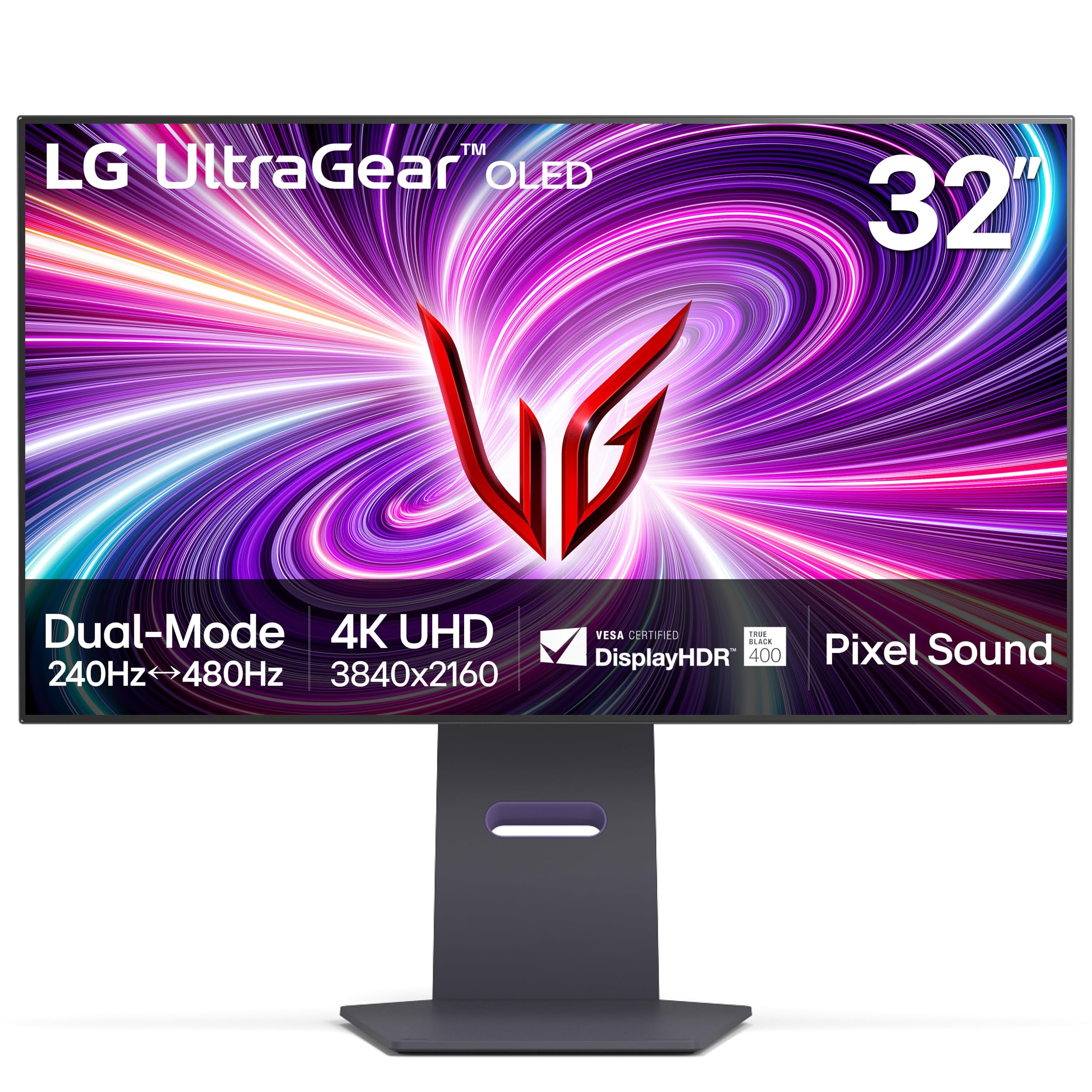
A two-in-one monitor that switches from 4K cinema to 480Hz esports with one click.
LG jumps into this list with a creative solution for the split-personality gamer who plays both rich single-player epics and fast-twitch competitive shooters. The Dual Mode technology lets you toggle between 4K UHD (3840×2160 resolution) at 240Hz and Full HD (1920×1080) at a blistering 480Hz — so when you load up Call of Duty, you drop to 1080p and get nearly double the motion clarity of the standard 240Hz monitors. The response time stays at 0.03ms (milliseconds, the time a pixel takes to change color), meaning you simply see more frames with less blur than any competitor in this list at 1080p.
The built-in Pixel Sound technology is genuinely unique: sound waves are emitted from behind the OLED panel itself, so audio seems to come directly from the action on screen rather than from speakers hiding under the bezel. Coupled with the 1.5M:1 contrast ratio, games and movies feel genuinely cinematic. Reviewers point out the “colors are great with bright whites and dark blacks” and the matte anti-glare finish works well in bright rooms.
One major caveat buyers flagged: in well-lit rooms the monitor is “not bright enough” and the text can look “smudged and discolored” because of the sub-pixel layout, making it less ideal for programming or reading-heavy work.
Key Strengths
- World-first VESA-certified Dual Mode (4K 240Hz / 1080p 480Hz)
- Pixel Sound delivers screen-level audio without external speakers
- Anti-glare matte coating helps in bright rooms
Trade-offs
- Text legibility is a known weakness for document work
- Brightness feels low for very sunlit rooms
Your move: grab this if you split your time between cinematic 4K titles and competitive shooters — the Dual Mode saves you from buying two monitors.
pass on it if: you read a lot of code or documents at native resolution; the sub-pixel layout causes visible text fringing.
4. KOORUI S3241XO 32″ 4K OLED
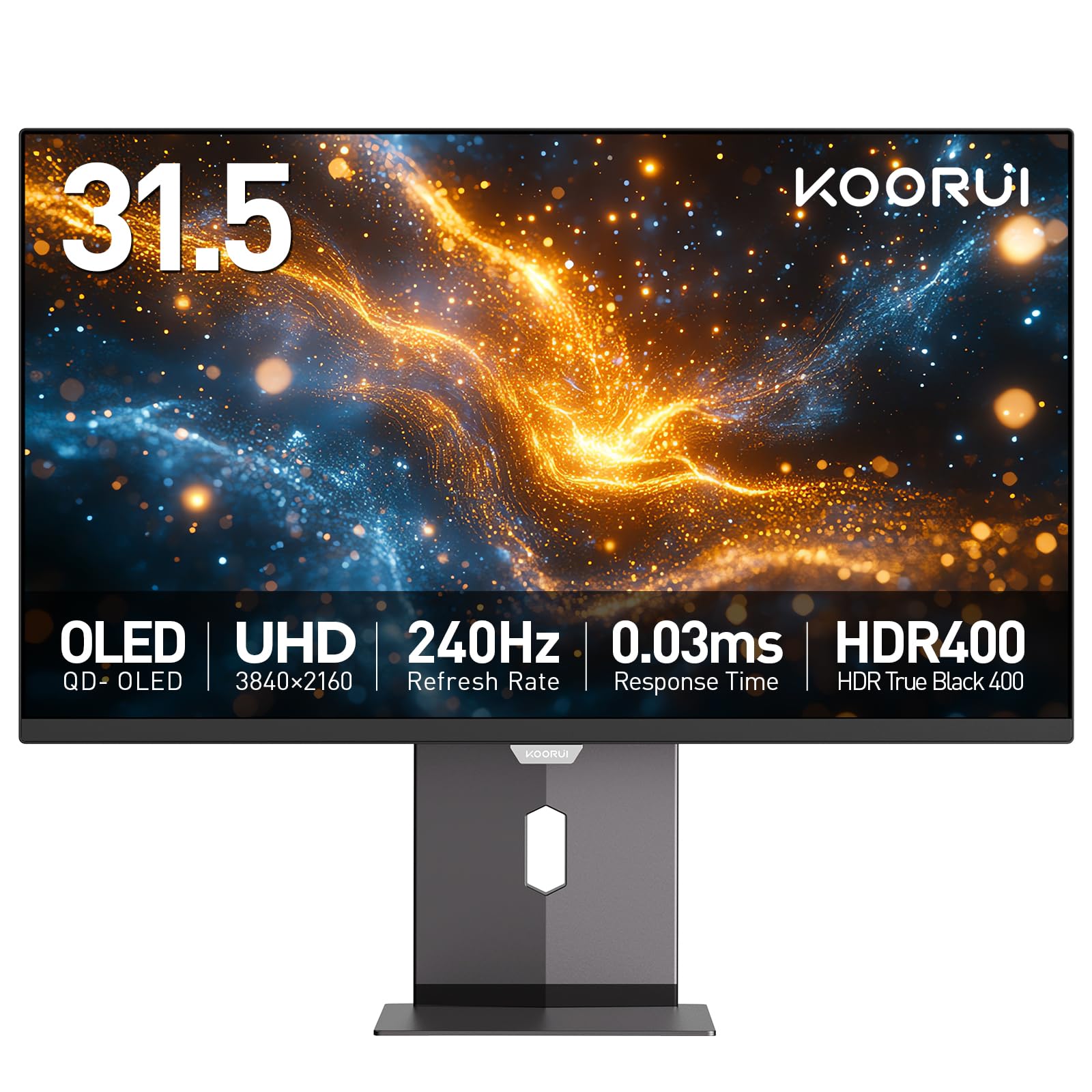
The entry-level 240Hz OLED that punches above its price.
Most budget OLED monitors cut corners — the KOORUI does not skimp on the three things that matter most for gaming. It runs a full 240Hz refresh rate with a 0.03ms response time and covers 99% DCI-P3 (the cinema color standard), the same color space as the premium MSI and ASUS panels. At a price point well below the LG and ASUS, it delivers a 1500000:1 contrast ratio that matches the high-end picks, meaning dark scenes in games like Alan Wake 2 look just as rich. Verified buyers call it an “excellent budget 240Hz FPS monitor” and a “10/10 for competitive FPS at this price.”
The monitor also includes a full ergonomic stand with tilt, swivel, pivot, and 110mm height adjustment. Connectivity covers dual HDMI 2.1 (supports 4K at 240Hz), DisplayPort 1.4, plus a USB Type-C port, so you can plug in a PS5 and a PC at the same time without swapping cables.
The catch is the on-screen display (OSD) controls, which buyers describe as “mediocre.” You will manage fine after setup, but the joystick navigation is not as polished as on the Dell or ASUS. The 1-year warranty on the panel is shorter than the 3-year burner protection MSI offers.
Wins
- Full 240Hz OLED performance at a budget-friendly price
- Class-leading 1500000:1 contrast ratio for deep blacks
- Height / pivot / swivel stand included
Loses
- OSD controls feel clunky and unresponsive
- Only 1-year panel warranty (competitors offer 2-3 years)
Grab this if: you prioritize pure 240Hz 4K OLED speed for competitive gaming but want to keep the total cost low.
Pass if: you need a premium warranty or spend hours adjusting on-screen menus.
5. Dell 32″ QD-OLED (4K, 120Hz)
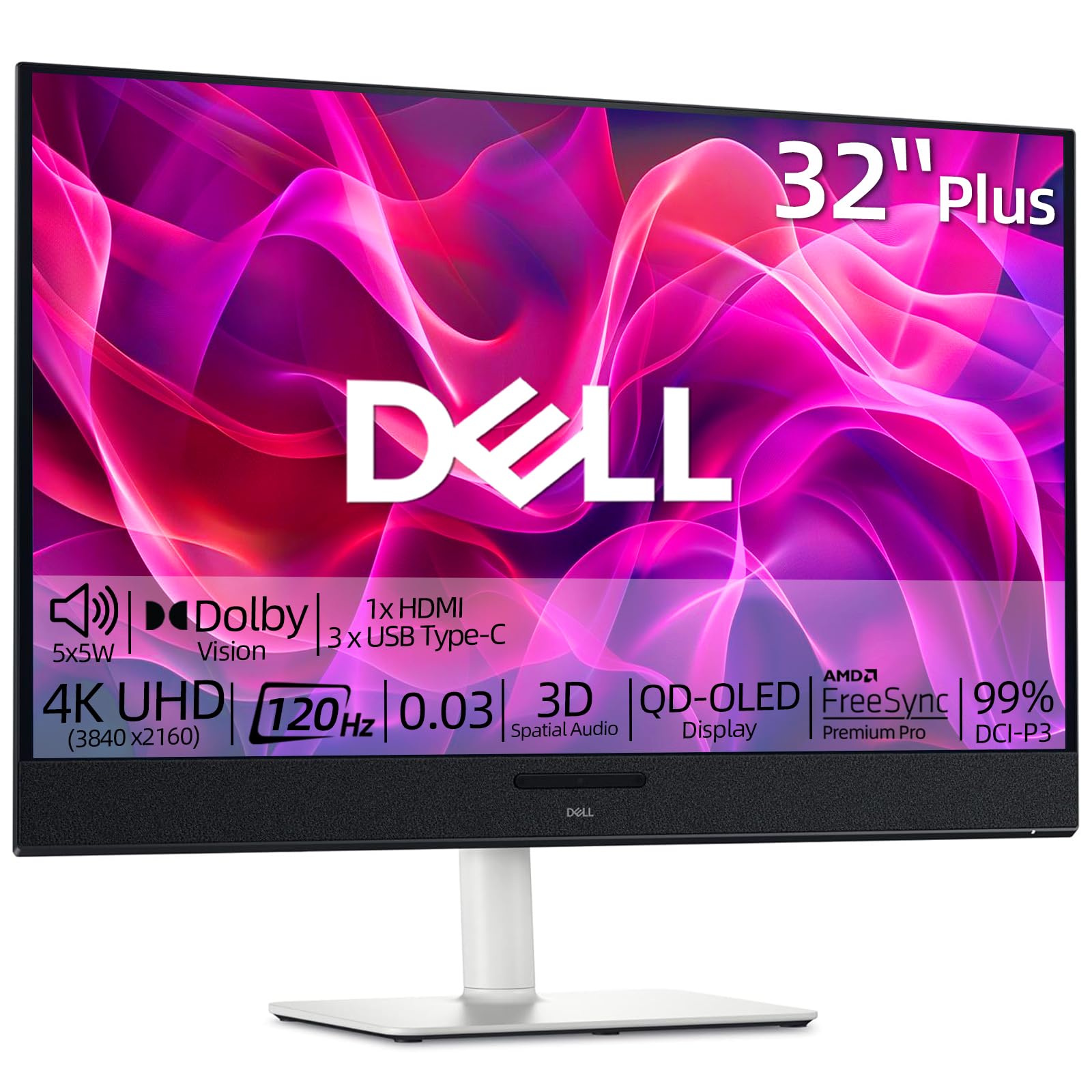
The quiet all-rounder that handles office work by day and gaming by night.
Do not let the 120Hz refresh rate fool you — this Dell is the most balanced monitor in the lineup for someone who does three different things on the same screen. Shoppers say it doubles as a “small 4K monitor for professional use” and a TV for movies, thanks to the built-in 5x5W speakers (meaning 5 speakers each rated at 5 watts) with 3D Spatial Audio that fill a small room without needing a soundbar. The QD-OLED panel delivers the same 1500000:1 contrast ratio as the premium models, so a spreadsheet looks crisp in the morning and a horror movie looks terrifying at night.
The ergonomic stand includes tilt, height, and swivel adjustments, plus the monitor is VESA mountable (compatible with a standard 100x100mm mounting pattern) if you want a monitor arm. The white color scheme also stands out from the sea of black gaming monitors, which some buyers appreciate as a cleaner desk aesthetic. Connection ports include dual HDMI and a USB-C hub, though buyers report it currently has “only 2 HDMI ports, no DisplayPort,” so check if your PC uses DP before ordering.
Where this monitor loses ground is speed. At 120Hz versus the MSI’s 240Hz, fast-paced shooters will look noticeably less fluid. If you play mostly single-player or strategy games, you will never notice.
Daily driver: The best choice here if your desk doubles as a work station and a media center — the built-in speakers and ergonomics are a genuine time-saver.
Perfect for: remote workers, console players (PS5/Xbox), and casual PC gamers who value clarity over speed.
Not for: anyone playing competitive shooters at 240Hz; the trade-off on motion smoothness is real.
6. Samsung Odyssey G8 (G81SF) 32″ QD-OLED

The monitor for sunny rooms, where reflections are banned.
Samsung tackled the biggest enemy of OLED — glare — by applying a unique Glare Free technology that is 54% less glossy than conventional anti-reflection film. In a room with a window behind you, this monitor stays readable and rich without that mirrored screen effect. Pair that with a 1000000:1 contrast ratio (which, while lower than the MSI’s 1500000:1, still produces deep blacks), and you get a versatile screen for both bright daytime use and dark gaming sessions. Buyers confirm that the “matte coating eliminates reflections and glare” and the “eye-saver option” makes long sessions comfortable.
The 240Hz refresh rate with 0.03ms GtG (gray-to-gray) response time keeps pace with the best in this lineup, and the monitor supports both G-Sync Compatible (NVIDIA’s anti-screen-tear technology) and FreeSync Premium Pro (AMD’s equivalent) for tear-free gaming on any GPU. The included Dynamic Cooling System uses a pulsating heat pipe — a world-first in monitors — to dissipate heat five times faster than graphite sheets, which reduces the risk of burn-in over time. The 3-year warranty is another confidence boost.
The dark side: Samsung’s warranty paperwork and customer service left some buyers frustrated — one verified review mentions their unit arrived with “dead pixels after 2 months of use” and the return window had already closed. The matte coating also slightly reduces text crispness, according to multiple reviews, so if you read fine print all day, the LG or Dell may be sharper.
Standout Features
- Glare Free technology (54% less glossy) for bright rooms
- Pulsating heat pipe for superior heat management
- G-Sync Compatible + FreeSync Premium Pro
Concerns
- Dead pixel risk after return window noted by buyers
- Matte coating slightly softens text sharpness
Best for: gamers with a bright, window-heavy room who want a 240Hz OLED that stays readable without reflections.
it’s not for you if: you cannot handle the risk of dead pixels within months — consider a model with a more straightforward warranty process.
7. Samsung G80SD 32″ OLED 4K
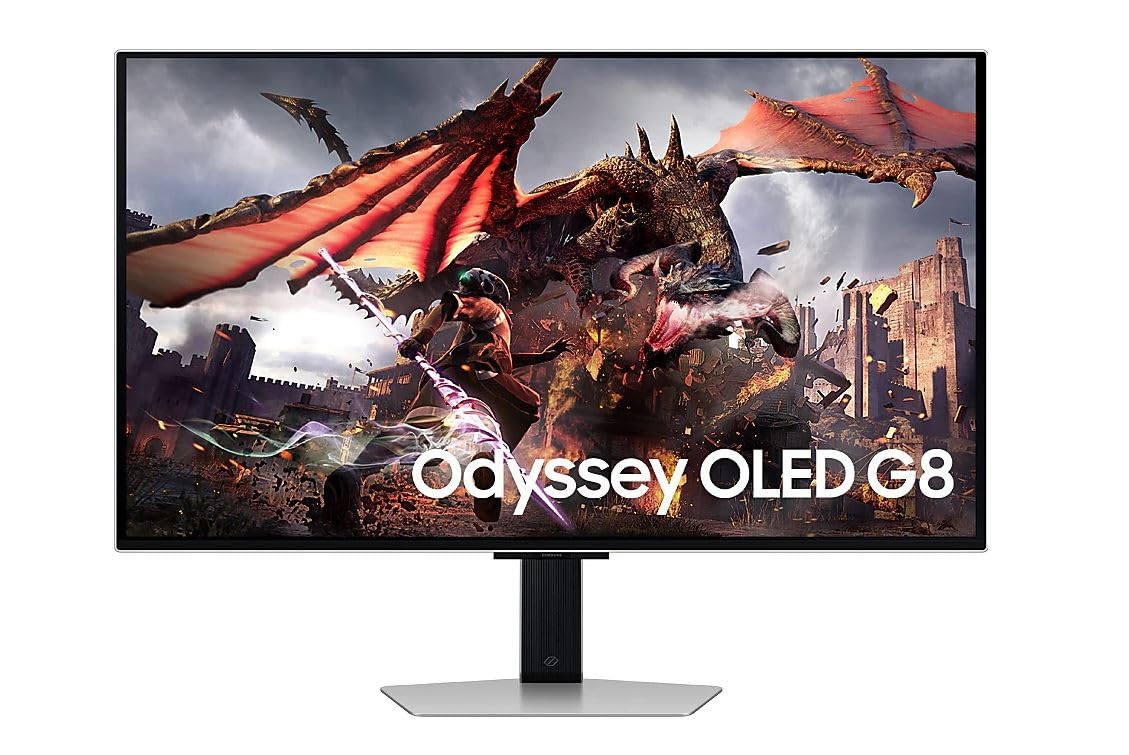
An OLED monitor that also acts as a smart TV — no PC required for streaming.
The Samsung G80SD leans into the living-room-adjacent setup. It includes Samsung’s Tizen smart platform built right into the monitor, so you can launch Netflix or YouTube without connecting a PC or game console — the monitor itself is the source. The 0.03ms response time and 4K resolution (3840 x 2160) keep it competitive as a gaming display, and buyers using a PS5 Pro report it offers “4K y alta tasa de FPS junto con colores vivos” (4K and high FPS with vivid colors).
The elegant silver finish and minimal stand design let it sit on a desk without screaming “gamer.” It includes USB 3.0 ports and two USB 2.0 ports for connecting peripherals, and the 8.4 kg (18.5 lb) weight makes it sturdy but manageable for a single person to set up.
The reliability question: one verified review reports the monitor “failed after 4 months” with the screen going black while audio continues, across all inputs. Another buyer praised the “best raw specs” but noted the menu interface is “chaotic initially.” The lower spec density (no published contrast ratio or refresh rate in the data provided) compared to the dedicated gaming models means it is better judged as a smart display than a pure gaming weapon.
Unique Benefits
- Built-in smart TV platform works without a PC
- Excellent PS5 Pro companion, per buyers
- Elegant silver design for non-gamer setups
Risks
- Reported hardware failure within months
- Smart menu is cluttered and slow at first
Consider this if: you want a one-cable solution that streams Netflix, plays PS5, and looks clean on a minimalist desk.
Think twice if: reliability is your top priority or you need the full specs for competitive PC gaming — the data here is thinner.
Understanding the Specs
Contrast Ratio
This number tells you how much separation the screen can show between the brightest white and the darkest black. A 1500000:1 ratio means black is 1.5 million times darker than white — that is why OLED black looks so deep and almost infinite compared to a regular LCD screen where black actually looks gray. Every monitor here has at least 1000000:1, but models with 1500000:1 (like the MSI, ASUS, and KOORUI) produce slightly richer shadows in dark scenes.
Refresh Rate (Hz)
Measured in hertz (Hz), this is how many times per second the monitor redraws the image. 120Hz (Dell) is plenty smooth for movies and story games. 240Hz (most others) gives you 240 refreshes per second versus 120Hz on the Dell, making fast camera movements in shooters appear more stable and less blurry. The LG’s special Dual Mode goes to 480Hz at 1080p, which is extreme overkill for anyone except esports competitors.
FAQ
Will a 32-inch OLED monitor fit on a standard desk?
Can I use a 32-inch OLED monitor for programming and writing code?
What GPU do I need to run a 32-inch OLED at 4K 240Hz?
Is burn-in still a problem on modern OLED monitors?
Which monitor is best for a bright, sunlit room?
Can I use a 32-inch OLED monitor as a TV replacement?
What is the difference between QD-OLED and standard OLED?
How much desk depth do I need for a 32-inch OLED?
Final Thoughts: The Verdict
For most people, the best 32 inch oled monitor winner is the MSI MPG 322URX because it combines 240Hz speed, pro-grade color accuracy (Delta E≤2), and a 3-year burn-in warranty at a price that undercuts the ASUS while delivering the same critical specs. If you want the ultimate color performance, grab the ASUS ROG Swift PG32UCDM. And for a budget-friendly 240Hz entry point, choose the KOORUI S3241XO.
How We Picked
We do not accept paid placement, and we did not hands-on test every unit. Instead, we match each pick to a real buyer and use-case by comparing the manufacturers’ published specifications against the patterns in verified customer reviews — so you get each pick’s real strengths and trade-offs instead of marketing copy.
Sources & Methodology
Specifications: manufacturer listings and product documentation. Review insights: verified customer reviews, as of July 2026. Pricing: not shown on this page (it changes often); check the current price via the retailer link.
As an Amazon Associate, Gadgets Feed earns from qualifying purchases. This does not affect which products we feature.
Product prices and availability are accurate as of the date/time indicated and are subject to change. Any price and availability information displayed on Amazon at the time of purchase will apply to the purchase of this product. As an Amazon Associate I earn from qualifying purchases.
CERTAIN CONTENT THAT APPEARS ON THIS SITE COMES FROM AMAZON. THIS CONTENT IS PROVIDED "AS IS" AND IS SUBJECT TO CHANGE OR REMOVAL AT ANY TIME.
Amazon and the Amazon logo are trademarks of Amazon.com, Inc. or its affiliates.