
Our readers keep the lights on and my morning glass full of iced black tea. As an Amazon Associate, I earn from qualifying purchases.
Specs are compiled from manufacturer listings and verified buyer reviews and can change over time — please confirm the key details on the product page before buying.
It fits anywhere—bedroom, kitchen, dorm—yet is big enough for movies or gaming without squinting. Most attention goes to 65-inch sets, so finding a good 32-inch smart TV requires knowing which specs matter. This guide highlights the 32-inch models that deliver on picture, sound, and usability.
I’m Min — the founder and writer behind Gadgets Feed. This guide is built by comparing the manufacturers’ published specifications and the patterns across verified customer reviews, so you get each pick’s real strengths and trade-offs instead of marketing spin.
if you need a secondary set for a guest room that gets reliable use or a primary TV for a small apartment, the right 32 inch smart tv balances clear picture quality, easy streaming access, and connectivity that actually fits your devices.
Our Picks at a Glance
How To Choose The Best 32 Inch Smart TV
At this size, you are usually buying for a specific spot — a bedroom, a compact living room, a kitchen, a dorm, or an RV. That changes what matters most. You are not looking for the biggest contrast ratio on paper. You want a TV that turns on fast, has an interface you can navigate without a manual, and produces a picture that looks good from a few feet away. These are the criteria that separate a TV you will enjoy from one you will replace in a year.
Resolution: 1080p or 720p?
On a 32-inch screen, 1080p Full HD is the balance. Text looks sharp, streaming content in HD is crisp, and you can sit a bit closer without seeing individual pixels. A 720p panel, like the one used in the Sony W830K, still looks decent for casual viewing, but you will notice the softness on text-heavy menus and finely detailed scenes. If a 1080p model fits your budget, choose it over 720p every time.
Smart Platform: Roku, Fire TV, or WebOS?
Your TV’s operating system is what you interact with every single time you turn it on. Roku is widely considered the easiest for all ages — intuitive, no clutter, automatic app updates. Fire TV (Amazon Ember, Hisense S5) is powerful if you are deep in the Amazon ecosystem; it supports Alexa deeply and has good app selection, but some users find the home screen a bit busy. WebOS (SANSUI) offers a clean interface similar to LG’s premium TVs, but on a budget set it may feel slower. Choose based on your ecosystem: prioritize AirPlay for Apple devices, Fire TV for Alexa households.
Panel Type: Standard LED vs QLED
Most 32-inch TVs use a standard LED-backlit LCD panel. A few models, like the Westinghouse QLED and the Hisense S5 Hi-QLED, use quantum dot technology. This adds a layer of nanocrystals that convert light into more precise colors. The result is noticeably richer reds, greens, and blues compared to a standard LED panel of the same size. For animated shows, nature docs, or HDR content, QLED delivers noticeably richer color.
Quick Comparison
| Model | Best For | Resolution | Panel Type | Smart OS | Amazon |
|---|---|---|---|---|---|
| Roku Select Series 32″★ Best Overall | Best Overall | 1080p HD | LED | Roku TV | Amazon |
| Hisense S5 DécoTV 32″Style & Color | Style & Color | 1080p FHD | Hi-QLED | Fire TV | Amazon |
| Westinghouse 32″ QLEDQLED Picture | QLED Picture | HD | QLED | Roku TV | Amazon |
| Amazon Ember 32″ 2-Series | Amazon Ecosystem | 720p HD | LED | Fire TV | Amazon |
| Samsung 32″ Smart Bundle | Trusted Brand | 1080p FHD | LED | Samsung Smart Hub | Amazon |
| Hisense A4 Series 32″ | Sports & Sound | 1080p HD | LED | VIDAA | Amazon |
| ONN 32″ Roku (Renewed) | Budget Value | 720p HD | LED | Roku TV | Amazon |
| SANSUI 32″ WebOS | Compact Kitchen | 1080p FHD | LED | WebOS Hub | Amazon |
| Sony 32″ W830K | Premium Reliability | 720p HD | LED | Google TV | Amazon |
In‑Depth Reviews
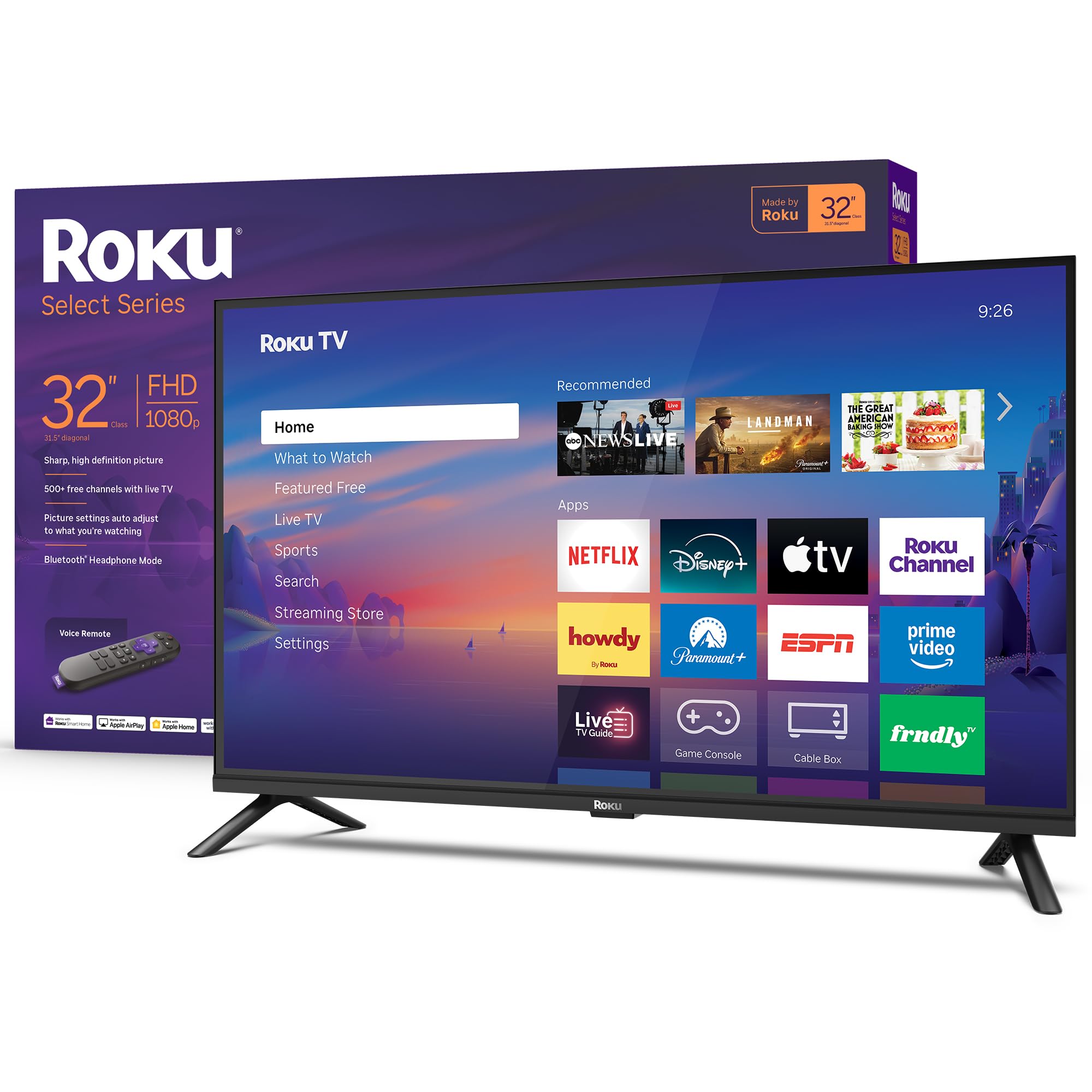
1. Roku Smart TV 2026 – 32-Inch Select Series
Our pick — 4.5★ from 900+ verified ratings; the strongest balance of quality and price.
Fast setup, brighter-than-expected 1080p, and a remote your whole household will fight over.
This is the 32-inch TV that gets almost everything right. It delivers 1080p Full HD resolution on a direct LED panel — meaning the picture is bright, the text is sharp, and colors look natural straight from the start. The Roku platform is notoriously simple: your streaming channels show up as tiles on the home screen, and there is no confusing menu to dig through. Buyers report that installation was easy and they were able to set it up by themselves in about five minutes, which is a huge relief if you have ever wrestled with a TV manual.
What sets this apart from budget-tier models is the Bluetooth Headphone Mode, which lets you connect wireless headphones for late-night watching without waking anyone up. The voice remote works with Siri, Alexa, and Google Assistant, so you can fit it into any smart home without extra hardware. It also supports Apple AirPlay for casting from an iPhone. The built-in speakers are designed for clear speech, which matters more than raw volume on a small set — you actually hear dialogue without turning on subtitles.
The one trade-off is that the picture sharpness is good for the price but not the absolute best at this size — one reviewer noted the crispness of the images is OK and not the very best out there, which is fair for a -range TV. It also lacks advanced audio settings like night mode or speech leveling, so sound customization is minimal. But for a bedroom or kitchen secondary set, the combination of Roku’s ease, the 1080p panel, and the handy Bluetooth headphone feature makes this the safest pick for most people.
What works well
- 1080p Full HD resolution provides crisp, bright picture quality suitable for bedrooms and kitchens
- Bluetooth Headphone Mode lets you watch privately without disturbing others
- Roku platform is fast, intuitive, and receives automatic software updates
Where it holds back
- Picture sharpness is adequate but not the best you can find at this size
- Audio customization is minimal — no independent night mode or speech enhancement
Best for the household: This is the 32-inch TV to buy if you value ease of use, fast streaming, and headphone-friendly late-night viewing over absolute picture perfection.
Where it falls short: If crispness and advanced audio settings matter more than convenience, you may want to look at a QLED model for richer color or a set with Dolby Atmos for more sound control.
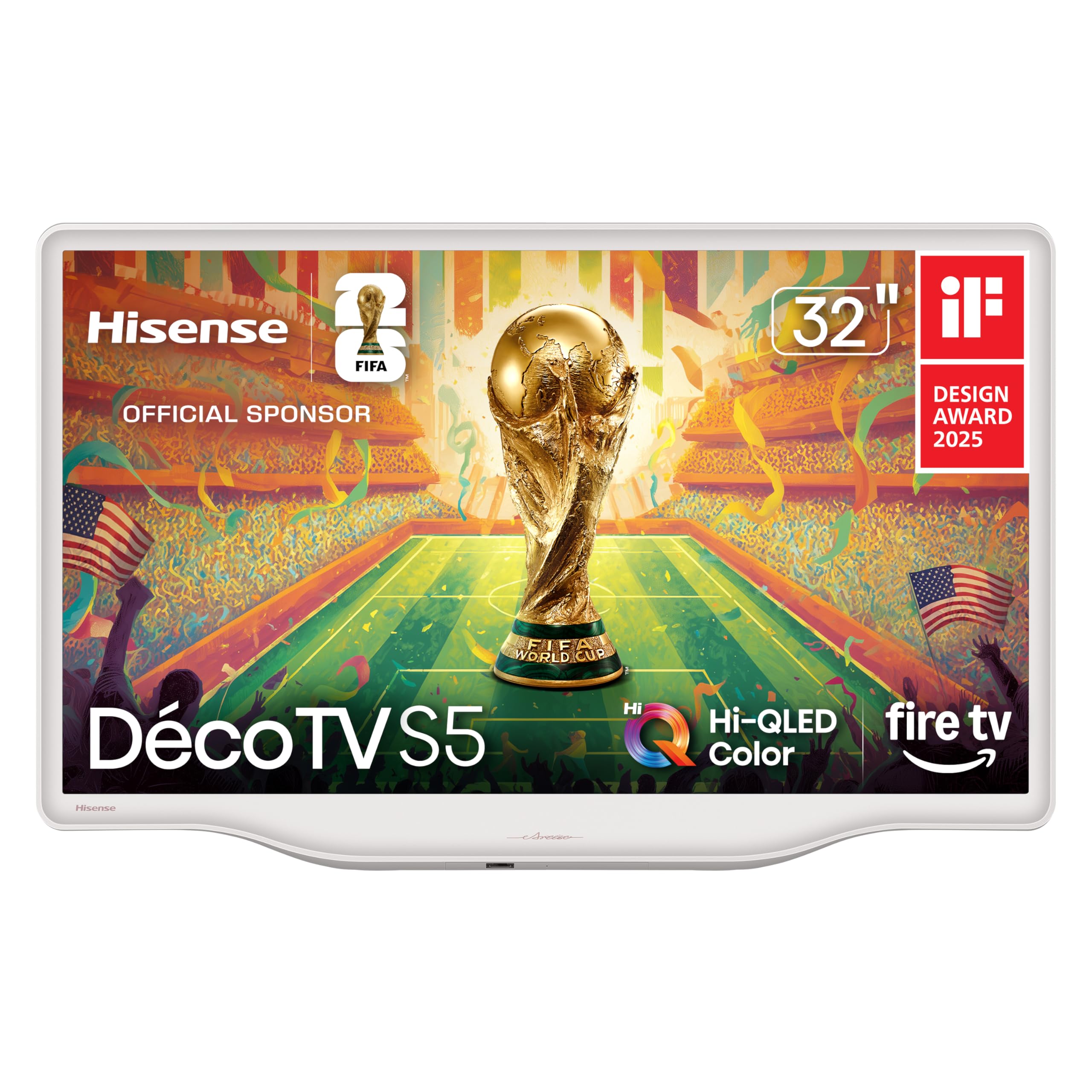
2. Hisense 32-Inch S5 DécoTV Series Hi-QLED Smart Fire TV
A Morandi white frame that looks like furniture, paired with genuinely vibrant Hi-QLED color.
This Hisense model is the rare 32-inch TV that does not look like a black hole on your wall. It has a Morandi white finish with smooth, flowing curves, which owners mention blends beautifully into bedrooms, dining rooms, or any cozy corner. The Hi-QLED panel is the real story here — it delivers richer, more vibrant colors than standard LED TVs at this size. Every shade, from the most delicate pastel to the most dazzling red, stands out in a way that surprises people who expect budget-level color.
Built on Fire TV, the interface is fast and responsive, and you can press the Alexa button on the remote to launch apps, check the weather, or control smart home devices. The sound is handled by DTS Virtual:X, which creates a wider, more rich audio field than typical 2-speaker setups. One buyer mentioned the built-in speakers are surprisingly good for a TV this size, and the quick setup was a welcome change from larger, more complicated sets. It also has an Art Mode that displays artwork when the TV is idle, giving it the vibe of a much more expensive frame TV.
The main trade-off is that the glossy screen can show reflections in a bright room — a buyer noted some reflection when the room was well-lit, so this is best placed where you control the lighting. Setting a universal remote is also tricky because published codes for this model are hard to find. But for a secondary TV in a bedroom or a design-conscious small living room, the Hi-QLED color and the elegant white frame make this the most distinctive-looking set in this lineup.
The visual highlights
- Hi-QLED panel produces noticeably richer, more accurate colors than standard LED 32-inch TVs
- Morandi white design with curved edges feels like a piece of furniture, not a black box
- Fire TV with Alexa voice control is quick to navigate and integrates well with Amazon smart home
The lighting caveats
- Screen can show reflections in bright rooms with direct light
- Finding a code for a universal remote may be difficult
Great for decor-forward spaces: Pick this if you want a TV that enriches your room’s aesthetic and delivers superior color, especially for animated shows, nature content, and art mode.
Skip if you need anti-glare: If your room gets a lot of direct sunlight or you plan to mount it opposite a window, a matte-screen LED model may serve you better.
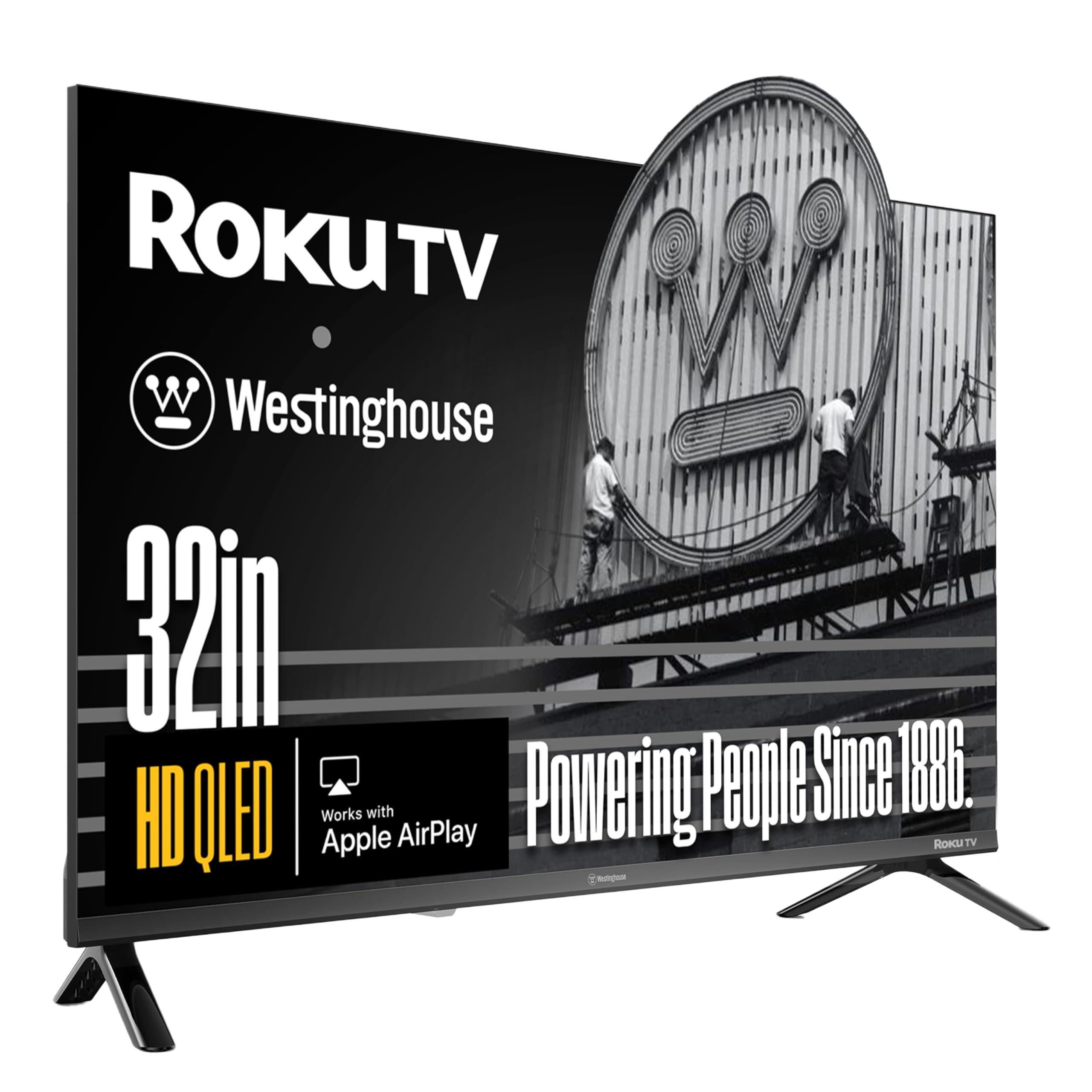
3. Westinghouse 32-Inch Roku TV QLED
Quantum dot brightness that punches above its class, paired with the friendliest smart platform.
If color richness is your priority, this Westinghouse is the QLED bargain of the bunch. It uses Quantum Dot technology, which boosts color volume and brightness noticeably beyond what a standard LED can produce. The result is a picture that feels more cinematic — deeper greens in a forest scene, reds that do not look orange, and enough brightness to hold up well in a moderately lit living room. The 1200:1 contrast ratio helps dark scenes retain shadow detail rather than turning into a gray mush.
Like the Roku Select Series, this runs Roku TV, so the interface is dead simple and has thousands of streaming channels including free live TV. It adds Bluetooth 5.2 for wireless headphones, and also supports Apple AirPlay2 and the Roku Mobile App for casting from your phone. The bezel-less design means the screen extends nearly edge-to-edge, which helps the TV feel slightly larger than its actual 32 inches when mounted on a wall.
The honest catch is that Westinghouse is not as established as Samsung or Sony in the TV space, so long-term support and build quality are less proven. A few buyer reviews mentioned minor quirks — one TV turned on and off by itself in one location, though the issue stopped when the TV was moved to a different outlet. It also has only two HDMI ports, which is tight if you connect a gaming console, a streaming stick, and a soundbar simultaneously. But for the price of a standard LED, you get genuine QLED color, and that makes a real difference in your daily viewing.
Standout strengths
- QLED panel delivers richer colors and higher brightness than most 32-inch LED TVs
- Roku platform is simple, fast, and supports free live TV channels from the start
- Bezel-less design and Bluetooth 5.2 make it modern and versatile
Known drawbacks
- Only two HDMI ports limit multi-device setups
- Brand history for long-term reliability is less established than major competitors
Color-first choice: Grab this if you want the best picture quality available at this size without jumping to a 40-inch tier — the QLED color is genuinely visible in everyday content.
Consider the HDMI limit: If you need to plug in a game console, a soundbar, and a streaming device, the two ports will force you to use a switch or unplug cables.
4. Amazon Ember 32″ 2-Series with Fire TV

The smartest smart experience, with a custom art mode that makes the screen a room accent.
The Amazon Ember 2-Series is built for speed and integration. It runs the updated Fire TV experience from 2026, which includes a new quad-core processor and Wi-Fi 6 support — meaning apps load fast, the interface is snappy, and streaming in HD stays smooth even when your router is handling multiple devices. The resolution is 720p HD, which is a step down from the 1080p found on the Hisense and Roku models, but at 32 inches the difference is mild for casual content like news, talk shows, and YouTube.
The feature that genuinely stands out here is Omnisense technology. Built-in sensors wake the display when you walk into the room, showing your favorite artwork or a screensaver, then let you start watching quickly. One buyer called it a standout feature that gives off a similar vibe to much more expensive frame-style TVs. The Alexa Voice Remote Enhanced includes preset buttons for popular apps and works hands-free with Alexa for searching content, controlling smart home devices, and even diving into random topics.
The trade-off is clear: if you are not heavily invested in Amazon services (Prime Video, Alexa, Luna for cloud gaming), the Fire TV interface can feel a bit pushy with recommendations and ads on the home screen. A reviewer mentioned the remote lacks some convenient back-button shortcuts and can feel slightly slow when selecting, though the picture quality was described as great. For someone already using Alexa at home, this TV feels like a natural extension — but if you prefer a cleaner, ad-free interface, Roku is still the winner.
Why it stands out
- Omnisense art mode wakes the screen on motion for a premium frame-TV feel
- Wi-Fi 6 and a quad-core processor make for fast, responsive streaming
- Deep Alexa integration for hands-free control and smart home management
Reasons to hesitate
- 720p resolution is less sharp than 1080p models for fine text and detailed scenes
- Fire TV interface can feel cluttered with ads and recommendations
Ideal for Alexa homes: This TV makes the most sense if you already use Alexa, subscribe to Prime Video, and want a TV that doubles as a digital art frame when idle.
Better options for picture purists: If sharpness and screen resolution matter more to you than smart features, a 1080p Roku or QLED TV will look noticeably better.
5. Samsung 32-Inch Smart LED TV Bundle

Samsung’s solid 1080p panel and motion smoothing, plus a bundle that covers the extras.
Samsung is the name you recognize, and this 32-inch model delivers what you expect — a reliable 1080p Full HD panel with good color accuracy and the Clear Motion Rate 120 feature, which reduces blur during fast-paced sports and action scenes. Dolby Digital Plus and DTS Premium Sound provide audio that is a cut above basic stereo, making movie dialogue clearer and music less tinny. The bundle adds a 12-month CPS Protection Plan, a high-speed HDMI cable, and a screen cleaner — small conveniences that save you a separate trip to the store.
The bezel-less design keeps the TV looking modern, and the dual HDMI and USB ports give you room for a game console and a streaming stick without juggling cables. One owner reported the picture quality is great with vibrant colors and adjustable contrast for natural skin tones, and they have always owned either Vizio or Samsung and find Samsung has become their favorite. That kind of brand trust matters when you plan to keep a TV for several years.
Also, the user manual mentions one USB port, but customers note only one USB port, not the two listed in some descriptions, which is a minor annoyance for connecting external drives. For someone who wants a well-known brand with a proven panel and the confidence of a protection plan, this Samsung bundle is a straightforward, low-worry purchase.
The reliability factor
- 1080p Full HD panel with Clear Motion 120 for smooth sports and action viewing
- Dolby Digital Plus and DTS audio provide clearer, more rich sound than basic stereo
- Bundle includes a 12-month protection plan and essential accessories
The bundle fine print
- Only one USB port available, despite some listings mentioning two
- Bundle price is slightly higher than a bare TV; you pay for the included plan and cables
Name you can count on: Pick this if brand reliability and included accessories matter more to you than chasing the lowest bare-bones price.
Not for multi-USB setups: If you plan to plug in two external drives or a keyboard and a drive simultaneously, the single USB port will be limiting.
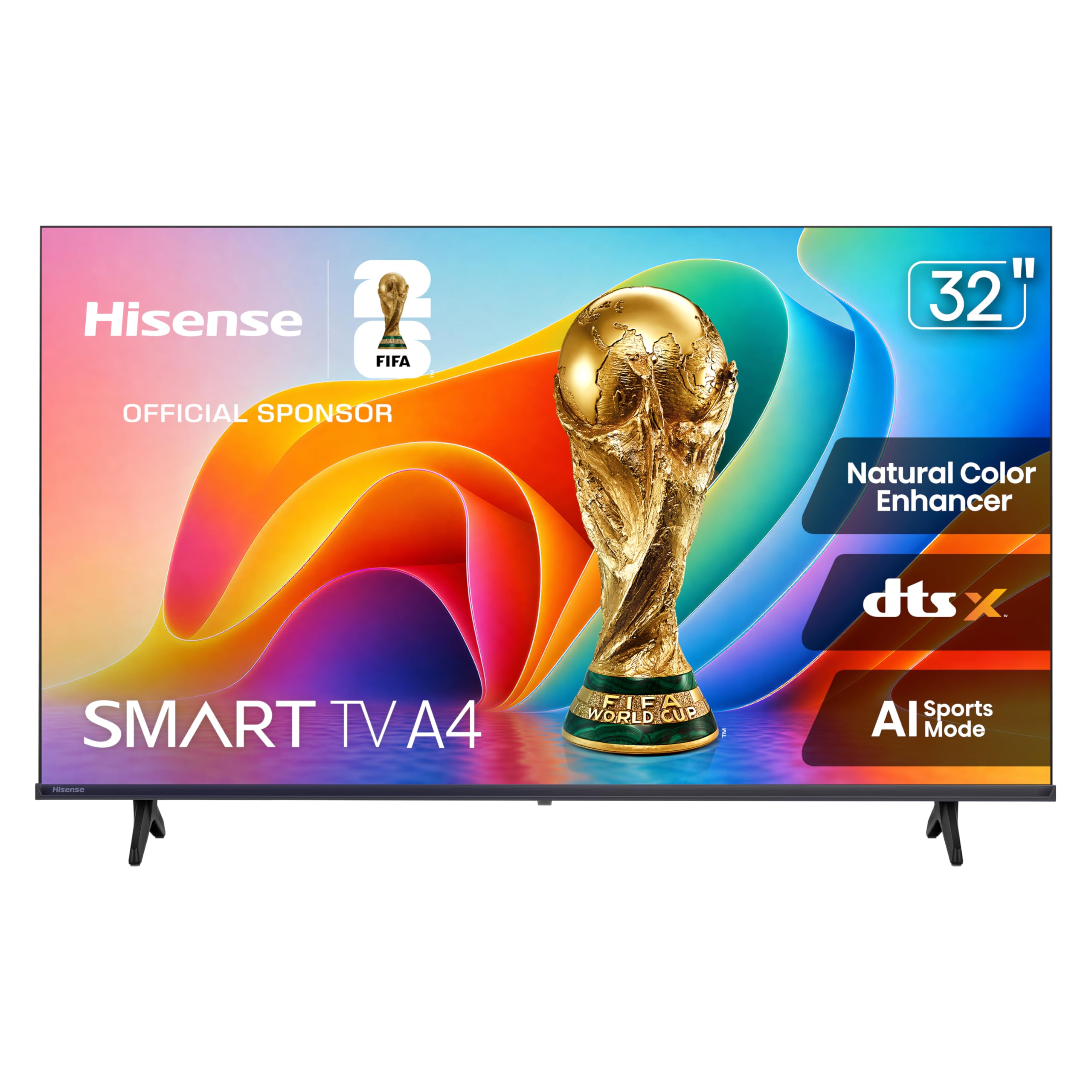
6. Hisense 32-Inch A4 Series HD 1080p Smart VIDAA TV
Tailored picture and sound modes for sports fans, wrapped in a budget-friendly 1080p package.
Hisense packed this A4 Series with processing features that usually appear only on larger, pricier TVs. The AI Sports Mode is the headline: it reduces motion blur in fast-moving games and enhances crowd sounds and commentator voices, making you feel like you are actually in the stadium. The Noise Reduction feature scans every frame and filters out grain, which is especially useful for older cable content or lower-bitrate streams. It also uses Natural Color Enhancer to boost greens and other outdoor tones, giving nature scenes a more lifelike appearance.
The operating system is VIDAA, which uses AI to personalize your content recommendations and provides instant access to free TV channels. The TV also supports Apple AirPlay and Apple Home, so you can cast from an iPhone or control the TV as part of your smart home. The 1080p panel is sharp, and the 60Hz refresh rate is standard for the category. One buyer described the picture as great and the smart TV as easy to use for an excellent price, which matches the general sentiment.
The biggest risk here is quality control. Some reviewers point out a terrible picture with fuzzy, faded colors, and one review described significant difficulty with Wi-Fi connectivity that resets after a power outage. Another user noted the sound has an echo-like quality and does not feel loud. This makes the Hisense A4 something of a gamble — when you get a good unit, the AI sports enhancements are genuinely helpful, but the inconsistency in panel quality and Wi-Fi stability is disappointing. If you are willing to return a dud for a replacement, the upside is solid for the price.
Unique features
- AI Sports Mode reduces blur and boosts crowd/commentary audio for sports viewing
- 1080p panel with Natural Color Enhancer for vivid nature tones
- Supports Apple AirPlay and Apple Home for easy casting and smart home control
Consistency concerns
- Quality control varies — some units have fuzzy, faded picture or Wi-Fi issues
- Sound quality can feel echo-like and not particularly loud
Sports-first buyer: This TV is worth considering if you primarily watch live sports and want motion processing, but only if you are comfortable with the possibility of exchanging a defective unit.
Not for reliability seekers: If you want a TV that works perfectly from the start with no hassle, the Roku Select Series or Samsung bundle are safer bets.
7. ONN 32-inch Roku Smart TV LED + Free Wall Mount (Renewed)
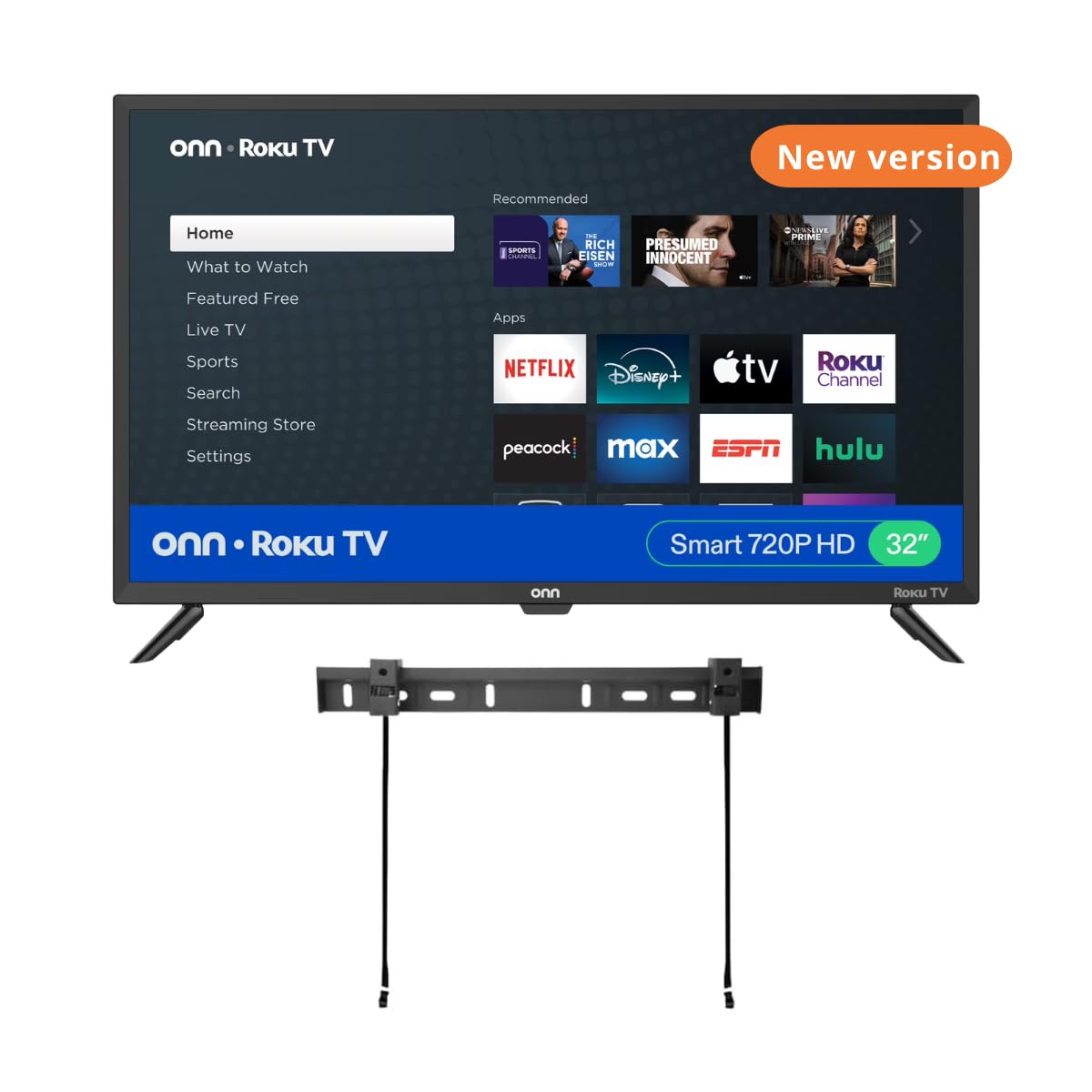
Refurbished Roku performance that shoppers say is better than a decade-old Sony, even at this price.
The ONN Roku TV is a refurbished (renewed) unit, which means it was returned or inspected and restored to like-new condition. Buyers report daily use of 8-10 hours in a small lounge without issues, and one reviewer described the picture quality as excellent and the sound as fantastic, better than a 10-year-old 32-inch Sony they replaced.
The TV includes three HDMI inputs, a USB port, an optical audio out, and a headphone jack, which is generous for the price tier. It works with Alexa, Google Assistant, and Apple HomeKit, covering all three major voice ecosystems. The wall mount is included in the bundle, making this a true plug-and-play solution if you want to mount it right away.
The catch is that this is a bundle of a refurbished TV and a separate wall mount, and some buyers found the mount incompatible or the TV legs didn’t fit, making the bundle a poor value compared to buying the TV alone for at Walmart plus a separate mount. So the convenience of the bundle depends on whether you get compatible pieces. Also, since it is renewed, the cosmetic condition may vary, though most reviews indicate the unit looks and performs like new. It is a solid bet if you want Roku’s interface at the lowest possible cost and are willing to accept renewed status.
The value pitch
- Renewed unit offers Roku’s streaming ecosystem at a budget price point with a free wall mount
- Owners mention excellent picture and sound quality, even with heavy daily use
- Three HDMI inputs provide good connectivity for multiple devices
The bundle risk
- Bundle compatibility issues — some customers note that the mount or legs do not fit correctly
- Renewed condition means cosmetic wear is possible; not a sealed new-in-box product
Budget-conscious Roku fan: This is your pick if you are fine with a refurbished unit and want Roku navigation at the lowest possible entry price, especially for a guest room or workshop TV.
Skip the bundle: If you prefer a new-in-box TV with guaranteed compatibility, buy the new-in-box version separately and a wall mount of your choice.
8. SANSUI 32 inch FHD Smart WebOS TV
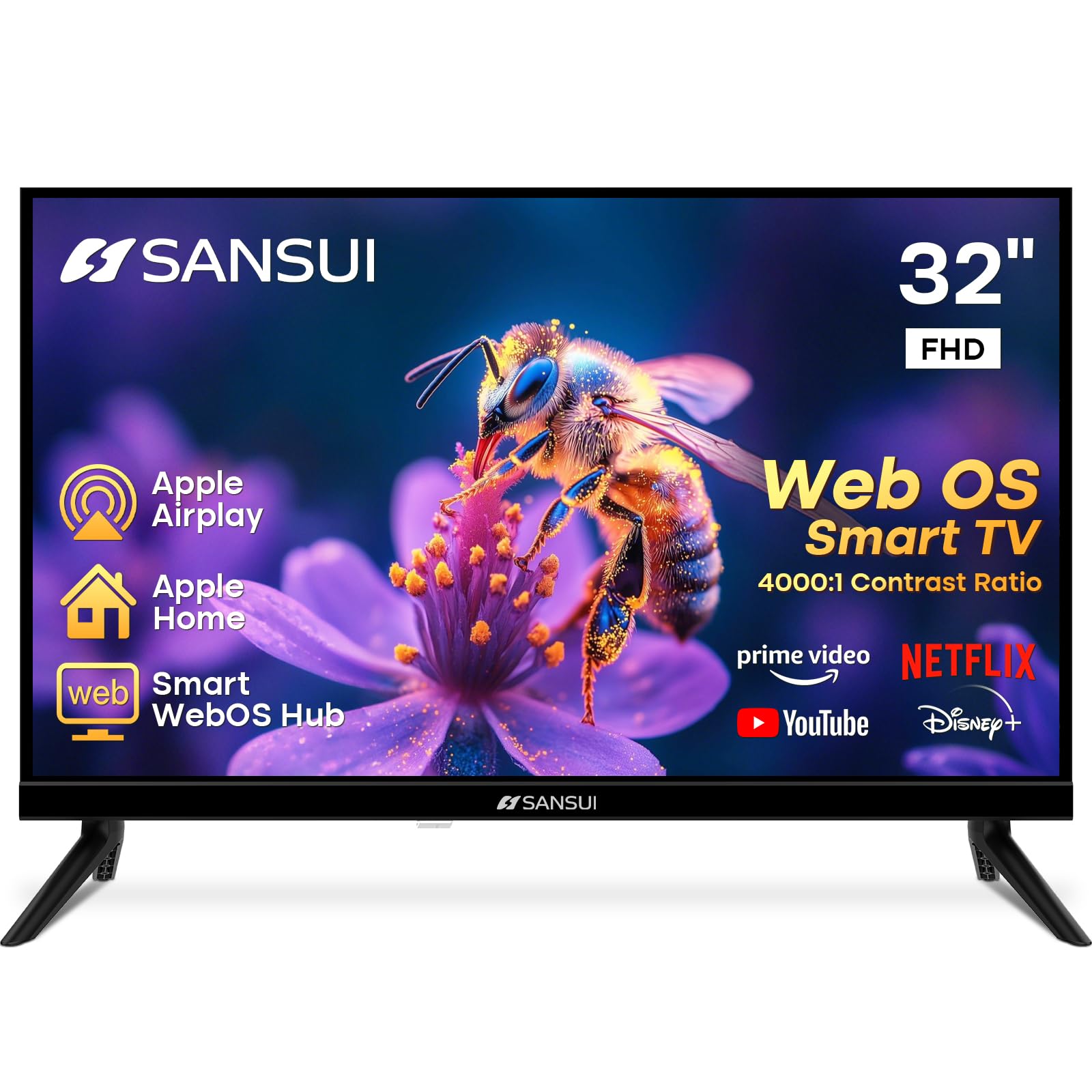
WebOS on a budget — think LG interface without the LG price, plus a high contrast ratio.
The SANSUI runs WebOS Hub, the same operating system used by LG’s smart TVs. This means you get a clean, intuitive home screen with quick access to Netflix, Prime Video, Disney+, and Hulu, plus support for Apple AirPlay and Apple HomeKit. The 4000:1 contrast ratio is one of the highest in this roundup — standard LED models usually sit around 1000:1 to 1200:1 — which translates to deeper blacks and better shadow detail for movies and dark scenes. The frameless, 4-side bezel-less design makes the TV look modern and larger than its 32-inch size when mounted.
Sound comes from dual 8W speakers with Dolby Atmos support, which is a nice addition at this price point. Buyers describe it as perfect for a kitchen TV, noting easy setup, good picture quality, and great price. One reviewer called it excellent, just like an LG but much cheaper, which captures the value proposition well. The Bluetooth 5.2 lets you connect wireless headphones or a soundbar without lag.
The downsides are real, though. Multiple buyers mention that the TV takes a while to come on when you press the power button, which can be annoying if you are used to instant-on TVs. Another reviewer described it as a bad product with horrible sound, extremely slow chip causing freezing on YouTube, and poor Wi-Fi performance. The slow startup and occasional sluggishness seem to be the main complaints, so if instant responsiveness matters to you, this may frustrate. But for undemanding casual viewing — especially in a kitchen or guest room where you are not watching critically — the WebOS interface and high contrast panel make it a decent value.
Interface advantage
- WebOS Hub provides a clean, familiar interface similar to premium LG smart TVs
- 4000:1 contrast ratio delivers deeper blacks and better dark-scene detail than most 32-inch LEDs
- Dolby Atmos support with dual 8W speakers adds audio clarity
Speed concerns
- TV has a slow startup time — reviewers point out it takes a while to come on
- Some users experience freezing, sluggish chip performance, and poor Wi-Fi reliability
For WebOS lovers on a budget: This makes sense if you prefer LG’s interface but do not want to pay LG prices, and you are willing to tolerate a slower startup.
Not for impatient viewers: If a slow, laggy interface will drive you crazy, the Roku Select Series or the Amazon Ember 2-Series are noticeably faster.
9. Sony 32 Inch 720p HD LED HDR TV W830K Series with Google TV

Sony’s legendary image processing in a 720p panel that looks better than some 1080p TVs.
The Sony W830K is the most expensive TV on this list, and it is also the only one with a 720p native resolution. That sounds like a downgrade on paper, but Sony’s X-Reality PRO processor does something remarkable: it upscales content so effectively that one buyer who replaced a Samsung set with higher native resolution found the Sony’s picture is better — more natural color, better contrast, and dark scenes that still show detail. Sony’s Motionflow XR also handles fast motion very well, making this a solid choice for sports and action movies despite the lower native pixel count.
It runs Google TV with Google Assistant built in, which organizes your streaming apps from Netflix, Disney+, Apple TV, and others into one unified interface. The voice remote is large and functional, and you can use it to search across apps, control volume, and turn the TV on and off. The built-in Dolby Audio processing provides clear, loud sound — a buyer said the audio is decent for a set this size and considerably louder than the old TV they replaced. Sony also includes HDR10 and HLG support, which helps compatible content look more dynamic.
The obvious trade-off is the 720p resolution at a premium price. If you sit closer than about 5-6 feet, you will see the slight softness compared to a 1080p model. The remote is described as pretty large, which some users find awkward. And the Google TV interface, while feature-rich, can feel slower than Roku on a budget processor. But Sony’s reputation for building TVs that last — one customer observed they still use a Sony Bravia from 2008 — is a genuine asset. If long-term reliability and superior image processing matter more to you than raw resolution numbers, this Sony is a uniquely compelling choice.
Sony’s unique value
- X-Reality PRO processing upscales content to look sharper than native 720p suggests
- Motionflow XR provides excellent motion clarity for sports and action
- Google TV with Google Assistant offers sturdy smart features and a unified content library
The resolution reality
- Native 720p resolution is noticeably less sharp than 1080p panels for text and fine detail
- Premium price for a 720p screen will not suit everyone’s budget
For long-term keepers: Choose this if you prioritize build quality, long-term reliability (that 2008 Sony reference is real), and advanced image processing over raw pixel count.
Pixel counters beware: If you plan to sit close and want the sharpest possible text and images, a 1080p model from the Roku or Hisense lineup will serve you better at half the price.
Understanding the Specs
1080p vs 720p Resolution
The number of pixels on the screen determines how sharp the image looks. 1080p (Full HD) has about 2 million pixels, while 720p (HD) has about 900,000. At 32 inches, the difference is visible in things like small text, menu icons, and fine details in movie scenes. If you watch a lot of news, read sports scores from across the room, or connect a laptop to the TV, 1080p is the better choice because it keeps text crisp. 720p is acceptable for casual viewing of older cable content or children’s shows where fine detail matters less.
Smart TV Platform: Roku, Fire TV, Google TV, and WebOS
Your smart TV’s operating system is the interface you use every time you turn it on. Roku is the simplest — a grid of channels with no ads, automatic updates, and a straightforward remote. Fire TV (found on the Amazon Ember and Hisense S5) prioritizes Amazon content and Alexa integration, but the home screen can feel crowded with recommendations. Google TV (Sony W830K) works best if you use Android apps and want a Google Assistant voice assistant. WebOS (SANSUI) feels clean and familiar to LG TV users but can be slower on budget hardware. The platform matters just as much as the picture because you interact with it constantly.
FAQ
Is a 32-inch TV too small for a living room?
Can I use a 32-inch smart TV as a computer monitor?
What is the difference between LED and QLED on a 32-inch TV?
Does a 32-inch TV need a soundbar?
Will a 32-inch smart TV fit on a standard wall mount?
How important is therefresh rate on a 32-inch TV?
Is it worth paying more for Google TV or Fire TV over Roku?
What is Dolby Atmos and does a 32-inch TV need it?
Can I watch cable TV on a 32-inch smart TV without a streaming subscription?
What is the best way to connect a 32-inch TV to my iPhone or iPad?
Final Thoughts: The Verdict
If you want one dependable pick, the 32 inch smart tv winner is the Roku Select Series 32″ because it combines the easiest-to-use streaming platform, a bright 1080p panel, and Bluetooth headphone mode — all at a price that does not force compromises. If you want the most vibrant picture quality at this size, grab the Hisense S5 DécoTV 32″ with its Hi-QLED color and stylish Morandi white design. And for the best long-term reliability and superior image processing, the Sony W830K proves that a 720p panel can still look exceptional when backed by excellent engineering.
How We Picked
We do not accept paid placement. Every pick is matched to a real buyer and a real use-case; we do not hands-on test units.
Sources & Methodology
Specifications: manufacturer listings and product documentation. Review insights: verified customer reviews, as of July 2026. Pricing: not shown on this page (it changes often); check the current price via the retailer link.
As an Amazon Associate, Gadgets Feed earns from qualifying purchases. This does not affect which products we feature.