
Our readers keep the lights on and my morning glass full of iced black tea. As an Amazon Associate, I earn from qualifying purchases.
Specs are compiled from manufacturer listings and verified buyer reviews and can change over time — please confirm the key details on the product page before buying.
A 32-inch TV fits a living room that is not a dedicated home theater — big enough to see from the sofa, compact enough to not dominate the space. This guide focuses on the specs that matter for everyday living-room use: a clear 1080p picture, responsive streaming, and audio you can hear without straining.
if you need free live channels, Apple AirPlay for your iPhone, or a simple setup with no bloatware, this breakdown of the top 32 inch tv for living room models will help you match the right one to your space and routine.
Our Picks at a Glance
How To Choose The Best 32 Inch TV For Living Room
A 32-inch TV is often the smarter fit for a living room that doubles as a dining area or a cozy apartment space.
Resolution: 1080p vs 720p
At a typical living-room viewing distance of six to eight feet, 1080p Full HD gives you noticeably sharper text and finer detail than 720p HD. Most content — from YouTube to Netflix — streams in 1080p, making it the practical minimum. A 720p panel may look soft on faces and small text, especially if you sit closer than seven feet.
Smart Platform & App Library
The operating system determines how fast you access your shows and whether your favorite apps are available. Roku TV and Fire TV are the two most popular platforms, each with thousands of apps. Roku keeps the interface simple with a grid of channels, while Fire TV integrates Alexa voice control more deeply. WebOS (found on the SANSUI model) and VIDAA (on the Hisense) also cover major platforms like Netflix and Prime Video, but their dedicated app stores are smaller.
Audio Quality & Connections
Built-in TV speakers are often the weakest link in audio quality. Look for models with at least 8 watts per channel or Dolby Audio support for clearer dialogue. If you plan to add a soundbar or a game console, check the HDMI port count — three HDMI inputs are the minimum for a living-room setup where you might connect a streaming stick, a gaming system, and a soundbar simultaneously.
Quick Comparison
| Model | Best For | Resolution | Smart Platform | HDMI Ports | Amazon |
|---|---|---|---|---|---|
| Roku Select Series 32″ 2026★ Best Overall | easy streaming | 1080p Full HD | Roku TV | 1+ | Amazon |
| SANSUI 32″ WebOS TVFrameless Design | Frameless design | 1080p FHD | WebOS Hub | 3 | Amazon |
| ONN 32″ Roku TV (Renewed)Value + Mount | Value + wall mount | — | Roku TV | 3 | Amazon |
| Amazon Ember 32″ 2-Series | Fast Fire TV experience | HD 720p | Fire TV | 2 | Amazon |
| TuTu 32″ HD TV | Ad-free non-smart TV | HD 720p | None | 1+ | Amazon |
| Hisense 32″ A4 Series | Sports & nature clarity | 1080p | VIDAA | — | Amazon |
| Hisense 32″ S5 DécoTV | Style + Hi-QLED color | FHD | Fire TV | — | Amazon |
| Samsung 32″ Bundle | Trusted brand + extras | 1080p Full HD | Smart TV | 2 | Amazon |
| Sony 32″ W830K | Best picture processing | 720p HD | Google TV | — | Amazon |
In‑Depth Reviews
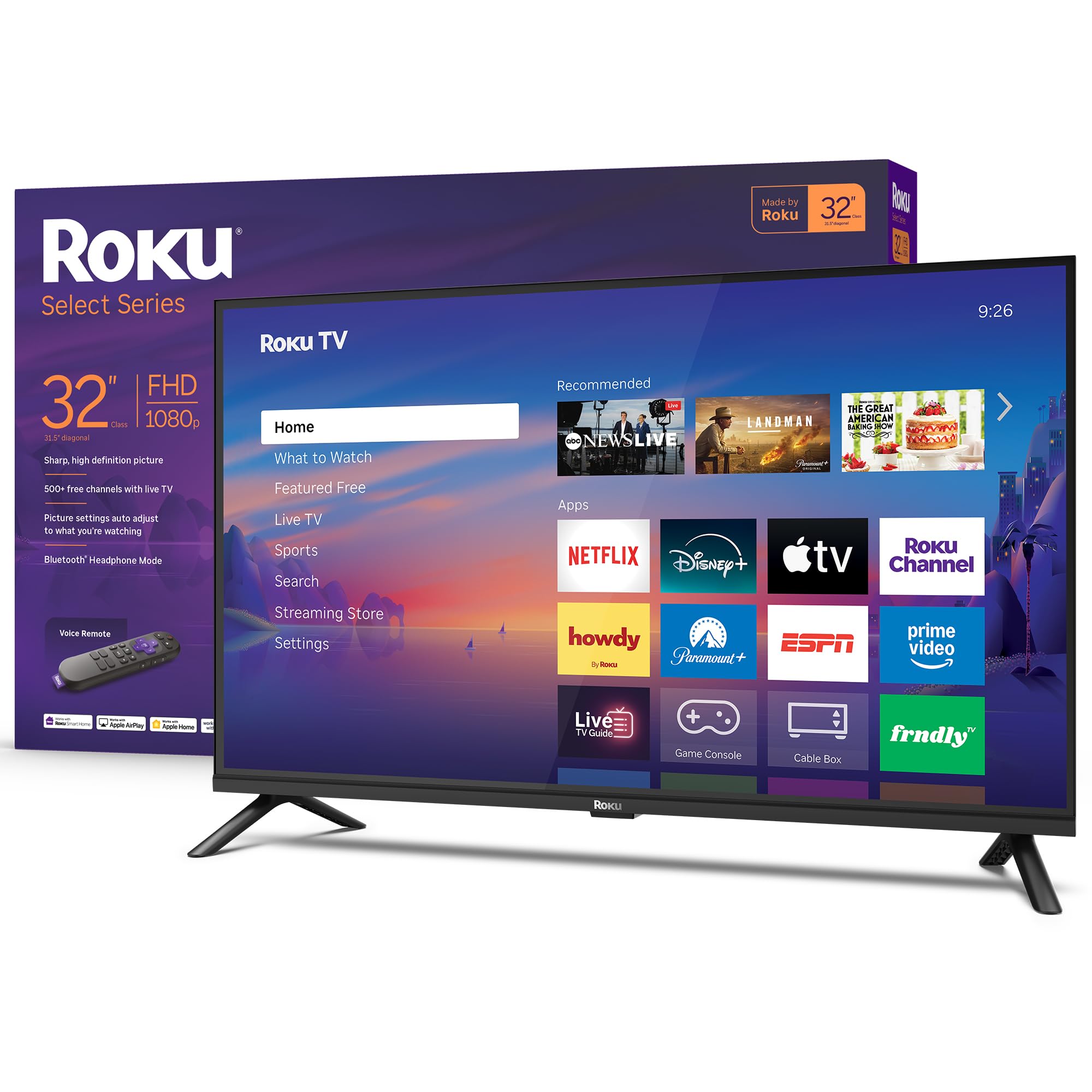
1. Roku Smart TV 2026 – 32-Inch Select Series
Our pick — 4.5★ from 900+ verified ratings; the strongest balance of quality and price.
The easiest smart TV you will set up, with a remote that actually understands what you say.
You get a clear 1080p Full HD picture on a 32-inch LED screen, and the Roku platform means apps like Netflix, Prime Video, and Max launch in a snap. The voice remote lets you search across thousands of apps just by speaking, so you never have to type a title with the directional pad. For late-night viewing, the Bluetooth Headphone Mode lets you connect your wireless headphones without waking anyone else in the house.
Buyers report the “crispness of the images is OK” — not the sharpest TV they have owned, but the price felt reasonable and setup took about five minutes. Another reviewer noted the Roku “Recommended” row above the home screen apps cannot be removed, which may bother minimalist viewers. With fast Wi-Fi and automatic software updates, this TV keeps getting better without any effort from you.
Uncluttered streaming: Roku does not clutter the interface with ads or bloatware, and the home screen puts your pinned apps front and center. If you want a TV that just works for casual living-room viewing, this is it.
Audio limitation: The sound is designed for clear speech, but there are no detailed audio settings — no separate controls for night mode, speech enhancement, or music equalizer. You basically get volume.
Reach for this if: you value a dead-simple interface with voice search and Bluetooth headphone support, and you are happy with “good enough” picture quality for everyday shows.
Look elsewhere if: you need advanced picture adjustments, a more sophisticated sound system, or a 720p resolution is unacceptable for your living room setup.
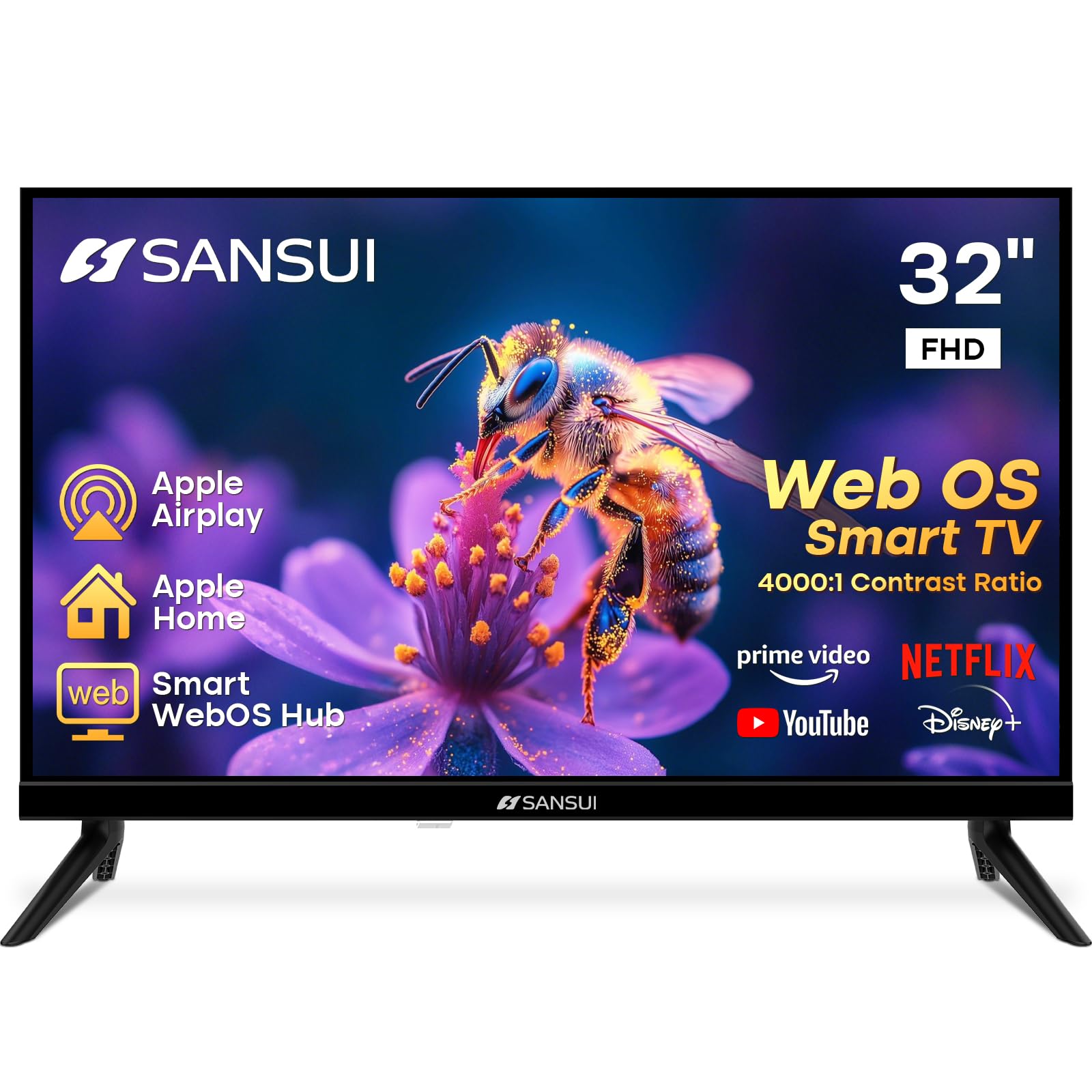
2. SANSUI 32 inch FHD Smart WebOS TV
A frameless 32-inch screen that blends into your wall like a small canvas.
The 4-side bezel-less design gives this TV a modern look that hides the bezels, and the 4000:1 contrast ratio delivers deeper blacks than many competitors at this price. You get 1080p FHD resolution with a VA panel that offers a 178-degree viewing angle, so the picture stays consistent even if you are sitting off to the side. The dual 8W speakers with Dolby Atmos fill a small living room with stereo sound, though some owners mention the sound “not great but good enough for what it is.”
Customers note setup issues resolved by simply unplugging and replugging the TV, and they describe the picture as “beautiful” for the price. The WebOS hub gives you access to Netflix, Prime Video, Hulu, Disney+, and HBO Max, plus Apple AirPlay and Apple HomeKit for iPhone users. With three HDMI 1.4 ports and Bluetooth 5.2, you can connect your game console, soundbar, and streaming stick without an adapter.
Striking contrast: At 4000:1, the black levels are noticeably richer than the Roku Select Series, making movies with dark scenes look more rich. The bezel-less front also makes the display feel larger than 32 inches.
Slower processor: Some owners mention the TV takes a while to turn on and the chip can feel sluggish — one reviewer noted freezing and sputtering on YouTube TV. It is not the snappiest smart TV experience if you bounce between apps quickly.
Perfect for: design-conscious buyers who want a frameless look and deep contrast in a small living room, and who prioritize picture quality over blazing-fast menus.
Skip if: you need a lag-free interface for channel-hopping or plan to use processor-heavy apps like YouTube TV extensively.
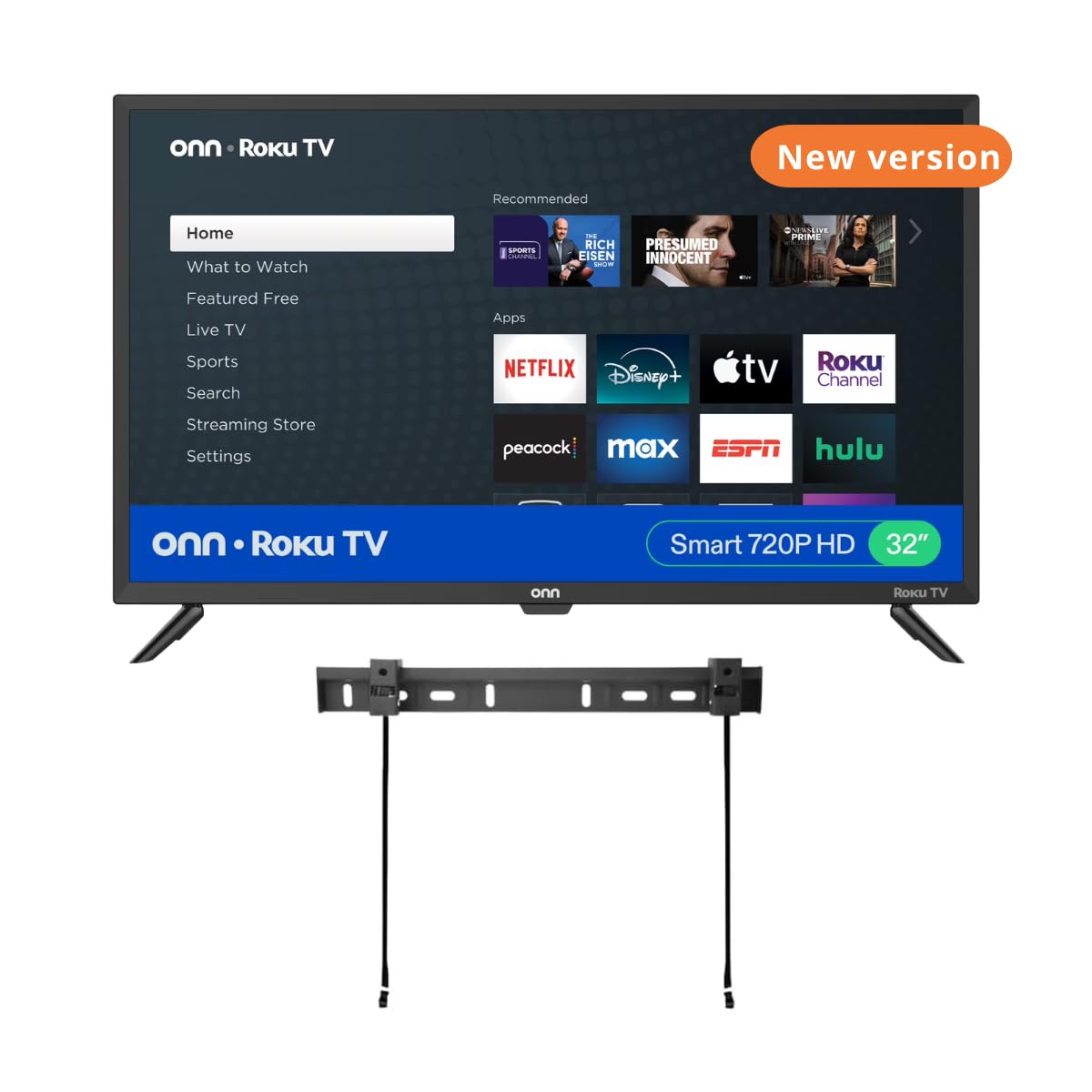
3. ONN 32-inch Roku Smart TV LED + Free Wall Mount (Renewed)
A budget-friendly Roku TV that comes with a wall mount, ready to hang in minutes.
This renewed unit pairs America’s number-one streaming platform with a free wall mount, so you get a clean, space-saving installation without buying extra hardware. The 60Hz refresh rate keeps motion smooth during sports and gaming, and the three HDMI inputs let you connect a streaming stick, a game console, and a soundbar simultaneously. It works with Alexa, Google Assistant, and Apple HomeKit, so you can use voice to turn it on, switch channels, and adjust volume.
One buyer notes they use the TV for “8-10 hrs in small lounge” daily and say the sound quality is “amazing, better than 10-year-old 32″ Sony.” Another reviewer had a negative experience with the bundle, saying the TV legs did not fit and the included wall mount was incompatible. If you plan to use the included mount, check your wall plate compatibility before purchasing. The TV itself streams over 350 free live channels via The Roku Channel, giving you plenty of free content without a cable subscription.
Where it surprised us
- Buyers call the sound quality “amazing” — better than a decade-old Sony 32″
- Free wall mount saves the – cost of buying one separately
- Three HDMI ports for multi-device setups
Possible hassle
- Bundle can be a dud — one reviewer says mount is incompatible and TV legs don’t fit
- Renewed condition may come with cosmetic wear or missing accessories
- Volume may feel “slightly light” in larger rooms, per buyers
Grab it for: a spare living room or small lounge where you want a reliable Roku interface and a wall-mounted setup without paying extra for the mount.
Watch out for: the renewed condition and reported issues with the included wall mount — check your wall plate and the bundle contents as soon as it arrives.
4. Amazon Ember 32″ 2-Series with Fire TV (newest model)

A compact Fire TV that turns on the moment you walk into the room and shows art when idle.
The Amazon Ember 2-Series introduces Omnisense technology — built-in sensors that wake the display when you enter the room, showing artwork or letting you start streaming immediately. It supports Wi-Fi 6 for faster, more reliable streaming and uses a new quad-core processor that makes apps load quickly. The Fire TV experience (2026 release) is redesigned with dedicated content categories and personalized recommendations from Alexa+, so you spend less time browsing.
Reviewers point out the art mode “mimics expensive frame TVs” and say the picture quality is good for the price with “crisp, sharp visuals for presentations.” The remote has preset buttons for popular apps and a built-in Alexa voice button. With only two HDMI inputs, you are limited if you plan to connect multiple devices, and some shoppers say the sound is “adequate” — external speakers will improve the experience.
Smartest wake-up: No other 32-inch TV in this price range has Omnisense sensors that turn the display into a digital art frame when you enter. This is a genuinely different living-room experience.
Resolution trade-off: It runs at HD 720p, not 1080p, so text and fine details will look softer than the Roku or SANSUI models. For casual background TV and the art-mode gimmick, it works great — for sharp movie viewing, consider the 1080p options above.
Choose this if: you want the fastest Fire TV interface, a sleek art-mode feature, and a TV that feels like a smart home device rather than just a screen.
skip it if: you need 1080p resolution for sharp picture quality, or you regularly use more than two HDMI-connected devices.
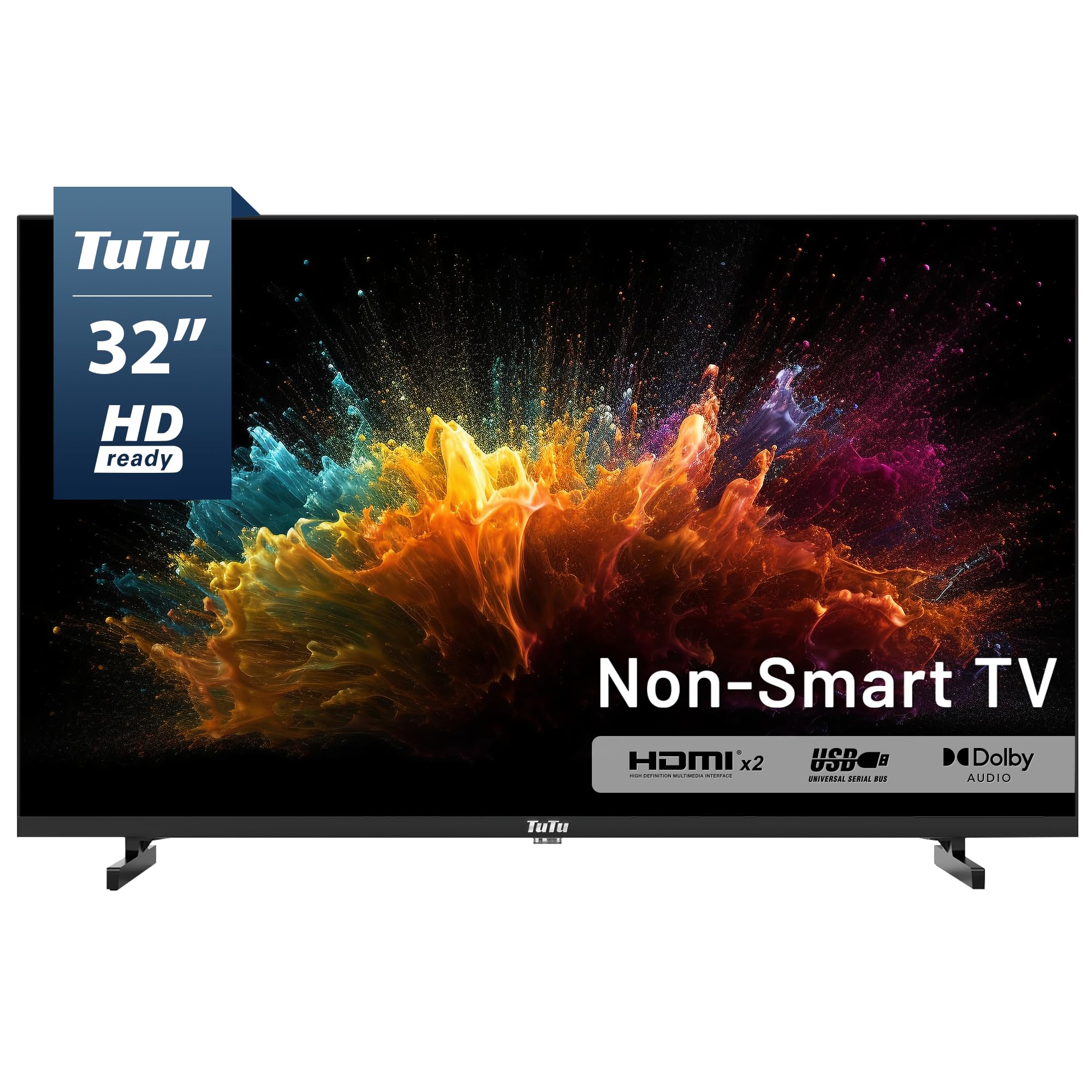
5. TuTu 32 Inch HD TV, 2K LED Small Flat Screen Non-Smart Television
A pure display with no smart menus, no ads, and no software to slow down.
The TuTu is a non-smart TV designed for people who already own a streaming device like Apple TV, Fire Stick, or Roku. It has no built-in operating system, which means zero forced advertisements and no privacy concerns from a smart TV tracking your viewing habits. Just plug in your streaming stick, and the TV boots to the HDMI input in about five seconds — one reviewer says the interface is “FAST” because there is no bloatware to load.
The 32-inch HD 720p display delivers sharp, detailed images, and integrated Dolby Audio provides clear dialogue without needing an external soundbar in most rooms. But buyers report the included remote is fragile and there is no physical power button on the TV — if you lose the remote, you have no way to control it. The ATSC digital tuner lets you pull in free over-the-air HD channels from an antenna, giving you local news and sports with no monthly fee.
Pure simplicity: No smart menus, no ads, no waiting — just a display that switches inputs instantly. For a workout room, guest room, or a living room where you use a single streaming stick, this is the cleanest solution.
Remote fragility: One reviewer calls the remote “fragile” and notes no universal remote code was found. Losing the remote leaves you with manual-only control since there is no power button on the TV itself.
Best for: anyone who already has an Apple TV or Fire Stick and wants a no-ad, no-bloatware screen for a simple living-room setup.
Avoid if: you need a smart platform built in, or you are not comfortable relying on a single flimsy remote with no backup.
6. Hisense 32-Inch Class A4 Series HD 1080p Smart VIDAA TV (32A4NV, 2026 Model)
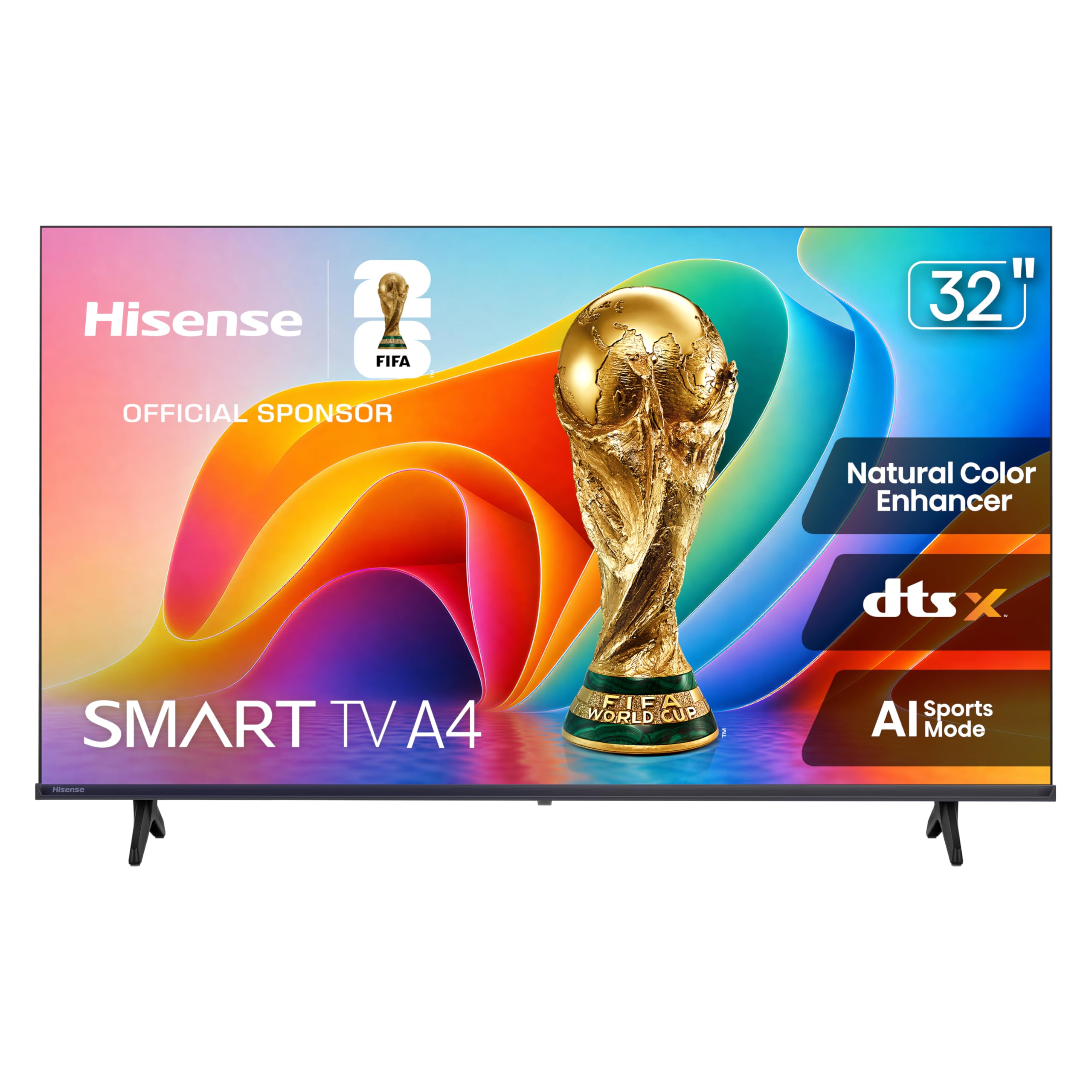
Hisense packs AI-powered picture enhancements for sports and nature into a 1080p 32-inch frame.
The A4 Series is built around three image-processing features that matter in a living room: AI Sports Mode that eliminates blur during fast-moving games, Noise Reduction that cleans up grainy low-light scenes, and Natural Color Enhancer that makes foliage and landscapes look more vibrant. The DTS Virtual:X audio technology is designed to deliver rich surround sound from the built-in speakers. It uses the VIDAA operating system, which uses AI to personalize content recommendations.
Buyer reviews are mixed — one customer calls the picture “beautiful, sharp, bright” and says it is easy to set up, while another describes the picture as “horrible”, with “faded colors, not sharp at all.” The disconnect may be due to proper setup versus default out-of-box settings. A separate reviewer notes the sound “doesn’t sound loud, more echo-like,” so you might want a soundbar. With Apple AirPlay and Apple HomeKit support, you can stream directly from an iPhone.
Unique processing: The AI Sports Mode and Noise Reduction are features you do not get on most 32-inch TVs — they genuinely help if you watch live sports or stream dark-action movies.
Inconsistent reviews: Picture quality opinions vary sharply. Some call it “excellent” while others say “terrible.” If you can calibrate the settings yourself, it may look great; if you want a plug-and-play perfect picture, this is a risk.
Reach for this if: you watch live sports or nature documentaries in a living room and want AI-assisted clarity without stepping up to a larger TV.
Look elsewhere if: you want consistent, reliable picture quality straight from the start without tweaking settings.
7. Hisense 32-Inch S5 DécoTV Series Hi-QLED FHD Smart Fire TV (32S5QF)
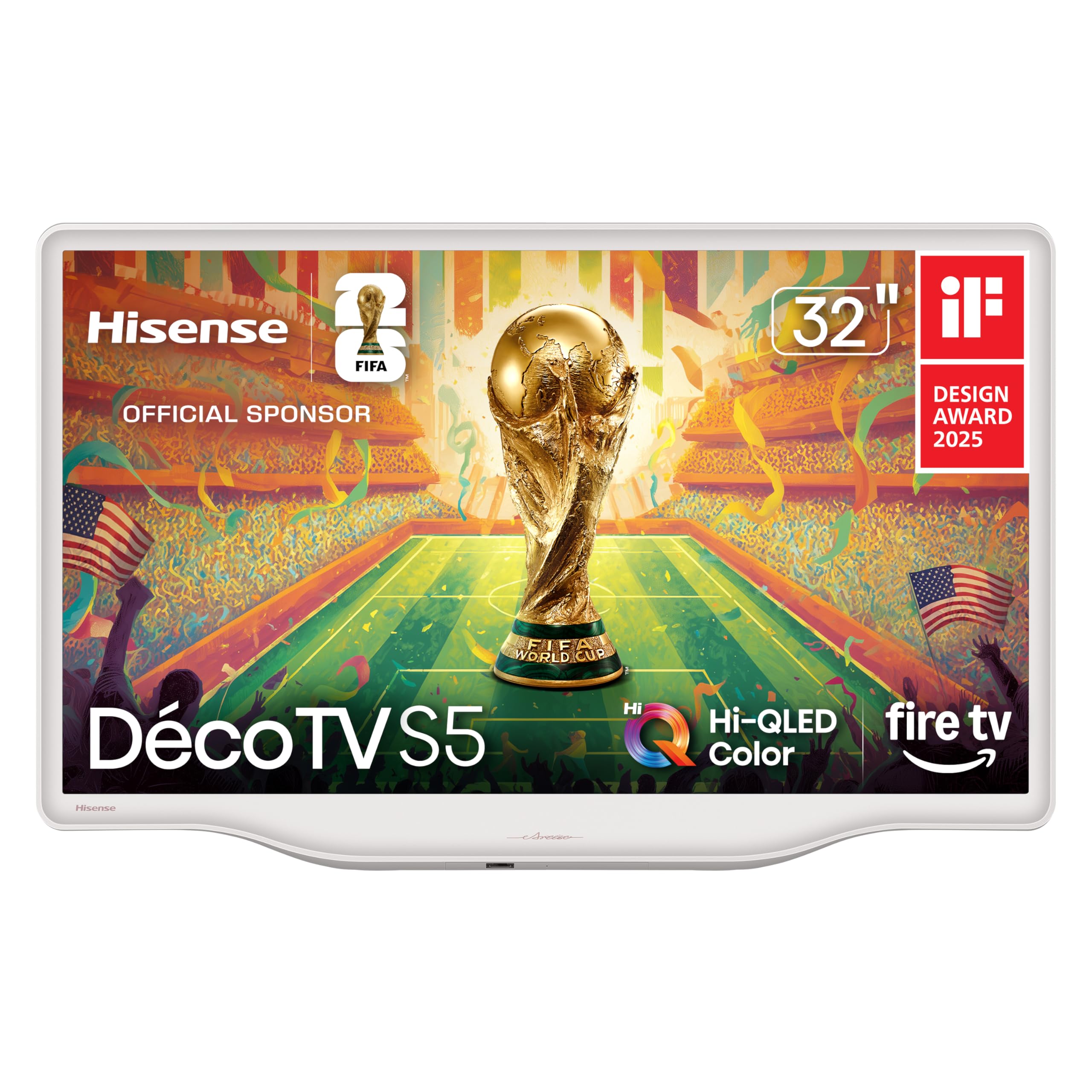
A Morandi white TV that blends into your decor and doubles as furniture when idle.
The S5 DécoTV is different from every other TV in this list because it is designed to be a decor piece first. The Morandi white finish with smooth, flowing curves and a fluid central stand replaces the typical black rectangle look, making it feel more like an art frame than a television. The Hi-QLED Color technology delivers rich, vibrant colors that reviewers describe as “very clear” and “beautiful.” It runs Fire TV, so you get the full Alexa voice integration and extensive app library.
Owners say it “exceeded expectations” and looks “perfect in the living room.” The slim profile and curved stand are made for a dresser or sideboard, not a traditional TV cabinet. One buyer notes they “could definitely see this in a living room or entry space playing something scenic.” The annual energy consumption is listed at 100 Kilowatt Hours, which is efficient for a 32-inch panel. Setting up a universal remote is difficult due to missing remote codes in the manual, which irks some users.
Design standout: No other 32-inch TV comes in a white finish with an artistic stand. If your living room aesthetic matters as much as the content, this is the only choice that fits.
Remote inconvenience: The user manual does not publish remote codes, so you will struggle to pair it with a universal remote. You are stuck using the included remote or the Fire TV app.
Choose this if: you want a TV that looks beautiful even when it is turned off, and you care about the furniture design as much as the screen.
pass on it if: you plan to use a universal remote system or need a traditional black TV that blends into a media cabinet.
8. Samsung 32-Inch Smart LED TV Bundle – Full HD 1080p, HDR, Bluetooth

A Samsung 1080p package that includes a protection plan and accessories for confidence.
This bundle pairs Samsung’s 1080p Full HD TV with a 12-month CPS Protection Plan, a UAX HDMI 2.0 cable, and a screen cleaner with microfiber cloth. The TV itself uses Clear Motion Rate 120 for smoother motion during fast-moving sports and action sequences. Samsung is among the most trusted TV brands, and owners note the “rich color” and “great picture” are what you expect from the name.
Owners mention the “easy setup” but note only one USB port, not two as advertised. The sound is described as “sporadic” when connected to external devices — one reviewer using an Apple Mac mini says the TV does not recognize the new sound location properly. With dual HDMI ports, you can connect a game console and a streaming stick simultaneously, but a third port would be more flexible for a full living-room setup. Bluetooth connectivity lets you pair wireless headphones or a soundbar.
Complete package: The included 12-month CPS Protection Plan and HDMI cable means you do not need to buy extras. For a gift or a first TV, this is the easiest bundle.
USB limitation: There is only one USB port, not two as listed. If you wanted to plug both a USB drive and a keyboard, you will need a hub.
Best for: buyers who want the reliability of a major brand (Samsung) with the convenience of a bundle that includes a protection plan for the first year.
Skip if: you need more than two HDMI ports or plan to use a Mac mini as a primary input due to reported sound routing issues.
9. Sony 32 Inch 720p HD LED HDR TV W830K Series with Google TV

Sony’s legendary picture processing at 720p — more advanced than most 1080p TVs in this list.
The Sony W830K uses X-Reality PRO to upscale lower-resolution content, reduce noise, and deliver texture that makes even 720p look rich and detailed. The HDR support (HDR10 and HLG) means you get wider contrast and more natural colors than a standard 720p panel. Motionflow XR keeps action scenes blur-free. The Google TV interface organizes your content from Netflix, Disney+, and other services on one home screen, with Google Assistant built into the remote.
Buyers frequently mention the “excellent picture with natural color, contrast, detail” and note it is “clear” and “smooth.” One reviewer who has owned Sony TVs since 2008 says this smaller model has “excellent screen quality.” The audio is described as “decent and loud,” though one buyer reports audio/video sync issues with a Verizon Fios cable box. The tuner is sensitive — one reviewer pulled in about 100 channels in New York using an antenna. Only the first FAQ item should be open.
Processing advantage: X-Reality PRO makes this the best-looking 720p TV you can buy. The upscaling is so good it often looks as sharp as cheap 1080p panels. For a 32-inch screen at a normal viewing distance, the difference is minimal.
Cost premium: It is significantly more expensive than most 1080p competitors here. You pay for Sony’s processing and reliability, but you get a lower native resolution than a sub- 1080p set.
Stick with this if: you trust Sony’s build quality and processing and want a Google TV interface with smooth voice control — and you are willing to pay more for a 720p panel.
Choose a 1080p model if: native resolution matters more to you than processing tricks, and you want to save money by getting a full 1080p panel from a competitor.
Understanding the Specs
Resolution: 1080p vs 720p
The biggest decision you face is whether a 1080p Full HD panel is worth it over a 720p HD one. At a typical living-room distance of six to eight feet, 1080p (1920×1080 resolution) versus 720p (1280×720 resolution), which means crisper text, finer detail on faces, and sharper landscapes. If you sit closer than six feet or use the TV as a monitor, 1080p is essential. If the TV is for background viewing or a secondary living space, 720p at a lower cost may be perfectly fine. Check the product data for the exact resolution — both 720p and 1080p units are available in this guide.
Smart Platform: Your App Gateway
The operating system built into the TV determines how you access Netflix, Hulu, Disney+, and other services. Roku TV keeps the interface simple with a grid of channel tiles and automatic software updates. Fire TV (on the Amazon Ember and Hisense S5) integrates Alexa voice commands deeply and offers a huge app store. WebOS (on the SANSUI) provides a familiar smart TV experience similar to LG models. VIDAA (on the Hisense A4) uses AI for personalized recommendations. Each platform covers the major apps, but Roku and Fire TV have the largest selection of niche channels and free live streaming options.
FAQ
Can I use a 32-inch TV in a standard living room?
How many HDMI ports do I need for a living room setup?
What is the benefit of a 1080p TV over a 720p TV at 32 inches?
Why would I choose a non-smart TV in 2026?
What is Dolby Atmos and does it matter on a 32-inch TV?
What is a refresh rate and do I need 60Hz or 120Hz?
Can I mount a 32-inch TV on a standard VESA bracket?
How do I connect wireless headphones to a TV without Bluetooth?
Final Thoughts: The Verdict
For most viewers, the 32 inch tv for living room winner is the Roku Select Series 32″ because it combines a simple, ad-free interface with 1080p resolution and a voice remote that works for the whole family. If you want a frameless design with deep 4000:1 contrast, the SANSUI WebOS TV brings an artistic look and Dolby Atmos sound. For a living room that doubles as a smart home hub, the Amazon Ember 2-Series adds Omnisense art mode and Wi-Fi 6 support. Each pick serves a different living-room personality — match the platform and resolution to your daily habits, and you will not go wrong.
How We Picked
We do not accept paid placement. Every pick is matched to a real buyer and a real use-case; we do not hands-on test units.
Sources & Methodology
Specifications: manufacturer listings and product documentation. Review insights: verified customer reviews, as of July 2026. Pricing: not shown on this page (it changes often); check the current price via the retailer link.
As an Amazon Associate, Gadgets Feed earns from qualifying purchases. This does not affect which products we feature.