
The line between a television and a computer monitor has never been thinner, but a true 32 inch TV monitor demands a balance of pixel density, connectivity, and viewing distance that neither a standard TV nor a pure PC monitor alone can satisfy. You need sharp text legibility for productivity, low input lag for responsiveness, and integrated smart features to replace a separate streaming box in a bedroom, dorm, or home office setup. Choosing wrong means either a blurry desktop or a device that can’t stand alone without external sources.
I’m Min — the co-founder and writer behind Gadgets Feed. My analysis for this guide involved cross-referencing panel types, refresh rates, color gamut coverage, and smart platform integration across dozens of listings to identify which hybrid models actually deliver on both fronts without compromise.
Whether you are outfitting a compact workstation or a secondary viewing space, finding the right 32 inch tv monitor means prioritizing the specific blend of resolution, refresh rate, and smart functionality that fits your daily habits.
How To Choose The Best 32 Inch TV Monitor
A 32-inch diagonal is a Goldilocks zone for a hybrid display — large enough for immersive media consumption yet compact enough to fit a standard desk depth without dominating your peripheral vision. The critical decisions revolve around the panel’s native resolution, the refresh rate ceiling, and the extent of standalone smart features.
Resolution: 4K UHD vs. 1080p Full HD
At 32 inches, a 1080p panel yields a pixel density of roughly 69 PPI, which is acceptable for media consumption from a sofa but results in visibly coarse text on a desktop at arm’s length. A 4K UHD panel at 32 inches delivers about 138 PPI, offering sharp, magazine-like clarity for reading, editing, and multitasking. If the primary use case is sitting at a desk, 4K is strongly preferred. If the panel sits across a room, 1080p can still look good and costs significantly less.
Panel Technology: VA vs. IPS
VA panels dominate in this hybrid category because they deliver higher native contrast ratios — often 3000:1 to 4000:1 — producing deep blacks that make movies and games look cinematic. IPS panels offer better color consistency at wider viewing angles but struggle with black levels in dim rooms. For a dual-purpose monitor that serves both productivity and entertainment, a good VA panel is usually the better compromise.
Refresh Rate and Input Latency
Standard monitors in this category cap at 60Hz, which is fine for video and office work. However, a 120Hz or 144Hz panel introduces noticeably smoother cursor movement, scrolling, and panning in games. If you connect a modern console like a PS5 or Xbox Series X, a 120Hz panel allows for higher frame rate modes. For pure desktop use and streaming, 60Hz is sufficient and keeps power consumption lower.
Smart Platform and Connectivity
A true 32 inch TV monitor should boot directly into a streaming environment without requiring a connected PC. Samsung’s Tizen and Roku TV are the two dominant platforms, offering the largest app libraries and most reliable updates. Look for at least two HDMI ports and a DisplayPort for PC connectivity. USB-C with power delivery is a valuable bonus for laptop users, allowing single-cable charging and video.
Quick Comparison
On smaller screens, swipe sideways to see the full table.
| Model | Category | Best For | Key Spec | Amazon |
|---|---|---|---|---|
| Samsung M7 M70F 4K | Smart Monitor | Standalone streaming and productivity | 4K UHD, 60Hz, USB-C | Amazon |
| Dell S3225QS | Professional | Color-accurate work and console gaming | 4K UHD, 120Hz, FreeSync Premium | Amazon |
| LG 32UR500K-B | Value 4K | Budget-friendly 4K desktop | 4K UHD, 60Hz, DCI-P3 90% | Amazon |
| Samsung M5 M50D | Smart Monitor | Compact secondary TV with Office 365 | 1080p FHD, 60Hz, Smart Hub | Amazon |
| Gawfolk 32″ 4K 144Hz | Gaming | High-refresh 4K gaming on a budget | 4K UHD, 144Hz, 1ms MPRT | Amazon |
| ZZA 32″ 4K IPS | Wide Color | Color-critical creative work | 4K UHD, 60Hz, 100% sRGB | Amazon |
| Gawfolk 32″ 4K 60Hz | Value 4K | Entry-level 4K for documents and media | 4K UHD, 60Hz, VA Panel | Amazon |
| Roku Select Series 32″ | Entry Smart | Simple streaming with Bluetooth headphones | 1080p FHD, 60Hz, Roku OS | Amazon |
| KTC H24S17P | Compact Gaming | Competitive esports at 240Hz | 1080p FHD, 240Hz, 1500R Curve | Amazon |
In‑Depth Reviews
1. Samsung 32” Smart Monitor M7 M70F 4K
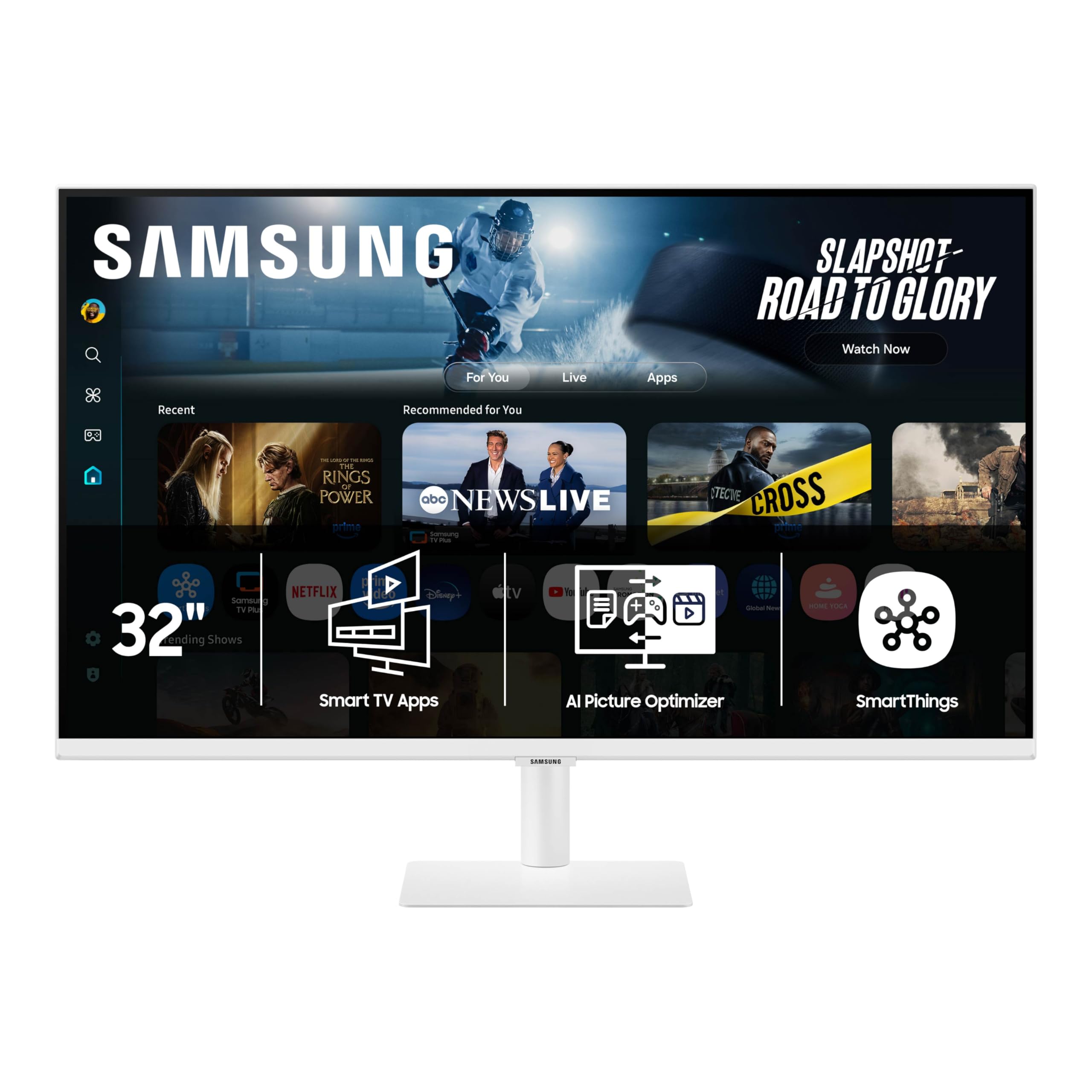
The Samsung M7 M70F is the most complete hybrid package available in the 32-inch form factor. It pairs a 4K VA panel with Samsung’s Tizen smart platform, giving you native access to Netflix, Prime Video, YouTube, and Samsung TV Plus without needing an external stick. The inclusion of USB-C with power delivery means you can charge a laptop and send video through a single cable, which dramatically cleans up a desk setup.
The VA panel delivers a 3000:1 contrast ratio, producing deep blacks that make HDR content look genuinely impressive for a monitor in this tier. Brightness peaks at 300 nits, which is enough for a moderately lit room, though direct sunlight on the screen will wash out shadow details. The 60Hz refresh rate is standard for the smart monitor class and handles video and office work smoothly.
Samsung Knox security adds a layer of data protection that is rare in this space, and the Active Voice Amplifier is surprisingly useful for catching dialogue in noisy home environments. The stand offers tilt but no height adjustment, so you may need VESA mounting for optimal ergonomics. For a dedicated workstation that doubles as a standalone bedroom TV, this is the most refined option.
Why it’s great
- True 4K resolution with excellent VA contrast for movies and media
- USB-C with 65W power delivery simplifies laptop connectivity
- Tizen smart platform runs smoothly with full app ecosystem
Good to know
- Limited to 60Hz, not suited for high-refresh gaming
- Stand lacks height adjustment out of the box
- Built-in speakers are treble-heavy; external audio recommended
2. Dell 32 Plus 4K Monitor S3225QS

The Dell S3225QS breaks the typical hybrid mold by pushing the refresh rate to 120Hz while retaining a proper 4K VA panel. This is the rare 32-inch display that genuinely serves both console gamers who want 4K at higher frame rates and productivity users who demand sharp text. The 1500:1 contrast ratio and 95% DCI-P3 coverage produce vibrant, punchy colors straight out of the box.
AMD FreeSync Premium ensures tear-free gameplay across a wide variable refresh range, and the 0.03ms response time, while an MPRT specification, keeps motion blur virtually invisible during fast camera pans. Dell’s ComfortView Plus reduces blue light emissions to 35% without washing out colors, making this an excellent choice for all-day work sessions.
The build quality is what you expect from Dell’s premium line — a sturdy stand with tilt and height adjustment, an ultra-thin bezel in ash white, and side I/O cover for cable management. The built-in speakers have improved frequency response over the previous generation and are loud enough for casual viewing. For users who want a single 32-inch display that can do office work, stream movies, and play console games at 120Hz, this is the top-tier choice.
Why it’s great
- 4K at 120Hz with FreeSync Premium for smooth console and PC gaming
- 95% DCI-P3 coverage delivers vibrant, accurate color
- ComfortView Plus blue light reduction with no color shift
Good to know
- No smart TV platform — requires external source for streaming
- Ash white finish may show dust more than black models
- No USB-C port for single-cable laptop connection
3. LG 32UR500K-B Ultrafine 32″

LG’s 32UR500K-B strips away the smart platform costs and delivers a pure 4K VA panel at an impressive price point. The 90% DCI-P3 coverage is genuinely good for a monitor at this level, and the 1000:1 contrast ratio, while lower than VA panels with local dimming, still provides a solid baseline for SDR content. Built-in MaxxAudio speakers are a rare bonus that actually sound better than most integrated monitor audio.
Dynamic Action Sync reduces input lag, and Black Stabilizer helps illuminate shadow details in games. The borderless design looks clean on a desk, and the stand offers basic tilt adjustment. Connectivity covers two HDMI ports and a DisplayPort, which is enough for a dual-input PC and console setup.
This monitor is best suited for users who already have a streaming device or console and simply want a large, sharp display for both work and entertainment. The 60Hz refresh rate is standard, but the combination of 4K clarity, good color, and integrated speakers at this price makes it the most accessible entry point into a true 32-inch desktop experience.
Why it’s great
- Affordable 4K with DCI-P3 90% color gamut for editing and media
- Built-in MaxxAudio speakers outperform typical monitor sound
- Borderless design fits seamlessly into multi-monitor setups
Good to know
- VA panel contrast is 1000:1, not as deep as premium 3000:1 panels
- No USB-C input for single-cable laptop use
- Stand only tilts; no height or pivot adjustment
4. SAMSUNG 32-Inch M5 M50D Smart Monitor

The Samsung M5 M50D is the most feature-rich smart monitor in the 1080p class. It runs the full Tizen smart TV platform, including Samsung TV Plus for free live channels, and Samsung Gaming Hub which lets you stream Xbox titles without a console. The 32-inch VA panel at 1080p is adequate for media consumption from a normal viewing distance, though text will look soft if you sit at a desk.
Unique productivity features set it apart from other 1080p monitors. Built-in Microsoft 365 apps let you edit documents directly on the monitor without a PC, and the ability to connect a Galaxy Tab for seamless drag-and-drop multitasking is genuinely useful within Samsung’s ecosystem. The included SolarCell remote charges via ambient light and eliminates battery waste.
The 3000:1 contrast ratio is excellent for a monitor at this price, delivering deep blacks for movie watching. The integrated speakers, while not powerful enough to fill a large room, are clear enough for dialogue and news. This is the perfect monitor for a college dorm or guest room where the primary use is streaming and light productivity.
Why it’s great
- Tizen smart platform with Gaming Hub and Samsung TV Plus included
- Built-in Microsoft 365 apps enable PC-free document editing
- SolarCell remote charges via light, no batteries needed
Good to know
- 1080p resolution looks soft for desktop productivity at close range
- Built-in speakers lack bass and volume for larger rooms
- Limited to 60Hz; not suitable for high-refresh gaming
5. Gawfolk 32-inch 4K Ultra HD 144Hz Gaming Monitor
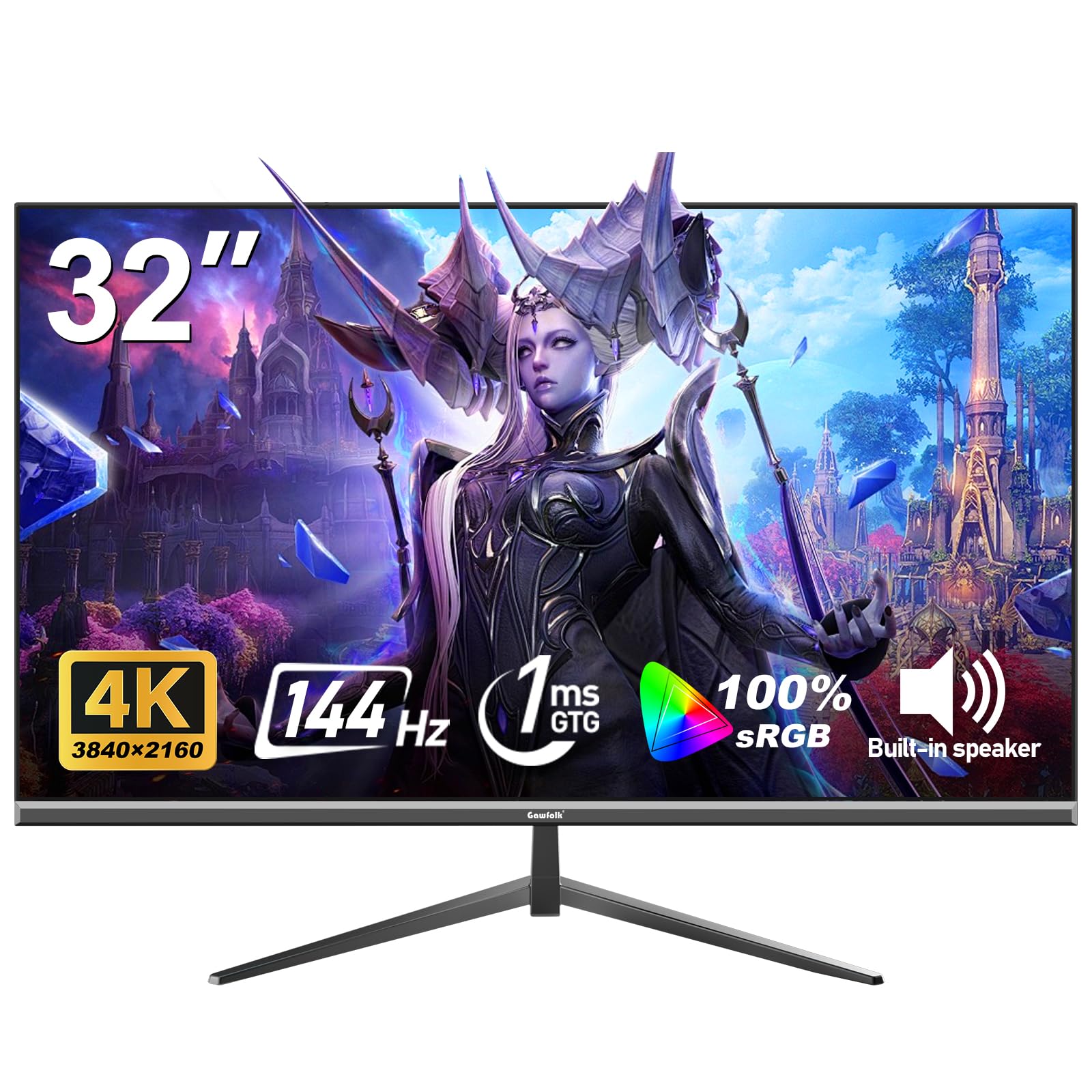
The Gawfolk 32-inch 4K 144Hz monitor is an aggressive price-to-performance play. It offers a combination — 3840×2160 resolution at 144Hz with a 1ms response time — that is usually found in displays costing significantly more. The VA panel delivers a 1000:1 contrast ratio with 100% sRGB coverage, and Adaptive Sync (compatible with both FreeSync and G-Sync) handles screen tearing effectively.
At this refresh rate, desktop navigation feels dramatically smoother, and fast-paced games benefit from the reduced motion blur. The 320-nit brightness is adequate for indoor use, and the thin bezel design keeps the monitor looking modern. Connectivity includes two HDMI ports and a DisplayPort, plus a 3.5mm audio jack for external speakers.
Build quality is where the cost savings show — the stand is functional but basic, offering tilt only, and the OSD menu navigation is less intuitive than premium brands. Some units may require a high-quality DisplayPort cable to reliably hit 144Hz at 4K. For users who prioritize raw refresh rate and resolution over brand polish, this monitor delivers where it counts.
Why it’s great
- 4K UHD at 144Hz is a rare combination at this price tier
- 1ms MPRT minimizes ghosting in competitive gaming
- Adaptive Sync compatible with FreeSync and G-Sync
Good to know
- Build quality and OSD menu lag behind premium brands
- Requires high-quality cable to maintain 144Hz stability
- 1000:1 contrast ratio is standard, not deep black performance
6. ZZA Computer Monitor 32 Inch 4K UHD IPS
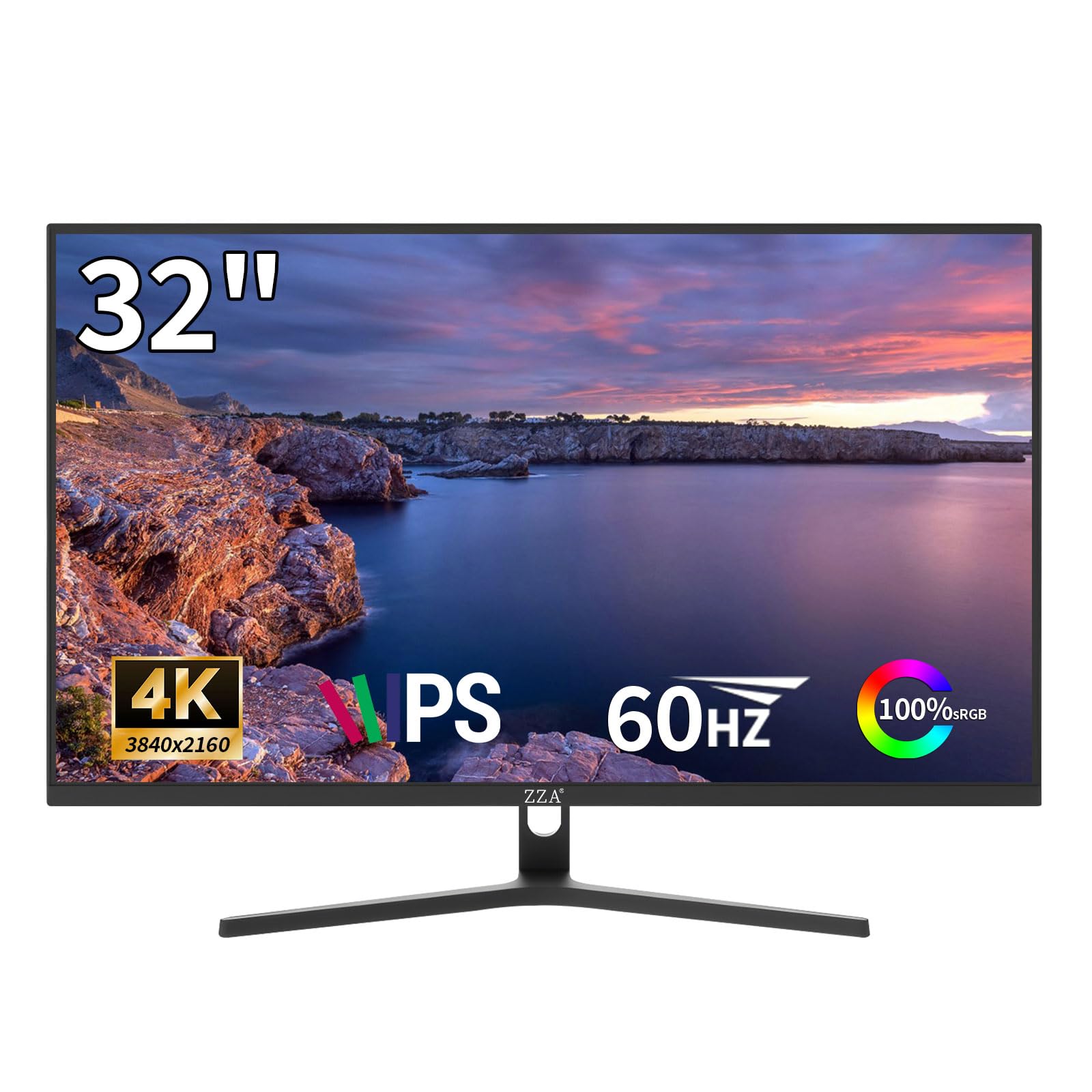
The ZZA 32-inch monitor stands out by using an IPS-class panel rather than the VA panels that dominate this list. This gives it wider viewing angles — 178 degrees — with consistent color even when viewed from the side, making it a strong choice for shared workspace viewing or collaborative editing. The 99% sRGB and 95% DCI-P3 coverage is impressive for a monitor in the value tier.
The 3000:1 contrast ratio claimed on this model is unusually high for an IPS panel; in practice the black levels are better than a typical IPS but still not as deep as a good VA. The 60Hz refresh rate is paired with AMD FreeSync to eliminate tearing during casual gaming. The design is clean with an ultra-thin bezel and a metallic alloy base.
Connectivity covers HDMI 2.0 and DP 1.4, and the monitor supports 75x75mm VESA wall mounting. Some user reports mention potential dead pixel issues, so inspecting the panel upon arrival is recommended. For users who prioritize color accuracy and viewing angles for photo editing or design work, this is an interesting alternative to the VA-heavy competition.
Why it’s great
- IPS-like viewing angles with 99% sRGB and 95% DCI-P3 coverage
- Wide 178-degree viewing angle ideal for shared work
- Sleek metallic base and ultra-thin bezel design
Good to know
- Quality control can vary; check for dead pixels on arrival
- Black levels are not as deep as dedicated VA panels
- Limited to 60Hz, not suited for high-refresh gaming
7. Gawfolk 32 Inch 4K UHD Monitor 60Hz
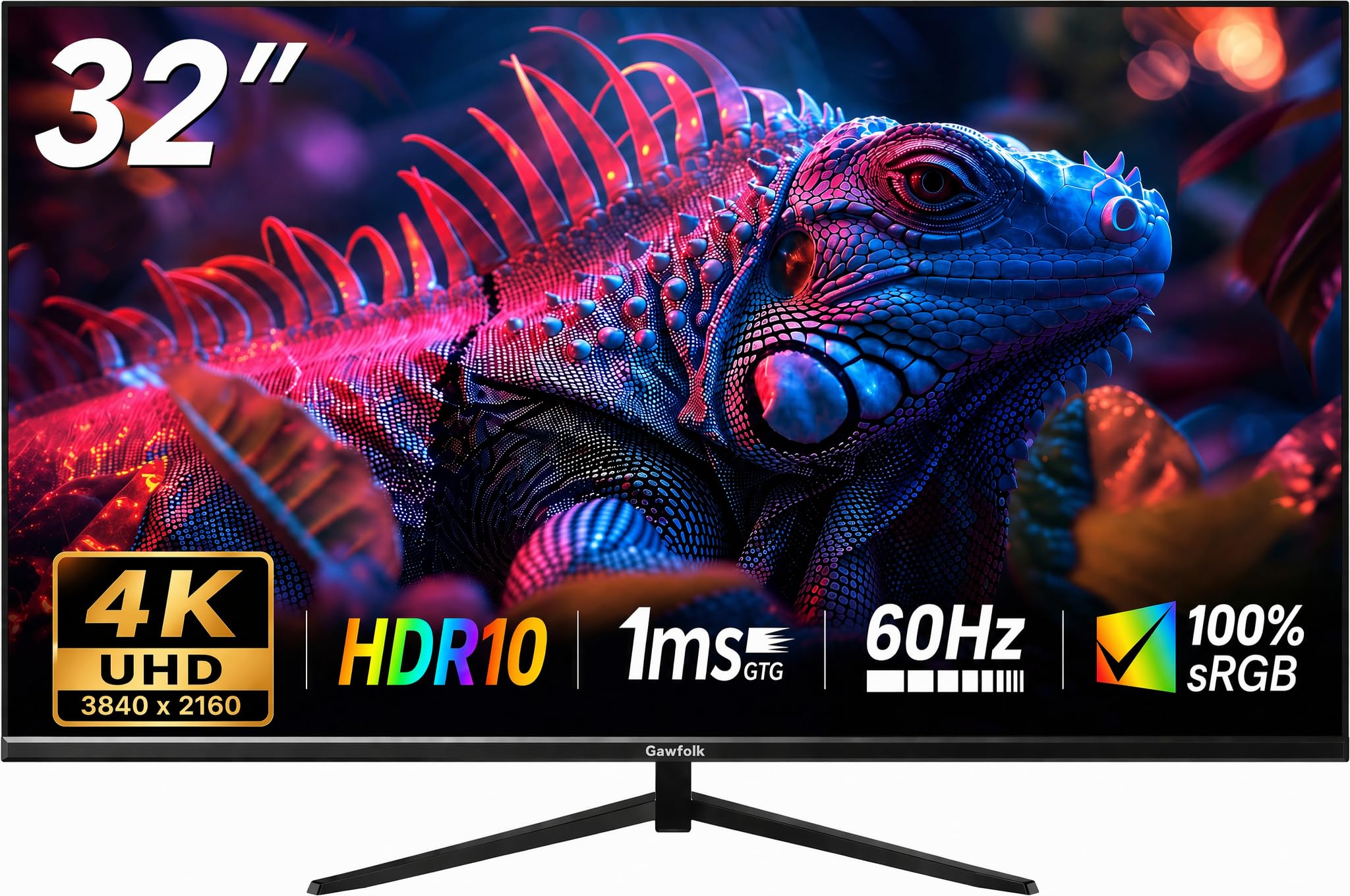
This Gawfolk model is the most affordable 32-inch 4K monitor on the list, and it makes some clear trade-offs to hit that price. The VA panel offers a claimed 4000:1 contrast ratio, which translates to genuinely deep blacks for movie watching in a dim room. The 60Hz refresh rate is standard for productivity and media consumption, and FreeSync compatibility helps smooth out occasional frame drops.
The brightness is capped at 230 nits, which is lower than the 300-nit standard for most modern monitors. In a brightly lit room or near a window, the image can look washed out. The stand provides tilt adjustment, and the 178-degree viewing angles are consistent for a VA panel. Connectivity includes HDMI and DisplayPort inputs.
The critical compromise here is overall build consistency — user reports mention occasional issues with screen cutouts or ghosting after extended use. This monitor is best approached as a budget entry into 4K where the user is willing to inspect the unit upon arrival and return it if defects are present. For a secondary office screen or media consumption where absolute reliability is not the primary concern, the price is compelling.
Why it’s great
- Lowest price entry point for a 32-inch 4K resolution panel
- 4000:1 contrast ratio delivers deep blacks for media
- FreeSync support reduces tearing in games
Good to know
- Brightness at 230 nits is dim compared to typical 300-nit panels
- Inconsistent quality control; inspect for defects immediately
- Limited to HDMI and DisplayPort; no USB-C support
8. Roku Smart TV 2026 – 32-Inch Select Series
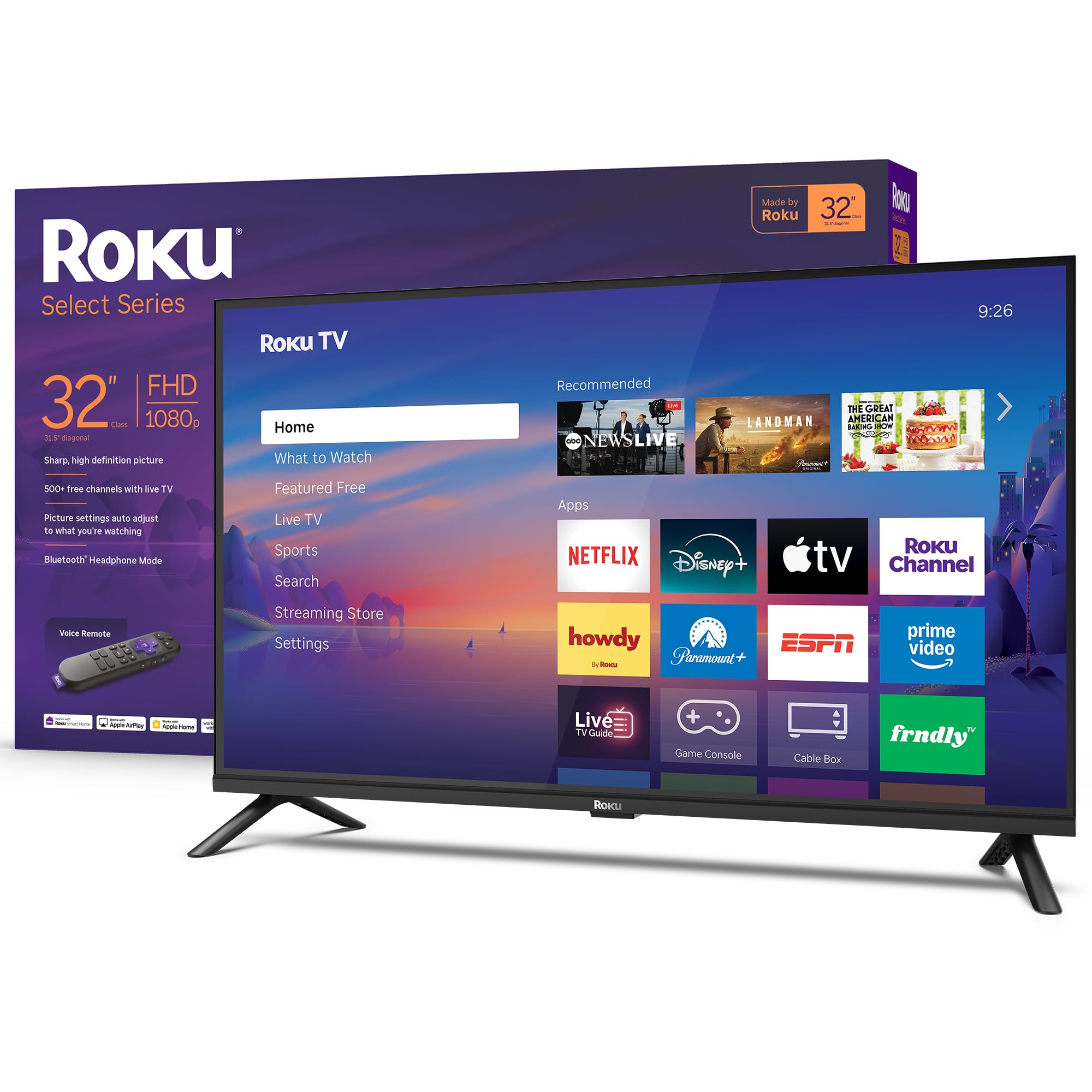
Roku’s 32-inch Select Series is the most user-friendly smart TV monitor for non-technical users. The Roku OS is widely regarded as the most straightforward streaming platform, with a customizable home screen, automatic software updates, and over 500 free channels through the Roku Channel. Setup takes minutes, and the included voice remote makes search effortless.
The 1080p Full HD panel is bright and clear for its class, and Roku’s Smart Picture processing cleans up lower-quality signal sources automatically. A standout feature is Bluetooth Headphone Mode, which lets you pair wireless headphones directly to the TV for private listening — perfect for late-night viewing without disturbing others. The integrated speakers are tuned for clear dialogue rather than deep bass.
Connectivity includes HDMI, optical, and USB ports, and the TV works with voice assistants including Siri, Alexa, and Google Assistant. Apple AirPlay support allows easy casting from iOS devices. The panel is lightweight and easy to mount, making it a practical choice for bedrooms, kitchens, or dorms where simplicity and streaming access are the top priorities.
Why it’s great
- Roku OS is the simplest and most complete streaming platform available
- Bluetooth Headphone Mode enables private wireless listening
- Apple AirPlay support for easy casting from Apple devices
Good to know
- 1080p resolution lacks sharpness for close-up desktop productivity
- Built-in speakers are adequate for dialogue but lack bass
- No adjustable stand; limited to basic tabletop positioning
9. KTC 24 Inch Curved 240Hz Gaming Monitor H24S17P
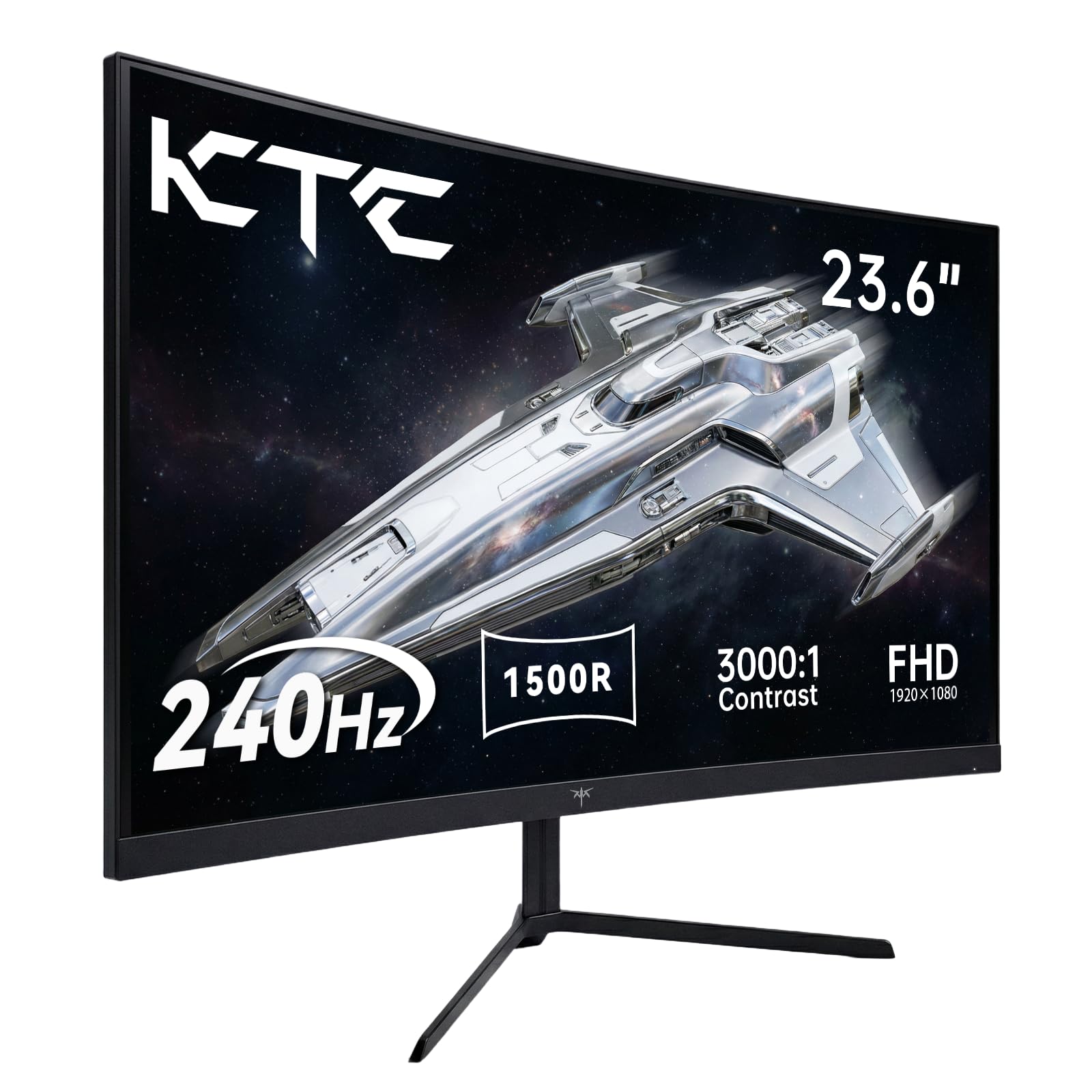
The KTC H24S17P is a 24-inch curved monitor, not a 32-inch model, but it earns a spot here for buyers who prioritize pure competitive gaming performance above screen size. The 240Hz refresh rate on a 1080p VA panel with 1ms response time is the spec combination that competitive esports players prioritize above all else. The 1500R curvature wraps the image around your field of view for enhanced peripheral immersion.
The 3000:1 contrast ratio is excellent for this price, producing deep blacks that help spot enemies in dark corners. Adaptive Sync works with both FreeSync and G-Sync, ensuring tear-free gameplay. The stand offers tilt adjustment, and VESA 100x100mm mounting is supported for custom arm setups. Connectivity includes dual HDMI 2.0 ports and a DisplayPort 1.4 input.
User feedback consistently praises the build quality and color accuracy for the price, with many noting that the 240Hz panel is a genuine upgrade over cheaper 144Hz monitors in fast-paced shooters. The smaller 24-inch size means lower pixel density issues at desktop distance, and the curved panel reduces eye movement. For the dedicated competitive gamer who wants maximum smoothness in a compact footprint, this monitor delivers.
Why it’s great
- 240Hz refresh rate at 1080p provides exceptionally smooth motion clarity
- 1500R curve enhances immersion and reduces eye movement
- 3000:1 contrast ratio produces deep blacks for dark game scenes
Good to know
- 24-inch screen is significantly smaller than the typical 32-inch category
- 1080p resolution on 24 inches is sharp but offers less screen real estate
- No built-in speakers for standalone media consumption
FAQ
Is a 32-inch 4K monitor sharp enough for desktop use?
What is the ideal viewing distance for a 32-inch monitor?
Can I use a 32-inch TV monitor as a primary computer display?
Do built-in speakers on a 32-inch monitor replace a soundbar?
What is the difference between a 32-inch TV and a 32-inch monitor?
Final Thoughts: The Verdict
For most users, the 32 inch tv monitor winner is the Samsung M7 M70F 4K because it combines true 4K resolution with a robust Tizen smart platform and USB-C convenience in a single package that works as both a desktop monitor and a standalone TV. If you want high-refresh gaming at 4K with excellent color accuracy, grab the Dell S3225QS. And for a pure budget-friendly streaming setup where simplicity matters most, nothing beats the Roku Select Series 32-inch.