
Nothing kills a video editing workflow faster than a timeline that stutters every time you apply a color grade or add a transition. That is the core problem this buying guide solves — finding the precise 32GB RAM kit that delivers the consistent, high-bandwidth throughput your NLE demands, without forcing you into a cycle of guesswork and returns.
I’m Min — the co-founder and writer behind Gadgets Feed. I’ve spent countless hours dissecting memory benchmarks, comparing data transfer rates, and analyzing real-world latency figures to separate the kits that genuinely accelerate Premiere Pro and DaVinci Resolve from those that simply look fast on paper.
After reviewing the specs and user feedback, this guide isolates the kits that actually handle multi-stream 4K footage without choking your CPU. Let’s get straight to the best 32gb ram for video editing.
How To Choose The Best 32GB RAM For Video Editing
Choosing RAM for video editing is about more than just the total capacity. You need to balance speed, latency, and platform compatibility to ensure your NLE software can load frames and render effects without bottlenecking your CPU or GPU.
Speed and Latency: The Real Throughput Drivers
A 3200MHz DDR4 kit with CL16 timing can move data faster in many editing scenarios than a 3200MHz kit with CL22 timing, because the lower latency reduces the delay between memory requests. For video work, where large media files are constantly streamed, the difference shows up in smoother scrubbing and shorter export times. Lower CAS latency (CL) means the memory responds faster to the CPU’s commands.
DDR4 vs DDR5: Platform Matters
DDR5 offers higher base bandwidth (5600MHz and up) and on-die ECC, but it only works with newer motherboards and CPUs. If you are on a 12th-gen Intel or Ryzen 7000 platform or newer, a DDR5 kit like the Corsair Vengeance or Crucial 5600MHz unlocks faster data transfer rates that benefit timeline scrubbing of high-bitrate 4K footage. On older platforms, a tight-latency DDR4 kit like the G.SKILL Ripjaws V is a proven workhorse.
XMP and EXPO: Unlocking Rated Speeds
Most high-performance kits run at a base JEDEC speed (often 2133MHz or 4800MHz) until you enable an overclocking profile in BIOS. For video editing, always enable Intel XMP 2.0 or AMD EXPO to reach the kit’s advertised speed. Without it, you are leaving 30-40% of the memory bandwidth untapped, which directly impacts render times in heavy compositing workflows.
Quick Comparison
On smaller screens, swipe sideways to see the full table.
| Model | Category | Best For | Key Spec | Amazon |
|---|---|---|---|---|
| G.SKILL Ripjaws V | DDR4 | Pro workflows, low latency | 3200MHz CL16-18-18-38 | Amazon |
| Gigastone Game PRO | DDR4 | Budget Pro build | 3200MHz CL16 UDIMM | Amazon |
| Lexar THOR | DDR4 | Thermal management | 3200MT/s CL16 Aluminum | Amazon |
| Gigastone Game TURBO RGB | DDR4 | Build aesthetics | 3200MHz CL16 RGB | Amazon |
| TEAMGROUP Elite | DDR4 | Budget Desktop build | 3200MHz CL22 DIMM | Amazon |
| PUSKILL DDR4 Laptop | DDR4 SODIMM | Laptop editing | 3200MHz CL22 SODIMM | Amazon |
| Corsair Vengeance DDR5 | DDR5 | High-speed rendering | 6400MHz CL36 EXPO | Amazon |
| Crucial DDR5 | DDR5 | Platform compatibility | 5600MHz CL46 UDIMM | Amazon |
| A-Tech DDR5 | DDR5 | Workstation diagnostics | 4800MHz CL40 UDIMM | Amazon |
In‑Depth Reviews
1. G.SKILL RipjawsV Series DDR4 RAM 32GB (2x16GB) 3200MT/s CL16

The G.SKILL Ripjaws V is a reference-class kit for DDR4 video editing builds. At 3200MT/s with a tight CL16-18-18-38 timing at 1.35V, this kit eliminates the micro-stutters that plague high-bitrate playback on mid-range CPUs. The low CAS latency means the CPU can fetch media data faster during multi-track scrubbing, which directly translates to smoother timeline operation in Premiere Pro.
User feedback shows it boots immediately and runs stably on both Intel and AMD systems including Ryzen 7 5800X builds. The low-profile black heat spreaders fit under large CPU coolers without clearance issues. The XMP 2.0 profile is well-tuned — users report hitting 3200MT/s with just one BIOS toggle. No RGB, no unnecessary bulk.
For editors who need predictable, repeatable performance across long render sessions, this kit delivers the lowest memory latency in this roundup. It is the most reliable choice for any DDR4 editing rig where every millisecond of memory response matters for real-time effects processing.
Why it’s great
- Industry-tested CL16 timing that outperforms budget CL22 kits in real-time playback
- Seamless XMP 2.0 profile works reliably on Ryzen and Intel platforms
- Compact profile guarantees clearance under large air coolers
Good to know
- Does not include RGB lighting for themed builds
- Best performance requires enabling XMP in BIOS, not fully automatic
2. Gigastone Game PRO 32GB DDR4 3200MHz CL16

The Gigastone Game PRO punches well above its price tier by offering a genuine CL16-18-18-40 at 3200MHz — the same latency class as premium kits from larger brands. For video editors building on a budget, this kit closes the latency gap with higher-end kits while keeping the total system cost low. The white heat spreader design also provides a clean aesthetic for light-themed builds.
Customers report it integrates flawlessly with AMD Ryzen and Intel platforms, and one user specifically upgraded from 16GB to 32GB and immediately saw a resolution in stuttering during heavy visual effects work. The XMP profile engaged correctly at 3200MHz after a simple BIOS toggle. Some initial skepticism about the brand is quickly resolved by the drop-in compatibility.
For an entry-level editing rig or a secondary workstation, this kit provides the real-world bandwidth upgrade you need for 4K timelines without forcing you to compromise on latency. The lifetime warranty adds peace of mind for a core system component.
Why it’s great
- CL16 latency matches premium kits at a lower entry cost
- Reliable XMP 2.0 support for both Intel and AMD chipsets
- White heat spreaders fit light-colored builds cleanly
Good to know
- Limited brand recognition compared to G.SKILL or Corsair
- No RGB or secondary aesthetics for custom loop builds
3. Lexar 32GB THOR DDR4 3200MT/s CL16

The Lexar THOR kit combines a CL16-20-20-40 timing profile with a dedicated aluminum heat spreader, making it ideal for editing builds with limited airflow or small-form-factor cases. The 3200MT/s speed ensures consistent preview playback, while the heatsink mitigates thermal throttling during extended overnight render sessions. This is a rare combination of low latency and active thermal management in the same package.
Users report excellent stability over a year of use, with one reviewer noting zero issues on an ASRock B760M board. The installer found it required removing an optical drive frame for a Dell Inspiron small desktop, but that is a case-specific fitment detail, not a RAM flaw. The black finish keeps the build neutral.
For editors who run multi-hour exports or work in warmer environments, the THOR’s heat dissipation advantage reduces the risk of memory errors during prolonged load. The lifetime warranty from Lexar, a well-known storage brand, adds confidence for long-term use.
Why it’s great
- Aluminum heat spreader reduces temperature spikes during long render sessions
- CL16 timing supports smooth 4K timeline scrubbing
- Lifetime limited warranty from a reputable brand
Good to know
- Heat spreader adds slight width; verify case clearance
- Slightly looser secondary timing (CL20) than the G.SKILL kit
4. Gigastone Game TURBO RGB 32GB DDR4 3200MHz CL16

The Gigastone Game TURBO brings the same CL16-18-18-40 performance as the Game PRO but adds eight individually addressable RGB LEDs. For video editors who also stream or want a visually cohesive build, this kit delivers real performance without sacrificing aesthetics. The rated 3200MHz speed with XMP 2.0 aligns with what a mid-range editing rig needs for fluid multi-track timelines.
One user directly addressed this kit fixing their “Memory_Management” BSOD issues — they replaced aging RAM and the system became stable, with XMP engaging cleanly at 3200MHz. Another user upgraded from 8GB to 32GB and noted that drawing programs and multiple desktop environments became instantly responsive. The RGB sync worked out of the box with standard motherboard software.
For builders who want to showcase their editing workstation without sacrificing real-world performance, this kit offers the best balance of RGB presence and reliable DDR4 speed. The dual-channel configuration ensures the memory bandwidth you need for timeline scrubbing and preview generation.
Why it’s great
- CL16 latency with full RGB control for themed builds
- Proven XMP 2.0 stability for both Intel and AMD platforms
- Fixed memory-related BSOD issues for multiple users
Good to know
- RGB adds 2-3mm to module height; verify cooler clearance
- Requires XMP enable for 3200MHz speed
5. TEAMGROUP Elite DDR4 32GB Kit (2x16GB) 3200MHz CL22

The TEAMGROUP Elite is a JEDEC-standard CL22 kit that offers the most cost-effective path to 32GB for a desktop editing build. While the CL22 latency is looser than the CL16 kits above, this stick runs at 1.2V and is guaranteed to boot at full 3200MHz without any XMP configuration. For an office editing PC or a secondary machine handling 1080p timelines, this is a functional, no-complexity upgrade.
User experiences vary: one reviewer successfully upgraded a Dell Inspiron from 4GB to 32GB and saw the system instantly boot faster and run smoother. Another reported skips and hesitations under intermediate data processing loads, which aligns with the looser timing under heavy multi-tasking. The kit works well for light to moderate NLE use but may show its latency limits in high-complexity timeline operations.
For editors who need a quick, affordable capacity bump for a family or office PC, the TEAMGROUP Elite delivers reliable JEDEC performance without the need to navigate BIOS settings. It is the entry-level option that prioritizes plug-and-play simplicity over maximum bandwidth.
Why it’s great
- Plug-and-play at full 3200MHz — no BIOS tweaks needed
- Low 1.2V operation for power-efficient builds
- Lifetime warranty and robust TEAMGROUP support
Good to know
- CL22 timing may cause stutter under heavy 4K multi-track loads
- Some users report hesitation during intermediate data processing
6. PUSKILL DDR4 Laptop RAM 32GB Kit (2x16GB) 3200MHz CL22
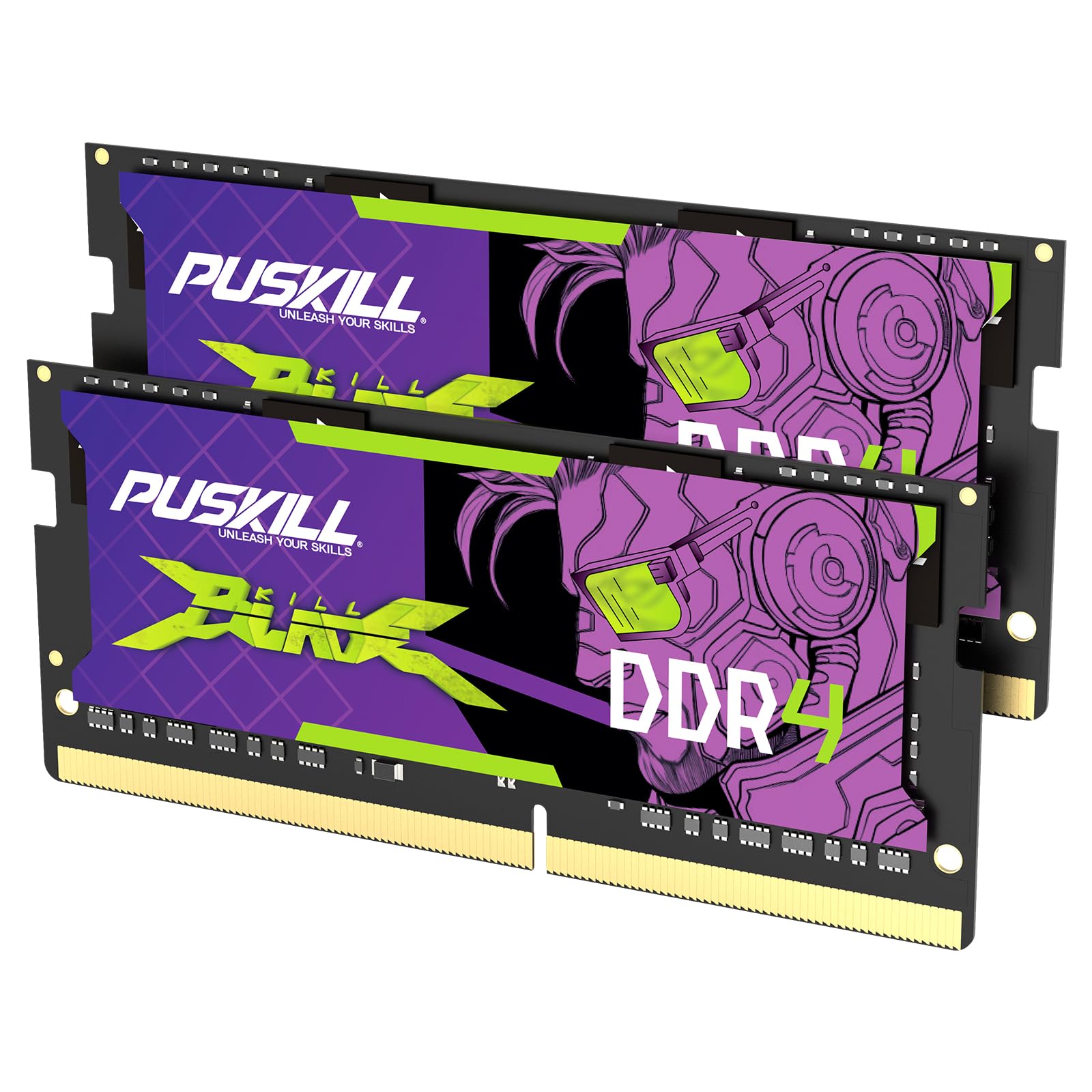
For laptop-based video editors, the PUSKILL 32GB kit in SODIMM format is the only viable upgrade path in this roundup. Operating at 3200MHz with CL22 timing and 1.2V, this kit is JEDEC-compliant and drops into compatible DDR4 laptops without any BIOS configuration. The low voltage is critical for laptop thermal environments where every watt counts during rendering.
Users confirm it works perfectly on modern Dell, HP, and Lenovo laptops. One reviewer noted it is the cheapest option available and “does a pretty good job.” While the CL22 latency is not ideal, for a laptop which already has thermal constraints, this kit provides the full 32GB needed to run multiple 4K streams and still have headroom for background exports.
If you are editing on the go with a laptop, this is your only real option for a DDR4 32GB upgrade. It eliminates the RAM-related bottlenecks that cause timeline stutters on 8GB or 16GB laptops and gives you the capacity to handle proxies and multi-cam sequences simultaneously.
Why it’s great
- JEDEC-standard SODIMM — plug-and-play upgrade for laptops
- 1.2V operation minimizes heat generation in cramped laptop chassis
- Dual-channel 2x16GB provides full 32GB for multi-stream NLE use
Good to know
- CL22 latency limits real-time effects processing versus desktop CL16 kits
- Ensure your laptop has a 10th-gen Intel or AMD Ryzen 3000+ mobile chip
7. Corsair Vengeance DDR5 RAM 32GB (2x16GB) 6400MHz CL36
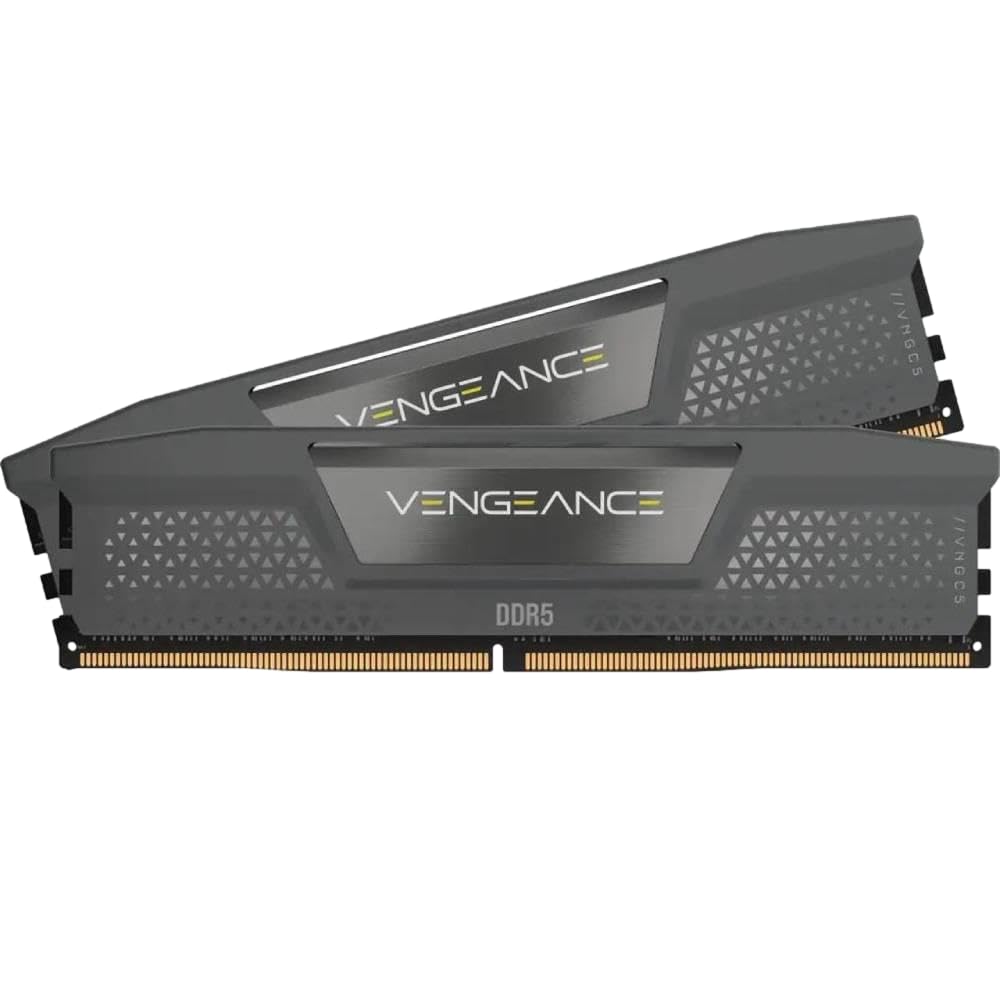
The Corsair Vengeance DDR5 kit at 6400MHz CL36 represents the top tier of memory bandwidth in this roundup. For editors running on modern Intel 700-series or AMD X670 platforms, this kit delivers a massive data throughput advantage over any DDR4 kit. The 6400MHz speed reduces load times for large media files and improves real-time playback of 8K timelines with complex effects layers.
Users report it works flawlessly with ASUS Crosshair X870E Hero and Ryzen 9950X3D setups using EXPO 1 profiles. The onboard voltage regulation enables finer overclocking control via iCUE software. The CL36 timing, while numerically higher than DDR4 CL16, is actually equivalent in absolute latency due to the higher clock speed, making this a net performance improvement in any test that stresses bandwidth.
If your motherboard and CPU support DDR5, this is the kit that future-proofs your editing workstation. The higher data rates directly benefit video codec decompression and multi-frame rendering. Expect significantly faster export times in DaVinci Resolve and Premiere Pro when compared to DDR4 3200MHz in a multi-core render.
Why it’s great
- 6400MHz speed delivers industry-leading memory bandwidth for 8K timelines
- EXPO and XMP 3.0 support for easy overclocking on modern platforms
- iCUE software provides real-time frequency and voltage monitoring
Good to know
- Requires latest-gen motherboard and CPU for DDR5 support
- Premium cost reflects the DDR5 platform premium
8. Crucial 32GB DDR5 RAM Kit (2x16GB) 5600MHz CL46
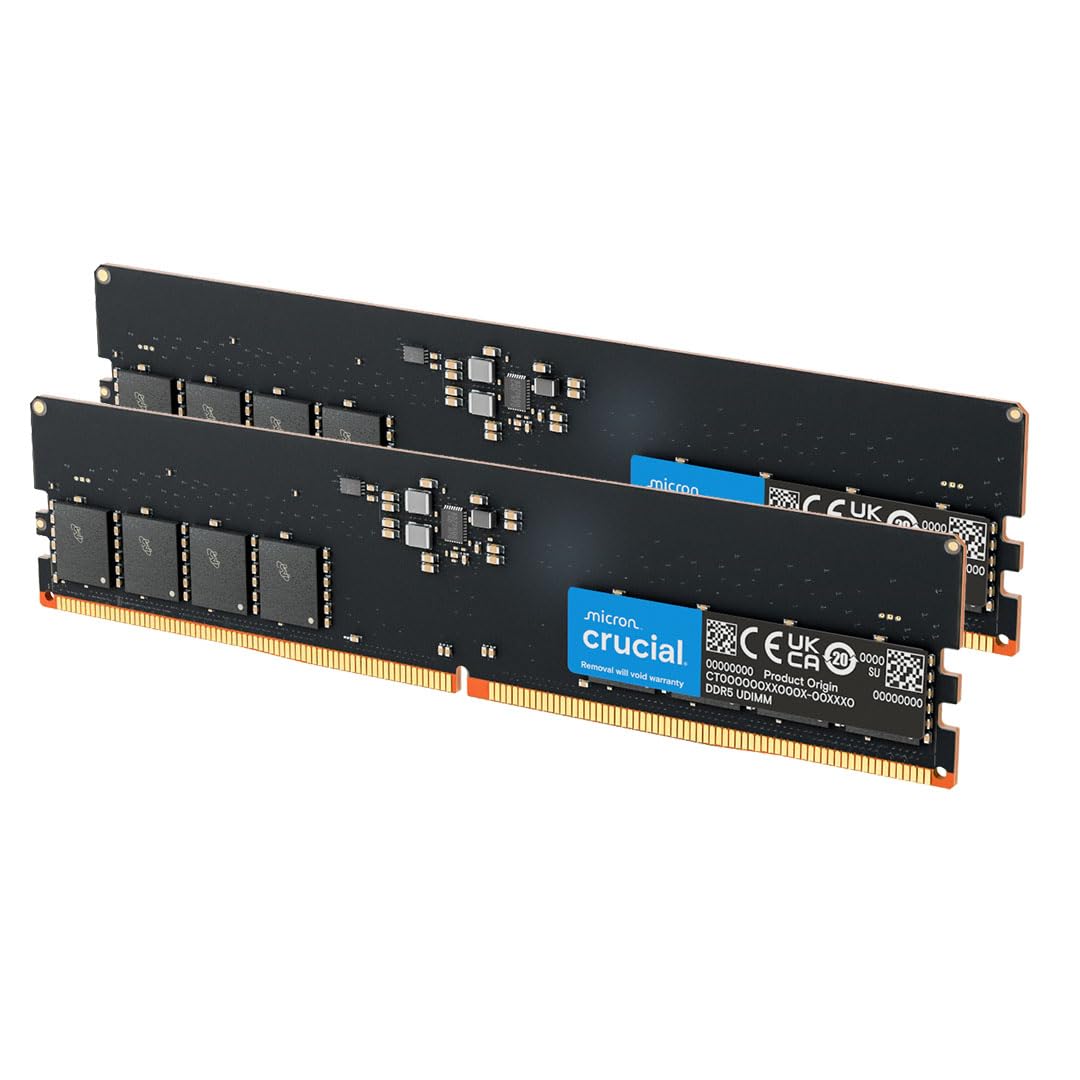
The Crucial DDR5 kit operates at 5600MHz CL46 and is the most cost-effective entry into the DDR5 ecosystem for video editors. Backed by Micron’s 42-year memory manufacturing history, this kit is validated for 13th-gen Intel and AMD Ryzen 7000 processors. The 5600MHz data rate provides a noticeable upgrade over any DDR4 kit in bandwidth-bound tasks like multi-stream video playback.
Users confirm it integrates seamlessly with Dell XPS 8960 systems, allowing 64GB upgrades by matching factory specs. The initial memory training at boot takes 5-6 minutes, which is normal for DDR5 on first power-up. While the CL46 is relatively loose, the raw bandwidth of 5600MHz still outperforms any 3200MHz kit in real-world render benchmarks, making this the sensible upgrade path for new builds.
For editors building a new PC on a modern platform, this kit offers reliable Micron-quality sticks at the standard speed tier. The dual-channel 32GB configuration ensures you have the capacity to run After Effects and Premiere simultaneously without hitting the page file.
Why it’s great
- 5600MHz bandwidth beats any DDR4 kit for render-heavy workloads
- Compatible with 13th-gen Intel and Ryzen 7000 series out of the box
- Trusted Crucial reliability with 42 years of Micron engineering
Good to know
- Initial DDR5 training takes several minutes on first boot
- CL46 timing is loose; absolute latency is not competitive with CL30 DDR5 kits
9. A-Tech 32GB Kit (2x16GB) DDR5 4800MHz CL40

The A-Tech 4800MHz CL40 DDR5 kit is the most accessible entry-level DDR5 option for troubleshooting or building a budget workstation. Running at JEDEC-standard 1.1V, it requires no overclocking and works reliably on any DDR5-compatible motherboard. For an editor who needs to quickly test a new build or get a secondary workstation operational without complex BIOS tuning, this kit is the straightforward option.
Users report it works perfectly in Dell Precision 3680 workstations and passed 10-hour MemTest86 runs after a simple BIOS reboot. The customer service reputation is strong — one reviewer received a replacement kit and return label within 5 minutes after a stick failed after 5 months. The 4800MHz speed is the base DDR5 frequency, so while it does not deliver the high bandwidth of 5600MHz or 6400MHz kits, it still outperforms DDR4 in bandwidth-bound loads.
This kit is best suited for editors who need a reliable, low-maintenance DDR5 upgrade for a pre-built workstation or a secondary rig. The limited lifetime warranty and responsive support team make this a safe choice for production environments where uptime matters.
Why it’s great
- 4800MHz JEDEC speed requires no BIOS overclocking — drop-in ready
- Excellent support team with fast replacement service
- Verified compatibility with Dell, Lenovo, and HP DDR5 workstations
Good to know
- 4800MHz is the slowest DDR5 speed; upgrade to 5600MHz+ for better performance
- CL40 is relatively loose; not ideal for latency-sensitive applications
FAQ
Is 32GB of RAM enough for 4K video editing?
What is more important for video editing: more RAM or faster RAM?
Can I mix two different RAM kits in my editing PC?
Will upgrading from 16GB to 32GB improve render times?
Final Thoughts: The Verdict
For most users, the best 32gb ram for video editing is the G.SKILL Ripjaws V because its tight CL16 timing at 3200MHz delivers the lowest memory latency in the DDR4 space, which directly benefits real-time timeline scrubbing and effects processing. If you are building a new PC on a modern platform, grab the Corsair Vengeance DDR5 6400MHz for the highest available bandwidth on Intel 700-series and AMD X670 boards. And for a budget-friendly build that still delivers great performance, nothing beats the Gigastone Game PRO.