
Filling a 32TB hard drive means committing to storing roughly 6,400 hours of 4K video, 400 console games, or a decade of family photos. That sheer capacity changes everything about how you think about backups, workload ratings, and drive selection — one dead drive at this scale is a catastrophic data event, not an inconvenience.
I’m Min — the co-founder and writer behind Gadgets Feed. I spend hundreds of hours each quarter dissecting enterprise storage specs, benchmarking transfer speeds, and cross-referencing customer failure reports so you don’t have to gamble a thousand dollars on bad firmware.
Whether you are building a surveillance server, a high-capacity NAS, or a creative workstation archive, this guide separates the reliable 32TB enterprise solutions from the overpriced failed experiments. Here is the definitive analysis of the best 32tb hard drive options currently available for serious data hoarders.
How To Choose The Best 32TB Hard Drive
A 32TB drive is a long-term infrastructure investment. Unlike a 2TB portable drive you replace every two years, this purchase demands scrutiny of construction, firmware maturity, and warranty terms that match your uptime requirements.
CMR vs. SMR — The Recording Method Matters
Conventional Magnetic Recording (CMR) writes data directly without overlapping tracks, maintaining consistent write speeds even under sustained load. Shingled Magnetic Recording (SMR) overlaps tracks like roof shingles, which slows write performance significantly during rewrites. For NAS arrays, video surveillance with constant overwriting, or any RAID configuration, CMR is mandatory. SMR drives cause array rebuild failures that can take weeks.
Workload Rate and MTBF
Workload rate, measured in TB per year, indicates how much data a drive is rated to write annually. A desktop drive might handle 55 TB/year, while enterprise models like the Seagate SkyHawk AI manage 550 TB/year. MTBF (Mean Time Between Failures) above 2 million hours indicates drives engineered for 24/7 operation. Ignoring workload ratings in a multi-user NAS environment leads to premature failure within 18-24 months.
Form Factor and Connectivity
Nearly all 32TB drives remain in the 3.5-inch form factor. Internal models use SATA 6 Gb/s or SAS interfaces. External units rely on USB 3.2 Gen 2 (10 Gbps) or USB-C for daisy-chaining and faster transfers. For RAID enclosures, ensure the drive supports native command queuing and rotational vibration sensors to maintain performance in multi-drive arrays.
Quick Comparison
On smaller screens, swipe sideways to see the full table.
| Model | Category | Best For | Key Spec | Amazon |
|---|---|---|---|---|
| Seagate Skyhawk AI 32TB | Premium Internal | Surveillance NVR | 550 TB/yr workload | Amazon |
| OWC Mercury Elite Pro Dual 32TB | Premium External | Creative RAID 0 Workflows | 407 MB/s RAID 0 | Amazon |
| Oyen Digital HDX Pro C 30TB | Premium External | Durable Single-Volume Storage | All-aluminum enclosure | Amazon |
| BUFFALO TeraStation Essentials 32TB | Premium NAS | Out-of-box 4-bay NAS | 2.5GbE native port | Amazon |
| WD Red Pro 26TB | Mid-Range Internal | High-end NAS arrays | RV sensors, NASware | Amazon |
| WD My Book 24TB | Mid-Range External | Desktop backup | Hardware encryption | Amazon |
| SanDisk Pro G-Drive 22TB | Mid-Range External | Mac Time Machine | Ultrastar 7200RPM inside | Amazon |
| WD Elements 20TB | Mid-Range External | Plug-and-play backup | 180 MB/s steady transfer | Amazon |
| Seagate Expansion 22TB | Mid-Range External | Value bulk storage | Rescue Data Recovery | Amazon |
| Toshiba N300 20TB | Mid-Range Internal | Small NAS RAID arrays | 180 TB/yr workload | Amazon |
| WD Ultrastar DC HC580 24TB | Budget Internal | Enterprise refurbished | 2.5M hours MTBF | Amazon |
In‑Depth Reviews
1. Seagate Skyhawk AI 32TB
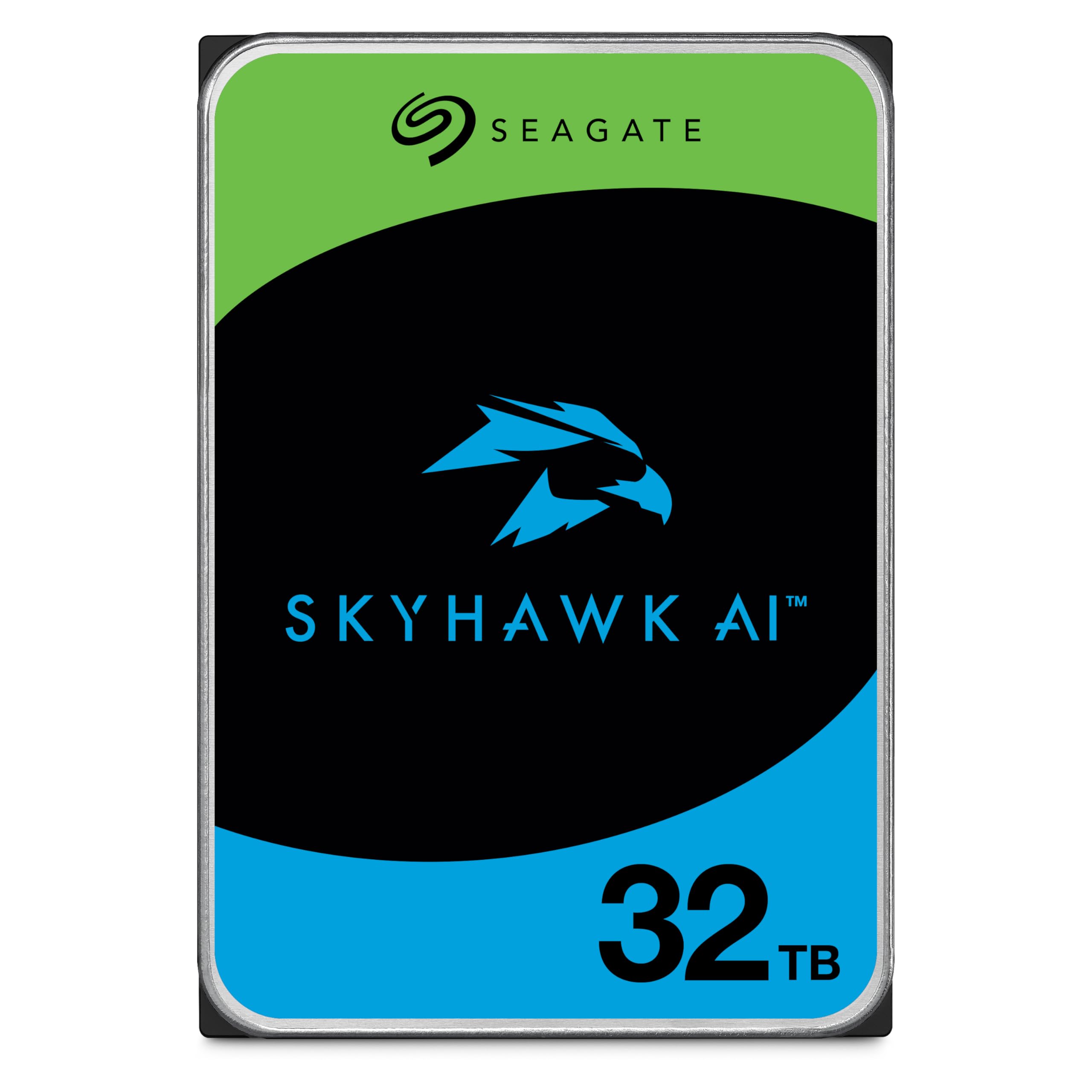
The Seagate Skyhawk AI 32TB is the only native 32TB drive in this comparison, purpose-built for AI-enabled NVR systems. Its ImagePerfect firmware guarantees zero dropped frames across 64 HD video streams plus 32 simultaneous AI streams — a specification no general-purpose enterprise drive can match. The 512MB cache and 7200 RPM spindle deliver consistent 285 MB/s sustained reads, critical for high throughput surveillance environments.
Seagate backs this model with a 5-year limited warranty and three years of in-house Rescue Data Recovery Services, adding tangible value for businesses that cannot afford data loss from a single drive. The 2.5 million hours MTBF rating reflects the engineering margin required for 24/7 recording operations in edge servers and network video recorders.
Buyers report quiet operation within office environments, easy swap-in replacement for older 2TB NVR drives, and simple formatting with major surveillance platforms. A small number of users note slightly higher audible seek activity compared to 5400 RPM alternatives, but the sustained 550 TB/year workload rating makes this drive uniquely suited for continuous overwrite cycles that kill desktop-class drives inside six months.
Why it’s great
- Genuine 32TB CMR capacity with high workload tolerance
- ImagePerfect firmware prevents dropped frames under heavy AI loads
- Includes 5-year warranty and Rescue Data Recovery Services
Good to know
- Premium pricing versus near-32TB alternatives
- Audible seek activity may be noticeable in silent rooms
2. OWC Mercury Elite Pro Dual 32TB

The OWC Mercury Elite Pro Dual 32TB pairs two pre-installed 16TB 7200 RPM drives inside a single aluminum enclosure, configurable via a physical RAID switch. In RAID 0 mode, it delivers up to 407 MB/s sustained throughput — fast enough for 4K HD video editing directly from the external array. The enclosure supports USB 3.2 Gen 1 (5 Gb/s) and eSATA 6 Gb/s with port multiplier functionality for legacy workstation compatibility.
Hardware RAID management means the array is OS-independent, functioning identically on Windows, macOS, and Linux without RAID driver conflicts. The anodized aluminum body acts as a passive heatsink, and the replaceable internal fan keeps temperatures under control during long transfers. OWC provides a 1-year limited warranty with US-based support, and the drives are user-serviceable with standard 3.5-inch SATA units.
Customer feedback highlights easy RAID 1 setup for mirroring critical data, quiet operation in office environments, and successful integration with Raspberry Pi and ZFS-based NAS builds. A significant warning: some users experienced silent data corruption in RAID 1 across multiple enclosures, where both drives failed simultaneously. A backup strategy beyond the single RAID 1 array is strongly advised for irreplaceable data.
Why it’s great
- Physical RAID switch for OS-independent configuration
- 407 MB/s throughput in RAID 0 for creative workflows
- User-swappable drives and replaceable internal fan
Good to know
- RAID 1 silent failure reported in multiple units
- No hot-swap capability; drives screw into chassis
3. Oyen Digital HDX Pro C 30TB
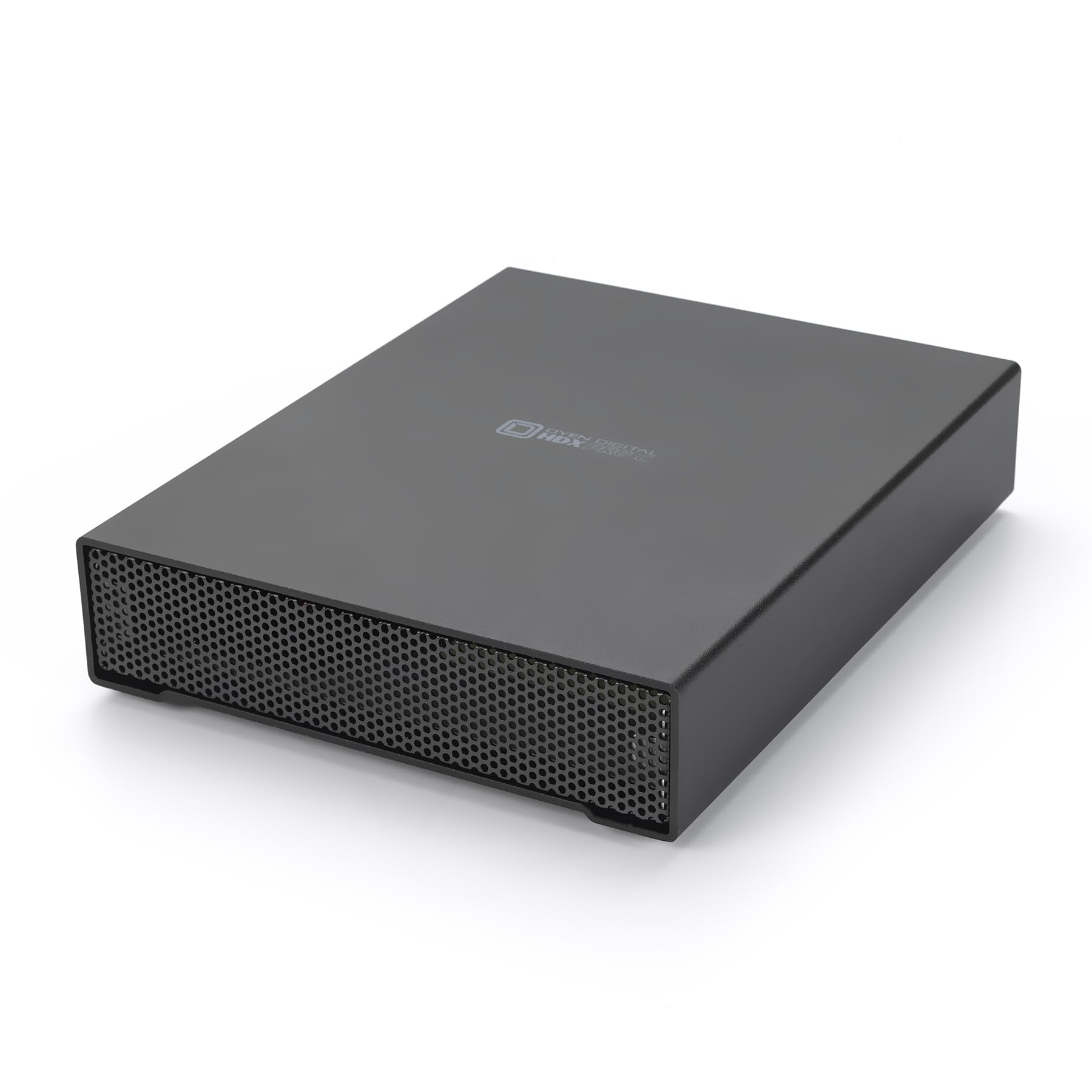
The Oyen Digital HDX Pro C 30TB packs a 7200 RPM enterprise drive into a machined aluminum enclosure with an internal power supply and a temperature-controlled fan. Dual USB-C 10 Gbps ports allow daisy-chaining additional drives or peripherals — a rare feature in external single-volume storage. Sustained transfer rates reach around 270 MB/s from the 30TB internal drive, suitable for large media file migration and backup windows.
The build quality stands out: thick aluminum walls, a silent fan that remains inaudible under normal ambient noise, and a satisfying USB-C connection that locks firmly into place. Users consistently describe the enclosure as “heavy duty” and “exceptional,” with many repurposing the chassis for custom internal drive builds after exhausting the included HDD. The unit includes USB C-C and USB C-A cables plus a standard power cord.
Buyers report dependable operation spanning months without disconnects across Windows, macOS, and Linux. A few note the drive runs warm under sustained load, and the internal PSU design means the unit is slightly heavier than plastic-shell enclosures. The 30TB capacity falls just shy of the true 32TB target, but the rugged construction and daisy-chain ports make this a top contender for on-set video production and portable server builds.
Why it’s great
- Flawless aluminum construction with internal PSU
- Dual USB-C 10Gbps ports for daisy-chaining
- Silent fan and reliable enterprise drive inside
Good to know
- 30TB capacity, not quite the full 32TB target
- Drive runs warm during extended transfers
4. BUFFALO TeraStation Essentials 32TB

The BUFFALO TeraStation Essentials 2025 delivers a complete 4-bay NAS with four pre-installed 8TB drives, pre-configured in RAID 5 for 24TB usable capacity out of the box. A native 2.5GbE Ethernet port provides faster transfers than gigabit without requiring a switch upgrade. The closed-system design with 256-bit AES drive encryption suits small offices that need professional-grade data protection without complex server administration.
Cloud synchronization with Amazon S3, Dropbox, Azure, and OneDrive enables hybrid cloud strategies for off-site backup. The enclosure supports RAID mode switching between 0, 1, 5, 6, and 10, allowing users to trade capacity for redundancy. BUFFALO includes a 3-year warranty covering both the unit and the hard drives, plus 24/7 US-based telephone support — rare for a value-tier NAS appliance.
Customer feedback confirms rock-solid operation after six months, quick RAID 5 setup, and faster network throughput than previous-generation Buffalo NAS models. The manual is online-only, and initial driver installation requires a connected machine for setup. Some users note the physical footprint is larger than a typical 4-bay Synology or QNAP, but the pre-installed drives and affordable all-in-one pricing offset the size consideration.
Why it’s great
- Pre-loaded with four 8TB drives and RAID pre-configured
- Native 2.5GbE port enables faster LAN transfers
- 3-year warranty with 24/7 US-based tech support
Good to know
- Larger physical footprint than competing 4-bay NAS units
- Setup manual available online only, not in-box
5. WD Red Pro 26TB
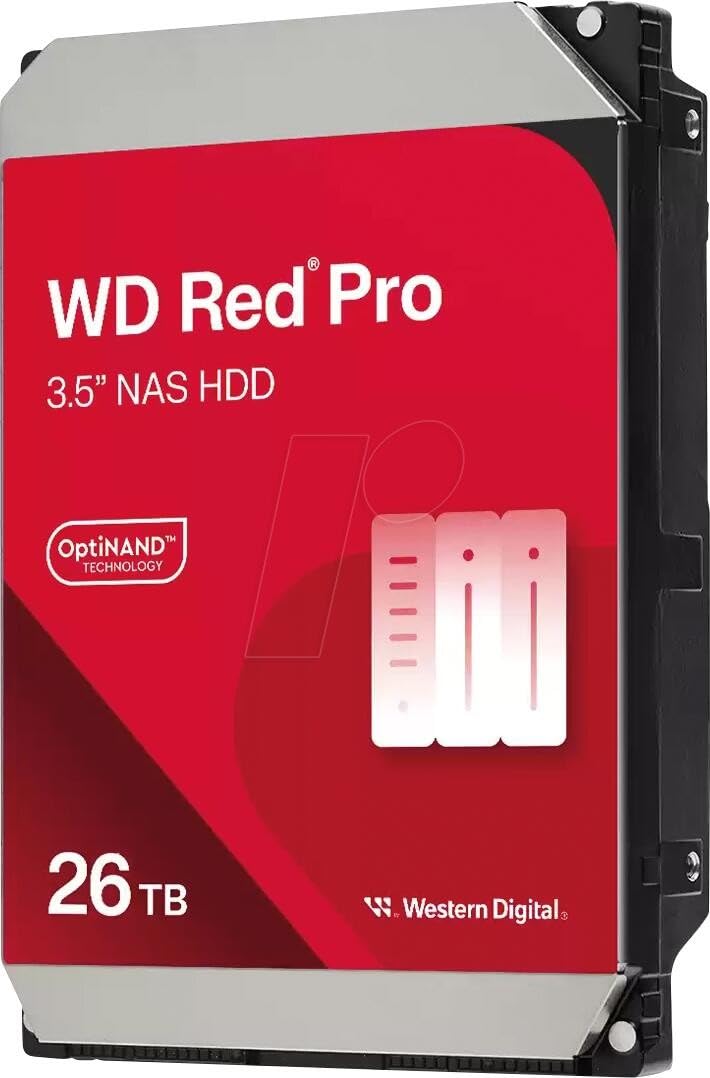
The WD Red Pro 26TB is a CMR drive specifically engineered for 24/7 multi-bay NAS environments, equipped with Rotation Vibration (RV) sensors that proactively counteract disturbances from neighboring drives. Its NASware technology fine-tunes drive parameters for array workloads, while the 512MB cache and 7200 RPM spindle maintain consistent performance under simultaneous multi-user access. Data transfer rates hit around 287 MB/s.
Western Digital backs this model with a 5-year limited warranty, and the integrated multi-axis shock sensor provides additional protection against physical damage during transport or mounting. The Red Pro series is designed for arrays up to 8 bays, making it a natural fit for Synology, QNAP, and TrueNAS builds where reliability and predictable rebuild times are critical.
Users praise its quiet operation in RAID enclosures and dependable performance for Time Machine backups and Plex media libraries. A small but notable number of buyers received DOA units or incorrect capacities, and noise-sensitive users may prefer SSD alternatives for near-silent operation. The 26TB capacity leaves a gap versus the 32TB target, but the CMR reliability and RV sensor technology make it a strong candidate for high-density NAS expansion.
Why it’s great
- RV sensors ensure stable performance in multi-drive arrays
- NASware firmware tuned for 24/7 operation
- 5-year warranty with enterprise-class MTBF ratings
Good to know
- Some units arrive DOA or with incorrect capacity labels
- Audible seek noise in quiet environments
6. WD My Book 24TB

The WD My Book 24TB is the highest-capacity single-volume external drive in Western Digital’s consumer lineup, offering hardware AES-256 encryption and password protection for sensitive archives. It ships in exFAT format, compatible with both Windows and macOS out of the box, and includes device management software with ransomware defense. The USB 3.2 Gen 1 interface delivers up to 5 Gb/s transfer speeds — adequate for bulk backup and media storage.
The enclosure uses an aluminum and composite construction, and the drive includes an AC adapter for reliable power delivery. The included WD Backup software automates scheduled backups, though reformatting the drive erases the preloaded utilities. The 24TB capacity provides approximately 21.8 TB of usable space after formatting overhead, sufficient for archiving years of raw footage or a large media server.
Customer reviews consistently highlight the My Book’s resilience; one user reported a 3-foot drop onto hardwood floor without data loss when the drive was not spinning. The primary drawback is the drive’s aggressive sleep timer — after inactivity, a 5-10 second spin-up delay can frustrate users accessing files on demand. A silent but active cooling fan keeps temperatures manageable during long write sessions.
Why it’s great
- Hardware AES-256 encryption built into the drive controller
- Runs exFAT for plug-and-play Windows and macOS compatibility
- Proven physical durability in accidental drops
Good to know
- Aggressive sleep timer causes 5-10 second spin-up delay
- Reformatting removes pre-installed backup software
7. SanDisk Professional G-Drive 22TB
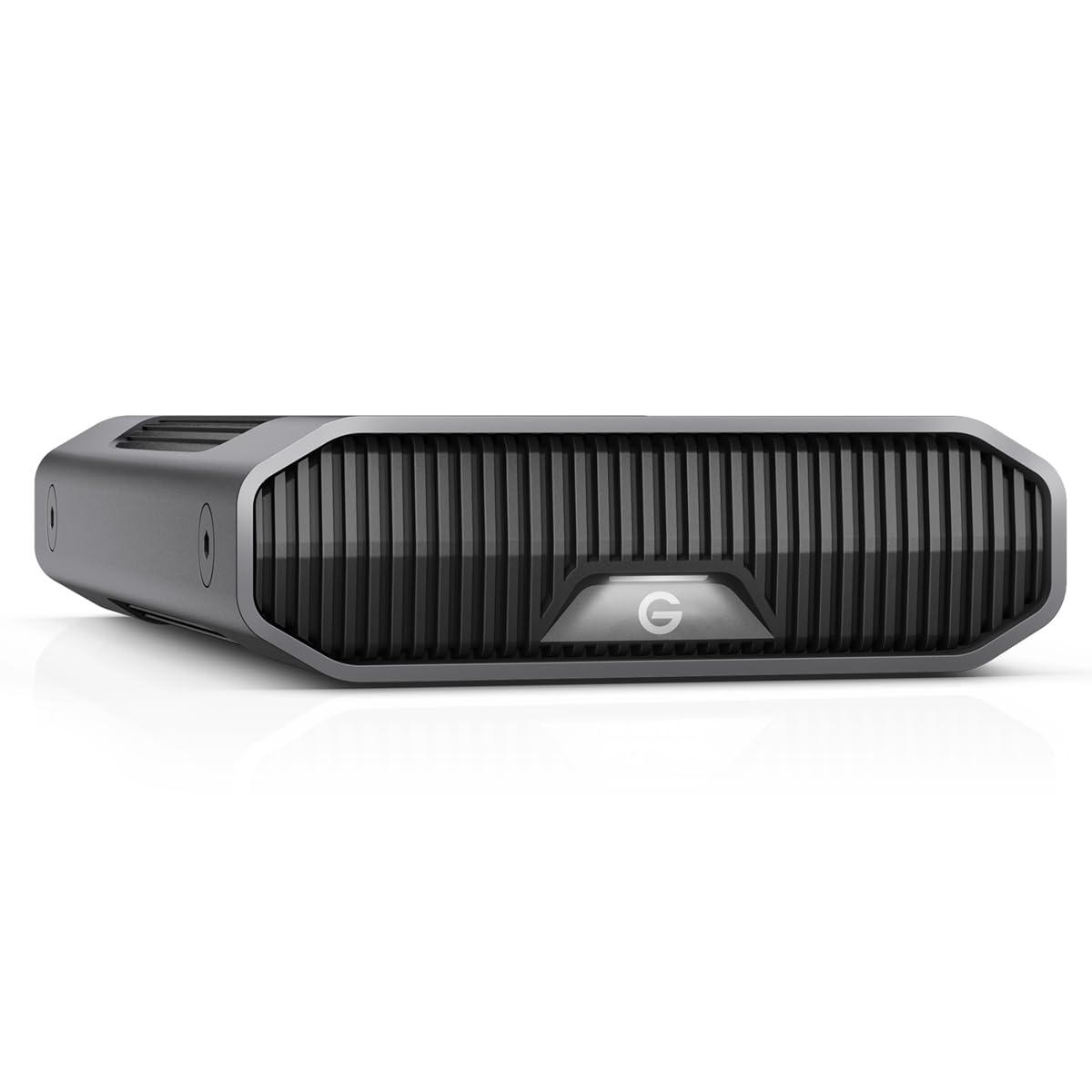
The SanDisk Professional G-Drive 22TB houses an enterprise-class Ultrastar 7200 RPM drive inside a stackable anodized aluminum enclosure. It is pre-formatted for Mac, supports Apple Time Machine out of the box, and offers USB-C (10 Gbps) connectivity with read/write speeds up to 280 MB/s. The adjustable LED brightness modes and whisper-quiet operation suit professional creative studio environments where noise and aesthetics matter.
The Ultrastar internal drive carries a 2.5 million hours MTBF rating, matching the reliability standards of data center deployments. The enclosure’s aluminum chassis acts as a heatsink, keeping the 7200 RPM mechanism cool during extended video editing sessions. SanDisk includes a USB-C to USB-C cable, and the drive can be reformatted for Windows compatibility if needed.
Buyer experiences are sharply divided: some users report flawless operation on Windows 10 with no disconnects, while multiple Mac users describe data corruption within two to six months, requiring reformatting and third-party recovery tools. The inconsistency suggests potential firmware compatibility issues with certain macOS versions or hubs. For Windows users seeking a pro-grade external drive, the G-Drive delivers, but Mac buyers should verify compatibility with their specific hardware configuration before purchasing.
Why it’s great
- Enterprise Ultrastar drive with 2.5M hours MTBF
- USB-C 10Gbps with 280 MB/s sustained throughput
- Stackable aluminum enclosure for clean studio setup
Good to know
- Intermittent volume corruption reports on macOS
- Drive spins down after inactivity, causing brief pause
8. WD Elements 20TB

The WD Elements 20TB is the no-frills workhorse of external storage — no encryption, no backup software, no RAID. Just a reliable USB 3.0 desktop drive that delivers approximately 180 MB/s sequential reads and writes, with enough thermal headroom to run cool even during extended backup operations. The aluminum enclosure and stable base design prevent accidental tipping.
This drive ships in NTFS format for Windows, requiring reformatting for Mac Time Machine support. The included AC adapter and USB 3.0 cable are standard, and the drive is compatible with both USB 3.0 and USB 2.0 ports. WD’s reputation for consumer HDD reliability is supported by user reports of quiet operation and consistent performance across multiple operating systems.
Customer feedback notes the actual formatted capacity is approximately 18.19 TB, and the drive is relatively quiet during idle periods but produces audible seek noise during active transfers. Some users advise enabling write caching in Windows for better throughput. The 20TB capacity is a step below the 32TB target, but the affordable price and proven build quality make it a solid choice for those who prioritize budget and reliability over maximum density.
Why it’s great
- Reliable plug-and-play USB 3.0 operation
- Runs cool during extended transfers
- Stable, non-slip enclosure design
Good to know
- No hardware encryption or backup software included
- Noticeable seek noise during active transfers
9. Seagate Expansion 22TB
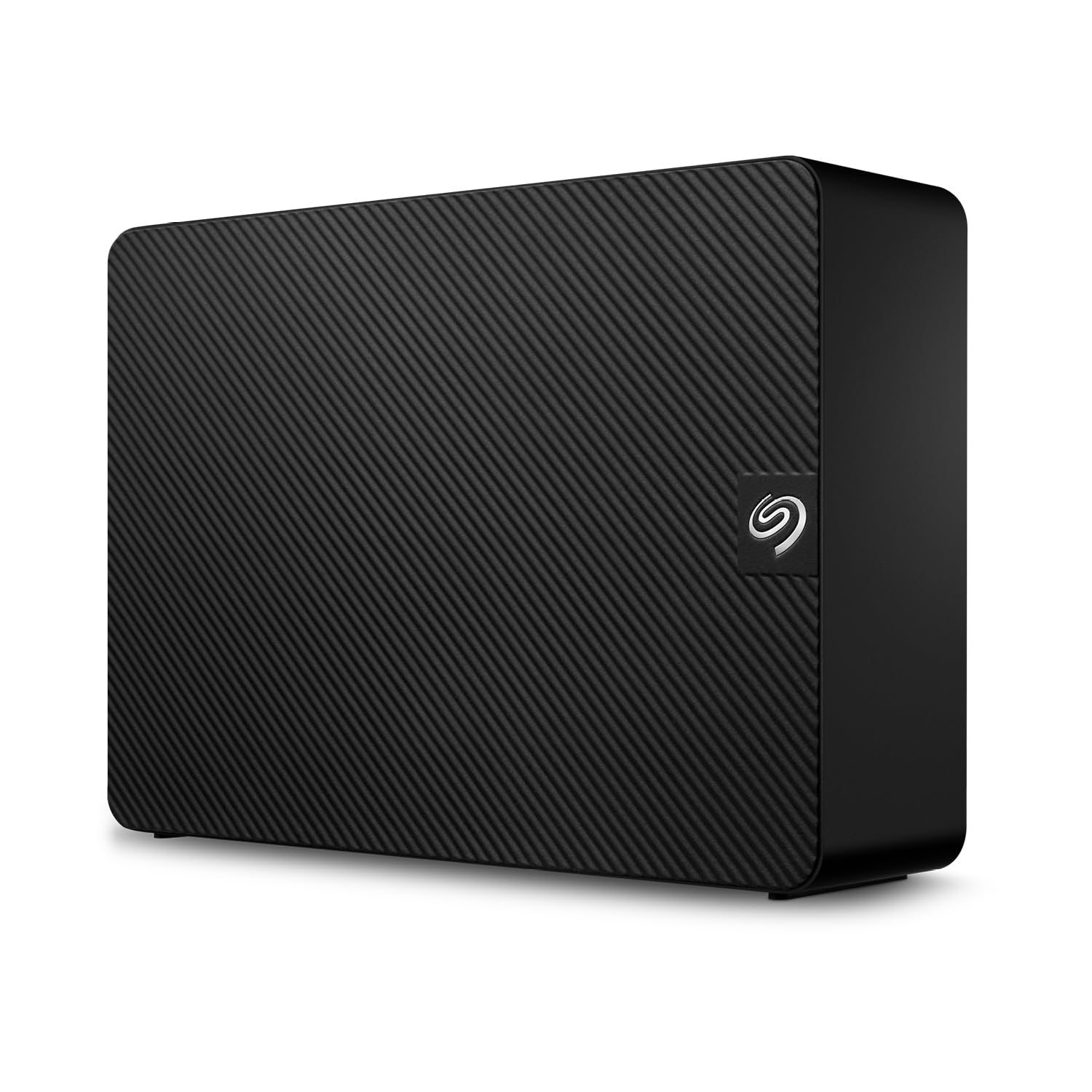
The Seagate Expansion 22TB desktop external drive distinguishes itself with included Rescue Data Recovery Services for the warranty period — a safety net that can recover data from a failed drive at no additional cost. The USB 3.0 interface delivers practical transfer speeds around 390 MB/s write and 460 MB/s read in real-world benchmarks, exceeding many competing external drives in the 20-22TB range.
The enclosure features a vented design with rubber pads to dampen vibration, and the drive includes an AC power supply with interchangeable travel adapters. Setup is truly plug-and-play on Windows, while Mac users need to reformat from exFAT for Time Machine compatibility. The drive is compatible with USB 2.0 ports at reduced speeds, ensuring backward compatibility with older hardware.
User experiences highlight the large capacity and reasonable price point, though the drive produces noticeable noise during active operation that some find distracting in quiet studios. A critical complaint: Seagate’s warranty service reportedly returned only the internal drive rather than a replacement external unit after a failure claim. The 22TB capacity leaves room below the 32TB goal, but the included data recovery service provides unique peace of mind for users without a separate backup strategy.
Why it’s great
- Includes Rescue Data Recovery Services for warranty period
- Fast real-world transfer speeds above 400 MB/s read
- Vented design with travel-friendly power adapter
Good to know
- Audible during active use, not suitable for silent rooms
- Warranty support may replace with internal drive only
10. Toshiba N300 20TB

The Toshiba N300 20TB targets the small office and home office NAS market with a 7200 RPM CMR design, 512MB cache, and integrated RV sensors to compensate for rotational vibration in multi-drive enclosures. Its 180 TB/year workload rating suits moderate NAS environments with a handful of concurrent users, such as Plex media servers or shared office document storage.
The drive supports native command queuing and is designed specifically for 24/7 operation, though the warranty period is industry-standard. Toshiba includes RV sensor technology that rivals the implementation found in WD Red Pro drives, ensuring stable operation in 4- to 8-bay enclosures without the premium price tag of some competitors.
Users describe the N300 as cool-running and quiet relative to other 7200 RPM NAS drives, with successful operation in RAID 1 and RAID 5 arrays. One owner reported a failure after two years in continuous use, which aligns with the rated workload and suggests appropriate replacement cycles. The 20TB capacity does not reach the 32TB target, but the N300’s combination of CMR technology, RV sensors, and competitive workload rating makes it a sensible option for right-sizing NAS capacity at a more accessible price point.
Why it’s great
- CMR recording with RV sensors for stable multi-drive operation
- Cool-running and quiet for a 7200 RPM drive
- 512MB cache for improved sustained performance
Good to know
- 20TB capacity, not the full 32TB target
- One user reported failure after two years of continuous use
11. WD Ultrastar DC HC580 24TB
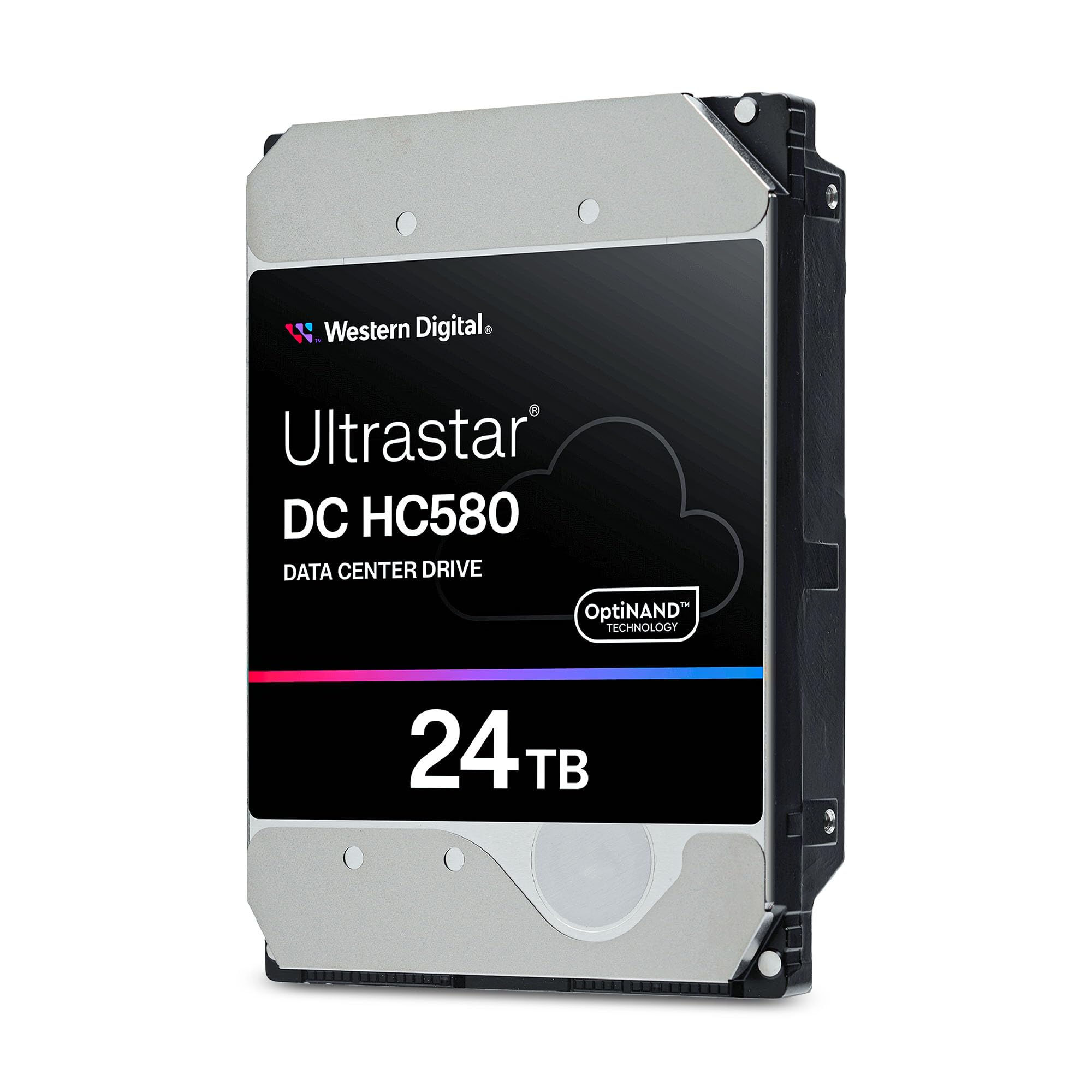
The WD Ultrastar DC HC580 24TB is an enterprise-class data center drive available as a renewed unit, offering a class-leading 2.5 million hours MTBF and 7200 RPM SATA 6 Gb/s performance with a 512MB cache. Designed for hyperscale environments, it employs conventional CMR technology for consistent performance across sustained workloads. The renewed units typically have very low power-on hours, verified by SMART data.
One critical compatibility note: these drives use the SATA Power Disable (PWDIS) pin feature. Standard desktop SATA power connectors will not spin them up unless the 3.3V pin is blocked with Kapton tape or a compatible power supply is used. This is a known behavior across all enterprise-class 3.5-inch drives that comply with the SATA 3.3 specification, and a simple fix eliminates the issue.
Buyers report drives arriving with under 50 power-on hours, zero reallocated sectors, and clean SMART diagnostics. Temperature readings stay around 32°C during initial testing, and the drives operate quietly for their performance tier. The refurbished status means no traditional retail packaging, and warranty coverage depends on the seller. For experienced users comfortable with the PWDIS workaround, this renewed enterprise drive delivers exceptional value and data center-grade reliability at a budget-friendly price.
Why it’s great
- Enterprise 2.5M hours MTBF at a renewed price
- Very low power-on hours and clean SMART data
- CMR recording for consistent performance
Good to know
- PWDIS pin requires tape fix for standard desktop power
- Refurbished unit may have limited warranty coverage
FAQ
Can I put a 32TB hard drive in my laptop?
How long does it take to fill a 32TB hard drive over USB 3.0?
Is CMR or SMR better for a 32TB NAS array?
Final Thoughts: The Verdict
For most users, the best 32tb hard drive winner is the Seagate Skyhawk AI 32TB because it delivers the only true 32TB CMR capacity with surveillance-grade firmware, a massive 550 TB/year workload rating, and a 5-year warranty with data recovery service. If you require a versatile external RAID array with high throughput, grab the OWC Mercury Elite Pro Dual 32TB. And for a budget-conscious enterprise-grade alternative, nothing beats the refurbished WD Ultrastar DC HC580 24TB.