
Our readers keep the lights on and my morning glass full of iced black tea. As an Amazon Associate, I earn from qualifying purchases.
Specs are compiled from manufacturer listings and verified buyer reviews and can change over time — please confirm the key details on the product page before buying.
The search for a 34-inch curved monitor with a 240Hz refresh rate usually ends with one big question: which panel technology actually delivers the speed without making you babysit the screen? This guide cuts through the spec-sheet noise to focus on the six models that matter, balancing OLED’s legendary contrast against real-world usability like text clarity, burn-in prevention, and connectivity. You’ll find the best overall pick, the best value OLED, and the best smart-featured option—all chosen because they genuinely hit the 240Hz mark.
I’m Min — the founder and writer behind Gadgets Feed. This guide is built by comparing the manufacturers’ published specifications and the patterns across verified customer reviews, so you get each pick’s real strengths and trade-offs instead of marketing spin.
You want a 34 inch curved monitor 240hz that keeps up with fast action and wraps around your view. The picks below pair a 240Hz refresh rate (how many times the screen updates per second, so motion stays smooth) with a curved ultrawide panel, so you see more of the game and react faster without giving up sharp visuals.
Our Picks at a Glance


How To Choose The Best 34 Inch Curved Monitor 240Hz
Before you commit to a specific model, you need to understand that not all 240Hz panels are created equal. The refresh rate is only half the story—the panel type, the curvature, and the adaptive sync support determine whether your games actually feel smooth and whether the screen stays pleasant for desktop work.
Panel Technology: OLED vs. QD-OLED
OLED panels are the gold standard for contrast, delivering true blacks by turning off individual pixels completely. The Alienware QD-OLED goes a step further with a quantum dot layer that boosts color volume, hitting 99.3% DCI-P3 coverage. However, both need pixel refresh cycles to prevent burn-in—a recurring theme in owner feedback across every OLED on this list.
Curvature: 1800R vs. 800R
Your choice of curve dramatically affects immersion. A gentle 1800R curve, like the one on the Alienware, wraps the screen subtly without distorting straight lines—ideal for work and general use. The aggressive 800R curve on the LG models pulls the edges closer to your eyes, making you feel surrounded by the action, but some buyers report it takes time to adjust to. If you play fast-paced FPS games, the steeper curve keeps peripheral targets more visible.
Contrast Ratio and HDR Performance
All the panels here boast a 1.5M:1 contrast ratio, but the HDR experience hinges on the VESA DisplayHDR True Black 400 certification. This ensures that dark scenes stay pitch black while bright highlights pop. The Alienware pushes this further with 1000 nits peak brightness, making it the brightest panel on this list for HDR content.
Quick Comparison
| Model | Best For | Refresh Rate | Response Time | Curvature | Amazon |
|---|---|---|---|---|---|
| Alienware AW3425DW★ Best Overall | Best Overall — QD-OLED color | 240Hz | 0.03ms | 1800R | Amazon |
| LG 34GS95QETop Performer | Gaming Immersion | 240Hz | 0.03ms | 800R | Amazon |
| Acer Predator X34 | Best Value Connectivity | 240Hz | 0.01ms | 800R | Amazon |
| LG 34GX900A-B | Productivity & Gaming | 240Hz | 0.03ms | 800R | Amazon |
| LG 34GX90SA-W | Smart Features | 240Hz | 0.03ms | 800R | Amazon |
| LG 34GX900A-B Bundle | Extended Protection | 240Hz | 0.03ms | 800R | Amazon |
In‑Depth Reviews
1. Alienware AW3425DW QD-OLED
Our pick — 4.5★ from 300+ verified ratings; the strongest balance of quality and price.
The quantum-dot OLED that makes colors pop so hard, it feels like a GPU upgrade.
The defining spec here is the QD-OLED panel with 99.3% DCI-P3 color coverage and a Delta E of less than 2. What that means for you is color accuracy that content creators will appreciate and gamers will gawk at—reds and greens look saturated without becoming unnatural. The 1800R curve is subtle, wrapping the 34.2-inch screen gently into your peripheral vision without the aggressive distortion of steeper curves.
With a 0.03ms response time and 240Hz refresh rate, motion clarity is exceptional. Owners mention that the setup takes about five minutes, and the included microfiber cloth hints at the care OLED demands. To hit that 240Hz speed, adaptive sync comes in three flavors: NVIDIA G-SYNC Compatible, AMD FreeSync Premium Pro, and VESA AdaptiveSync—so you are covered regardless of your GPU brand.
The trade-off is the panel’s peak HDR brightness of 1000 nits which, while impressive, has a known pixel dimming quirk in HDR mode that firmware updates only partially fix. Owners recommend using SDR with RTX Dynamic Vibrance as the best workaround. Text fringing is minimal, but burn-in risk remains a consideration—though the pixel refresh tool mitigates it.
Why It Wins
- Superior color volume — 99.3% DCI-P3 coverage
- 1,500,000:1 contrast ratio for deep blacks
- Triple adaptive sync support
- Gentle 1800R curve suits work & gaming
The Trade-Offs
- HDR pixel dimming needs workaround
- 250 nits typical brightness is modest
- Burn-in risk requires pixel refresh discipline
The crowd favorite: this is the 34-inch 240Hz monitor that delivers the most striking image for mixed gaming and desktop use, thanks to QD-OLED color that beats the standard OLED panels elsewhere.
Think twice if: you need maximum HDR brightness from the start—the firmware workaround means a little tinkering.
2. LG 34GS95QE UltraGear OLED
The aggressive 800R wrap that makes you feel like the game is happening around you.
The headline feature is the 800R curve—dramatically steeper than the Alienware’s 1800R. The 800R curve, versus the Alienware’s 1800R curve, pulls the edges of the 34-inch screen into your periphery, creating real immersion in racing and flight sims. The trade-off is that the bend can distort straight lines during desktop work, and some customers note it takes time to adjust to. For competitive FPS aiming, the steep curve actually helps by keeping more of the screen in your direct line of sight.
This LG pairs that curve with a 0.03ms (GtG) response time and a 240Hz refresh rate, delivering motion clarity that owners describe as making games feel new again. The 1.5M:1 contrast ratio produces blacks so deep that one owner thought the monitor was off when the desktop loaded. It supports both NVIDIA G-SYNC Compatible and AMD FreeSync Premium Pro, so you get tear-free gaming on any setup.
Longevity looks solid—one owner reports nine months of heavy use with zero burn-in, though OLED care features need to be enabled manually in the menu. There is a known reliability concern in a minority of units, with one owner experiencing glitches and lines on first use. The anti-glare matte coating is a hit for reducing reflections, and the 275 cd brightness is workable for most rooms.
Immersion king: the steepest curve on this list, combined with instant 0.03ms response, makes it the pick for gamers who want to be inside the action.
Not for: anyone who does heavy spreadsheet work—the 800R bend distorts straight lines, and one owner preferred the subtler 1800R.
3. Acer Predator X34 Xbmiiphuzx

The fastest pixels on this list at 0.01ms, wrapped in a versatile USB-C 90W hub.
What sets the Predator X34 apart is its 0.01ms pixel response time—the fastest on this list, beating the 0.03ms of the LG models. For competitive shooters, that translates to virtually zero ghosting and a razor-sharp image in fast motion. It matches the 240Hz refresh rate of the crowd and wraps it in an 800R curve for immersion.
Connectivity is the real sleeper feature here. The USB Type-C port delivers 90W of power delivery, so a single cable can drive your laptop, charge it, and transmit the display signal simultaneously. An integrated KVM switch lets you control two PCs with one keyboard and mouse—though owners note there is no dedicated KVM button, so you must navigate the menu. The built-in speakers (5 watts per speaker) are a bonus for a tidy desk setup.
Owner feedback praises the picture quality as buttery smooth with excellent contrast, working well in both low and bright light conditions. The 99% DCI-P3 color gamut ensures vibrant, accurate colors for creative work. The main caveats are the lower pixel density of a 3440×1440 resolution spread across 34 inches, and a 4-hour image retention prevention timer that takes over five minutes to run—a minor interruption during marathon sessions.
Bang for buck: the fastest response time and a 90W USB-C hub make this the smart money pick for gamers who also want a clean single-cable laptop setup.
Watch out for: the 4-hour pixel refresh timer interrupts long sessions, and a rare unit developed burn-in after skipping those prompts.
4. LG 34GX900A-B UltraGear

A pixel density of 110 PPI that beats a 49-inch LG CX TV for sharpness.
If you plan to work on this screen as much as you game on it, this LG 34GX900A-B deserves a close look. Smart reviewers point out crisp, readable text because the 3440×1440 resolution packs a denser 110 PPI than a 49-inch LG CX TV, which manages only 92 PPI. The result is that you do not need to lean in or move your head to read fine details—ideal for multitasking across multiple windows.
It delivers the same 240Hz refresh rate and 0.03ms response time as its sibling, the more expensive 34GS95QE, but adds a USB Type-C port with 65W power delivery. That means a single cable can connect and charge a modern ultrabook while carrying the video signal. The 800R curve and 1.5M:1 contrast ratio deliver deep blacks and 98.5% DCI-P3 color coverage for vibrant HDR content.
One standout feature is the Switch app, which lets you split the screen into up to six sections for work-and-gaming multitasking, customizable via hotkeys. The ergonomic stand offers height, tilt, and swivel adjustment. The recurring downside across reviews is that a small number of units arrive with issues—one owner reported constant “No Signal” errors—and glossy reflections are a minor annoyance in bright rooms.
Best of both worlds: the higher pixel density plus a 65W USB-C hub makes this the top choice for all-day productivity that still runs at full 240Hz gaming speed.
Be aware: a minority of owners hit quality-control issues at delivery, so check the panel early in your return window.
5. LG 34GX90SA-W UltraGear webOS

A monitor that streams Netflix and runs cloud games without a PC connected.
The a neat extra here is webOS 24 built right into the monitor. You get direct access to Netflix, Prime Video, the Apple TV app, Disney+, HBO Max, and over 300 free LG Channels without switching on your computer. It even supports cloud gaming through NVIDIA GeForce NOW, Amazon Luna, and Blacknut straight from the home screen—so this white-finished UltraGear works as a standalone entertainment hub.
Beneath the smart features, the gaming core matches the rest of the family: 240Hz refresh rate, 0.03ms response, 800R curve, and 1.5M:1 contrast ratio. The 98.5% DCI-P3 coverage and up to 1300 nits peak brightness deliver stunning HDR picture quality, with the matte anti-glare finish getting specific praise from owners for cutting reflections. The 2-year limited warranty covers the OLED panel, and OLED Care tools like pixel cleaning help manage longevity.
The catch involves the software, not the hardware. Owners are divided on the built-in apps—some love the convenience, while a few flag that LG installs adware via Windows Update, tracking inputs and showing ads. The white color scheme is polarizing if you have a black battlestation, but the ergonomic stand with height and swivel adjustment makes it a comfortable daily driver.
All-in-one: this is the only monitor here that replaces a streaming stick, letting you game and binge on a single 34-inch OLED panel.
Skip if: privacy is your top concern, or you hate the idea of adware installing itself through Windows Update.
6. LG 34GX900A-B UltraGear Bundle
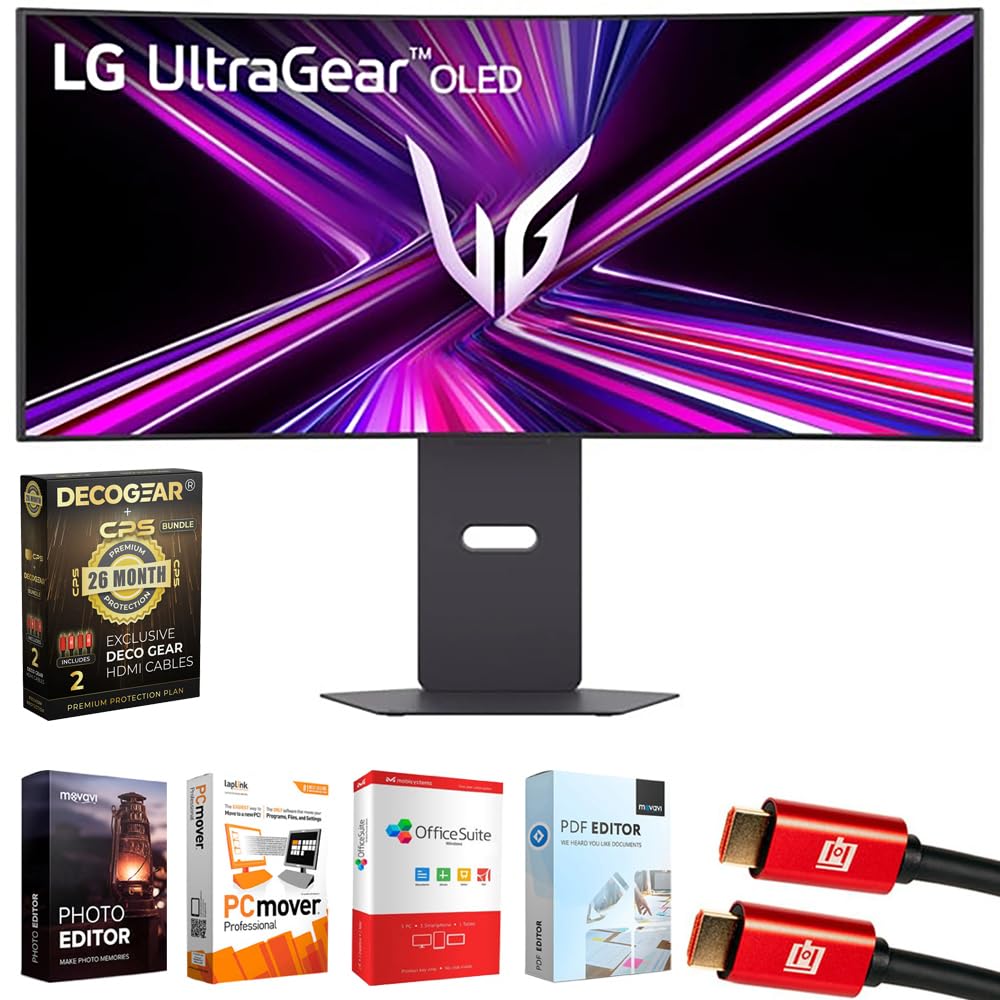
The peace-of-mind package that adds 26 months of burn-in coverage to a proven LG panel.
This bundle pairs the LG 34GX900A-B with a safety net that matters for a big OLED buy. The Deco Gear CPS exclusive 26-month extended protection plan covers accidental damage and burn-in (permanent image ghosting on OLED screens)—the top worry for OLED owners. That adds to the full LG 2-year manufacturer warranty, so you get multi-year coverage on the panel.
Performance-wise, it delivers the identical 240Hz refresh rate, 0.03ms response time, and 800R curve as the non-bundled version. The display hits up to 98.5% DCI-P3 coverage and a 1.5M:1 contrast ratio with DisplayHDR True Black 400. Connectivity is flexible with HDMI 2.1 for consoles, DisplayPort 1.4, and a USB Type-C port with 65W power delivery. RGB hexagonal backlighting adds a subtle gaming flair.
The bundle also includes an Elite Suite 18 editing software package and two 6-foot 4K HDMI 2.0 cables, so you have everything you need from the start. Owners praise the picture quality and note that it works well with both Xbox Series X/S and PlayStation 5. The honest caveat is that a very small number of shoppers say severe flickering during editing sessions—a rare but frustrating experience at this premium level.
Best for the anxious buyer: the 26-month accidental and burn-in coverage makes this the lowest-stress way to go OLED.
Consider the cost: you pay a premium for the bundle extras, and a rare unit has shown flicker issues during long editing sessions.
Understanding the Specs
Refresh Rate and Response Time
Refresh rate, measured in Hertz (Hz), tells you how many times the screen redraws per second. A 240Hz display refreshes 240 times each second, which means fast-moving objects stay sharp and your inputs feel more immediate. Response time, measured in milliseconds (ms), is how quickly a pixel changes color. The 0.03ms panels here smear far less than typical gaming monitors, so you see crisp motion instead of ghost trails behind enemies.
Adaptive Sync and VRR
Adaptive sync matches the monitor’s refresh rate to your graphics card’s frame output, eliminating screen tearing. NVIDIA G-SYNC Compatible is for GeForce GPUs, while AMD FreeSync Premium Pro covers Radeon cards. VESA AdaptiveSync is an open standard that works across brands. If a monitor supports all three, like the Alienware, you are covered no matter what hardware you pair it with.
FAQ
Is a 240Hz refresh rate worth it over 144Hz on a 34-inch curved monitor?
What is the difference between the 1800R and 800R curves?
Will a 34-inch 240Hz OLED monitor suffer from burn-in?
Can I use a 34-inch curved monitor for work and productivity?
What graphics card do I need to run a 3440×1440 monitor at 240Hz?
Is HDMI 2.1 necessary for a 240Hz ultrawide monitor?
How does QD-OLED differ from standard OLED on these monitors?
Can these monitors charge my laptop via USB-C?
Final Thoughts: The Verdict
If you want one dependable pick, the best 34 inch curved monitor 240hz is the Alienware AW3425DW because its QD-OLED panel delivers the most striking color and image quality, backed by the friendliest 1800R curve for mixed use. If you want the deepest immersion with a steep 800R wrap, grab the LG 34GS95QE. And for the best combination of fast pixels, a 90W USB-C hub, and budget-friendly value, the Acer Predator X34 is the one to reach for.
How We Picked
We do not accept paid placement. Every pick is matched to a real buyer and a real use-case; we do not hands-on test units.
Sources & Methodology
Specifications: manufacturer listings and product documentation. Review insights: verified customer reviews, as of August 2026. Pricing: not shown on this page (it changes often); check the current price via the retailer link.
As an Amazon Associate, Gadgets Feed earns from qualifying purchases. This does not affect which products we feature.