
Our readers keep the lights on and my morning glass full of iced black tea. As an Amazon Associate, I earn from qualifying purchases.
Specs are compiled from manufacturer listings and verified buyer reviews and can change over time — please confirm the key details on the product page before buying.
Your 34-inch ultrawide monitor is heavy, and its stock stand steals a big chunk of your desk. A monitor arm fixes that — it lifts the screen off the surface, clears room below, and lets you tilt, swivel, and raise the display to where your eyes naturally fall. The hard part is finding an arm that won’t sag under a heavy curved panel. Not every arm rated for 34 inches can handle the actual weight and torque of a wide screen.
I’m Min — the founder and writer behind Gadgets Feed. This guide is built by comparing the manufacturers’ published specifications and the patterns across verified customer reviews, so you get each pick’s real strengths and trade-offs instead of marketing spin.
These are the best options for a 34 inch monitor arm that deliver real stability and full motion adjustability.
Our Picks at a Glance

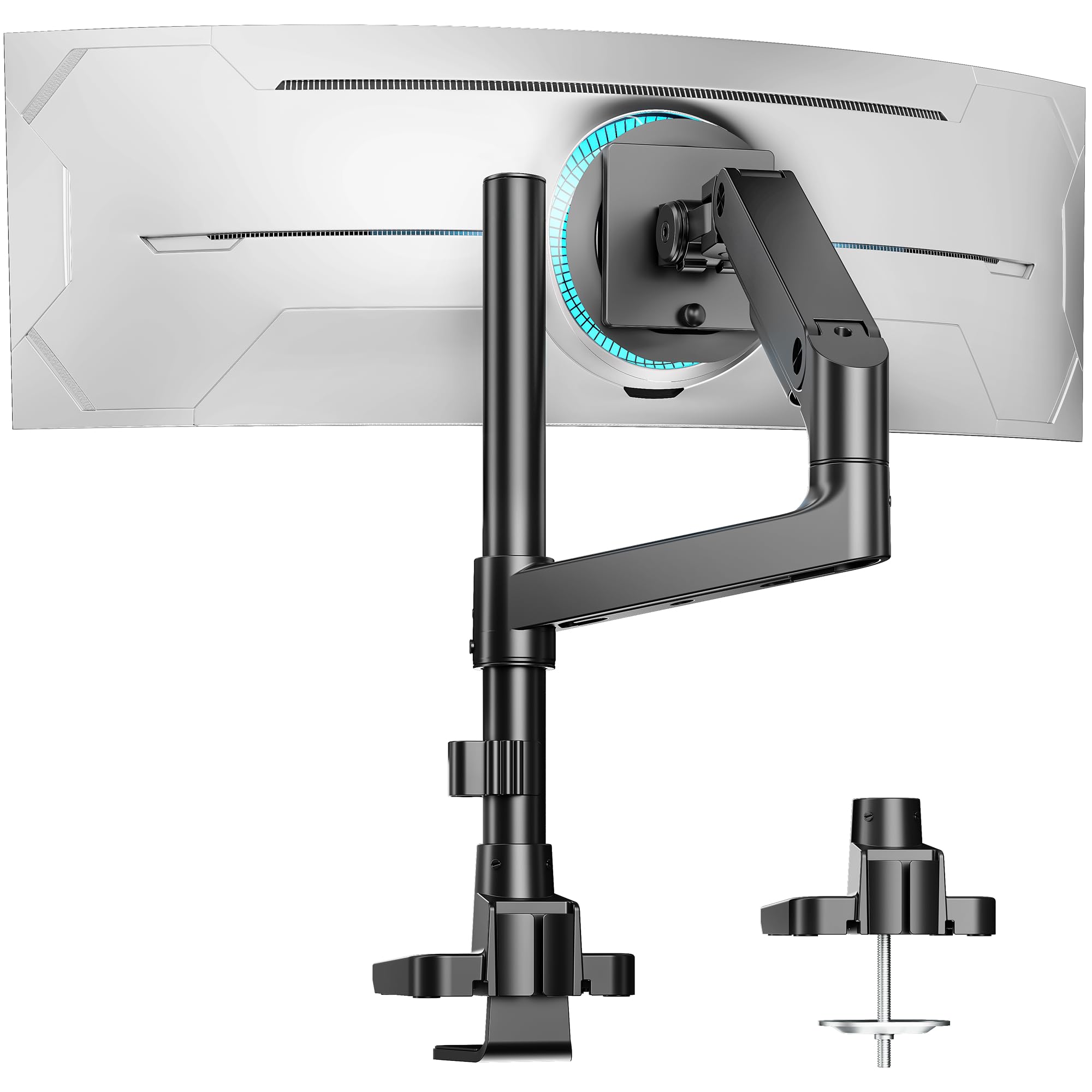
How To Choose The Best 34 Inch Monitor Arm
Buying a monitor arm sounds simple, but a 34-inch ultrawide is heavier and wider than a standard 27-inch screen. A few key specs will tell you if an arm can actually hold your monitor securely and move the way you want.
Weight Capacity Is the Real Number
A 34-inch ultrawide monitor typically weighs between 10 and 20 pounds without the stand. Check the arm’s maximum weight rating — not just the screen-size limit. An arm that maxes out at 19.8 pounds is fine for most ultrawides, while a 44-pound-rated arm gives you room for a 49-inch or even 57-inch upgrade later.
Gas Spring vs. Mechanical Tension
Gas spring arms use a pneumatic cylinder (a sealed tube of compressed gas) to counterbalance the weight. You lift the monitor and it stays — height adjustment feels easy. Mechanical tension arms rely on a screw you tighten or loosen to match the weight. Gas springs are smoother but can cost more. Mechanical arms are simpler and more durable over the long run.
VESA Pattern and Desk Fit
Nearly every modern monitor uses a VESA mounting pattern (the standard hole spacing on the back) of 100x100mm or 75x75mm. Confirm your monitor has one — most do. On the desk side, check whether your desktop is solid wood (best for clamp mounts), glass, or thin particle board. A clamp needs at least 0.5 inches of solid edge to grip, and a grommet mount needs a hole through the desk surface.
Quick Comparison
| Model | Best For | Max Weight | Tilt Range | Weight | Amazon |
|---|---|---|---|---|---|
| Ergotron LX★ Best Overall | Long-term stability & build | 25 lbs | 75° | 9.75 lbs | Amazon |
| ARES WINGBest Value | Heavy ultrawide support | 44 lbs | 50° | 5.5 lbs | Amazon |
| Acer Single Mount | Budget-friendly simplicity | 19.8 lbs | 90° | 5.3 lbs | Amazon |
| MSI MAG MT201 | Brand reliability & solid feel | 44 lbs | 50° | — | Amazon |
| BEWISER Heavy Duty | 57-inch ultrawide compatibility | 44 lbs | 90° | 8.8 lbs | Amazon |
In‑Depth Reviews
1. Ergotron LX Monitor Arm
Our pick — over 4.5★ from 10,500+ verified ratings; the strongest balance of quality and price.
The gold standard that outlasts every other arm in your office.
This is the arm people recommend when they want zero regrets. The Ergotron LX fits flat or curved monitors up to 34 inches and supports 7 to 25 pounds, with a VESA pattern (the hole spacing on the back) that accepts both 75x75mm and 100x100mm mounts. Its 75-degree tilt and 360-degree rotation give you plenty of viewing angles, and the 13-inch lift range means you can raise the monitor a full 17.3 inches above the desk surface — enough for standing work.
Buyers mention quality and sturdiness most often — 263 and 214 counts respectively — and the crowd favorite line is that it “holds CintiQ 22HD securely.” The LX weighs 9.75 pounds, while the ARES WING weighs 5.5 pounds; that heft translates into rock-solid stability. The 10-year warranty and aluminum build mean this is likely the last arm you buy for a standard 34-inch display.
One honest limitation: the cable management channel is small and does not route through the upper arm, so thick braided cables can be tricky. Some buyers also note the counter-spring adjustment is difficult to reach once the monitor is mounted — set the tension before you attach the screen.
Premium gas-spring design
- Bombproof build quality — 263 owners call it out specifically
- 10-year warranty, rare in this category
- Full 360° rotation and 75° tilt for any viewing position
- Gas spring lift makes height adjustment easy
Pricey for basic setups
- Limited to 34-inch screens — no 49-inch or 57-inch support
- Spring tension nearly impossible to adjust after mounting
- Cable management is tight for thick cords
- Premium price reflects the decade-long warranty
Best for ergonomic flexibility: Anyone who wants a single, reliable arm for a 34-inch ultrawide and values long-term durability over upfront savings.
Think twice if budget matters: You need to support a 49-inch or larger screen — the 34-inch max is a hard limit.
2. ARES WING Single Monitor Arm
The mid-range arm that dares to hold a 49-inch monster.
The ARES WING handles screens from 17 all the way up to 49 inches, and it holds up to 44 pounds — that is nearly double the Ergotron LX’s capacity. It uses a gas spring system (a pneumatic cylinder) for smooth height adjustment, with an 18-inch extended column that gives a maximum lift of 26.3 inches.
Stability is the top praised aspect here — 58 owners call it out specifically. The arm weighs 5.5 pounds, while the Ergotron LX weighs 9.75 pounds; it supports heavier monitors. That is a meaningful difference if your desk is thin or you move the arm frequently. The quick-release VESA plate and tool-less cable management make installation fast, and the built-in tool slot on the base is a nice touch. The adjustability aspect is marked MIXED in owner feedback, though — the tension screw takes some trial and error to get right for your monitor’s exact weight.
The cable management clips are the main weak point; they are plastic and can break if you are not gentle. And because the arm is lighter overall, it may feel less planted than the Ergotron if you bump your desk often.
Budget-friendly sturdy build
- Supports up to 49-inch screens and 44 lbs — future-proof for larger monitors
- 18-inch extended column for tall standing desk setups
- Quick-release VESA plate for fast mounting
- Very stable despite weighing only 5.5 lbs
Limited tilt range
- Cable management clips are fragile and break easily
- Adjustability is mixed — some struggle with tension tuning
Reach for this if cost is key: You run a 34-inch ultrawide today but want the option to upgrade to a 49-inch later — the 44-pound limit covers both.
Look elsewhere if you need ful: You need the absolute most stable arm for a desk that gets bumped often; the heavier Ergotron is more planted.
3. BEWISER Heavy Duty Monitor Arm

The specialist for the Samsung 57-inch crowd and anyone needing extreme tilt range.
While most arms stop at 49 inches, the BEWISER fits screens from 34 to 57 inches — including the massive Samsung Neo G9. It holds up to 44 pounds and uses a unique VESA head (the mounting bracket) with two mechanical springs to prevent the monitor from drooping forward. The tilt range is 90 degrees; the ARES WING and MSI offer 50 degrees. It also offers 90-degree swivel and 360-degree rotation.
Sturdiness is praised by 37 owners, and quality by 36, but the adjustability aspect is MIXED and actually the most-discussed aspect at 78 mentions — higher than any positive count. The reality is that the tension adjustment requires serious effort; some owners describe it as “a workout.” And if your desk gets bumped, the monitor can slowly swivel left, as one owner notes: “if the desk gets bumped or moved, it swivels left slowly.” At 8.8 pounds, this is a heavy arm, and it comes in white — a rare color option if your setup is not black.
The 2-year warranty is shorter than the Ergotron’s 10-year coverage. And the cable management is described as finicky. But for a 57-inch monitor, there are very few arms that work at all — and this one does.
Supports heavy monitors
- Handles 57-inch monitors that few arms can support
- Dual mechanical springs prevent drooping on heavy screens
- 90-degree tilt range gives maximum viewing flexibility
- White color option stands out from the black crowd
Bulky base footprint
- Adjustment is a “workout” — requires significant force
- Monitor can swivel left slowly when desk is bumped
- Only 2-year warranty vs. 10 years on the Ergotron
Best for large screens: Owners of 49-inch or 57-inch super-ultrawides who need an arm that actually fits — and want a white finish.
Think twice if desk space is t: Your monitor is 34 inches or smaller; a lighter, cheaper arm like the Acer or ARES WING is a better fit.
4. MSI MAG MT201

MSI’s heavy-duty answer for ultrawide owners who want a trusted brand name.
The MSI MAG MT201 supports screens from 17 to 49 inches and holds 4.4 to 44 pounds — the same weight ceiling as the ARES WING. It uses a gas spring system (a pneumatic cylinder) with a quick-release VESA plate that makes mounting and dismounting fast. The tilt range is 50 degrees up and 20 degrees down, with 180-degree rotation and 90-degree swivel each way.
Sturdiness is the top praised aspect at 40 mentions, and quality follows at 36. Owners consistently call it “built like a tank.” The twin-screw desk mount provides a very secure grip, and the arm supports 38-inch ultrawides without any wobble. The compatibility aspect is also strong at 25 mentions, with one owner noting it works well even on glass desks — something many arms cannot claim. The adjustability aspect is MIXED with 40 mentions, similar to the BEWISER and ARES WING. Some buyers report the arm tilts downward unless the tension is cranked very tight, and the swivel mount can be stiff from the start.
The cable management works best with flexible cables; thick braided cables can pop the covers off. And the USB punch-outs on the base are not particularly useful. But the price-to-quality ratio is excellent — one owner calls it “built like a tank” and says the VESA quick mount is very convenient.
Sleek low-profile look
- Very sturdy construction — 40 owners praise the build
- Works on glass desks, uncommon for clamp mounts
- Quick-release VESA plate for easy monitor swaps
- Supports up to 44 lbs and 49-inch screens
No VESA included
- Adjustability is mixed — tilting can be difficult to fine-tune
- Cable management covers pop off with thick braided cables
- Swivel mount is stiff initially
Reach for this if aesthetics m: You want a known brand (MSI) with a sturdy build that can handle a 49-inch screen while staying affordable.
Look elsewhere if you need uni: You need a very wide 90-degree tilt range — the 50-degree limit is less flexible than the Acer or BEWISER.
5. Acer Single Monitor Mount
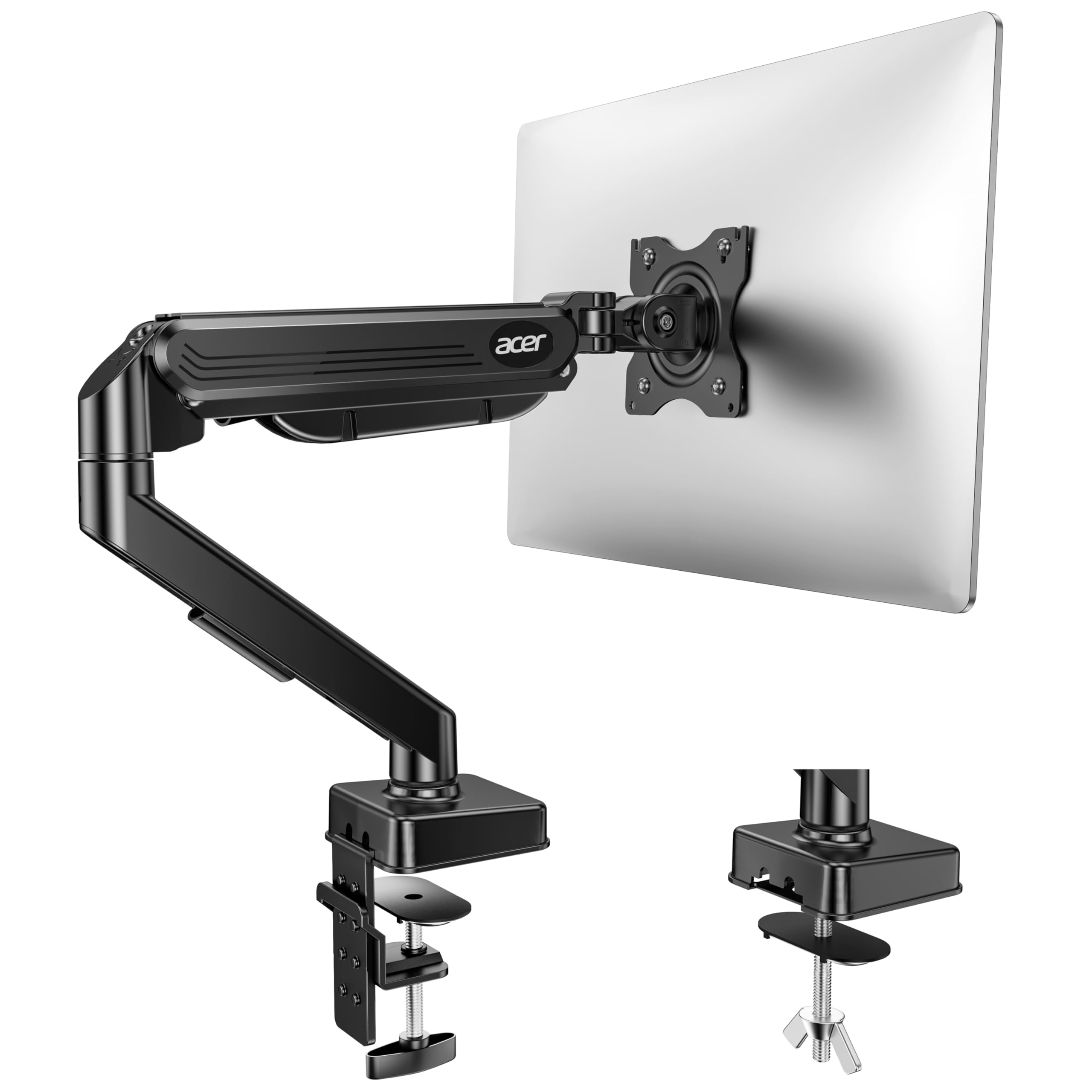
The no-frills entry-level arm that punches above its weight for standard 34-inch monitors.
The Acer Single Monitor Mount supports screens from 17 to 34 inches and weighs between 4.4 and 19.8 pounds. At 2.4 kilograms (about 5.3 pounds), it is light enough to install on a standard desk without worry. It offers the most tilt range of any arm here: -60 degrees to +90 degrees, plus 90-degree swivel and full 360-degree rotation. The maximum arm height is 18.1 inches from the desk surface.
Quality is the most-praised aspect at 27 mentions, and functionality follows at 19. Owners mention it holds a 34-inch curved monitor well, and one buyer put it this way after six months: “6 months of use and it’s incredible stable.” The fit aspect is MIXED with 10 mentions — some customers note screws not fitting their monitors properly, so double-check that your VESA pattern (the hole spacing on the back) matches 75x75mm or 100x100mm. The adjustability is also MIXED, with 16 mentions. The gas-spring tension screw can be unclear (instructions are not great), and one owner notes the vertical adjustment simply does not work as expected — they “can’t adjust the arm vertically.”
A few owners bought a second unit for another 34-inch monitor, which is a strong vote of confidence at this price point. The arm is not recommended for desks with double shelves, enclosed back panels, or curved edges where the clamp cannot fully grip.
Easy tool-free install
- Excellent value — comparable build to arms costing twice as much
- Best tilt range in this list: -60° to +90°
- Holds a 34-inch curved monitor securely with no sag
- Lightweight at 5.3 lbs for easy installation
Plastic joint durability
- Vertical adjustment can be finicky — some cannot get it to work
- Fit issues reported with some VESA screw patterns
- Not for desks with double shelves or curved edges
Best for simple setups: Anyone on a tight budget who owns a standard 34-inch monitor (under 20 lbs) and wants a fully functional arm.
Think twice if you move often: Your monitor is over 19.8 pounds or you plan to upgrade to a 49-inch screen later — you will outgrow this arm.
Understanding the Specs
Weight Capacity & Screen Size
Screen size alone does not tell you if an arm will work — a 34-inch ultrawide can weigh anywhere from 10 to 25 pounds, while a 49-inch model can hit 30 pounds or more. Always check the arm’s maximum weight limit first. An arm rated for 44 pounds gives you room to upgrade. An arm rated for 19.8 pounds is fine for a typical 34-inch monitor but cannot handle a super-ultrawide.
Tilt Angle & Gas Spring
The tilt angle determines how far you can angle the screen forward or backward. A 75-degree or 90-degree tilt is generous; 50 degrees is enough for most desk setups but may feel limiting if you work standing up. Gas spring arms use a pneumatic cylinder (a sealed tube of compressed gas) to counterbalance the weight — you lift the monitor and it stays in position. Mechanical tension arms use a screw that you adjust to match the weight. Gas springs are smoother but can fail over years of use; mechanical arms are simpler and last longer.
VESA Compatibility & Mounting
The VESA pattern (the standard hole spacing) is the hole spacing on the back of your monitor. The two standards are 75x75mm and 100x100mm. Most arms include both. On the desk side, a C-clamp grips the edge of the desktop (works for solid wood or thick particle board, usually 0.5 to 2.4 inches thick). A grommet mount goes through a pre-drilled hole in the desk — useful for glass tops or desks where the clamp cannot reach the edge.
Build Material & Weight
Monitor arms are almost always made of aluminum or steel. A heavier arm (9+ pounds like the Ergotron) is usually more stable because the base has more mass. A lighter arm (5.5 pounds like the ARES WING) is easier to install but may feel less planted if you bump your desk. Look for an aluminum enclosure with steel internal components — that gives the best strength-to-weight ratio.
FAQ
Will a 34 inch monitor arm fit my desk?
Can I use a 34 inch monitor arm for a 49 inch ultrawide?
How much weight can a 34 inch monitor arm hold?
What is VESA and why does it matter?
How long does a monitor arm last?
Can I use a monitor arm with a curved ultrawide monitor?
Is a gas spring arm better than a mechanical tension arm?
Why does my monitor arm tilt down after I set it?
Do I need a grommet mount or a C-clamp?
Can I add a second monitor arm to the same base?
Final Thoughts: The Verdict
If you want one dependable pick, the best 34 inch monitor arm is the Ergotron LX because it combines bombproof aluminum construction, a 10-year warranty, and the smoothest gas spring adjustment in this class. If you want heavy-duty support for a 49-inch ultrawide at a reasonable price, grab the ARES WING. And for a budget-friendly option that still holds a 34-inch curved monitor securely, the Acer Single Monitor Mount is the one to reach for.
How We Picked
We do not accept paid placement. Every pick is matched to a real buyer and a real use-case; we do not hands-on test units.
Sources & Methodology
Specifications: manufacturer listings and product documentation. Review insights: verified customer reviews, as of July 2026. Pricing: not shown on this page (it changes often); check the current price via the retailer link.
As an Amazon Associate, Gadgets Feed earns from qualifying purchases. This does not affect which products we feature.