
Our readers keep the lights on and my morning glass full of iced black tea. As an Amazon Associate, I earn from qualifying purchases.
Specs are compiled from manufacturer listings and verified buyer reviews and can change over time — please confirm the key details on the product page before buying.
You want a 35-inch curved monitor because you are tired of alt-tabbing between windows or feeling like your game is happening in a tiny box. That extra width, wrapped around your peripheral vision, changes how you work and play — but a quick glance at the specs can feel like a second language. This guide cuts through the noise by comparing refresh rates, color accuracy, and connectivity, backed by real buyer experiences, so you can pick the one that fits your desk and your budget without second-guessing.
I’m Min — the founder and writer behind Gadgets Feed. This guide is built by comparing the manufacturers’ published specifications and the patterns across verified customer reviews, so you get each pick’s real strengths and trade-offs instead of marketing spin.
Whether you are shopping for a competitive edge in fast-paced shooters or a wider canvas for spreadsheets and video editing, the right 35 inch curved monitor balances speed, size, and color to match how you actually use your screen every day.
Our Picks at a Glance


How To Choose The Best 35 Inch Curved Monitor
A monitor is a long-term investment for your eyes and your workflow. The right one depends on whether you prioritize silky-smooth motion, vibrant colors for creative work, or simply the most desk space for your dollar.
Refresh Rate & Response Time
For competitive gamers, a refresh rate of 240Hz or 180Hz paired with a 1ms response time means motion stays crisp and blur-free during fast turns. For office work or casual gaming, a 100Hz or 120Hz monitor still feels noticeably smoother than a standard 60Hz screen.
Panel Type: VA vs OLED vs QD-OLED
VA panels (like those in the KOORUI and KTC) deliver strong contrast — often 4000:1 — which gives deep blacks and solid colors at a reasonable price. OLED and QD-OLED panels (like the Samsung Odyssey models) produce perfect blacks with a 1,000,000:1 contrast ratio, but cost more and may require care to avoid burn-in from static elements like taskbars.
Color Gamut & Brightness
If you edit photos or video, look for at least 95% DCI-P3 coverage and HDR400 or higher. A higher color gamut means reds, greens, and blues look richer and more lifelike. Monitors with 99% sRGB are excellent for general work, while DCI-P3 is the broader standard for cinematic content.
Connectivity & Ergonomic Adjustments
A USB-C port with power delivery (65W or 100W) turns the monitor into a single-cable docking station for laptops. Height, tilt, and swivel adjustments help you find a comfortable viewing angle. VESA mount compatibility lets you use a monitor arm to free up desk space.
Quick Comparison
| Model | Best For | Refresh Rate | Color Gamut (DCI-P3) | Connectivity | Amazon |
|---|---|---|---|---|---|
| KOORUI 34″ Ultrawide★ Best Overall | Competitive gaming | 240Hz | 125.0% | HDMI 2.1, DP 1.4 | Amazon |
| KTC 34″ H34S18SBest Value | Value gaming & work | 165Hz | 98% | HDMI 2.0, DP 1.4 | Amazon |
| ASUS TUF VG34VQ3BPro Gamer | Professional gamers | 180Hz | 90% | HDMI, DP | Amazon |
| LG UltraGear 34G630A | High-speed competitive play | 240Hz | 95% | HDMI, DP, USB-C | Amazon |
| LG 34WR55QK-B | Productivity & multitasking | 100Hz | 99% sRGB | HDMI, DP, USB-C 65W | Amazon |
| Dell 34 Plus S3425DW | Mac/creative work | 120Hz | 95% | HDMI, USB-C 100W | Amazon |
| Samsung Odyssey G85SB | Cinematic immersion | 175Hz | 99.3% | Mini DP, USB-C | Amazon |
| Samsung Odyssey OLED G8 G85SD | Pro gaming & HDR | 175Hz | 99% | DP, HDMI, USB-C | Amazon |
In-Depth Reviews
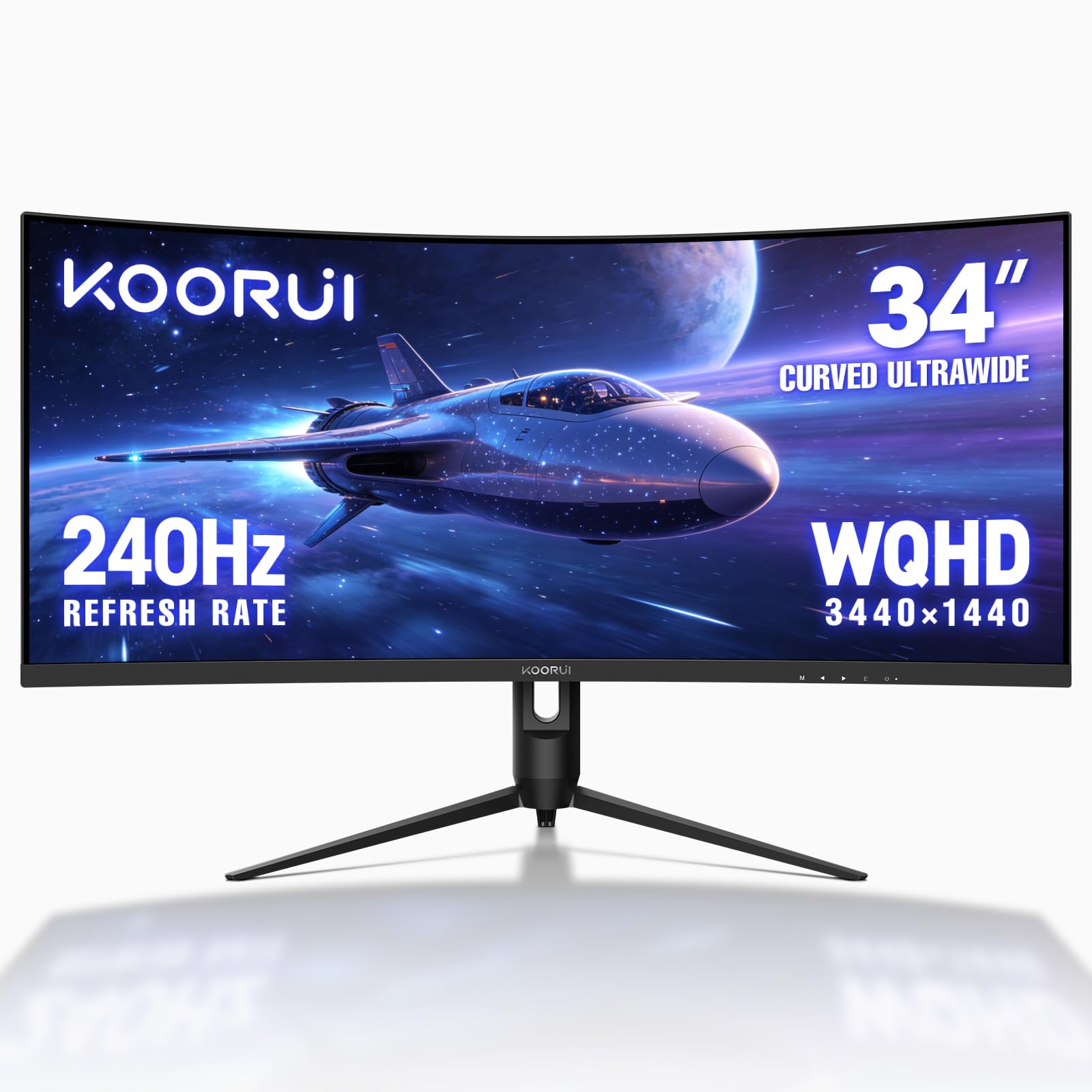
1. KOORUI 34″ Ultrawide Curved Gaming Monitor
Our pick — 4.5★ from 5,000+ verified ratings; the strongest balance of quality and price.
A 240Hz speed demon that wraps your view without emptying your wallet.
If you play fast-paced shooters or racing games, the refresh rate is what keeps everything sharp when you whip the camera around — and this monitor hits a blistering 240Hz with a 1ms response time, so motion stays fluid. It also covers 125.0% DCI-P3 color gamut, which is a 39% wider color range than the ASUS TUF VG34VQ3B’s 90% DCI-P3, making reds and greens noticeably richer in games and movies.
The 1500R curvature wraps the 34-inch WQHD 3440×1440 screen around your field of view, and HDR400 pushes highlights brighter. You get HDMI 2.1 ports, perfect for modern consoles, plus a fully adjustable stand with 110mm height, tilt, and swivel adjustments. One reviewer noted they have “had this for three years, works great,” which speaks to the build quality.
The main trade-off: you cannot use third-party monitor stands — you must use the included base, which limits desk-mount flexibility.
The Speed Edge
- 240Hz refresh rate with 1ms response for blur-free gaming
- 125.0% DCI-P3 color gamut for vivid, punchy colors
- Fully adjustable stand (height, tilt, swivel) and VESA compatible
The Catch
- Cannot use third-party monitor stands; requires the included base
- Color accuracy out of box may need minor tweaking for creative work
Reach for this if: you want top-tier gaming speed and wide color coverage at a mid-range price.
Look elsewhere if: you need to mount the monitor on a third-party arm or wish to swap stands easily.
2. KTC 34 Inch Curved Ultrawide Gaming Monitor
An ultrawide that balances speed and work features without the premium price.
With a 165Hz refresh rate and a 1ms MPRT response time, this KTC monitor offers a 45% smoother motion than a standard 60Hz display — a real step up for competitive gaming. It uses a VA panel with a 4000:1 contrast ratio and 98% DCI-P3 color coverage, so dark scenes in horror games or movies look deep and detailed.
what separates it is the fully adjustable ergonomic stand: you get 90mm height, tilt, swivel, and even pivot adjustments. That kind of flexibility is rare at this tier. It also features anti-glare surface treatment and RGB lighting on the back for a modern look. Buyers report it is “great for office work and gaming,” and many like the easy VESA mounting. However, one buyer mentioned that “when waking up from sleep, the monitor takes a full 3-5 seconds to turn on after my laptop is awake.”
The catch is the HDMI 2.0 ports limit the refresh rate to 100Hz when connecting via HDMI — you need to use the DisplayPort 1.4 to get the full 165Hz.
Why It Wins
- 165Hz with 1ms MPRT for responsive gameplay
- Full ergonomic stand: height, tilt, swivel, pivot
- Anti-glare screen and HDR10 support
What to Know
- HDMI 2.0 caps refresh rate at 100Hz; use DP for full 165Hz
- Slow wake from sleep reported by some users
Choose this if: you want a flexible ergonomic stand and solid gaming performance without spending extra.
Pass if: you need HDMI 2.1 bandwidth for a console at high refresh rates.
3. ASUS TUF Gaming 34″ Ultra-Wide Curved Monitor (VG34VQ3B)
Built for competitive gamers who demand clarity and low motion blur.
The ASUS TUF VG34VQ3B hits 180Hz with a 1ms MPRT response time and pairs it with ASUS Extreme Low Motion Blur Sync (ELMB SYNC) technology, which synchronizes backlight strobing with the refresh rate to virtually eliminate ghosting. This makes it a strong pick for fast-twitch games where every frame matters. The 21:9 QHD 3440×1440 resolution gives you extra peripheral vision without needing jaw-dropping GPU power.
Buyers highlight the quick setup — one reported that “because the VESA on this monitor is flush with the curve, setup literally took 3 minutes to screw in the plate and drop it into my desk arm.” That flush VESA design is a thoughtful detail for anyone using a monitor arm. The 90% DCI-P3 color gamut is slightly narrower than the KOORUI’s 125.0%, but it still delivers rich colors from the start.
One downside mentioned in reviews: the built-in speakers sound tinny and quiet, so plan to use a soundbar or headphones for audio.
What Stands Out
- 180Hz with ELMB Sync for near-zero motion blur
- Flush VESA mount for ultra-fast arm installation
- FreeSync Premium for tear-free gaming
The Shortfall
- Built-in speakers are weak; external audio is almost required
- Stand is short and non-adjustable
Grab it for: competitive gaming where blur reduction and a quick VESA mount make the difference.
skip it if: you need decent built-in speakers or a height-adjustable stand from the start.
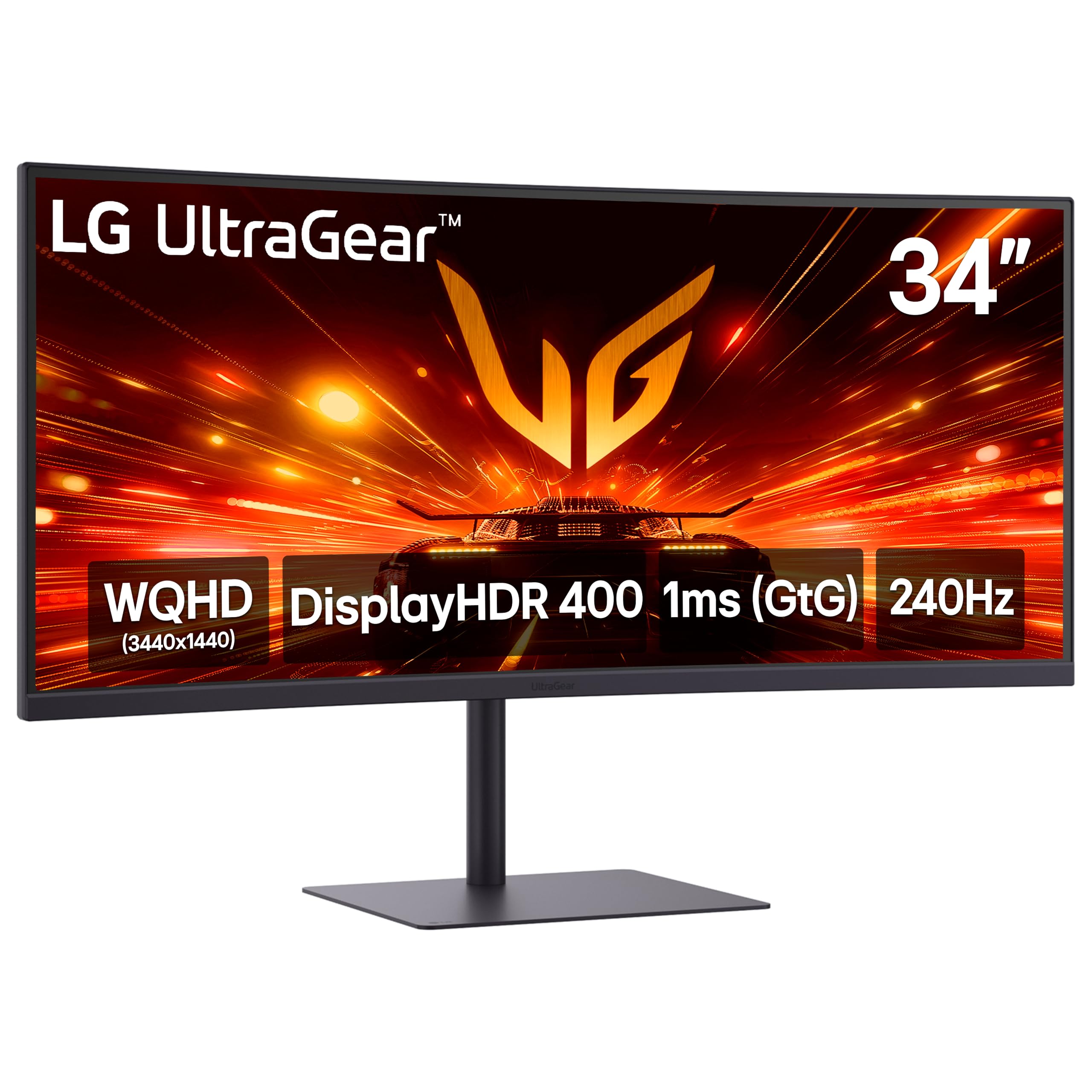
4. LG 34G630A-B 34-Inch Ultragear WQHD Curved Gaming Monitor
A 240Hz refresh rate in a sleek package with USB-C convenience.
Tied with the KOORUI for the highest refresh rate on this list, the LG 34G630A-B pushes 240Hz with a 1ms GtG response time, making it ideal for esports titles where split-second reactions matter. It covers 95% DCI-P3 and carries VESA DisplayHDR 400 certification, so highlights in games and movies look bright without washing out. The built-in speakers are decent for casual use, and buyers describe the picture as “stunning” with “buttery-smooth performance.”
A key advantage here is the USB Type-C port with 15W power delivery, which lets you connect a laptop with a single cable for video and basic charging, reducing desktop clutter. The stand is heavy-duty and stable, with smooth height, tilt, and swivel adjustments. Owners mention the monitor “wobbles when typing on lighter desk/carpet” — something to consider if your desk isn’t rock-solid.
One experienced buyer warns to change out-of-box settings: you must switch to DisplayPort for 240Hz and G-Sync, and disable power-saving features to avoid interruptions.
The Highlights
- 240Hz with 1ms GtG for ultra-smooth motion
- USB-C with 15W PD for single-cable laptop connection
- DisplayHDR 400 and 95% DCI-P3 for vivid HDR content
The Drawbacks
- Wobbly on lighter desks or carpet surfaces
- Out-of-box settings need manual changes for full performance
Ideal for: gamers who want the fastest refresh rate and a clean USB-C setup.
Not for: those who plan to use the monitor on a wobbly or lightweight desk.
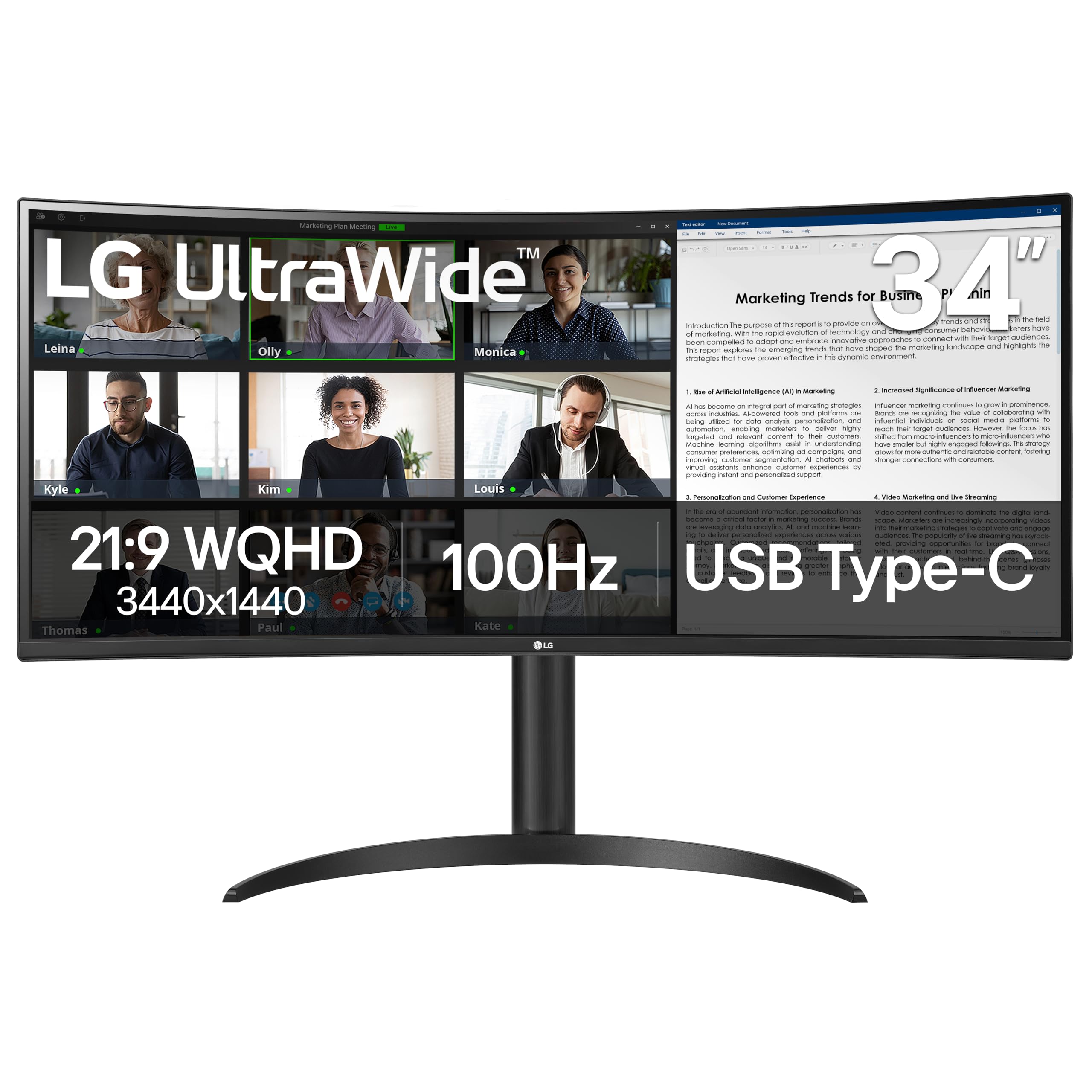
5. LG 34WR55QK-B 34-inch UltraWide WQHD Curved Computer Monitor
Productivity-first with a 65W USB-C hub built into the curve.
If you spend your day in spreadsheets, code editors, or design tools, the LG 34WR55QK-B focuses on workspace and comfort over high-speed gaming. It runs at 100Hz, which is a smooth step up from 60Hz for scrolling, and it supports HDR10 for better contrast in videos. The 99% sRGB coverage makes colors accurate for photo editing, and the 3000:1 contrast ratio of the VA panel gives text a crisp, deep appearance.
The standout feature for office use is the USB Type-C port with 65W power delivery — enough to charge many laptops while carrying video and data. You also get Picture-by-Picture (PbP) to show two input sources side by side. Reviewers love the “stable, great color quality” and say it “beats multiple monitors” for multitasking. Keep in mind this monitor has no built-in speakers, so you will need external audio.
At 100Hz, it is not built for high-refresh-rate gaming, but it is a solid daily driver for professional work.
Best Features
- USB-C with 65W power delivery for laptop charging
- 99% sRGB color gamut for accurate color work
- Reader Mode reduces blue light for long sessions
Limitations
- No built-in speakers at all
- 100Hz refresh rate is fine for work but not competitive gaming
Well-suited for: professionals who want a single-cable laptop dock and an ultrawide canvas.
Not ideal for: gamers chasing high refresh rates or anyone who wants built-in audio.
6. Dell 34 Plus USB-C Curved Monitor S3425DW

A MacBook optimised companion with pristine colors and true USB-C docking.
Mac users often struggle with blurry text on non-Apple displays, but the Dell S3425DW resolves this — reviewers using Macbook Pro M1 confirm it “works as true single-plug USB-C docking station (video, audio, power, USB pass-through).” The USB-C port delivers up to 100W of power delivery, enough to charge a MacBook Pro at full speed. The 120Hz refresh rate keeps scrolling smooth, while the VA panel with 3000:1 contrast ratio and 95% DCI-P3 delivers deep blacks and attractive colors for creative work.
Dell’s ComfortView Plus reduces harmful blue light to 35% or less without washing out colors, making it good for all-day use. The built-in speakers are an improvement over previous generations, with deeper frequency response and more volume. One graphic designer who spends 40+ hours a week on screen says it is “the best monitor I have ever owned.”
The catch is the limited port selection: you get only HDMI, USB-C, and USB-A — no DisplayPort. The VESA mount is also recessed about 1/4 inch, requiring a bracket assembly for some arms.
Why It Shines
- USB-C with 100W power delivery charges laptops at full speed
- Resolves Mac blurry text issue; true single-cable setup
- 95% DCI-P3 and ComfortView Plus for eye comfort
Before You Buy
- No DisplayPort; limited to HDMI and USB-C
- VESA mount recessed, may require extra bracket for some arms
Pick this if: you use a MacBook and want a single-cable docking monitor with excellent colors.
Skip if: you need a DisplayPort connection or prefer a flush VESA mount.
7. Samsung 34″ Odyssey G85SB Series QD-OLED Curved Gaming Monitor

QD-OLED magic that makes every game look like a cinema screen.
The Samsung Odyssey G85SB uses a QD-OLED panel that delivers a 1,000,000:1 contrast ratio — the perfect black levels you simply cannot get from a VA or IPS screen. With 175Hz refresh rate and a near-instant 0.03ms GtG response time, motion is not just smooth; it is instantaneous. The 99.3% DCI-P3 color gamut makes colors look incredibly rich, and the Neo Quantum Processor tune every frame in real time.
This monitor doubles as a smart TV with Samsung TV Plus and Gaming Hub, so you can stream content without a PC. The USB-C port supports single-cable connectivity. Reviewers call the picture “magical” and say it is “great for work (software eng) and gaming,” though some note HDR can appear oversaturated in SDR mode. Some users report minor bugs, including screen blackouts and DP sleep mode issues, so firmware updates are important.
The 250 cd/m² brightness is lower than some VA competitors, which matters in very bright rooms.
The OLED Advantage
- 1,000,000:1 contrast ratio for perfect blacks
- 0.03ms response time and 175Hz for elite gaming
- Smart TV features built in; no PC needed for streaming
The Trade-Offs
- 250 cd/m² brightness may look dim in well-lit rooms
- Some customers note software bugs like screen blackouts and DP sleep issues
Best for: anyone who prioritizes contrast and color depth above all else.
Think twice if: you need high brightness for a sunlit room or want a bug-free experience from the start.
8. Samsung 34″ Odyssey OLED G8 (G85SD) Ultra-QWHD Gaming Monitor

An OLED display that rejects glare and rewards your eyes with infinite depth.
The newer Samsung Odyssey OLED G8 (G85SD) refines the QD-OLED formula with Glare Free technology, which significantly cuts reflections from ambient light so the screen’s perfect blacks stay intact even in a bright room. It offers the same 175Hz refresh rate and 0.03ms GtG response time as the G85SB, with G-Sync compatibility for NVIDIA GPU owners. The 34-inch 21:9 panel packs 110 pixels per inch, which makes text and fine details look crisp.
This model includes a Thermal Modulation System that adjusts brightness to reduce heat, plus Logo & Taskbar Detection that dims static elements to prevent burn-in. The screen saver dims after 10 minutes of inactivity. Reviewers call it “the best monitor owned out of 9” and note it is “perfect for video editing” with “amazing blacks after turning off game mode.” Some users mention inherent OLED black crush, which can make dark scenes harder to see, but it is manageable.
The 250 cd/m² brightness is identical to the G85SB, so it still is not the brightest option for very sunny rooms. Be prepared for minor OLED quirks like pixel shift and occasional calibration needs.
The Upgrade
- Glare Free technology for excellent reflections handling
- G-Sync compatible plus FreeSync Premium Pro
- Burn-in prevention: thermal modulation, logo detection, screen saver
Still Consider
- 250 cd/m² brightness; not the best for very bright rooms
- OLED black crush can darken some content
- Higher investment than VA alternatives
Perfect for: gamers and creative pros who want the best contrast and color with sturdy burn-in protection.
Not for: budget-conscious buyers or anyone who needs a very bright screen for a sun-drenched desk.
Understanding the Specs
Refresh Rate (Hz) & Response Time
Refresh rate, measured in hertz (Hz), tells you how many times the screen updates per second. A 240Hz monitor refreshes 240 times per second, making fast motion look smooth. Response time (like 1ms) measures how fast a pixel changes color — slower times cause motion blur or ghosting. For gaming, aim for at least 144Hz; for office work, 100Hz is a clear upgrade from 60Hz.
Color Gamut: sRGB vs DCI-P3
Color gamut is the range of colors a monitor can display. sRGB covers about 100% of the standard web and photo space, while DCI-P3 is wider and used for cinema and HDR content. A monitor with 95% DCI-P3 will show richer reds and greens than one with only 90%. Look for 99% sRGB for general work and 95%+ DCI-P3 for creative or HDR gaming.
Panel Types: VA vs OLED
VA panels use liquid crystals to block light, offering strong contrast ratios around 3000:1 or 4000:1 — deep blacks for the price. OLED panels (including QD-OLED) light each pixel individually, achieving a 1,000,000:1 contrast ratio with perfect blacks and no backlight bleed. OLED wins on picture quality but costs more and may be prone to burn-in from static elements like taskbars over time.
Connectivity: USB-C with Power Delivery
A USB-C port that supports power delivery (PD) lets you connect a laptop with one cable for video, data, and charging. A monitor with 65W or 100W PD can charge a MacBook Pro or high-performance laptop, reducing cable clutter. HDMI 2.1 is best for modern gaming consoles at high frame rates; DisplayPort 1.4 is ideal for PC gaming at high resolutions and refresh rates.
FAQ
Will a 34-inch monitor fit on my desk?
Do I need a powerful graphics card for 3440×1440 gaming?
What is the difference between 1500R and 1800R curvature?
Can I use a curved monitor for photo or video editing?
Are built-in speakers on gaming monitors good enough for everyday use?
What does VESA mount compatibility mean for my setup?
Is OLED burn-in a real concern for a 34-inch curved monitor?
How does HDMI 2.1 help with gaming on a 34-inch curved monitor?
Is a 100Hz monitor a worthwhile upgrade from a standard 60Hz screen for office work?
Final Thoughts: The Verdict
If you want one dependable pick, the 35 inch curved monitor winner is the KOORUI 34″ Ultrawide because it combines a blazing 240Hz refresh rate, wide 125.0% DCI-P3 color coverage, HDMI 2.1, and an adjustable stand at a mid-range price — a rare balance of speed and value. If you want a productivity-first screen with USB-C 100W charging for your MacBook, grab the Dell 34 Plus S3425DW. And for the deepest contrast and most cinematic picture quality, the standout is the Samsung Odyssey G85SB QD-OLED.
How We Picked
We do not accept paid placement. Every pick is matched to a real buyer and a real use-case; we do not hands-on test units.
Sources & Methodology
Specifications: manufacturer listings and product documentation. Review insights: verified customer reviews, as of July 2026. Pricing: not shown on this page (it changes often); check the current price via the retailer link.
As an Amazon Associate, Gadgets Feed earns from qualifying purchases. This does not affect which products we feature.