
The jump from a desktop 250mm³ printer to a 350mm³ machine changes everything—single-piece cosplay helmets, functional jigs for manufacturing, and full-sized drone frames become one-click realities instead of multi-part glue-ups. But this size class also introduces thermal challenges you never faced on smaller beds: warping scales with surface area, heated chambers become a necessity, and the gantry must resist flexing over a wider span. Choosing the wrong frame geometry or hotend means weeks of failed first layers and curled corners on expensive engineering filament.
I’m Min — the co-founder and writer behind Gadgets Feed. I’ve spent hundreds of hours cross-referencing specifications, decoding open-source firmware limitations, and matching printer kinematics to the real-world materials buyers actually use in this build-volume bracket.
Whether you need multi-color capabilities, a fully enclosed heated chamber for ABS-CF, or a modular system built for years of service, this guide walks through every serious contender to help you identify the best 350mm 3d printer for your specific workflow and budget.
How To Choose The Best 350mm 3D Printer
Moving to a 350mm build volume means every component — frame rigidity, bed heater wattage, chamber insulation, motion system — operates under higher stress than smaller machines. You cannot simply scale up a good 220mm design and expect the same results. Knowing the critical specs to prioritize before buying saves weeks of calibration headaches.
Frame Rigidity and Motion System
At 350mm, bed slingers create massive inertia that limits speed and introduces layer-shift artifacts. CoreXY kinematics are the de facto standard here because the print head, not the bed, carries the moving mass. Look for extrusion-based aluminum frames with cross-bracing or matrix exoskeletons — thin sheet-metal enclosures flex too much at this scale and cause ghosting on tall prints.
Heated Chamber and Active Temperature Control
Large print surfaces radiate heat faster, making ABS, polycarbonate, and nylon prone to edge warping without ambient chamber temperatures above 55°C. Machines with active chamber heaters maintain consistent internal temps, while passive enclosures rely solely on bed heat soak and often struggle past 45°C. For engineering-grade filaments, prioritize printers with an independently regulated heated chamber.
Hotend Flow Rate and Nozzle Compatibility
A 350mm printer running at 300mm/s requires a hotend capable of sustained volumetric flow above 30mm³/s. Standard PTFE-lined hotends soften above 250°C and clog when pushing abrasive filaments. All-metal designs with hardened steel or carbide nozzles and high-flow melt zones ( 40mm³/s) are mandatory if you plan to print CF-reinforced materials or need fast infill throughput.
Quick Comparison
On smaller screens, swipe sideways to see the full table.
| Model | Category | Best For | Key Spec | Amazon |
|---|---|---|---|---|
| ELEGOO Centauri Carbon 2 Combo | Mid-Range | Beginner Multi-Color | 500mm/s CoreXY, 256mm³ | Amazon |
| Anycubic Kobra S1 Combo | Mid-Range | Fast Multi-Color | 600mm/s, 250mm³ | Amazon |
| Creality Halot-X1 Combo | Mid-Range | Resin Detail | 16K LCD, 14×19μm | Amazon |
| Sovol SV08 | Mid-Range | Open-Source Large Build | 700mm/s, 350mm³, Klipper | Amazon |
| Creality K2 Pro Combo | Mid-Range | Multi-Color Upgrade Path | 600mm/s, 350mm³ | Amazon |
| QIDI Max4 Combo | Premium | Engineering Filaments | 800mm/s, 390mm³, 65°C chamber | Amazon |
| Creality K2 Plus Combo | Premium | 16-Color Production | 600mm/s, 350mm³, heated chamber | Amazon |
| Raise3D E2 | Premium | IDEX Duplication | IDEX, 330mm³, 300°C hotend | Amazon |
| Prusa XL 1-Toolhead | Premium | Reliable Large Single-Material | 360mm³, CoreXY, segmented bed | Amazon |
| Prusa XL 5-Toolhead | Premium | Professional Multi-Material | 5 independent tools, 360mm³ | Amazon |
| VisionTechShop DLP-300 | Niche | Retail Label Printing | NTEP legal, 60lb capacity | Amazon |
In‑Depth Reviews
1. Sovol SV08

The Sovol SV08 delivers the full 350mm³ build volume that qualifies it as a true large-format machine while staying accessible to users who want open-source flexibility. Based on Voron 2.4 kinematics, it uses a CoreXY motion system with all-axis linear rails and four independent Z motors for quad-gantry auto leveling. The advertised 700mm/s speed and 40,000mm/s² acceleration are achievable with tuned input shaping and pressure advance profiles in Klipper, which comes pre-installed on the board.
Material compatibility is strong thanks to a ceramic heating block that reaches 300°C and an AC-powered heated bed that hits 220°C in 40 seconds. The 350mm³ build area handles large PLA prototypes, TPU parts, and ABS panels without splitting the model. Users report that the open-source design allows easy upgrades — swapping the probe, adding a BTT Eddy sensor, or fitting a different hotend — which extends the machine’s lifespan far beyond locked-down alternatives. The built-in camera enables real-time monitoring and time-lapse capture over LAN or WiFi.
Being open-source, the SV08 requires more initial calibration than a turnkey appliance printer. Some users report Z-offset drift and adhesion inconsistencies that demand PID tuning and flow calibration before achieving consistent first-layer quality. Power loss recovery has been flagged as unreliable in certain firmware builds. But for the buyer who values long-term upgradability and community support over out-of-box perfection, this machine is the best value in the 350mm class.
Why it’s great
- True 350mm³ build volume with Voron-derived CoreXY kinematics and linear rails on all axes
- Fully open-source Klipper firmware with no vendor lock-in; easily replaceable components
- Fast ceramic hotend reaches 300°C with a 40-second heat-up to 220°C on the AC bed
Good to know
- Requires manual PID tuning and calibration for consistent results; not a fully out-of-box appliance
- Power-loss recovery and stock PEI plate adhesion have reported reliability issues
2. ELEGOO Centauri Carbon 2 Combo

The Centauri Carbon 2 Combo packs a complete multi-color printing ecosystem — 4-color CANVAS system with automatic filament switching, smart detection, and auto-refill — into a package that is significantly more budget-friendly than premium multi-material options. The CoreXY design achieves 500mm/s with 20,000mm/s² acceleration, and the rigid aluminum frame paired with active vibration compensation produces smooth surface finishes even at higher speeds. The one-click auto leveling and smart calibration system mean you can go from unboxing to a successful first print in under 30 minutes.
Build volume is 256mm³, which is just under the 350mm threshold but still large enough for helmets, large brackets, and multi-part assemblies in a single run. The 350°C high-temp nozzle opens up polycarbonate and PA-type filaments, though TPU requires additional hardware modifications. The 31 on-board sensors — including an AI camera for failure detection, bed leveling sensors, and filament run-out detectors — dramatically reduce the failure rate for new users who have not yet developed an intuition for print adhesion and extrusion consistency.
Some users report reliability issues after a few days of use, including firmware lockups and camera failures that require power cycling. The closed ecosystem limits slicer choices to ELEGOO’s own software, and there is no native Linux support or Klipper access for advanced tuning. The bundled PLA lacks RFID tags found in competing filament systems. For the buyer who prioritizes ease of use and multi-color convenience over maximum build volume or full open-source control, this is a strong entry point.
Why it’s great
- Complete 4-color multi-material system with CANVAS auto-switching and smart filament detection
- Beginner-focused with one-click auto leveling, 31 sensors, and quick first-print setup time
- 350°C hotend supports high-temp engineering materials in a well-enclosed frame
Good to know
- Build volume is 256mm³, not true 350mm, and the 4-color limit may feel restrictive to power users
- Closed ecosystem with no Klipper/Orca support and reliability reports of early firmware crashes
3. Anycubic Kobra S1 Combo

Anycubic’s Kobra S1 Combo challenges the notion that multi-color printing at 600mm/s requires a premium budget. The CoreXY machine hits 20,000mm/s² acceleration while maintaining flow compensation through the Kobra OS firmware, which reduces material overflow and virtual waste during rapid direction changes. The accompanying ACE PRO filament dryer uses dual PTC heating with 360° hot air circulation to keep PETG, nylon, and other hygroscopic materials at optimal humidity levels throughout long multi-color prints — a feature rarely seen at this price point.
The 250mm³ build volume is smaller than true 350mm machines, but the fully enclosed frame with a full-size door makes it easy to maintain chamber temperatures for ABS and ASA without a dedicated heater. The 4-color system can be expanded to 8 colors by daisy-chaining two ACE PRO units. The Anycubic App provides one-click remote print initiation and multi-plate file parsing, which is convenient for users who want to start prints from outside their workshop.
Several early units shipped with hardware defects — PTFE-lined hotends and plastic sensor tabs that required support intervention. Anycubic has since released upgraded metal components, and customer service responses indicate they honor replacement requests. The WiFi connectivity is 2.4GHz-only and can be unstable during firmware updates, and the web-based app interface feels slower than native desktop slicers. For users who want the fastest multi-color prints in this price tier and are willing to work through initial support contact, the Kobra S1 Combo delivers impressive speed.
Why it’s great
- Industry-leading 600mm/s print speed with flow compensation for clean layer lines
- ACE PRO integrated filament dryer keeps PETG and nylon dry during multi-color jobs
- Expandable from 4 to 8 colors by connecting two ACE PRO units
Good to know
- Early units had PTFE-lined hotend and plastic sensor issues; check for upgraded revision
- Build volume limited to 250mm³ and app connectivity can be unreliable during firmware updates
4. Creality Halot-X1 Combo
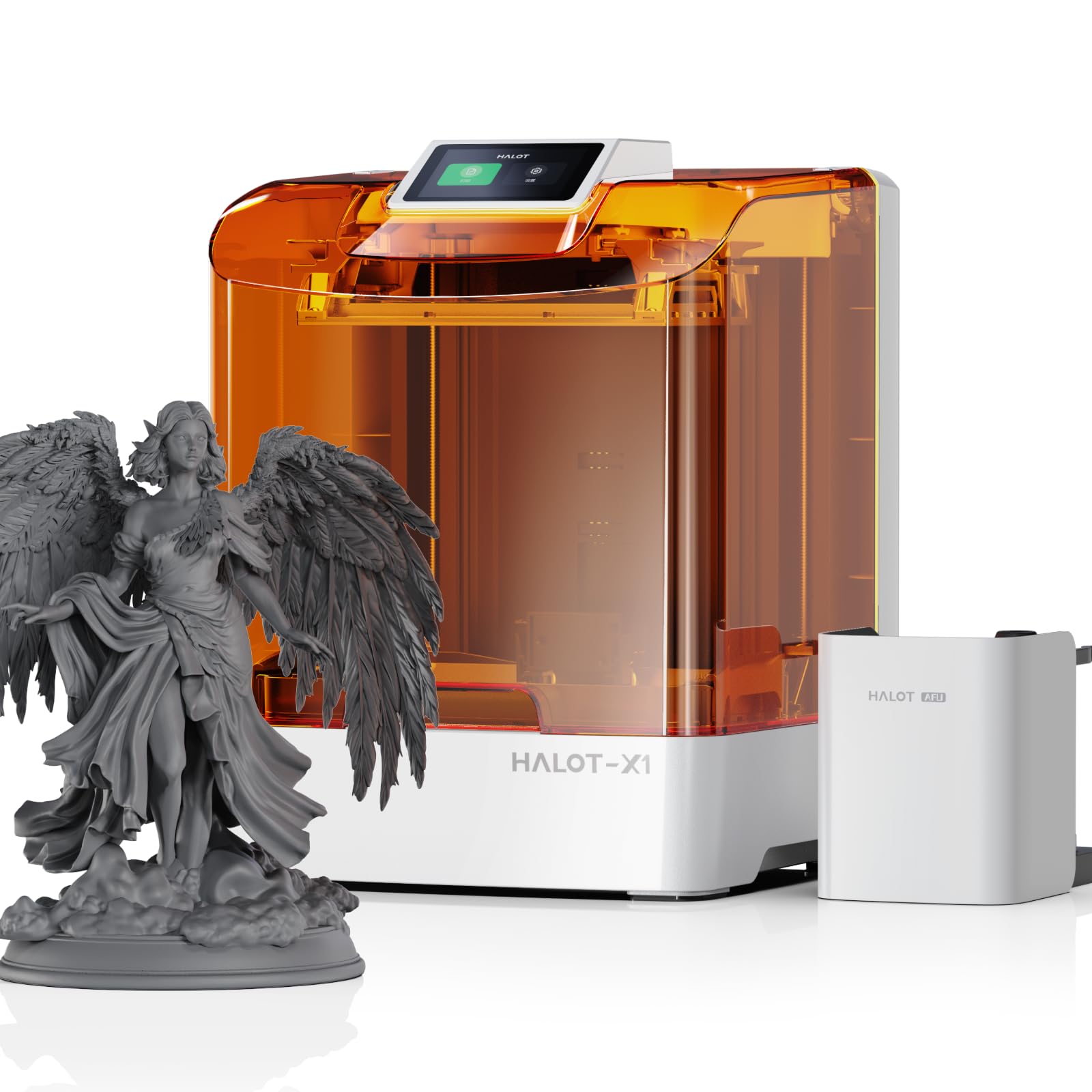
The Halot-X1 Combo takes a completely different approach to large-scale printing by using resin technology rather than FDM. The 10.1-inch 16K mono LCD panel delivers a pixel resolution of 15120×6230 with 14×19μm XY pixels — detail that no FDM printer at any build volume can match. The 211.68mm × 118.37mm × 200mm build area is ideal for dental models, jewelry patterns, and highly detailed miniatures in quantities that smaller resin printers cannot handle in one run.
Creality’s Intelligent AFU Resin Management System heats resin to 30-45°C in three minutes to reduce viscosity, improving layer adhesion and surface finish. RFID tag recognition auto-loads resin parameters, while the real-time weight monitoring ensures sufficient material for each print. The optical system uses 92 independent UV LED zones that activate only where exposure is needed, extending the LCD screen lifespan by reducing overexposure. The fixed build plate design eliminates the need for manual leveling entirely.
The bundled Halot Box slicing software has been reported to crash during model loading, and support has been slow to respond to tickets — a critical issue since the printer is unusable without functional software. The 1/5-star reviews specifically cite software instability as the single point of failure. The printer also emits noticeable resin fumes that require ventilation or an enclosure. For users who need resin-level detail and have patience for software growing pains, the hardware is genuinely unique in this price bracket.
Why it’s great
- 16K mono LCD offers 14×19μm pixel size for unmatched detail in this price bracket
- Intelligent resin heating reduces viscosity and improves layer adhesion without manual mixing
- Fixed build plate with no manual leveling and 92 independent UV zones for even exposure
Good to know
- Proprietary Halot Box slicer is reported to crash during loading; slow support response
- FDM-scale build volume but resin-specific, requiring post-processing, ventilation, and PPE
5. Creality K2 Pro Combo
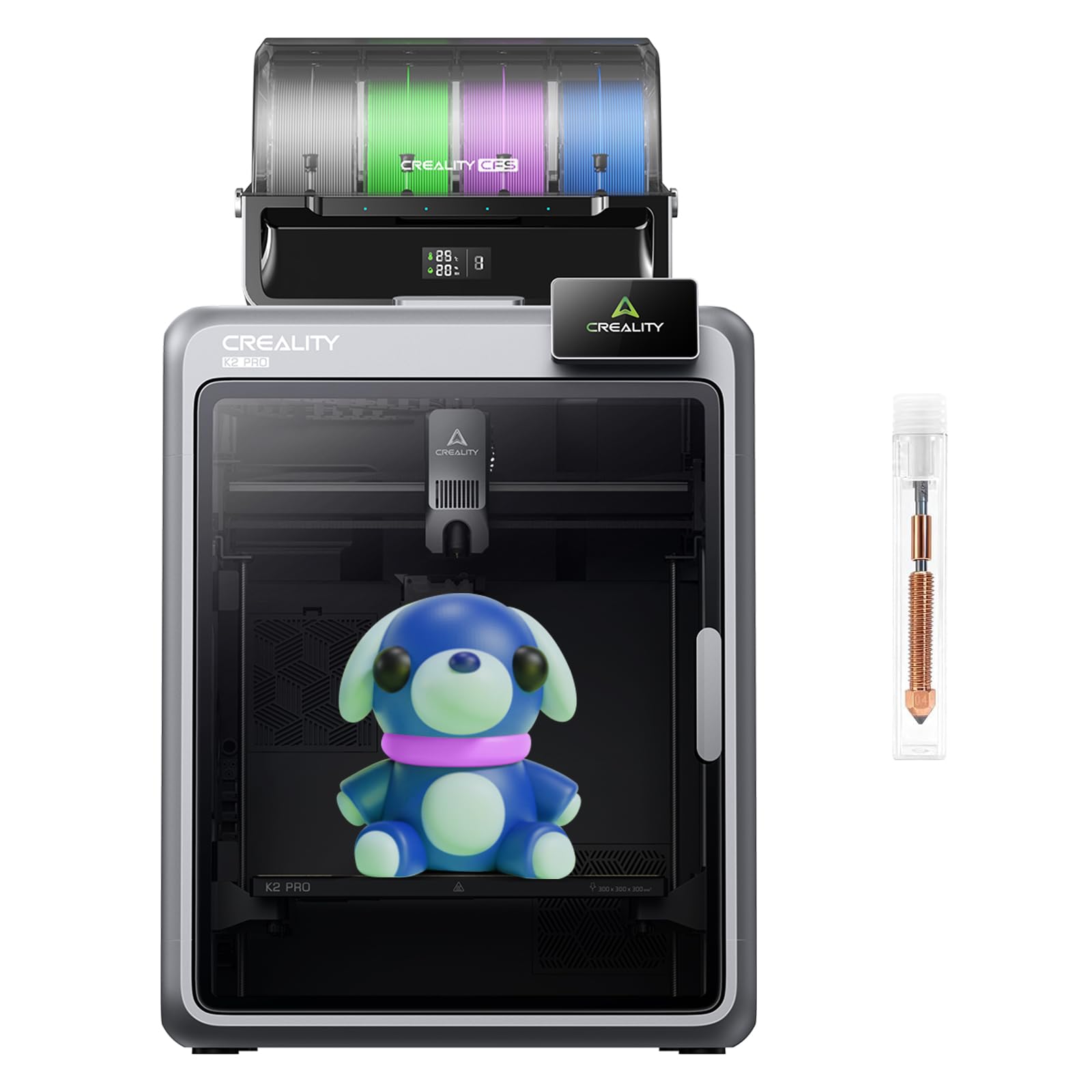
The Creality K2 Pro Combo brings a 350mm³ build volume with a heated enclosure and the Creality Filament System (CFS) for multi-color printing. The step-servo motors provide 32,768 microsteps per revolution for smooth, quiet motion — measured at 45dB at 300mm/s — which is significantly quieter than comparable large-format machines. The aerospace-grade aluminum exoskeleton creates a matrix frame that minimizes Z-axis wobble even at the full 350mm height. Dual AI cameras handle toolhead flow monitoring and chamber-wide failure detection including spaghetti and foreign object recognition.
Experience with the K2 Pro shows that it handles PLA, TPU, ABS, and PETG reliably at 300mm/s using default profiles. The stock PEI plate provides strong adhesion when cleaned with isopropyl alcohol, and the active heated chamber maintains consistent temperatures for ABS without additional insulation. The 0.05mm layer resolution is consistent across the 350mm bed, and users report over 1,000 hours of printing with only minimal clogs. The CFS enables multi-color prints with automatic filament loading and color changes.
The ecosystem currently locks users into Creality Print slicer, with no root access or third-party firmware. The CFS does not actively dry filament, and some users report rear bed corner offset issues that affect first-layer adhesion on large parts. The Creality Cloud slicer has been described as buggy with filament bleed and color transition artifacts. Buyers who want a large, quiet, enclosed printer that handles four materials well should consider this, but Klipper users and multi-color veterans may feel limited.
Why it’s great
- True 350mm³ build volume with a matrix aluminum frame for high rigidity and low vibration
- Dual AI cameras enable real-time flow monitoring and spaghetti/failure detection
- Quiet operation at 45dB with step-servo motors for overnight printing without disturbance
Good to know
- Locked into Creality Print slicer with no root access or Klipper support currently available
- CFS lacks active filament drying, and some units have Z-offset inconsistencies at bed corners
6. QIDI Max4 Combo

The QIDI Max4 Combo stands apart by offering a 390mm³ build volume — the largest in this guide — combined with an actively heated chamber that reaches 65°C, making it the only sub- printer that can reliably print PPA-CF and PPS-CF without additional insulation modifications. The 40mm³/s high-flow hotend uses a hardened steel nozzle for abrasive materials, and the closed-loop motors on the X and Y axes maintain positional accuracy even under the high torque required to move the large gantry at 800mm/s. The 2mm lead screw with anti-backlash nut on the Z-axis reduces vertical play that causes banding on tall prints.
Material compatibility is the Max4’s defining advantage. The active chamber heater and self-developed Polar Cooler system (available separately) create ideal conditions for ABS-CF, PC, and PPS-CF — materials that warp immediately in passive enclosures. The full-surface silicone heated bed ensures even temperature distribution across the entire 390mm plate, preventing the edge-cooling effect that plagues large-format printers. The AI camera detects spaghetti failures and printing anomalies with enough sensitivity to pause automatically before wasted material accumulates.
The machine weighs 120 pounds and requires a two-person lift for positioning. The multi-color system produces high purge waste during color changes, and the initial power draw is high when preheating both the chamber and bed simultaneously. Some users have received units with warped beds, though QIDI’s support has been responsive with replacement parts and repair guidance. For engineers who need to produce large functional parts in high-temperature composites, the QIDI Max4 offers capabilities that otherwise cost twice as much.
Why it’s great
- 390mm³ build volume with an actively heated 65°C chamber for engineering-grade filaments like PPA-CF
- Closed-loop motors on XY axes maintain accuracy at 800mm/s across the large gantry
- 40mm³/s high-flow hotend with hardened steel nozzle handles carbon fiber composites without clogging
Good to know
- Weighs 120 pounds and has a high initial power draw during preheat; requires dedicated bench space
- Multi-color system generates significant purge waste, and some units arrive with bed flatness issues
7. Creality K2 Plus Combo
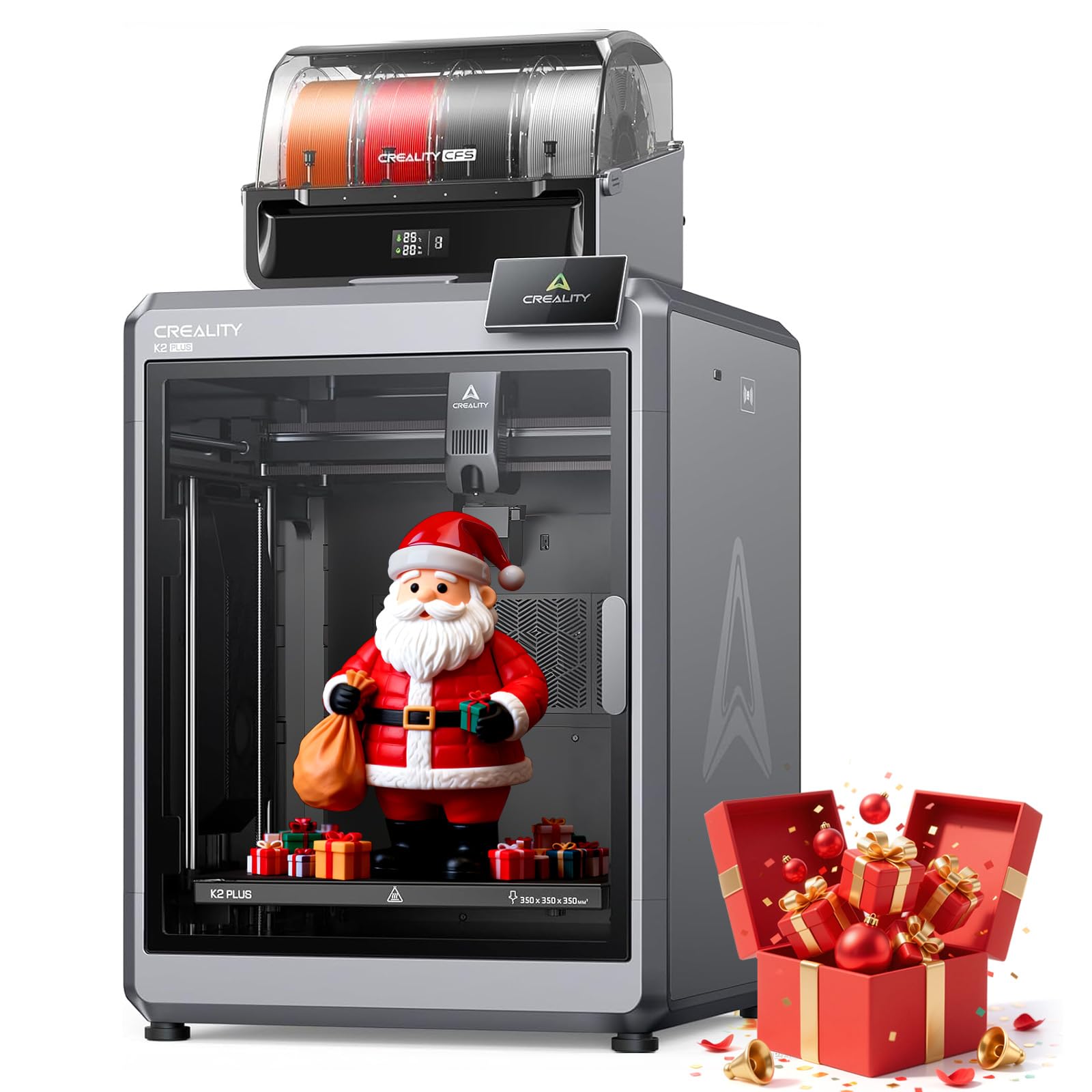
The K2 Plus Combo addresses many of the K2 Pro’s limitations by adding an actively heated chamber (300°C capable) and expandable CFS units that support up to 16 colors. The 40mm³/s high-flow hotend combined with step-servo motors delivers 600mm/s print speeds with 30,000mm/s² acceleration, making it one of the fastest large-format multi-color printers available. The dual linear Z-axis rods and strain-gauge bed sensing contribute to a claimed 99% first-layer success rate — a crucial metric given the cost of failed multi-color prints.
The 350mm³ build volume, combined with the active chamber heater, unlocks ABS-CF, PLA-CF, and ASA without the edge warping that typically prevents large-format composite printing. The dual AI cameras provide separate monitoring for the toolhead (flow rate optimization) and the chamber (spaghetti, idling, and foreign object detection). Users report that the K2 Plus handles week-long multi-material prints without layer shifts when using the auto-cutters and filament run-out sensors.
Purging waste during 16-color transitions is substantial — the machine can consume more filament in color changes than in the actual model for complex designs. The Creality Cloud ecosystem remains mandatory for cloud features, and local slicer options are limited. The power outage recovery has been criticized as unreliable, and the filament feeder gear can chew through softer filaments, causing jams. For production environments that need multi-color volume and can absorb filament waste, the K2 Plus is a strong pick.
Why it’s great
- Expandable to 16 colors via multiple CFS units with auto-cutters and run-out sensors
- Actively heated chamber reaches 300°C for PA-CF, ABS-CF, and other high-temp composites
- Dual linear Z rails and strain-gauge sensing deliver reliable first-layer adhesion across 350mm³
Good to know
- Filament purge waste is significant during multi-color transitions, especially at 16 colors
- Power loss recovery is unreliable, and the gear feeder can damage soft filaments like TPU
8. Raise3D E2

The Raise3D E2 uses Independent Dual Extruder (IDEX) technology to duplicate parts, mirror models, or print two different materials simultaneously on a 330mm³ bed. The IDEX system runs both toolheads independently on the same gantry, each with its own filament path, cooling fan, and 300°C hotend. In duplication mode, the E2 can produce two identical models at once, effectively doubling throughput for production runs. Mirror mode creates a part and its inverse simultaneously for symmetrical assemblies.
Build quality is industrial: the all-metal frame with linear rails supports the heavy dual-toolhead assembly without noticeable flex. The 7-inch touchscreen with integrated video-assisted offset calibration guides users through toolhead alignment in under an hour. The flexible build plate allows model removal without scraping, and the HEPA air filter makes it suitable for office environments where fumes from ABS or polycarbonate would be a concern.
Cost is significantly higher than single-extruder machines of similar build volume, and support quality varies by seller — third-party purchases have led to denied warranty returns for users who encountered 70-90% failure rates. The E2 relies on Raise3D’s proprietary filament profiles for optimal results, and using third-party materials requires careful temperature tuning. For print farms or engineering teams who need IDEX throughput and can afford the premium, the E2 is a proven workhorse, but individual buyers should verify support channels before purchasing.
Why it’s great
- IDEX enables independent dual extrusion for duplication, mirroring, or multi-material printing
- Video-assisted calibration simplifies toolhead offset alignment in under an hour
- HEPA air filtration and enclosed frame make it suitable for office placement with ABS filaments
Good to know
- Premium price and some third-party buyers report denied warranty support after repeated failures
- Proprietary profiles recommended for best results; third-party filament tuning can be time-intensive
9. Original Prusa XL Assembled 1 Toolhead
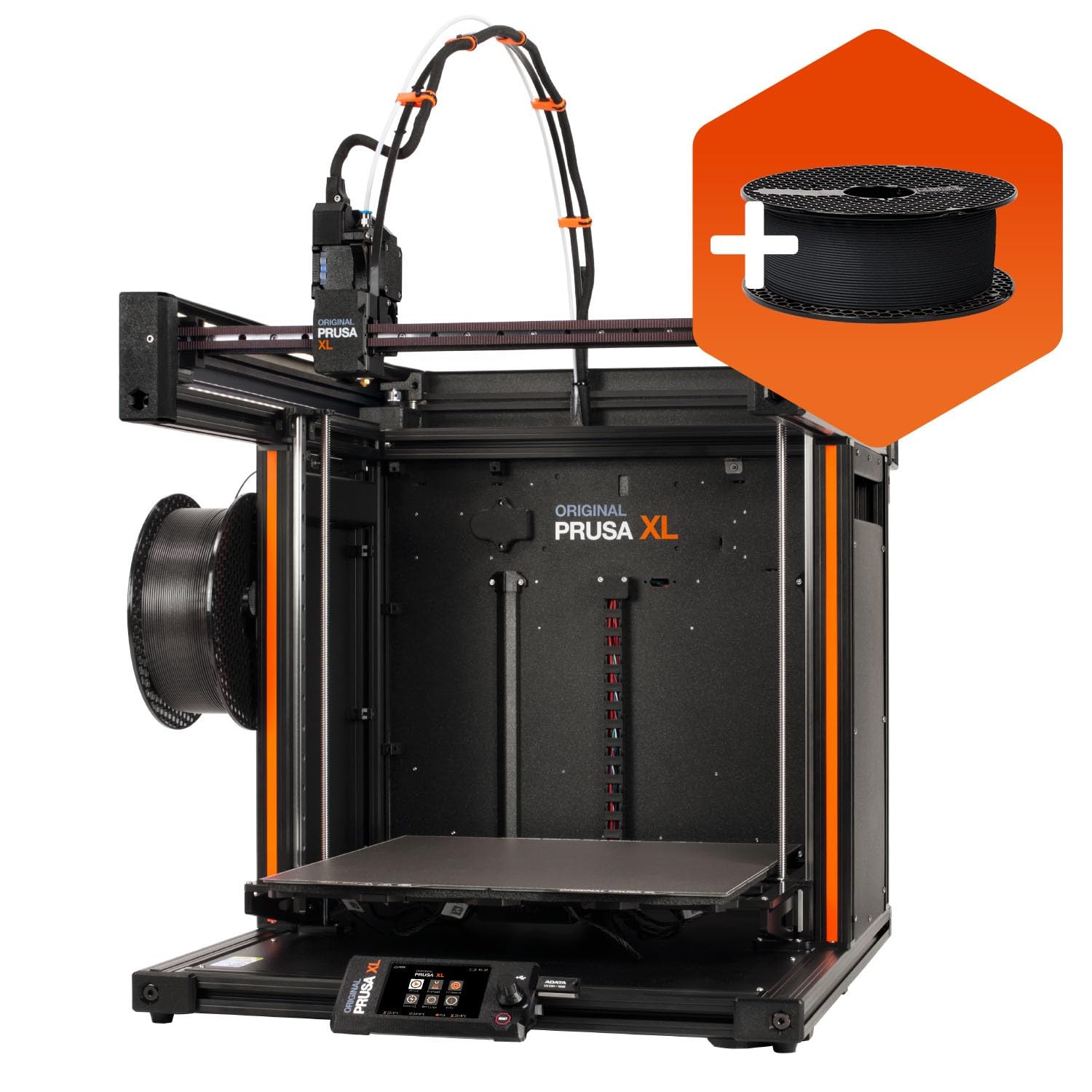
The Prusa XL 1-Toolhead is the most polished single-material large-format printer on the market. The 360mm³ build volume is coupled with a segmented heated bed that activates heating zones only under the print area, reducing energy consumption by up to 30% and minimizing thermal expansion stress on the frame. The CoreXY motion system maintains Prusa’s signature dimensional accuracy — layer lines are consistent to within 0.05mm across the entire build area without post-processing.
Prusa’s ecosystem is a key differentiator. The XL ships pre-assembled and tested, with a satin print sheet and 1kg of Prusament PLA included. The Prusa Connect cloud platform provides real-time monitoring, print queue management, and firmware updates without forcing users into a closed ecosystem. The open-source firmware allows full user control, and Prusa Research provides lifetime technical support and spare parts availability — a rare commitment in consumer 3D printing.
The assembly process is not completely out-of-box: fragile components like the LCD, extruder, and Wi-Fi antenna are packed separately and require about an hour of installation. Some units have arrived with broken printed parts that need to be printed as replacements, delaying first prints. The price is a significant jump over the Sovol or Creality alternatives, but for users who need guaranteed reliability, Prusa’s customer service, and the segmented bed’s energy efficiency, the XL 1-Toolhead is difficult to beat.
Why it’s great
- 360mm³ build volume with segmented heated bed that reduces warping and energy consumption
- Lifetime technical support, open-source firmware, and full user control without cloud lock-in
- Pre-assembled and tested with Prusa’s proven CoreXY architecture for consistent 0.05mm accuracy
Good to know
- Requires approximately one hour of final assembly for fragile packed components
- Premium price that is significantly higher than comparable open-source large-format machines
10. Original Prusa XL 5 Independent Toolhead

The Prusa XL 5-Toolhead is the most versatile large-format printer available, with five fully independent toolheads that can print different materials or colors in a single job. Each toolhead has its own extruder, hotend, and cooling fan, eliminating the purge blocks and filament waste required by single-nozzle multi-material systems. The toolheads dock and undock automatically during print jobs, and Prusa’s smart tool management minimizes transition time while maintaining 360mm³ build volume availability for all five tools.
The segmented heated bed and CoreXY architecture are identical to the single-toolhead version, meaning the 5-tool variant inherits the same energy efficiency and dimensional consistency. Prusa Connect manages all five toolheads through a single interface, allowing remote job submission, real-time status monitoring, and material tracking per tool. The five-tool design enables multi-color models using actual colored materials, soluble supports for complex geometries, and rigid-soft material combinations in a single print run.
Assembly is more involved than the single-toolhead version, with five extruder heads that require individual installation and calibration. The software ecosystem, while open, has been reported to have occasional UI crashes and connectivity issues on certain network configurations. The price places it firmly in the professional category, and the 110-pound weight requires a sturdy dedicated stand. For print farms or engineering shops that need multi-material parts without color bleed or waste, the Prusa XL 5-Toolhead is in a class of its own.
Why it’s great
- Five independent toolheads enable true multi-material printing without purge waste or color bleed
- Segmented heated bed and CoreXY provide consistent 0.05mm accuracy across the 360mm³ volume
- Prusa Connect ecosystem with lifetime support and open-source firmware for long-term reliability
Good to know
- Assembly requires installing and calibrating all five toolheads; not a quick out-of-box experience
- Premium price and software has occasional connectivity issues on non-standard network setups
11. VisionTechShop DLP-300

The VisionTechShop DLP-300 is an NTEP Legal-for-Trade label printing scale, not a traditional 3D printer. It offers a 30/60lb dual-interval capacity with 0.01/0.02lbs readout accuracy, making it legal for commercial transactions in retail and food service. The scale includes 32 standard label formats and 67 custom labels, supports multiple barcode formats, and stores up to 56 characters per PLU entry. Connectivity options include Ethernet, wireless networking, USB, and RS-232C for integration with POS systems.
The DLP-300 comes with XDB Manager Windows software for remote programming of price lookups, and the auto-prepack feature streamlines bulk weighing operations. The pole-mounted dot matrix LCD display with backlight provides clear readouts for both operators and customers. Flash ROM firmware allows easy upgrades via USB or Ethernet, so the scale stays current with labeling standards without hardware replacement.
User reviews highlight that the numeric keypad wears out relatively quickly under heavy daily use, which can be a concern in high-volume retail environments. The setup process involves a learning curve for batch programming, though the seller provides documentation and YouTube tutorials. This product serves a fundamentally different purpose from the other printers in this guide, but for small businesses that need legal-for-trade weighing with integrated label printing, it fills a specific need at a budget-friendly price point.
Why it’s great
- NTEP Legal-for-Trade approval makes it suitable for retail and food service commercial weighing
- 32 standard plus 67 custom label formats with integrated thermal printer for direct barcode printing
- Multiple connectivity options including Ethernet, WiFi, USB, and RS-232C for POS integration
Good to know
- Primarily a retail scale with label printing, not a 3D printer — verify your intended use case
- Numeric keypad reliability decreases under heavy daily use, and initial programming has a learning curve
FAQ
What is the difference between a 300°C and 350°C hotend for large-format printing?
Can a 350mm printer print ABS reliably without an active chamber heater?
How often do I need to replace the build plate on a 350mm 3D printer?
Final Thoughts: The Verdict
For most users, the 350mm 3d printer winner is the Sovol SV08 because its open-source Klipper firmware, all-axis linear rails, and 350mm³ build volume offer the best value for buyers who want long-term upgradability without paying enterprise prices. If you need an actively heated chamber for printing engineering-grade composites like PPA-CF, grab the QIDI Max4 Combo. And for professional multi-material production with zero waste or color bleed, nothing beats the Prusa XL 5-Toolhead.