
When frames blur into a smear at 240Hz, the jump to 360Hz on a 1440P panel isn’t a luxury—it’s a tactical advantage in competitive shooters where map geometry and pixel peeks decide every duel. The 27-inch QHD sweet spot now pairs with OLED response times that eliminate ghosting entirely, making every strafe, flick, and recoil pattern land with zero motion artifact.
I’m Min — the co-founder and writer behind Gadgets Feed. I’ve spent hundreds of hours analyzing panel response times, refresh rate consistency, and VRR flicker reports across the current 360Hz 1440P OLED landscape to find which monitors deliver real competitive latency without sacrificing image quality or HDR punch.
After parsing every display specification, burn-in mitigation system, and real-world lag test, this guide ranks the best 360Hz 1440P monitor options for gamers who demand speed and vibrancy in equal measure.
How To Choose The Best 360Hz 1440P Monitor
Not every high-refresh panel delivers the same clarity. The interaction between OLED pixel response, VRR compatibility, and the monitor’s inherent latency determines whether 360Hz feels like a real upgrade or just a bigger number on the spec sheet.
Panel Technology: QD-OLED vs WOLED
Quantum Dot OLED panels push higher peak brightness in HDR scenes and maintain richer color volume across wide viewing angles, while WOLED panels typically exhibit deeper near-black uniformity. For 360Hz gaming, both deliver sub-0.1ms pixel transitions, but QD-OLED’s anti-glare coating on some models can introduce a faint purple tint that affects competitive visibility in dark rooms.
Burn-In Mitigation and Warranty Coverage
High refresh rate OLED monitors face the same permanent image retention risk as their TV counterparts. Look for monitors with custom heatsinks, pixel refresh cycles that run during standby, and static logo detection that automatically reduces brightness on fixed UI elements. A 3-year burn-in warranty separates the premium tier from offerings that only cover dead pixels.
VRR Flicker and DSC Behavior
Many 360Hz 1440P OLED monitors rely on Display Stream Compression (DSC) to hit the full refresh rate over DisplayPort 1.4, which can cause a 1-2 second black screen when alt-tabbing or switching game modes. VRR flicker, particularly in loading screens or menus with fluctuating frame rates, varies wildly between firmware revisions and should be assessed through user reports before buying.
Stand Ergonomics and Cooling
Extended gaming sessions at 360Hz generate noticeable panel heat. Monitors with active thermal modulation systems (like Samsung’s Pulsating Heat Pipe) or passive oversize heatsinks (like ASUS’s custom design) sustain peak brightness longer without triggering auto-dim limits. A fully adjustable stand with height, tilt, swivel, and pivot keeps the display at ideal eye level during long play sessions.
Quick Comparison
On smaller screens, swipe sideways to see the full table.
| Model | Category | Best For | Key Spec | Amazon |
|---|---|---|---|---|
| MSI MPG 271QRX QD-OLED | MID-RANGE | Competitive 360Hz with KVM | 0.03ms GtG, 360Hz | Amazon |
| Alienware AW2725DF | MID-RANGE | All-around QD-OLED value | 360Hz, 0.03ms GtG | Amazon |
| Samsung Odyssey OLED G6 (G60SD) | MID-RANGE | Burn-in protection features | 360Hz, 0.03ms GtG | Amazon |
| Philips Evnia 27M2N8500 | PREMIUM | Ambiglow immersion | 360Hz, 0.03ms GtG | Amazon |
| ASUS ROG Strix XG27ACDNG | PREMIUM | ROG ecosystem with heatsink | 360Hz, 0.03ms GtG | Amazon |
| Sony INZONE M10S | PREMIUM | 480Hz pro-level esports | 480Hz, 0.03ms GtG | Amazon |
| INNOCN 27″ QD-OLED 2780s | BUDGET | Entry-level QD-OLED value | 280Hz, 0.03ms GtG | Amazon |
| Samsung Odyssey OLED G6 (G61SH) | MID-RANGE | Pantone color accuracy | 240Hz, 0.03ms GtG | Amazon |
| ASUS ROG Strix XG27AQDMG | MID-RANGE | Glossy WOLED vibrancy | 240Hz, 0.03ms GtG | Amazon |
| LG 39GX90SA-W Ultragear | PREMIUM | Ultra-wide 21:9 immersion | 240Hz, 0.03ms GtG | Amazon |
| Samsung Odyssey Neo G9 (G95NC) | PREMIUM | Dual 4K ultrawide desktop | 240Hz, 1ms GtG | Amazon |
In‑Depth Reviews
1. MSI MPG 271QRX QD-OLED

The MSI MPG 271QRX pairs a next-gen QD-OLED panel with a native 360Hz refresh rate and 0.03ms GtG response time, making it the most complete package for competitive gamers who also value HDR immersion. Its Delta E≤2 factory calibration ensures lifelike color accuracy out of the box for both fragging and content work.
KVM functionality lets you toggle between a gaming rig and a work machine using a single keyboard and mouse set, while HDMI 2.1 with full 48 Gbps bandwidth supports high-refresh console play. MSI OLED Care 2.0 runs automated pixel refresh cycles and detects static elements to reduce burn-in risk significantly.
The 27-inch QHD form factor hits the ergonomic sweet spot for fast target acquisition, and the adjustable stand provides full height, tilt, and swivel range. The 360Hz panel eliminates any visible ghosting in Valorant and Counter-Strike 2, giving you microsecond advantages in peek duels.
Why it’s great
- True 360Hz with 0.03ms response eliminates motion blur
- Built-in KVM switch simplifies multi-device setups
- Delta E≤2 color accuracy for professional-grade image editing
Good to know
- DSC required for 360Hz over DP 1.4 causes black screen on alt-tab
- Stand lacks a swivel adjustment compared to some premium competitors
2. Alienware AW2725DF

The Alienware AW2725DF packs a 26.7-inch QD-OLED panel with 360Hz refresh rate and 0.03ms response time into a package that undercuts most premium competitors on price without cutting corners on VRR performance. Its 99.3% DCI-P3 coverage and Delta E<2 calibration deliver rich, accurate colors for both gaming and creative work.
VESA DisplayHDR True Black 400 certification produces inky blacks and bright highlights simultaneously, while AMD FreeSync Premium Pro keeps frame delivery tear-free across variable refresh rates. The fully adjustable stand includes height, tilt, swivel, and pivot adjustment for finding the perfect competitive head position.
The 360Hz panel makes tracking fast-moving targets in Apex Legends feel nearly instant, and the 3-year burn-in warranty provides peace of mind for daily users who leave static HUDs on screen for hours. Its anti-glare coating reduces reflections, though it introduces a slight grainy texture on white backgrounds.
Why it’s great
- 3-year burn-in warranty covers permanent image retention
- Full ergonomic stand with pivot, swivel, and height adjustment
- Excellent HDR peak brightness for an OLED panel in this price tier
Good to know
- Faint purple tint in the coating is visible on all-white screens
- Text clarity slightly softer than high-end IPS panels at this resolution
3. Samsung Odyssey OLED G6 (G60SD)

Samsung’s Odyssey G6 G60SD introduces a Pulsating Heat Pipe cooling system that dissipates heat five times more effectively than traditional graphite sheets, preventing brightness throttling during extended gaming sessions. The 360Hz QD-OLED panel delivers 0.03ms response times with Samsung’s advanced Glare Free technology that kills reflections without a matte coating haze.
Three distinct burn-in prevention layers—thermal modulation, logo detection, and a 10-minute screen saver timer—make this one of the most aggressively protected OLED monitors on the market. The 27-inch QHD resolution with 99% DCI-P3 coverage produces oversaturated, vibrant colors that make competitive titles like Overwatch 2 pop.
The 3.9mm ultra-slim profile and CoreLighting Plus ambient lighting add a distinctive desk aesthetic, though the silver finish may clash with black multi-monitor setups. HDMI 2.1 support allows console gamers to run 1440p at 120Hz without signal compression.
Why it’s great
- Dynamic Cooling System prevents OLED brightness degradation over time
- Glare Free technology maintains black levels in brightly lit rooms
- 3-year warranty with burn-in coverage for worry-free daily use
Good to know
- HDMI 2.1 port is actually limited to HDMI 2.0 bandwidth on some units
- DSC required for 360Hz causes a brief black screen when switching inputs
4. Philips Evnia 27M2N8500
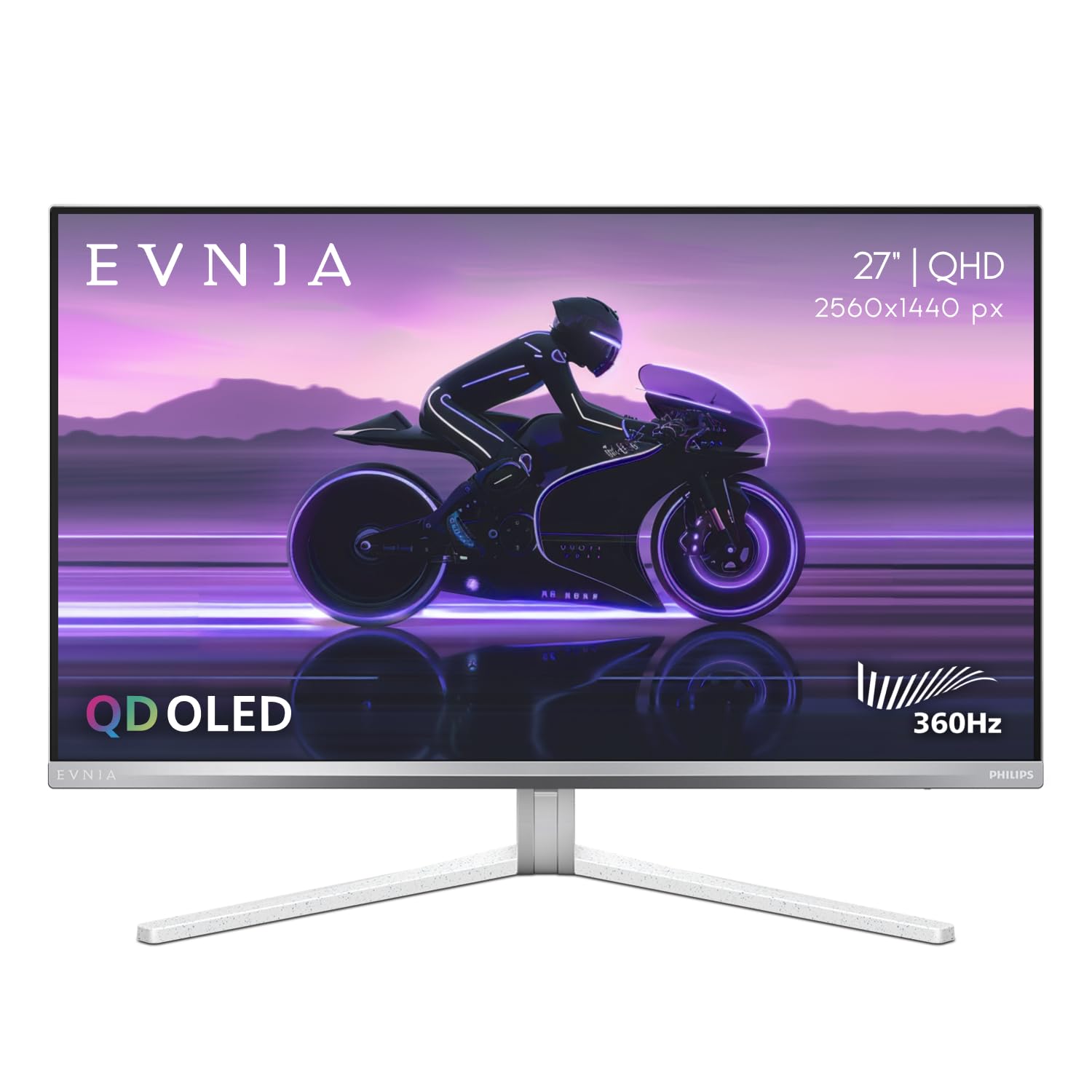
Philips brings Ambiglow bias lighting to the 360Hz 1440P market with the Evnia 27M2N8500, projecting a halo of ambient light around the monitor that matches on-screen action to reduce eye strain and deepen immersion. The QD-OLED panel delivers a 1,500,000:1 contrast ratio and DisplayHDR True Black 400 certification for deep, shadow-rich visuals in horror and competitive titles alike.
The 4-year advance replacement warranty is the longest standard coverage in this category, offering a replacement unit shipped before the defective one is returned. The metal stand with a headphone hanger provides solid desk stability, while the USB hub offers easy peripheral access for low-sensitivity mouse users who need cable freedom.
SDR brightness is excellent at 450 nits, keeping the display competitive for well-lit rooms, and the 360Hz panel makes motion at 1440P look nearly instantaneous. Factory calibration ensures consistent color output across Adobe RGB, DCI-P3, and sRGB spaces for hybrid gaming and editing workflows.
Why it’s great
- 4-year advance replacement warranty is category-leading coverage
- Ambiglow tech reduces eye fatigue during long competitive sessions
- Factory-calibrated color profiles for professional accuracy
Good to know
- White/silver bezel design clashes with standard black monitor arrays
- Some units have arrived with dead pixels despite premium packaging
5. ASUS ROG Strix XG27ACDNG

ASUS pairs its custom heatsink and advanced airflow design with a QD-OLED panel that runs at 360Hz with 0.03ms response time and includes a dedicated OLED Anti-flicker technology that stabilizes luminance during refresh rate fluctuations. The G-Sync Compatible certification ensures smooth frame delivery without the micro-stutters that plague some FreeSync implementations.
DisplayWidget Center software gives mouse-based access to OLED Care functions, pixel refresh timing, and game-specific profiles without needing to fiddle with OSD buttons mid-match. The 26.5-inch screen features a 99% DCI-P3 gamut with true 10-bit color depth that makes environments in Cyberpunk 2077 look poster-worthy.
The 3-year warranty includes both advance replacement and burn-in coverage, matching the best in class for long-term protection. Uniform brightness mode eliminates vignetting for content creators who need consistent luminance across the entire display surface during photo editing.
Why it’s great
- Custom heatsink prevents brightness loss during marathon gaming sessions
- Anti-flicker technology reduces eye strain during VRR operation
- DisplayWidget software enables easy OLED care management
Good to know
- Limited height adjustment range compared to competing ASUS models
- Pixel cleaning pop-up during gameplay can interrupt immersion
6. Sony INZONE M10S

Developed with the Fnatic esports team, the Sony INZONE M10S pushes beyond 360Hz to a class-leading 480Hz refresh rate on a 27-inch OLED panel with 0.03ms response time, targeting professional players who need every frame advantage. The Tournament Mode includes an instant switch to a 24.5-inch display area that mimics standard LAN monitor proportions for consistent muscle memory.
FPS Pro and FPS Pro+ modes apply hardware-level contrast adjustments that improve visibility in shadow-heavy maps without crushing black details. The 4mm thin stand base maximizes desk space for low-sensitivity arm movements, while the DisplayPort 2.1 UHBR10 input provides enough bandwidth for 1440p at 480Hz without requiring DSC compression.
The fan-less passive cooling system uses a large custom heatsink to prevent thermal throttling, and the 3-year OLED limited warranty covers burn-in. The anti-glare surface keeps reflections minimal, and the low-profile design removes the bulky gaming aesthetic for a clean, competitive appearance.
Why it’s great
- 480Hz refresh rate provides the smoothest motion clarity in this comparison
- DisplayPort 2.1 UHBR10 avoids DSC when running at full refresh rate
- 24.5-inch simulation mode matches esports LAN monitor geometry
Good to know
- High price demands premium budget for the 480Hz upgrade
- Some units have displayed pixelation artifacts requiring RM
7. INNOCN 27″ QD-OLED 2780s

The INNOCN 2780s brings QD-OLED technology to the 1440P market at a budget-friendly price point, offering a 280Hz refresh rate and 0.03ms response time that still outperforms most IPS and VA panels for motion clarity. The 27-inch display delivers the deep blacks and vibrant color saturation characteristic of Quantum Dot OLED panels, making it a transformative upgrade from standard LCD gaming monitors.
HDMI 2.1 connectivity supports full-bandwidth console gaming at 1440p 120Hz, and the adjustable stand with height, tilt, and pivot provides ergonomic flexibility. The white chassis design stands out in a market dominated by black monitors, though the built-in speakers are thin and best ignored in favor of dedicated gaming headsets.
FreeSync and G-Sync Compatibility keep screen tearing at bay during variable frame rate gameplay, and the HDR400 certification adds some highlight pop in compatible titles. The monitor represents the most affordable path to QD-OLED gaming without sacrificing pixel response times.
Why it’s great
- QD-OLED panel at the most accessible price in the comparison
- 280Hz refresh rate still delivers premium motion clarity
- Full ergonomic stand included despite the budget positioning
Good to know
- Speakers produce weak, tinny audio quality
- Dark and light picture adjustments are less robust than premium competitors
8. Samsung Odyssey OLED G6 (G61SH)

The Samsung Odyssey G61SH variant prioritizes color accuracy alongside high refresh gaming, earning Pantone Validation for reproducing 2,100+ colors and 110 skin tone shades with remarkable precision. Its 240Hz QD-OLED panel with 0.03ms response time still delivers fluid motion for competitive shooters while offering content creators a display they can trust for color-critical work.
OLED Safeguard technology uses a thermal modulation system that algorithmically predicts panel temperature and adjusts brightness to prevent heat-related burn-in. The Glare Free surface treatment eliminates distracting reflections without diffusing the panel’s native contrast, maintaining deep blacks even in well-lit gaming rooms.
The height-adjustable ergonomic stand with tilt, swivel, and pivot offers full desk flexibility, and Samsung’s 3-year warranty covers the OLED panel. The 240Hz ceiling means it trades raw refresh speed for superior factory calibration, making it ideal for gamers who also edit video or design graphics.
Why it’s great
- Pantone Verified for professional-grade color accuracy
- OLED Safeguard uses smart thermal modulation to prevent burn-in
- Glare Free technology maintains blacks in bright environments
Good to know
- 240Hz refresh rate is lower than native 360Hz competitors
- Text clarity shows slight chromatic aberration compared to high-PPI IPS
9. ASUS ROG Strix XG27AQDMG

The ASUS ROG Strix XG27AQDMG uses a third-generation WOLED panel with a glossy screen finish that produces noticeably richer color saturation and deeper perceived contrast compared to matte-coated OLEDs. Its 240Hz refresh rate and 0.03ms response time still place it firmly in high-performance territory, while the glossy surface eliminates the grainy texture common on anti-glare QD-OLED panels.
The custom heatsink and advanced airflow design work with ASUS OLED Care functions to mitigate burn-in, and the OLED Anti-flicker technology stabilizes brightness during VRR fluctuations that cause eye fatigue. G-Sync Compatibility ensures tear-free play across the FreeSync Premium Pro adaptive sync range.
The 99% DCI-P3 coverage delivers saturated, punchy colors that make single-player games visually stunning, and the uniform brightness mode prevents vignetting for browsing and productivity. The ergonomic stand provides full height, tilt, and pivot adjustment, though the glossy panel demands careful cleaning to avoid smudging.
Why it’s great
- Glossy WOLED finish delivers punchier colors than matte alternatives
- Custom heatsink design prevents thermal-related brightness throttling
- AI Gaming features enhance crosshair and FPS counter utility
Good to know
- No integrated speakers for quick casual use
- Flawless VRR requires a high-quality DisplayPort cable to avoid flicker
10. LG 39GX90SA-W Ultragear

The LG 39GX90SA-W takes a radically different approach to 1440P gaming with a 39-inch 21:9 WQHD OLED panel wrapped in an aggressive 800R curve that fills your peripheral vision. Its 240Hz refresh rate and 0.03ms response time deliver OLED-tier motion clarity while the ultrawide aspect ratio provides a massive field of view advantage in racing sims and open-world titles.
Integrated webOS 24 brings native Netflix, Prime Video, and cloud gaming services directly to the monitor without needing a PC or console connected, making it a self-contained entertainment hub. The white chassis and ambient lighting create a desk-centerpiece aesthetic that departs from traditional black gaming monitor designs.
AMD FreeSync Premium and G-Sync Compatibility keep frame pacing smooth, while the USB-C port with power delivery makes it a convenient MacBook docking solution. The steep 800R curve requires deliberate desk placement to avoid distortion at close viewing distances.
Why it’s great
- 800R curve provides unmatched peripheral immersion in racing and flight sims
- webOS smart platform eliminates need for external streaming devices
- USB-C with PD simplifies single-cable laptop connectivity
Good to know
- 39-inch diagonal may overwhelm standard-depth desks
- 240Hz refresh rate is below the 360Hz category benchmark
11. Samsung Odyssey Neo G9 (G95NC)

Samsung’s Odyssey Neo G9 redefines the desktop experience with a 57-inch Dual UHD (7680 x 2160) resolution that matches two 4K monitors side by side without a bezel gap. Its 1000R curved VA panel uses Quantum Mini-LED technology with 2,392 local dimming zones to deliver deep blacks and 1,000-nit peak brightness for HDR1000 certification.
The 240Hz refresh rate and 1ms GtG response time cover competitive motion demands, while DisplayPort 2.1 input provides enough bandwidth to run the massive resolution without Display Stream Compression. AMD FreeSync Premium Pro synchronizes the variable refresh rate across the full ultra-wide panel to prevent tearing.
Picture-by-Picture mode lets you view two input sources simultaneously at native resolution, making it a productivity powerhouse for traders, streamers, and video editors. The 32:9 aspect ratio demands significant desk space and GPU muscle—even an RTX 5080 struggles to hit 240Hz in demanding titles at this pixel count.
Why it’s great
- Dual UHD resolution replaces a multi-monitor setup with one seamless display
- 2,392 local dimming zones provide excellent Mini-LED contrast
- DP 2.1 input supports full refresh rate without DSC artifacts
Good to know
- Massive size requires a deep desk and a heavy-duty monitor arm
- Firmware issues with wake-from-sleep and auto source switching
FAQ
Is 360Hz 1440P noticeably smoother than 240Hz in competitive games?
Do I need a graphics card that can output 360 frames per second to benefit?
What causes VRR flicker on 360Hz OLED monitors and how do I fix it?
How often should I run pixel refresh cycles on a 360Hz OLED gaming monitor?
Final Thoughts: The Verdict
For most users, the best 360hz 1440p monitor winner is the MSI MPG 271QRX QD-OLED because it delivers the full 360Hz refresh rate with KVM functionality, factory Delta E≤2 color accuracy, and robust OLED Care 2.0 burn-in protection at a mid-range price point that undercuts the premium competition. If you want the absolute smoothest motion clarity, grab the Sony INZONE M10S for its 480Hz panel and esports-focused features. And for immersive ultrawide gaming, nothing beats the LG 39GX90SA-W Ultragear.