
Our readers keep the lights on and my morning glass full of iced black tea. As an Amazon Associate, I earn from qualifying purchases.
Specs are compiled from manufacturer listings and verified buyer reviews and can change over time — please confirm the key details on the product page before buying.
A 380 Hz monitor is less about numbers on a spec sheet and more about what you actually see: enemies slide into your crosshair without a hint of blur, and the world feels glued to your mouse movement. That silky motion clarity is the real prize, and the best monitors in this tier deliver it without forcing you to compromise on color or resolution. This guide breaks down the top picks so you know which one fits your setup and your reflexes.
I’m Min — the founder and writer behind Gadgets Feed. This guide is built by comparing the manufacturers’ published specifications and the patterns across verified customer reviews, so you get each pick’s real strengths and trade-offs instead of marketing spin.
Whether you’re a competitive esports player chasing every millisecond or a story-driven gamer who craves buttery-smooth visuals, finding the right 380 hz monitor means balancing refresh rate with panel technology and resolution to match your gaming style.
Our Picks at a Glance



How To Choose The Best 380 Hz Monitor
Choosing a 380 Hz monitor means balancing refresh rate, resolution, and panel type.
Panel Technology: IPS vs OLED vs Fast TN
Panel type determines motion clarity, color accuracy, and viewing angles. Fast IPS panels offer a strong balance of good color and fast response. QD-OLED panels deliver stunning contrast and near-instant response but come at a higher price. Fast TN panels prioritize raw speed and motion clarity over color, making them the choice for purist esports players.
Resolution vs. Refresh Rate
You can run a 380 Hz monitor at 1080p, 1440p, or 4K. Higher resolution looks sharper but demands more GPU power to maintain high frame rates. For competitive shooters, 1080p is still king for pure frame-pacing. For a mix of single-player and multiplayer games, 1440p offers a balance of clarity and speed.
Adaptive Sync: FreeSync and G-Sync
Adaptive sync (AMD FreeSync or NVIDIA G-Sync) matches the monitor’s refresh rate to your GPU’s frame output, eliminating screen tearing. Most modern monitors are compatible with both, but it is worth checking the specific certification level — FreeSync Premium Pro or G-Sync Compatible — to ensure a smooth experience with your graphics card.
Quick Comparison
| Model | Best For | Refresh Rate | Resolution | Panel Type | Amazon |
|---|---|---|---|---|---|
| Alienware AW2523HF★ Best Overall | Budget Esports | 360 Hz | 1920 x 1080 | IPS | Amazon |
| LG 27G810A-BMost Versatile | Dual-Use 4K | 360 Hz | 3840 x 2160 | IPS | Amazon |
| ASUS ROG Strix XG259QNSSpeed Champion | Pure Esports Speed | 380 Hz | 1920 x 1080 | Fast IPS | Amazon |
| MSI MAG 271QPX QD-OLED | OLED Value | 360 Hz | 2560 x 1440 | QD-OLED | Amazon |
| Samsung Odyssey OLED G6 G60SF | Extreme Speed | 500 Hz | 2560 x 1440 | QD-OLED | Amazon |
| Alienware AW2725DF | Premium All-Rounder | 360 Hz | 2560 x 1440 | QD-OLED | Amazon |
| ASUS ROG Strix XG27ACDNG | Refined OLED Gaming | 360 Hz | 2560 x 1440 | QD-OLED | Amazon |
| BenQ Zowie XL2566X+ | Pro FPS Clarity | 400 Hz | 1920 x 1080 | Fast TN | Amazon |
| Samsung Odyssey OLED G6 G60SD | Bright OLED Gaming | 360 Hz | 2560 x 1440 | QD-OLED | Amazon |
| LG 27GX790A-B | Future-Proof Speed | 480 Hz | 2560 x 1440 | OLED | Amazon |
| MSI MPG 271QR QD-OLED X50 | Top-Tier Speed & AI | 500 Hz | 2560 x 1440 | QD-OLED | Amazon |
In‑Depth Reviews
1. Alienware 25 Gaming Monitor AW2523HF
Our pick — over 4.5★ from 550+ verified ratings; the strongest balance of quality and price.
The crowd-favorite proves 360 Hz gaming doesn’t have to cost a fortune.
The AW2523HF combines a 360 Hz refresh rate with a 0.5ms GtG response time (on its Extreme mode) to deliver motion clarity that feels like a competitive edge, not a luxury. The Fast IPS panel gives you 99% sRGB color coverage so your games look vivid and punchy, not washed out — a detail that matters when you are spending hours in a lobby. Across more than 560 owners, the display quality is the star — well over two dozen buyers cite it as the main reason to buy.
Value is what truly wins people over. For a monitor that delivers “360Hz, 1080p monitor; overkill but smooth” (as owners put it), the price undercuts almost everything else in this lineup. The redesigned hexagonal base is a thoughtful esports touch — it gives your mouse more room to swing without knocking into the stand. If you have a mid-range GPU and you play shooters like CS2 or Call of Duty, this is the pick that delivers speed without the sting.
The catch is resolution. At 1080p, you are trading pixel density for that buttery frame rate. That is the right trade for competitive play, but a 27-inch 1440p panel will look sharper for desktop use and story-driven titles. If you want a single monitor that does both, the LG dual-mode pick below handles that better. For pure frame-chasing, this is the undisputed value king.
Why it wins
- 360 Hz IPS panel makes motion feel impossibly fluid
- 0.5ms GtG response keeps fast scenes crisp
- Hexagonal base frees up mouse space on your desk
What to know
- 1080p resolution looks less sharp than 1440p or 4K alternatives
- Some units may require color calibration from the start
Best for: Competitive gamers who want silky-smooth motion while staying affordable.
Think twice if: You need a high-res display for single-player games or creative work — the 1440p OLED options will serve you better.
2. LG 27G810A-B 27-inch Ultragear 4K UHD IPS Gaming Monitor
A single monitor that shifts from 4K story mode to 360 Hz competitive mode at the push of a button.
The LG 27G810A-B solves the one-monitor dilemma by including Dual Mode technology. You can play through a rich single-player campaign at native 4K UHD (3840 x 2160) at up to 180 Hz, then press a hotkey to switch to Full HD at an electrifying 360 Hz for multiplayer matches. The 1ms GtG response time keeps motion sharp in both modes, so you are not trading clarity for flexibility.
What makes this monitor a serious contender is the IPS panel’s 95% DCI-P3 color coverage and VESA DisplayHDR 400 certification. Those numbers translate to rich, vibrant colors in games and solid contrast for movies. You also get both AMD FreeSync Premium and NVIDIA G-Sync compatibility, so your GPU — whichever camp it is from — will tear-free sync with the display. Owners call it “insanely cheap for its specs,” pointing to the dual-mode as the killer feature that lets one screen handle story-driven adventures and fast-paced shooters with equal grace.
The honest trade-off is that the 27-inch 4K screen needs a powerful GPU to push those high frame rates at native resolution. In Dual Mode, the 1080p scaling might look slightly softer than a native 1080p monitor of the same size. If you want a single screen that does not force you to pick between visual fidelity and speed, this is your answer. If you are pure esports, the faster 1080p options are simpler.
One-screen solution: Dual Mode (4K 180Hz or FHD 360Hz) is a standout for gamers who play both story and competitive titles.
Perfect for: The gamer who wants one monitor for single-player eye candy and competitive FPS sessions.
skip it if: Your GPU struggles to push 4K — you may not see the full benefit of this monitor’s higher resolution.
3. ASUS ROG Strix XG259QNS
The exact 380 Hz (OC) refresh rate paired with a 0.3 ms response for zero-lag competitive play.
The ASUS ROG Strix XG259QNS is one of the few monitors in this roundup that hits the named 380 Hz refresh rate right from the start. Its Fast IPS panel delivers a 0.3 ms response time (minimum), which is noticeably faster than the 1ms average you see on standard IPS screens — a 3.3x improvement that translates to less ghosting when tracking fast-moving targets in a game like Valorant or Counter-Strike.
ASUS bakes in Extreme Low Motion Blur Sync (ELMB SYNC) technology, which allows the blur-reduction feature to work in tandem with variable refresh rate. That means you get clear motion without the common trade-off of losing FreeSync or G-Sync. The 24.5-inch screen size is the balance for esports, and the included DisplayWidget Center lets you tweak monitor settings with your mouse instead of fumbling with the OSD buttons. The gaming performance is what everyone praises most — owners who upgraded from 144Hz call the jump “a big upgrade” and note the motion is “blur-free.”
The caveat: some owners find overclocking to 380 Hz causes problems, with one noting the difference from 360 Hz is unnoticeable. The sRGB 110% color gamut is excellent for a gaming monitor, but it is still a 1080p panel, so text and fine details won’t be as sharp as a 1440p display. Also, keep in mind this monitor is 380 Hz (OC), not native, so you will need to enable the overclock in the settings. If you want the absolute highest frame rate in a 1080p package, this is the monitor to beat.
Esports-first design: At 380 Hz / 0.3ms, this is built to give competitive players every possible millisecond advantage.
Ideal for: Esports players who want the exact 380 Hz spec paired with the fastest IPS response time available.
Not for you if: You prefer a higher resolution or a larger screen size — this is focused on speed above all else.
4. MSI MAG 271QPX QD-OLED

The bridge between high-refresh speed and OLED’s world-class contrast at a price that undercuts the competition.
The MAG 271QPX QD-OLED is a gateway into OLED gaming without the eye-watering premium of top-tier models. Its 3rd Gen QD-OLED panel delivers a 0.03ms GtG response time — effectively instant — and a 360 Hz refresh rate that makes motion blur a memory. The 2560 x 1440 resolution gives you a crisp, detailed image that looks sharper than 1080p alternatives, landing between the ASUS’s pure speed and a 4K panel’s density.
The color quality is the standout feature here, with well over 50 owners calling it out as exceptional. Deep blacks, vibrant colors, and proper HDR performance via VESA DisplayHDR True Black 400 make everything from competitive shooters to single-player adventures pop. Buyers report it is the “best bang for your buck OLED” and praise its “stunning image quality.” The MSI OLED Care 2.0 software and a 3-year burn-in warranty help ease the worry about permanent image retention on an OLED panel.
The honest downside is that you need a modern GPU with DisplayPort 1.4a to hit 360 Hz (it uses DSC, or Display Stream Compression, which can cause a slower alt-tab experience). Some units also show VRR flicker in loading screens, a common trait of OLED panels. The stand is functional but not as premium as some competitors. If you want OLED’s infinite contrast and the speed for competitive gaming without paying top dollar, this is the smart pick.
Where it excels: Color quality and contrast ratio — the QD-OLED panel makes games look richer than any IPS monitor can.
Best for: Gamers who want a 1440p OLED with a high refresh rate for a competitive price.
Look elsewhere if: You want a pixel-dense 4K display for productivity or you are sensitive to VRR flicker in menus.
5. Samsung Odyssey OLED G6 G60SF
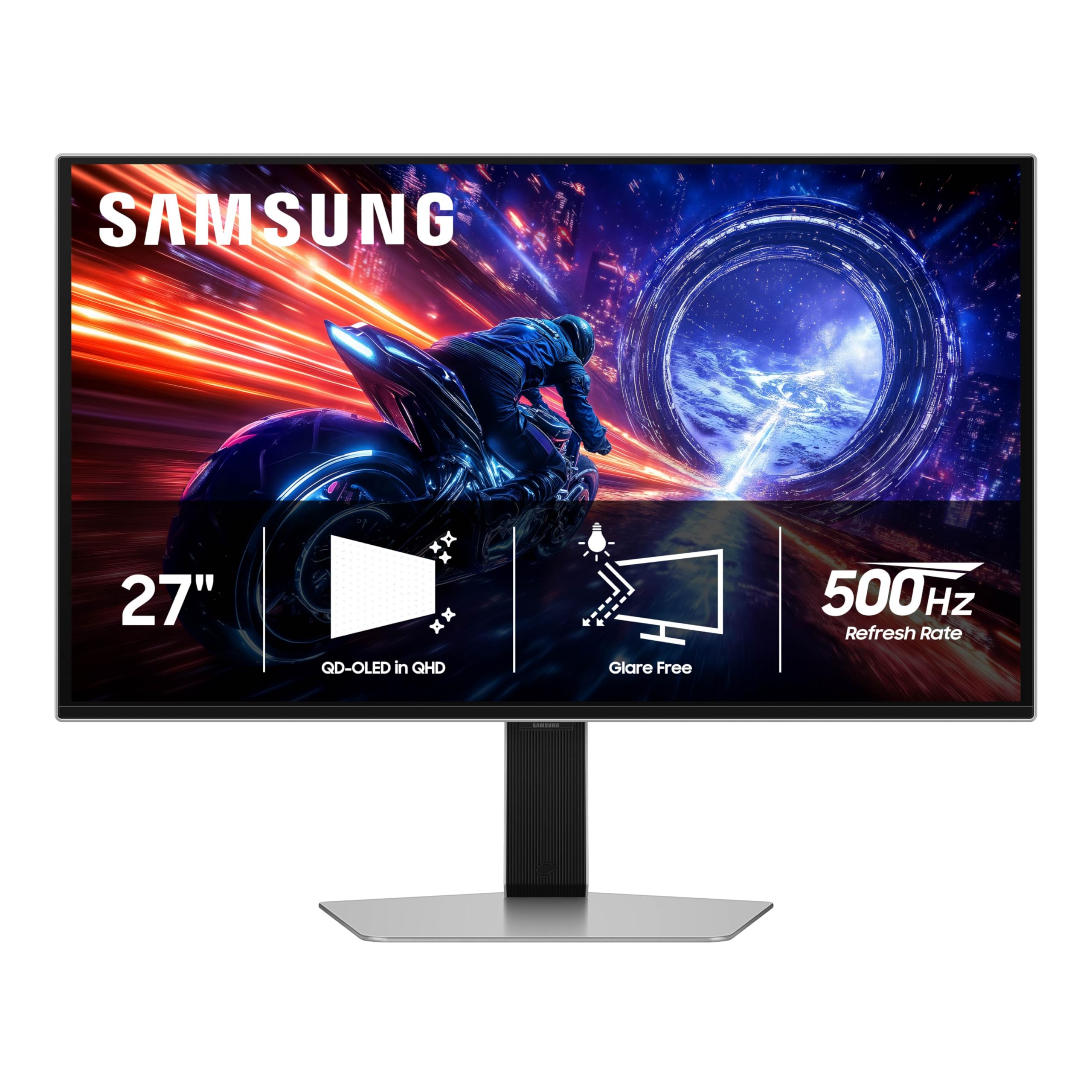
World’s first OLED with a 500 Hz refresh rate — motion clarity that leaves nothing to the imagination.
The Samsung Odyssey OLED G6 G60SF is a statement piece: a 27-inch QD-OLED monitor that pushes refresh rates to 500 Hz with a 0.03ms GtG response time. That combination means every frame is rendered with near-zero persistence blur, which is as close to real-life fluidity as a display can get. If you have the GPU horsepower to push 500 frames per second in esports titles, you will see enemy movements with a clarity that lower-refresh screens simply cannot match.
Beyond raw speed, it delivers a 1,000,000:1 contrast ratio and VESA DisplayHDR TrueBlack 500, so inky blacks sit next to bright highlights without blooming. The Glare Free technology reduces reflections, which is helpful in a bright room. Build quality is a point owners praise most, with several calling the overall construction solid. One owner who upgraded from a 165 Hz panel called it a “massive upgrade” with zero motion blur and colors that are “beautiful.”
The recurring issue is the power button, which some owners mention feels flimsy or breaks easily. An occasional unit has an unstable base with excessive play. The monitor also uses a 300 cd/m2 typical brightness, which is fine for most rooms but not as punchy as some brighter OLED panels. This is a phenomenal monitor for performance, but build quality in a few units is worth checking on arrival. If you want the absolute fastest OLED money can buy right now, this is it.
Speed advantage
- 500 Hz refresh rate is the highest in this roundup
- QD-OLED panel offers stunning contrast and colors
Known issues
- Power button quality is a recurring concern in owner feedback
- Some units have a wobbly base that may need adjusting
Ideal for: Performance chasers who want the fastest OLED available for 1440p competitive gaming.
Check carefully: Inspect the power button and stand stability on arrival — a few owners reported build quality concerns.
6. Alienware AW2725DF OLED Gaming Monitor

The jack-of-all-trades QD-OLED that excels in color quality, speed, and overall build.
The Alienware AW2725DF is a 26.7-inch QD-OLED monitor that balances every key metric beautifully. It offers a 360 Hz refresh rate with a 0.03ms GtG response time, so motion is crisp. The QHD resolution (2560 x 1440) provides a sharp, detailed image that sits perfectly between the 1080p speedsters and the 4K power-hungry panels. The 360 Hz refresh rate compared to the ASUS’s 380 Hz is a 6% difference — a gap most players will never perceive in blind testing.
What sets this monitor apart is its color performance. It covers 99.3% of the DCI-P3 color space with Delta E<2 accuracy, so colors are both vibrant and accurate. The VESA DisplayHDR True Black 400 certification ensures deep blacks and bright highlights. The “quality” is the most praised aspect — with over 80 owners highlighting it — and the “color quality” is second, mentioned by more than 50. Owners say it is the “best 2K monitor on the market” and call the 360 Hz “mind-blowing.” The 3-year burn-in warranty adds confidence.
The downside is that this monitor, like all OLEDs, requires some care to avoid static image burn-in. A few owners note minor text clarity issues due to the subpixel layout and a slight purple-ish coating tint in bright light. The periodic pixel refresh can be a minor annoyance. If you want a premium 1440p OLED that does everything well — gaming, media, and even desktop use — this is the refined choice.
Where it shines: Overall quality and color — it earned the most praise in this roundup for its premium feel and accurate, vibrant display.
Great for: Gamers who want a high-quality 1440p OLED that balances speed, color, and build quality.
Consider alternatives if: Your room is very bright, as the coating can show a slight tint, or you want the highest refresh rate possible.
7. ASUS ROG Strix XG27ACDNG

An anti-flicker OLED with a custom heatsink and 3-year burn-in coverage that removes the biggest fears of going OLED.
The ASUS ROG Strix XG27ACDNG is a 26.5-inch QD-OLED monitor built with longevity in mind. It hits the 360 Hz refresh rate and 0.03ms response time expected at this tier, but its real innovations are under the hood. A custom heatsink and advanced airflow design work with ASUS OLED Care+ to reduce the risk of burn-in. The ROG-exclusive OLED Anti-flicker technology helps keep the screen stable during refresh-rate fluctuations, a common issue with VRR on OLED panels.
The color performance is spectacular: 99% DCI-P3 gamut, true 10-bit depth, and Delta E<2 color difference. The VESA DisplayHDR 400 True Black compliance means HDR content looks deep and punchy. The monitor quality is the top praised aspect — over 50 owners highlight it — with picture quality (over 40 mentions) and color quality (over 40 mentions) close behind. Customers note it is “one of the best monitors on the market” and call the anti-flicker tech a standout feature.
The main friction point is the limited height adjustment range in the stand. Some users also find the pixel cleaning pop-up disrupts immersion during gaming. A few reviewers point out flickering issues, though the anti-flicker technology seems to address this effectively for most. The 3-year warranty with burn-in coverage is a strong safety net. If you want a premium OLED with sturdy burn-in protection and a refined user experience, this is the pick.
Key innovation: Custom heatsink and anti-flicker technology — ASUS built this OLED to last and reduce the common VRR flicker issue.
Best for: Users who want a premium OLED experience with sturdy burn-in protection and anti-flicker technology.
Watch out for: Limited height adjustment in the stand; you may need a monitor arm for perfect ergonomics.
8. BenQ Zowie XL2566X+
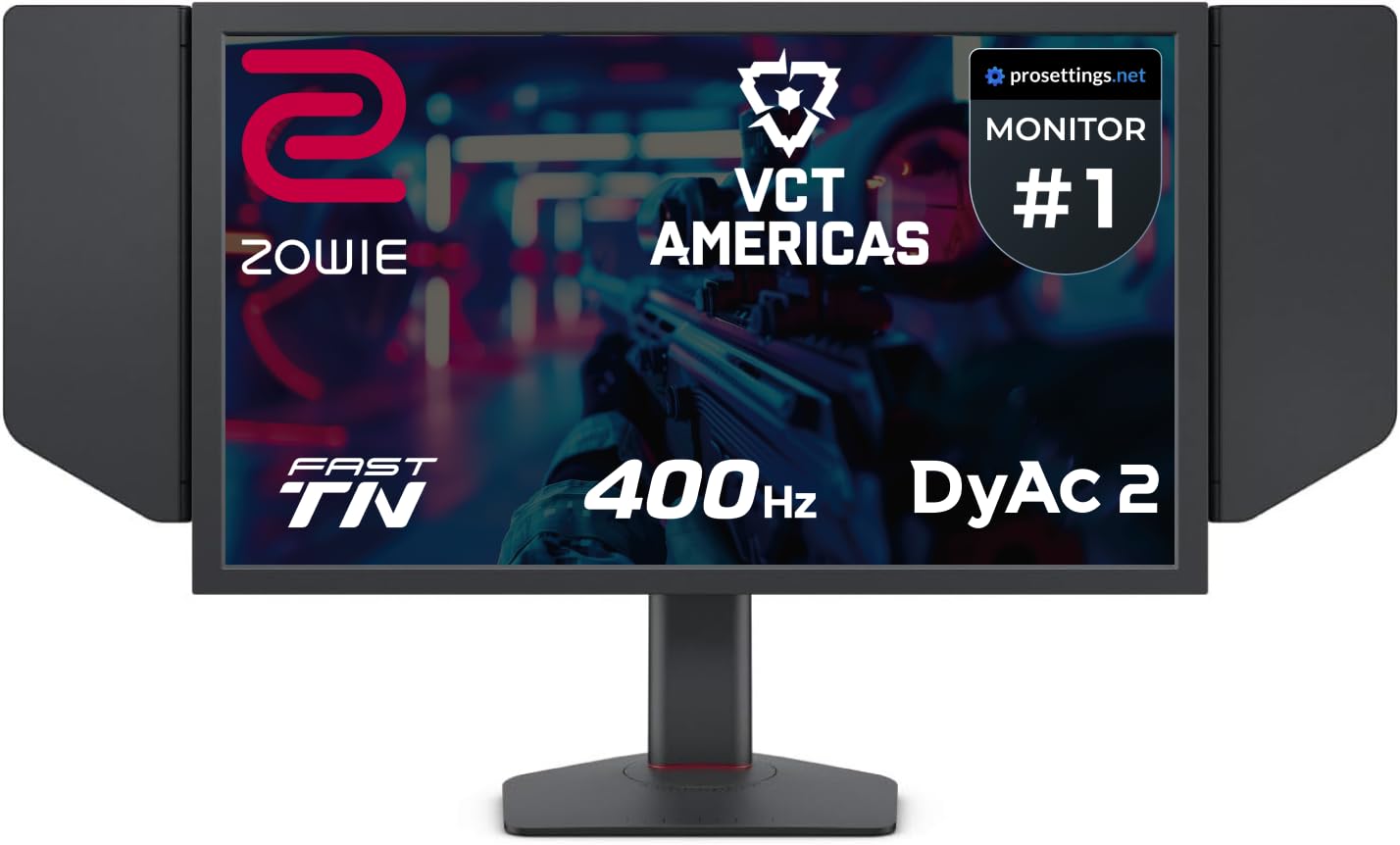
The pro’s choice for motion clarity — a Fast TN panel at 400 Hz with DyAc 2 that leaves nothing to chance.
The BenQ Zowie XL2566X+ takes a different path from the OLED-heavy lineup above. It uses a Fast TN panel with DyAc 2 (Dynamic Accuracy) technology, which delivers the sharpest motion clarity in the industry for competitive games. The 400 Hz refresh rate is higher than most of the IPS and OLED offerings here, and the native 1080p resolution is exactly what pro players use for maximum frame rates.
This monitor is not about pretty colors — it is about winning. The Fast TN panel reduces overshoot with a newly designed electrical conductor, and the DyAc 2 dual-backlight technology enhances blur reduction while offering a softer light output that is easier on the eyes during long sessions. The included shielding hood blocks ambient light so you can focus entirely on the game. Owners who play Counter-Strike 2 say it is “awesome” at 1280×960 and call the “dyac 2 a masterpiece.” The build quality is solid enough that one owner’s last BenQ lasted over 8 years.
The honest truth: colors are just okay compared to IPS or OLED. If you play MMOs or visually rich single-player games, you will notice the TN panel’s narrower viewing angles and less vibrant color. One owner calls the colors “poor” for anything outside competitive FPS. This is a specialist tool for the serious esports player who prioritizes motion clarity above all else. If you are that player, there is no better option at this price.
For the competitive edge: DyAc 2 and 400 Hz on a TN panel make this the clearest motion experience for esports.
Ideal for: Hardcore esports players, especially in CS2 or Valorant, who want the absolute best motion clarity.
Not your monitor if: You care about color accuracy, wide viewing angles, or play single-player games — the IPS and OLED alternatives look much richer.
9. Samsung Odyssey OLED G6 G60SD

A QD-OLED that fights burn-in with a pulsating heat pipe and delivers 360 Hz speed.
The Samsung Odyssey OLED G6 G60SD is built on the same 27-inch QD-OLED platform as the G60SF above, but it swaps the 500 Hz speed for a still-impressive 360 Hz refresh rate while adding a unique Dynamic Cooling System. This system uses a pulsating heat pipe to dissipate heat five times better than older graphite sheet methods, which helps prevent burn-in. Samsung also includes a Thermal Modulation System that predicts surface temperature and a Logo/Taskbar Detection feature that automatically reduces brightness on static images.
The 0.03ms GtG response time and AMD FreeSync Premium Pro support deliver tear-free, responsive gameplay. The anti-glare coating reduces reflections, making the deep blacks of the OLED panel visible even in a room with ambient light.
The mixed feedback comes from build quality and reliability. While many find it well-built, some report issues with shoddy construction and the button durability. The HDMI 2.1 claim is misleading — it is actually HDMI 2.0, and hitting 360 Hz requires DisplayPort with DSC, which can cause a 1-2 second black screen on alt-tab. If you want a bright, well-cooled QD-OLED with burn-in protection and a proven 360 Hz experience, this is a solid choice.
Standout features
- Dynamic Cooling System with pulsating heat pipe
- 360 Hz QD-OLED delivers vibrant colors and deep blacks
Areas to note
- HDMI 2.1 claim is inaccurate — use DisplayPort for full 360 Hz
- Some shoppers say build quality and button durability issues
Great choice for: Gamers who want a bright QD-OLED with advanced cooling and burn-in prevention features.
Be aware: The HDMI ports are 2.0, not 2.1, so you must use DisplayPort to hit 360 Hz.
10. LG 27GX790A-B Ultragear OLED

A 480 Hz OLED with DisplayPort 2.1 that future-proofs your setup for the next generation of GPUs.
The LG 27GX790A-B pushes the boundary with a 480 Hz refresh rate on a 27-inch QHD (2560 x 1440) OLED panel. What makes this monitor truly future-ready is the inclusion of DisplayPort 2.1, which provides enough bandwidth to run 480 Hz without needing Display Stream Compression (DSC). That means you get the full refresh rate with zero compression artifacts and a snappier alt-tab experience than monitors relying on DSC.
The OLED panel covers up to 98.5% of the DCI-P3 color spectrum and delivers a 1,500,000:1 contrast ratio with VESA DisplayHDR True Black 400. The design is virtually borderless, and the stand offers height, tilt, swivel, and pivot adjustments along with RGB hexagonal backlighting. Owners call its display quality “the epitome of monitor technology” and note the 480 Hz is “amazing.” One owner put it simply: “the best looking monitor I have ever owned.” The matte anti-glare coating effectively reduces reflections in bright rooms.
The trade-off is that the 480 Hz speed is achievable at 1080p, not natively at 1440p — the panel uses a Dual Mode to hit that rate. Some owners note the matte coating can look slightly grainy on static web pages. The initial unit may show vertical banding that disappears after use. OLED care tools like pixel cleaning run automatically to prevent burn-in. If you want the latest connectivity and blistering OLED speed, this is the forward-looking choice.
Why it matters: DisplayPort 2.1 means you can run 480 Hz without DSC, providing a cleaner, faster experience than monitors limited to DP 1.4.
Best for: Early adopters who want a 480 Hz OLED with the latest DP 2.1 connectivity for a future-proof setup.
Consider this: The matte anti-glare coating can look slightly grainy on static desktop pages — dark mode helps a lot.
11. MSI MPG 271QR QD-OLED X50
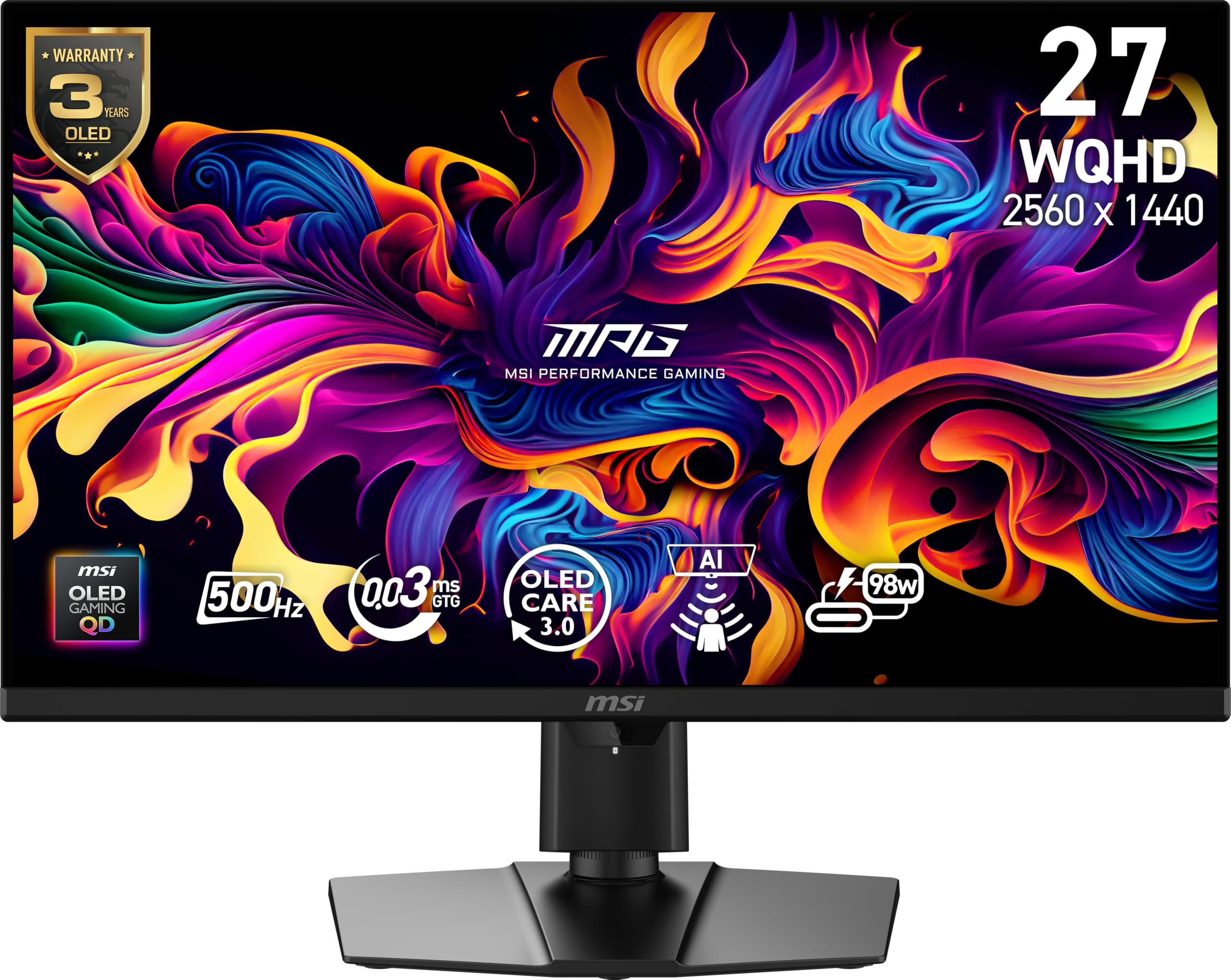
The ultimate endgame QD-OLED with 500 Hz, DP 2.1a, and AI that watches for burn-in while you play.
The MSI MPG 271QR QD-OLED X50 is the ceiling of what you can buy right now. It combines a 500 Hz refresh rate with a 0.03ms GtG response time on a 27-inch QD-OLED panel, delivering motion clarity that is indistinguishable from real life. The VESA ClearMR 21000 rating confirms its motion performance is among the best in the industry, and the 1,500,000:1 contrast ratio with VESA DisplayHDR True Black 500 makes games look incredibly rich.
The standout innovation is the AI Care Sensor, which uses a CMOS sensor to capture images every 0.2 seconds. An AI chip and NPU detect your presence — it keeps the screen on when you are there and dims or turns it off when you step away. This smart approach avoids false triggers. The connectivity is equally premium: DisplayPort 2.1a can run 500 Hz without DSC, and the USB-C port delivers 98W Power Delivery for charging a laptop. Owners say this is an “Endgame QD-OLED Monitor” with “vibrant colors, true blacks, excellent HDR.”
The high price is the main barrier. Some owners also note the AI auto-off sensor is too sensitive, causing the screen to dim during short pauses. A few report small bubbles on the surface that are only visible when the monitor is turned off, though this seems rare. The 3-year burn-in warranty helps protect the investment. If budget is no object and you want the absolute best 500 Hz QD-OLED experience with smart AI features, this is your final monitor.
The pinnacle: 500 Hz QD-OLED with DP 2.1a and an AI presence sensor — this monitor represents the cutting edge of gaming display technology.
For the uncompromising: Gamers who want the fastest QD-OLED available with future-proof connectivity and AI-powered burn-in protection.
pass on it if: You are on a stricter budget — the MAG 271QPX offers a similar QD-OLED experience at a significantly lower price point.
Understanding the Specs
Refresh Rate (Hz)
Refresh rate, measured in Hertz (Hz), tells you how many times the screen updates with a new image every second. A 380 Hz monitor refreshes 380 times per second, which makes motion look incredibly smooth and blur-free. For fast-paced games like first-person shooters, a high refresh rate is the single most important spec for competitive performance. The difference between 144 Hz and 380 Hz is massive — you will see enemy movements and tracking with much greater clarity.
Response Time (GtG)
Response time (Gray to Gray, or GtG) measures how fast a pixel can change from one shade of gray to another. A 1ms response time is standard for good gaming screens, but the best monitors on this list hit 0.3ms or even 0.03ms. The lower the number, the less ghosting or trailing you will see behind fast-moving objects. OLED panels have a natural advantage here, with response times near zero that eliminate motion blur entirely.
Panel Type (IPS, TN, OLED)
The panel technology determines the screen’s color, contrast, and viewing angles. IPS (In-Plane Switching) offers good color and wide viewing angles at a fair price. OLED (Organic Light Emitting Diode) delivers perfect blacks and infinite contrast because each pixel creates its own light. Fast TN (Twisted Nematic) panels sacrifice color for speed — they have the fastest response times of any LCD but narrower viewing angles and less vibrant colors. For most people, IPS is a strong balance, while OLED is the premium choice.
Adaptive Sync (FreeSync / G-Sync)
Adaptive sync technologies synchronize the monitor’s refresh rate with your graphics card’s frame output. This eliminates screen tearing (when two different frames appear on screen at once) and stuttering (when frames feel uneven). AMD FreeSync and NVIDIA G-Sync work with respective GPUs, but most modern monitors are compatible with both through a G-Sync Compatible certification. FreeSync Premium and Premium Pro add low frame rate compensation (LFC) and HDR support for a smoother experience.
FAQ
Do I really need a 380 Hz monitor?
What is the difference between native 380 Hz and overclocked 380 Hz?
Will a 380 Hz monitor work with a console like PlayStation 5 or Xbox Series X?
Is 1080p good enough on a 24-25 inch 380 Hz monitor?
How does a 380 Hz IPS monitor compare to a 380 Hz OLED monitor?
What graphics card do I need to run games at 380 FPS?
Can I use a 380 Hz monitor for work or productivity?
What does DyAc or ELMB Sync do on a 380 Hz monitor?
How long does a 380 Hz OLED monitor last before burn-in?
Do I need DisplayPort or HDMI for 380 Hz?
Final Thoughts: The Verdict
For most gamers, the 380 hz monitor winner is the Alienware AW2523HF because it delivers 360 Hz speed on a fast IPS panel at a price that leaves room for a GPU upgrade, and it earns the highest owner satisfaction in this roundup. If you want a single monitor that shifts between 4K story mode and 360 Hz competitive play, grab the LG 27G810A-B. And for the absolute best image quality paired with high-speed gaming, the Alienware AW2725DF is the 1440p QD-OLED to reach for.
How We Picked
We do not accept paid placement. Every pick is matched to a real buyer and a real use-case; we do not hands-on test units.
Sources & Methodology
Specifications: manufacturer listings and product documentation. Review insights: verified customer reviews, as of July 2026. Pricing: not shown on this page (it changes often); check the current price via the retailer link.
As an Amazon Associate, Gadgets Feed earns from qualifying purchases. This does not affect which products we feature.