
Our readers keep the lights on and my morning glass full of iced black tea. As an Amazon Associate, I earn from qualifying purchases.
Specs are compiled from manufacturer listings and verified buyer reviews and can change over time — please confirm the key details on the product page before buying.
A 39-inch curved monitor replaces a multi-monitor setup with one wide, rich display. This list is built for the deep-research buyer who wants to know exactly which panel type, resolution, and refresh rate actually matter before spending serious money. We cover 39-inch and the nearest sold sizes (37.5-inch and 40-inch) so you get the real comparison, not just the exact number searched.
I’m Min — the founder and writer behind Gadgets Feed. This guide is built by comparing the manufacturers’ published specifications and the patterns across verified customer reviews, so you get each pick’s real strengths and trade-offs instead of marketing spin.
Whether you code for a living, edit video, or chase wins in competitive shooters, the right 39-inch curved monitor transforms how you see and work on everything.
Our Picks at a Glance


How To Choose The Best 39-Inch Curved Monitor
Focus on resolution, refresh rate, and panel type to match the monitor to your GPU and use case. These specs determine sharpness, motion smoothness, and color accuracy.
Match the resolution to your graphics card
A 5K2K panel (5120 x 2160) gives you text so sharp it rivals a retina display, but it demands a powerful GPU for gaming. A 3440 x 1440 WQHD panel is far easier for mid-range cards to drive at high frame rates. Ask yourself what your computer can actually push before you choose.
Refresh rate is about how it feels, not just numbers
For everyday office work, a 75Hz refresh rate (how many times the screen updates per second) is plenty, but competitive gamers notice the jump from 144Hz to 240Hz. Most buyers find 144Hz the balance: it makes scrolling and fast motion look smooth, without the high cost of a 240Hz OLED (a panel type with per-pixel lighting for deep blacks).
Panel technology controls the picture
IPS panels win on color accuracy and wide viewing angles. VA panels offer deeper blacks and better contrast for movies. OLED delivers perfect blacks and instant response, but costs more and needs care against permanent image burn-in.
Quick Comparison
| Model | Best For | Resolution | Refresh Rate | Panel Type | Amazon |
|---|---|---|---|---|---|
| Dell UltraSharp U4025QW★ Best Overall | Productivity & Coding | 5120 x 2160 | 120Hz | LED IPS | Amazon |
| INNOCN 40C1RBest Value | Value & Gaming | 3440 x 1440 | 144Hz | ADS LCD | Amazon |
| Gawfolk 37.5″Best Mid-Range | Mid-Range Ultrawide | 3840 x 1600 | 144Hz | VA | Amazon |
| Deco Gear 39″ | Budget 16:9 Gaming | 2560 x 1440 | 165Hz | VA ELED | Amazon |
| Deco Gear 40″ 5K2K | Multitasking & Work | 5120 x 2160 | 75Hz | IPS | Amazon |
| INNOCN 40C1U | Design & Color Work | 5120 x 2160 | 100Hz | IPS | Amazon |
| Samsung 37″ Odyssey G7 | rich 4K Gaming | 3840 x 2160 | 165Hz | VA | Amazon |
| LG 37G800A-B | Console (>120Hz) Gaming | 3840 x 2160 | 165Hz | VA | Amazon |
| Samsung 40″ Odyssey G7 | Ultrawide 5K2K Gaming | 5120 x 2160 | 180Hz | VA | Amazon |
| LG 39GS95QE OLED | Competitive Gaming | 3440 x 1440 | 240Hz | OLED | Amazon |
| LG 39GX90SA-W OLED | Gaming & Streaming | 3440 x 1440 | 240Hz | OLED | Amazon |
In‑Depth Reviews
1. Dell UltraSharp U4025QW 40″ 5K2K Curved Monitor
Our pick — over 4.5★ from 200+ verified ratings; the strongest balance of quality and price.
The coding command center that replaces your dual-monitor setup with a single, stunningly sharp panel.
You get a 39.7-inch viewable screen with a native 5120 x 2160 resolution, which is the sharpest ultrawide resolution in this lineup. Owners who code for seven hours a day report that having multiple windows open makes the work easier, and the single curved screen reduces neck pain compared to looking back and forth between separate displays.
The 2,000:1 contrast ratio is a clear step above the 1200:1 you find on the INNOCN 40C1R, so blacks look deeper and text pops more. It runs at 120Hz, which is 20% higher than a standard 100Hz panel, making scrolling and window snaps feel fluid even though this is a work-first monitor.
Connectivity is the real story here. The Thunderbolt 4 port delivers up to 140W of power, so a single USB-C cable both displays your MacBook and charges it. A built-in USB hub with multiple ports means you can often drop your separate dock entirely.
What Owners Value
- Native 5K resolution keeps text razor sharp for full-time programming.
- Built-in hub plus one-cable Thunderbolt setup cleans up the desk.
- 120Hz refresh feels smooth for a productivity panel.
The Trade-Offs
- The curve is subtle; if you want deep immersion you may be underwhelmed.
- Downward-facing ports can be hard to reach during setup.
- Only 3 color modes from the start, with defaults that run slightly warm until adjusted.
Ideal for: software developers, financial analysts, and anyone who lives in spreadsheets and multiple windows all day.
Think twice if: you are buying mainly for gaming, as the modest curve and work-first design do not boost that experience.
2. INNOCN 40C1R Ultrawide Monitor 40″ WQHD
Proof that a 40-inch ultrawide with a 144Hz refresh rate doesn’t have to cost a fortune.
This 40-inch WQHD panel gives you 3440 x 1440 resolution at a fast 144Hz refresh rate (via DisplayPort), which is 20% higher than the 120Hz on the Dell, making it the better performer for fast games. The 21:9 ratio delivers about 18% more viewable area than a 34-inch gaming monitor, so you see more of the battlefield or timeline at once.
Color accuracy is a genuine strength for creative work. Each unit ships with a calibration report showing a Delta E under 2, which means colors are factory-adjusted to be very close to the true intended shade. The panel covers 95% of the DCI-P3 color space, so photo and video editors get vibrant, trustworthy color.
Owners who replaced a failed LG 34GK950F found this to be a solid, long-lasting alternative. The 1200:1 contrast ratio is lower than the Dell’s 2000:1, so you trade some black depth for a much lower cost. There is a metal base and a heavy-duty stand that feel reassuringly stable.
The Wins
- 144Hz refresh for smooth gameplay without the premium mark-up.
- Factory color calibration with Delta E under 2 for accurate editing.
- Runs cool and efficient; one owner measured just 38W at 144Hz.
The Catch
- HDMI ports are limited to 60Hz, so you need DisplayPort for full speed.
- HDR performance is basic; it does not match high-end panels.
- Quality control is not perfect, with occasional dead pixels reported.
Reach for this if: you want one big, fast, color-accurate screen for both gaming and creative work without spending premium money.
Look elsewhere if: you require the absolute deepest blacks for HDR movies; this panel’s contrast does not go that far.
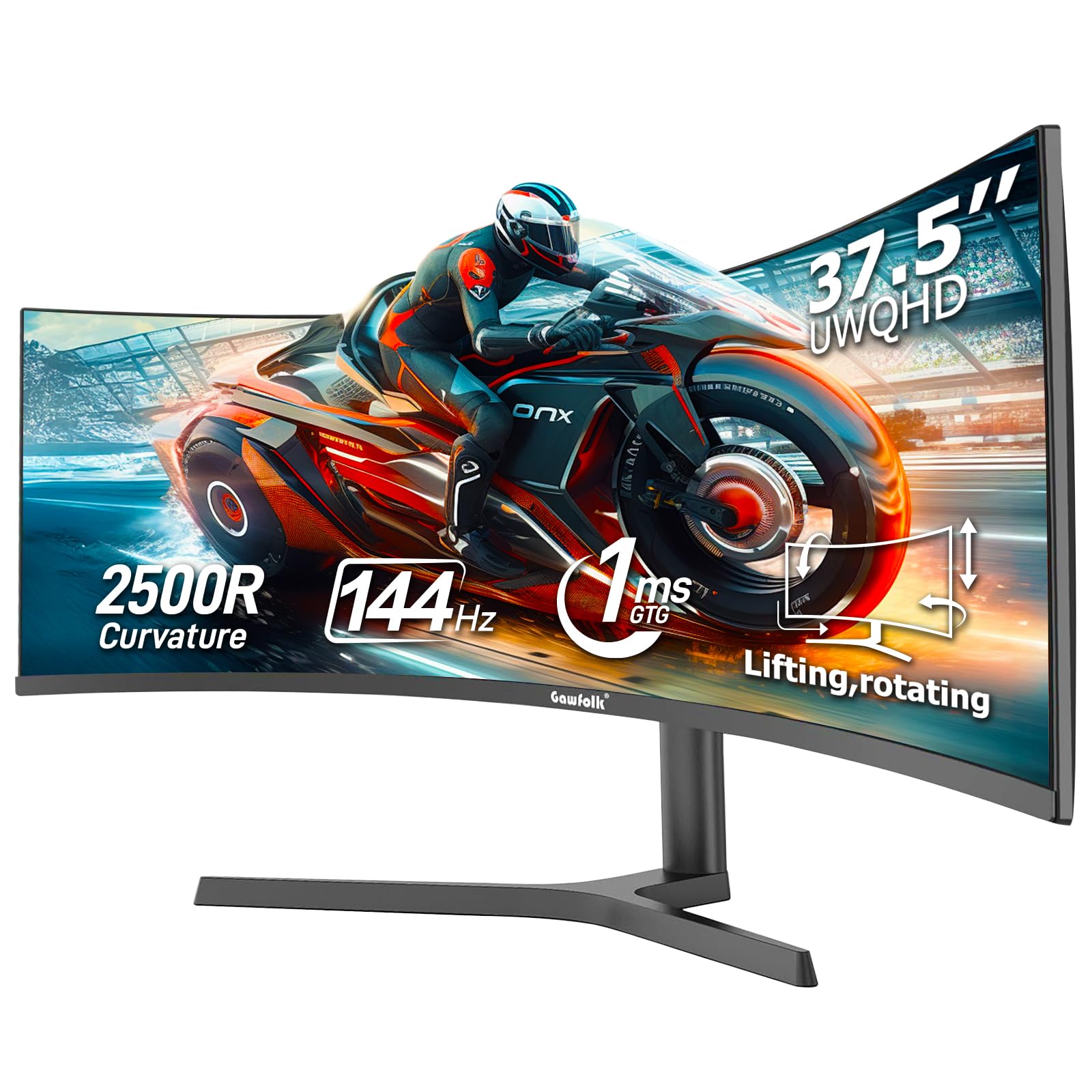
3. Gawfolk 37.5 Inch Gaming Curved Monitor
A 2500R curve and dual sync support make this a smart middle ground for mixed work-play days.
This 37.5-inch monitor uses a 2500R curvature that gently wraps around your vision to reduce peripheral distortion and eye strain during long sessions. The UWQHD+ resolution of 3840 x 1600 sits between standard WQHD and full 5K2K, giving you noticeably more detail than a 1080p display for multitasking and video editing.
The refresh rate here matches the INNOCN at 144Hz, but the Gawfolk adds support for both G-Sync and FreeSync. That means it plays nicely whether you have an Nvidia or an AMD graphics card, synchronizing the screen’s refresh with your GPU to minimize screen tearing. Motion blur reduction via MPRT tech and an on-screen crosshair help in fast shooters.
Color depth is another highlight. It supports 10-bit color (8-bit plus A-FRC dithering) to produce 1.07 billion colors, which smooths out gradients and reduces color banding. Owners mention the 1000:1 contrast ratio is good, and the screen works well with Macs for office use.
Smart buy for: the gamer who also does serious work, because you get 144Hz smoothness and dual GPU sync support without jumping to an OLED price.
Note: one owner found the inner screen protector arrived cracked, though the panel itself worked fine.
4. Deco Gear 39″ Curved Widescreen Gaming Monitor
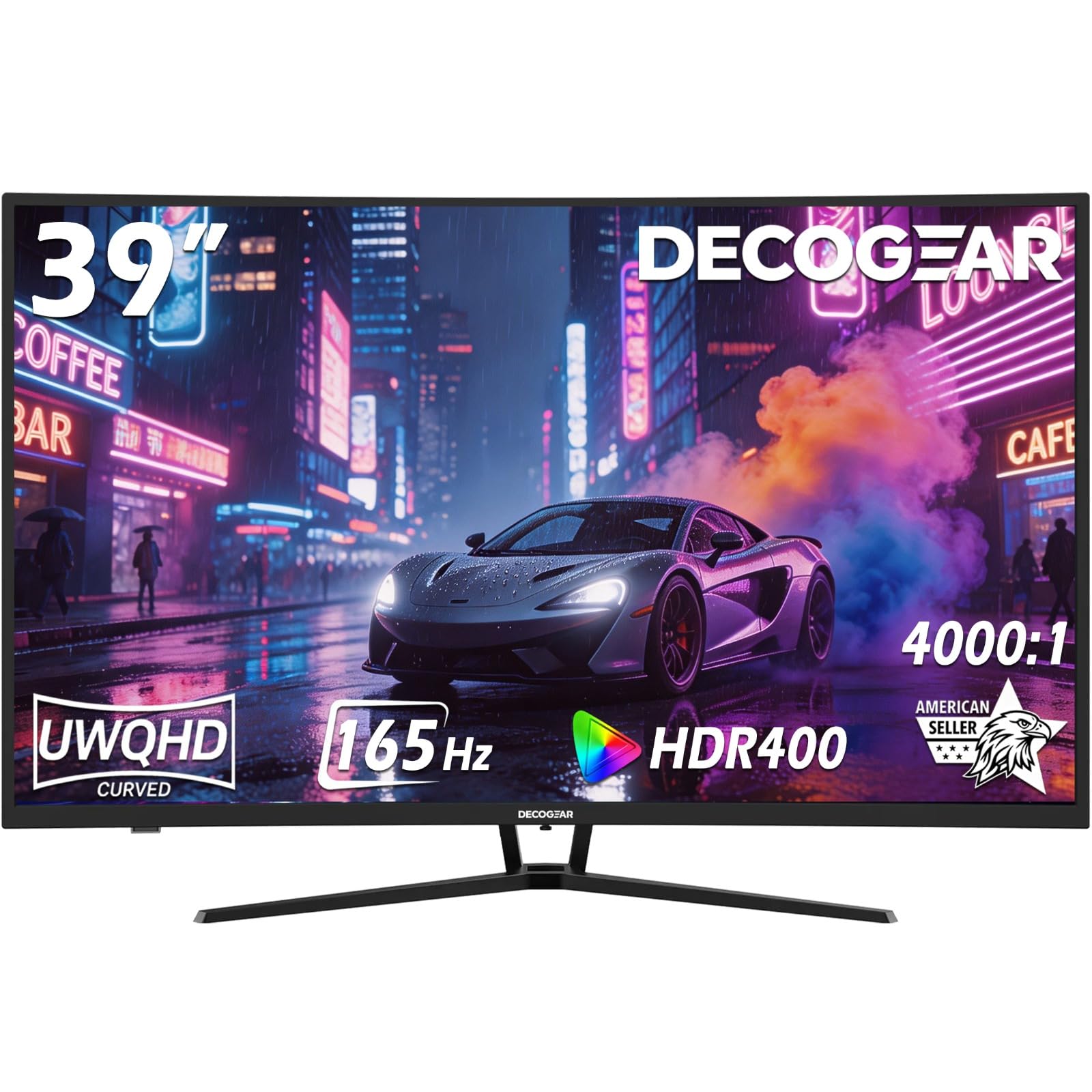
The budget gamer’s 39-inch bet, with a 165Hz refresh rate and deep 4000:1 contrast.
This is one of the few 39-inch 16:9 panels, and it brings an impressive 4000:1 contrast ratio, which is significantly deeper than the 1000:1 on typical ultrawides. That means dark scenes in games and movies look richer, with true blacks instead of washed-out grays. The 3000R curve wraps the screen around you to reduce darting eye movements.
You get fast performance without overspending. The 165Hz refresh rate (via DisplayPort 1.4, a cable standard that supports high refresh) and 1ms MPRT response (a measure of motion blur) keep online FPS games feeling snappy, while Adaptive Sync (a tech that matches the screen’s refresh to your GPU) eliminates screen tearing. Buyers report it’s a great value step-up for budget gamers and praise the rich feel.
The honest catch is resolution. At 2560 x 1440 on a 39-inch screen, the pixel density is low enough that some owners find text slightly pixelated in office work, a downgrade from a 34-inch ultrawide. Built-in speakers are adequate, and the single-button control is clunky, but for the price these are fair trade-offs.
The Upside
- 4000:1 contrast delivers genuinely deep blacks for the budget tier.
- 165Hz refresh feels snappy and smooth in fast games.
- Larger and cheaper than comparable 34-inch rivals.
The Downside
- 1440p on 39 inches means text is not as crisp as on denser panels.
- Limited to one HDMI and one DisplayPort, with fewer ports than rivals.
- A few owners mention flickering or reliability issues.
Who it fits: casual and competitive gamers who want a huge screen and fast refresh on a tight budget.
Who should skip: office users who care about razor-sharp text, since the pixel density is below average.
5. Deco Gear 40 inch Curved 5K2K Ultrawide Monitor
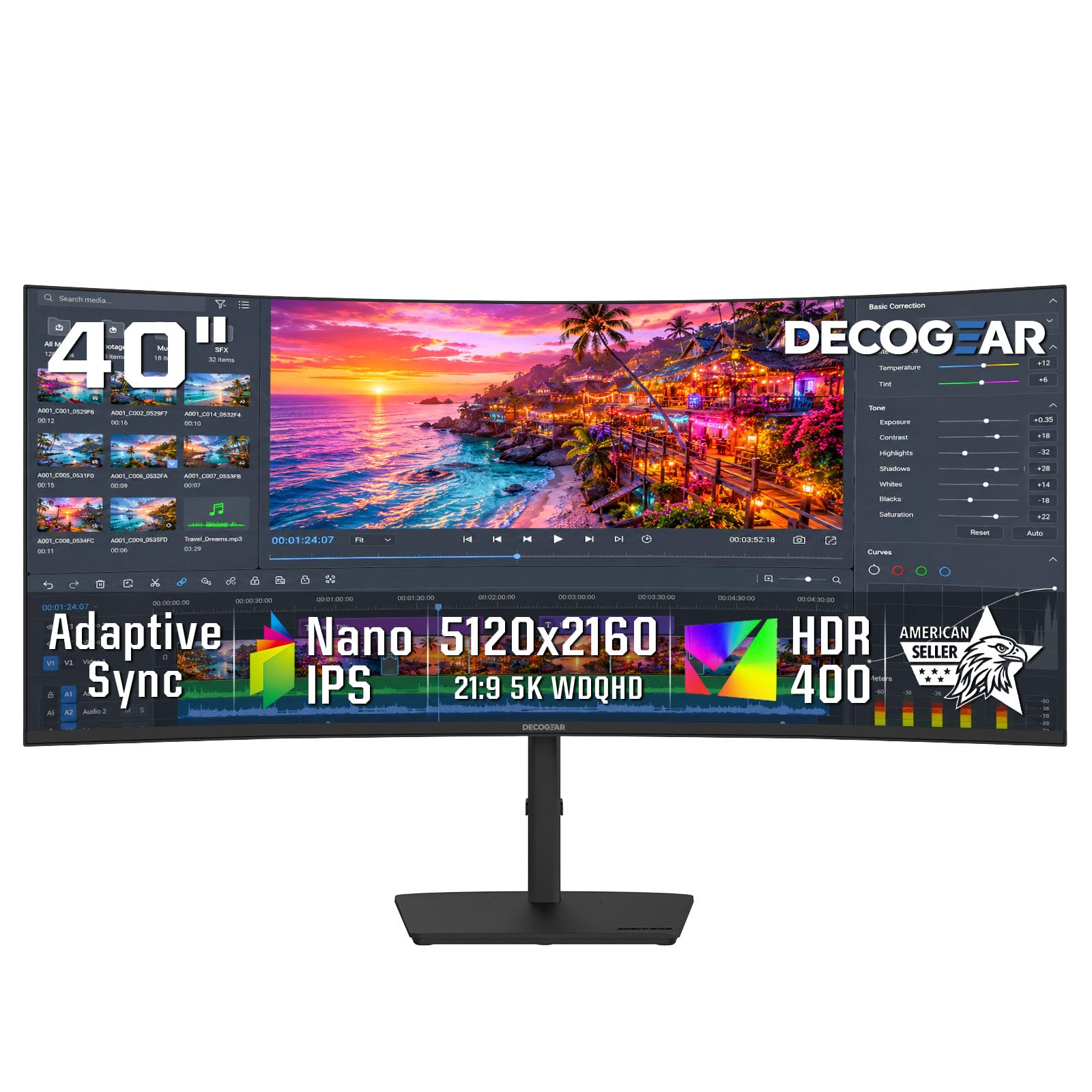
A 5K2K workspace with a built-in KVM switch and 90W laptop charging in one clean screen.
At 5120 x 2160 resolution, this 40-inch IPS panel gives you an enormous canvas for timelines, dashboards, and design panels all at once. Owners describe the screen quality as excellent with outstanding crispness in text, and the 2500R curve keeps the wide desktop comfortable for office work, creative projects, and trading.
The desk setup is where this monitor shines. A USB-C port delivers up to 90W of power to charge a compatible laptop, while the built-in KVM switch plus PIP and PBP modes let you toggle between a laptop and desktop with shared keyboard and mouse. Customers note fitting 4 to 5 documents on screen for easy multitasking.
The main compromise is the 75Hz refresh rate, which is fine for work and light gaming but far below the 144Hz+ gamers want. It supports FreeSync and Adaptive-Sync to reduce tearing at that speed. Owners note a slightly cheap build with loose screws and some report the USB-C port failing after a few months, so buying with extra protection is wise.
Standout for: hybrid workers who switch between a laptop and desktop daily and want a clean, one-cable desk with KVM built in.
Fair warning: keep your original box and consider extended protection, as some owners have hit USB-C reliability issues.
6. INNOCN 40 Inch 5K Ultrawide Monitor 40C1U

A rare 5K ultrawide that prioritizes color accuracy, making it a designer’s budget-friendly dream.
This 40-inch IPS panel delivers 5120 x 2160 resolution with a wide 135% sRGB and 106% DCI-P3 color gamut, so colors are vivid and accurate straight from the start. It is factory pre-calibrated to a Delta E under 2, meaning the color error is tiny enough that photo editors and video workers can trust what they see.
Owners who do graphic design appreciate the flat 5K2K canvas with no curve distortion, and some report the panel quality actually exceeds more expensive Dell models in uniformity and blacks. The 100Hz refresh rate with FreeSync Premium makes it a solid budget gaming monitor too, with excellent refresh and adaptive sync for the price.
Connectivity is generous with dual HDMI 2.1 ports, a DisplayPort 1.4, and a USB-C port delivering 65W of power to charge a laptop. The 1200:1 contrast ratio delivers good but not OLED-level blacks. The integrated speakers are adequate, and the metal stand with height, swivel, and tilt adjustment feels premium.
Why Designers Like It
- Factory calibration with Delta E under 2 gives trustworthy color.
- Dual HDMI 2.1 plus 65W USB-C covers modern laptops and consoles.
- 100Hz refresh makes work scrolling smooth and gaming decent.
What To Know
- Black range is limited; dark scenes are not as deep as OLED.
- Refresh rate is 100Hz, not enough for competitive FPS players.
- Some owners hit KVM and firmware quirks, especially on Linux.
Best for: designers, video editors, and researchers who need accurate, wide color on a big 5K screen without paying Dell prices.
Not for: hardcore competitive gamers who want 240Hz motion clarity; this is a color-first panel.
7. Samsung 37″ Odyssey G7 (G75F) 4K UHD Curved Gaming Monitor

Samsung’s steep 1000R curve and true 4K resolution turn gaming into a wrap-around experience.
This 37-inch 4K UHD (ultra-high definition, 3840×2160 pixels) monitor has the tightest 1000R curve in the lineup, meaning the screen bends to match your field of view for deeper immersion. Owners note it gives you over 4 square feet of screen space and call the curve spectacular for PS5 gaming, with sharp 4K graphics at 120Hz.
The 165Hz refresh rate and 1ms response time (GtG) keep fast gameplay smooth and free of visible ghosting. VESA DisplayHDR 600 adds punch with deeper blacks and brighter whites, which owners describe as having colors that look deep and amazing with no blurriness. The 3000:1 contrast ratio helps dark scenes stay readable.
This is a 16:9 panel, so you get a huge screen without the ultrawide aspect. Owners upgrading from a 32-inch 1440p find 4K crisp enough for work with four windows open, though one notes the 37-inch size is just about the practical maximum for a desk. It lacks 240Hz, but most find 165Hz more than enough.
The Highlights
- True 4K at 120Hz on console makes PS5 gaming look stunning.
- 1000R curve delivers genuine wrap-around immersion.
- VESA DisplayHDR 600 adds real contrast punch.
The Compromises
- 16:9 aspect misses the ultrawide feel some buyers want.
- No 240Hz option for the most competitive players.
- Owners say it is huge and heavy, so plan your desk space.
Grab this if: you’re a console or PC gamer who wants the most rich 4K experience and likes a steep, enveloping curve that pulls you into the action.
Pass if: you need an ultrawide aspect ratio for multitasking; this is a pure 16:9 gaming panel.
8. LG 37G800A-B 37-Inch UltraGear 4K UHD Curved Gaming Monitor

LG’s 4K UltraGear is built for next-gen consoles with dual HDMI 2.1 and a buttery 165Hz refresh.
The dual HDMI 2.1 ports make this a top choice for PS5 and Xbox owners, letting you run true 4K at 120Hz on console games. Owners describe the image quality as exceptional with crisp, clear pictures, and the 165Hz refresh rate and 1ms response time (GtG) keep fast gameplay sharp with minimal blur.
Color performance is strong with up to 95% DCI-P3 coverage and a 4000:1 contrast ratio for deep blacks and vibrant hues. VESA DisplayHDR 600 adds brighter highlights, and the non-reflective screen helps keep you focused. Owners say the curve makes it feel like a movie screen and call it brilliant and large.
Connectivity extends beyond gaming with a USB-C port delivering 65W of power delivery to charge a laptop, plus a USB upstream and two downstream ports. The stand offers height, tilt, and swivel adjustment. The main reliability concern is that some units power off randomly, and the single OSD button at the back is unintuitive.
The Strengths
- Dual HDMI 2.1 delivers true 4K at 120Hz on PS5 and Xbox.
- 4000:1 contrast and HDR 600 make games look vivid.
- USB-C with 65W power doubles as a laptop dock.
The Weaknesses
- Random power-offs reported on some units.
- Heavy enough that owners warn against monitor arms.
- Back-mounted OSD button is awkward to use.
Choose this for: console-first gamers who want a large 4K curved screen that runs PS5 or Xbox at full speed with HDMI 2.1.
Reconsider if: you are sensitive to reliability; a few owners reported the monitor powering off randomly.
9. Samsung 40″ Odyssey G7 (G75F) WUHD Curved Gaming Monitor

The fastest of the 5K2K ultrawides, blending Samsung’s steep curve with a 180Hz refresh.
This 40-inch ultrawide runs a stunning 5120 x 2160 resolution at a 180Hz refresh rate, making it the highest-refresh 5K2K panel in this list. The 21:9 screen with a 1000R curve wraps around your vision, and the VESA DisplayHDR 600 support adds contrast with deeper blacks and brighter whites.
Buyers are impressed by the sharp text and images, finding it useful for both work and play. They report the deep curve reduces eye strain, and one reviewer says the curve is stunning with no distortion in 2D work, easier on the eyes than a triple-monitor setup.
It is notably cheaper than the LG and Dell 5K2K alternatives, which owners call excellent value on sale. The VA panel has a 3000:1 contrast ratio that delivers stronger blacks than the IPS Deco Gear 40-inch. The trade-offs are a very steep 1000R curve that is not ideal for productivity, and average viewing angles with minor backlight bleed.
What Wins People Over
- 180Hz refresh is the fastest in the 5K2K ultrawide class.
- 3000:1 contrast delivers solid depth for a VA panel.
- Cheaper than LG and Dell rivals at the same resolution.
The Drawbacks
- 1000R curve is too steep for serious productivity or editing work.
- Color accuracy lags an IPS panel, though it is adjustable.
- Needs a powerful GPU and can show random black screens on some setups.
Pick this if: you want a large ultrawide for rich gaming and are okay with a very aggressive curve that takes some getting used to.
Skip if: productivity and color-accurate editing take priority; the steep curve fights against that use.
10. LG 39GS95QE UltraGear OLED Curved Gaming Monitor

The OLED flagship that trades sharp text for perfect blacks and an instant 0.03ms response.
This 39-inch OLED panel is the gaming specialist of the group, with a dramatic 800R curve and a 240Hz refresh rate that competitive players will love. The near-instant 0.03ms response time (GtG) means almost zero ghosting, and the 1.5M:1 contrast ratio delivers perfect blacks and vivid color that no LCD panel can match.
Buyers upgrading from LCD (a standard panel type) say the image quality is far better, with true blacks and no backlight bleed (light leaking around edges). The 240Hz refresh and G-Sync Compatible validation (NVIDIA’s tech that prevents screen tearing) make it one of the smoothest gaming experiences, and the steep 800R curve is praised for drawing you into the action.
The honest trade-off is resolution. At 3440 x 1440 on a 39-inch screen, text clarity is lower than a 5K2K panel, which owners say makes it a meh productivity monitor. It is also power-hungry, has limited stand tilt, and lacks a KVM switch. OLED also needs burn-in maintenance, though some report a 2-year warranty covers the panel.
The OLED Magic
- Perfect blacks and vibrant colors from true OLED pixels.
- 240Hz refresh and 0.03ms response for elite gaming smoothness.
- G-Sync Compatible and FreeSync Premium Pro cover both GPU brands.
The OLED Reality
- 1440p resolution makes text less sharp for office work.
- OLED burn-in risk needs active pixel-cleaning care.
- Some reviewers point out flickering and black-screen failures within weeks.
Made for: competitive and visual gamers who want the fastest, most contrast-rich image money can buy.
Not for: anyone who reads text all day; the modest resolution and OLED burn-in concerns make it a work compromise.
11. LG 39GX90SA-W 39-Inch UltraGear OLED Curved Gaming Monitor

The OLED that doubles as a smart TV, with webOS streaming built right into the white frame.
This 39-inch OLED monitor pairs a 240Hz refresh rate and 0.03ms response time with a steep 800R curve and up to 1300-nit peak brightness. The 1.5M:1 contrast ratio and up to 98.5% DCI-P3 color coverage deliver stunning picture quality that owners call crisp with amazing detail and contrast.
What sets this apart is LG’s webOS built in. You get direct access to Netflix, Prime Video, Disney+, and over 300 free LG Channels, plus cloud gaming via NVIDIA GeForce NOW and Amazon Luna, without needing a PC or console. Owners note how full-screen movies take up the whole display.
It is G-Sync Compatible and FreeSync Premium certified for tear-free gaming, and the USB-C port can power a MacBook. Owners praise how well it works with various devices, including older laptops and Mac M3 and M4 models. The main complaints are messy firmware, an awkward input switch, and one owner reporting adware concerns from LG’s software updates.
Why It Stands Out
- webOS brings streaming apps and cloud gaming straight to the monitor.
- 240Hz OLED with 0.03ms response is elite-tier performance.
- 2-year limited warranty covers the OLED panel.
The Caveats
- Firmware can feel unfinished with sleep and input-switch quirks.
- 1440p resolution is not ideal for ultra-sharp text.
- Some shoppers say flickering issues on HDMI.
Reach for this if: you want one premium OLED screen that handles both gaming and your streaming apps without external hardware.
Look elsewhere if: you dislike smart-TV software and would rather have a cleaner, non-smart gaming monitor.
Understanding the Specs
Resolution and Pixel Density
The resolution (like 3440 x 1440 or 5120 x 2160) determines how sharp text and images look on a big screen. Higher resolution means more pixels packed into the same area, which keeps text crisp instead of slightly fuzzy. A 5K2K panel is ideal for reading; a 1440p ultrawide is easier for your graphics card to drive fast.
Refresh Rate and Response Time
The refresh rate in hertz (Hz) is how many times the screen updates per second. Higher refresh rates like 144Hz or 240Hz reduce motion blur in fast-paced games. Response time is how quickly a pixel changes color; lower is better for avoiding ghosting behind moving objects.
Panel Types: IPS, VA, OLED
IPS panels give the widest viewing angles and best color accuracy. VA panels offer deeper blacks and higher contrast for movies. OLED panels produce perfect blacks and instant response but cost more and need care against burn-in. Pick IPS for color work, VA for contrast, and OLED for gaming.
USB-C Power Delivery and Hubs
A USB-C port with power delivery lets a single cable carry video, data, and laptop charging. Look for wattage like 65W or 90W to know if it can charge a demanding laptop. Built-in USB hubs and KVM switches let you share a keyboard and mouse between two computers, which is a big win for hybrid work desks.
FAQ
Will a 39-inch monitor fit on my desk?
What is the ideal resolution for a 39-inch curved screen?
Is 144Hz good enough for gaming, or do I need 240Hz?
What is the difference between IPS and VA panels for this size?
Can a curved monitor reduce eye strain?
What does FreeSync or G-Sync do for a curved monitor?
Will my graphics card run a 5K2K ultrawide monitor?
How long does an OLED gaming monitor last?
Should I buy a 16:9 or ultrawide 21:9 curved monitor?
What is MPRT in monitor specs?
Final Thoughts: The Verdict
For most people, the 39-inch curved monitor winner is the Dell UltraSharp U4025QW because it delivers the sharpest 5K2K image, an excellent 120Hz refresh, and a powerful Thunderbolt hub that charges your laptop with one cable. If you want a fast gaming panel that won’t break the bank, grab the INNOCN 40C1R with its 144Hz refresh and strong color accuracy. And for the ultimate competitive gaming experience with perfect blacks and instant response, the LG 39GS95QE OLED is the one to reach for.
How We Picked
We do not accept paid placement. Every pick is matched to a real buyer and a real use-case; we do not hands-on test units.
Sources & Methodology
Specifications: manufacturer listings and product documentation. Review insights: verified customer reviews, as of August 2026. Pricing: not shown on this page (it changes often); check the current price via the retailer link.
As an Amazon Associate, Gadgets Feed earns from qualifying purchases. This does not affect which products we feature.