
Our readers keep the lights on and my morning glass full of iced black tea. As an Amazon Associate, I earn from qualifying purchases.
Specs are compiled from manufacturer listings and verified buyer reviews and can change over time — please confirm the key details on the product page before buying.
You want a 39-inch OLED monitor for one reason: a huge, rich screen that stays crisp for everyday tasks. The real challenge in this size isn’t contrast or refresh rate—it’s pixel density. A 3440 x 1440 panel (a resolution with about 3.5 million pixels) stretched across 39 inches can look soft for work, while a 5120 x 2160 panel (a 5K2K resolution with about 11 million pixels) in the same footprint looks razor-sharp. Knowing the difference before you buy saves you from a costly regret.
I’m Min — the founder and writer behind Gadgets Feed. This guide is built by comparing the manufacturers’ published specifications and the patterns across verified customer reviews, so you get each pick’s real strengths and trade-offs instead of marketing spin.
Every pick below is a genuine OLED, and we flag the exact resolution trade-offs so you can confidently choose the right 39-inch oled monitor for gaming, work, or a mix of both without guesswork.
Our Picks at a Glance

How To Choose The Best 39-Inch OLED Monitor
Choosing a 39-inch OLED depends on one key question: what will you do with it most? The answer decides if you need a dense 5K2K panel (a resolution of 5120 x 2160, great for sharp text) or a high-refresh WQHD panel (a resolution of 3440 x 1440, built for gaming speed). Match the panel to your daily routine, and you’ll avoid buyer’s remorse.
Resolution and Pixel Density
The single biggest factor is pixel density, measured in PPI (pixels per inch). A 3440 x 1440 WQHD panel at 39 inches has a lower PPI, which can make text look slightly soft when you’re working in documents. A 5120 x 2160 5K2K panel packs far more pixels into the same space, delivering crisp text that rivals a 4K monitor—ideal if you split your time between gaming and productivity.
The Curve: 800R vs 1500R
The curve radius tells you how aggressively the screen wraps around you. A smaller number like 800R means a much steeper bend that pulls your peripheral vision into the action—great for racing and FPS games. A gentler 1500R curve is more subtle and feels more natural for desktop work, where you want a flatter viewing plane for spreadsheets and web browsing.
Refresh Rate and Response Time
For competitive gaming, look for a 240Hz refresh rate, which means the screen redraws 240 times per second for buttery-smooth motion. Pair that with a 0.03ms response time (the speed at which a pixel changes color) and you get minimal ghosting in fast scenes. Some premium panels offer “Dual-Mode,” letting you switch between high resolution at a lower refresh and lower resolution at a much higher refresh for esports.
Quick Comparison
| Model | Best For | Resolution | Refresh Rate | Curve | Amazon |
|---|---|---|---|---|---|
| LG 39GX90SA-W★ Best Overall | Streaming + Gaming Combo | 3440 x 1440 | 240Hz | 800R | Amazon |
| LG 39GS95QETop Performer | Pure Competitive Gaming | 3440 x 1440 | 240Hz | 800R | Amazon |
| LG 39GX900A-B | Console + PC Hybrid | 3440 x 1440 | 240Hz | 800R | Amazon |
| LG 45GX900A-B | Maximum Screen Real Estate | 3440 x 1440 | 240Hz | 800R | Amazon |
| LG 39GX950B-B | Work + Gaming Perfection | 5120 x 2160 | 165Hz / 330Hz | 1500R | Amazon |
In‑Depth Reviews
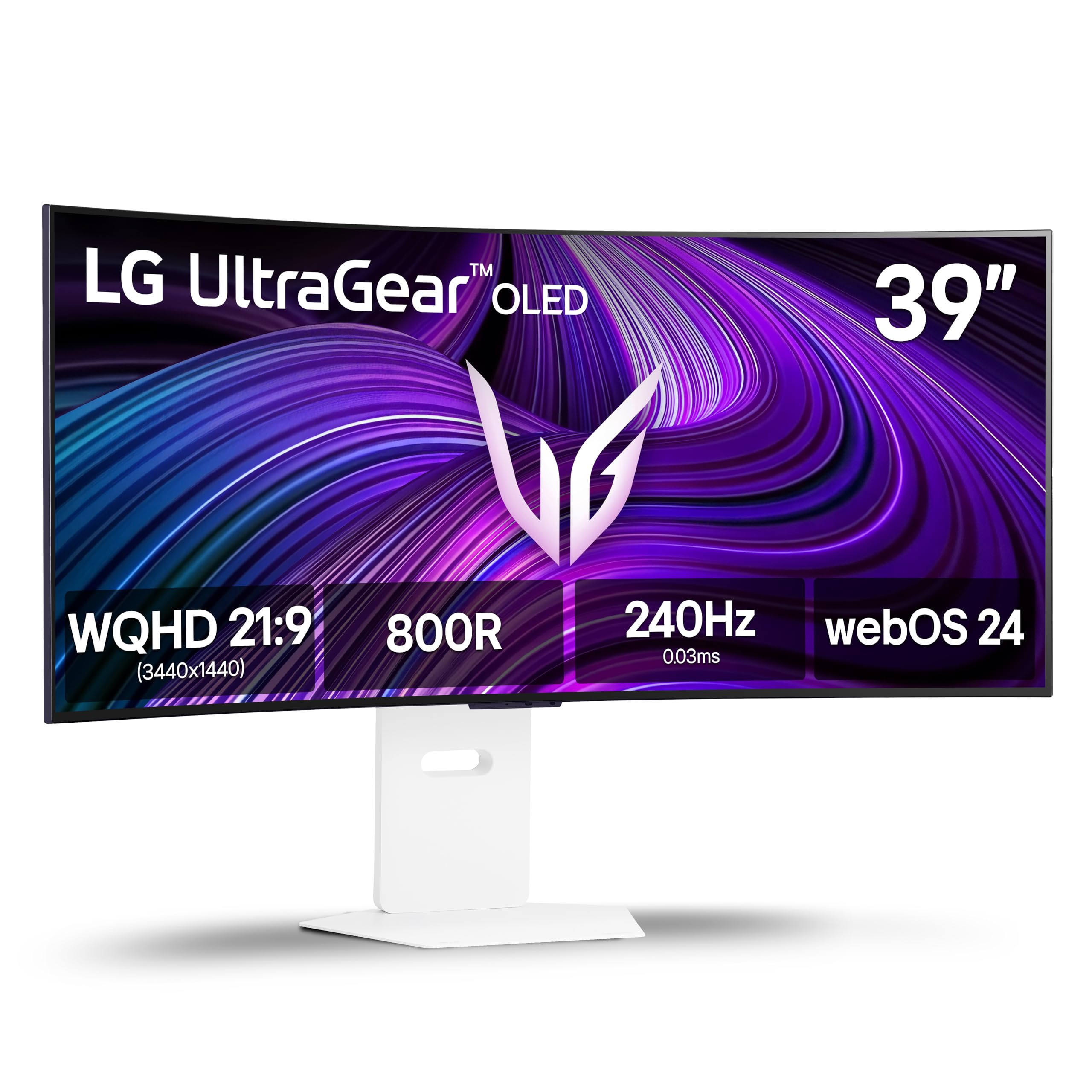
1. LG 39GX90SA-W 39-inch Ultragear WQHD OLED Curved Gaming Monitor
Our pick — over 4★ from 600+ verified ratings; the strongest balance of quality and price.
The all-rounder that doubles as a streaming hub, pulling double duty without breaking a sweat.
This is the pick for someone who wants one screen to rule both gaming night and movie night. It’s a 39-inch WQHD (3440 x 1440) OLED with a steep 800R curve and a 240Hz refresh rate, so fast-paced shooters stay fluid and responsive. The 0.03ms response time (the time a pixel takes to change color) keeps motion sharp with almost no ghosting, which is exactly what you want when tracking a moving target.
Unlike most gaming monitors, this one runs LG’s webOS, so Netflix, Prime Video, Disney+, and over 300 free LG Channels are built right in. You can even cloud-game through NVIDIA GeForce NOW or Amazon Luna without plugging in a PC. Owners praise the display quality most of all—124 of them single it out—and the picture quality earns 97 mentions, with the matte finish and rich size getting consistent love. It also covers up to 98.5% of DCI-P3 color (a wide color standard for rich, accurate hues) and hits DisplayHDR True Black 400 (a certification for deep, true blacks).
The catch is a real one for Windows users: buyers report that LG installs adware and spyware via Windows Update without consent, tracking inputs and serving ads. It’s a privacy and security risk that has been documented in depth. If you’re on Windows and this worries you, you may want to look elsewhere—but if you’re on macOS or you’re willing to manage the software, this remains the most versatile all-in-one OLED in the class.
What Wins People Over
- Built-in webOS streaming and cloud gaming without a PC
- 240Hz refresh with a near-instant 0.03ms response
- 800R curve wraps the action into your peripheral vision
- FreeSync Premium and G-Sync Compatible for tear-free play
The Honest Trade-Offs
- Adware/spyware installed via Windows Update is a serious privacy flag
- 3440 x 1440 resolution is softer for text-heavy work
Reach for this if: you want a gaming monitor that also replaces a smart TV in one clean setup.
Look elsewhere if: you’re on Windows and can’t accept the bundled tracking software.
2. LG 39GS95QE Ultragear OLED Curved Gaming Monitor 39-Inch
A dedicated gaming weapon with a steep 800R curve built for pure immersion and speed.
Where the first pick dabbles in streaming, this one is laser-focused on one job: competitive gaming. It sports a 39-inch WQHD (3440 x 1440) OLED with a dramatic 800R curve and a 240Hz refresh rate, so your eyes are pulled into the action from every angle. The near-instant 0.03ms response time means less lag and ghosting, giving you a real edge in fast-twitch shooters. Owners consistently praise the build quality—36 call it out—and the color performance with perfect blacks gets 22 mentions.
It comes certified with both NVIDIA G-Sync Compatible and AMD FreeSync Premium Pro, so screen tearing and stutter are effectively eliminated whether you’re on PC or console. The HDMI 2.1 and DisplayPort 1.4 connections support the full 240Hz refresh rate (the number of times the screen updates per second, making motion smooth), and the adjustable stand lets you fine-tune height, tilt, and swivel to your exact seating position. Buyers describe it as a top-tier gaming monitor with a stunning picture, vibrant colors, and an rich curve, noting the one-click stand and OSD joystick make setup easy.
The honest trade-off is that it’s a mediocre productivity monitor. At 3440 x 1440 stretched across 39 inches, text clarity comes across as mediocre, and there’s no KVM switch or remote to juggle multiple devices. The refresh rate also gets mixed feedback—some owners mention stunning visuals while others flag issues—and the anti-glare coating can slightly lift the blacks it works so hard to create. This is a screen you buy for the game, not for the spreadsheet.
Best for gamers: if you want maximum immersion and speed with a steep curve and rock-solid adaptive sync.
Stick with something else for: heavy office work or multi-device setups, where the soft text and missing KVM will frustrate.
3. LG 39GX900A-B 39 Inch Ultragear OLED WQHD 240Hz Curved Gaming Monitor Bundle
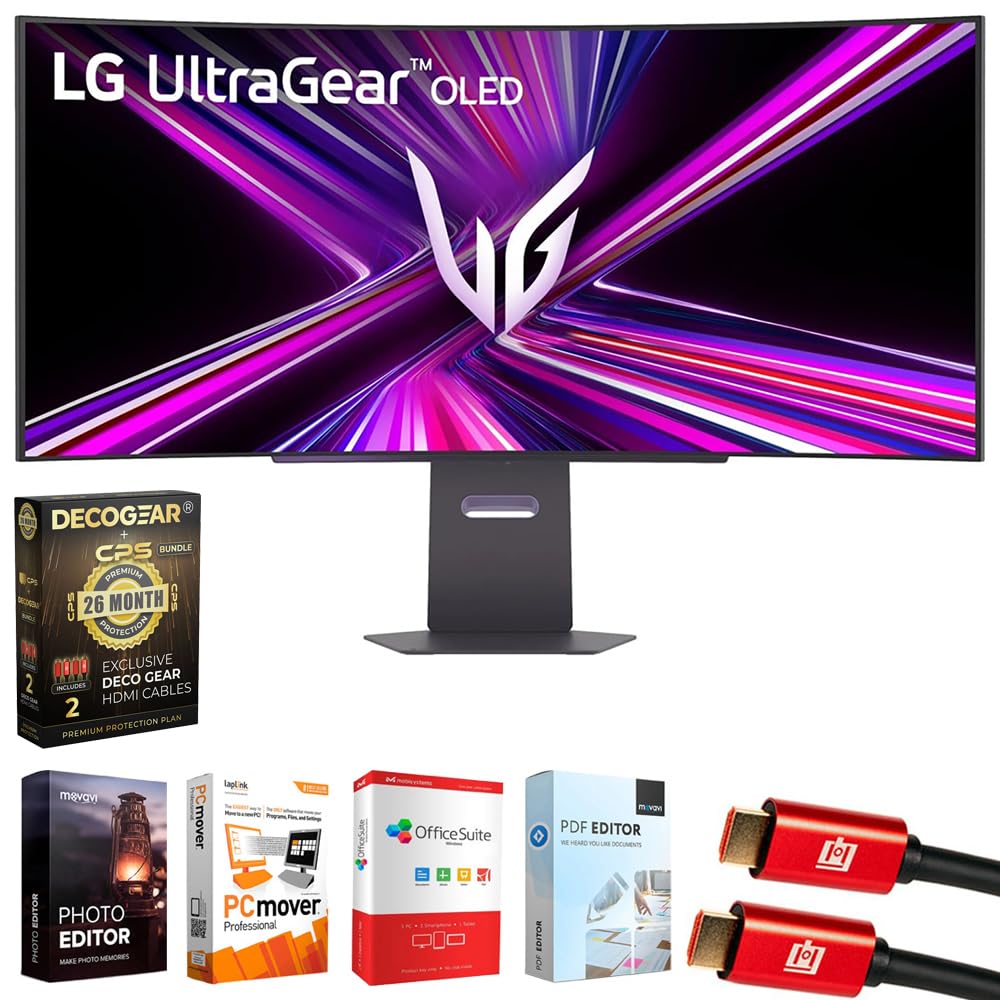
The bundle that adds real protection and cables, built for console players who want plug-and-play.
This is the pick that sweetens the deal. It’s a 39-inch 21:9 WQHD OLED with the same beloved 800R curve and a 240Hz refresh rate, but the value comes from what’s in the box. You get a 26-month extended protection plan on top of LG’s full manufacturer warranty, plus two 6-foot 4K HDMI 2.0 cables and an editing software bundle. If you’re buying for an Xbox Series X or PlayStation 5, owners say it’s easy to put together and fits next-gen gaming perfectly.
The panel itself delivers up to 98.5% DCI-P3 color coverage and a 1.5M:1 contrast ratio, with DisplayHDR True Black 400 for rich, deep blacks. Connectivity is a highlight: HDMI 2.1, DisplayPort 1.4, and a USB Type-C port that delivers 65W of power delivery—enough to charge a laptop while you use it as a second screen. Quality is the thing owners praise most, with 6 calling it out, and the adjustable stand plus RGB backlighting round out the battlestation feel.
The catch is that value for money gets mixed feedback, with some noting it’s “not bad” rather than exceptional. A couple of customers note severe flickering that makes editing sessions impossible, which is worth keeping in mind if you plan to use this for color-critical work. For pure console gaming with a strong warranty and useful extras, though, this bundle is tough to top at the price.
Solid console companion: the included protection plan and HDMI cables make this a true grab-and-go value package.
Think twice if: you’re doing professional color editing—flicker reports suggest it’s not the most reliable for that.
4. LG 45GX900A-B 45-Inch Ultragear WQHD OLED Curved Gaming Monitor
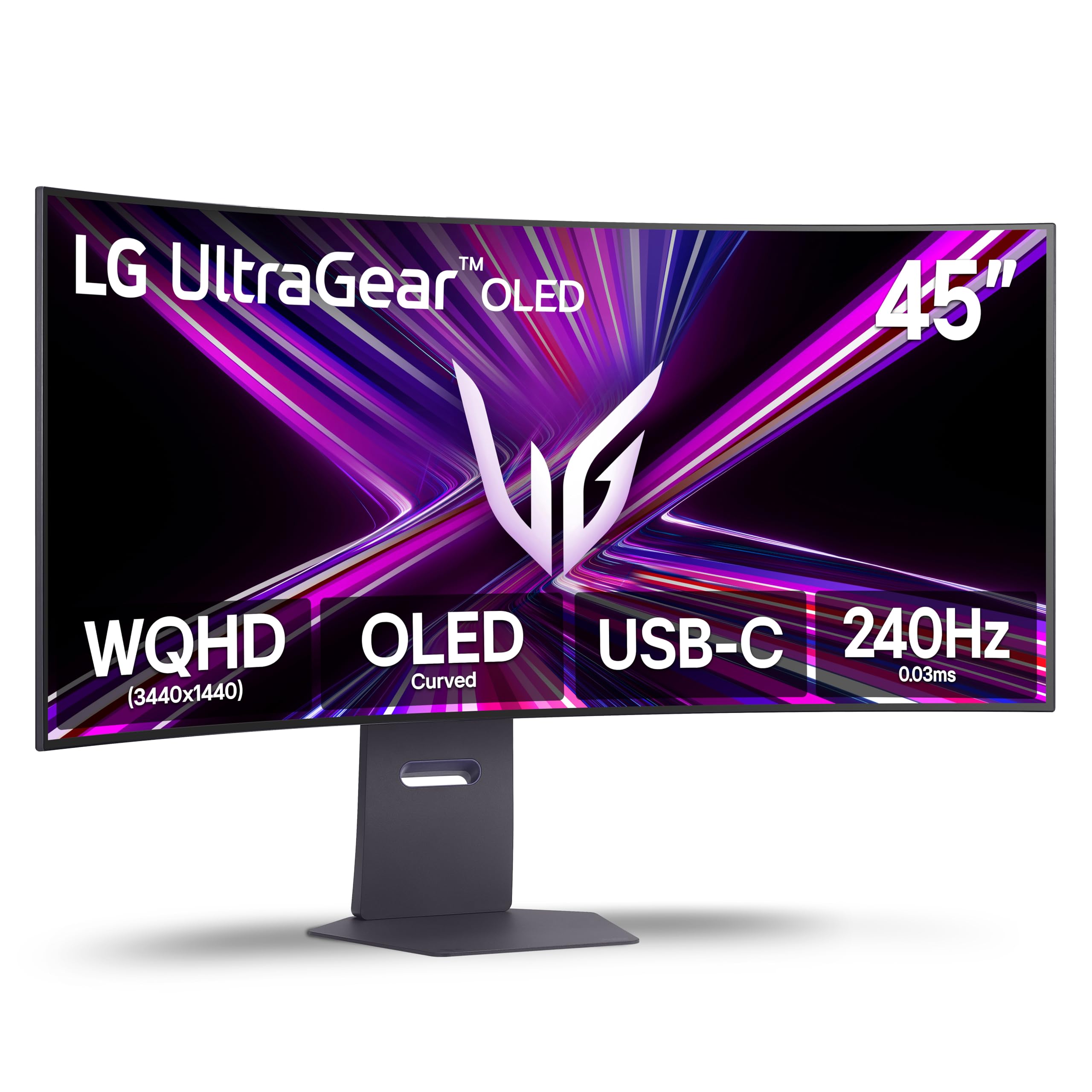
The absolute monster of the list, delivering cinematic immersion that makes games feel like a new medium.
If bigger genuinely is better for you, this 45-inch ultrawide is the one that swallows your entire field of view. It’s a WQHD (3440 x 1440) OLED with a steep 800R curve and up to 1300 nits peak brightness, so the image is both enormous and vivid. The 240Hz refresh rate and 0.03ms response time keep it buttery smooth—reviewers point out solid 240Hz on Battlefield 6 with an RTX 5080, no tearing, and describe the experience as “sublime” at this size. The size itself is the second most-praised aspect, with 10 owners calling it out, and quality leads with 13 mentions.
It’s not just about games. The 21:9 aspect ratio and tall, stable base make it excellent with a Tobii eye and head tracker, with one owner calling it better than VR. Connectivity is fully loaded with HDMI 2.1, DisplayPort 1.4, and USB Type-C with 65W power delivery, so you can drive a laptop and a console from one screen. It also carries UL verification for flicker-free display and low blue light, which means less eye strain during long sessions.
The honest downside is the resolution. At 45 inches, that same WQHD resolution (3440 x 1440) gets stretched thin—some owners call the DPI “trash” for scaling, and others note they’d buy the 4K version if they could do it again. If you’re coming from a 28-inch 4K monitor, you’ll notice the softness in text. This is a pure immersion machine for gaming and video, not a sharp productivity tool.
The immersion king: if you want the biggest, most cinematic OLED experience, this is it.
Pass if: you need crisp text for daily work—the low PPI at this size will bother you.
5. LG 39GX950B-B 39-inch Ultragear evo 5K2K WUHD OLED Curved Gaming Monitor
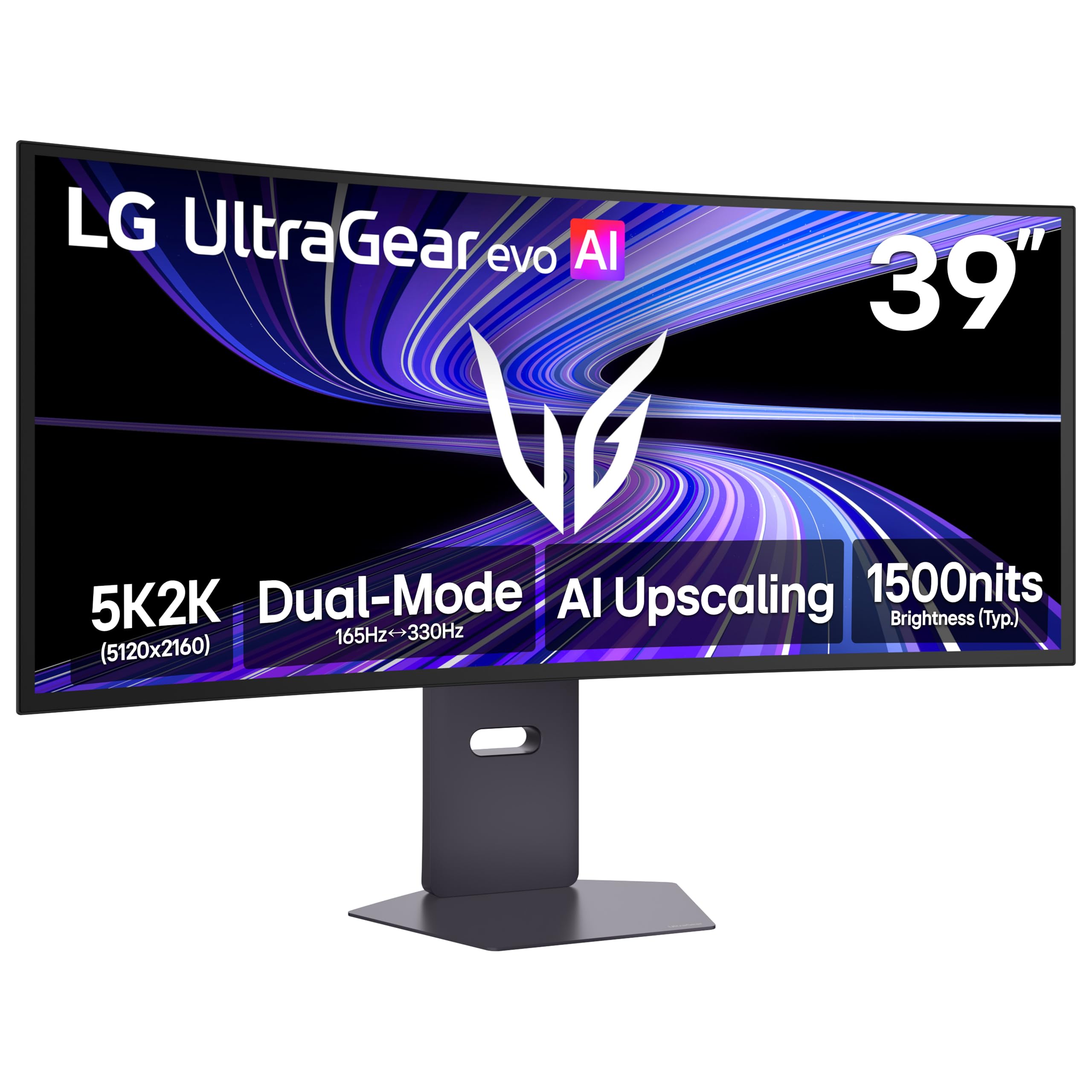
The pixel-dense perfectionist that finally makes a 39-inch ultrawide sharp enough for serious work.
This is the one that solves the biggest complaint in this category. It’s the world’s first 39-inch 5K2K OLED, packing a 5120 x 2160 resolution into that footprint for a stunningly sharp 143 PPI (pixels per inch)—crisp enough that text, HUD elements, and fine details all look razor-clean. Owners say the 5K2K text clarity is superb and that it’s sharper than a 45-inch display, making it a genuine workhorse for video editing, photo retouching, and text-heavy documents alongside gaming. The 1500R curve is gentler than the 800R panels, which makes it feel more natural for desktop productivity.
It’s a speed demon too, with a clever Dual-Mode trick. You can run it at 5K2K resolution with a 165Hz refresh rate for cinematic AAA titles, then switch to Wide Full HD at a blistering 330Hz for ultra-responsive competitive play. The 4th Gen Primary RGB Tandem OLED delivers up to 335 nits typical brightness with improved power efficiency, and the UL-verified “Perfect Black” and “Perfect Color” certifications mean true blacks and accurate colors in any lighting. It also covers up to 99.5% (typical) DCI-P3 color with Delta E≤2 accuracy, which is a fancy way of saying the colors are exceptionally true to life.
The premium price is the main barrier, and there are a few quirks to note. The KVM input switching caused screen blinking for one owner who returned it, and another reports a fan with a high-pitched whine, though others detected no coil or fan noise at all. The AI Scene Optimization has to be disabled to access the sRGB and DCI-P3 presets, which is a small hassle. And one buyer flags spyware sending app and computer usage data to LG—a concern shared with the first pick. If those trade-offs don’t scare you, this is the most complete 39-inch OLED you can buy.
Why It’s Worth the Premium
- 143 PPI makes text and fine details genuinely sharp for work
- Dual-Mode: 5K2K at 165Hz for detail, WFHD at 330Hz for speed
- UL-verified Perfect Black and Perfect Color certifications
- AI Upscaling sharpens content without needing a GPU upgrade
What Gives You Pause
- Reported KVM input switching blinks and a possible fan whine
- Spyware concerns flagged by at least one owner
Pick this if: you refuse to choose between sharp work and fast gaming—you genuinely get both here.
skip it if: you’re on a tighter budget or you can’t tolerate the reported software and KVM quirks.
Understanding the Specs
PPI and Why It Matters at 39 Inches
PPI, or pixels per inch, tells you how dense the pixels are on the screen. A 3440 x 1440 panel at 39 inches gives you a lower PPI, which makes text look a bit soft when you’re working in documents. A 5120 x 2160 panel at the same size packs far more pixels in, hitting around 143 PPI for noticeably crisper text and finer detail. If you’ll spend serious time reading or editing, the higher PPI is worth the premium.
Dual-Mode Refresh Rates
Dual-Mode lets one monitor act like two. You can run it at a high resolution like 5K2K (5120 x 2160) with a 165Hz refresh rate for story-driven games and movies, then flip to a lower resolution like WFHD (2560 x 1080) at a much higher 330Hz for competitive shooters where every millisecond counts. It means you don’t have to choose between gorgeous detail and lightning speed—you get both in one panel.
Understanding the 800R Curve
The “R” in 800R stands for the radius of the curve in millimeters. A smaller number means a steeper bend. An 800R curve wraps aggressively around your field of view, pulling your peripheral vision into the action—ideal for racing and FPS games. A gentler 1500R curve is more subtle and comfortable for desktop work, where you want a flatter plane for spreadsheets and browsing.
DisplayHDR True Black Explained
DisplayHDR True Black is a certification that measures how well a screen handles HDR (High Dynamic Range) content. “True Black 400” and “True Black 500” refer to the brightness level in nits that the black levels are validated at. OLED panels excel here because each pixel can turn off completely, producing truly deep blacks rather than the grayish blacks you see on LCD screens. This makes dark scenes in games and movies look dramatically richer.
FAQ
Is a 39-inch OLED monitor too big for a regular desk?
What is the difference between WQHD and 5K2K resolution?
Will a 240Hz refresh rate make a big difference for me?
Can I use a 39-inch OLED monitor for work and productivity?
What is the 800R curve and will I like it?
Is a 39-inch OLED monitor good for a PlayStation 5 or Xbox Series X?
How long does an OLED monitor last and what about burn-in?
Do these monitors have built-in speakers and USB hubs?
Is there a big difference between the 39-inch and 45-inch OLED models?
What cables are included with a 39-inch OLED monitor?
Final Thoughts: The Verdict
For most people, the best 39-inch OLED monitor is the LG 39GX90SA-W because it pairs a 240Hz gaming panel with built-in webOS streaming, making it the most versatile all-rounder of the group. If you want the sharpest text and a true work-plus-play machine, grab the LG 39GX950B-B with its stunning 5K2K resolution. And for pure competitive speed with a steep curve, the LG 39GS95QE is the one to reach for, given its 240Hz refresh and FreeSync Premium Pro support.
How We Picked
We do not accept paid placement. Every pick is matched to a real buyer and a real use-case; we do not hands-on test units.
Sources & Methodology
Specifications: manufacturer listings and product documentation. Review insights: verified customer reviews, as of August 2026. Pricing: not shown on this page (it changes often); check the current price via the retailer link.
As an Amazon Associate, Gadgets Feed earns from qualifying purchases. This does not affect which products we feature.