
Most people think “3D monitor” means strapping a bulky headset to your face or waiting for blockbuster studios to release special editions. But today’s 3D computer monitors break that rule completely — with glasses-free panels, wearable AR displays that project a virtual cinema, and spatial computing devices that convert any 2D video into immersive depth in real time. The choice is no longer about gimmicks; it’s about whether you want a standalone screen or an ultra-portable wearable that turns every surface into your display.
I’m Rikta — the co-founder and writer behind Gadgets Feed. I’ve spent hundreds of hours dissecting the technical specifications, latency figures, and optical architectures that separate true spatial immersion from marketing hype in the 3D monitor space. (And Homer 🐱 twice batted at the virtual 3D cursor before losing interest and claiming the box.)
Whether you’re chasing glasses-free 4K depth for competitive gaming or a wearable AR cinema for travel, this guide breaks down the specs and real-world performance behind every option. After deep analysis, the best 3d computer monitor depends on whether you prioritize an untethered immersive screen or a high-refresh desktop panel with true stereoscopic depth.
How To Choose The Best 3D Computer Monitor
The 3D monitor market has bifurcated into two distinct paths: wearable AR/XR glasses that project a large virtual display, and standalone desktop monitors with glasses-free (autostereoscopic) technology. Your choice depends on your use case, comfort with wearable tech, and need for portability versus pure pixel density.
Wearable AR/XR vs. Glasses-Free Desktop Panel
Wearable AR glasses like the RayNeo Air 4 Pro and XREAL One Pro use micro-OLED optics to create a virtual screen that floats in front of your eyes, supporting 3D content via AI conversion or side-by-side formats. They are lightweight, portable, and ideal for travel, late-night viewing, or gaming on a Steam Deck. Desktop autostereoscopic monitors like the Samsung Odyssey 3D use a lenticular lens to deliver depth without any headset, but they demand specific GPU support and a fixed viewing position. If you value portability and a massive virtual screen, go AR. If you want a high-resolution 4K panel with true 3D depth and a 165Hz refresh rate, choose a dedicated desktop monitor.
Refresh Rate, Latency, and Spatial Tracking
For any 3D experience, motion-to-photon (M2P) latency is the critical metric. The XREAL X1 chip achieves a 3ms M2P latency at 120Hz, making spatial anchoring feel rock-solid. A low-latency spatial engine prevents the screen from drifting or feeling unnatural when you turn your head. In desktop monitors, a 165Hz refresh rate with a 1ms response time (GtG) minimizes blur during fast-paced 3D gaming. For wearable devices, a 120Hz panel with sub-5ms M2P latency delivers the most comfortable long-session experience.
Field of View (FOV) and Virtual Screen Size
Field of view determines how immersive the 3D effect feels. AR glasses range from 46° (RayNeo Air 4 Pro) to 57° (XREAL One Pro). A 52° to 57° FOV typically equates to a perceived 150- to 200-inch virtual screen at a distance of 4-6 meters. For desktop monitors, the perceived depth is not about FOV but about the lenticular lens pitch and viewing angle — but a 27- to 32-inch panel with 4K resolution offers the best clarity for autostereoscopic 3D. If immersion is your priority, prioritize a FOV of 50° or higher for wearables.
Chipset and AI Upscaling for 3D Conversion
Real-time 2D-to-3D conversion is a defining feature. The VITURE Luma series uses a proprietary Immersive 3D feature that converts streaming and gaming content, while the RayNeo Vision 4000 chip uses AI SDR-to-HDR upscaling alongside 3D depth enhancement. XREAL’s X1 chip is built specifically for spatial computing, offering native 3DoF and REAL 3D mode at up to 30fps. If you plan to consume standard 2D content in 3D frequently, look for a chipset that handles real-time conversion without introducing stutter or latency above 100ms.
Quick Comparison
On smaller screens, swipe sideways to see the full table.
| Model | Category | Best For | Key Spec | Amazon |
|---|---|---|---|---|
| RayNeo Air 4 Pro | AR Glasses | Best Overall Value | 120Hz / 46° FOV / 201″ virtual | Amazon |
| RayNeo Air 3s Pro | AR Glasses | Highest Brightness | 1200 nits / 120Hz / 201″ virtual | Amazon |
| Dell 34 Plus S3425DW | Curved Monitor | Productivity & Casual 3D | 3440×1440 / 120Hz / VA panel | Amazon |
| XREAL 1S | AR Glasses | Native 3DoF & REAL 3D | 52° FOV / X1 Chip / 3ms M2P | Amazon |
| TOZO VIZO Z1 | AR Glasses | Ultra-Light & Portable | 63g / 120Hz / 160″ virtual | Amazon |
| Samsung ViewFinity S8 | Desktop 4K | Professional Color Work | 4K UHD / 99% sRGB / KVM switch | Amazon |
| VITURE Luma Pro | XR Glasses | Sharpest Display & 2D-to-3D | 1200p / 52° FOV / Myopia adj. | Amazon |
| VITURE Luma Ultra | XR Glasses | 6DoF Spatial & Hand Gesture | 1500 nits / 52° FOV / 6DoF | Amazon |
| XREAL One Pro | AR Glasses | Largest FOV & Spatial Engine | 57° FOV / 171″ / X1 Chip | Amazon |
| Dell UltraSharp U3225QE | Desktop 4K Hub | High-End Productivity | 4K 120Hz / Thunderbolt / 600 nits | Amazon |
| Samsung Odyssey 3D G90XF | Glasses-Free 3D | Autostereoscopic Gaming | 4K 165Hz / 1ms / No Headset | Amazon |
In‑Depth Reviews
1. RayNeo Air 4 Pro AR/XR Glasses
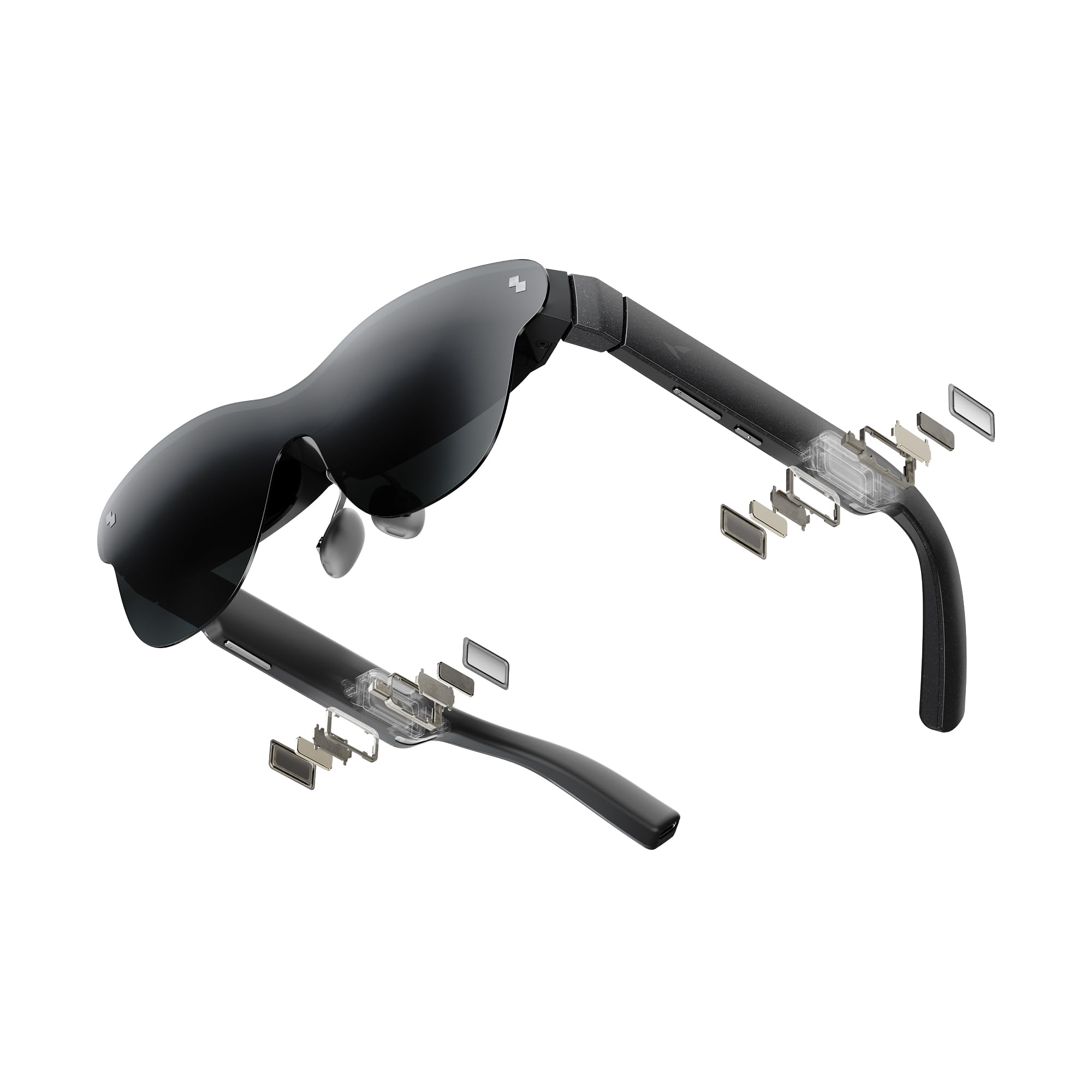
The RayNeo Air 4 Pro punches far above its price tier with a 120Hz 1200-nit micro-OLED display and a 201-inch virtual screen powered by the Vision 4000 chip. This dedicated AI processor handles real-time SDR-to-HDR upscaling and AI depth enhancement for 3D content, giving you immersive spatial depth from standard 2D videos and native 3D films alike. The Bang & Olufsen four-speaker array delivers convincing 360° spatial audio, making movie nights or gaming on a PS5 feel genuinely cinematic without external headphones.
At only 76 grams with adjustable temples and interchangeable nose pads, the Air 4 Pro is comfortable for extended wear during flights or late-night sessions. The 46° field of view feels like a significant virtual display, though the fixed 0DoF screen (spatial anchoring requires third-party software) means the image follows your head rather than locking to a room position. Universal USB-C plug-and-play compatibility with iPhone 15/16/17, Android, MacBook, Steam Deck, and PlayStation consoles eliminates app or WiFi setup friction.
Where the Air 4 Pro truly shines is its combination of HDR10 color performance, low-latency 120Hz motion, and all-day comfort at a price that undercuts competitors by a wide margin. The lack of internal battery keeps the frame light, but it draws 2-4W from the source device — a small trade-off for a wearable display that transforms a cramped airplane tray table into a personal IMAX theater.
Why it’s great
- HDR10 AR display with 10 billion colors and deep black levels
- Vision 4000 chip enables AI-driven 2D-to-3D depth conversion
- Ultra-light 76g frame with adjustable fit for long sessions
Good to know
- 0DoF fixed screen; spatial anchoring needs external software
- Nose pad selection limited; aftermarket mods help fit
2. RayNeo Air 3s Pro AR/XR Glasses
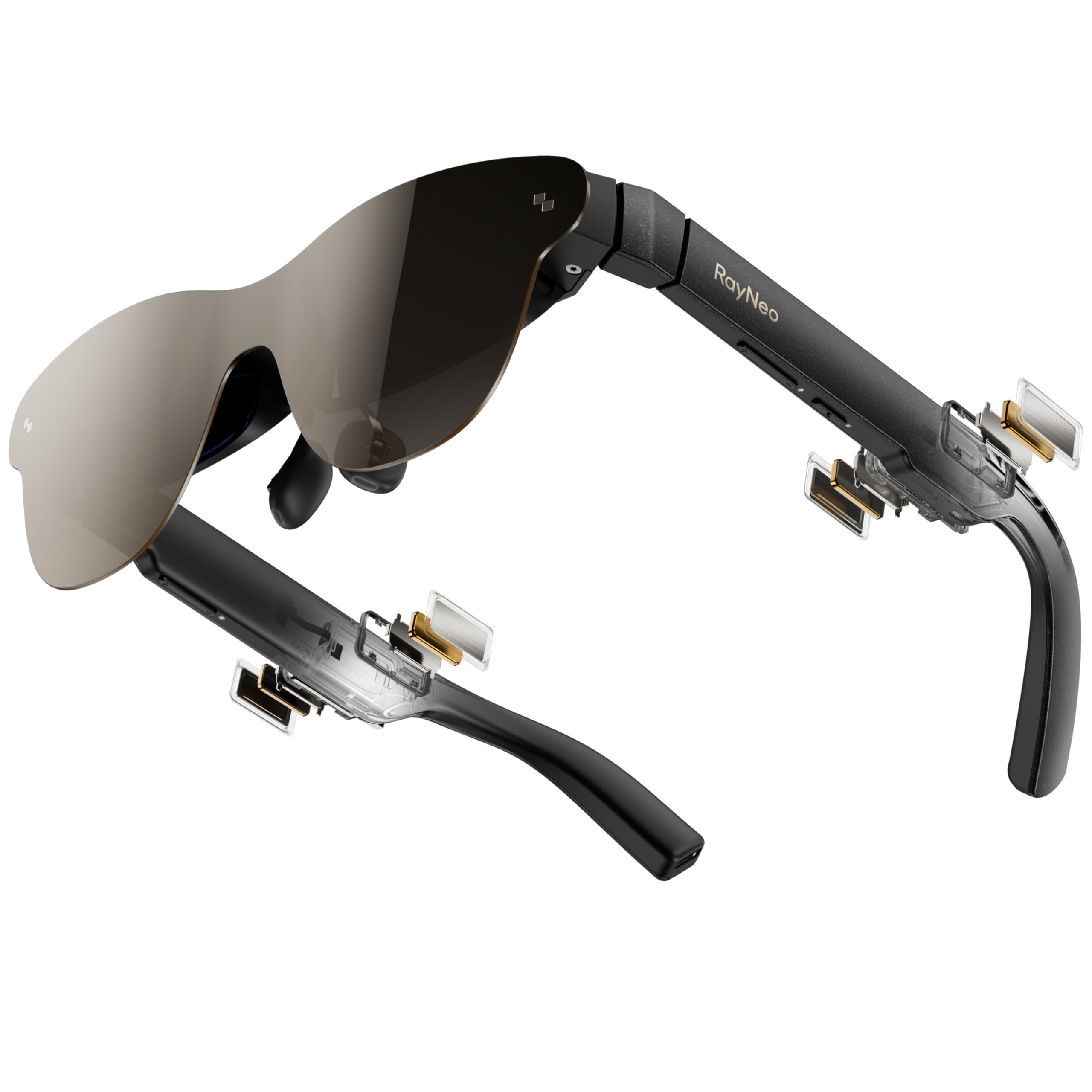
The RayNeo Air 3s Pro sets a new benchmark for wearable display brightness with 1,200 nits to-eye output, making it the only AR glasses in its class that remain crisp and visible even in daylight. The HueView 2.0 5.5th-gen tandem micro-OLED panel delivers a 200,000:1 contrast ratio and 98% DCI-P3 color gamut — numbers that rival desktop IPS monitors for color accuracy and dynamic range. Combined with a 120Hz refresh rate and 46° FOV, the 201-inch virtual screen feels vivid and fluid whether you are gaming on a Steam Deck or streaming HDR movies.
Eye comfort is a standout here: the Air 3s Pro is the only wearable display with TÜV SÜD Low Blue Light and Flicker-Free dual certification, backed by 3,840Hz high-frequency PWM dimming and 20-level brightness control. This makes it suitable for marathon viewing sessions without the eye fatigue common in earlier AR glasses. The sound system includes spatial audio, though the speakers are less immersive than dedicated headphones in noisy environments.
Build quality is excellent with a silicone band and adjustable temple arms, but the nose pads can leave marks after several hours — some users have modded the fit for better comfort. For those who need a wearable 3D display that works in bright rooms and outdoors, the Air 3s Pro delivers the highest brightness and most comprehensive eye comfort specs on the market.
Why it’s great
- World’s brightest AR glasses at 1,200 nits — usable in daylight
- HueView 2.0 panel with 200,000:1 contrast and 98% DCI-P3
- TÜV SÜD dual certified for low blue light and flicker-free viewing
Good to know
- Nose pads may cause red marks during extended wear
- Stiff power cable can be slightly cumbersome during travel
3. XREAL 1S AR/XR Glasses

The XREAL 1S is powered by the self-developed X1 spatial computing chip, delivering native 3DoF tracking with a remarkable 3ms motion-to-photon latency at 120Hz. This means the virtual screen stays anchored to a fixed position in space as you move your head — no drift, no jitter, no motion sickness. The 52° FOV projects a 500-inch virtual screen, and the REAL 3D mode instantly converts any content (games, movies, photos) into spatial depth at up to 30fps with 90–100ms latency, creating a convincing stereoscopic effect without requiring specialized media.
The display is a 1920×1080 OLED panel with individual color tuning for precise, natural hues. The optical engine delivers improved edge-to-edge clarity, and advanced optical alignment ensures each image point locks accurately to your eye. Sound is tuned by Bose with custom AR-grade drivers and a dedicated acoustic chamber, offering deeper lows and clear mids compared to typical bone-conduction solutions in competing glasses.
Where the XREAL 1S differentiates itself is the range of spatial modes: 0DoF follow, 3DoF anchor, Ultrawide (32:9 or 21:9), and Side-View. The built-in controls let you adjust brightness, color temperature, screen distance, and 2D/3D mode instantly. The IPD range of 59.5–70.5 mm covers about 95% of users, but some find the nose pad adjustment limited — a third-party solution may improve fit. For buyers who prioritize rock-solid spatial anchoring and the most mature 3DoF ecosystem, the XREAL 1S is the gold standard for wearable 3D.
Why it’s great
- X1 chip enables native 3DoF with ultra-low 3ms M2P latency
- REAL 3D mode converts any content into spatial depth
- Bose audio system delivers rich spatial sound without headphones
Good to know
- No simultaneous charge and use without accessory
- Light leakage at edges for some users; TPU cover adds weight
4. VITURE Luma Pro XR Glasses
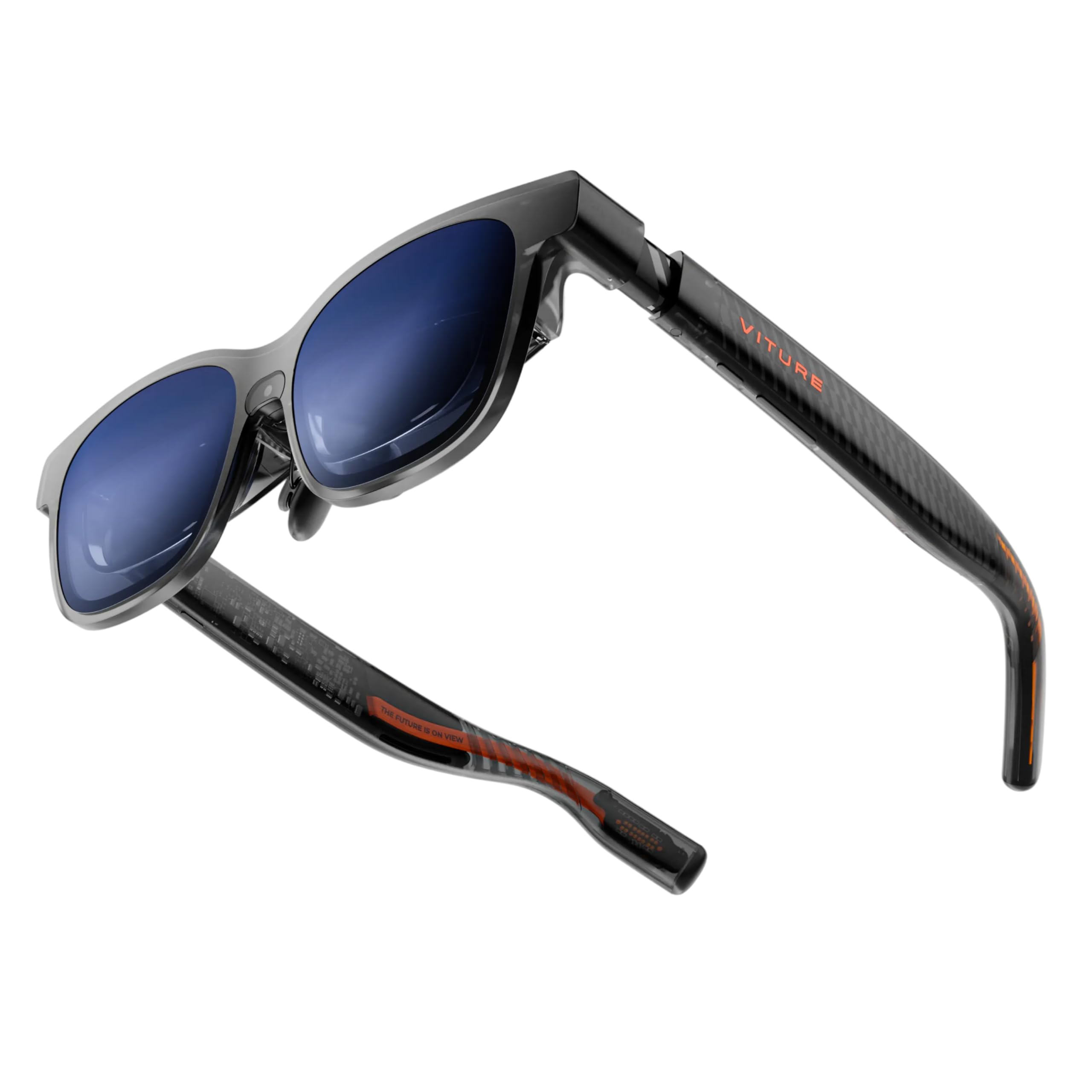
The VITURE Luma Pro boasts a 1200p ultra-sharp display that resolves text more crisply than its predecessor, delivering a 152-inch virtual screen at 52° FOV with 1,000 nits peak brightness and a 120Hz refresh rate. The Hollywood-grade color accuracy (DeltaE < 2) and 98% DCI-P3 coverage make it an excellent choice for both cinematic 3D viewing and productivity tasks like reading code or editing documents. The built-in myopia adjustment up to -4.0D eliminates the need for prescription lens inserts, while a magnetic prescription frame is available for stronger corrections.
The electrochromic film is a one-tap solution for instant immersion — it darkens the lenses to block ambient light, making the 3D effect pop even in bright environments. HARMAN-tuned audio delivers deeper bass and clearer highs than typical open-ear speakers. The real differentiator is the world’s first real-time 2D-to-3D conversion, which transforms streaming and gaming content into spatial depth without needing native 3D sources — exclusive to the VITURE ecosystem via the SpaceWalker app.
The Luma Pro comes in two IPD sizes (Regular and Large) to accommodate different face shapes, and the flexible arms with magnetic ergonomic nose pads are designed for all-day comfort. However, the 3D conversion is limited to the SpaceWalker app, meaning Netflix and Hulu content requires additional setup. For users who want the sharpest wearable display with built-in 3D conversion and myopia correction, the Luma Pro is a top contender at a mid-premium price.
Why it’s great
- 1200p resolution provides exceptional text clarity
- Real-time 2D-to-3D conversion via SpaceWalker for any content
- Built-in myopia adjustment up to -4.0D
Good to know
- 3D conversion only works within the SpaceWalker app
- May require tilt adjustment for some face shapes to avoid top cutoff
5. TOZO VIZO Z1 AR Glasses
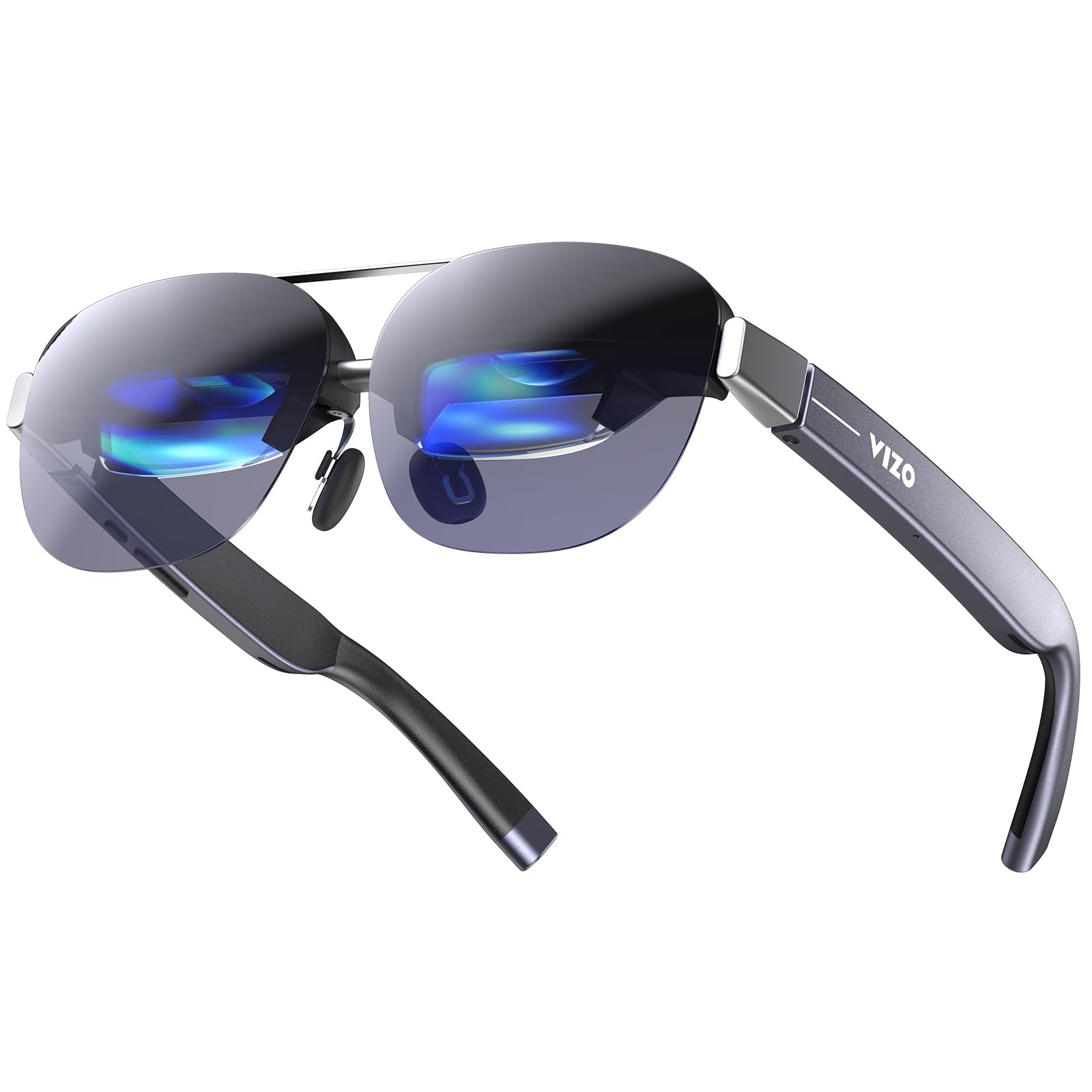
The TOZO VIZO Z1 is the lightest wearable display on this list at just 63 grams, making it the most comfortable option for long-haul flights or extended gaming sessions. Despite the weight savings, it packs a 160-inch virtual screen with a 47.5° FOV and a real RGB 1080p micro-OLED panel supporting 120Hz refresh rate, 200,000:1 contrast ratio, and 98% DCI-P3 color gamut. The 2D-to-3D switchable mode expands 1920×1080 2D into 3840×1080 3D for spatial depth, though the effect is less sophisticated than dedicated spatial chips found on pricier competitors.
The detachable lens frame is a clever design touch — it allows you to install custom prescription lenses (sold separately) quickly, and the 4-level adjustable nose pads with air-cushion design help achieve a personalized fit. Dual stereo speakers with 11-level volume adjustment provide adequate audio for movies and gaming, though audio bleed is more noticeable than on closed-back headphones. The USB-C plug-and-play compatibility works with iPhones, Android devices, Steam Deck, and laptops without requiring WiFi or additional apps.
Where the VIZO Z1 falls short is the lack of spatial anchoring or depth-of-field controls — the screen follows your head in 0DoF mode only. There is also no included lens cover for light bleed, and some users report slight corner blur. For budget-conscious buyers who prioritize extreme portability and a crisp 120Hz display over advanced spatial features, the Z1 delivers exceptional value at an entry-level price.
Why it’s great
- Ultra-light 63g frame for all-day wear comfort
- 120Hz micro-OLED with 98% DCI-P3 and 200,000:1 contrast
- Detachable lens frame for custom prescription lenses
Good to know
- No spatial anchoring or screen size/distance adjustment
- Audio bleed is higher than competitors; corner blur on some units
6. XREAL One Pro AR Glasses

The XREAL One Pro is the widest FOV wearable display currently available at 57°, projecting a massive 171-inch virtual screen from just four meters away. Powered by the same X1 chip found in the XREAL 1S, it delivers native 3DoF tracking with sub-4ms M2P latency and supports REAL 3D mode for converting any content into spatial depth. The X-Prism optics system uses advanced anti-glare design to minimize reflections and light interference, making the image appear sharp and distortion-free even in challenging lighting.
Display specs are impressive: Sony 0.55-inch micro-OLED with 1920×1080 resolution, 120Hz refresh rate, and 700 nits peak brightness. The dual IPD design (M: 57-66mm, L: 66-75mm) covers over 95% of the population, and the three-stage adjustable arms with zero-pressure nose pads in three sizes provide a comfortable, customizable fit. The spring hinge design prevents pressure points, and built-in IPD adjustment software ensures minimal blur or edge cutoff. Audio is tuned by Bose with a unique sound chamber design that delivers high-quality spatial audio without needing external speakers.
The One Pro supports optional 6DoF spatial anchoring when paired with the XREAL Eye accessory, allowing you to pin a virtual screen to a fixed point in your room and walk around it. However, the lack of built-in myopia correction is a notable omission at this price tier, requiring prescription lens inserts for users who need vision correction. For those who want the widest FOV with the most advanced spatial tracking, the One Pro is the pinnacle of wearable 3D display technology.
Why it’s great
- Widest FOV at 57° for the most immersive virtual screen
- X1 chip delivers native 3DoF with ultra-low M2P latency
- Optional 6DoF spatial anchoring with XREAL Eye accessory
Good to know
- No built-in myopia correction; requires prescription inserts
- Some users report screen drift issues on early firmware
7. VITURE Luma Ultra XR Glasses
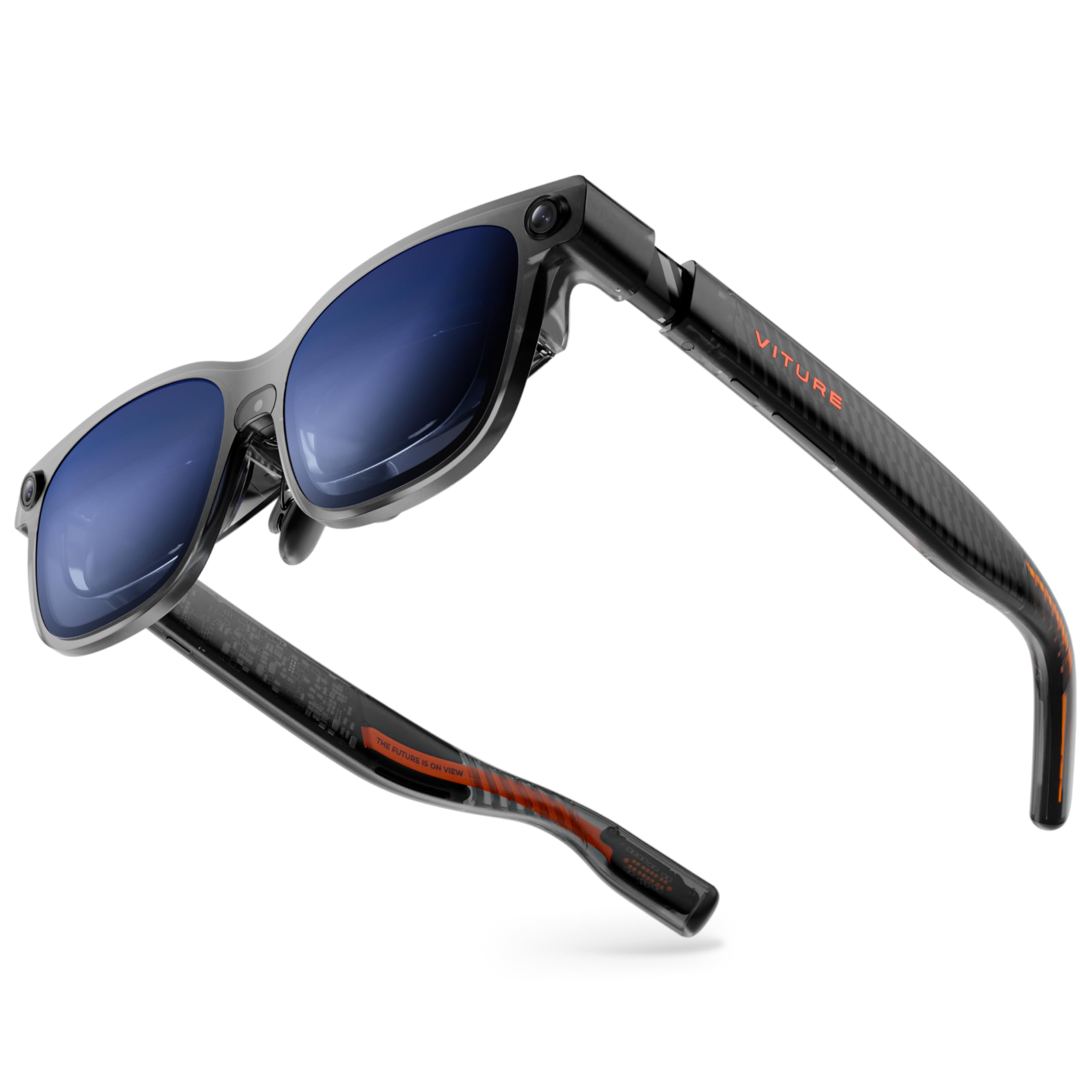
The VITURE Luma Ultra is the most technologically advanced XR wearable on this list, featuring a triple-camera system (front RGB plus dual depth cameras) for zero-drift 6DoF spatial tracking and hand gesture recognition when paired with the VITURE Pro Neckband. The display reaches 1,500 nits peak brightness — the highest among all reviewed wearables — using advanced micro-OLED panels that reduce power consumption by 35% compared to previous generation displays. The 152-inch virtual screen at 52° FOV delivers the same 1200p ultra-sharp resolution as the Luma Pro, with DeltaE < 2 color accuracy and a 120Hz refresh rate.
The electrochromic film and built-in myopia adjustment up to -4.0D return, and the HARMAN-tuned audio system offers deeper bass and clearer highs. The SpaceWalker app provides multi-screen productivity modes with up to three virtual desktops, and the Immersive 3D feature converts streaming and gaming content into spatial depth in real-time. The programmable RGB lighting on the frame is a first for XR glasses, allowing you to sync colors and animations to match your gaming setup or mood.
However, the Luma Ultra is heavier than the Pro model due to the camera array, and some users report that the nose bridge requires frequent adjustment during long sessions. The 6DoF tracking currently requires the VITURE Pro Neckband for full spatial interaction, which adds cost and complexity. For buyers who demand the brightest display with true 6DoF capabilities and hand gesture support, the Luma Ultra is the definitive premium choice.
Why it’s great
- 1500 nits peak brightness — brightest XR glasses available
- Triple-camera system for zero-drift 6DoF and hand gestures
- 1200p ultra-sharp resolution with DeltaE < 2 color accuracy
Good to know
- 6DoF and hand gestures require VITURE Pro Neckband accessory
- Heavier than Luma Pro; nose fit requires ongoing adjustment
8. Dell 34 Plus S3425DW Curved Monitor

While not a 3D monitor in the stereoscopic sense, the Dell 34 Plus S3425DW offers a compelling immersive experience through its 21:9 ultrawide VA panel with a 3000:1 contrast ratio and 3440×1440 resolution. The 120Hz refresh rate with AMD FreeSync Premium and a 0.03ms response time makes it excellent for casual gaming and cinematic content consumption. The 3000:1 contrast ratio delivers deep blacks that enhance the sense of depth in dark scenes, bridging the gap between a flat panel and a more immersive 3D-like experience.
The built-in speakers have been re-engineered for greater output power and frequency response, providing room-filling audio without external speakers. USB-C connectivity with 65W power delivery keeps your desk clutter-free, and the ComfortView Plus technology reduces harmful blue light emissions to ≤35% while maintaining color accuracy — important for all-day productivity sessions. The VA panel technology eliminates the burn-in risk associated with OLED, making it a safer long-term investment for mixed-use scenarios.
Where this monitor falls short for 3D-focused buyers is the lack of any stereoscopic 3D support — it relies solely on panel curvature and high contrast to create a sense of depth. The limited port selection (no DisplayPort) may also be a concern for gamers with multiple devices. For users who want a large, high-contrast immersion screen for both work and play without needing actual 3D capabilities, the S3425DW offers strong value in the mid-range.
Why it’s great
- VA panel with 3000:1 contrast delivers deep black levels
- 120Hz with FreeSync Premium and 0.03ms response
- USB-C with 65W PD for clean desktop setup
Good to know
- No stereoscopic 3D support — immersion from curvature only
- Limited ports: no DisplayPort, VESA mount is recessed
9. Samsung ViewFinity S8 S80UD 4K Monitor

The Samsung ViewFinity S8 S80UD is a 32-inch 4K UHD IPS panel designed for professionals who need pixel-level detail for 3D modeling, video editing, and CAD work. The 3840×2160 resolution paired with 99% sRGB coverage delivers the color accuracy required for serious creative work, while HDR10 support provides extended dynamic range for reviewing 3D renders. The integrated KVM switch lets you control two sources with a single keyboard and mouse — a productivity booster for multi-PC workflows.
The USB-C port delivers up to 90W charging and data transfer, powering a laptop while connecting peripherals through the monitor hub. The ergonomic stand offers height adjustment, tilt, swivel, and pivot capabilities, allowing you to find the optimal viewing angle for 3D modeling work. The TÜV-certified intelligent eye care reduces flicker and blue light, protecting your eyes during long rendering sessions.
This monitor is not a 3D display in the stereoscopic sense — it lacks any 3D tracking or autostereoscopic technology. But for professionals who create 3D content rather than consume it, the ViewFinity S8 offers the resolution and color fidelity needed to preview detailed work. The 60Hz refresh rate and lack of FreeSync make it less suitable for gaming. For a dedicated 3D creator’s monitor, this is a solid choice for visual accuracy and connectivity.
Why it’s great
- 4K UHD with 99% sRGB for accurate 3D rendering preview
- USB-C 90W charging and built-in KVM switch
- Full ergonomic stand with pivot for portrait mode
Good to know
- No stereoscopic 3D or autostereoscopic technology
- 60Hz refresh limits gaming and smooth 3D preview
10. Dell UltraSharp U3225QE 32″ 4K Monitor
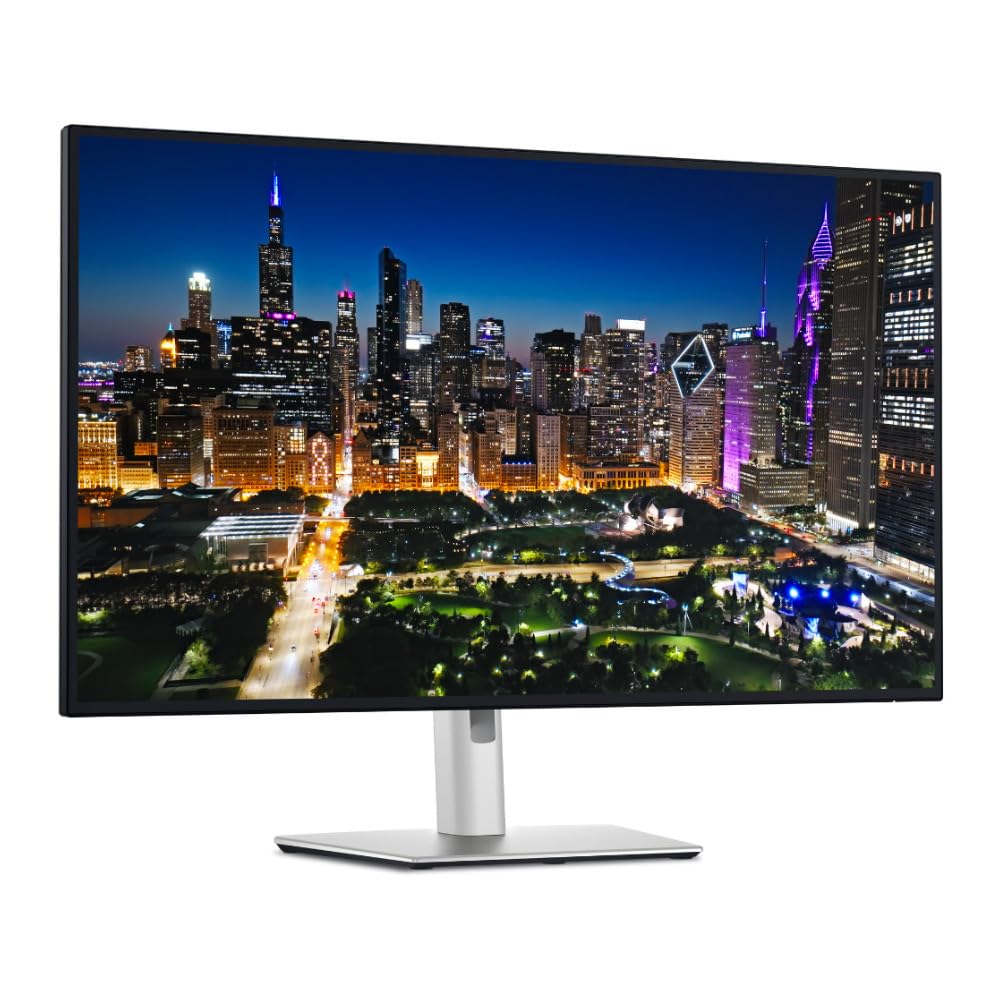
The Dell UltraSharp U3225QE is a 31.5-inch 4K UHD IPS Black monitor with a Thunderbolt 4 hub that delivers 140W charging — enough to power even demanding workstations. The IPS Black technology offers a 3000:1 contrast ratio, significantly deeper blacks than standard IPS panels, enhancing the perceived depth in 3D modeling and video content. With 600 nits peak brightness and HDR support, this monitor provides excellent dynamic range for reviewing HDR 3D renders and cinematic content.
The 120Hz refresh rate is a standout at this resolution class, offering smooth motion for productivity scrolling and casual gaming. The built-in KVM switch allows seamless switching between two connected devices, and the Thunderbolt 4 port provides a single-cable solution for video, data, and power to a compatible laptop. The color accuracy is factory-calibrated, making it suitable for color-critical work in 3D visualization and video production.
Like the ViewFinity S8, this is not a stereoscopic 3D display — its immersion comes from the high contrast ratio, large screen size, and 4K resolution. Some users report wake-from-sleep compatibility issues with Macs, requiring a firmware update. For professionals who need a high-brightness, high-contrast display with Thunderbolt 4 connectivity for 3D content creation, the U3225QE is a premium choice with excellent build quality.
Why it’s great
- IPS Black panel with 3000:1 contrast for deeper immersion
- Thunderbolt 4 with 140W charging for single-cable workflow
- 600 nits peak brightness with factory-calibrated color
Good to know
- No stereoscopic 3D or autostereoscopic capabilities
- Mac wake-from-sleep issues reported before firmware update
11. Samsung Odyssey 3D G90XF Gaming Monitor

The Samsung Odyssey 3D G90XF is the only true glasses-free autostereoscopic monitor in this roundup, using a lenticular lens array on a 27-inch 4K UHD panel to deliver stereoscopic depth without any headset. The AI-powered 2D-to-3D conversion analyzes standard video content and applies real-time depth, creating a convincing 3D effect from Netflix, YouTube, or game footage. The panel itself is impressive: 4K resolution, 165Hz refresh rate, 1ms GtG response time, and AMD FreeSync Premium for tear-free gaming.
The 3D effect works best with Nvidia GPUs — the recommended spec includes an RTX 4090 or higher for smooth AI 3D conversion at high frame rates. The built-in dual speakers enhance the 3D experience with directional sound, while the Edge Lighting system projects monitor colors beyond the screen for added immersion. The Odyssey 3D Hub serves as the gateway for registering supported games and adjusting 3D settings, though the app has been reported to crash on some configurations.
Where this monitor stumbles is its reliance on software-based 3D conversion and limited 3D content ecosystem. The 2D-to-3D conversion is inconsistent — impressive in some games but janky and eye-straining in others. The 3D Hub app has stability issues, and the monitor requires a high-end PC to unlock its full potential. For enthusiasts who want a glasses-free 3D desktop experience and have the hardware to drive it, the Odyssey 3D is a groundbreaking if imperfect option. For most others, the current software ecosystem makes it a niche purchase best suited for early adopters with Nvidia GPUs.
Why it’s great
- True glasses-free autostereoscopic 3D with AI depth conversion
- 4K 165Hz panel with 1ms response and FreeSync Premium
- Edge Lighting enhances immersion beyond the screen
Good to know
- 3D conversion works best with high-end Nvidia GPUs
- Odyssey 3D Hub app has stability and crash issues
FAQ
Do I need a special PC or console to use wearable AR 3D glasses?
Can I wear prescription glasses under AR 3D glasses?
What is the difference between 3DoF and 6DoF in 3D AR glasses?
Does the Samsung Odyssey 3D desktop monitor work with AMD GPUs?
How important is brightness for wearable 3D AR glasses?
Final Thoughts: The Verdict
For most users, the best 3d computer monitor winner is the RayNeo Air 4 Pro because it delivers the best balance of display quality, 3D AI conversion, and comfort at a mid-range price that undercuts the competition. If you want the brightest wearable display with the most immersive 3D spatial anchoring, grab the XREAL 1S for its class-leading X1 chip and native 3DoF tracking. And for those who insist on a glasses-free desktop experience with true autostereoscopic depth, nothing beats the Samsung Odyssey 3D G90XF — provided you have the Nvidia hardware to drive it.