
Our readers keep the lights on and my morning glass full of iced black tea. As an Amazon Associate, I earn from qualifying purchases.
Specs are compiled from manufacturer listings and verified buyer reviews and can change over time — please confirm the key details on the product page before buying.
Multicolor printing is the one upgrade that changes what a 3D printer can actually make — and it is also where most buyers get burned. The reason is simple: the cheap way to print in color forces one nozzle to swap filaments over and over, which wastes plastic and time on every single layer. The smarter machines swap entire print heads instead, so nothing gets purged. That difference is the whole buying decision.
I’m Min — the founder and writer behind Gadgets Feed. This guide is built by comparing the manufacturers’ published specifications and the patterns across verified customer reviews, so you get each pick’s real strengths and trade-offs instead of marketing spin.
Some of these printers run four colors straight from the start, while others grow with you as your projects get bigger. Either way, here is what actually separates a smooth multicolor workflow from a weekend of troubleshooting, so you can pick the right 3D Multicolor Printer for your bench.
Our Picks at a Glance
How To Choose The Best 3D Multicolor Printer
Every machine on this list can print in more than one color — that is the entry ticket. What separates them is how they get there, and how much plastic and patience that route costs you. Before you look at a single spec sheet, decide which of these three systems fits the way you actually print.
Toolhead changers versus filament changers
A filament changer pushes different spools into one shared nozzle. It works, but the nozzle has to purge the old color before the new one arrives, and that purged plastic goes in the bin. A toolhead changer keeps each color in its own dedicated hotend and simply moves the right head into position, so there is nothing to purge. The trade-off is mechanical complexity — more heads means more parts that can drift out of alignment, which is why automatic calibration matters more on those machines.
Build volume: how big a box do you actually need
Build volume is the printable space on each axis, written as a three-part figure in millimeters. The smallest machines here sit around 220mm per side, which covers figurines, brackets, prop pieces and most desk-sized models. Step up to the roughly 350mm class and you can print a helmet or a full-size prototype in one piece instead of gluing halves together. Bigger also means heavier — these machines scale up toward a two-person lift as they grow.
The material question decides your chamber
If you print PLA, PETG and TPU, an open-frame printer is completely fine. The moment you want ABS, ASA or carbon-fiber nylon, you need trapped heat — a heated chamber that holds a steady temperature so the part does not warp as it cools. That feature is what separates a hobby machine from an engineering one, and it is the single biggest reason two printers with the same build volume can sit in very different tiers.
Quick Comparison
| Model | Best For | Colors Out of Box | Max Speed | Build Volume | Amazon |
|---|---|---|---|---|---|
| Bambu Lab P2S Combo★ Best Overall | First-timers who want it working today | Multi-color via AMS 2 Pro | 600 mm/s | — | Amazon |
| ELEGOO Centauri 2 ComboBudget Champion | Budget enclosed multicolor | 4-color CANVAS | 500 mm/s | 256 × 256 × 256 mm | Amazon |
| Creality K2 SE 4CCompact Pick | Small desks and classrooms | 4-color from the start | 500 mm/s | — | Amazon |
| FLASHFORGE AD5X | Multi-material mixing on a budget | 4-color via IFS | 600 mm/s | 220 × 220 × 220 mm | Amazon |
| Anycubic Kobra X | Novices who want color day one | 4 built-in, expandable to 19 | 600 mm/s | 260 × 260 × 260 mm | Amazon |
| Bambu Lab P1S Combo | Enclosed printing with AMS color | Up to 16 colors with AMS | 500 mm/s | — | Amazon |
| Flashforge Creator 5 | Dark-to-light gradients without bleed | 4 independent toolheads | 600 mm/s | 256 × 256 × 256 mm | Amazon |
| Snapmaker U1 | Zero-waste multicolor work | 4 toolheads, 5s changer | 500 mm/s | 270 × 270 × 270 mm | Amazon |
| Creality K2 Plus Combo | Large high-temp engineering parts | 16 colors with four CFS units | 600 mm/s | 350 × 350 × 350 mm | Amazon |
| QIDI Max4 Combo | Industrial-scale heated-chamber printing | 16 colors with QIDI BOX | 800 mm/s | 390 × 390 × 340 mm | Amazon |
| Original Prusa XL 5-Toolhead | Open-platform five-material prototyping | 5 toolheads | — | 14.17 × 14.17 × 14.17 in | Amazon |
In‑Depth Reviews
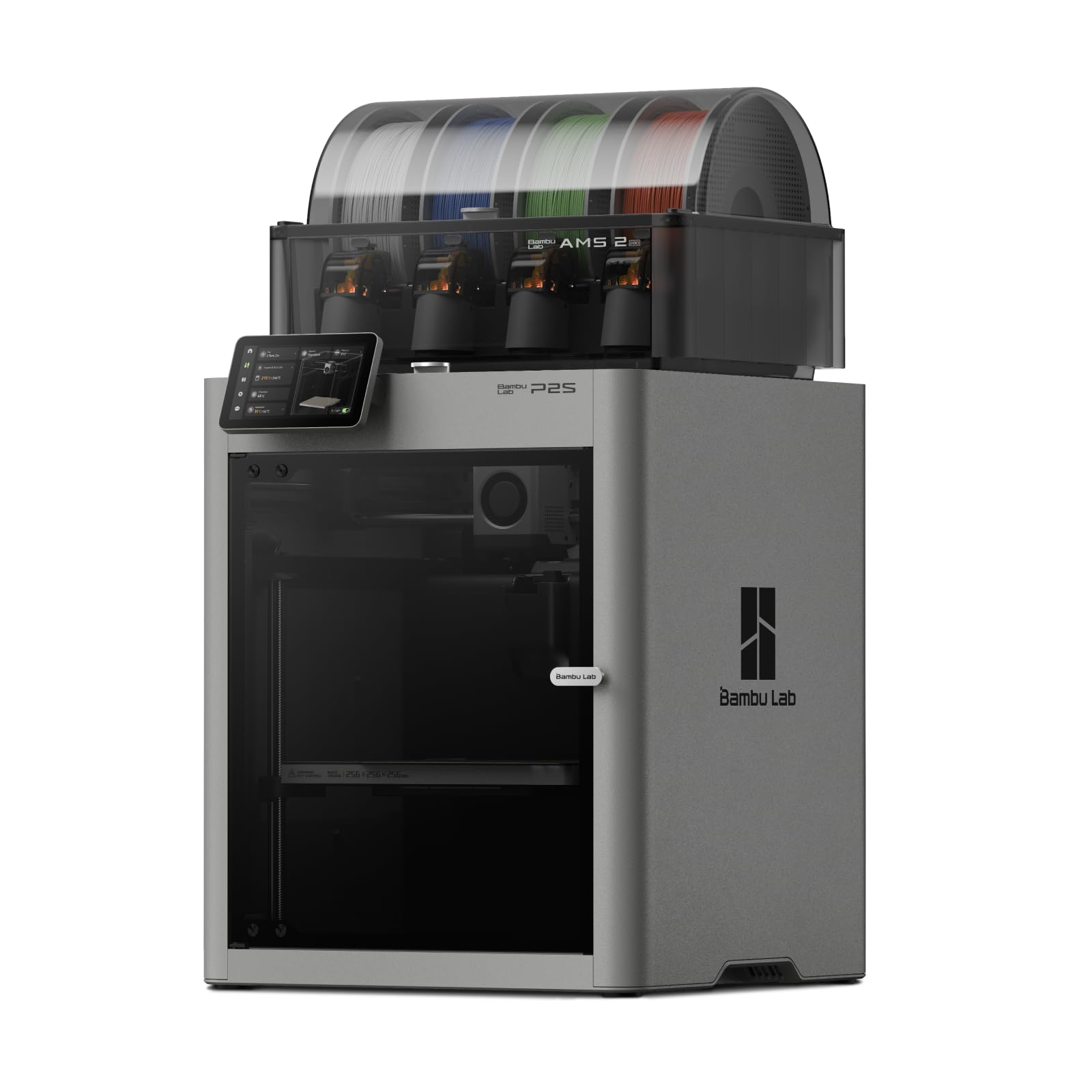
1. Bambu Lab P2S Combo, P2S 3D Printer & AMS 2 Pro
Our pick — over 4.5★ from 100+ verified ratings; the strongest balance of quality and price.
The 600 mm/s CoreXY that auto-calibrates itself, so your first print is a real one.
If you have never owned a printer before and you want color on your very first project, this is the one to buy. The P2S runs up to 600 mm/s — meaning the print head can travel that far in a single second — and it pairs a PMSM servo extruder with active flowrate compensation, which is the onboard adjustment that keeps plastic output steady as the head speeds up and slows down. The result is sharp corners and even layers without you touching a single setting.
The AMS 2 Pro box is what makes color practical. It feeds multiple spools automatically and dries filament at up to 65 °C inside the unit, so a damp spool of PETG stops being a failed print. Note the catch printed right on the listing: the P2S printer by itself does not do multicolor — you need this Combo version with the AMS attached. Setup runs about 15 minutes, and AI failure detection watches the plate while you are away.
Measured against the ELEGOO Centauri 2 Combo below, this machine is rated for 600 mm/s versus the ELEGOO’s 500 mm/s. It is also the heavier of the two at 46.3 pounds against 33 pounds — a stability win, but a real constraint if your shelf is flimsy. The ELEGOO is the longer box at 19.69 × 18.9 × 23.23 inches next to this unit’s 18 × 22 × 18 inches, so if you are fitting into a tight cabinet, check both. What wins buyers over here is ease of use, and the sentiment holds across the review pages — a 20-year printing veteran describes it removing most of the learning curve, with the automatic calibration meaning more time designing and less time dialing in. As buyers put it: “beginner-friendly, worth the cost, 300 hours problem-free, very quiet.”
Where it earns the crown
- 600 mm/s print speed with flowrate compensation holding accuracy at speed
- AMS 2 Pro dries filament at up to 65 °C while it stores it
- Printing within roughly 15 minutes of unboxing
- Carbon filter and adaptive airflow handling overhangs and high-temp materials
What to plan around
- Multicolor only works with the Combo version — the bare P2S prints single color
- 46.3 pounds needs a genuinely solid table, not a folding bench
- The richer workflow assumes you settle into Bambu Studio rather than third-party slicers
Reach for this if: you want multicolor prints working on day one and prefer the machine to handle calibration for you.
Think twice if: your workspace is a lightweight cart, because 46.3 pounds of printer will telegraph every wobble into the print.
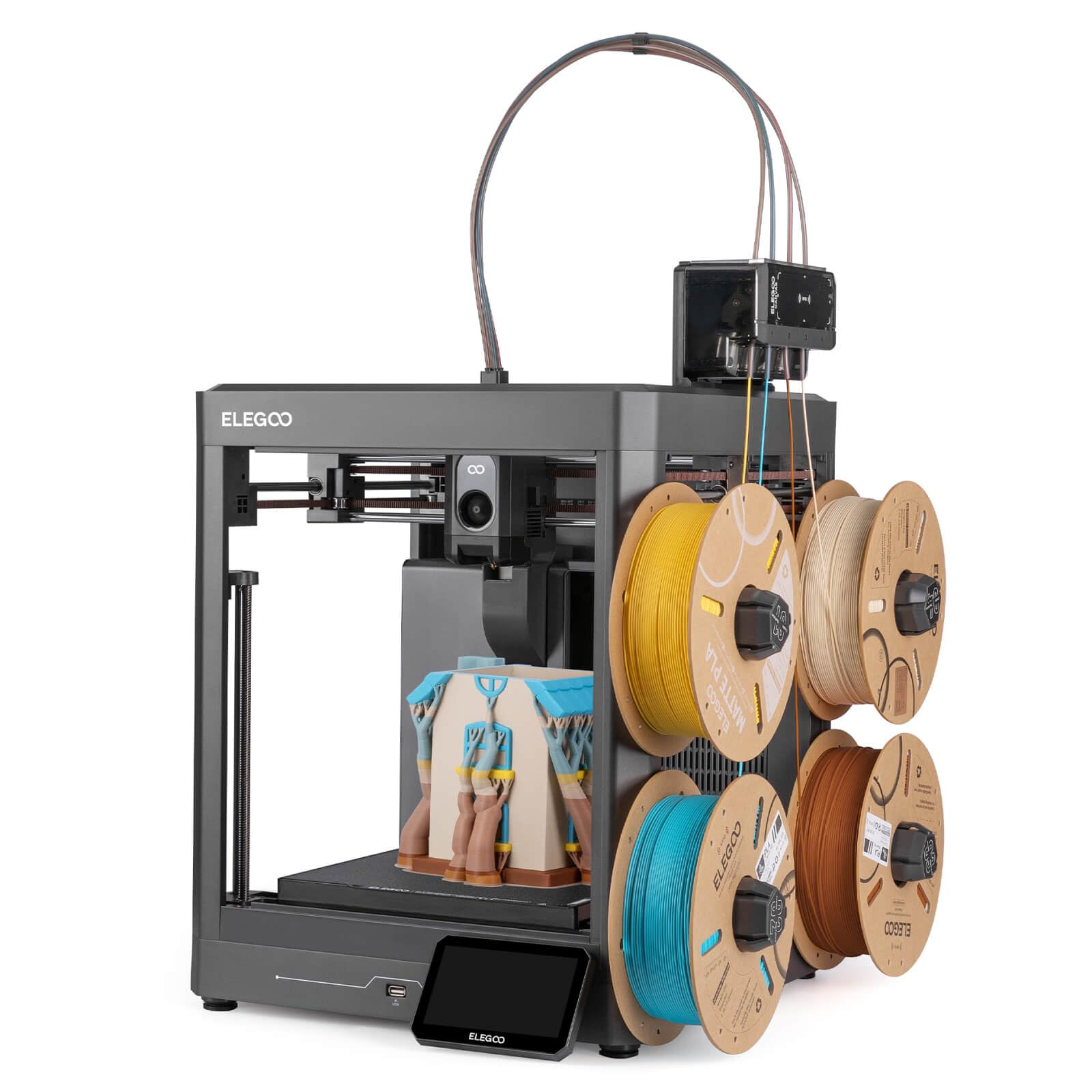
2. ELEGOO Centauri 2 Combo 3D Printer
The cheapest enclosed four-color machine here, with auto-leveling reviews that split both ways.
The Centauri 2 Combo brings an enclosed frame, a 256 × 256 × 256 mm build volume — that is a cube just over ten inches per side, roomy enough for a helmet — and four-color CANVAS printing via independent motors and RFID filament recognition. Setup takes most people roughly 30 to 45 minutes straight from the start, and auto calibration with smart pre-print checks means the first print is usually a real one, not a test.
Speed lands at 500 mm/s with 20,000 mm/s² acceleration on a rigid aluminum frame and precision linear guides. It is the lighter machine against the P2S at 33 pounds versus 46.3 pounds, and a longer footprint at 19.69 × 18.9 × 23.23 inches, so measure your shelf before ordering. Its 5-inch touchscreen, magnetic printhead cover, semi-automatic belt tensioner and nozzle wiper make the upkeep side genuinely quicker than most machines in this tier.
Here is the honest trade-off. This machine has more owners than anything else on this list, and most report it printing flawlessly — but the auto-leveling system draws split feedback, and durability is the recurring concern in the critical reviews, including one report of a first unit failing within days before a full replacement arrived. Treat that as a who-it-is-for question rather than a blanket verdict: if you want a low-cost way into enclosed multicolor and you are comfortable with the occasional support ticket, this delivers a lot per dollar.
Speed and finish: 500 mm/s with 20,000 mm/s² acceleration, and a rigid aluminum frame with precision linear guides holding motion steady at that pace.
The sting in the tail: auto-leveling reviews split between working perfectly and not working at all — budget a little patience on the first setup run.
The value call: the cheapest full-enclosure four-color machine here, and the easiest recommendation for a first multicolor printer on a tight budget.
Go elsewhere if: you need service-free long-term reliability and have no appetite for a warranty conversation.
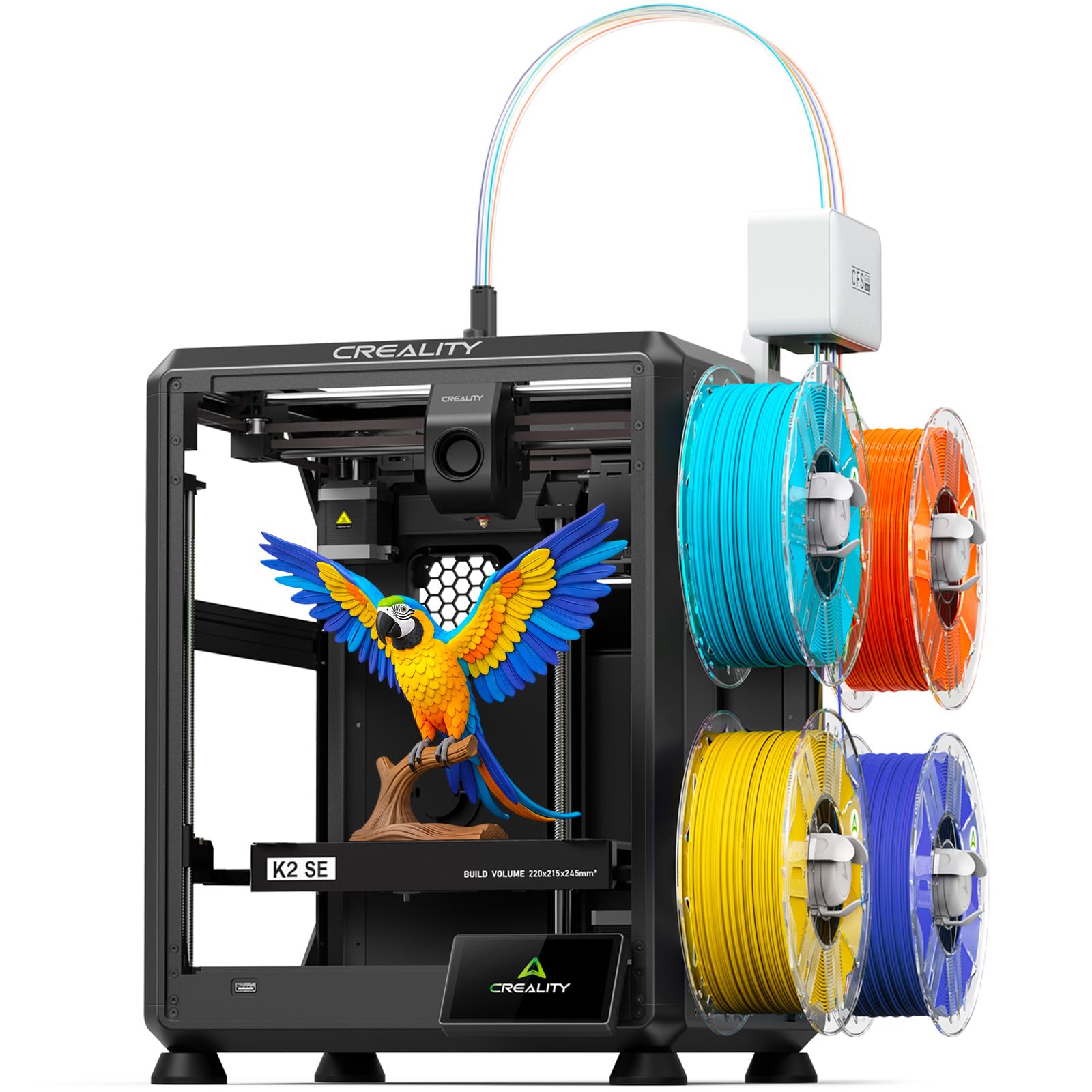
3. Creality K2 SE 4C 3D Printer
A 37% smaller footprint than traditional multicolor systems, built for a home office desk.
Creality built this for people who do not have a workshop. The K2 SE 4C takes up 37% less space than traditional multicolor systems, which matters when the printer has to live on a home office desk or a classroom counter. The tall, narrow 14.46 × 14.46 × 18.96 inch footprint fits that brief, and at 35.5 pounds it is movable without a second person.
Inside, it runs a CoreXY motion system at up to 500 mm/s with 20,000 mm/s² acceleration, and a rigid all-metal frame that keeps vibration down at those speeds. Multicolor comes standard from the start with no upgrades or extra assembly. The feature list is where the value sits: a filament runout sensor (it pauses when your spool empties), filament tangle detection, power loss recovery so a blackout does not kill an overnight print, and a skip-partial-failure function that lets the printer keep going after one piece in a batch detaches.
You also get Creality OS, Fluidd UI, root access and offline USB printing, which is genuinely useful if you want to run the machine without a cloud account. PLA and PETG both print well, and dual-material breakaway supports come off cleanly. The honest note is consistency: reliability and build quality draw split reactions across the reviews, with most people reporting plug-and-play success and a critical minority hitting recurrent failures and firmware quirks. Buy it as a compact machine that works from the start, not as a platform to tinker deep into.
Best fit: classrooms, shared makerspaces and small desks where floor space, not budget, is the binding constraint.
Not the one if: you want a machine you can rebuild and root into an engineering project — an open-frame DIY printer serves that better.
4. FLASHFORGE AD5X Multi-Color & Material 3D Printer with IFS

24.2 pounds with a 300 °C hotend, so it prints TPU and carbon fiber and still moves alone.
At 24.2 pounds the AD5X is the one you can genuinely lift alone, and that portability is not the only reason it stands out. The Intelligent Filament System loads and unloads spools automatically and refills up to 4 kg of filament on its own, which means a long job can run through the night without you standing over it. If you print parts for a small business rather than a hobby shelf, that autonomy is the whole pitch.
Speed reaches up to 600 mm/s travel with 20 m/s² acceleration on a CoreXY all-metal frame. The 300 °C high-temperature nozzle paired with a 32 mm³/s large-flow hotend is what opens the material list up — flexible TPU, carbon fiber filament, PLA and PETG all run here, and the bigger flow rate simply means less waiting on each layer. A 4.3-inch color touchscreen, one-click auto leveling, vibration compensation and filament detection round out the daily experience.
Across the reviews, quality is clearly the strength, with user-friendliness right behind it — one first-time owner was impressed the vibration compensation worked even on a wobbly surface, and a small test keychain came off in about six minutes. The recurring honest notes are practical ones: the feed tube rubs against the lid, the rear filament placement is awkward to reach, and the fan is audible through a long run. One owner also hit an extruder failure just past the first month, so buying with support coverage in mind is sensible.
The lightweight argument: 24.2 pounds on a CoreXY all-metal frame — the easiest machine here to move between a desk and a shelf.
The noise and reach penalty: constant fan noise and a rear spool mount that has you walking around the machine to reload.
Pick it when: you want flexible TPU and carbon-fiber filament capability in a machine one person can reposition.
Skip the switch if: your workspace is a shared room and you need near-silent operation through an eight-hour job.
5. Anycubic Kobra X Multicolor 3D Printer

Four colors built in and expandable to 19 with four ACE 2 Pro units, at 20.9 pounds.
This is the only printer on the list that starts at four colors and grows to nineteen by stacking four ACE 2 Pro units. The build plate is 260 × 260 × 260 mm, so it beats both the ELEGOO and the AD5X on printable volume, and at 20.9 pounds it is the lightest machine in the entire roundup. For a beginner who wants color capability today and room to expand later without replacing the printer, nothing else here offers that path.
Anycubic claims the Kobra X cuts filament and machine travel path by 81.25%, which is the manufacturer’s figure for how much less the head has to move and purge compared with a conventional color changer. Print speed reaches 600 mm/s, and a Benchy — the standard small test boat everyone uses to judge a new machine — completes in about 14 minutes. LeviQ 3.0 leveling uses a 49-point calibration across the bed, and the machine is ready to print roughly 15 minutes after you pick it up. You also get spaghetti detection and foreign object detection watching the plate, dual-band Wi-Fi on both 2.4G and 5G, plus LAN.
Material support covers PLA, PETG, TPU, PVA and ASA with a 300 °C hardened steel nozzle. Note that the four filament spools shown in the photos are display only and must be bought separately. Reviewers describe it as genuinely beginner-friendly yet powerful enough for experienced users, with 5-star benchy results right from the start and color transitions that look clean. The reliability picture is split rather than bleak — most owners run it for hundreds of hours with minimal trouble, while a small number run into clogging the machine fails to self-detect. Pairing it with the app and slicer keeps the learning curve shallow.
Why beginners gravitate here
- Four colors built in, expandable up to 19 with four ACE 2 Pro units
- 20.9 pounds — the lightest printer in this comparison
- 49-point LeviQ 3.0 auto leveling and roughly 15-minute setup
- 300 °C hardened steel nozzle covering PLA, PETG, TPU, PVA and ASA
Worth budgeting for
- Filament is not included — four spools shown in the listing are display only
- Clog detection is not perfect; a stalled head can keep the job running blind
- TPU printing is stringier than rigid filament here
Right for: anyone who wants to start at four colors and scale up to nineteen without buying a second printer.
Wrong for: buyers who expect the machine to fix a clog by itself — keep an eye on long unattended runs.
6. Bambu Lab P1S Combo, P1S 3D Printer and AMS

A fully enclosed 16-color Bambu at 500 mm/s, with a mono LCD and clunkier software.
Plenty of buyers land here deliberately, and the reasoning is straightforward: the combo with the AMS gives you up to 16-color capability at a lower tier than the flagship. Speed runs 500 mm/s with 20,000 mm/s² acceleration, and the fully enclosed body keeps heat in for advanced filaments instead of letting every draft wreck a long print. Assembly takes about 15 minutes, and automatic bed leveling handles the first layer for you.
The enclosure is the practical advantage — one owner notes you can add a HEPA filter to the P1S, and that the machine behaves much like the flagship for basic prints. Filament support is broad: PLA, PETG, TPU, PVA, PET, ABS and ASA are ideal, PA and PC are capable, and carbon or glass fiber reinforced polymer is not recommended. At 47.5 pounds, this is heavier than the P2S and the heaviest of the three Bambu-derived machines here, so plan a permanent home for it rather than moving it around.
Performance is what carries this machine — it is the most-discussed aspect by a wide margin, followed by value for money and easy setup. Most owners describe it ready to use from the start, with print quality and speed both called out, and one parent reporting their nine-year-old runs it happily. On the honest side, the software takes some learning, the small LCD is dated next to a color touchscreen, and a minority report units arriving with a broken front handle or a defective hotend. It is worth knowing that the default files on the included SD card do not work with the AMS — use the app instead.
The sensible middle: an enclosed, 16-color-capable Bambu platform for buyers who want proven performance rather than the newest flagship.
Know before you buy: the tiny mono screen and clunkier software are the price of the lower tier, not defects.
7. Flashforge Creator 5 Multicolor 3D Printer
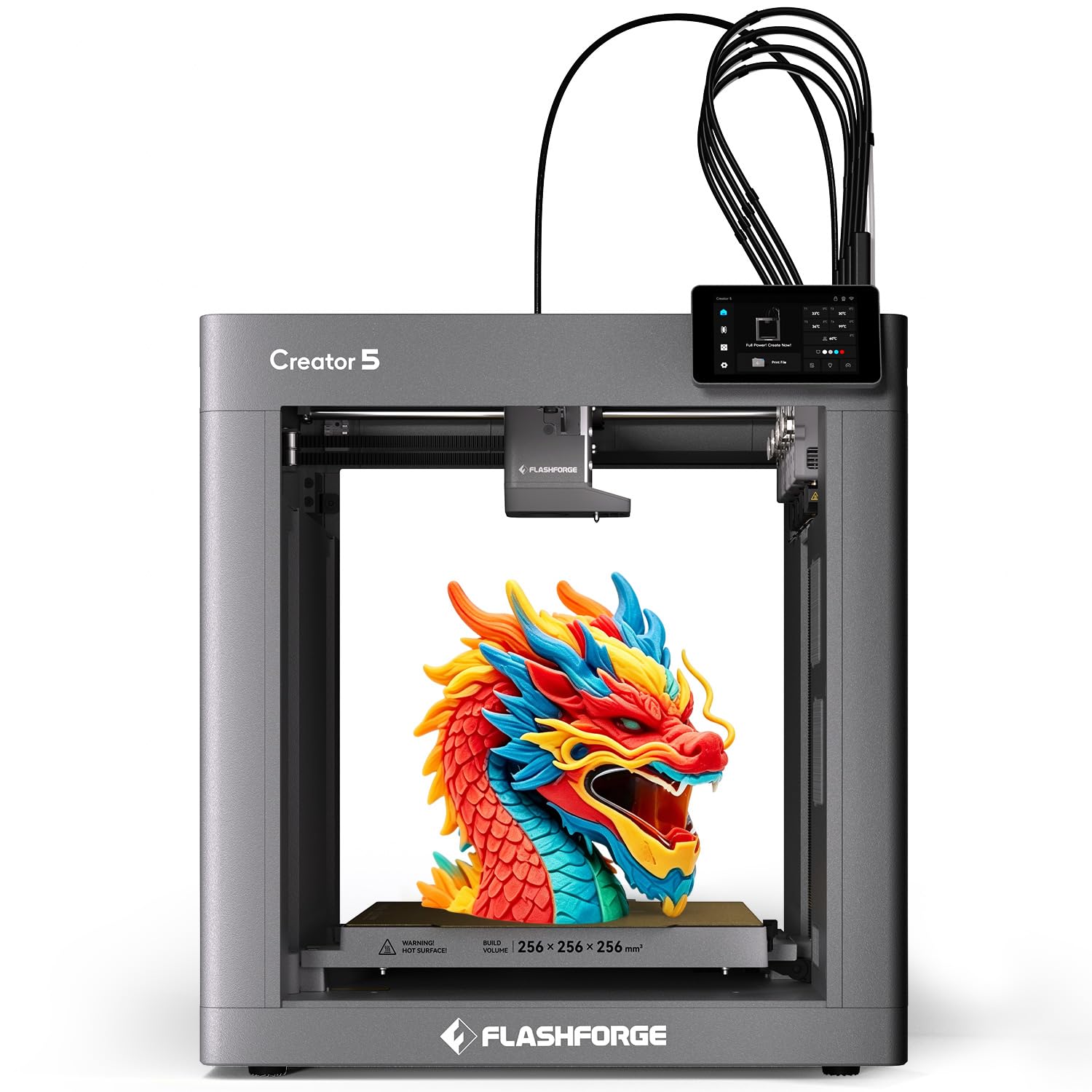
Four dedicated hotends and a 7-second FlashSwap, so no color is ever purged or smeared.
Each of the four materials runs through its own dedicated hotend here, so the machine never pushes one color out to make room for the next. That eliminates the streaking you get when a shared nozzle smears dark into light, and FlashSwap moves between heads in about 7 seconds. You can also combine rigid and flexible materials in a single job — something a shared-nozzle color changer simply cannot do cleanly.
The build volume is 256 × 256 × 256 mm with a rigid CoreXY frame and vibration compensation holding precision at production pace. Setup is genuinely minimal: unbox, plug in, print. One tap handles bed leveling, and auto XYZ offset fine-tunes alignment to within 0.04 mm — that is four hundredths of a millimeter, roughly a third of a human hair. Sensors watch for filament tangle, runout and first-layer problems as it goes. Maintenance is quick too, with a nozzle change in about 30 seconds without disassembling the hotend, plus a PEI flex plate that lets parts release with a bend.
Where it shines is the workflow. A model printed in four colors came out without the usual flush waste, and multicolor is the feature owners single out most. The installer and first-job experience is short — under an hour to a flawless test print in one account. The honest counterweight is that a small number of buyers have had rough experiences: one reported 4+ hours of setup failing with two errors and a refund process that dragged, and another complained of rough finishes and pieces breaking under normal use. Most of the negative weight traces to a refurbished unit that was locked to a previous owner, so check the condition of what you are buying.
The no-flush math: four dedicated hotends and a 7-second tool swap means almost no purged filament between colors, which is the whole reason to pay for this tier.
Do check the unit condition: the rough experiences cluster around refurbished stock locked to a previous owner, so buy sealed if you can.
Built for: makers who switch between rigid and flexible materials in one print and refuse to lose plastic to purging.
Hold off if: you are chasing gradient art that needs far more than four colors in one model.
8. Snapmaker U1 3D Printer, 4-Toolhead with 5s Toolchanger

Four preloaded, preheated toolheads that swap in about 5 seconds with no purge.
Four independent toolheads, each with filament preloaded and preheated, sit on this machine. When a color change is needed, SnapSwap simply moves the right head into place — no unloading, no purging, no manual spool swapping. The headline number is the tool change time: down from roughly two minutes to about 5 seconds each. Snapmaker states the locking mechanism has been validated through over 1,000,000 swaps, which is the manufacturer’s durability claim rather than a third-party measurement.
Build volume is a generous 270 × 270 × 270 mm, and the CoreXY motion system with lightweight carbon fiber X-axis rails pushes up to 500 mm/s. Material coverage is unusually wide — PLA, PVA, TPU, PETG, PCTG, ABS, ASA, PA and PC are all listed — and because each head handles its own material, you can mix rigid and flexible filaments, water-soluble supports and engineering plastics in one job. A one-year warranty is included, along with a 3.5-inch touchscreen, AI print monitoring and remote app control.
The efficiency argument is what convinces buyers. Comparing a four-color tiger model, one owner clocked 32 hours with zero waste against roughly 58 hours and 350 grams of waste on a single-nozzle multicolor system. Another new owner cut a four-hour print down to one hour through Orca settings. Setup runs under 20 minutes with touchscreen-guided calibration and QR troubleshooting videos. The smaller notes are a slightly unclear path from STL files to G-code and some faint bottom-layer stringing that nozzle tuning resolves. It pairs well with the Flashforge Creator 5 above, but leads on tool-change speed with that 5-second figure against the Creator 5’s roughly 7-second swap.
What the toolchanger buys you
- 5-second automatic tool changes from four preloaded, preheated heads
- 270 × 270 × 270 mm build volume on carbon fiber X-axis rails
- Nine listed materials including PVA and PC alongside the usual PLA and PETG
- Setup under 20 minutes with guided calibration
Small prints, small snags
- The 1,000,000-swap figure is Snapmaker’s own validation, not independent testing
- Faint bottom-layer stringing shows up and needs a nozzle-temp tweak
- The STL-to-G-code workflow could be signposted better for total newcomers
Made for: anyone whose multicolor prints are as much about material mixing as they are about color.
Overkill if: you mostly print PLA trinkets and would never use more than two colors at once.
9. Creality K2 Plus Combo 3D Printer
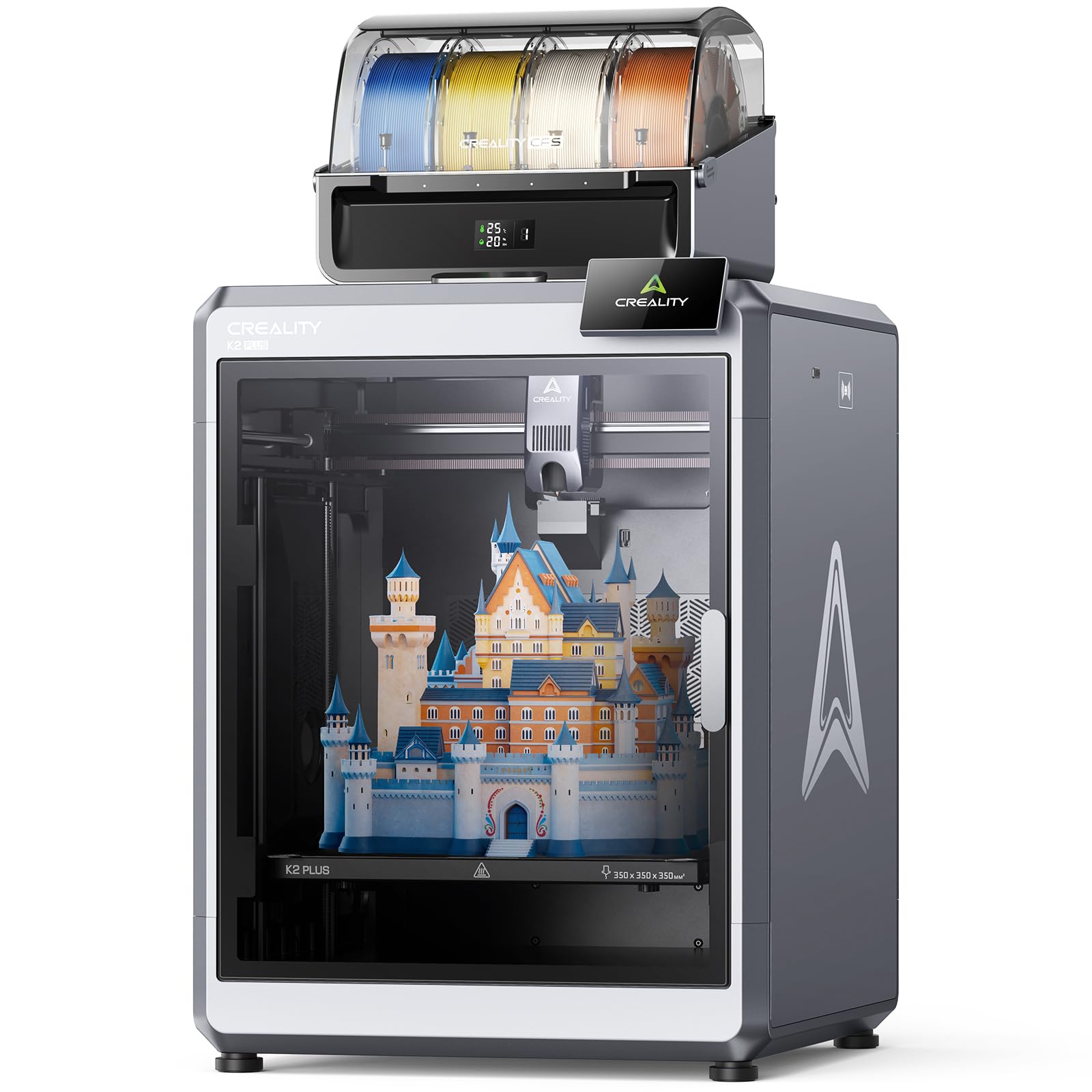
A 350mm cube capable of sixteen colors and high-temperature filaments in one machine.
The 350 × 350 × 350 mm build volume is the point here. That is roughly a fourteen-inch cube, big enough to print a full helmet or a large model in one piece instead of splitting it and gluing the halves. Combine up to four CFS units and you reach 16-color printing, with RFID recognition reading color and type the moment you load a spool. The CFS also relays to a similar spool when one runs out, so a long job does not stall on an empty reel.
Power comes from FOC step-servo motors on the XYZ axes and extrusion, delivering 600 mm/s speed with a claimed 30,000 mm/s² acceleration. The chamber actively holds up to 60 °C, which is what lets you print ASA and PPA without the warping that ruins those materials on an open frame. A hardened steel nozzle handles up to 350 °C. Accuracy gets help from a “Matrix” aluminum alloy die-cast frame and a dual Z-axis system on four linear rods. Two AI cameras watch the print — one on the chamber side for spaghetti and idling, one on the toolhead for flow-rate optimization.
Owners who have run it hard report serious endurance: one logged 1,421 hours of flawless printing, and another saw zero failures with perfect first layers and clean color changes on a K2 Plus Combo upgrade from an Ender 3 V3 Plus. Print quality is the strongest thread across the reviews, with setup a close second. The honest catches are weight and clogging — at 70.4 pounds it needs a solid table and a two-person lift, and switching between PLA or PETG and ABS is the known trigger for nozzle clogs, with a dedicated ABS nozzle as the workaround.
The throughput case: 600 mm/s with 30,000 mm/s² acceleration and a 60 °C chamber — this machine was built to run long jobs on demanding materials.
Plan for the mass: 70.4 pounds and clogs on material transitions mean this is a fixed installation, not a machine you rearrange.
Choose it for: large-format work in ASA, PPA and engineering filaments where a 350mm cube saves you from splitting models.
Look smaller if: your desk has to move and you mostly print in PLA and PETG.
10. QIDI Max4 Combo 3D Printer

Oven-sized build volume and a heated chamber that never flinches on engineering plastics.
Nothing else here prints on this scale. The 390 × 390 × 340 mm build area is larger than its MAX3 predecessor, which lets you run large industrial parts, molds and prototypes in a single pass instead of splitting them. A full-surface silicone heated bed spreads heat evenly across that whole plate, which is what keeps the first layer stuck down and stops corners lifting on big flat parts. At 120 pounds this is a permanent installation, and it needs the floor space to match.
Precision comes from closed-loop motors on the X and Y axes, pushing up to 800 mm/s with 30,000 mm/s² acceleration. The Z-axis uses a 2mm lead screw with an anti-backlash nut, which reduces vertical gaps between layers and delivers cleaner surface quality. A 40 mm³/s high-flow hotend with a hardened steel nozzle covers PLA, ABS and abrasive industrial materials like carbon fiber reinforced nylon. The 65 °C active heated chamber and Polar Cooler system are what make ABS-CF, PC and PPS-CF practical — though note the max4 series does not include the Polar Cooler, which must be bought separately. Connect a QIDI BOX and you can reach 16-color and multi-material printing.
What owners consistently report is performance. One switched from a troublesome Sovol SV08 and now runs 5 km of filament a month with zero clogs on a flat bed; another describes it as the best ownership experience of any printer they have owned, with no manual leveling needed. A third had a nozzle break in shipping and got a same-day replacement. The recurring honest notes are the QIDI Box being loud, some bed adhesion quirks, and the sparse manual — this is a professional workflow, not a plug-and-play desk toy.
Built for: designers and small workshops producing large parts in ABS-CF, PC and PPS-CF on a daily basis.
Not the starter: the sparse documentation and 120-pound footprint make it a poor first printer for a casual hobbyist.
11. Original Prusa XL 5-Toolhead Multi-Material CoreXY 3D Printer
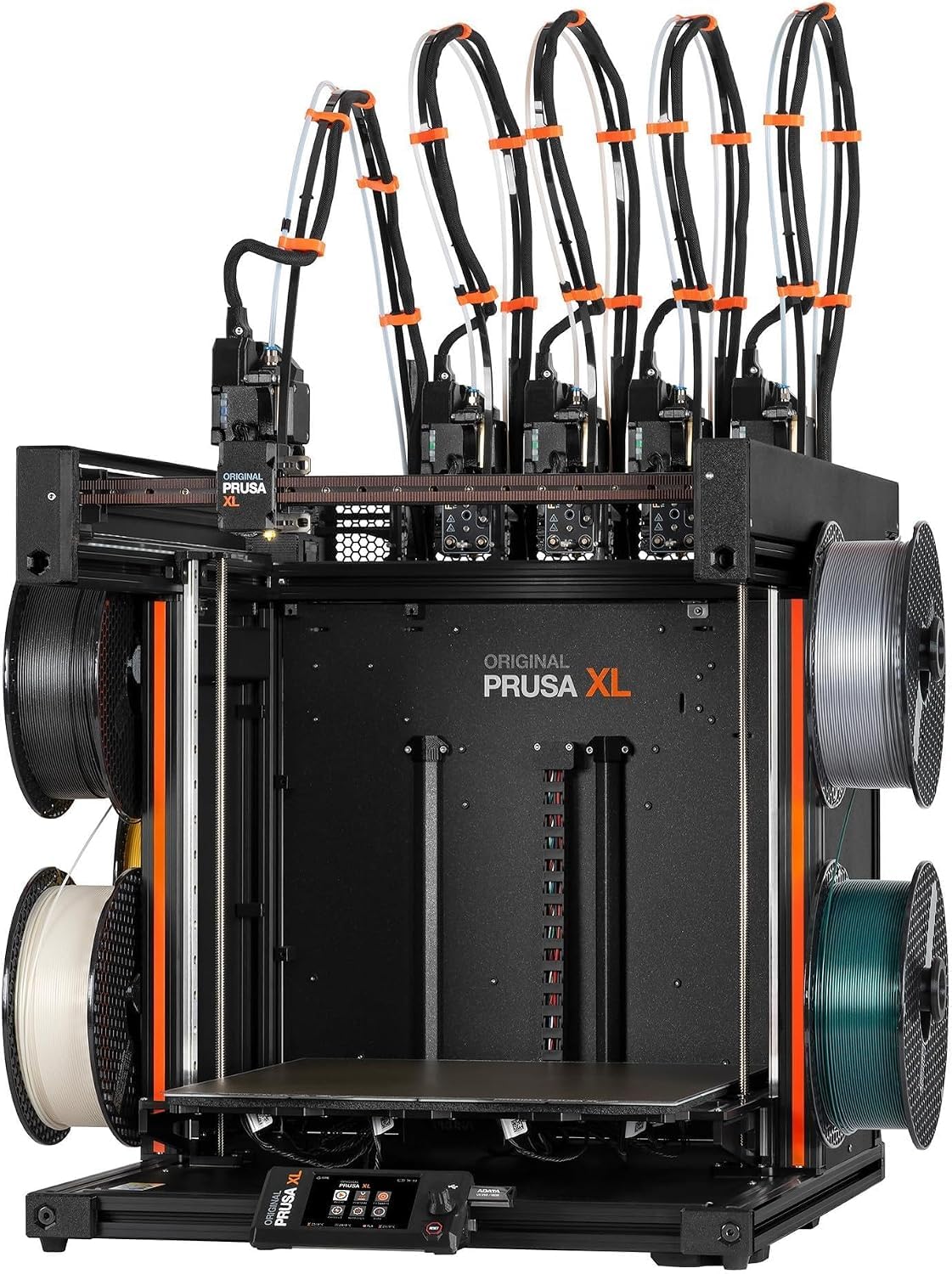
Five materials in one job on a machine that answers to nobody’s cloud.
The distinguishing feature is the tool count: five independent toolheads let you print up to five materials or colors in a single job, which is more than any other machine here. Build volume is a 14.17 × 14.17 × 14.17 inch cube, and the segmented heated bed uses intelligent heating zones — it only warms the area your part actually sits on, which reduces power draw and cuts warping on large prints. At 75 pounds, it stays where you put it.
The CoreXY motion system is built to hold speed and precision even through frequent tool changes and complex geometry, and the software integration runs through the Prusa ecosystem with Printables.com for models. Ownership in the open-source sense is a genuine selling point: this is a solid, open printer that does not force you into a locked-down cloud account, with no forced updates and no login required just to print. The package ships with one Satin print sheet and a 1kg spool of Prusament PLA, plus lifetime technical assistance and 24-hour support from Prusa Research.
Performance is clearly the strongest aspect in its favor. One owner calls Prusa Connect excellent for remote monitoring when paired with thebuddy camera. Another praises the machine as solid and open, made by people who genuinely care about the maker community. The honest catch is that this is a kit-style purchase at the top of the range. Several fragile parts — the LCD, extruder assembly, Wi-Fi antenna and spool holder — ship packed separately for transport safety and must be installed. A minority of buyers report needing roughly half a day of assembly beyond that, and some units have arrived with broken plastic parts or a defective thermistor. Worth noting: it is the least-reviewed machine on this list, so owner feedback is thinner than the crowd-favorites above.
Five materials, one print
- Five independent toolheads — the highest material count in this roundup
- Segmented heated bed warms only the zone your part needs
- Open platform with no forced cloud account or login to print
- Ships with a Satin print sheet and a 1kg spool of Prusament PLA
Assembly and rarity
- LCD, extruder assembly, Wi-Fi antenna and spool holder arrive separately packed and need installing
- Some units have arrived with broken plastic parts or a defective thermistor
- Fewer owner reviews here than any other pick, so real-world feedback is thinner
For the open-source believer: five materials in one job and no locked-down cloud subscription standing between you and your own machine.
Know what you are signing up for: budget an evening of assembly before the first print, and verify every fragile part arrived intact.
Understanding the Specs
Toolhead changers versus filament changers
A filament changer pulls different spools into one shared nozzle, which means the old color has to be purged before the new one can flow. That purged plastic is thrown away on every switch, and dark-to-light transitions can smear. A toolhead changer keeps each color in its own dedicated hotend and moves the active head into position instead — FlashSwap on the Flashforge Creator 5 takes about 7 seconds, and the Snapmaker U1’s SnapSwap system claims changes near 5 seconds. The tradeoff is alignment: more heads means more chances to drift out of position, so automatic offset calibration and vibration compensation become critical rather than optional.
Build volume and what it decides
Build volume is the printable box on each axis, written as three measurements in millimeters. Around 220mm per side covers keychains, brackets and small props. Stepping to the 260mm class opens up helmets and larger figurines. The 350mm cube on the Creality K2 Plus Combo and the 390 × 390 × 340 mm bed on the QIDI Max4 Combo are for full-size prototypes and industrial parts — the sort of thing you would otherwise print in sections and glue together. Bigger machines get heavy fast; the Prusa XL weighs 75 pounds and the QIDI Max4 hits 120 pounds, so plan their home before they arrive.
Heated chambers and high-temp materials
An enclosed printer traps warm air, but a heated chamber actively holds a target temperature. That matters because engineering filaments like ABS, ASA and carbon-fiber nylon shrink as they cool, and uneven cooling causes the corners of a part to lift off the bed. The Creality K2 Plus Combo maintains up to 60 °C, and the QIDI Max4 Combo pushes that to 65 °C. A high-temperature hotend is the matching piece — the Flashforge AD5X and Anycubic Kobra X both run a 300 °C nozzle, while the Creality K2 Plus Combo’s hardened steel tip reaches 350 °C. If you only print PLA and PETG, you can skip the chamber entirely.
Speed, acceleration and the difference it makes
Print speed in mm/s tells you how fast the head can travel, but acceleration in mm/s² tells you how quickly it gets there after a direction change. A machine rated at 600 mm/s with 20,000 mm/s² acceleration will finish a small detailed part faster than one with the same top speed but softer acceleration, because small parts are mostly cornering. Velocity alone is not the whole story — the QIDI Max4 Combo pairs 800 mm/s with 30,000 mm/s², and the Creality K2 Plus Combo quotes a claimed 30,000 mm/s². Faster machines also make more noise and throw more heat, so enclosure and placement matter as much as the number.
FAQ
What is the difference between a toolhead changer and a filament changer?
Do I need a heated chamber to print in multiple colors?
How long does setup take on a multicolor printer?
Will four colors run out of filament mid print?
Can these printers handle TPU and flexible filament?
Is a bigger build volume worth it for multicolor work?
What does one printer do that another cannot on this list?
How much space do I need for one of these printers?
Do I have to buy filament separately?
Which of these should a total beginner avoid?
Final Thoughts: The Verdict
For most people buying a 3d multicolor printer, the Bambu Lab P2S Combo is the one to take home — it prints at 600 mm/s, sets up in about 15 minutes, and the AMS 2 Pro dries your filament while it feeds it, which removes the two failures that trip up beginners most: slow first results and damp plastic. If tool changes are what you care about most, the Snapmaker U1 swaps heads in about 5 seconds with four preloaded toolheads and waste that owners describe as near zero, and the Flashforge Creator 5 is the pick if you need rigid and flexible materials in one print without color bleeding. For the largest format and the highest chamber temperature, the QIDI Max4 Combo is the machine to reach for.
One last thing worth weighing: the multicolor printers that hold the highest marks in this roundup are the ones with the fewest owner reviews, so the P2S Combo’s spot at the top is driven by its rating rather than the size of its crowd. Wait for the sealed version if you can, plan a solid table before it arrives, and buy filament in the same order — the color is the whole point.
How We Picked
We do not accept paid placement. Every pick is matched to a real buyer and a real use-case; we do not hands-on test units.
Sources & Methodology
Specifications: manufacturer listings and product documentation. Review insights: verified customer reviews, as of September 2026. Pricing: not shown on this page (it changes often); check the current price via the retailer link.
As an Amazon Associate, Gadgets Feed earns from qualifying purchases. This does not affect which products we feature.