
The gap between a real-world object and a printable 3D model is measured in microns, patience, and the quality of your scanner. Whether you are reverse-engineering a car part, preserving a family heirloom, or creating custom prosthetics, the accuracy of your capture defines the success of your print. A subpar scanner introduces noise, warped geometry, and hours of cleanup in Blender or Meshmixer—time better spent actually printing.
I’m Min — the co-founder and writer behind Gadgets Feed. I have spent countless hours researching precision metrics like single-point accuracy, point cloud density, and the real-world tracking stability of structured light versus infrared laser systems to separate the tools that deliver professional-grade data from those that frustrate.
Whether you are a maker on a budget or a professional demanding sub-millimeter fidelity, this guide cuts through the noise to help you find the absolute best 3d print scanner for your specific workflow and object size.
How To Choose The Best 3D Print Scanner
Selecting a 3D scanner for printing is a balance between accuracy, scanning volume, and the types of objects you capture. Beginners often over-prioritize headline resolution numbers while ignoring the two factors that actually determine success: tracking stability and software quality. A scanner with incredible specs that loses tracking every few seconds is useless. Similarly, a scanner with great hardware but buggy, limited software will leave you with raw point clouds you can’t easily turn into a manifold mesh. Here are the critical considerations.
Scanning Technology: Structured Light vs. Laser vs. LiDAR
The core technology dictates what you can scan and how accurately. Structured light scanners project a pattern of infrared light and measure its deformation. They are excellent for medium-sized objects with moderate detail but struggle with shiny, dark, or transparent surfaces. Multi-line laser scanners (like the Revopoint INSPIRE 2) use laser lines to capture geometry; they handle challenging surfaces better but can be slower. LiDAR (like the Matterport Pro3) measures distance with laser pulses and is unmatched for large spaces—think rooms, buildings, and outdoor scenes—but its accuracy at close range (under 20cm) is poor for small detailed objects. For 3D printing of individual parts, structured light or multi-line laser is typically the right choice.
Accuracy and Resolution: The Real Numbers
Manufacturers often cite two different numbers: single-point accuracy and point distance (resolution). Accuracy (e.g., 0.05mm) is how close a measured point is to its true position in the real world. Point distance (e.g., 0.1mm fused point distance) is how close individual captured points are to each other on the mesh. A scanner can have a fine point distance but poor accuracy, leading to a detailed but distorted model. For functional parts (reverse engineering, mechanical fitting), accuracy is king. For organic shapes (sculptures, characters), fine resolution matters more. Look for specifications that clearly state accuracy in mm at a specific distance—vague claims of “high precision” are meaningless.
Software Ecosystem and File Format Support
The scanner is only half the equation; the software that processes the raw data into a clean STL or OBJ determines your final print quality. A good software suite offers mesh cleaning, hole filling, smoothing, and decimation tools. Critically, it must export to standard formats your slicer or CAD software can read: STL, OBJ, PLY are essential. Proprietary formats that lock you into a single ecosystem are a red flag. Also consider the learning curve. Some software (like Revo Scan for Revopoint) is intuitive and includes tutorials, while others (like EXstar for Shining 3D) require more practice but offer greater control. A 30-day free trial of the software before buying the hardware would be ideal, but that rarely exists, so watch detailed user reviews of the software workflow.
Quick Comparison
On smaller screens, swipe sideways to see the full table.
| Model | Category | Best For | Key Spec | Amazon |
|---|---|---|---|---|
| Revopoint MIRACO Plus | All-In-One | Standalone, high-precision scanning | 0.02mm accuracy with photogrammetry | Amazon |
| Shining 3D Einstar Vega | Wireless All-In-One | Portable, large object scanning | Built-in 8-core CPU, 32GB RAM | Amazon |
| Shining 3D Einstar | Handheld | High-quality, mid-range scanning | 0.1mm point distance, hair mode | Amazon |
| Revopoint POP3 Plus | Handheld | Medium-object scanning with high detail | 0.04mm precision, Wi-Fi 6 | Amazon |
| Revopoint INSPIRE 2 | Handheld | Challenging surfaces, dual-mode scanning | 0.03mm precision, 11 laser lines | Amazon |
| Creality CR-Scan Ferret Pro | Handheld | Wireless, beginner-friendly scanning | 0.1mm accuracy, anti-shake tracking | Amazon |
| Creality CR-Scan Ferret | Handheld | Fast scanning with ASIC chip | 0.1mm accuracy, 30 FPS point cloud | Amazon |
| Creality CR-Ferret SE | Desktop | Budget entry-level scanning | 0.1mm accuracy, 105g weight | Amazon |
| Matterport Pro3 | LiDAR | Large spaces, architectural scanning | 100m range, LiDAR sensor | Amazon |
In‑Depth Reviews
1. Revopoint MIRACO Plus

The Revopoint MIRACO Plus is a true all-in-one powerhouse for serious 3D printing enthusiasts and professionals. Its standout feature is the integrated photogrammetry kit, which dramatically enhances dimensional accuracy on large objects to an incredible 0.02 mm + 0.05 mm/m. This makes it the first consumer-affordable scanner to offer metrology-grade accuracy without needing a separate, expensive photogrammetry setup.
The hardware itself is purpose-built for a smooth workflow. The 8-core 2.4GHz processor and 32GB of RAM allow you to capture up to 10,000 frames in a single session, and the 6-inch 2K AMOLED flip screen makes it feel like a standalone scanning tablet rather than a tethered peripheral. You can scan, process, and edit entirely on-device, then transfer your project to a PC via Wi-Fi 6 or USB-C. The 65W fast charging is a welcome touch, bringing the battery to 80% in just 35 minutes.
In real-world use, users consistently praise its versatility and the forgiving nature of its software, which includes an “undo” feature rare in 3D scanning. It handles small objects like screws in Near mode and large machinery in Far mode with its quad depth camera system. The main caveat is the battery life under heavy use, particularly with the onboard lights on, which can drain the battery faster than the advertised 2 hours. Some users also report a learning curve with the photogrammetry workflow, but the results are undeniably professional.
Why it’s great
- Unmatched integrated photogrammetry for high-accuracy large scans.
- Powerful onboard processing removes PC tethering during capture.
- Fast 65W charging and excellent USB/Wi-Fi 6 connectivity.
Good to know
- Significant investment; the photogrammetry kit adds cost.
- Battery life can be shorter under heavy use with active lights.
- Mac compatibility over USB can require workarounds in some cases.
2. Shining 3D Einstar Vega

The Shining 3D Einstar Vega is a revolutionary device for scanning on the go, completely liberating you from a laptop. It packs an 8-core 2.4GHz CPU, 32GB of RAM, and a 512GB SSD directly into the handheld unit, letting you scan, save, and share data entirely in the field. The 6.4-inch 2K AMOLED screen provides a crisp, large view of your scans, making real-time tracking easy to monitor.
Its dual scanning technology is a key differentiator. Fast Mode uses VCSEL projectors for medium to large objects up to 1500mm away, while HD Mode employs MEMS projectors for close-range, high-detail capture down to 100mm. The infrared light source is completely eye-safe and performs well outdoors, even under direct sunlight, handling dark surfaces like car tires or black leather without needing spray. The built-in cloud sharing (5GB free) and wireless screen casting are excellent for collaborative projects.
User feedback highlights the Vega’s speed and ease of use, with one user scanning a car front in under 10 minutes without any tracking dots or spray. However, it is not without its quirks. The battery life is adequate but not exceptional (over an hour of continuous use), and some users find the software interface less intuitive than competing options. It also struggles with highly reflective and completely transparent surfaces, often requiring spray for those, but its ability to scan in sunlight is a major win for outdoor applications.
Why it’s great
- Completely standalone, no PC required for operation.
- Excellent outdoor scanning performance in bright light.
- Dual-mode technology (VCSEL and MEMS) for versatile object sizes.
Good to know
- Battery life is just over an hour under continuous use.
- Software interface has a learning curve compared to simpler apps.
- Still requires spray for highly reflective or transparent objects.
3. Shining 3D Einstar

The original Shining 3D Einstar remains a dominant force in the mid-range consumer 3D scanner market, often outperforming units at twice its price. It delivers professional-grade results with a fast tracking system that rarely loses registration, even on surfaces that trip up other scanners. Its built-in detail enhancement technology optimizes point cloud data for complete acquisition, especially on organic shapes.
A standout feature is its “Hair Mode,” which uses a specific combination of infrared projectors to capture human hair—a notoriously difficult task for most structured light scanners. The hardware is robust and comfortable, and the included EXstar software provides automatic alignment and smart tracking that Just Works after a short learning curve. The scanner connects via a single USB cable for both power and data, simplifying setup.
Users consistently report that the Einstar produces scans comparable to the Artec Leo for a tiny fraction of the cost, particularly for medium-sized objects like helmets, car bumpers, and mannequins. The primary downsides are its ergonomics—some find the hand position awkward and note the lack of a built-in tripod mount—and the software, which lacks comprehensive tutorials. It also has a higher PC requirement (32GB RAM recommended) to process the dense point cloud data smoothly.
Why it’s great
- Professional-grade tracking and data quality for the price.
- Effective Hair Mode for full-body human scans.
- Works well on challenging surfaces like dark objects with minimal prep.
Good to know
- Requires a powerful PC (32GB RAM recommended).
- Ergonomics are not ideal for extended one-handed use.
- Software lacks a thorough built-in tutorial for beginners.
4. Revopoint POP3 Plus

The Revopoint POP3 Plus is a refined and powerful iteration of the popular POP series, offering a significant leap in accuracy and stability. With a precision of 0.04mm and an improved calibration board using advanced photolithographic processes, it stays within 20 microns of accuracy. The new optical zoom function (1.5x and 2x magnification) lets you focus on fine detail, capturing 30% more point cloud data on intricate surfaces.
It excels at scanning medium-sized objects (20mm to 2m), making it ideal for 3D printing figurines, product prototypes, and mechanical parts. The 9-axis IMU stabilization is excellent, preventing shaky frames and ensuring a smooth scan even when moving the handheld unit quickly. The free Revo Scan software is mature and intuitive, with a new Global marker tracking mode that dramatically improves scans using adhesive markers. It connects over Wi-Fi 6 or USB-C to Windows, macOS, iOS, and Android.
User reviews are overwhelmingly positive, highlighting the POP3 Plus’s ease of use and reliable tracking. The inclusion of a Flash LED lighting system ensures consistent color capture in varied lighting. However, like all structured light scanners, it struggles with shiny, transparent, or very dark objects without the use of scanning spray or markers. Some users also note that the software’s paid add-on, Revo Design, is a significant extra cost for advanced scan-to-CAD workflows.
Why it’s great
- High 0.04mm precision with excellent optical zoom for detail.
- 9-axis IMU provides very stable, shake-free scanning.
- Intuitive and feature-rich Revo Scan software is free.
Good to know
- Needs spray or markers for shiny, dark, or transparent surfaces.
- Revo Design CAD software is an expensive separate purchase.
- Primarily optimized for medium-sized objects, not tiny jewelry.
5. Revopoint INSPIRE 2

The Revopoint INSPIRE 2 is a versatile dual-mode scanner that addresses a key user pain point: challenging surfaces. It combines an infrared structured light mode with an 11-line multi-line laser mode. This dual approach allows it to handle reflective, dark, and even some transparent objects without resorting to scanning spray, a massive time-saver. Its 0.03mm precision is among the best in its class, and the new high-precision calibration board boosts point cloud accuracy by 75%.
It is designed for a complete, wireless workflow. Built-in Wi-Fi 6 enables seamless scanning to a mobile device or interactive streaming to a PC. At just 190g, it is extremely portable and features a durable aerospace-grade aluminum alloy front panel. The included Revo Metro software offers advanced scan settings and a full end-to-end workflow, from capture to post-processing and export to STL, OBJ, or PLY.
Users new to scanning often praise the INSPIRE 2 for its easier learning curve compared to pure laser scanners, while experienced users appreciate the flexibility of having two scanning modes in one device. The main criticisms involve the included calibration dots, which some users find don’t adhere well, and the steep PC requirements for processing dense scans (CPU: Intel i7 13th Gen or AMD Ryzen 7 5800, RAM: 16GB, GPU: RTX 3060). The software can be demanding, but the results are consistently detailed.
Why it’s great
- Dual structured light and multi-line laser handles tough surfaces.
- Excellent 0.03mm precision for detailed models.
- Wireless scanning via Wi-Fi 6 is very convenient.
Good to know
- Requires a powerful PC for full processing capabilities.
- Included adhesive calibration dots can be low quality.
- Software has a moderate learning curve for full control.
6. Creality CR-Scan Ferret Pro

The Creality CR-Scan Ferret Pro is the most accessible entry point into wireless, full-color 3D scanning without sacrificing core performance. Its standout feature is the anti-shake tracking technology, which counters hand tremors and ensures a stable scan even for beginners with unsteady hands. This dramatically boosts the success rate of your first scans, a critical factor for maintaining motivation.
It offers the most flexible connectivity in its price range, supporting PC via USB and wireless scanning via a Wi-Fi 6 bridge for both Android and iPhone (11+). This cross-platform compatibility is a major advantage. The 24-bit full-color scanning is accurate, preserving original textures. At just 105g, it is incredibly lightweight and portable, and the included carrying case, power bank, and tripod make it a true out-of-the-box solution.
Users consistently note its value as a starter scanner. It captures objects from 50mm to 2000mm adequately and handles black metal and non-reflective objects without spray. The main trade-off for its accessibility is that it is not ideal for very small, highly detailed items like jewelry or precision engine parts. Some users report the software can be buggy, particularly the mobile app, and that for absolute beginners, a turntable is almost essential for consistent results. The included tripod has a fixed height, which can be limiting.
Why it’s great
- Anti-shake technology makes it very forgiving for beginners.
- Lightest scanner at 105g with a versatile all-in-one kit.
- Cross-platform wireless scanning (Android, iOS, PC).
Good to know
- Not suitable for very small or highly detailed objects.
- Mobile software can be buggy and not as refined as the PC version.
- Fixed-height tripod and near-essential need for a turntable.
7. Creality CR-Scan Ferret

The standard Creality CR-Scan Ferret sits in a sweet spot, offering faster processing than the SE thanks to its dedicated ASIC deep computing chip. This chip enables up to 60 FPS image processing and a stable 30 FPS point cloud capture, resulting in a noticeably smoother and more efficient scanning experience. This speed makes it a great choice for capturing medium to large objects where you want to move the scanner quickly.
It features a dual-mode scanning capability, offering a wide-range mode for coverage up to 820mm per scan and a high-accuracy mode with 0.1mm precision and 0.16mm resolution for finer detail. A built-in high-resolution RGB camera captures full-color textures, preserving the object’s original look. A clever design feature is its low power consumption, allowing it to be powered by a 5V power bank, enabling genuine on-the-go scanning without searching for a wall outlet.
User reviews are mixed, as is common in this still-maturing category. Satisfied users report that it produces great results once you learn its limitations, especially with a fast computer. Negative reviews focus on its unreliability for professional use, with some comparing its fidelity unfavorably to older technologies like the Xbox Kinect, and pointing to distorted geometry and consistent tracking failures. It is a capable tool for the enthusiast who is willing to troubleshoot, but it may frustrate users expecting a plug-and-play professional device.
Why it’s great
- ASIC chip provides faster, smoother processing than standard models.
- Dual-mode scanning for large coverage or fine detail.
- Can be powered by a power bank for superb portability.
Good to know
- User reviews are inconsistent; some report poor tracking and geometry.
- Software can be buggy and requires a powerful PC to function well.
- Not a professional-grade tool; more for the hobbyist market.
8. Creality CR-Ferret SE

The Creality CR-Ferret SE is the most affordable entry point into the world of 3D scanning from a major brand. It shares the same anti-shake technology found in the Ferret Pro, making it surprisingly capable for beginners at its low cost. It is also incredibly lightweight at 105g, making it easy to handle for extended periods.
Its core feature set is solid: 0.1mm accuracy, 24-bit full-color scanning, and the ability to scan black and metal objects without spray. It supports outdoor scanning with its adaptive algorithm and connects via a Wi-Fi 6 wireless bridge. It is an ideal scanner for grabbing rough geometry for 3D printing inspiration, scanning large objects like car parts, or simply learning the fundamentals of photogrammetry and point cloud capture without a large financial commitment.
However, the budget cost brings compromises. The biggest issue reported by users is the software support, which can be buggy and difficult to set up, particularly on older PCs. Many users report the “spinning circle of death” during setup. Tracking can also be finicky, with the scanner losing registration easily and sometimes delivering a low effective frame rate well below the advertised 30 FPS. It is a true “you get what you pay for” device that requires patience, a powerful computer, and a willingness to troubleshoot.
Why it’s great
- Most affordable entry point from a reputable brand.
- Anti-shake technology helps beginners get usable results.
- Lightweight and portable at only 105g.
Good to know
- Software can be buggy and difficult to set up.
- Tracking can be unreliable, often losing registration.
- Requires a powerful PC and a lot of patience to use effectively.
9. Matterport Pro3
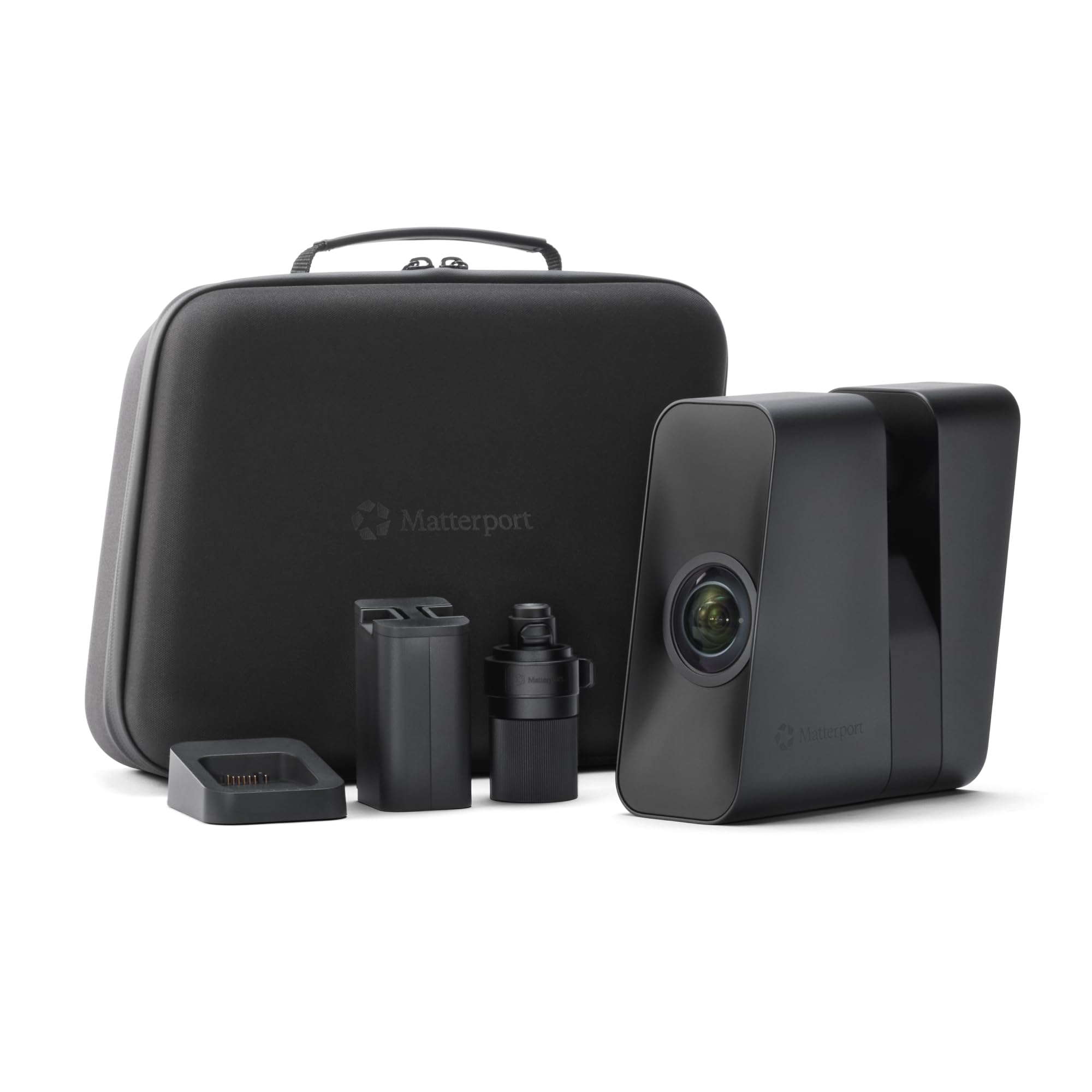
The Matterport Pro3 is in a different league entirely. It is a professional-grade LiDAR scanner designed for capturing entire indoor and outdoor spaces—houses, construction sites, museums, and industrial facilities—with sub-20mm accuracy at 10 meters. Its extended scanning range of up to 100 meters and ultra-fast LiDAR sensor (100K points per second) allow it to map complex large-scale environments in under 20 seconds per sweep.
The Pro3 is a purpose-built tool for creating immersive 3D virtual tours, accurate digital twins for architecture and engineering, and 4K 360-degree photography. The output is not a traditional STL for 3D printing in most cases; instead, it produces a navigable, photorealistic model that can be used for measurement, documentation, and remote collaboration via Matterport’s subscription-based software. Its removable battery allows for all-day continuous scanning in the field.
User reviews are strong for its intended purpose. Professionals find it easy to use, robust, and a significant step up from its predecessor, the Pro2. The primary limitation is its incompatibility with fine-detail, object-based 3D printing. You would not use this to scan a wrench or a statue. It requires a Matterport subscription to unlock its full feature set, adding an ongoing cost. It is the right tool for a very specific, high-value job: capturing spaces, not objects.
Why it’s great
- Unmatched range (100m) and speed for large spaces.
- Professional LiDAR accuracy for architectural and construction scanning.
- Creates immersive, photorealistic 360° virtual tours.
Good to know
- Not suitable for scanning small objects for 3D printing.
- Requires a paid Matterport subscription for full functionality.
- Very high cost of entry, aimed at professional businesses only.
FAQ
How much RAM do I actually need for a 3D scanner?
Can I scan shiny metal or black plastic objects without spray?
What is the difference between a handheld scanner and a desktop scanner?
Final Thoughts: The Verdict
For most users, the best 3d print scanner winner is the Creality CR-Scan Ferret Pro because it combines the most beginner-friendly features (anti-shake, wireless operation) with solid accuracy at a very accessible price point. If you want the absolute highest standalone precision and the ability to tackle large objects with photogrammetry, grab the Revopoint MIRACO Plus. And for those scanning in the field without a PC, nothing beats the Shining 3D Einstar Vega for its all-in-one standalone design.