
A warped build plate or an inconsistent first layer is the single biggest reason 3D prints fail. Manual leveling with a piece of paper is a frustrating, repetitive ritual that wastes time and filament. A dedicated bed leveling tool automates this process, mapping the surface in seconds and compensating for imperfections so every print sticks perfectly from the start.
I’m Min — the co-founder and writer behind Gadgets Feed. I’ve spent hundreds of hours digging through sensor specifications, firmware compatibility charts, and real user reports to separate the tools that truly deliver reliable auto-leveling from those that create more setup headaches than they solve.
This guide covers the seven most effective options on the market, from precision electromagnetic sensors to the proven optical touch standard. Read on for a complete breakdown of the best 3d printer bed leveling tool for your specific machine and workflow.
How To Choose The Best 3D Printer Bed Leveling Tool
Not all auto bed leveling sensors are created equal. The right choice depends on your printer’s mainboard, your firmware (Marlin vs. Klipper), and the type of build plate you use. Ignoring these factors can lead to failed installation, inaccurate meshes, or a sensor that simply refuses to work.
Sensor Technology: Touch Probe vs. Eddy Current vs. Inductive
Touch probes like the BLTouch and CR Touch use a physical metal pin that extends and retracts to measure the bed surface. They work on any material — glass, PEI, metal, wood — because they make contact. Eddy current sensors like the BTT Eddy Duo use electromagnetic fields to measure distance without touching, offering blazing-fast scan times but requiring a ferrous metal bed. Inductive sensors are cheaper but only detect metal, making them useless on glass or PEI beds.
Accuracy and Repeatability
Sensor precision is measured in millimeters of standard deviation across multiple probes. Entry-level sensors land around 0.04mm, while premium units achieve 0.001mm or better. Higher repeatability means your mesh stays consistent from print to print, reducing the need for constant Z-offset adjustments. For high-tolerance materials like PETG, a sensor with sub-0.01mm precision is a meaningful upgrade.
Firmware and Board Compatibility
Every sensor requires specific firmware configuration. BLTouch and CR Touch sensors use a standard servo signal that Marlin and Klipper support natively, making them the easiest to integrate. Eddy-based sensors like the BIQU MicroProbe and BTT Eddy Duo need custom pin mappings and Klipper-specific configurations. Always verify that your mainboard — SKR Mini E3, Creality 4.2.2/4.2.7, Manta, Octopus — has a free port and compatible firmware before buying.
Quick Comparison
On smaller screens, swipe sideways to see the full table.
| Model | Category | Best For | Key Spec | Amazon |
|---|---|---|---|---|
| BIQU MicroProbe V2.0 | Eddy / Photoelectric | Highest accuracy on cold beds | 0.001mm Std Dev @24°C | Amazon |
| BTT Eddy Duo | Eddy Current | Fastest bed mesh scanning | 20-second full bed scan | Amazon |
| Creality CR Touch (Kit) | Touch Probe | Ender 3 series with brackets | 0.04mm positioning accuracy | Amazon |
| Creality CR Touch (No Bracket) | Touch Probe | Neo / S1 / V3 SE series | 100,000+ probe cycles | Amazon |
| Creality CR Touch (3-Bracket Kit) | Touch Probe | Multi-printer compatibility | 3 mounting brackets included | Amazon |
| Creality CR Touch (Official) | Touch Probe | Smart compensation + Klipper | Metal probe, 100k uses | Amazon |
| ANTCLABS BLTouch | Touch Probe | Open-source firmware reliability | 0.005mm repeatability | Amazon |
In‑Depth Reviews
1. BIQU MicroProbe V2.0

The BIQU MicroProbe V2.0 combines an electromagnetic coil with a photoelectric sensor to achieve a standard deviation of just 0.001mm at room temperature — ten times better than a typical BLTouch. Its metal probe is rated for over 10 million actuations, and the 6-gram, 25.3mm body adds negligible mass to the print head. It works with PEI, glass, sticker, and metal beds, making it one of the most versatile sensors available.
Installation requires reconfiguring firmware specifically for MicroProbe protocols rather than standard BLTouch signal timing. Users report excellent results on SKR Mini E3 and Octopus boards with Klipper, noting an average probe-to-probe variance of 0.002mm across 50 samples. The provided cable is short, but splicing a longer Cat6 replacement is straightforward for anyone comfortable with basic wiring.
The one notable limitation is heat sensitivity: the magnet loses retraction strength at bed temperatures above 80°C, causing the probe to stick during PETG or ABS prints. For PLA users printing below 70°C, this sensor delivers laboratory-grade accuracy at a mid-range price point that outperforms everything else in this list.
Why it’s great
- Class-leading 0.001mm repeatability at 24°C
- Ultra-compact 6g design reduces inertia on the toolhead
- Compatible with all bed materials and most 32-bit boards
Good to know
- Firmware must be reconfigured specifically for MicroProbe protocol
- Magnetic strength degrades above 80°C bed temperature
- Included cable is short; longer wiring may be required
2. BIGTREETECH Eddy Duo

The BTT Eddy Duo is an eddy current sensor that scans a 250x250mm bed in roughly 20 seconds — six to nine times faster than a conventional touch probe. Precision is rated at 0.0005mm, though real-world repeatability settles around 0.005mm once temperature compensation engages. A dip switch on the board lets users toggle between CAN and USB communication, offering flexible integration with Voron StealthBurner, VzBot, and BIQU Hurakan toolheads.
Klipper-only compatibility is the primary constraint. Setup requires compiling custom firmware from the BIGTREETECH GitHub repository, and the instructions are fragmented across multiple pages. Users who push through the initial calibration report rock-solid homing and adaptive meshing that eliminates first-layer failures. The sensor also features active temperature compensation to counter thermal drift during long prints.
Two critical caveats: the Eddy Duo only works on beds with even magnetic fields — spring steel sheets and PEI plates with magnetic stickers are fine, but Prusa-style circular magnet patterns cause erratic readings. Additionally, the bed must be kept away from the nozzle during heat soaking to prevent calibration errors. For Klipper users with a steel build plate, this is the fastest way to a reliable mesh.
Why it’s great
- Full bed mesh in ~20 seconds
- USB/CAN communication switch for flexible wiring
- Active temperature compensation maintains accuracy
Good to know
- Klipper only — no Marlin support
- Does not work on beds with uneven magnetic fields
- Setup instructions are fragmented and require GitHub navigation
3. Creality CR Touch Auto Leveling Kit

The Creality CR Touch is the de facto upgrade for Ender 3 and CR-10 series printers with 32-bit V4.2.2 or V4.2.7 mainboards. It uses a metal-tipped optical sensor that extends and retracts a probe to measure the bed at multiple points, then compensates for tilt and surface variations. The kit includes the sensor, mounting bracket, wiring, and a replacement probe, plus support for PEI, glass, sticker, and metal platforms.
Installation is straightforwards — download the correct firmware from Creality’s website, copy it to a TF card, and insert it into the printer. Users consistently report that once the CR Touch is configured, manual leveling is reduced to occasional visual checks. The optical sensing mechanism is more durable than the original BLTouch design, with a rated lifespan exceeding 100,000 actuations.
The trade-off is modest accuracy compared to eddy-based sensors. The CR Touch lists positioning accuracy at ≤0.04mm, which is sufficient for PLA and ABS but may show inconsistency with high-tolerance materials. A small number of users note that Z-offset can drift over time, requiring periodic recalibration. For beginners upgrading an Ender 3, this is the most reliable and well-documented path to auto-leveling.
Why it’s great
- Works on any bed material including glass and PEI
- Simple firmware update via TF card
- Includes bracket, wiring, and spare probe
Good to know
- Accuracy limited to 0.04mm
- Z-offset may require periodic recalibration
- Incompatible with 8-bit mainboards without adapter
4. Creality CR Touch (No Brackets)
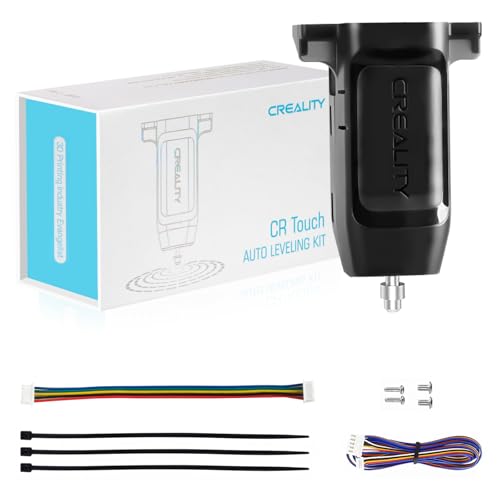
This variant of the CR Touch is sold without mounting brackets, specifically targeting Creality’s Neo, S1, and V3 SE/KE series printers that already include a compatible bracket or use a proprietary mounting system. The sensor itself is identical to the standard CR Touch — same metal probe, same 0.04mm positioning accuracy, same 100,000-cycle durability — but the no-bracket packaging reduces cost and avoids wasted hardware.
Compatibility extends to the Ender 3 S1 Pro, Ender 3 V3 SE, Ender 3 V3 KE, and CR-10 Smart Pro. Users confirm that the sensor mounts directly into the existing toolhead bracket without modification. Firmware setup is identical to the kit version: download the appropriate Creality firmware, load it via TF card, and run auto-leveling. Several multilingual reviews note that the sensor works as a drop-in replacement for a failed original unit.
The limitation is simple — if your printer does not have a pre-existing bracket for the CR Touch footprint, you will need to source or print one separately. The sensor also lacks the active temperature compensation found in eddy-based alternatives, so mesh accuracy can shift slightly between a cold and fully heated bed. For owners of Neo or S1 family machines, this is the most economical factory-fit solution.
Why it’s great
- Direct fit for Neo, S1, and V3 SE/KE printers
- Lower cost by omitting unnecessary brackets
- Identical performance to the full kit version
Good to know
- Not compatible with printers lacking a CR Touch bracket
- Mesh accuracy drifts slightly as bed temperature changes
- No temperature compensation feature
5. Offilial CR Touch (3-Bracket Kit)
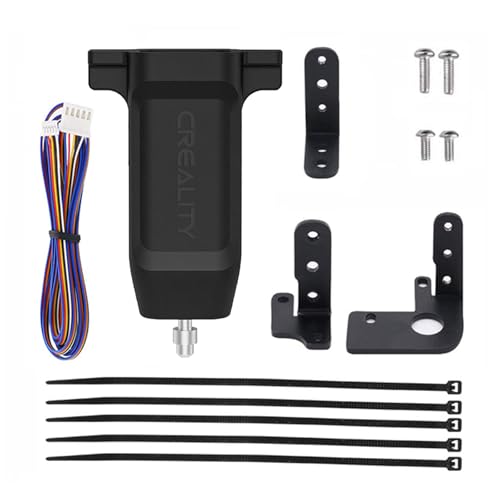
This version of the Creality CR Touch is bundled with three different mounting brackets, making it compatible across the Ender 3, Ender 3 Pro, Ender 3 V2, Ender 5, Ender 5 Pro, Ender 5 Plus, and CR-10 series. The sensor itself matches the standard CR Touch specification — metal probe, ≤0.04mm accuracy, optical sensing — but the bracket variety reduces the guesswork when moving the sensor between different printer models.
Installation is the same firmware-update process used across all CR Touch units. Users report that the 20-minute setup eliminates the constant wheel-tweaking that defined manual leveling. Once the Z-offset is dialed in and the mesh is saved, first-layer consistency improves dramatically. Several reviews note that the kit has transformed failed-print rates from frequent to rare, even on notoriously warped beds.
The key drawback is that the sensor still lacks the sub-0.01mm precision of eddy-based competitors. For users running high-temperature materials like polycarbonate or nylon, the thermal drift of a touch probe can introduce inconsistencies over long prints. Additionally, the 3-bracket design adds cost that may be unnecessary if you only own one printer model. For hobbyists managing multiple machines, the included hardware offsets this premium effectively.
Why it’s great
- Three brackets cover Ender 3/5 and CR-10 families
- Quick installation with straightforward firmware update
- Dramatically reduces failed prints from poor leveling
Good to know
- Limited to 0.04mm accuracy
- Thermal drift affects high-temperature materials
- Extra brackets add cost for single-printer owners
6. Official Creality CR Touch (Multi-Point)
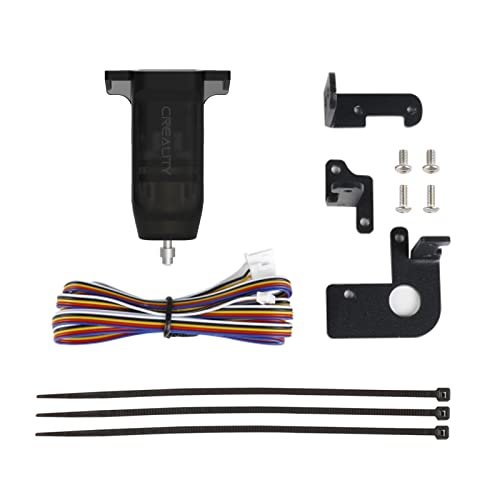
This official Creality CR Touch variant emphasizes multi-point detection and smart tilt compensation. The sensor records the height of each detection point in a grid, calculates the angle between the nozzle and the platform, and automatically adjusts the Z-axis during the first layer. The metal probe is rated for over 100,000 cycles, and the kit includes three mounting brackets for Ender 3 V2, Ender 3 Pro, Ender 5, and CR-10 machines with 32-bit mainboards.
Users running Klipper report excellent results when pairing this CR Touch with the Nebula Smart Kit or a 4.2.7 mainboard. The auto-leveling eliminates the need for manual bed adjustment entirely, and the smart compensation handles moderately warped beds without issue. One reviewer noted that a high-center bed problem was completely resolved once the mesh was saved and loaded correctly from the SD card.
The inconsistency reported by some users centers on Z-offset drift. The sensor does not include temperature compensation, so the offset value that works on a cold bed may shift once the bed reaches 60°C or higher. Additionally, the mesh must be saved to the SD card and reloaded on each power cycle if using certain firmware configurations. For users who want set-and-forget operation, pairing this sensor with a mainboard that stores the mesh in EEPROM is recommended.
Why it’s great
- Smart compensation handles warped build plates
- Three mounting brackets for broad compatibility
- Easy firmware update via TF card
Good to know
- Z-offset can drift with temperature changes
- Mesh may need to be reloaded on each power cycle
- No active temperature compensation circuit
7. ANTCLABS BLTouch

The ANTCLABS BLTouch is the original auto bed leveling sensor that defined the consumer 3D printing market. It uses a solenoid-driven metal pin that deploys, touches the bed, and retracts with a repeatability of approximately 0.005mm. The open-source firmware ecosystem supports it natively in both Marlin and Klipper, making it the most compatible sensor available. It works with any bed material, from glass and wood to metal and PEI.
Installation is the most involved of any sensor in this guide. The BLTouch requires connecting five wires — black/white for the Z-endstop signal, plus red (5V), brown (GND), and yellow (servo signal) — to the correct pins on the mainboard. The Z-endstop pullup resistor must be disabled in firmware. Users who work through these steps find the sensor reliable and consistent, with one reviewer on a CR-10s Pro reporting that it replaced an unreliable capacitive sensor and delivered perfect first layers afterward.
The included 1-meter extension cable uses Dupont connectors, which users report can come loose during printing. Fixing the connection with a small piece of cardstock or upgrading to JST XH connectors is a common modification. The BLTouch also does not include a mounting bracket, so you will need to print or purchase one separately. For users comfortable with soldering and firmware compilation, the BLTouch remains the most proven and community-supported leveling solution on the market.
Why it’s great
- Natively supported in Marlin and Klipper
- Works with any bed material without restrictions
- Proven track record with millions of installations
Good to know
- Requires pin mapping and pullup resistor configuration
- Dupont connectors may come loose during operation
- No mounting bracket included in the package
FAQ
Will a BLTouch work on a glass bed without a metal surface underneath?
Why does my eddy current sensor fail on a Prusa-style heatbed?
Final Thoughts: The Verdict
For most users, the best 3d printer bed leveling tool winner is the BIQU MicroProbe V2.0 because it combines the highest cold-bed accuracy (0.001mm) with an ultra-light 6g body and broad compatibility across SKR, Octopus, and Manta boards. If you want the fastest possible bed mesh scanning, grab the BTT Eddy Duo and swap to a Klipper-based printer with a steel build plate. And for the easiest drop-in replacement on an Ender 3 or CR-10, nothing beats the Creality CR Touch — a proven, well-documented sensor that gets beginners printing reliably within an hour.