
Hand-shaping cookie dough with a knife is tedious, and store-bought cutters never have that custom design you sketched on a napkin. A dedicated 3D printer solves this by turning your digital drawings into food-safe, perfectly dimensioned tools that slice through dough cleanly every time. The right machine balances fast print speeds with the fine layer resolution needed to capture sharp edges on a cutter wall—without warping or stringing.
I’m Min — the co-founder and writer behind Gadgets Feed. I’ve spent countless hours researching print-head temperatures, bed adhesion systems, and slicer profiles to find the machines that produce reliable, non-toxic cookie cutters straight out of the box.
Whether you’re a home baker wanting a custom snowflake stamp or a small business scaling up seasonal shapes, this guide to the best 3d printer for cookie cutters will help you pick the model that delivers consistent results batch after batch.
How To Choose The Best 3D Printer For Cookie Cutters
Not every FDM printer can handle the tight corners and thin walls of a cookie cutter without bending or lifting. You need a machine that lays down precise lines, holds bed adhesion through the first few layers, and stays quiet enough to run overnight. Focus on these three factors to narrow your options quickly.
Print Speed vs. Layer Quality
A cookie cutter is a thin-wall object — it typically takes only 15 to 40 minutes to print. High-speed machines (500–600 mm/s) let you crank out a dozen cutters in a single evening, but raw speed can introduce ringing or ghosting on the cutter’s sharp edge. Look for a printer with input shaping or vibration compensation, which quiets the frame during rapid moves and keeps the cutting wall crisp.
Filament Compatibility and Nozzle Temperature
You’ll mostly print cookie cutters in PLA because it’s non-toxic, cheap, and easy to dial in. But if you want a cutter that survives the dishwasher or holds up under warm dough, consider PETG or food-safe PLA blends. A hotend that reaches at least 260°C gives you the flexibility to switch between materials without swapping the whole print head. A quick-swap nozzle system (0.4 mm for detail, 0.6 mm for speed) is a huge time saver.
Build Volume and Bed Adhesion
Most single cookie cutters fit on a 180 mm bed, but a larger build volume (220×220 mm or more) lets you print multiple cutters in one go or craft a giant gingerbread-house cutter. Auto bed leveling is non-negotiable — it ensures the first layer sticks uniformly across the bed, preventing your cutter wall from detaching mid-print. A flexible PEI spring-steel build plate makes removal effortless without bending the tool.
Quick Comparison
On smaller screens, swipe sideways to see the full table.
| Model | Category | Best For | Key Spec | Amazon |
|---|---|---|---|---|
| Flashforge AD5M | Mid-Range | Beginner consistency | 600 mm/s, 0.25–0.8 mm nozzle, auto level | Amazon |
| Creality K2 SE | Mid-Range | Multicolor upgrade path | 500 mm/s, solid metal frame, CFS ready | Amazon |
| Anycubic Kobra X | Mid-Range | Quiet multi-color at home | 600 mm/s, 4-color built-in, 45 dB | Amazon |
| Flashforge AD5X | Premium | Multi-material cookie cutters | 600 mm/s, 300°C nozzle, 4-color IFS | Amazon |
| Bambu Lab A1 Mini Combo | Premium | Fuss-free, fast detail prints | 10k mm/s² accel, 48 dB, AMS Lite | Amazon |
| Creality K2 Pro Combo | Premium | Large batch production | 600 mm/s, 300×300×300 mm, 16-color | Amazon |
In‑Depth Reviews
1. Flashforge AD5M

The Flashforge AD5M hits the sweet spot for cookie-cutter printing because its one-click auto leveling removes the guesswork from first-layer adhesion — and a perfect first layer is what keeps a thin cutter wall from peeling off the bed. You can swap the nozzle in three seconds, moving from a 0.4 mm for fine detail to a 0.6 mm for faster runs, all without tools. The 220×220×220 mm build volume fits a batch of four standard cutters in one print.
At 600 mm/s with CoreXY motion, the AD5M finishes a single 3-inch cutter in roughly 20 minutes. Owners report consistent quality across dozens of prints with PLA, and the included Orca-Flashforge slicer makes scaling and duplicating shapes straightforward. The flexible PEI plate lets you pop cutters off by bending the sheet — no prying or scraping needed.
Some units arrive DOA based on a handful of reviews, so test the test print within the return window. The bundled filament sample is small, but once you switch to a full spool of food-safe PLA, the AD5M runs reliably. For the price, you get a machine that produces bakery-ready tools with minimal friction.
Why it’s great
- 3-second nozzle swap for detail vs. speed
- Auto leveling ensures consistent cutter edges
- Flexible PEI bed removes cutters cleanly
Good to know
- Test early — some units have DOA risk
- Small included filament sample
- Requires computer for slicing (no iPad app)
2. Creality K2 SE
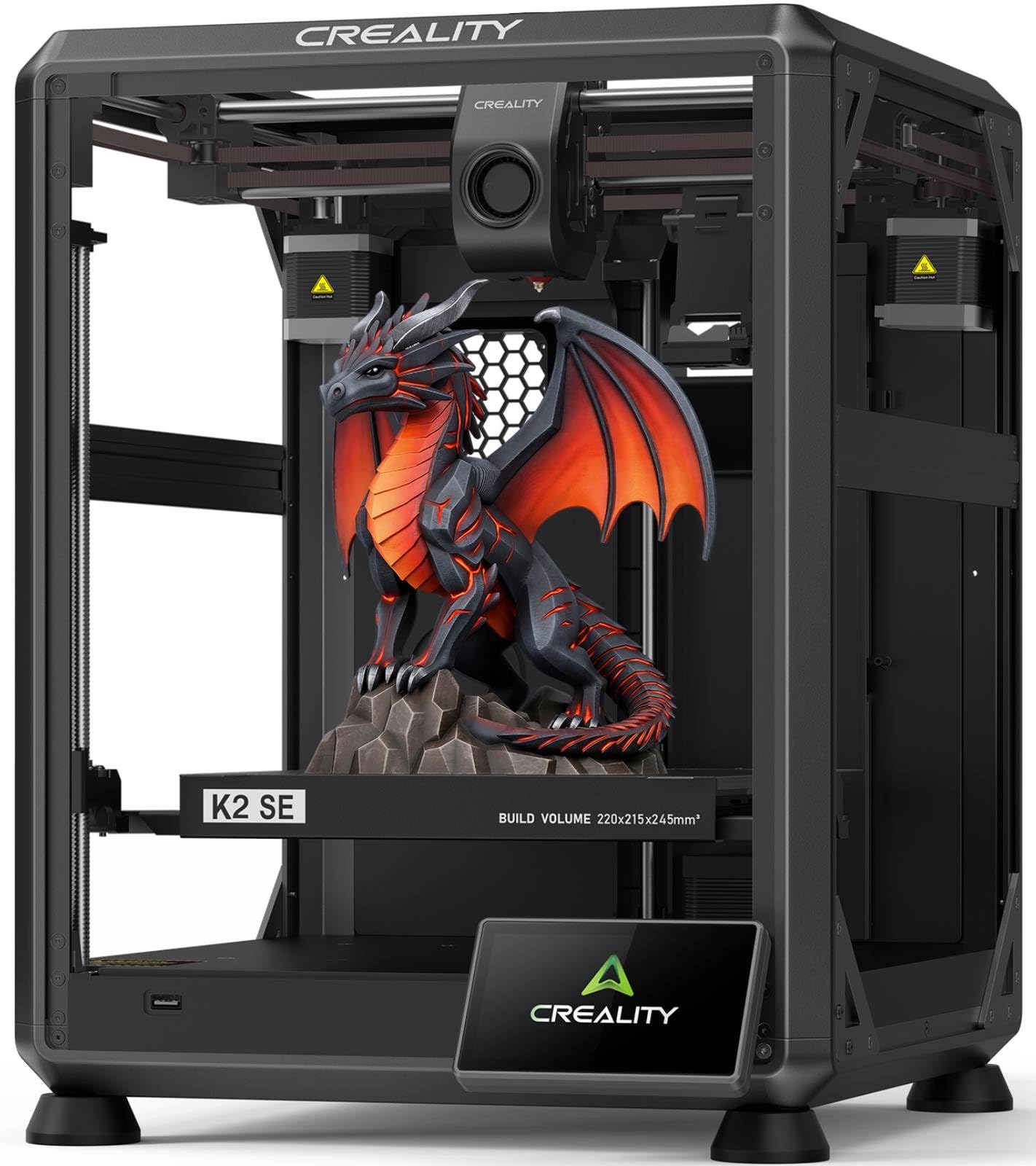
Creality’s K2 SE brings a die-cast aluminum frame that stays rigid at high speeds, reducing the ringing that can blur the sharp edge of a cookie cutter. Its direct drive extruder handles flexible food-safe filaments like soft PLA blends without jamming, and the quick-swap nozzle lets you experiment with 0.6 mm and 0.8 mm tips for thicker-walled tools. The 220×215×245 mm build volume offers extra height if you want cutters with deep sides for thick dough.
The K2 SE is also compatible with the Creality CFS multicolor system, so you can print two-tone cutters (a festive red border and white interior, for example) if you buy the upgrade later. Reviewers consistently praise the automatic bed leveling for getting the first layer right on the first try, even for beginners. The touchscreen Quick Guide walks you through fan calibration and first-time tuning in under five minutes.
On the downside, some users report iffy Wi-Fi connectivity and a confusing firmware update process. The stock cooling fans are adequate for PLA but could be stronger for PETG. If you plan to stick with PLA cookie cutters, these quirks are minor. The rigid build quality and upgrade path make this a printer that grows with your baking business.
Why it’s great
- Rigid metal frame reduces edge blur at speed
- CFS upgrade enables two-tone cutters
- Automatic leveling works reliably out of box
Good to know
- Stock cooling fans can limit PETG use
- Wi-Fi connectivity can be intermittent
- Firmware update process needs patience
3. Anycubic Kobra X

The Anycubic Kobra X stands out for cookie-cutter printing because it is remarkably quiet at just 45 dB — you can run it overnight in a kitchen without disturbing the household. Its native 4-color printing (expandable to 19 colors with extra ACE 2 Pro units) lets you create layered cutters with colored logos or text embedded in the tool itself. The 260 mm³ build volume is generous, fitting a full rack of six small cutters in one print session.
LeviQ 3.0 auto leveling uses 49 calibration points to guarantee bed flatness, which translates to razor-sharp first layers on thin cutter walls. The hardened steel nozzle reaches 300°C, so you can switch to PETG or TPU cutters that flex slightly for releasing dough. Owners with over 250 hours of runtime report zero clogging or adhesion failures, making this a truly set-and-forget machine.
The top-mount spool holder frees desk space, but the phone app could use a bit more polish — some users find settings buried in menus. The ACE 2 Pro units are sold separately and aren’t compatible with older ACE Pro versions, so plan your multicolor expansion carefully. For a quiet, spacious machine that produces bakery-ready tools, the Kobra X is a standout.
Why it’s great
- Nearly silent operation at 45 dB
- Native 4-color printing for custom tool designs
- 49-point leveling ensures consistent first layers
Good to know
- ACE units not backward compatible
- Phone app menus could be more intuitive
- Some users report adhesion issues with PETG
4. Flashforge AD5X

The Flashforge AD5X takes everything from the AD5M and adds the Intelligent Filament System (IFS) for true 4-color printing. For cookie cutters, this means you can print a green Christmas tree cutter with red ornaments embedded in the same tool — no painting required. The 300°C hotend handles carbon-fiber-infused PLA and PETG-CF, which produce exceptionally stiff, durable cutters that resist bending during use.
CoreXY motion with vibration compensation keeps the cutter edge smooth even at 600 mm/s. The auto filament loading and unloading reduces waste, and the system can refill up to 4 kg of filament automatically — useful if you’re running a small bakery operation. Remote management via Flash Maker lets you start a batch of cutters from your phone while prepping dough.
The slicer learning curve is steeper than on the AD5M, and some users report that the machine logs them out frequently, requiring re-authentication. Customer service charges per-ticket for some inquiries, which can be frustrating. If you want multi-color cutters without buying a separate unit, the AD5X delivers — but be ready for some software hand-holding.
Why it’s great
- Integrated 4-color IFS for multi-tone cutters
- 300°C hotend handles carbon-fiber PLA
- Remote start and monitoring via phone
Good to know
- Frequent login/logout issues reported
- Customer support charges per ticket
- Slicer has steeper learning curve
5. Bambu Lab A1 Mini Combo

Bambu Lab’s A1 Mini Combo is the most polished plug-and-play option for cookie cutters. The AMS Lite handles four colors automatically, so you can print a rainbow unicorn cutter without touching the machine between filament changes. Full-auto calibration (bed leveling, Z-offset, flow rate compensation) happens in seconds, and the active motor noise cancellation keeps operation at or below 48 dB — perfect for a shared apartment kitchen.
The 10,000 mm/s² acceleration means even a detailed cutter with intricate internal patterns finishes in under 20 minutes. The 1-Clip quick swap nozzle makes switching between 0.4 mm and 0.6 mm trivial, and the Bambu Studio slicer offers pre-tuned profiles for food-safe PLA. The compact footprint (16.8 × 14.8 × 19.5 inches) fits on a standard counter next to a mixing bowl.
The trade-off is the smaller build volume — you won’t fit a giant gingerbread-house cutter on a single print. Also, the AMS Lite wastes some filament when purging between color changes, so you’ll spend more on material for multicolor jobs. The machine also needs a solid, level surface; running at ludicrous speed on a carpeted floor introduces wobble. For fast, quiet, detail-oriented cutter production, this is the most refined option.
Why it’s great
- Full auto calibration — truly set and forget
- AMS Lite enables effortless multicolor cutters
- Quiet enough for overnight kitchen printing
Good to know
- Small build volume limits large single cutters
- AMS Lite purges filament between color swaps
- Needs rigid desk — shakes on carpet
6. Creality K2 Pro Combo
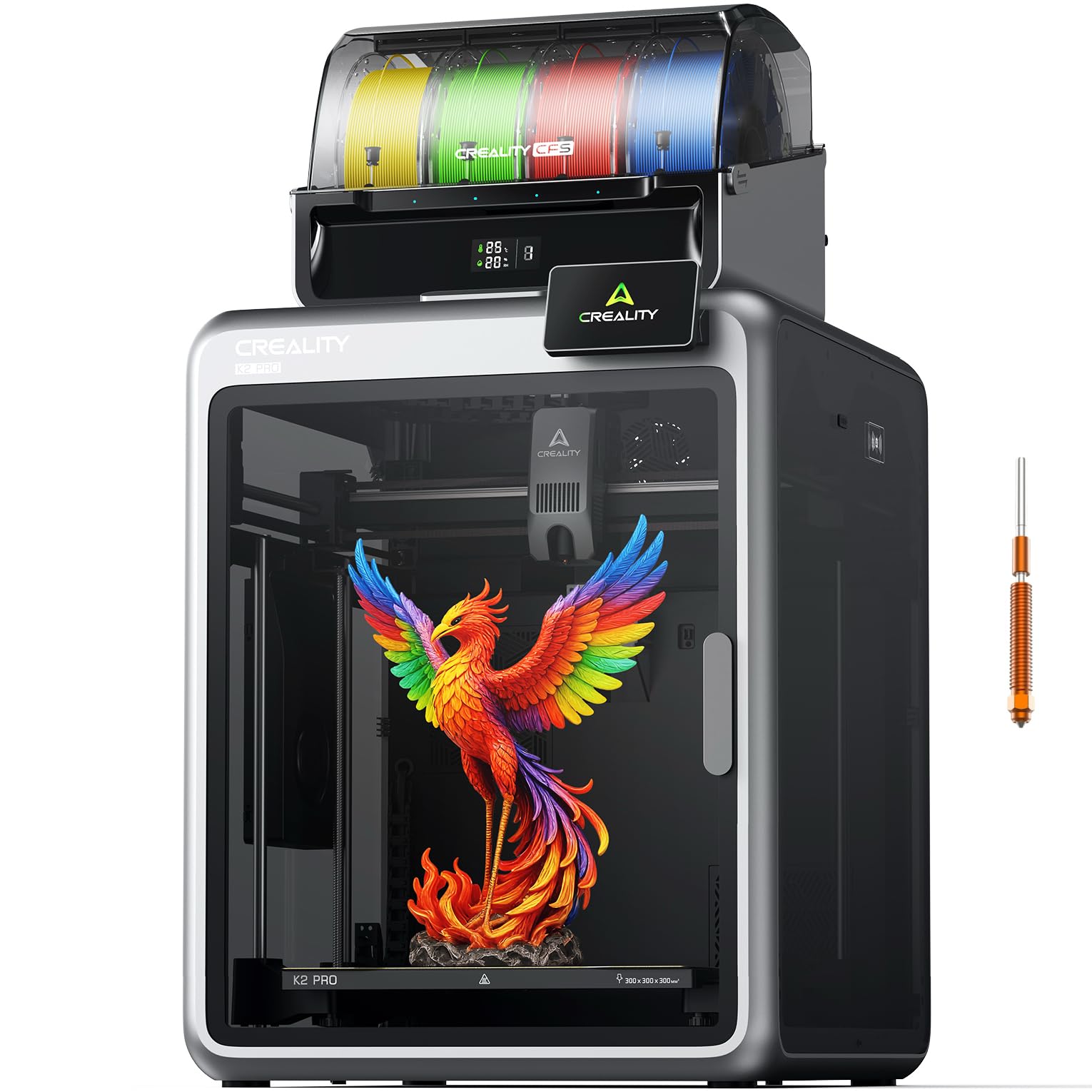
If you’re running a cookie business that needs dozens of identical cutters per week, the Creality K2 Pro Combo is the volume king. Its 300×300×300 mm build volume fits a full grid of 12 small cutters or one massive gingerbread-house template in a single print. The CFS multicolor system supports up to 16 colors, letting you produce season-specific themed cutters with embedded brand logos. Step-servo motors with field-oriented control keep vibration low even at 600 mm/s.
Dual AI cameras monitor the print in real time — one checks for spaghetti failures while the other auto-tunes flow rate to prevent extrusion errors. The chamber heats up to 60°C, which means you can print ABS or ASA cutters that survive high-temp dishwashers. The aerospace-grade aluminum exoskeleton weighs 85 pounds, so there’s zero frame flex during high-speed runs.
The main drawback is the price and complexity. At this level, you’re investing in a serious workshop tool. Some users report clogs in the extruder after extended use, and clearing them requires partial disassembly. The stock enclosure lacks a purge fan, so fumes from engineering filaments can be noticeable. For high-volume baking pros who need durable, repeatable cutters at scale, the K2 Pro Combo justifies its cost.
Why it’s great
- 300 mm³ build fits 12+ cutters per print
- AI cameras catch failures and tune extrusion
- Heated chamber enables dishwasher-safe cutters
Good to know
- Heavy 85-pound frame needs dedicated space
- Extruder clogs can require disassembly
- No purge fan for fume extraction
FAQ
Is PLA safe for cutting cookie dough?
What layer height should I use for a sharp cutter edge?
Do I need a heated bed for cookie cutter prints?
Can I print multiple cutters in one batch?
Final Thoughts: The Verdict
For most users, the best 3d printer for cookie cutters winner is the Flashforge AD5M because it combines fast 600 mm/s speed, auto leveling, and a quick-swap nozzle in a package that produces sharp, consistent cutters from the very first print. If you want multicolor designs without manual filament swaps, grab the Bambu Lab A1 Mini Combo. And for high-volume bakery production with dishwasher-safe tools, nothing beats the Creality K2 Pro Combo.