
Our readers keep the lights on and my morning glass full of iced black tea. As an Amazon Associate, I earn from qualifying purchases.
Specs are compiled from manufacturer listings and verified buyer reviews and can change over time — please confirm the key details on the product page before buying.
Buying a 3D printer for electronics work means you are probably tired of babysitting a machine, swapping spools, and watching expensive filament get purged into a waste tower. The right machine prints enclosures, jigs, and functional parts in one go, with multiple colors or materials. This guide breaks down nine machines that handle these jobs, focusing on true multi-color capability, high print speeds, and the build volume you need for real parts rather than trinkets.
I’m Min — the founder and writer behind Gadgets Feed. This guide is built by comparing the manufacturers’ published specifications and the patterns across verified customer reviews, so you get each pick’s real strengths and trade-offs instead of marketing spin.
You want a 3d printer for electronics that handles enclosures and production parts without wasting time or filament. The key specs to weigh are toolhead count, chamber temperature, and waste—here is how the top picks compare.
Our Picks at a Glance



How To Choose The Best 3D Printer For Electronics
For electronics work, you are usually printing functional parts: enclosures, brackets, and jigs. That shifts the priorities away from tiny trinkets toward material strength, dimensional accuracy, and multi-material capability. A printer that prints cute figurines will not necessarily print a solid ABS enclosure without warping.
Toolhead Design and Multi-Color Waste
Single-nozzle multi-color systems purge filament between color changes, which wastes material and time. A multi-toolhead machine uses several independent nozzles that swap in seconds, so it does not purge at all. This matters if you print enclosures with multiple colors or use water-soluble supports for complex overhangs.
Heated Chamber and Nozzle Temperature
Printing engineering filaments like ABS, PA, or carbon-fiber composites requires a hot environment to prevent warping and layer separation. A heated chamber that reaches 65°C keeps the part warm during printing. A nozzle that reaches 370°C can melt high-temperature materials like PPS-CF that standard 250°C hotends cannot handle.
Print Speed and Build Volume
Speed matters when you iterate on designs. CoreXY machines with speeds of 500-600 mm/s cut print times dramatically. Build volume determines what you can make; a 270 x 270 x 270 mm volume fits most electronics enclosures, while a 350 x 350 x 350 mm volume handles larger batches or big parts.
Quick Comparison
| Model | Best For | Toolheads | Max Speed | Build Volume | Amazon |
|---|---|---|---|---|---|
| Snapmaker U1★ Best Overall | Zero-waste multi-color | 4 | 500 mm/s | 270 x 270 x 270 mm | Amazon |
| QIDI Q2Engineering Pick | Engineering materials | 1 (16 via BOX) | 600 mm/s | — | Amazon |
| ELEGOO Saturn 4 UltraDetail Master | Fine resin details | Resin | 150 mm/h | — | Amazon |
| Bambu Lab P1S Combo | Easy multi-color | 1 (AMS) | 500 mm/s | — | Amazon |
| ANYCUBIC Photon P1 | High-res resin | Resin | — | — | Amazon |
| QIDI PLUS4 | Large high-temp parts | 1 (BOX compatible) | — | 12 x 12 x 11 in | Amazon |
| FLASHFORGE Creator 5 | Fast multi-material | 4 | 600 mm/s | — | Amazon |
| Original Prusa MK4S | DIY reliability | 1 | — | 9.84 x 8.3 x 8.6 in | Amazon |
| Creality K2 Plus | Extra-large prints | 1 (CFS required) | 600 mm/s | 350 x 350 x 350 mm | Amazon |
In-Depth Reviews
1. Snapmaker U1
Our pick — 4.5★ from 100+ verified ratings; the strongest balance of quality and price.
The four-toolhead machine that kills the purge tower entirely.
For electronics work, the standout feature is the SnapSwap system: four independent toolheads with filaments preloaded and preheated, so you get true multi-color printing without manual filament swaps or purging. The automatic tool changer reduces tool change time from around 2 minutes to just 5 seconds, and its locking mechanism has been validated through over 1,000,000 swaps with zero failures. That means you can print a functional part with rigid and flexible materials, water-soluble supports, and engineering materials in a single run.
This printer earns its spot because it cuts waste and speeds up multi-color jobs. It hits up to 500 mm/s (millimeters per second) on a rigid CoreXY motion system (a frame that moves the print head in X and Y axes) with lightweight carbon fiber X-axis rails, across a full 270 x 270 x 270 mm build volume. Buyers report that this design reduces filament waste by up to 5X and enables up to 5X faster multi-color printing, with one owner noting a 4 Tigers model finished in 32 hours versus 58 hours with 350g waste on a single-nozzle setup. Setup runs under 20 minutes, and the 3.5-inch touchscreen plus Snapmaker Orca slicing software (the program that turns your 3D model into print instructions) make it approachable even on day one.
Automatic toolhead offset calibration, vibration compensation, and fine-tuned extrusion work together to deliver dimensionally accurate prints with minimal manual adjustment. The one trade-off is weight: at 59 pounds, it is the heaviest pick in this lineup, so you will want a sturdy table. Owners mention the power supply fan runs loud, and multi-color printing in the included 4x500g spools means you will be buying refills regularly, but the machine itself earns consistent praise for build quality and print reliability.
Why It Earns The Top Spot
- Up to 5X less filament waste via zero-purge toolhead swaps
- 5-second tool change versus ~2 minutes on single-nozzle systems
- Automatic bed leveling and toolhead offset calibration included
Consider Before Buying
- 59 pounds is heavy and needs a sturdy work surface
- Power supply fan noise is noticeable in a quiet room
- Branded filament recommended for best results
Grab it for: zero-waste multi-color prints and functional multi-material parts in one run.
Look elsewhere if: you want the lightest footprint; at 59 pounds this is a dedicated bench machine.
2. QIDI Q2
A 370°C nozzle and 65°C chamber that open up PPS-CF for real parts.
If your electronics projects demand engineering-grade materials like PPS-CF, the Q2 is built for exactly that. Its 370°C high-temp nozzle melts carbon-fiber composites that standard printers cannot touch, while the 2nd-generation PTC heated chamber reaches 65°C to minimize warping and ensure strong layer adhesion. The Q2 also handles PLA, ABS, PETG, TPU, PA, PC, and glass-fiber composites, so it covers the full range from prototyping to production.
Speed and precision come from a full-metal CoreXY structure with precision linear rails, delivering up to 600 mm/s. Customers note choosing this over a Bambu P2S specifically for engineering filaments, and noting it handles ABS as well as PETG. The Q2 with QIDI BOX enables up to 16-color multi-material printing with dry-while-print technology, keeping filaments dry for stable extrusion. A triple filtration system (G3 pre-filter + H12 HEPA + activated carbon) reduces odors and harmful particles, and a flame-retardant chamber supports safe indoor use.
At 39.8 pounds, it is noticeably lighter than the Snapmaker U1 above, and the 15.83 x 17.24 x 19.45-inch footprint fits a smaller bench. The honest caveat is mixed feedback on print quality — some owners call it solid while others describe it as the worst they have owned, so expect a learning curve. Reviewers point out strong support, with one owner logging 1600 hours of use and getting a defective AP board replaced via support with video and written guides. The nozzle acts as the leveling sensor, delivering first-layer accuracy without bed-surface dependence.
Built For Hard Materials
- 370°C nozzle open up PPS-CF and carbon-fiber composites
- 65°C heated chamber reduces warping on large parts
- Triple filtration for safer indoor printing
Know The Trade-offs
- Print quality feedback is genuinely mixed across owners
- Needs a printed riser for the glass top in some setups
- AI spaghetti detection can give false positives
Reach for this if: you print PA-CF, PC, or PPS-CF and want a heated chamber without paying flagship prices.
Think twice if: you expect flawless out-of-the-box prints; the Q2 rewards patience and tuning.
3. ELEGOO Saturn 4 Ultra 16K
Resin detail that captures the finest features for intricate electronics prototypes.
When your electronics project needs fine detail — think tiny connectors, custom buttons, or precise housings — resin printing wins on resolution. The Saturn 4 Ultra boasts a 16K ultra-high-resolution screen, ensuring smooth surfaces and lifelike textures. Its intelligent tank heating system keeps the resin at a perfect 30°C, improving fluidity and layer adhesion, which reduces defects like bubbles and layer separation.
The tilt release technology allows for quick model peeling at speeds up to 150 mm/h, and the smart mechanical sensor supports residue detection to protect the LCD screen. An AI camera offers real-time monitoring and alerts for empty build plates and warped models, plus time-lapse capture. Auto-leveling means no manual adjustment needed, making it as easy to use as a smartphone. Shoppers say the heated vat aids printing in cold basements, and the massive build plate handles large models for 1:9-1:6 scale work.
The recurring notes are worth weighing: the build quality receives mixed feedback, with several owners reporting issues with the LCD screen and build plate. One owner described excellent print quality initially but poor reliability, with electronics failing twice in about two weeks. Resin also emits VOCs, so owners strongly recommend an enclosure with external exhaust vent for any resin printer. The massive 35.5-pound weight and 24 x 17 x 15-inch footprint need dedicated bench space, but the print quality and ELEGOO support earn consistent praise.
Why It Shines
- 16K resolution for crisp, detailed miniatures and parts
- Tank heating at 30°C improves fluidity and success rate
- Auto-leveling and AI camera make it beginner-friendly
What To Plan For
- Resin VOCs require proper ventilation or an exhaust enclosure
- Mixed reports on LCD screen and build plate longevity
- Peel film can fail after several plates
Perfect for: anyone who needs resin-grade detail and is willing to manage ventilation.
skip it if: you want FDM strength for functional enclosures; resin is brittle by comparison.
4. Bambu Lab P1S Combo

A 15-minute setup that makes multi-color printing feel easy for beginners.
The P1S Combo pairs the P1S printer with the AMS (Automatic Material System), which enables up to 16 colors by connecting multiple AMS units. The enclosing design improves print performance for advanced filaments, and automatic bed leveling means you spend time creating rather than calibrating. Print speed hits 500 mm/s with 20000 mm/s² acceleration, so you are not waiting around for parts.
Owners consistently describe the experience as magical — fast, clean, detailed prints with no tinkering required. One owner noted professional quality PLA prints superior to an Ultimaker S5, and another praised RC parts holding +/-.003″ tolerances. The user-friendly Bambu Studio software and WiFi support let you monitor progress from your phone. The recommended filaments are PLA, PETG, TPU, PVA, PET ABS, and ASA, with PA and PC as capable options.
The honest limitation: carbon and glass fiber reinforced polymers are not recommended, so this is not the machine for PPS-CF or similar engineering composites. Some buyers report units arriving with broken front handles during shipping, and the AMS is required for multi-color. But for beginners and hobbyists, the P1S Combo is the most approachable path to reliable multi-color printing — one owner notes their 9-year-old enjoys using it.
The Everyday Winner
- Up to 16 colors with multiple AMS units connected
- 500 mm/s speed with automatic bed leveling
- Set up in 15 minutes from the start
What It Won’t Do
- Carbon and glass fiber polymers not recommended
- AMS unit is required for multi-color functionality
- Occasional shipping damage to front handles reported
Choose it for: a fuss-free multi-color workflow that beginners and kids can master quickly.
Pass if: you need to print carbon-fiber composites; the enclosed design limits those materials.
5. ANYCUBIC Photon P1 14K
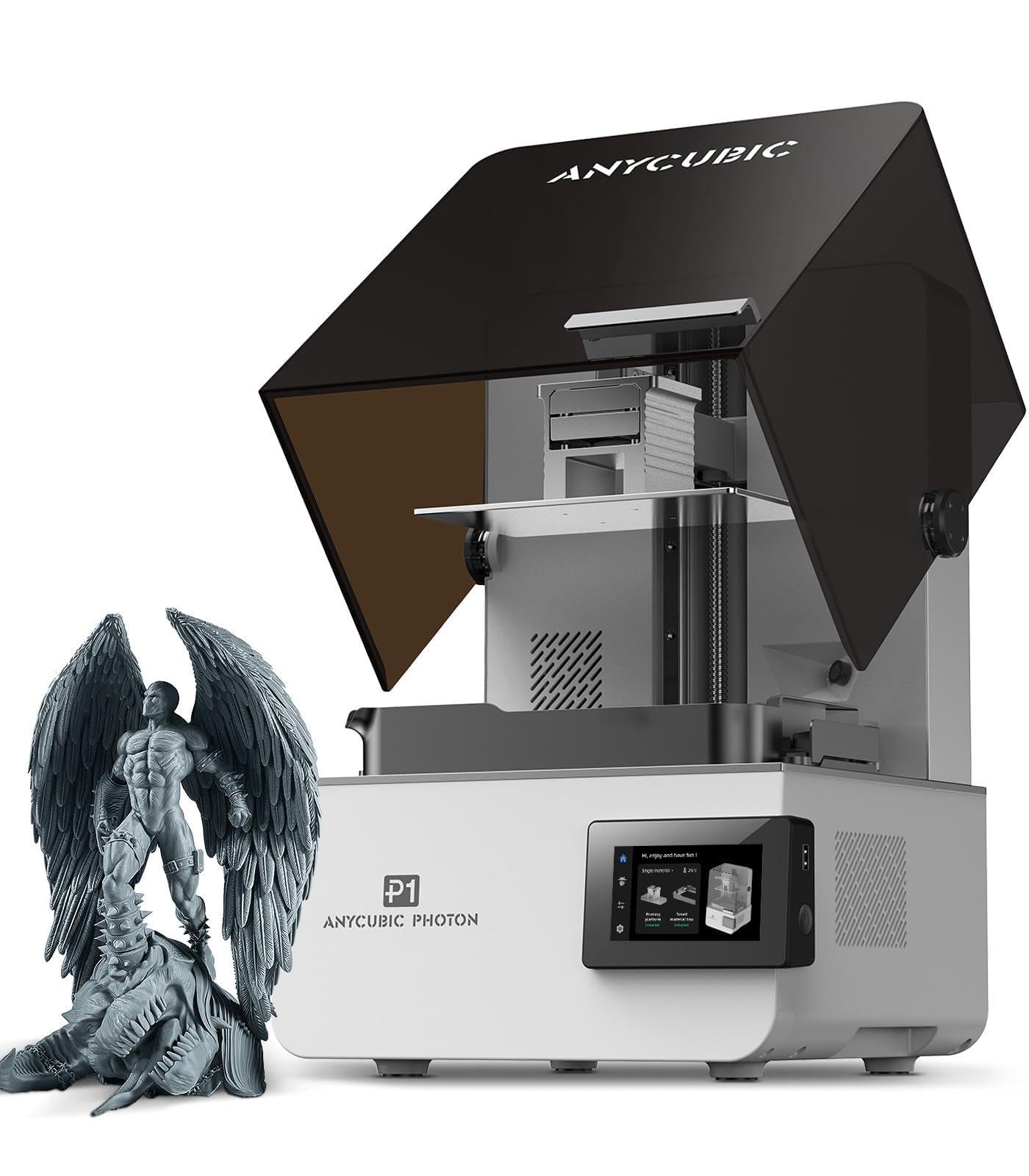
A 14K screen with industrial resin support that prints ultra-fine details reliably.
The Photon P1’s 10.1-inch 14K high-precision mono LCD screen delivers a resolution of 13,312 x 5,120 pixels with an XY pixel size of 16.8 x 24.8 micrometers, printing a minimum aperture of 0.3 millimeters. That makes it excellent for intricate electronics components where fine detail matters. The Wave Release Technology generates micro-airflow during plate lifting, reducing release force by 60%, so models detach more easily with fewer failures.
This one stands out because it prints industrial resins with viscosity up to 8,000 cps (centipoise, a measure of thickness)—40 times that of standard resins. That means you can make functional engineering parts, not just display models. Smart Leveling 3.0 is factory-calibrated and performs automatic self-checks before each print, with real-time pressure feedback across four corners. The AI-powered inspection system performs dual verification of build plate installation and bottom layer separation, protecting against failures.
Owners praise the build quality and the steel plate being easier to clean, with one noting it works perfectly from the start where another resin printer failed. The machine operates whisper quiet, and one owner reported the AI detection saved the machine from resin leaks. The 29.7-pound weight and 16.93 x 24.41 x 16.54-inch footprint are manageable. The main caveat: one owner reported a defective UV light from the start, though that appears to be an isolated case given the positive consensus.
Precision First
- 14K resolution at 13,312 x 5,120 pixels for crisp detail
- Prints ultra-high viscosity resins up to 8,000 cps
- Wave Release reduces release force by 60%
Plan For Resin Reality
- Resin printing still requires ventilation and careful handling
- AI features may need disabling if false positives occur
- Static can cause resin splashes in dry environments
Grab it for: industrial resin parts with fine detail and factory-calibrated auto-leveling.
Look elsewhere if: FDM strength for enclosures is your priority; resin parts are more fragile.
6. QIDI PLUS4

A large 12 x 12 x 11-inch build volume with 400W chamber heating for big engineering parts.
For large electronics enclosures or batch printing multiple parts, the PLUS4’s 12 x 12 x 11in print size lets you print several models at once. The second-generation active chamber heating system uses a 400W heater with air circulation and dual-layer insulation, reaching a balanced chamber temperature that reduces warping and cracking on high-temperature filaments. The upgraded 80W high-temperature hotend with a multi-metal integrated throat nozzle reaches a maximum of 370°C.
Material compatibility is broad: PPS-CF, PPA-CF/GF, ABS, ASA, PC, PA, PET, and more. The independent dual motor-driven Z-axis with a 6mm thickened aluminum hot bed platform increases strength and flatness for high-precision printing. It unboxes to print in 10 minutes, and remote printing with real-time progress tracking works through the QIDI mobile app or QIDI Studio slicer, with an HD camera for monitoring and time-lapse. The integrated filament cutter is compatible with the QIDI BOX for multi-color printing.
At 59.4 pounds, this is another heavy machine, and the honest feedback is split between owners who call it a reliable workhorse and those who experienced issues. Some report excellent auto-leveling while others struggle with it, and the heated chamber takes longer to reach set temperature. Owners who got a good unit printed ASA, ABS-GF, PA12-CF, and PLA+ over 100+ hours each. The caveat is quality control — some units arrive with issues like a jammed hotend or z-offset problems, so be ready to engage support.
Large Format Power
- 12 x 12 x 11in build volume for big parts or batches
- 400W active chamber heating for high-temp materials
- 370°C nozzle with broad filament compatibility
Be Prepared For
- 59.4 pounds needs a sturdy, dedicated bench
- Chamber heating takes time to reach set temperature
- Quality control varies; some units need support contact
Best for: makers printing large high-temp parts who want a heated chamber without flagship pricing.
Not for: novices who want zero fiddling; this rewards research and setup care.
7. FLASHFORGE Creator 5
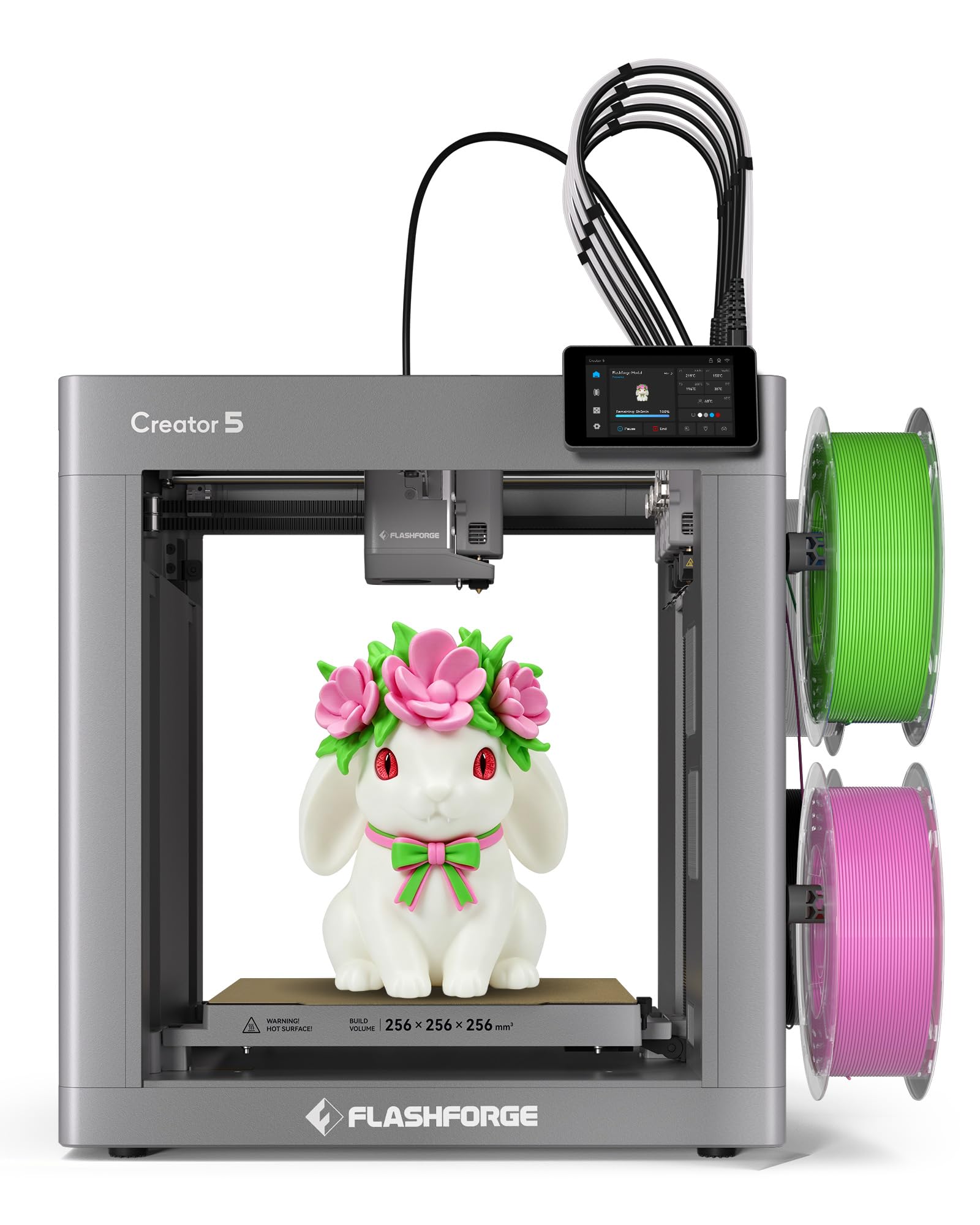
A 7-second toolchanger with 600 mm/s speed and 84% material efficiency.
The Creator 5 uses 4 independent toolheads with the FlashSwap system, switching materials in just 7 seconds — no purging, no waiting, and zero color bleeding. That delivers nearly 84% material efficiency, meaning very little filament goes to waste. With a CoreXY all-metal frame, it reaches a max speed of 600 mm/s and acceleration up to 30,000 mm/s², with vibration compensation and dynamic flow calibration for smooth, accurate high-speed printing.
Hardened steel nozzles reach up to 320°C, and the 32mm³/s high-flow rate handles demanding materials from PLA, PETG, and TPU 95A to carbon-fiber reinforced composites like PA-CF. Fully automatic bed leveling and toolhead offset calibration maintain alignment within 0.04mm with no manual adjustments. A built-in HD camera and LED strip, plus filament, jam, and tangle detection, provide real-time monitoring through the mobile app. One owner noted a keychain test print completed in 6 minutes.
Reviewers describe it as a serious printer for people who want to learn 3D printing, with a transparent slicer and no locked ecosystem. Vibration compensation handles a wobbly table, and tall prints stay stable. The honest trade-offs: the feed tube can rub the lid, the rear filament feed limits placement, and constant fan noise is noticeable. One owner reported an extruder failure on day 31 after a firmware update, so support response matters. The 30.8-pound weight and 16.06 x 17.17 x 27.95-inch footprint are reasonable for the capability.
Speed And Efficiency
- 7-second tool change with no purging waste
- 600 mm/s max speed and 30,000 mm/s² acceleration
- 84% material efficiency for multi-color prints
Practical Notes
- Rear filament feed restricts printer placement
- Constant fan noise in operation
- Firmware updates can occasionally trigger issues
Reach for it if: you want fast multi-material printing and are willing to tune and learn.
Consider alternatives if: you want a locked-in, zero-maintenance app experience.
8. Original Prusa MK4S Kit
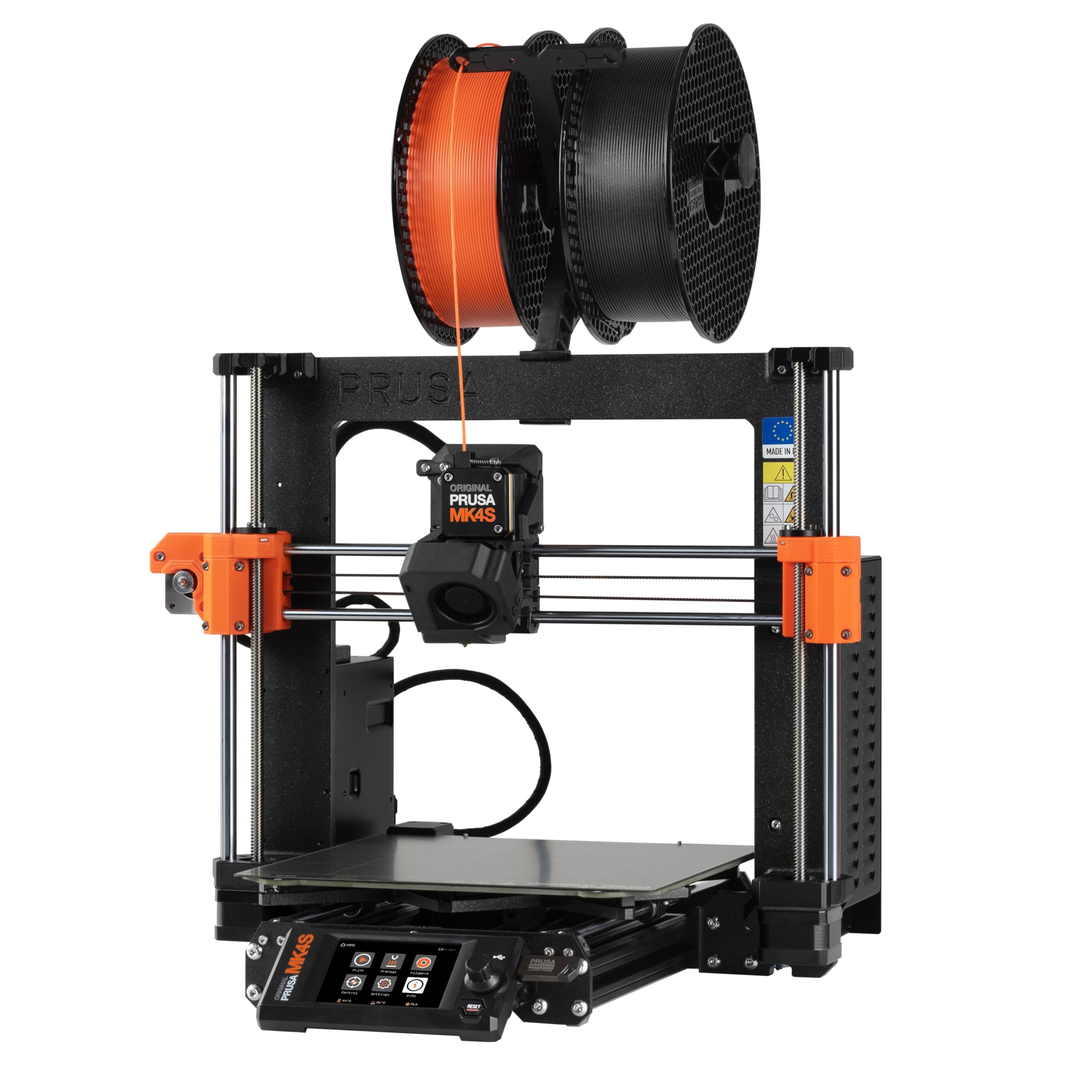
A DIY kit that teaches you the mechanics and electronics of professional printing.
If you want to understand how your printer actually works, the MK4S kit delivers a rewarding DIY build experience with a detailed step-by-step guide designed to teach the mechanics and electronics of professional 3D printing. The print size of 9.84 x 8.3 x 8.6 in handles most electronics enclosures. Input shaping reduces ringing and vibration, ensuring sharp edges and consistent print quality at higher speeds.
This kit is for hobbyists who enjoy building their own machine. The open-source, fully upgradeable design has long-term firmware support and modular hardware from Prusa Research. The kit includes a sample of Prusament PLA filament and is backed by lifetime technical assistance. Owners describe assembly as a fun day-long build, with one spending ~14 hours over two days with clear instructions and no issues. Another owner notes the kit teaches tuning and maintenance, with accuracy and consistency class-leading at its price point—but if you want a ready-to-run printer from the start, skip this one.
Plain-language reliability is strong: one owner reports 3d14h of use by mid-year with prints ranging from a keychain to a dishwasher clip. PETG and PLA from Prusa, Bambu, and Esun print well with generic profiles. The 15.4-pound weight makes it the lightest FDM pick, and it works immediately after assembly. The honest caveat: assembly experiences are mixed, with some finding it easy and others calling it challenging, and one kit arrived missing trapezoid nuts. That price buys a machine you build yourself, not a ready-to-print appliance.
Learn And Print
- Step-by-step build teaches printer mechanics and electronics
- Lifetime technical support from Prusa Research
- 15.4 pounds is the lightest FDM pick here
Plan Your Time
- Assembly takes 14 hours or more for most builders
- Kit can occasionally miss small parts
- Not a ready-to-print appliance from the start
Own it if: you want to learn printer maintenance and value open-source upgradeability.
Buy pre-built if: you just want to print parts, not spend a weekend assembling.
9. Creality K2 Plus
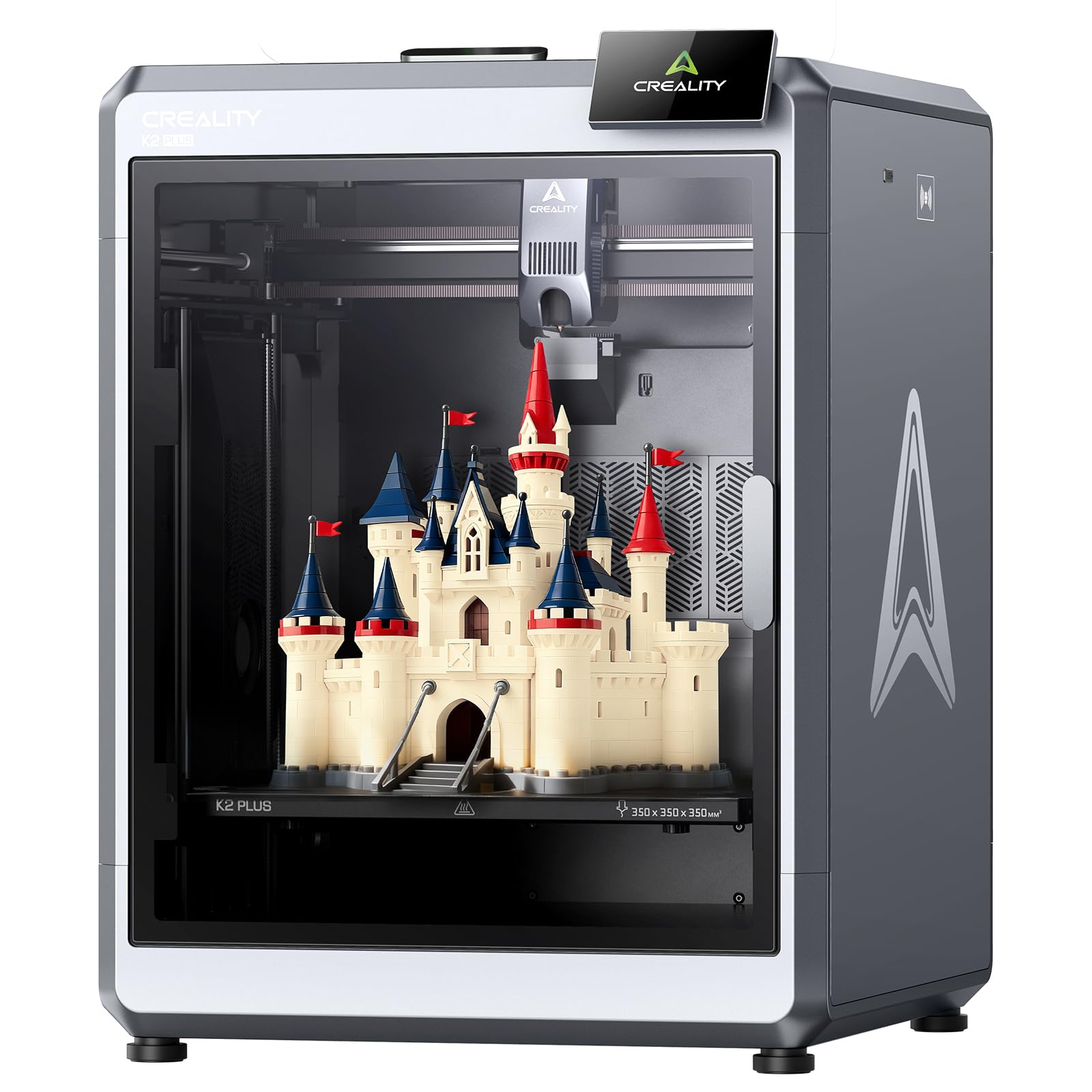
An extra-large 350 x 350 x 350 mm build volume for big parts or big batches.
The K2 Plus offers the biggest build volume in this lineup at 350 x 350 x 350 mm, making it ideal for larger objects or printing multiple parts in one batch. It runs at 600 mm/s with 30,000 mm/s² acceleration, yet operates at just 45 dB — no louder than typing on a laptop. Multi-color printing requires a Creality CFS connection, which is not included, so factor that in if color is your goal.
The dual AI cameras and 18 intelligent sensors handle automation. One camera on the chamber side monitors for faults and idling, while the other on the tool head tune flow rate to prevent underfeeding or overfeeding. A built-in belt tension sensor proactively checks and adjusts belt tension. The printer comes pre-assembled and ready to use after unpacking and installing the screen, with a power-up quick guide covering self-tests like leveling and fan calibration.
Owners upgrading from an Ender 3 V2 describe it as premium with flawless adhesion and spot-on auto-leveling. One owner ran 30+ prints with zero failures and praised the 600 mm/s speed. The honest concerns: feedback on reliability is mixed, with one owner describing an unreliable flagship that threw multiple fault codes by the seventh print, and another noting early-cancelled prints stick without a glue stick as a release agent. At 99 pounds, this is the heaviest pick by far — you need a seriously sturdy table.
Big And Quiet
- 350 x 350 x 350 mm build volume for large parts
- 600 mm/s at just 45 dB noise level
- Dual AI cameras with 18 sensors for reliability
Heavy Considerations
- 99 pounds requires a very sturdy work surface
- CFS unit not included for multi-color printing
- Some owners mention reliability issues needing support
Choose it for: the largest build volume and beginner-friendly pre-assembled setup.
Look elsewhere if: you need true multi-color without buying the separate CFS unit.
Understanding the Specs
Toolhead Count and Purge Waste
A multi-toolhead printer uses several independent nozzles that swap in seconds, so it does not purge filament between color changes. Single-nozzle systems purge to avoid color bleeding, which wastes material and time. For frequent multi-color prints, toolhead count directly determines your waste and your print speed.
Heated Chamber and Nozzle Temperature
A heated chamber that reaches 65°C keeps large parts warm to prevent warping and layer separation, especially with ABS or nylon. A nozzle that reaches 370°C can melt high-temperature materials like PPS-CF that standard hotends cannot handle. Match these numbers to the materials your electronics projects actually need.
FAQ
Can a 3D printer for electronics print enclosures with embedded components?
What is the difference between a multi-toolhead and a single-nozzle multi-color printer?
Do I need a heated chamber for printing ABS or nylon?
What materials can a 370°C nozzle print that a standard one cannot?
Is resin or FDM better for electronics prototyping?
How much build volume do I need for electronics enclosures?
Why does print speed matter for electronics work?
Can I leave a multi-toolhead printer running unattended?
What does the QIDI BOX do for multi-color printing?
How long does it take to assemble a DIY printer kit like the Prusa MK4S?
Final Thoughts: The Verdict
If you want one dependable pick, the strongest 3d printer for electronics is the Snapmaker U1 because it eliminates purge waste entirely with four independent toolheads and a 5-second tool change, making multi-color functional parts fast and efficient. If you print engineering materials like PPS-CF and want a heated chamber, grab the QIDI Q2 with its 370°C nozzle and 65°C chamber. And for the largest build area to handle big batches, the Creality K2 Plus is the one to reach for with its 350 x 350 x 350 mm volume.
How We Picked
We do not accept paid placement. Every pick is matched to a real buyer and a real use-case; we do not hands-on test units.
Sources & Methodology
Specifications: manufacturer listings and product documentation. Review insights: verified customer reviews, as of September 2026. Pricing: not shown on this page (it changes often); check the current price via the retailer link.
As an Amazon Associate, Gadgets Feed earns from qualifying purchases. This does not affect which products we feature.