
Our readers keep the lights on and my morning glass full of iced black tea. As an Amazon Associate, I earn from qualifying purchases.
Specs are compiled from manufacturer listings and verified buyer reviews and can change over time — please confirm the key details on the product page before buying.
Decorating your home with 3D-printed pieces is about moving past tiny trinkets to items that change a room—lampshades, vases, wall art, and organizational pieces that actually earn their shelf space. The best decor printers combine a 220mm+ build volume, fine layer resolution, and dependable auto-leveling for long, warp-free prints. Here are nine top picks, from fast FDM workhorses to high-resolution resin machines, each matched to a specific decor need.
I’m Min — the founder and writer behind Gadgets Feed. This guide is built by comparing the manufacturers’ published specifications and the patterns across verified customer reviews, so you get each pick’s real strengths and trade-offs instead of marketing spin.
The best 3d printer for home decor balances speed, detail, and a large enough print bed to handle lamps, vases, and wall art that define a space.
Our Picks at a Glance



How To Choose The Best 3D Printer For Home Decor
Start by defining the size and finish of the decor pieces you plan to print. A decor piece—say a geometric vase or a lithophane night light—demands a certain print width and a surface finish that fits your style. Use these three filters to narrow your choice.
Detail vs. Size: The FDM vs. Resin Trade-Off
FDM printers (which melt plastic filament) can create large items but leave visible layer lines unless you sand and finish them. Resin printers (which cure liquid resin with light) deliver smooth, miniature-like detail but have a much smaller print area—so you won’t be printing a large vase on one. For home decor, a big FDM machine handles lamps and planters, while a resin printer shines for intricate coasters, jewelry dishes, and ornate wall hooks.
Build Volume: Can It Fit the Decor You Want?
Build volume is the first spec to check—it dictates the maximum size of your decor pieces. A small mini printer might only manage 110 x 120mm, which suits trinket-size items but rules out a statement lampshade. For larger pieces like vases or wall panels, aim for a cube of at least 220 x 220 x 220mm so you don’t have to split your design into parts and glue them together.
Auto-Leveling and Heated Beds: The “It Just Works” Factor
A poor first layer is the top cause of failed prints and wasted filament. Auto-leveling measures the bed and adjusts nozzle height automatically, eliminating manual leveling guesswork. A heated bed, plus an enclosed chamber on advanced models, prevents warping and edge curling in large prints.
Quick Comparison
| Model | Best For | Build Volume | Print Speed | Weight | Amazon |
|---|---|---|---|---|---|
| Bambu Lab P1S★ Best Overall | High-speed decor & multi-color | 260mm³ | 500mm/s | 38.9 lbs | Amazon |
| Anycubic Kobra XColor Pro | Native 4-color prints | 260mm³ | 600mm/s | 20.9 lbs | Amazon |
| QIDI PLUS4Chamber Heater | High-temp & engineering filaments | 12 x 12 x 11in | High-speed Core XY | 59.4 lbs | Amazon |
| ELEGOO Mars 5 Ultra | Miniature decor & high detail | 6.04” max | 150mm/h | 19.36 lbs | Amazon |
| ANYCUBIC Photon Mono 4 | Entry-level resin detail | 6.49” max | — | 7.7 lbs | Amazon |
| Flashforge Adventurer 5M | Rapid prototyping & batch | 8.7in³ | 600mm/s | 23.3 lbs | Amazon |
| Bambu Lab A1 mini | Beginner decor & LED lamps | Compact | High-speed | 12.1 lbs | Amazon |
| Entina Tina2C | Kids & STEM decor | 3.9in³ | — | 5.28 lbs | Amazon |
| Monoprice Mini Delta v2 | Compact, quiet PLA prints | 110 x 120mm | — | — | Amazon |
In‑Depth Reviews
1. Bambu Lab P1S 3D Printer
Our pick — 4.5★ from 300+ verified ratings; the strongest balance of quality and price.
The fast, enclosed workhorse that turns decor ideas into finished pieces over a lunch break.
The P1S is the pick if you want to print large, detailed decor without babysitting the machine. It moves at 500mm/s with 20000 mm/s² acceleration—so a vase that might take hours on slower printers is done before you’ve watched a movie. The fully enclosed body isn’t just for looks; it keeps temperatures stable for advanced filaments, which means big prints like lampshades are less likely to warp at the corners.
Setup is a 15-minute affair thanks to automatic bed leveling—you hit a button and the machine measures the bed for you, rather than you fiddling with a piece of paper under the nozzle. Multi-color printing is possible up to 16 colors, though you’ll need the separate Bambu Lab AMS unit to feed it that many spools. Owners praise the print quality, calling it a major step up from older Ender models, and note that a 7 a.m. print with PLA is still running clean by the afternoon with no clogs.
What wins people over is the print quality—over 80 owners call it out as the standout trait—followed closely by value and easy setup. The recurring flexes are real: buyers report “45 days in, very satisfied” and mention the Bambu Academy and Wiki help when they get stuck. There is an occasional adhesion slip with PLA or PETG, but that’s usually solved with tuning rather than a defective unit, and the noise level from a few feet away is acceptable. Weighing 38.9 pounds, this is a heavy desk anchor, so give it a sturdy table—and note it leaves a much bigger footprint than the tiny Entina below.
Fast & Forgiving
- True high-speed printing at 500mm/s
- Fully enclosed chamber for stable temperatures
- Automatic bed leveling for first-layer success
Consider Before Buying
- Multi-color needs the extra AMS unit
- Heavy 38.9 lb frame needs a sturdy stand
Ideal for: serious decor makers who want speed, size, and reliability in one box.
Think twice if: you only plan to print palm-size trinkets—a smaller, lighter printer will do that job in less space.
2. Anycubic Kobra X Multicolor 3D Printer
Colorful decor straight off the spool, with a 4-color system built right in.
Most multicolor printers ask you to install a separate add-on box, but the Kobra X ships with 4 colors built in from day one. That’s a huge win for decor pieces like patterned vases or geometric wall panels where painting afterwards feels like a chore. If 4 colors aren’t enough, you can expand the palette up to 19 colors by adding four ACE 2 Pro units, though those are sold separately.
Speed is a highlight here—the hardened steel nozzle reaches 600mm/s, or a complete Benchy boat in 14 minutes. Owner reports speak to its reliability: over 260 hours of printing across PLA, PETG, and TPU with only one user-caused failure, and zero adhesion or clogging problems. The LeviQ 3.0 auto-leveling system uses a 49-point calibration to nail the first layer, so you can be printing 15 minutes after unboxing.
The thing everyone raves about is the quality of the multi-color transitions, plus how easy the machine feels for a beginner. The most-discussed trade-off is reliability—while most owners have long, trouble-free runs, a minority hit clogging and support frustrations, so treat the warranty terms as part of your decision. The 260 x 260 x 260mm build volume matches the P1S for size, so it handles large decor projects comfortably.
Multi-color made easy: 4 colors native, expandable to 19, with no manual filament swapping.
Watch the support edge: exceptional when it works, but warranty exclusions on jams mean basic maintenance is on you.
Reach for this if: color is half the beauty of your decor and you want it printed, not painted.
Look elsewhere if: you need a fully enclosed chamber for advanced high-temp filaments.
3. QIDI PLUS4 3D Printer
A big-format machine that tames warping, built for serious multi-material decor.
Where the P1S is fast, the QIDI PLUS4 is big and heat-capable. It prints up to 12 x 12 x 11 inches, so you can batch multiple decor pieces at once or produce one large panel. The second-generation active chamber heating runs at 400W to keep the whole enclosure warm, which is the key to printing high-temperature filaments like ABS and ASA without the edges curling up into an unusable mess.
The upgraded 80W hotend reaches 370°C and ships with a multi-metal integrated throat nozzle to reduce clogs. That opens the door to exotic materials—PPS-CF, PPA-CF/GF, ABS, ASA, PC, PA, and PET—which gives you decor that’s not just pretty but genuinely durable for functional pieces like bookends or coat hooks. An HD camera handles real-time monitoring and time-lapse capture, so you can watch a 12-hour print from your phone.
Owner reports describe a reliable workhorse that prints flawlessly from the start, with fast speeds and excellent customer support—early adopters got replacement parts sent out quickly when needed. The main caveat is that it’s for more experienced hands: reviews mention manual tuning requirements, and a couple of owners hit initial firmware or sensor issues that needed patience to resolve. It’s also a hefty 59.4 pounds, so allocate a dedicated workspace.
The Big & Warm Advantage
- Large 12 x 12 x 11in print area for batch projects
- 400W active chamber heating for warp-free prints
- 370°C nozzle handles advanced exotic filaments
Only If You Know Your Way
- Needs manual tuning for best results
- Occasional early firmware or sensor quirks
Who it beats: any bed-slinger when you need advanced filaments in a big format—this isn’t a weekend hobby toy.
Who it doesn’t: absolute beginners who want zero tuning; the P1S is the smoother intro.
4. ELEGOO Mars 5 Ultra Resin 3D Printer
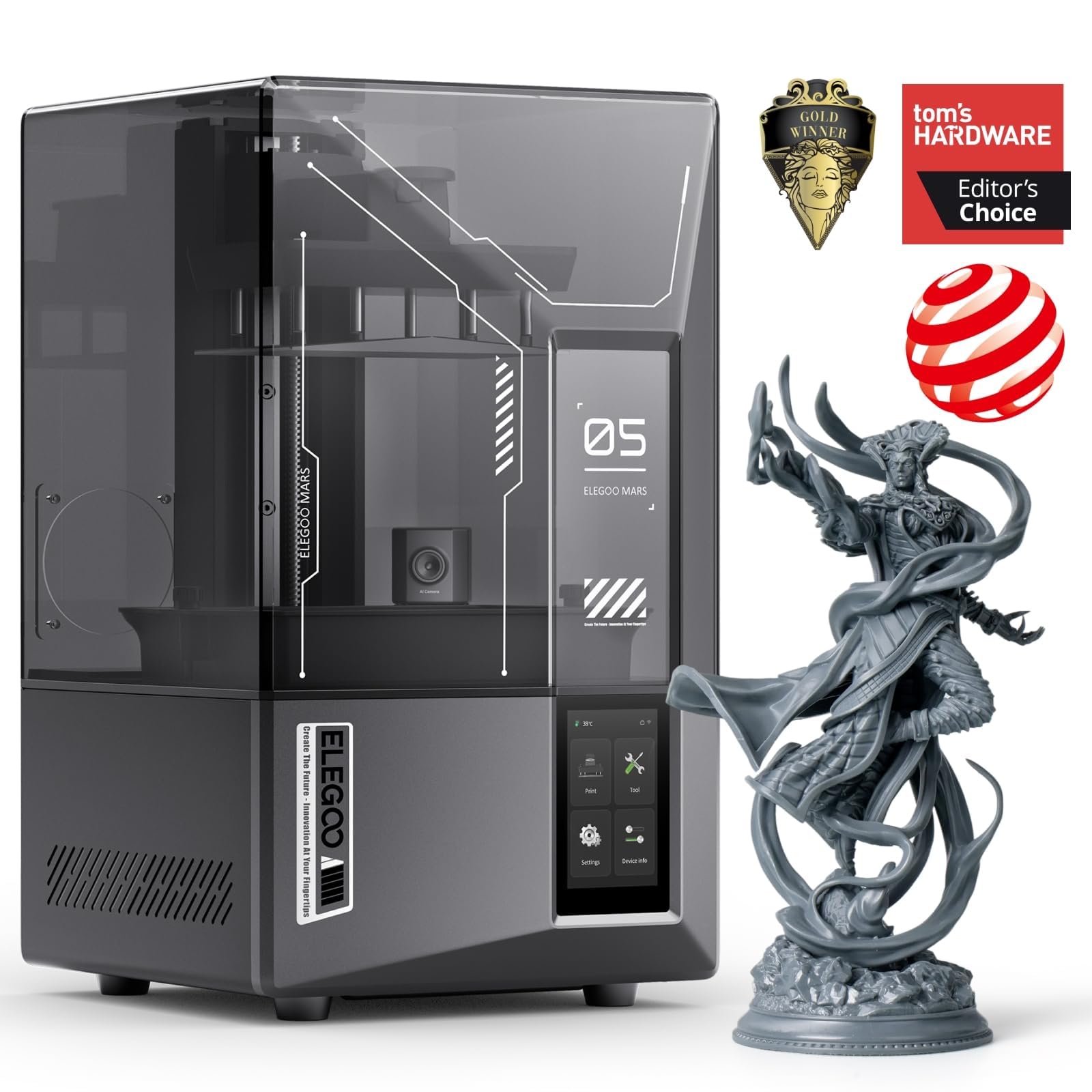
A smooth-surface specialist for decor that deserves a magnifying-glass finish.
FDM printers leave layer lines; resin printers like the Mars 5 Ultra leave surfaces so smooth you’ll struggle to find seams. The 7-inch mono LCD runs at 9K with 18μm XY resolution, which reproduces intricate decor details—think ornate filigree coasters, jewelry dishes with engravings, or lithophane panels—with startling fidelity. It prints up to 150mm/h thanks to tilt release technology that peels each layer away quickly without sacrificing that detail.
An AI camera acts as your eyes, detecting empty build plates or model warps in real time and alerting you before a print wastes hours. The self-leveling plate and smart mechanical sensor for residue detection reduce the common headaches of resin printing, and Wi-Fi cluster printing lets you run multiple units from one device. Owners describe it as beginner-friendly, with auto-orient and magic support tools in the included Chitubox Pro making model prep quick.
Reliability gets mixed marks across the community—most owners mention flawless prints, but a minority mention prints failing or build plate adhesion issues that required learning the ropes. The recurring note is that the hingeless lid and rounded resin spout are minor annoyances, and the build plate is smaller than the FDM options here, so plan for decor pieces that fit in roughly a 6-inch cube.
Precision first: 9K resolution and 18μm accuracy makes layer lines nearly invisible.
Stick to small scenes: resin’s small build plate means detailed trinkets, not statement vases.
Pick this when: the decor’s beauty lives in tiny details—lace-like patterns, crisp text, and jewelry-grade surfaces.
Pass if: you want lamp-sized pieces; that job needs an FDM printer with a real build volume.
5. ANYCUBIC Photon Mono 4 Resin 3D Printer

An approachable resin first step that makes tiny, intricate decor easy.
Entry-level resin printing took the Photon Mono 4 and made it more forgiving. The 7-inch screen runs at 10K resolution with 9024×5120 pixels, and at 17×17μm per pixel it captures detail that rivals machines costing more. A 105% jump in print precision over the Mono 2 shows up in fine decor features like tiny lettering and delicate openwork patterns, and the LighTurbo matrix light source smooths out layer lines for a polished finish.
The laser-engraved Print Platform 2.0 improves adhesion so models don’t lift or warp mid-print, while the 4-point leveling method means you level once, tighten the four screws, and rarely touch it again. A power-loss resume lets you recover after an interruption rather than restarting a multi-hour print. Owners describe a quick setup—first print within about an hour—and zero failed prints in early sessions, with the monochrome screen speeding things up and lasting longer.
Quality is the #1 praise here, with owners using words like “amazing resolution” and noting layer lines are virtually invisible. The honest trade-offs: build quality skews plastic, the touchscreen is small, and some owners found the bundled slicer buggy and switched to a second one. Ventilation matters with resin—the smell varies by resin type, and a garage or well-ventilated room is advised over a bedroom shelf.
First Resin Done Right
- 10K mono screen with 17×17μm pixels
- 4-point leveling set once, rarely touched
- Power-loss resume saves long prints
Messy Realities
- Mostly plastic build, small touchscreen
- Needs good ventilation for resin fumes
Grab this for: your first resin experience—the leveling and resume features remove the classic beginner failures.
skip it if: you expect a premium all-metal build; the Mars 5 Ultra feels sturdier for more money.
6. Flashforge Adventurer 5M 3D Printer

A fast, well-priced FDM printer that wants to be your first success.
Beginners often worry a printer will be a frustrating tinker project, and the Adventurer 5M is designed to prove that wrong. It prints at 600mm/s with a 50W ceramic heater that reaches 200°C in 35 seconds, which adds up to big time savings when you’re churning out multiple decor pieces. The 25-point auto leveling with 0.01mm calibration helps make that critical first layer stick right the first time.
The industrial-grade CoreXY frame with dual linear rails cuts vibration, so prints stay accurate even at speed, with ±0.1mm dimensional accuracy for functional parts like drawer organizers or hooks. The MagSwitch PEI plate releases finished prints in about 3 seconds, and a Nozzle X quick-change system swaps nozzles in under 15 seconds—handy when you switch from fine-detail vases to bigger layer heights. Owners describe a 5-minute setup and flawless auto-leveling, with a 9-year-old happily printing from day one.
Print quality and ease of use lead the praise, and the built-in filament sensor plus remote monitoring via the Flashforge App keep you informed. The trade-offs: the fans get loud at top speed, and reliability is a mixed bag—most units run smoothly, but a few customers note units that stop unexpectedly or arrive with defects, so inspect your box on arrival. Note that a refurbished unit can arrive locked to a previous owner’s account, which blocks some online features.
Build speed, get results: 600mm/s printing and 35-second hotend warmup.
Not plug-and-play for all: setup is easy for most, but occasional defective units slip through QA.
Best fit: a maker who values speed and an easy start, and doesn’t mind a bit of noise at full throttle.
Better choices exist if: you want a fully enclosed chamber for advanced materials—this one starts as an open-frame unit.
7. Bambu Lab A1 mini 3D Printer + LED Lamp Kit
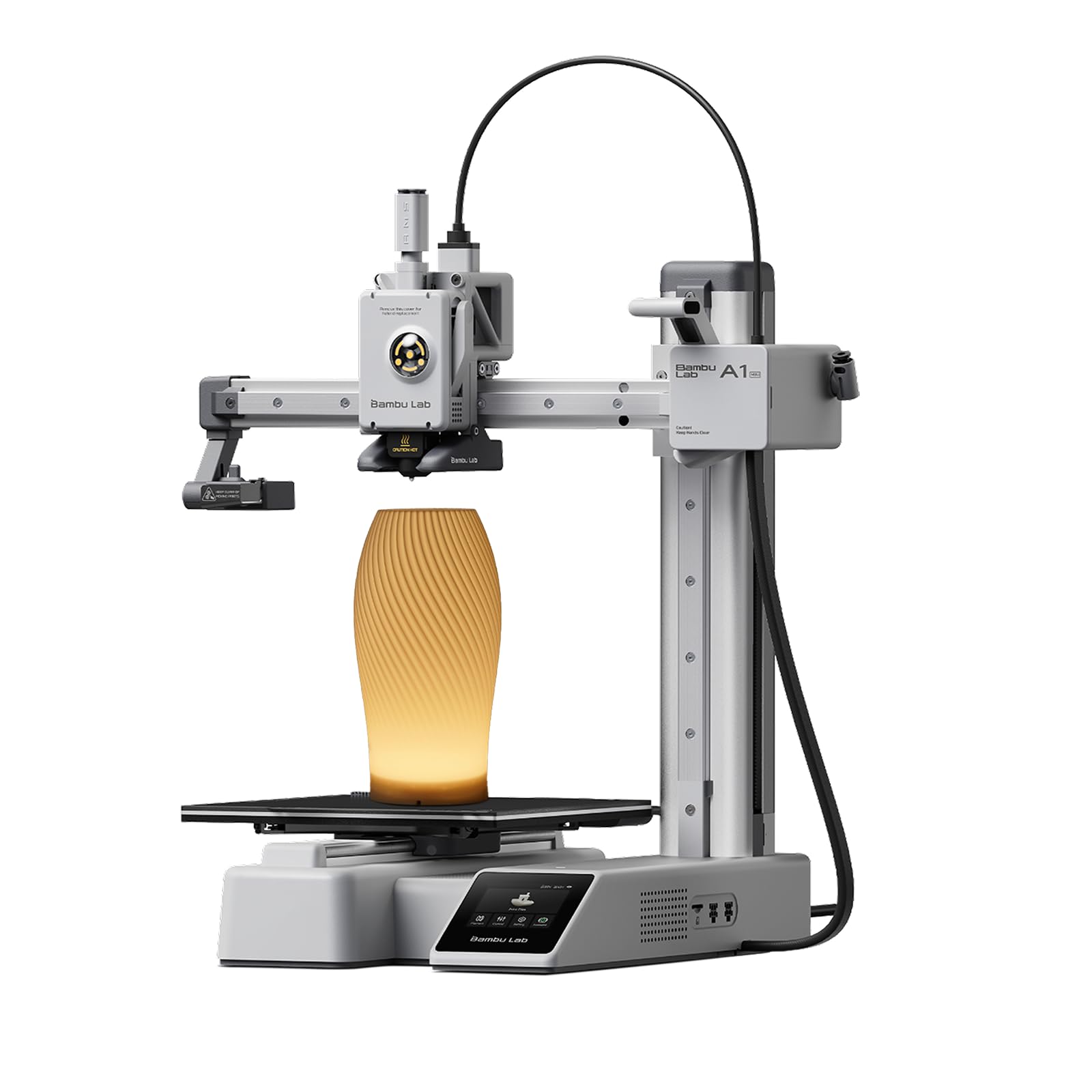
A beginner-focused printer bundled with everything you need to print your first glowing lamp.
This bundle is the rare case where the accessory is as compelling as the printer. The included LED Lamp Kit means you can print compatible lamp models and turn them into functional decorative lights—exactly the kind of project a home decor enthusiast wants to try first. The A1 mini itself is built for beginners, with automatic calibration and a smooth experience that keeps the focus on creating rather than troubleshooting.
The Bambu Lab ecosystem does a lot of the heavy lifting: MakerWorld’s library of ready-to-print models, the Bambu Handy app for managing prints, and a connected setup that makes the whole thing feel easy. Owners describe a setup under 20 minutes, with the first print being a boat that just works. The build is premium, and the machine is quiet enough to fit naturally in a living room or home office.
Performance and reliability are the top-rated traits, with a “month of nonstop printing” noted with rare failures. The one caveat that does come up: an annoying high-pitched sound from the fan on some units, especially when it spins up. If you plan to print larger decor pieces, note this is the compact sibling—it has a smaller build volume than the P1S, so mind your model sizes.
Glowing Start
- LED Lamp Kit included for instant decor projects
- Full-auto calibration and under-20-minute setup
- Quiet enough for a living room
Compact Reality
- Smaller build volume than the P1S
- Mixed noise reports, especially fan spin-up
Choose this for: a gift-worthy first printer that turns a hobby into visible room decor from day one.
Move up if: your project list includes large vases—the P1S gives you the size headroom.
8. Entina Tina2C 3D Printer for Kids & Beginners

A featherlight 5.28-pound starter that gets a first print running in about 8 minutes.
At just 5.28 pounds and 8 x 6.5 x 10 inches, the Tina2C is the most approachable machine here—it’s literally 7.4x lighter than the 38.9-pound P1S, and around 2.2x smaller in footprint than the Monoprice Delta. It’s built around the Poloprint Cloud app, which walks first-time users through setup and gets the first print running in as fast as 8 minutes. The compact size and rounded edges make it a natural fit for a kid’s desk or a classroom shelf.
The app adds AI-powered search and photo-to-print features, plus 20+ creative DIY modules, which turns the printer into a learning tool rather than just a gadget. It prints over 2.4G WiFi or TF card offline mode, a self-cleaning nozzle design cuts maintenance, and a flexible magnetic build plate pops models off with a simple bend. The auto-leveling plus power-loss recovery means interrupted prints resume rather than restarting.
Families rave about the engagement—one parent notes it “keeps kids busy for weeks,” and another calls it “not a toy but an actual 3D printer.” Customer service earns real praise. The 3.9 x 3.9 x 3.9 inch print volume is tiny, though, so you’re making small decor like coasters or figurines, not lamp shades. Functionality gets mixed reviews—it’s excellent for the intended playful use, but it’s not built for demanding engineering prints.
Kid-proof simplicity: 8-minute start, guided apps, and a self-cleaning nozzle.
Size is the limit: a 3.9-inch cube print volume keeps you to small trinkets.
Perfect for: a child’s first printer or a low-stakes entry into the hobby.
Not for: serious decor projects—the build volume is simply too small
9. Monoprice Mini Delta v2 3D Printer

A quiet, fully-assembled micro that’s a proven PLA workhorse for small decor and tinkerers.
If you want a printer that’s genuinely quiet, the Mini Delta v2 runs at 30dBA—quiet enough to sit on a desk while you work. It arrives fully assembled and ready to print from the start, connects over Wi-Fi with the PoloPrint Pro app, and is open-source-friendly with Cura compatibility for those who like to tinker. The touchscreen interface got updated with larger icons and clearer instructions, which helps beginners navigate their first prints.
Print quality is the most-discussed trait across the community, with over 250 owners calling it out as a strong point for the price. It handles PLA beautifully with a bit of painter’s tape, and the auto-leveling does its job. The delta design with real linear rails gives it surprising accuracy for small models.
The critical caveat: the heated bed is limited. Reviewers point out it only reaches 50-60°C, which is fine for PLA but totally inadequate for ABS or PETG—one owner snapped a supposedly-ABS print with their fingers. The stock unit comes with the printer marketed for ABS, but it really needs custom Marlin firmware and a 10A PSU to do that job. Treat this as a great PLA machine for small decor, not a multi-material powerhouse, and note that durability gets the weakest marks in the review spread.
Quiet PLA Performer
- 30dBA whisper-quiet operation
- Fully assembled, prints from the start
- Open-source with Cura compatibility
Realistic Limits
- Bed reaches only 50-60°C, weak for ABS
- Needs mods for advanced filaments
Best for: someone who wants a quiet, no-fuss PLA printer for small decor and enjoys open-source tinkering.
Skip if: you plan to print durable ABS pieces—look at the QIDI or the enclosed P1S instead.
Understanding the Specs
FDM vs. Resin: Which Makes Better Decor?
FDM printers melt plastic filament and layer it up—perfect for large pieces like vases, lamps, and planters. They leave subtle layer lines you can sand away. Resin printers cure liquid resin with light, giving glass-smooth surfaces with tiny detail, ideal for ornate coasters and jewelry trays. The trade-off is size: resin build plates are much smaller, so you can’t make a big statement piece on one.
Build Volume: The Decor Gatekeeper
The build volume tells you the maximum size object the printer can create in one piece. A 260mm cube (as on the Bambu P1S and Kobra X) handles most decor ambitions, from medium vases to wall panels. A mini printer with a 3.9-inch or 110 x 120mm volume is fine for coasters and figurines but rules out large lampshades. Always check this number first—it decides what kind of decor your printer can actually produce.
FAQ
Can a 3D printer make home decor items that look good enough to display?
What is the best filament type for printing home decor?
How does build volume affect what decor I can print?
Which is better for decor, a resin or FDM printer?
Is auto bed leveling worth paying extra for?
Why do some prints warp or curl at the corners?
How fast can these printers actually print decor pieces?
Will a 3D printer fit in a small apartment or home office?
Do I need a separate unit to print in multiple colors?
What are the maintenance basics for keeping a decor printer reliable?
Final Thoughts: The Verdict
The control center for your decor projects is the 3d printer for home decor winner: the Bambu Lab P1S, because its 500mm/s speed, 260mm³ build volume, and auto-leveling deliver the mix of size and reliability decor demands. If you want native color without an add-on, grab the Anycubic Kobra X, and for glass-smooth miniature detail, the ELEGOO Mars 5 Ultra is the one to reach for. The crowd favorite—4.5 stars across 300+ owners—confirms the P1S as the safest bet for turning STL files into statement pieces your guests will ask about.
How We Picked
We do not accept paid placement. Every pick is matched to a real buyer and a real use-case; we do not hands-on test units.
Sources & Methodology
Specifications: manufacturer listings and product documentation. Review insights: verified customer reviews, as of August 2026. Pricing: not shown on this page (it changes often); check the current price via the retailer link.
As an Amazon Associate, Gadgets Feed earns from qualifying purchases. This does not affect which products we feature.