
Production 3D printing demands machines that deliver reliable, repeatable results without constant manual intervention. Whether you are churning out end-use parts, functional prototypes, or high-volume batches, the defining metric shifts from “can it print?” to “can it print reliably at speed, round after round?” The heat chamber, the motion system, and the material handling all need to work in concert to keep your workflow moving.
I’m Min — the co-founder and writer behind Gadgets Feed. My analysis of this guide focuses on the specific engineering trade-offs that define production-capable 3D printers: heated chamber stability, maximum flow rates, multi-material switching, and the open-versus-closed firmware debate that impacts any print farm or small-batch manufacturing setup.
After sorting through two dozen machines and evaluating hundreds of hours of real-world feedback, I have narrowed the field to the most consistent performers. This guide covers the best 3d printer for production, with a focus on build volume, speed, and material versatility.
How To Choose The Best 3D Printer For Production
Choosing a production printer means looking past glossy marketing numbers and focusing on the factors that keep a machine running for days without failures. You need a motion system that stays rigid, a chamber that holds temperature, and a hotend that can push filament fast enough to keep cycle times in check.
Chamber Temperature and Enclosure Design
For production runs with ABS, ASA, polycarbonate, or nylon-based composites, a passive enclosure is not enough. Look for active chamber heating that maintains at least 55-65°C. This prevents warping at the corners of large parts and ensures inter-layer adhesion stays strong across tall prints. Passive enclosures only trap ambient heat from the bed; active heaters regulate temperature independent of the bed, which matters when you open the door mid-print.
Flow Rate vs. Maximum Speed
Advertised speed in mm/s is almost meaningless for production. What matters is volumetric flow rate, measured in mm³/s. A printer claiming 600 mm/s is useless if its hotend can only melt 15 mm³/s. You need at least 30 mm³/s for practical production speed with standard nozzles, and ideally 40 mm³/s or more for high-flow abrasive materials. Check the actual flow rate spec, not the acceleration number.
Motion System: CoreXY vs. Bed-Slinger
For production, CoreXY wins every time. Bed-slinger printers (moving Y-axis bed) suffer from part inertia that limits acceleration and introduces ghosting on tall parts. CoreXY keeps the bed stationary in the Y and moves only the toolhead, enabling higher accelerations (20,000-40,000 mm/s²) without shifting the print mass. This directly translates to faster real-world print times and better surface quality on tall or dense production parts.
Multi-Material and Batch Handling
If your production involves soluble supports or multi-color parts, evaluate how the system handles filament changes. Single-nozzle MMU (like a filament box) is cheaper but introduces purge waste and can jam with brittle filaments. Independent toolheads (like a 5-tool system) reduce waste but cost more and add setup complexity. For pure production of identical single-material parts, neither is needed — focus on a high-flow hotend and a large build volume instead.
Quick Comparison
On smaller screens, swipe sideways to see the full table.
| Model | Category | Best For | Key Spec | Amazon |
|---|---|---|---|---|
| QIDI Max4 Combo | FDM | Large engineering parts with abrasive filaments | 40 mm³/s flow, 65°C chamber | Amazon |
| QIDI Q2 Combo | FDM | Multi-color with dry-while-print | 16-color MMU, 600 mm/s | Amazon |
| Creality K2 Pro Combo | FDM | Multi-color with active chamber heat | 60°C chamber, 40 mm³/s flow | Amazon |
| Sovol SV08 MAX | FDM | Ultra-large open-source projects | 500 mm³ build, 700 mm/s | Amazon |
| Creality K1 Max | FDM | Fast out-of-box production | 32 mm³/s flow, LiDAR leveling | Amazon |
| Creality Ender-5 Max | FDM | Budget large-format batch printing | 400 mm³ build, 700 mm/s | Amazon |
| ELEGOO Jupiter 2 | Resin | High-detail large resin parts | 16K resolution, 302 mm height | Amazon |
| Phrozen Sonic Mega 8K S | Resin | High-volume miniature production | 80 miniatures in 90 mins | Amazon |
| IdeaFormer IR3 V2 | FDM | Continuous infinite Z production | Conveyor belt, infinite Z | Amazon |
| Prusa XL 2-Tool | FDM | Reliable dual-material production | Segmented heated bed | Amazon |
| Prusa XL 5-Tool | FDM | Multi-material industrial prototyping | 5 independent toolheads | Amazon |
| xTool F2 Ultra | Laser | Metal engraving and cutting | 60W MOPA + 40W diode | Amazon |
| xTool P3 | Laser | Large-format CO2 cutting | 80W CO2, 36″x18″ bed | Amazon |
In‑Depth Reviews
1. QIDI Max4 Combo 3D Printer

This machine is built for production floors that need to print engineering-grade composites without babysitting. The 65°C active heated chamber, combined with a 40 mm³/s high-flow hotend, allows consistent printing of PPA-CF, ABS-CF, and polycarbonate — materials that warp in passive enclosures. The full-surface silicone heated bed ensures even temperature across the 390 mm square plate, eliminating the corner lifting that plague large prints.
The closed-loop motors on the X and Y axes prevent skipped steps during long runs, while the 2 mm lead screw and anti-backlash nut on the Z-axis reduce vertical banding. The machine supports up to 16 colors via the QIDI BOX, though production users ought to view multi-color as a side feature rather than the primary draw. The Polar Cooler system, purchased separately, is recommended for overhang-heavy parts.
User reports highlight excellent print quality with PPA-CF for drone parts and engineering prototypes. Some units shipped with a slightly warped bed, but QIDI support replaced the plate quickly under warranty. The 120-pound weight and 28-inch cube footprint require a dedicated production table. For the combination of build volume, chamber temperature, and material throughput, this is the most balanced production FDM printer in this class.
Why it’s great
- True 65°C active chamber for warp-prone filaments
- 40 mm³/s flow rate enables fast production cycles
- Open-source firmware with right-to-repair support
Good to know
- Very heavy at 120 pounds — requires sturdy table
- Polar Cooler upgrade sold separately
2. QIDI Q2 Combo 3D Printer

The Q2 Combo brings multi-color production to a broader audience without the ecosystem lock-in of closed-source competitors. The 65°C PTC heated chamber and full-metal CoreXY frame allow stable printing of ABS, PETG, and TPU right out of the box. The integrated QIDI BOX dries filament up to 65°C and monitors humidity — a feature that directly impacts print quality in humid shop environments.
The 1.5 GT synchronous belt reduces vibration artifacts significantly compared to the previous generation, resulting in ultra-smooth exterior surfaces even at 600 mm/s. The triple filtration system (G3 pre-filter, H12 HEPA, activated carbon) makes it safe for indoor use, though venting ABS fumes outdoors is still advised for extended production runs. The nozzle itself acts as the leveling sensor, which simplifies first-layer calibration but means a worn nozzle may affect sensing accuracy over time.
Users report zero failures over 70 hours of printing in single-material mode. The open Klipper firmware grants full control over tuning parameters, which is valuable for production environments that need to dial in specific material profiles. The filament box auto-rotates between spools to manage multi-color jobs, though using brittle carbon-fiber filaments can cause jams in the box mechanism.
Why it’s great
- Active chamber drying in the filament box
- Open Klipper with no ecosystem lock-in
- Triple filtration for safer indoor use
Good to know
- Multi-color jams possible with brittle filaments
- Phone integration is limited compared to Bambu
3. Creality K2 Pro Combo

The K2 Pro Combo brings Creality into the active chamber heated arena with a 60°C target temperature and a 40 mm³/s flow rate hotend. The FOC step-servo motors combined with linear rails deliver the 20,000 mm/s² acceleration needed for production speed. The CFS filament system handles up to 16 colors, with auto filament identification via RFID for locked-in profiles.
The dual AI cameras are a genuine step up for production monitoring — the nozzle camera auto-tunes flow rate and pressure advance in real time, while the chamber camera detects print failures and build plate issues. The segmented probing system only levels the area the model occupies, which cuts down pre-print calibration time for small parts. The quick-swap hotend and hardened steel gears allow handling of abrasive carbon-fiber materials without tool changes.
Users praise the silent mode for office-adjacent shops and the consistent quality after initial calibration. Some experienced frustration with the CFS software integration when using third-party slicers; OrcaSlicer integration is still half-baked. The machine requires a glue stick on the PEI plate for reliable release, and lid risers are needed for carbon-fiber filament prints due to the tight chamber clearance.
Why it’s great
- Dual AI cameras for real-time failure detection
- 40 mm³/s flow rate for fast part throughput
- Auto-leveling probes only the print area
Good to know
- CFS multi-color software has bugs
- Lid risers needed for tall CF prints
4. Sovol SV08 MAX CoreXY 3D Printer
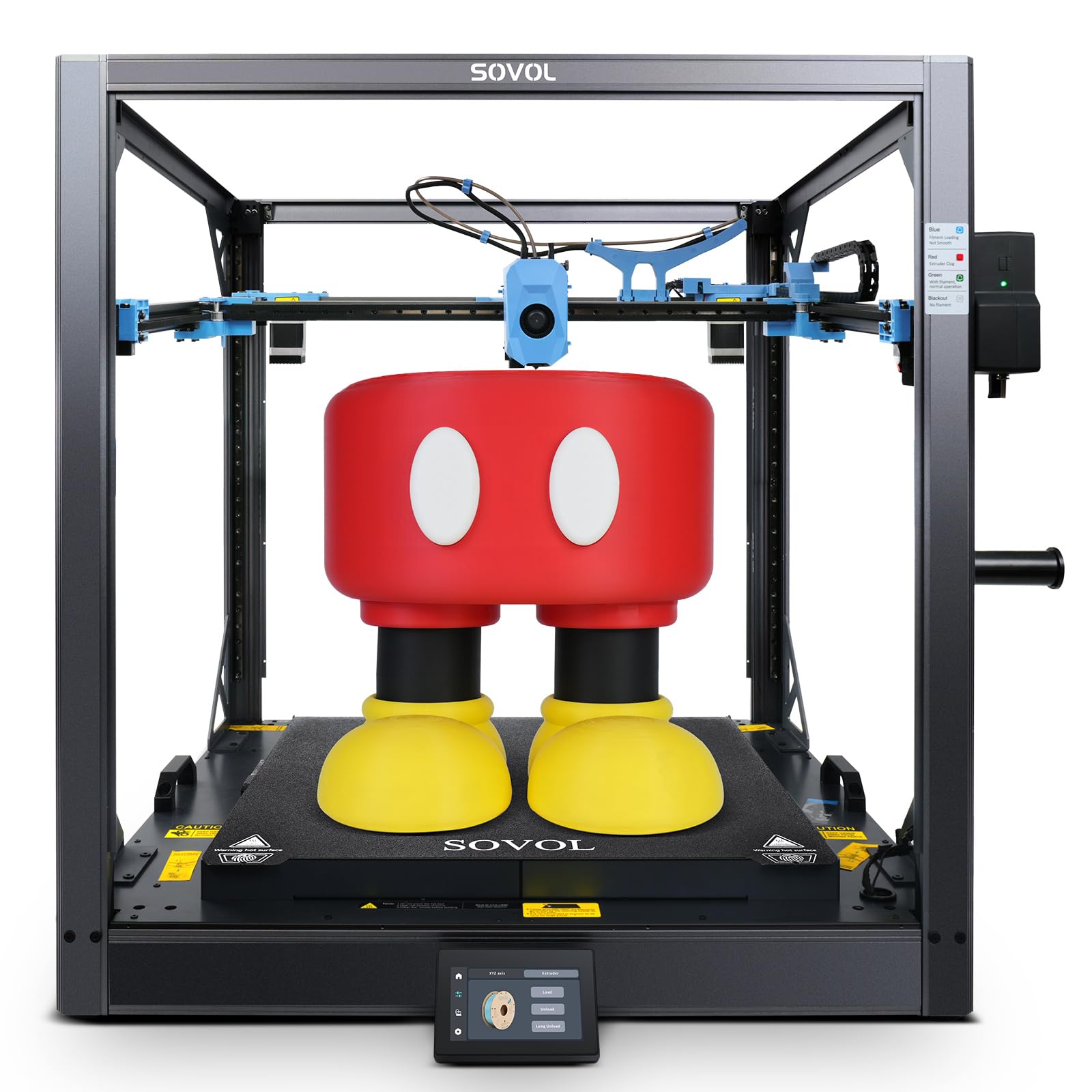
The SV08 MAX is for production users who need to print at the limits of scale — 500 mm³ is large enough for furniture parts, full-size cosplay armor, and industrial ducting. The Voron 2.4-derived CoreXY design uses four independent Z-axis motors and an 8 mm thick aluminum bed with 1300W of heating power to maintain temperature across the massive build area. The 50 mm³/s high-flow nozzle at 300°C handles PLA-CF and PETG-CF with ease.
The eddy current sensor enables contactless high-speed leveling, scanning for surface deviations across the entire bed. The auxiliary feeder detects filament tangles and clogs, pausing the print before defects propagate. The machine ships with a 1280×720 HD camera for remote monitoring and Obico integration for cloud-based failure detection. All electronics are open-source Klipper, meaning complete freedom to customize the printer.
User reports highlight excellent print quality that surpasses the K1 Max in both speed and consistency. Some units required fixing loose cable chains and loud mainboard fans, and a few users reported filament jam errors that required online community fixes. The build quality is sturdy thanks to the aluminum frame with corner braces, but the 86.8-pound weight and 29-inch cube footprint demand a dedicated production station.
Why it’s great
- Massive 500 mm³ build volume for large-scale parts
- 4 independent Z motors for stable leveling
- Full open-source Klipper firmware
Good to know
- Some assembly and tuning required
- Loud mainboard fan — replacement recommended
5. Creality K1 Max 3D Printer
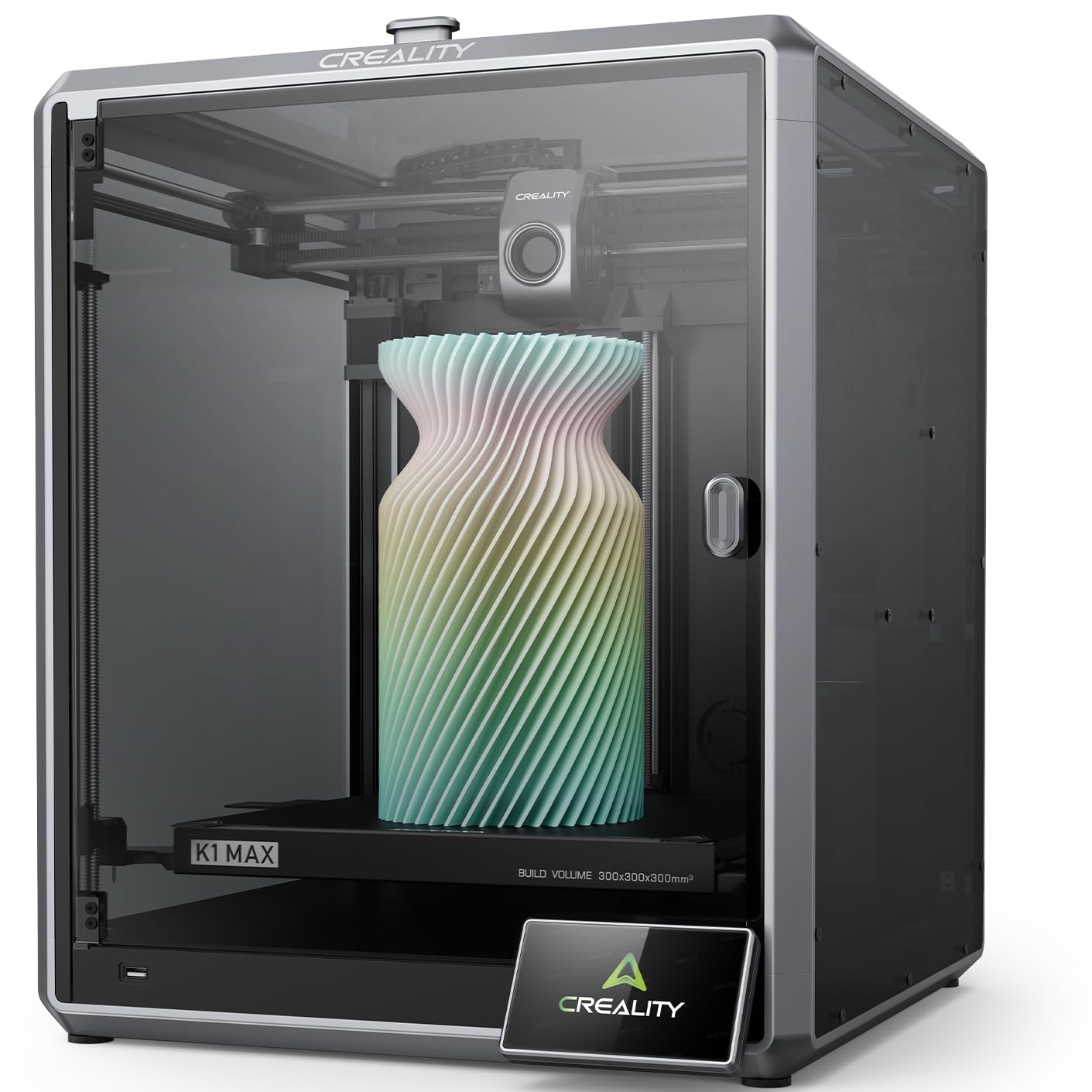
The K1 Max gets production users up and running fast with minimal assembly. The 1 μm-resolution LiDAR scans the first layer and pauses if it detects adhesion issues, reducing failed print starts. The 32 mm³/s flow rate is solid for PLA, PETG, and ABS production at the advertised 600 mm/s, though real-world speed depends on the complexity of the model. The dual cooling fans — one on the toolhead and one in the chamber — reduce stringing on detailed parts.
The strain sensors in the heated bed generate a leveling mesh that compensates for minor surface irregularities, and the AI camera monitors for spaghetti failures and debris. The ceramic heater reaches 300°C quickly, and the dual-gear direct-drive extruder handles flexible TPU without jamming. The 25.5% build-volume-to-printer-size ratio is efficient for a 300 mm cube machine, meaning it fits on a standard workbench better than many competitors.
Users report that the K1 Max delivers zero failures after the initial learning curve for 30+ prints. Some received units with a blank touchscreen on arrival, and the product images show a cable guide that does not ship with the unit. Creality’s slicer has a steep settings learning curve. For teams that need a consistent workhorse for PLA/PETG production and can tolerate some setup quirks, this is a strong mid-range option.
Why it’s great
- LiDAR first-layer inspection reduces waste
- Fast setup, minimal assembly required
- Quiet operation for shared production spaces
Good to know
- Touchscreen failures reported on some units
- Creality slicer has a steep learning curve
6. Creality Ender-5 Max 3D Printer
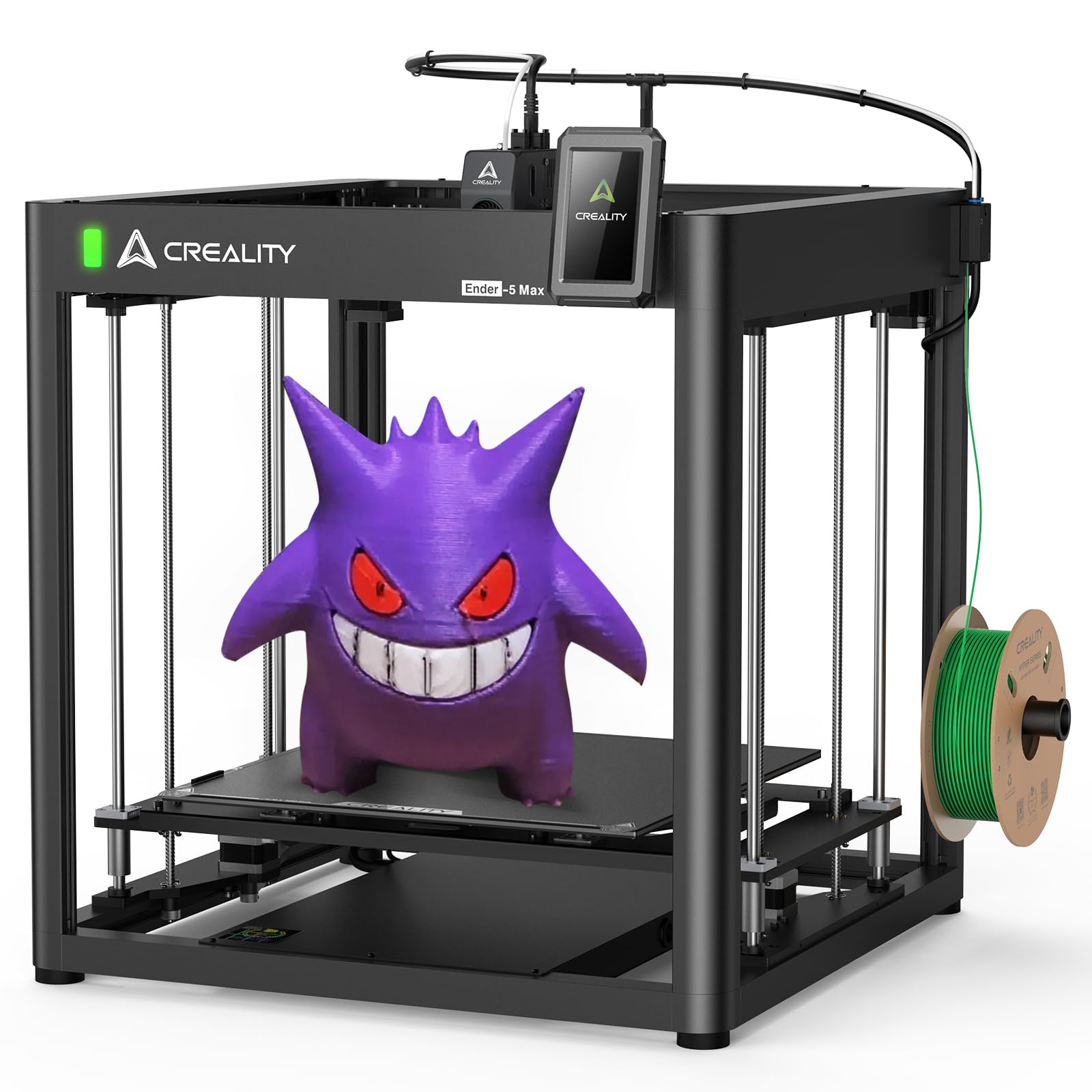
The Ender-5 Max delivers a 400 mm³ build volume at a price point that makes large-format production accessible. The near-end dual-gear extruder and 36-point auto-leveling system provide the basics for consistent printing. The open-frame design means it is better suited for PLA, PETG, and TPU production than high-temperature materials like ABS or polycarbonate, which require an enclosure.
The LAN multi-device control lets production managers oversee multiple Ender-5 Max units from a single Creality Print slicer interface, which is a genuine advantage for print farm scalability. The 700 mm/s peak speed is backed by high-performance XY-axis motors and 20,000 mm/s² acceleration, though the actual throughput depends heavily on model geometry. The all-metal extruder ensures clog-free operation during extended print runs.
Users appreciate the upgrade path — the frame is solid enough to support aftermarket enclosures and mainboards. Some units shipped with defective nozzles that caused weeks of failed prints, and the bed leveling knobs do not lock, requiring periodic re-tightening. The hot end fan is loud at high speeds. For budget-conscious production setups that prioritize large build size over enclosure features, this is a compelling base platform.
Why it’s great
- Huge 400 mm³ build volume for batch production
- LAN multi-device control for print farm management
- Strong community support and upgrade ecosystem
Good to know
- Open-frame design requires separate enclosure for high-temp materials
- Bed leveling knobs do not lock in place
7. ELEGOO Jupiter 2 Resin 3D Printer

The Jupiter 2 is the largest consumer-grade resin printer that still produces 16K detail, with a build volume that is 2.5 times larger than the Saturn 4. The 20×26 μm XY resolution captures fine textures and sharp edges for jewelry masters, dental models, and collectible prototypes. The fully enclosed light source eliminates light leaks, which is critical for consistent exposure across the entire build area.
The smart tank heating maintains a precise 30°C to keep resin viscosity stable during long prints, while the auto resin feeding system ensures the vat does not run dry mid-job. The multi-point auto-leveling system removes the guesswork from bed calibration. The double-door design and transparent viewing window allow checking print progress without opening the chamber. The printer supports Wi-Fi cluster management, enabling multiple units to be monitored from a single interface.
Users who have printed over 250 kg of resin report that the Jupiter 2 runs 24/7 with minimal maintenance. Some units arrived with defective auto-feeders and LCD screens that required warranty replacement, but ELEGOO support responded promptly. The machine does not fit in standard wash/cure stations — you need the large Saturn series wash station. For high-volume resin production where detail matters more than speed, this is the top pick.
Why it’s great
- 16K resolution for jewelry-grade detail
- Smart tank heating prevents viscosity variation
- Auto resin feeding for unattended long runs
Good to know
- Very large; requires dedicated wash station
- Some units experienced LCD defects
8. Phrozen Sonic Mega 8K S

The Sonic Mega 8K S is engineered for batch production of miniatures and small parts. The 15-inch 8K Mono LCD with 43 µm XY resolution strikes a balance between detail and print speed — the manufacturer claims 80 miniatures in 90 minutes using the ACF film and TR300 High-Speed Resin. The ACF film reduces suction force, which directly translates to fewer print failures at high peel speeds.
The lift-up lid design reduces vertical clearance requirements, making it easier to fit on shelving units in a workshop. The built-in metal drip hanger allows excess resin to flow back into the vat, reducing waste and keeping the workspace clean. The auto-refill system is separate and did not work well for some users, but the base machine itself earns praise for consistent print quality.
Users report that the printer is quiet and produces professional-grade parts. Some experienced LCD ribbon cable failures and power supply burning after months of use, with warranty support taking weeks. The build plate has holes that prevent using a flex plate, which complicates part removal. For production environments that need to churn out high volumes of small parts and can maintain a spare LCD on hand, this is a capable resin workhorse.
Why it’s great
- Fast batch production with ACF film
- Lift-up lid saves vertical workspace
- Excellent print detail at 43 µm
Good to know
- LCD ribbon cable failures reported after months
- No flex plate compatibility due to plate holes
9. IdeaFormer IR3 V2 Conveyor Belt 3D Printer

The IR3 V2 is the only printer in this guide that offers true continuous production via a conveyor belt. The infinite Z-axis lets you print objects of any length — cosplay swords, architectural moldings, or long structural components — without needing a tall build chamber. The upgraded metal PEI-coated belt provides reliable adhesion for a wide range of filaments including PLA, PETG, ABS, TPU, and ASA.
The Klipper firmware with Fluidd web GUI gives experienced users full control over motion parameters, but beginners will struggle with the 45° print orientation required for belt printing. The auto-leveling system uses a Y-offset strain sensor and eliminates manual calibration. The printer is built for print farm mass production: you can set it to run continuously for days, pushing finished parts off the belt at the end of the print cycle.
Users report excellent results for serial production of identical parts with zero intervention, but caution that this is not a beginner printer — you need to design parts with the 45° geometry in mind. Some units arrived with cracked screens and intermittent connectivity issues. The company support is responsive but can be slow. For Etsy stores and small businesses doing high-volume single-material production, the IR3 V2 is a unique and valuable tool.
Why it’s great
- Infinite Z for printing parts of any length
- Designed for continuous 24/7 print farm operation
- Klipper firmware for full control
Good to know
- Not for beginners — requires 45° design knowledge
- Cracked screens reported in shipping
10. Original Prusa XL Assembled 2-Toolhead

The Prusa XL 2-Toolhead is built for production environments where reliability and support are the highest priorities. The segmented heated bed reduces warping by only heating the zones under the printed parts, which also cuts energy consumption. The CoreXY motion system delivers fast, accurate prints even with two independent toolheads switching materials mid-print.
The dual-tool system enables soluble support structures and multi-material functional prototypes with minimal purge waste. The machine integrates fully with PrusaSlicer and Printables.com for streamlined production workflows. The lifetime technical assistance and 24-hour professional support are a safety net for teams where downtime costs money. The 14.17-inch cube build volume is modest compared to competition, but the print reliability and consistency offset that limitation.
Users praise the open-source approach with no forced updates or login requirements. Some reported that the printer ships with extruder and LCD uninstalled for transport safety, requiring assembly that takes half a day. A few units arrived with broken plastic parts due to shipping. The Prusa Connect ecosystem for remote monitoring works reliably once the printer is on the same network. For professional shops that cannot tolerate downtime and need guaranteed support, the Prusa XL earns its premium price.
Why it’s great
- Segmented heated bed reduces energy use and warping
- Lifetime technical support for production reliability
- Open ecosystem with no cloud lock-in
Good to know
- Significant assembly required despite “assembled” label
- Shipping damage reported for plastic parts
11. Original Prusa XL 5 Independent Toolhead

The 5-toolhead Prusa XL is the ultimate multi-material production machine for professional environments. Five independent toolheads allow printing with up to five different materials or colors in a single job, with each toolhead having its own heater and extruder. This eliminates the purge waste inherent in single-nozzle MMU systems, making it far more efficient for production multi-material parts.
The CoreXY motion system maintains precision even during frequent tool changes, and the segmented heated bed provides the same energy efficiency and warp resistance as the 2-tool version. The printer integrates with PrusaSlicer’s multi-material toolpath planning, which automatically assigns parts of the model to the correct extruder. The entire assembly is built on open principles — no forced cloud accounts, no proprietary lock-in.
Users with the 5-tool XL report that it meets expectations for complex prototyping, but it is not plug-and-play. The price reflects the industrial-grade hardware and the lifetime support from Prusa. Some units required replacing broken plastic parts after shipping. For facilities producing functional prototypes with multiple materials — such as rigid plastic with rubberized overmold and soluble support — this is the most capable production FDM printer on the market.
Why it’s great
- 5 independent toolheads eliminate purge waste
- Segmented heated bed for energy efficiency
- Lifetime technical support for production reliability
Good to know
- Very expensive, even for a production machine
- Shipping damage and assembly required
12. xTool F2 Ultra 60W MOPA & 40W Diode

The xTool F2 Ultra combines a 60W MOPA fiber laser and a 40W diode laser in a single chassis, allowing metal engraving, color marking, and deep engraving alongside standard material cutting. The MOPA fiber laser produces over 100 consistent colors on stainless steel, titanium, and gold by precisely controlled pulse frequencies. The dual 48MP AI cameras achieve 0.2 mm positioning accuracy, which is forgiving for production marking but tight for precision metalwork.
The machine operates at 15,000 mm/s and supports automated batch processing via the conveyor feeder accessory. The 8.7-inch square working area is expandable to 8.7 x 19.7 inches with the conveyor, enabling roll-to-roll production. The fiber laser can cut up to 2 mm metal and the diode laser handles 20 mm acrylic and 23 mm wood. The Class 4 safety classification requires proper eye protection and ventilation.
Users report excellent color control and repeatability on metal challenge coins and drinkware. The learning curve is steep for the dual laser — you need to test frequency, power, and speed combinations for each material. Some users experienced misalignment out of the box that required extensive troubleshooting. The lack of a warranty purchase option for some buyers is a concern for production environments that depend on the machine.
Why it’s great
- Dual lasers handle metal and non-metal in one machine
- 100+ color engraving on metals with repeatable results
- Fast 15,000 mm/s galvo head for high throughput
Good to know
- Steep learning curve for color engraving settings
- Warranty support difficulty reported by some users
13. xTool P3 80W CO2 Laser Cutter & Engraver
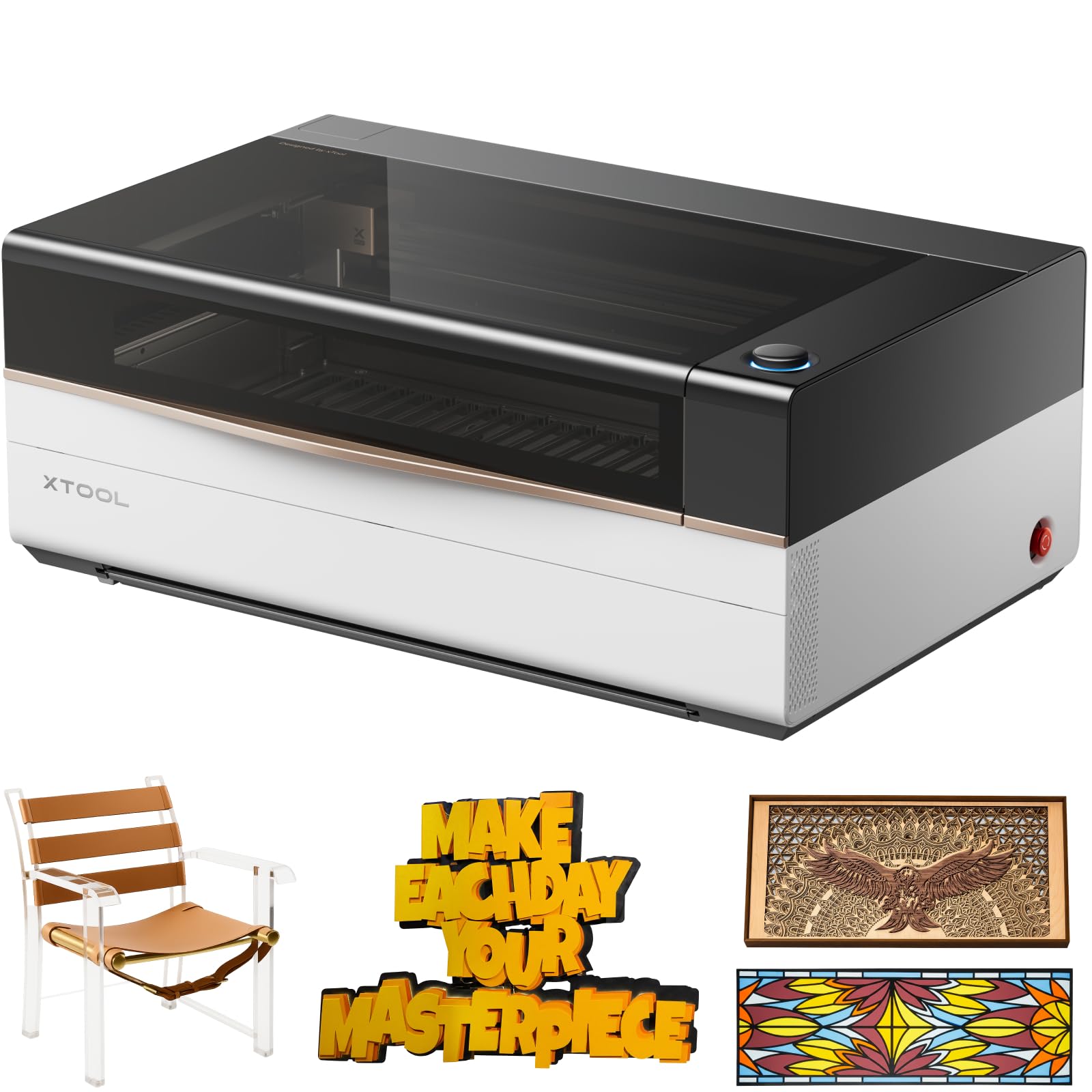
The xTool P3 is the flagship CO2 laser cutter for production shops that need to cut clear acrylic, thick wood, and leather cleanly. The 80W CO2 source cuts 25 mm acrylic and 20 mm wood in a single pass, with a max speed of 1200 mm/s. The 36 x 18 inch working area is the largest in the desktop CO2 category, and the ACS (Active Creation System) integrates LiDAR autofocus, dual HD cameras, and an AutoLift Base for a true Place-and-Go workflow.
The dual camera system provides a distortion-free preview and 0.0079-inch alignment accuracy, which is crucial for production engraving jobs where positioning consistency across batches matters. The AI-powered Smart Nesting achieves 98.7% material utilization, reducing waste on expensive materials like leather and acrylic. The Class 1 safety-rated enclosure with interlock switches and active detection system allows the machine to be used in open workshop environments without requiring a separate laser room.
Users report that the P3 works great for both engraving and cutting, with software that is easier to learn than competing CO2 platforms. Some experienced delivery issues with Amazon — the unit is 327 pounds and requires proper truck delivery support. A few users reported poor support response from xTool for technical questions after purchase. The conveyor feeder and rotary accessory are sold separately, which adds to the upfront cost for full production capability.
Why it’s great
- 80W CO2 cuts thick acrylic and wood in one pass
- ACS autofocus and dual cameras for production precision
- Class 1 safety means no dedicated laser room needed
Good to know
- Very heavy at 327 pounds — delivery challenges reported
- Conveyor and rotary accessories sold separately
FAQ
What is the minimum chamber temperature needed for reliable ABS production?
Should I choose a resin or FDM printer for production?
What flow rate do I need for practical production speed?
Is multi-color printing practical for production?
Final Thoughts: The Verdict
For most users, the best 3d printer for production winner is the QIDI Max4 Combo because it combines a 390 mm build volume, 65°C active chamber, 40 mm³/s flow rate, and open-source firmware in one balanced package. If you need multi-color production and want to avoid ecosystem lock-in, grab the QIDI Q2 Combo. And for large-scale single-material batch work or continuous conveyor-based production, nothing beats the IdeaFormer IR3 V2 for its unique infinite Z capability.