
Our readers keep the lights on and my morning glass full of iced black tea. As an Amazon Associate, I earn from qualifying purchases.
Specs are compiled from manufacturer listings and verified buyer reviews and can change over time — please confirm the key details on the product page before buying.
If you are printing toys for kids, the machine you want is the one that finishes a playable action figure without you babysitting the first layer. The Bambu Lab A1 is the safest bet for most families because it calibrates itself, runs quietly, and holds up to near-constant small-job printing. Below you will find that pick plus eight alternatives, sorted by what each one actually does well with toy-sized models.
I’m Min — the founder and writer behind Gadgets Feed. This guide is built by comparing the manufacturers’ published specifications and the patterns across verified customer reviews, so you get each pick’s real strengths and trade-offs instead of marketing spin.
Toy prints live or die on fine detail and clean color, so these picks are ranked by print quality first, convenience second. You will see which machines need a separate multi-color unit, which ones come with four colors built in, and where each one cuts corners — all without a single spec you cannot verify. Every entry in this 3d printer for toys roundup was chosen for small-model accuracy and family-friendly handling.
Our Picks at a Glance


How To Choose The Best 3D Printer For Toys
Toys are small, detailed, and often multicolored, and that combination punishes a sloppy printer faster than any other kind of print. A figure with thin arms and a painted-looking face shows every wobble in the frame and every gap in calibration. So the first question is not “how fast” but “how clean at small scale.”
Nozzle temperature sets your material ceiling
The nozzle is the heated tip that melts and lays down plastic, and its top temperature decides which filaments you can run. A 300°C nozzle (like the one on the Anycubic Kobra X and Flashforge AD5X) opens up tougher materials for jointed or load-bearing toy parts. A 280°C nozzle still covers everyday PLA and PETG, which is what most small toys are printed in anyway.
Build volume decides whether a toy fits in one piece
Build volume is the printable box — width, depth, and height — inside the machine. A 260mm x 260mm x 260mm bed handles a full-size helmet or a large plush-style figure in one pass. A tighter 220mm x 220mm x 220mm bed is plenty for action figures, dice towers, and dollhouse furniture, but you will slice bigger toys into parts.
Multicolor: built-in versus add-on
Multicolor is where toy printing gets expensive in filament. Purge-based systems flush waste plastic between color changes, while tool-changing systems swap whole print heads and skip the purge. The Snapmaker U1 uses four toolheads and swaps in 5 seconds to cut that waste. The Bambu Lab A1 needs the AMS lite unit added before it prints in more than one color.
Kid-adjacent setup matters more than raw top speed
A self-calibrating machine finishes a toy while a manual one is still being tuned. Automatic bed leveling and first-layer sensing are the features that turn a printer into something a household can actually use on a rainy afternoon. Speed figures like 600mm/s look great, but a clean small print at 250mm/s beats a smeared one at 600mm/s.
Quick Comparison
| Model | Best For | Top Speed | Build Volume | Multicolor | Amazon |
|---|---|---|---|---|---|
| Bambu Lab A1★ Best Overall | Families printing daily toys | 10,000 mm/s² accel | — | AMS lite required | Amazon |
| Bambu Lab P1SPremium Pick | Enclosed printing for advanced toy materials | 500 mm/s | — | Up to 16 colors with AMS | Amazon |
| Flashforge Adventurer 5MBatch Builder | Fast batch toy production | 600 mm/s | 8.7″x8.7″x8.7″ | No | Amazon |
| Anycubic Kobra X | Native four-color toy parts | 600 mm/s | 260 x 260 x 260 mm | 4 colors built in, up to 19 | Amazon |
| Creality K2 SE 4C | Compact multicolor at high speed | 500 mm/s | — | 4 colors from the start | Amazon |
| Flashforge AD5X | High-output multicolor shop work | 600 mm/s | 220 x 220 x 220 mm | 4 colors via IFS | Amazon |
| ELEGOO Centauri Carbon 2 Combo | Budget-minded multicolor volume | 500 mm/s | — | 4 colors with CANVAS | Amazon |
| Creality Ender 3 V3 SE | Starter machine on a tight budget | 250 mm/s | — | No | Amazon |
| Snapmaker U1 | Zero-waste multi-material toys | 500 mm/s | 270 x 270 x 270 mm | 4 toolheads, 5s swap | Amazon |
In‑Depth Reviews
1. Bambu Lab A1 3D Printer
Our pick — 4.5+★ from 700+ verified ratings; the strongest balance of quality and price.
The one that sets itself up while your kid is still picking a color.
The Bambu Lab A1 is a bedslinger-style printer that handles its own Z-offset and bed leveling, so the first toy print does not depend on you getting a paper-shim feel right. Its 10,000 mm/s² acceleration is roughly the middle of this group — the Flashforge Adventurer 5M doubles that at 20,000 mm/s² — but raw acceleration is not what makes or breaks a toy. Clean small detail is, and that is exactly where this machine’s reputation lives. It is the crowd favorite here, sitting at 4.5+ stars from 700+ owners.
Once set up, a 10-year-old can run it independently — the most useful trait here for a family. Add the AMS lite unit and it prints in multiple colors, though that unit is not in the base box — you either buy the A1 Combo or add the AMS lite separately. For toys that means a two-tone figure in one job instead of gluing painted parts after the fact. The 1-Clip quick-swap nozzle keeps maintenance simple when a toy filament clogs things up.
One honest wrinkle: reliability is the chattiest mixed point in its own feedback, so a small number of buyers hit a hiccup rather than a smooth run every time. Treat that as a reminder to learn the basic controls before turning a child loose on it. The 22-pound body is light enough to shift onto a shelf between sessions, and the active motor noise canceling means you can print overnight without the whole house hearing it.
What families get right away
- Self-calibrating Z-offset and bed leveling remove the fiddliest setup step
- 10,000 mm/s² acceleration with active flow compensation for even extrusion
- Quiet enough for overnight toy runs thanks to motor noise canceling
- Touchscreen interface and quick-swap nozzle keep it manageable for beginners
Where it asks a little more
- Multi-color needs the AMS lite added — not included in the base printer
- 22 pounds means it stays put rather than moving room to room casually
- Reliability is the one spot in its feedback that reads mixed
Best fit: A household that wants one machine the kids can grow into without dad doing calibration duty every print.
Think twice if: You need four colors on day one without buying the AMS lite alongside it.
2. Bambu Lab P1S 3D Printer
A sealed box that lets you print tougher toy parts than an open frame will.
The P1S is the A1’s enclosed sibling, and that sealed body is the whole point. An enclosed frame holds heat around the print, which improves results with advanced filaments — the kind you want for a toy part that gets thrown around. It still runs at 500mm/s with 20,000 mm/s² acceleration, so speed is not the trade-off. Reaching up to 16 colors requires connecting the Bambu Lab AMS.
For toys specifically, the supported material list covers PLA, PETG, TPU, PVA, PET, ABS, and ASA, with PA and PC as capable options. Carbon and glass fiber reinforced polymers are explicitly not recommended, so skip those if a design calls for them. The enclosed body also means dust and curious fingers stay out of the print area, which matters in a house with small children.
Assembly is claimed at 15 minutes and automatic bed leveling handles the first layer. The one thing to weigh is weight: at 38.9 pounds it is a fixed installation, heavier than the 23.3-pound Adventurer 5M and the 19.8-pound Ender 3 V3 SE. Durability and bed adhesion show up as mixed notes in its feedback, so plan on a proper build-plate routine rather than a set-and-forget one.
The enclosure advantage: A sealed chamber keeps print temperatures stable, and that is the reason to pay more here than for an open-frame machine. For toys with moving joints or parts that flex, stable temps translate into fewer warped edges.
What to plan for: It is a 38.9-pound machine that wants a permanent spot. Buying the AMS is effectively mandatory if multicolor toys are the goal.
Go for this if: You want an enclosed, quiet, high-speed printer and advanced toy materials are on your list.
skip it if: You only print PLA figures and a lighter open-frame machine suits you fine.
3. Flashforge Adventurer 5M
Built for cranking out toy after toy without the frame shaking itself apart.
When a school or a maker club needs twenty identical toy wheels by Friday, this is the machine that makes the deadline. Its 20,000mm/s² acceleration is 8 times the Ender 3 V3 SE’s 2500mm/s², and its 600mm/s print speed is 2.4 times the Ender’s 250mm/s. The maker says it cuts PLA, PETG, and ASA print times by 40-60%. A 50W ceramic heater reaches 200°C in 35 seconds, so the nozzle is ready almost the moment you hit print.
The 8.7″x8.7″x8.7″ PEI build plate is magnetic and pops off in about three seconds, which is exactly what you want between toy batches. Auto bed leveling runs 25 detection points with pressure-sensor compensation for a clean first layer. A dual linear rail and aluminum CoreXY frame is built to run continuously, and the maker claims it reduces resonance by 63% compared to bed-slinger designs — worth knowing if a shaky frame has been ruining fine detail on your small parts.
Setup is the honest caveat: it splits sharply between easy and painful, so give yourself time on the first assembly. Connectivity is the other weak point in its feedback, so plan to use it locally rather than lean on the app. The quick-swap nozzle system swaps in under 15 seconds for maintenance, and the filament sensor stops a print before a toy runs out of plastic halfway through.
Best for volume: The 600mm/s speed with 20,000mm/s² acceleration puts it at the front of this group for finishing a full toy set quickly. Quality is the aspect that wins people over here, and the results hold up at speed.
The honest catch: First-time setup is a coin flip — some find it quick, others find it a chore. Budget an afternoon and read the steps twice.
Worth it for: Anyone printing toys in batches for a club, classroom, or small shop.
Look elsewhere if: You want app-based remote control as a core workflow — connectivity is its soft spot.
4. Anycubic Kobra X Multicolor
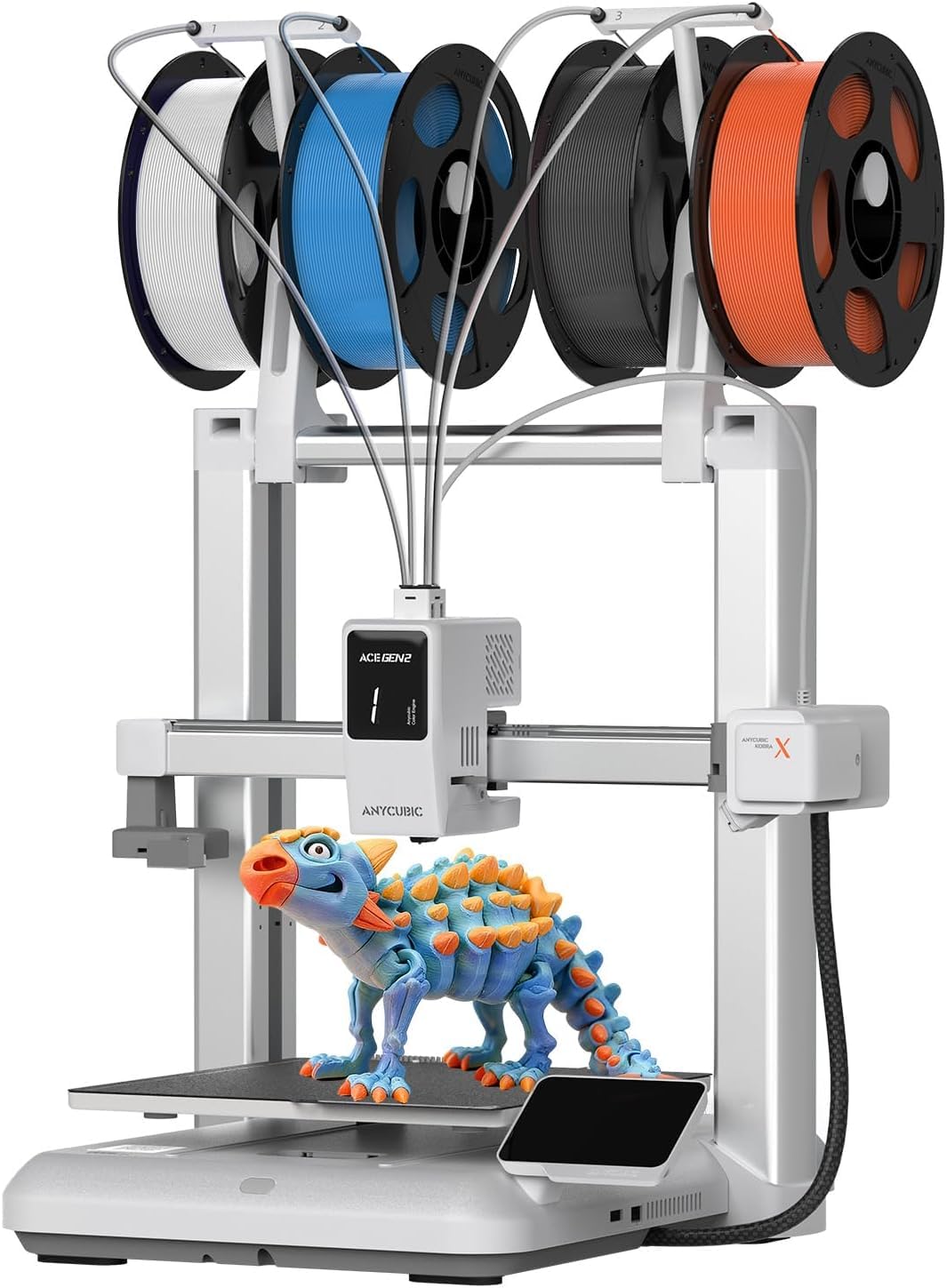
Four colors come from the start, so the first toy can be a rainbow.
Four-color printing is where most toy projects actually want to be, and the Kobra X starts there. The palette expands up to 19 colors if you add four ACE 2 Pro units, though ACE 2 Pro and ACE Pro are not compatible with each other — pick one track and stay on it. It hits 600mm/s, which is 2.4 times the Ender 3 V3 SE’s 250mm/s, and completes a standard test boat print in 14 minutes.
For fine toy detail, the key spec is the hardened steel nozzle plus vibration compensation, which keeps each layer smooth instead of rippling. Its build volume of 260mm x 260mm x 260mm is genuinely roomy — the same size as the Snapmaker U1’s 270 x 270 x 270 mm envelope within a few millimeters, and it fits larger toy pieces without slicing. Bed leveling uses a 49-point calibration with the LeviQ 3.0 system, and the maker claims it is ready to print 15 minutes after pickup.
Color-switching cost is the thing to understand before buying. The maker says the machine cuts filament use and travel path by 81.25%, halving material costs and doubling speed on color-heavy models. Even so, multicolor printing is always the biggest plastic eater in the hobby. Clogging and bed adhesion show up as mixed points in its feedback, so a clean nozzle routine and a properly heated plate are worth the habit.
Color and volume together: A 260 x 260 x 260 mm build volume with 4 colors built in is unusual at this tier. For toys that need both size and color, it removes the add-on purchase entirely.
Buyer beware, lightly: Filament spools and the printed models in its images are display only and not included. You will need to buy plastic separately before the first print.
Pick it when: Multicolor is non-negotiable and you want it working from the start.
Choose differently if: You would rather skip purge waste entirely — a tool-changing machine handles colors with less plastic thrown away.
5. Creality K2 SE 4C
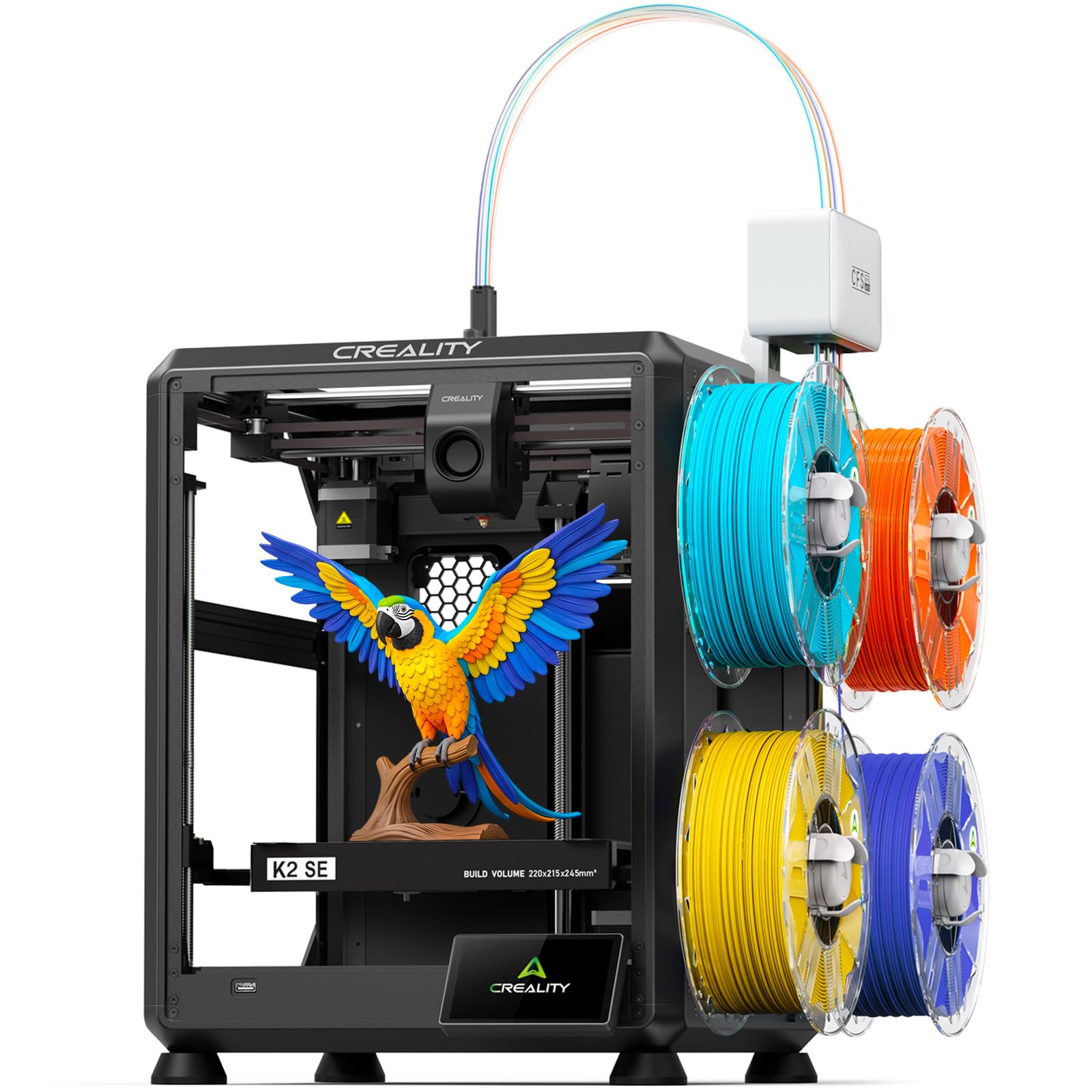
Multicolor that fits a small table, with protections for overnight toy runs.
Space is the reason to look here. The maker says this compact multicolor system takes up 37% less space than traditional multicolor setups — useful in a bedroom or classroom corner. It prints four colors right from the start with no extra assembly, and the maker lists toys, cosplay props, home décor, prototypes, educational models, and personalized gifts as the intended output.
Under the hood is a CoreXY motion system at 500mm/s with 20,000mm/s² acceleration, so it is fast for a compact machine. Auto bed leveling probes only the active print area, which speeds up setup and still builds an accurate first layer. The protection set is the real standout for toys: filament runout sensing, tangle detection, power loss recovery, and skip partial failure all work to save a print when something goes wrong overnight.
The mixed signals are worth knowing. Noise splits sharply — some find it quieter than expected, others call it loud during operation. Reliability and auto-leveling also read mixed, so keep the routines simple and check the first layer. Materials cover PLA and PETG with dual-material breakaway supports, which clean up the underside of a toy figure nicely.
Standout strengths
- Four colors from the box, no upgrade kit needed
- 500mm/s CoreXY with 20,000mm/s² acceleration
- Power loss recovery and skip partial failure protect long toy prints
- Compact footprint that leaves desk space alone
Fair warnings
- Noise level is a genuine split — your room decides how much it matters
- Reliability feedback is mixed, so plan for basic troubleshooting
Built for: Small-space creators who want four-color toys without a big footprint.
Heads up: If a quiet machine is a hard requirement, hear it run before committing.
6. Flashforge AD5X

A 300°C hotend that handles flexible toy parts other machines cannot.
The 300°C high-temp nozzle is the headline, and it is what separates this from the lower-temp crowd. It opens up carbon fiber filament, flexible TPU, and standard PLA and PETG in one machine. The 32mm³/s large-flow hotend shortens waits on big jobs, and 4-color printing comes via the Intelligent Filament System with automatic loading, unloading, and up to 4kg of filament auto refill.
Speed and stability come from a CoreXY all-metal frame at 600mm/s travel speed, which is identical to the Adventurer 5M’s 600mm/s and above the Ender 3 V3 SE’s 250mm/s. The build volume is 220mm x 220mm x 220mm — fine for figures, dice towers, and small playsets, though larger toys will need splitting. One-click auto leveling, vibration compensation, and a 4.3-inch color touchscreen round out the daily workflow.
This is the biggest mixed-signal machine in the group, so be realistic. Quality wins people over, but reliability and value both read mixed, with some units having multiple failures. Printability also splits — great results for some, struggles for others. If you are buying for a demanding, high-volume toy project, buy from a seller with a clear return path and treat the first week as a shakedown.
The material ceiling: A 300°C nozzle plus a 32mm³/s hotend is the combination you want for flexible and reinforced filaments in toy building. Auto refill to 4kg is built for long unattended runs, not short hobby sessions.
Sized honestly: It is not the most predictable machine here. Set expectations for firmware-level tuning rather than plug-and-play magic.
Right choice for: Makers running flexible or carbon-fiber toy components at volume.
Better avoided by: Buyers who want zero troubleshooting and a clean first week — reliability here is uneven.
7. ELEGOO Centauri Carbon 2 Combo
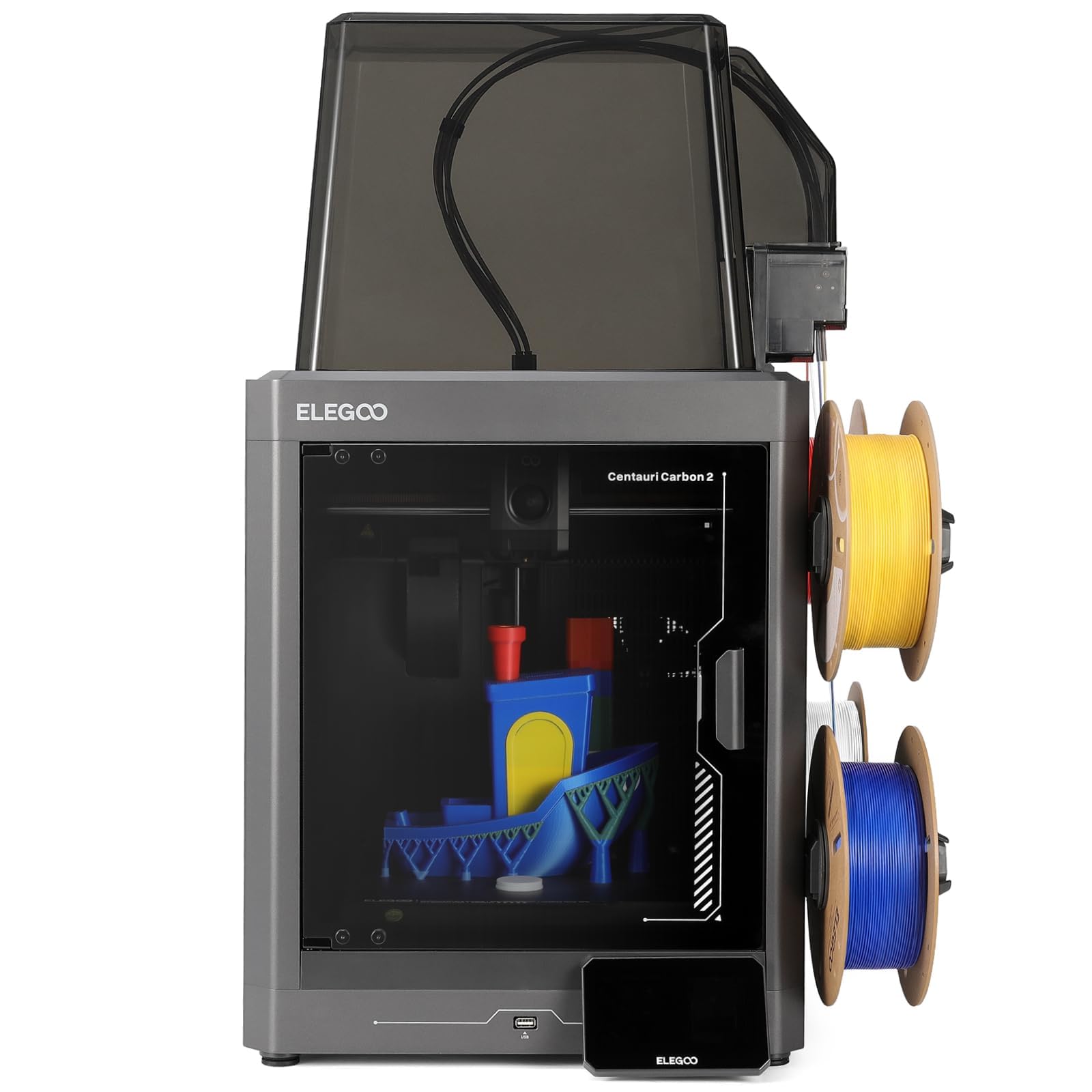
The people’s choice for multicolor volume, with a crowd to back it up.
This is the most-reviewed machine in this entire guide — thousands of owners have put it through real use, and the volume of feedback is the strongest data set here. The CANVAS system handles 4-color switching with smart filament detection, auto refill, and tangle detection. Fully automated calibration and monitoring mean the workflow is load, tap print, and walk away.
The 500mm/s speed with 20,000 mm/s² acceleration comes from a CoreXY system on a rigid aluminum frame, and the active vibration compensation keeps surfaces smooth. For toys, that combination produces the crisp edges and clean small faces that make a printed figure look store-bought. Material versatility is broad, from basic to engineering-grade through advanced process and temperature control.
The honest trade-off: durability is a clear negative in its feedback, and reliability and adhesion both read mixed. That is a large pool of reviews, so a chunk of gripes is expected — but if this printer lives on a family shelf, plan on gentle handling and good build-plate care. Setup lands around 30 minutes according to what owners describe, and many say great prints come from the start.
Why it wins the crowd: Value for money is the second most-praised theme, right behind quality. For toy printing on a multicolor budget, that is the combination that matters.
The one caution: Durability complaints are the loudest negative, so treat maintenance as part of the routine rather than an afterthought.
Best when: You want maximum multicolor value and do not mind handling upkeep.
Not for: Anyone hoping to set it up once and never touch it again.
8. Creality Ender 3 V3 SE
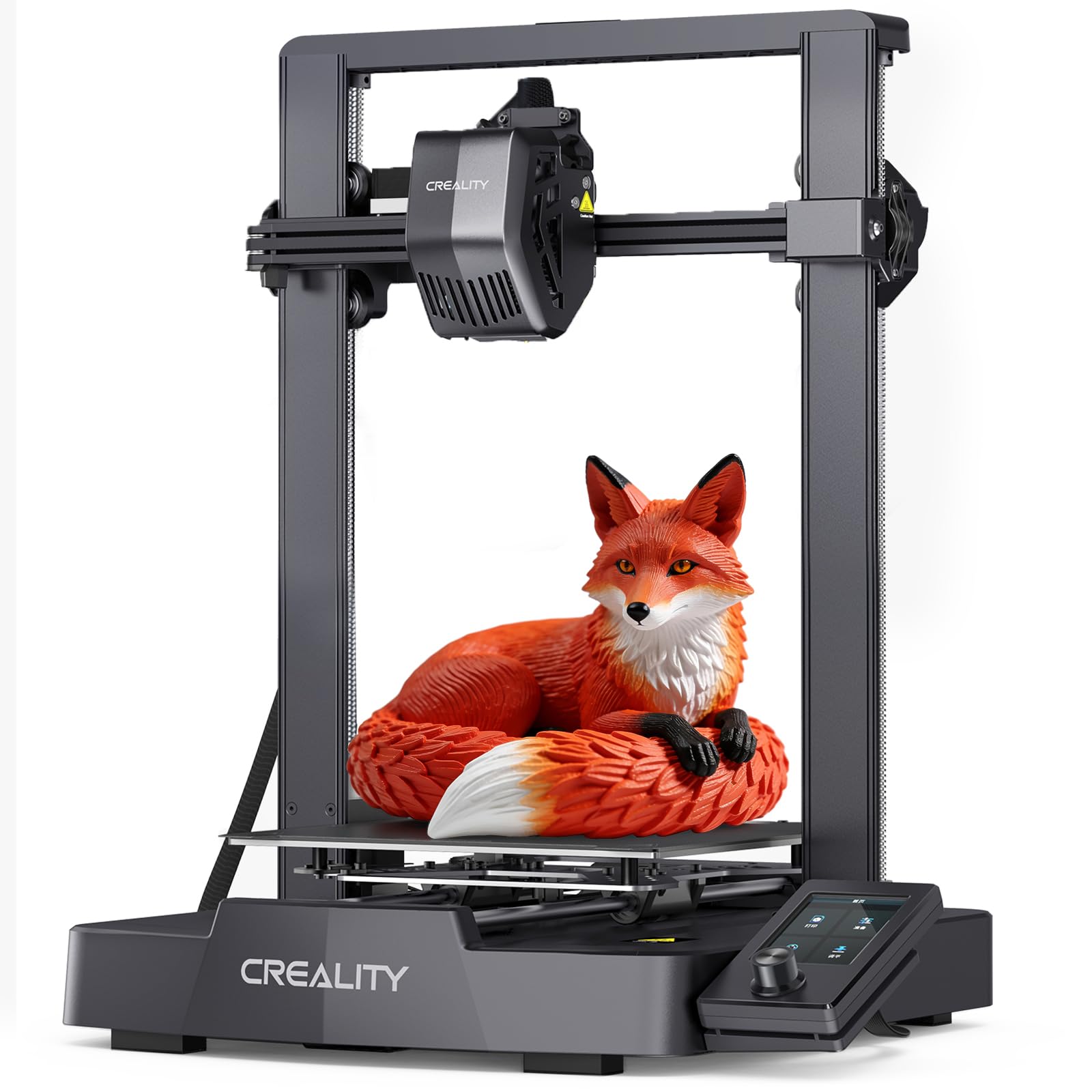
The cheapest way in, with auto leveling doing the hard first-layer work.
If the goal is to print a few toy figures without a big outlay, this is the entry point. At 250mm/s with 2500mm/s² acceleration, it is the slowest machine in this group — the Flashforge Adventurer 5M’s 20,000mm/s² is 8 times higher — but for small toys it gets the job done. CR Touch auto leveling and automatic Z-offset calibration handle the first layer, so beginners are not stuck shimming a bed by feel.
The Sprite Direct Drive Extruder feeds PLA, PETG, and TPU consistently, which covers almost every toy filament you would realistically use. Dual synchronized Z-axis lead screws and precision Y-axis linear shafts help reduce wobble and vibration, keeping layer alignment steady through a long print. The flexible PC spring steel build plate pops printed toys off quickly with minimal effort.
Here is the reality check: print quality is the most-discussed aspect in its feedback and it splits hard, with some calling it fantastic and others saying it failed from the start. Durability and bed leveling also draw negative notes. It is still worth buying at the entry tier, but treat the first few prints as a genuine test — and if a unit arrives dead, that is a return, not a verdict on the model.
The budget case: For the price of a couple of store toys, you get a machine that self-levels and accepts three common filaments. Value for money is the theme that wins its buyers over most.
A fair caveat: It is the slowest option here and the most variable on print quality. If reliable fine detail matters, spend up.
Ideal for: Curious first-timers printing small PLA toys with a tight budget.
Look past it if: You need fast, consistent fine detail that a starter machine cannot promise.
9. Snapmaker U1

Four print heads swap in five seconds, and almost no filament is wasted.
Most multicolor machines purge plastic to change color. This one swaps the whole toolhead instead, and that changes the math on toys. The maker says the automatic tool changer cuts a color swap from around 2 minutes to 5 seconds, with a locking mechanism validated through over 1,000,000 swaps and zero failures. The maker says filament waste drops by up to 5X, with the same gain in speed on color-heavy jobs.
For toys that mix materials, this is the machine that can actually do it. Four independent toolheads handle rigid and flexible filaments together, plus water-soluble supports, with a material list that spans PLA, PVA, TPU, PETG, PCTG, ABS, ASA, PA, and PC. That means a flexible figure with a rigid skeleton, or soluble supports that wash away from a delicate toy helmet, all in one print. The 500mm/s CoreXY core rides on carbon fiber X-axis rails for a 270 x 270 x 270 mm build volume.
Reliability is where this pick actually shines rather than merely copes — it is the second most-praised theme in its feedback, and it is rated around 4.6. The 3.5-inch touchscreen and remote app control keep daily handling simple. The trade-off is size: at 57.9 pounds it is the heaviest machine here by a wide margin, so decide where it lives before it arrives.
The zero-waste case: Swapping toolheads instead of purging filament is the single biggest change you can make to multicolor toy costs. The 5s swap is what makes it practical rather than theoretical.
Space and setup: It needs a permanent bench and a first careful setup. Built-in model library and custom open-source slicing keep the software side approachable.
The right buyer: Serious makers who print multi-material toys and hate throwing plastic away.
Wrong buyer: Anyone short on bench space — the 57.9-pound body is not moving often.
Understanding the Specs
Acceleration and Print Speed
Print speed (mm/s) is how fast the nozzle travels; acceleration (mm/s²) is how quickly it can change direction. A high acceleration lets a machine actually reach its top speed over short toy-sized strokes rather than only on large flat surfaces. The Flashforge Adventurer 5M reaches 20,000mm/s² while the Ender 3 V3 SE sits at 2500mm/s² — that gap shows up most on small models with lots of direction changes, where a slow machine spends its time decelerating.
Build Volume
Build volume is the printable box — width, depth, and height. A 260mm x 260mm x 260mm bed prints a large toy piece in one go, while a 220mm x 220mm x 220mm bed handles a medium figure and asks you to cut anything bigger into parts. Choose based on the largest toy you realistically want to make rather than the biggest number you can find.
Nozzle Temperature
The nozzle is the heated tip that melts filament, and its maximum temperature sets which plastic you can use. A 300°C nozzle covers advanced and flexible filaments, while a 280°C nozzle still handles PLA and PETG fine. For plain toy printing, lower temps are enough; for jointed or flexing parts, the extra headroom matters.
Multicolor Systems
Purge-based multicolor flushes wasted plastic between color changes, so a four-color figure uses more filament than the model itself. Tool-changing systems like the Snapmaker U1 swap print heads instead and skip the purge, which the maker says cuts waste by up to 5X. Built-in color systems save you an add-on purchase, but they still purge, so factor in plastic cost.
FAQ
Can a 3D printer make toys that are safe for young children?
Do I need a multicolor printer to print colored toys?
Which filament is best for printed toys?
How big a toy can a 220mm build volume print?
Is auto bed leveling worth it for a toy printer?
What does a tool changer do that a purge system cannot?
Should I buy an enclosed printer for making toys?
How long does a toy print usually take?
Can a 3D printer for toys also print school or hobby projects?
What do I do if my first toy print fails from the start?
Final Thoughts: The Verdict
For most households printing toys, the Bambu Lab A1 is the pick that earns its spot — it self-calibrates, runs quietly, and holds up under constant small-job printing. Its calibration removes the biggest hurdle for beginners, and 4.5+ stars from a few hundred owners backs that up. If you want multicolor without add-ons, the Anycubic Kobra X comes with four colors from the start and a 260mm build volume. And for toy parts that need zero waste and mixed materials, the Snapmaker U1 and its 5-second tool changer is the one to reach for.
How We Picked
We do not accept paid placement. Every pick is matched to a real buyer and a real use-case; we do not hands-on test units.
Sources & Methodology
Specifications: manufacturer listings and product documentation. Review insights: verified customer reviews, as of November 2026. Pricing: not shown on this page (it changes often); check the current price via the retailer link.
As an Amazon Associate, Gadgets Feed earns from qualifying purchases. This does not affect which products we feature.