
Stepping up from a hobbyist printer to a machine with a serious build volume or multi-color capability often means staring down a wall of specs that blend together. You are not just buying a frame and a hotend; you are investing in a production tool that needs to deliver consistent layer adhesion, reliable filament handling, and motion systems that do not introduce artifacts at high speeds. The difference between a frustrating print farm and a smooth workflow boils down to a handful of critical engineering choices.
I’m Min — the co-founder and writer behind Gadgets Feed. My research for this guide involved analyzing hundreds of customer reviews, cross-referencing technical specifications for motion systems, hotend temperature ceilings, and chamber heating capabilities to separate genuine performance from marketing hype in this specific price bracket.
Whether you are scaling up for larger prototypes, diving into engineering-grade materials, or craving the convenience of multi-color prints, the right 3d printer under $2000 hinges on understanding how chamber temperature, flow rate, and motion compensation actually affect your daily output.
How To Choose The Best 3D Printer Under $2000
Spending up to four figures on a printer means you expect reliability, speed, and material versatility beyond what entry-level machines can deliver. The features that separate a good mid-range printer from a great one are specific and measurable.
Heated Chamber vs. Open Frame
A heated chamber is not a luxury when you print ABS, ASA, polycarbonate, or nylon. Without a stabilized ambient temperature above 45°C, these materials warp and delaminate. Look for printers that actively regulate chamber temperature — passive enclosures help with drafts but do not prevent warping the same way.
Motion System and Acceleration
The rated top speed in mm/s is less important than the acceleration value and whether the firmware supports input shaping. A printer advertising 600 mm/s but running at 5,000 mm/s² acceleration will never reach that speed on a small part. CoreXY systems generally offer better belt tensioning and higher acceleration ceilings than bedslingers at this price point.
Extruder and Hotend Capabilities
Direct drive extruders with a reduction ratio above 4:1 provide consistent force for flexible filaments like TPU. The hotend temperature ceiling dictates which materials you can realistically print — 300°C covers standard engineering filaments, while 350°C or more opens up carbon-fiber-reinforced nylons and polycarbonate blends. High-flow hotends (40 mm³/s or higher) are critical for maintaining volumetric throughput at speed.
Multi-Color and Multi-Material Systems
If you plan to print in more than one color or use soluble support materials, the printer needs a dedicated filament management system. Look for units that handle automatic filament changes, purge volumes, and drying within the unit itself. Cheap add-on boxes often introduce more jams than they solve.
Quick Comparison
On smaller screens, swipe sideways to see the full table.
| Model | Category | Best For | Key Spec | Amazon |
|---|---|---|---|---|
| Bambu Lab P1S Combo | Premium CoreXY | Multi-color reliability at speed | 500 mm/s, 20,000 mm/s², enclosed | Amazon |
| Creality K2 Plus Combo | Premium Large Format | Massive builds with 16-color support | 600 mm/s, 30,000 mm/s², 350 mm³ | Amazon |
| QIDI Max4 Combo | Premium Large Format | Industrial materials at scale | 800 mm/s, 30,000 mm/s², 65°C chamber | Amazon |
| Original Prusa MK4S | Premium Open-Source | Production consistency and upgradeability | Input shaping, 9.84 x 8.3 x 8.6 in | Amazon |
| Creality K2 Combo | Mid-Range Multi-Color | Multi-color prints with chamber AI | 600 mm/s, 300°C nozzle, CFS system | Amazon |
| Creality Ender 5 Max | Mid-Range Large Format | Very large prints on a budget | 700 mm/s, 400 mm³ build, linear rail | Amazon |
| QIDI Q1 Pro | Mid-Range Enclosed | Engineering materials on a tight budget | 600 mm/s, 350°C nozzle, 60°C chamber | Amazon |
| Anycubic Kobra S1 Combo | Mid-Range Multi-Color | Affordable multi-color with filament drying | 600 mm/s, 20,000 mm/s², ACE Pro dryer | Amazon |
| Bambu Lab A1 Combo | Mid-Range Bedslinger | Ease of use and quiet operation | 10,000 mm/s², ≤48 dB, AMS Lite | Amazon |
| FLASHFORGE AD5M Pro | Entry-Level CoreXY | Compact, silent, quick-swap nozzles | 600 mm/s, 280°C, 50 dB, camera | Amazon |
| ELEGOO Neptune 4 Plus | Entry-Level Large | Large prints on a strict budget | 500 mm/s, 320 x 320 x 385 mm, Klipper | Amazon |
In‑Depth Reviews
1. Bambu Lab P1S Combo

The Bambu Lab P1S Combo is the printer that set the standard for this entire price segment. Its CoreXY motion system delivers 500 mm/s print speeds with 20,000 mm/s² acceleration, and the fully enclosed design actively supports materials like ABS and ASA without needing an aftermarket enclosure. The integrated AMS unit handles up to four filaments, enabling multi-color prints and soluble support materials with minimal user intervention.
Auto bed leveling and a 15-minute setup time make the P1S approachable for beginners, while the 95% first-print success rate reported by users underscores its reliability. The enclosed body also keeps noise levels moderate, and the built-in camera allows real-time monitoring. Users who push the printer report that the stock profiles produce excellent surface quality straight out of the box, whether printing PLA, PETG, or TPU.
The main limitation is the hotend temperature — at 300°C, the P1S handles standard engineering filaments but cannot safely print carbon-fiber-reinforced nylons without aftermarket upgrades. The proprietary ecosystem also means spare parts and firmware updates come exclusively through Bambu Lab, which some open-source advocates find restrictive.
Why it’s great
- Excellent print quality with minimal tuning required
- AMS system enables seamless multi-color and multi-material prints
- Fully enclosed design supports ABS and ASA without warping
Good to know
- Hotend limited to 300°C — not ideal for high-temp composites
- Proprietary firmware and parts limit repairability
- No built-in filament drying system
2. Creality K2 Plus Combo

The Creality K2 Plus Combo breaks the mold with a massive 350 x 350 x 350 mm build volume and a step-servo motor system that pushes acceleration to 30,000 mm/s². This means you can print full-size helmet shells or large functional brackets in a single piece without splitting the model. The new Creality Filament System (CFS) supports up to four units for 16-color prints, and the actively heated chamber keeps the environment stable for ABS and polycarbonate.
Dual AI cameras watch for spaghetti failures and foreign objects, pausing the print automatically — a feature that saves both material and time on long jobs. The high-flow hotend delivers 40 mm³/s at 300°C, and the hardened steel nozzle handles abrasive carbon-fiber filaments without rapid wear. The matrix frame uses die-cast aluminum alloy parts for rigidity, which translates to fewer layer shifts during high-speed prints.
Assembly is heavier than average — the unit weighs over 27 pounds, and users report that some shipping screws are overly tight. The documentation is sparse, and the CFS system can occasionally jam with brittle filaments. The chamber AI camera resolution is adequate for failure detection but not crisp enough for detailed time-lapse work.
Why it’s great
- 350 mm³ build volume eliminates the need to split large models
- 30,000 mm/s² acceleration delivers fast prints without quality loss
- AI monitoring and CFS system reduce failed prints and color changes
Good to know
- Heavy machine — needs two people to unbox safely
- Documentation lacks detail; some assembly steps are unclear
- CFS can struggle with stiff or brittle filament spools
3. QIDI Max4 Combo

The QIDI Max4 Combo is built for users who need to print industrial-grade materials at scale. Its 65°C actively heated chamber and 40 mm³/s high-flow hotend with a hardened steel nozzle allow it to handle PPA-CF, ABS-CF, PC, and PPS-CF without warping or nozzle degradation. The build volume of 390 x 390 x 340 mm is 55% larger than QIDI’s previous Max3, making it suitable for production parts and large molds.
Closed-loop motors on the X and Y axes provide position feedback that maintains accuracy at 800 mm/s and 30,000 mm/s² acceleration. The Z-axis uses a 2 mm lead screw with an anti-backlash nut to eliminate vertical play. The QIDI BOX add-on enables up to 16 colors with intelligent filament management, including real-time level monitoring and automatic pause on runout.
The machine is heavy at 120 pounds, requiring dedicated floor or bench space. The UI feels choppy compared to competitors, and the initial warm-up and bed leveling sequence takes several minutes. The Polar Cooler, which improves part cooling for overhangs, must be purchased separately — it is not included in the box.
Why it’s great
- 65°C chamber and 350°C+ hotend support advanced engineering filaments
- Closed-loop motors maintain precision at very high speeds
- Large build volume with open-source slicer compatibility
Good to know
- Extremely heavy — requires permanent placement
- Polar Cooler is an additional purchase
- Pre-print warm-up and calibration sequence is slow
4. Original Prusa MK4S

The Original Prusa MK4S represents the gold standard for production consistency and long-term support. Input shaping is included out of the box, reducing ringing and vibration artifacts at higher speeds. The printer is fully assembled and tested before shipping, and Prusa’s open-source ecosystem means firmware updates and hardware upgrade paths are guaranteed for years.
The print quality from the MK4S is exceptional, particularly with PETG and PLA — users report zero-support prints of complex geometries that come out with a smooth surface finish. Prusa’s slicer profiles are among the most dialed-in in the industry, so you can start printing immediately without fiddling with temperature or retraction settings. The 1 kg spool of Prusament PLA included in the box is a thoughtful touch.
The build volume of 9.84 x 8.3 x 8.6 inches is smaller than many competitors at this price point. The printer is also relatively expensive for its specs, and the open-frame design means you will need an enclosure for ABS or polycarbonate. The kit version requires a patient weekend to assemble.
Why it’s great
- Production-ready reliability with minimal calibration
- Open-source design ensures long-term upgradeability and support
- Superb print quality with default slicer profiles
Good to know
- Build volume is smaller than similarly priced competitors
- Open frame requires an aftermarket enclosure for high-temp filaments
- Kit assembly is time-consuming for non-DIY users
5. Creality K2 Combo

The Creality K2 Combo brings multi-color printing to an accessible price point without sacrificing build quality. The CFS unit manages up to four filaments with intelligent switching, and you can daisy-chain multiple CFS units for up to 16 colors. The 600 mm/s print speed and 20,000 mm/s² acceleration come from industry-grade step-servo motors that maintain extrusion consistency across the 10.24-inch cubic build volume.
Adaptive mesh leveling probes only the area where the model will be printed, reducing the bed leveling time significantly. The chamber AI camera detects spaghetti failures, foreign objects, and empty bed conditions, pausing the print and sending an alert. The 80W heater in the hotend delivers 40 mm³/s flow rate at 280°C, which is enough for ABS and PLA-CF.
Some users received units with a warped bed, and the CFS can occasionally misfeed with spools that are not perfectly wound. The manual is outdated for the bed wiring, and the test print file included on the SD card is sliced poorly, leading to a first print that takes much longer than expected.
Why it’s great
- Multi-color printing at a competitive price
- Adaptive mesh leveling saves time on calibration
- AI camera reduces waste from print failures
Good to know
- Bed warping issues reported in early units
- CFS system can jam with certain spool types
- Included test print file is poorly configured
6. Creality Ender 5 Max
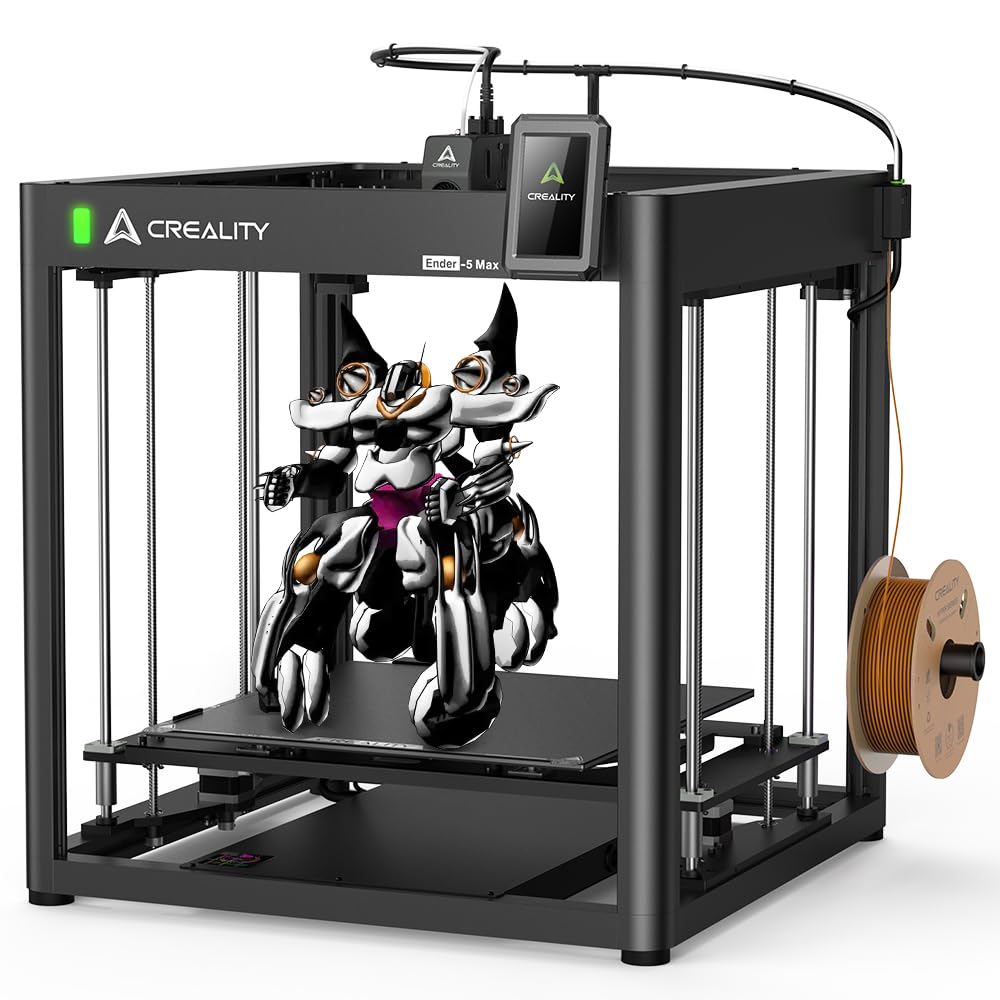
The Creality Ender 5 Max is built for users who need a truly large build volume — 400 x 400 x 400 mm — without spending flagship money. The CoreXY frame uses a precise linear rail on the X-axis and dual Z-axis motors with four linear rods to maintain stability during high-speed moves. The maximum print speed of 700 mm/s with 20,000 mm/s² acceleration is competitive with machines twice its price.
The 36-point auto-leveling system calibrates the entire bed surface, and hot bed tilt calibration compensates for platforms that have become uneven over time. The 300°C hotend features hardened steel extruder gears rated for 500 hours of continuous use, making it suitable for production environments. The 1.3-color status indicator light is visible from 10 meters away, providing quick machine status at a glance.
The Ender 5 Max is heavy at 57 pounds, and assembly requires mechanical aptitude — the included instructions are poor-quality, and users report that Y-axis wheel bearings need checking and frame corners can be misaligned. The magnetic bed can cause prints to lift, and many users replace it with a glass bed for better adhesion.
Why it’s great
- Massive 400 mm³ build volume for large single-piece prints
- Linear rail and dual Z-axis provide excellent stability
- High-flow hotend supports continuous production
Good to know
- Assembly instructions are unclear and frustrating
- Magnetic bed can cause print lifting — glass bed upgrade recommended
- Heavy and requires dedicated bench space
7. QIDI Q1 Pro

The QIDI Q1 Pro is a compact enclosed printer that packs a 350°C bimetal nozzle and a 60°C actively heated chamber into a mid-range price point. This combination makes it one of the few printers in its class that can reliably print carbon-fiber-reinforced nylons, polycarbonate, and ABS without warping or nozzle clogging. The CoreXY system delivers 600 mm/s maximum speed with 20,000 mm/s² acceleration.
Full-auto calibration uses dual sensors for precise bed leveling, and the intelligent hall filament runout sensor detects tangles in real time, pausing the print before a jam causes a failure. The 1080p HD camera supports real-time monitoring and time-lapse photography. The printer runs on Klipper firmware, which is fully open-source and supports custom optimizations.
The lack of a built-in air filter is a notable omission, especially when printing ABS or polycarbonate fumes. The side-mounted filament spool holder feels flimsy, and the top glass panel has gaps that leak heat. The printer is also limited to a single filament — there is no multi-material add-on available from QIDI.
Why it’s great
- 350°C nozzle and 60°C chamber handle engineering filaments exceptionally well
- Open-source Klipper firmware allows full customization
- Auto bed leveling with repeatability around 0.015 mm
Good to know
- No built-in air filter for fume extraction
- Single-filament design — no multi-color option
- Side spool mount is not as sturdy as it should be
8. Anycubic Kobra S1 Combo

The Anycubic Kobra S1 Combo offers a compelling multi-color experience at a price that undercuts most competitors. The ACE PRO filament dryer uses dual PTC heating and 360° hot air circulation to keep filaments dry during long prints, which is a genuine advantage for PETG and nylon that are prone to moisture absorption. The Kobra S1 prints at up to 600 mm/s with 20,000 mm/s² acceleration.
Users who have logged hundreds of hours report that the Kobra S1 is reliable and produces high-quality prints with minimal adjustments. The flow compensation feature in the Anycubic Kobra OS ensures consistent surface quality, and the ACE PRO’s drying capability can be a game-changer for users in humid climates. The multi-plate document parsing in the app enables complex designs requiring multiple print beds.
The quality control appears inconsistent — some units arrive with scuffs and missing accessories, and the app-based control system is web-dependent and can be frustrating to navigate. Firmware updates may fail, and the customer support experience varies widely. The build volume of 250 mm³ is adequate but not exceptional for this price tier.
Why it’s great
- Integrated filament dryer prevents moisture-related print defects
- Fast print speed with good surface quality
- Multi-color capability at an aggressive price point
Good to know
- Quality control can be inconsistent between units
- App-based control system is clunky and web-dependent
- Build volume is smaller than similarly priced alternatives
9. Bambu Lab A1 Combo

The Bambu Lab A1 Combo is the printer you hand to someone who has never touched a 3D printer and expect them to print successfully within an hour. Full-auto calibration covers Z-offset, bed leveling, and flow rate compensation, and the 1-Clip quick-swap nozzle makes hotend changes trivial. The AMS Lite handles up to four colors, and the phone app includes a library of thousands of ready-to-print designs.
The active motor noise canceling keeps the printer at or below 48 dB, making it suitable for an office or bedroom. Acceleration of 10,000 mm/s² is lower than the CoreXY machines on this list, but the A1’s bedslinger design still produces clean prints at high speeds. Users report printing continuously for days with zero failures, and the camera and time-lapse feature add a layer of remote monitoring that beginners appreciate.
The open-frame design means you cannot reliably print ABS or polycarbonate without an enclosure. The AMS Lite system works well with Bambu Lab and third-party PLA, but it is not designed for flexible filaments. The build volume of 220 mm³ is on the small side, and the machine is louder than the advertised 48 dB during high-speed infill moves.
Why it’s great
- Extremely easy setup — full auto calibration and ready to print
- Quiet enough for shared indoor spaces
- Large library of free designs accessible through the phone app
Good to know
- Open frame — not suitable for high-temp filaments
- Build volume is smaller than many alternatives
- AMS Lite is not optimized for flexible or abrasive filaments
10. FLASHFORGE AD5M Pro
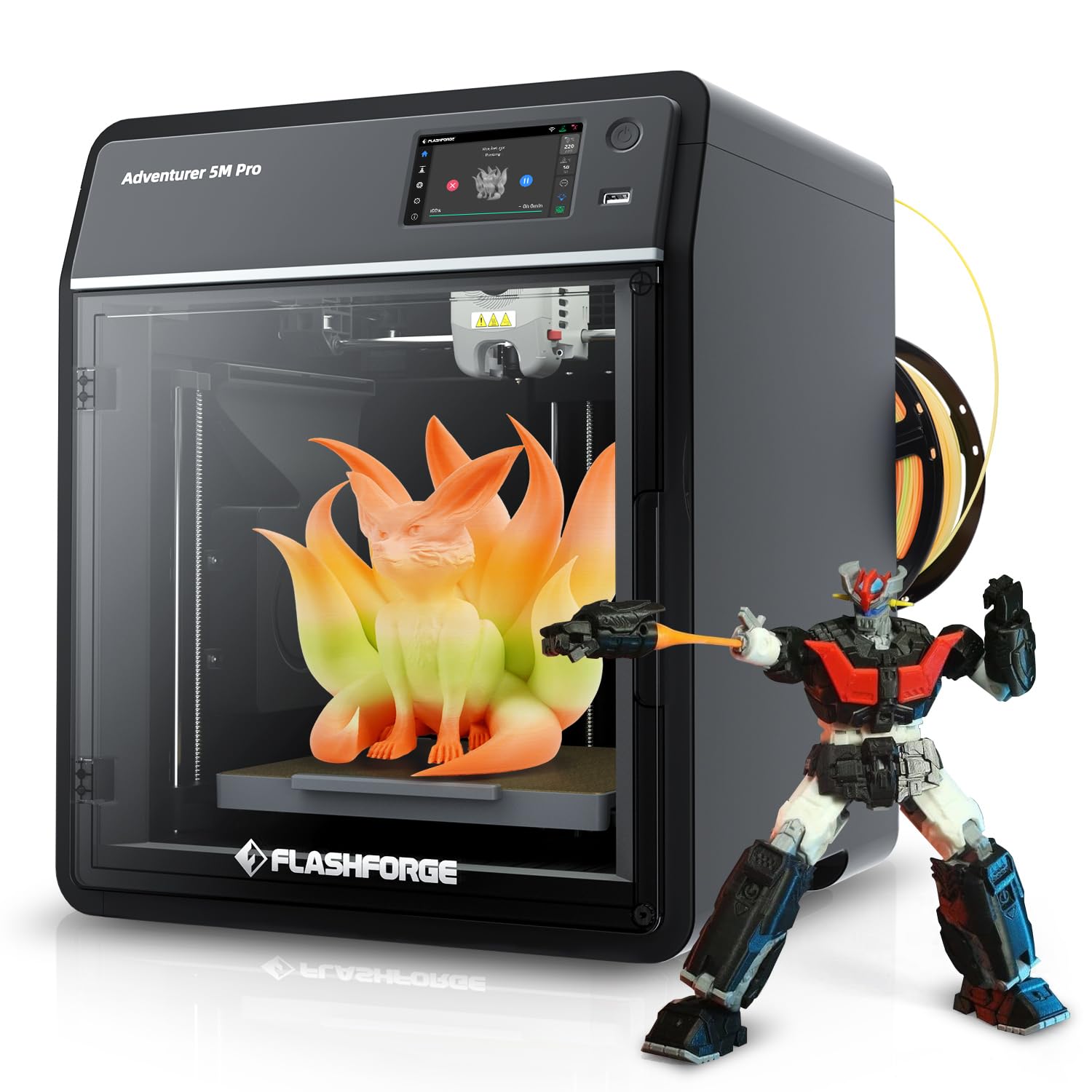
The FLASHFORGE AD5M Pro is a compact CoreXY printer that focuses on quiet operation and ease of use. At 50 dB, it is barely audible during printing, making it a strong candidate for spaces where noise is a concern. The 600 mm/s maximum speed and 20,000 mm/s² acceleration are competitive, and the quick-swap 0.4 mm and 0.6 mm hotend nozzles allow fast changes between detail and speed profiles.
The built-in camera provides real-time monitoring, and the fully automatic leveling system ensures consistent first-layer adhesion. Users who upgraded from older Flashforge models report that the AD5M Pro is a significant improvement in both speed and print quality, with some calling the first-layer adhesion nearly flawless out of the box. The printer is well-packaged and setup is straightforward.
The extruder design has been a point of failure for some users — filament feed issues can occur within the first week, and Wi-Fi connectivity problems are not uncommon. The proprietary Orca-Flashforge slicer has update issues; users recommend using Flash Print instead. The 220 mm³ build volume is restrictive for anyone planning to print larger objects.
Why it’s great
- Very quiet operation suitable for shared environments
- Quick-swap hotend nozzle design saves time on material changes
- Auto leveling produces consistent first layers
Good to know
- Extruder reliability issues reported in some units
- Proprietary slicer has update and compatibility problems
- Small build volume limits larger projects
11. ELEGOO Neptune 4 Plus

The ELEGOO Neptune 4 Plus is the best option for budget-conscious users who need a large build volume without sacrificing print speed. With a 320 x 320 x 385 mm build area and Klipper firmware, it achieves 500 mm/s print speed (250 mm/s default) and 12,000 mm/s² acceleration. The self-developed dual-gear direct drive extruder with a 5.2:1 reduction ratio provides the torque needed for consistent filament feeding, even with TPU.
The 300°C high-temp nozzle with a 60W ceramic heating element and PID calibration ensures smooth melting across a wide range of materials, including PLA, PETG, ABS, TPU, and nylon. Input shaping and pressure advance are supported, with acceleration sensors on the X and Y axes that automatically calibrate to reduce vibration artifacts. The double-sided cooling fans and model blower fan prevent warping on overhangs.
The Neptune 4 Plus is not a beginner-friendly printer. Getting a good first layer requires the bed variance to be below 0.2 mm, which means frequent cleaning and Z-level checks. Customer support is based in China, and response times can be slow. While the large build volume is a major advantage, the printer lacks multi-color capabilities and an enclosed frame.
Why it’s great
- Large build volume at an entry-level price
- Klipper firmware and input shaping produce clean prints at speed
- Direct drive extruder handles flexible filaments well
Good to know
- Requires experience to achieve reliable first layers
- Customer support response times can be slow
- No enclosure or multi-color capabilities
FAQ
Do I need a 300°C hotend to print PLA and PETG?
Is a heated chamber worth the extra cost for ABS?
How much multi-color waste should I expect from the AMS systems?
Can I print carbon fiber nylon on a printer with a brass nozzle?
What is the practical difference between a bedslinger and a CoreXY printer?
Final Thoughts: The Verdict
For most users, the 3d printer under $2000 winner is the Bambu Lab P1S Combo because it delivers consistent, high-quality prints with minimal tuning, supports multi-color through its AMS system, and its enclosed design handles ABS and ASA without warping. If you need to print engineering-grade materials like carbon-fiber nylon or polycarbonate, grab the QIDI Q1 Pro for its 350°C hotend and 60°C active chamber. And for large-format production where you do not want to split models, nothing beats the Creality K2 Plus Combo with its 350 mm³ build volume and 16-color capability.