
Our readers keep the lights on and my morning glass full of iced black tea. As an Amazon Associate, I earn from qualifying purchases.
You are tired of paying monthly cloud storage fees, running out of space on external drives, and worrying about your photos, movies, and important documents sitting on someone else’s server. A 4-bay NAS drive (a network-attached storage box with four slots for hard drives) solves all of that by giving you your own private cloud at home — and you can access your files from anywhere. This guide cuts through the noise to find the one that actually fits your needs, your skill level, and your data size.
I’m Min — the co-founder and writer behind Gadgets Feed. This guide is built by comparing the manufacturers’ published specifications and the patterns across verified customer reviews, so you get each pick’s real strengths and trade-offs instead of marketing spin.
From fast media streaming to secure family backups, these seven models cover the most important options for anyone searching for a reliable 4 bay nas drive. Whether you are a beginner looking for an easy setup or a power user needing serious speed and expansion, the right choice is in here.
How To Choose The Best 4 Bay NAS Drive
Picking a 4-bay NAS is about matching the hardware to your real-life use — not just buying the most expensive box. You need to think about who will use it, what you will store, and how fast you want to move files around your home network.
Processor (CPU) and RAM
The processor determines how smoothly your NAS runs apps like Plex (a media server that streams movies), Docker (a tool for running lightweight apps), and file syncing services. An Intel Celeron with Quick Sync (a built-in video encoder) makes 4K video transcoding effortless. For RAM, 4GB is enough for basic file storage, but 8GB or more lets you run multiple apps and virtual machines without slowdowns.
Network Speed: 2.5GbE vs 1GbE
The network port controls how fast you can transfer files between your computer and the NAS. A standard 1GbE (gigabit Ethernet) port tops out at about 125 MB/s. A 2.5GbE (2.5-gigabit) port bumps that to around 312 MB/s — meaning a 1GB file transfers in about 3 seconds instead of 8. If you edit video directly from the NAS or move large media libraries, you want 2.5GbE.
RAID Levels and Data Safety
RAID lets you combine multiple drives for performance or protection. RAID 5 gives you a balance of speed and safety — you can lose one drive without losing data. RAID 0 gives you maximum speed and capacity but zero protection. Most buyers should choose RAID 5 or a flexible system like TRAID or Synology Hybrid RAID that simplifies management.
Software Ecosystem and Ease of Use
The software that runs the NAS determines how easy it is to set up, back up your phone photos, stream media, and sync with cloud services like Google Drive or Dropbox. Beginner-friendly brands like UGREEN and TERRAMASTER offer mobile apps that walk you through setup. Power users prefer Asustor or QNAP for more advanced features like virtual machine support and Docker.
Quick Comparison
On smaller screens, swipe sideways to see the full table.
| Model | Category | Best For | Key Spec | Amazon |
|---|---|---|---|---|
| QNAP TS-453E-8G-US | Premium | Power users & advanced multitasking | Intel Celeron J6412, 8GB DDR4 RAM | Amazon |
| Asustor Lockerstor 4 Gen2 AS6704T | Premium | Future-proofing & virtualization | 4 M.2 NVMe slots, expandable to 16GB RAM | Amazon |
| UGREEN NASync DH4300 Plus | Mid-range | Beginners & home media | 8GB LPDDR4X RAM, 2.5GbE, 4K HDMI | Amazon |
| TERRAMASTER F4-425 | Mid-range | Value Plex server | Intel x86 quad-core, 4GB RAM, 2.5GbE | Amazon |
| BUFFALO TeraStation Essentials 16TB | Value | Out-of-box simplicity | 4x4TB drives included, RAID 5 pre-configured | Amazon |
| BUFFALO TeraStation Essentials 24TB | Value | Medium capacity out-of-box | 4x6TB drives included, 2.5GbE port | Amazon |
| BUFFALO TeraStation Essentials 32TB | Value | High capacity out-of-box | 4x8TB drives included, 24TB usable RAID 5 | Amazon |
In‑Depth Reviews
1. QNAP TS-453E-8G-US
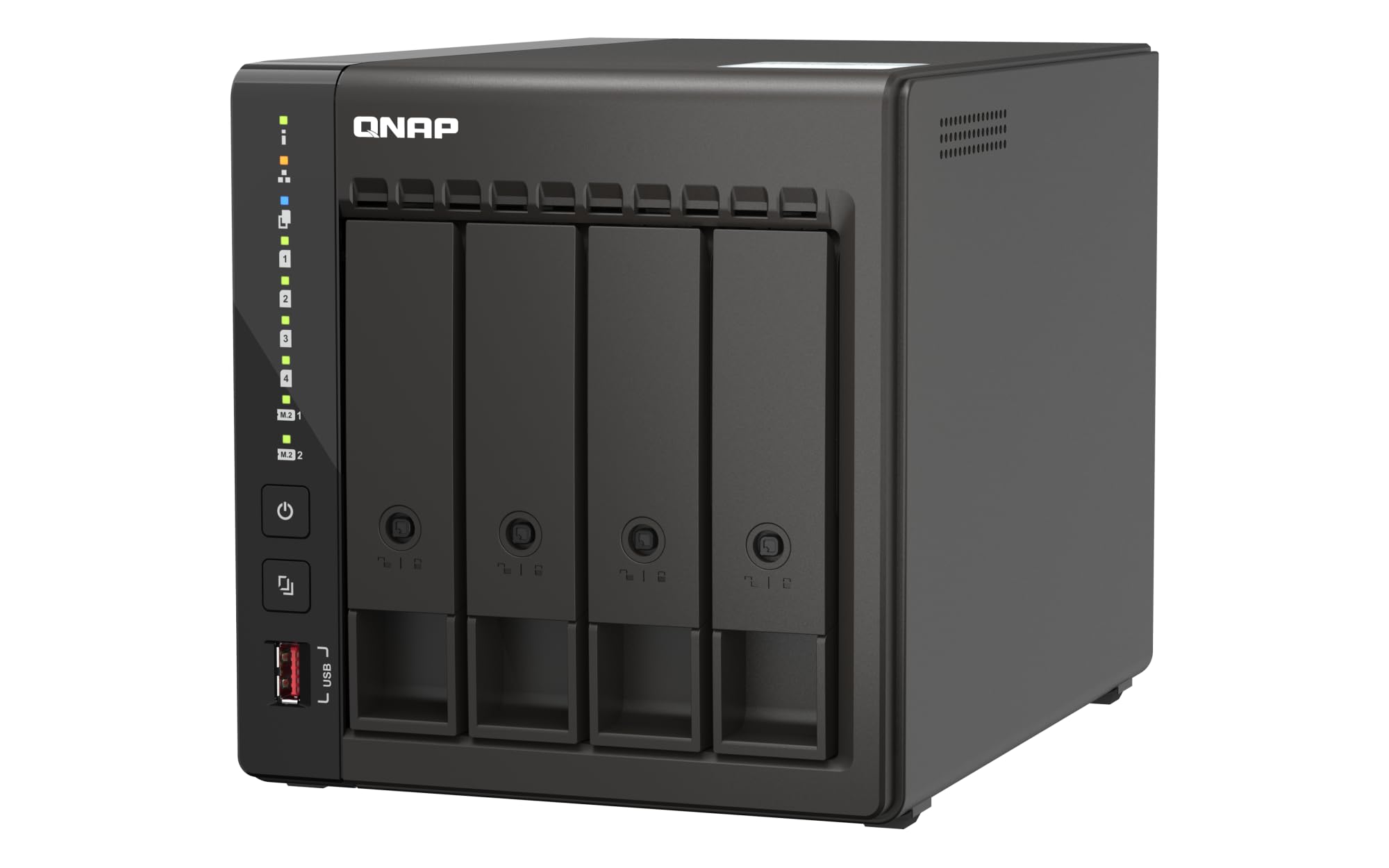
The Intel Celeron J6412 quad-core processor (bursting up to 2.9 GHz) and 8GB of DDR4 RAM make the QNAP TS-453E-8G-US the top pick for anyone who needs a reliable workhorse that handles heavy multitasking straight out of the box.
You get dual 2.5GbE ports that transfer a 1GB file in about 3 seconds, plus two M.2 PCIe Gen3x2 NVMe slots to add high-speed cache drives so your most-used files load instantly. Buyers report the NAS runs quietly and the setup is straightforward; one reviewer noted it worked flawlessly as a replacement for an older unit and handled drives without reformatting. The metal enclosure and 3-year warranty add to the solid feel.
QNAP’s QTS operating system includes ZFS (a file system that protects against data corruption) and Bitdefender antivirus. The catch is that the QTS interface can feel a bit sluggish, and some users find the key/lock on the front feels cheap. If you want the most capable all-around NAS for serious home and small-office use, this is your pick.
Why it’s great
- 8GB RAM handles heavy multitasking and virtual machines out of the box
- Dual M.2 NVMe slots for fast cache acceleration
- 2.5GbE network ports deliver fast file transfers (approximately 500 MB/s in RAID 10 with QTier)
- Metal enclosure and 3-year warranty for long-term reliability
Good to know
- QTS interface can feel sluggish; some users find it clunky
- Front key/lock feels cheap compared to the rest of the build
- Maximum RAM limited to 16GB on newer units
2. Asustor Lockerstor 4 Gen2 AS6704T

The Asustor Lockerstor 4 Gen2 AS6704T beats the top pick in expansion: it offers four M.2 NVMe SSD slots (for caching or high-speed storage pools) and a PCIe slot that lets you add a 10GbE network card later — the top pick only has two M.2 slots and no PCIe slot for a 10GbE upgrade.
Its Intel Celeron N5105 quad-core 2.0 GHz processor with Quick Sync handles 4K video transcoding smoothly on Plex, Emby, or Jellyfin. Owners mention that it runs three virtual machines and multiple Docker containers at the same time without noticeable slowdown. One buyer upgraded the RAM to 16GB (though they warned that accessing the memory slots is tedious).
Who should choose this over the top pick? If your primary use is running a heavy media server with multiple 4K streams, or you plan to add a 10GbE connection down the line, the Asustor’s expansion slots make it the smarter investment. But be aware that Asustor’s software has had security issues — buyers recommend disabling the EZ Connect remote access service and using a VPN instead for secure external access.
Where it shines
- Four M.2 NVMe SSD slots for high-speed caching or storage
- PCIe slot enables future upgrade to 10GbE networking
- Intel Celeron N5105 with Quick Sync for smooth 4K video transcoding
- Expandable to 16GB DDR4 RAM for demanding applications
Worth noting
- ASUSTOR’s EZ Connect service has known ransomware vulnerabilities; buyers recommend disabling it
- RAM slot access is tedious — upgrade before filling the case
- Software library is smaller than QNAP’s; some apps (antivirus, cloud sync) have reported issues
3. UGREEN NASync DH4300 Plus

If you are new to NAS and want something that works straight out of the box without digging into technical settings, the UGREEN NASync DH4300 Plus is the friendliest entry point. You get 8GB of LPDDR4X RAM and a 2.5GbE network port that can transfer a 1GB file in roughly 3 seconds, plus a 4K HDMI output so you can plug it directly into a TV. It supports Docker for running apps but does not support virtual machines, which keeps the learning curve manageable.
Setup is particularly easy — you can initialize the NAS by tapping your phone via NFC, and the mobile app walks you through photo backups and remote access. Customers note transfer speeds around 200 MB/s over Ethernet and praise the silent operation when using SSDs. One buyer mentioned that it handles real 4K movies (around 100GB each) on Plex without issues, though streaming over the internet sometimes required using the HDMI port for the best experience.
The standout spec here is the AI-powered photo album that recognizes people, objects, and pets — making it easy to find specific images without manually sorting. It also includes a magnetic top dust cover that snaps shut cleanly. The downside is that you need to buy hard drives separately, and it does not support Wi-Fi (wired Ethernet only), so plan on placing it near your router.
What stands out
- 8GB LPDDR4X RAM and 2.5GbE port for fast file transfers
- NFC-based setup and intuitive mobile app for beginners
- AI photo album with semantic search and object/pet recognition
- 4K HDMI output for direct TV connection
The trade-offs
- Does not support virtual machines — Docker only
- No Wi-Fi support; requires wired Ethernet connection
- Enterprise HDDs can be noisy; some users add acoustic foam
4. TERRAMASTER F4-425
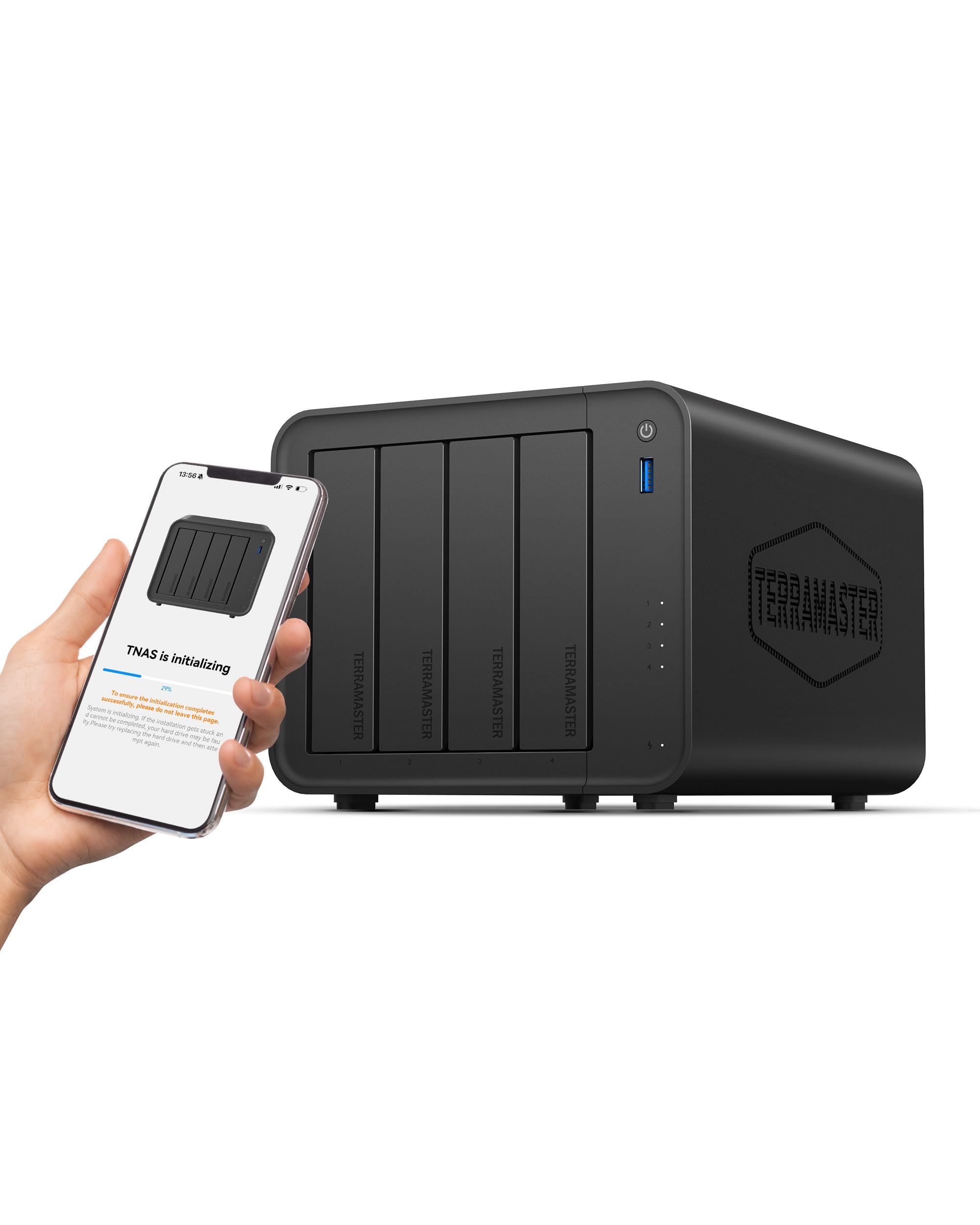
In this category, the processor is the most important spec — and the TERRAMASTER F4-425 delivers an Intel x86 quad-core CPU with 4GB of RAM, matching the processing power of more expensive models while landing at a gentler price point. For anyone building a home media server on a budget, this is the sweet spot. The 2.5GbE port ensures you are not stuck waiting for large file transfers, and it supports up to 120TB total storage across four bays.
The trade-off you accept is the 4GB RAM — enough for basic Plex streaming and file serving, but you will want to upgrade to 16GB if you plan to run Docker containers or multiple virtual machines. Reviewers point out that the tool-free Push-Lock drive trays let you install hard drives in about 10 seconds, and the fan noise is rated at just 21dB(A), making it quiet enough for a bedroom. One reviewer called it the best value NAS for a media server, praising the Intel Quick Sync for smooth Emby and Plex transcoding.
You get TERRAMASTER’s TOS6 operating system, which a reviewer described as functional and similar to Synology’s interface. The biggest draw here is price-to-value — you get an Intel quad-core NAS with 2.5GbE for significantly less than competing models. One limitation is that the app store is thinner than QNAP’s or Synology’s, but the community Docker store fills many gaps.
The upsides
- Intel x86 quad-core processor with Quick Sync for 4K transcoding
- 2.5GbE port for fast file transfers
- Tool-free drive trays: install HDDs in 10 seconds
- 21dB(A) noise rating for quiet operation in living spaces
Keep in mind
- 4GB RAM is sufficient for basic use but needs upgrading for Docker or VMs
- App library is smaller than QNAP’s and Synology’s
- Some units have reported boot time issues and lost user logins on the TOS6 update
5. BUFFALO TeraStation Essentials 16TB (4x4TB)

What you actually get at this lower price is a BUFFALO TeraStation Essentials 16TB with four 4TB drives already installed and RAID 5 pre-configured — meaning you get 12TB of usable space right out of the box without any setup work. If opening a box and plugging in a power cord is your ideal installation experience, this is the one.
What you give up is flexibility: the drives are 5400 RPM mechanical hard disks, which are slower than the 7200 RPM drives you could buy separately, and the RAID configuration is basic. There is no option to run Docker, virtual machines, or advanced apps — this is purely a file storage and backup device. The 2.5GbE port helps make up for the slower drives, and shoppers say network speeds that feel like an internal drive for day-to-day file access.
It is perfect for the budget buyer who does not want to tinker — just share files between Windows PCs and Macs, sync with Google Drive or OneDrive, and sleep soundly knowing the 3-year warranty covers both the unit and the drives. One owner reported it operated continuously for months without any issues and that setup was quick and easy.
Why we’d pick it
- Hard drives included and RAID 5 pre-configured — no assembly required
- 2.5GbE port for fast file transfers
- 3-year warranty with 24/7 US-based support and data recovery service
- Made in Japan and fully TAA compliant
A few caveats
- 5400 RPM drives are slower than aftermarket 7200 RPM drives
- No support for Docker, virtual machines, or third-party apps
- Online-only manual and driver installation required on local PC
6. BUFFALO TeraStation Essentials 24TB (4x6TB)
The 24TB version of the BUFFALO TeraStation Essentials is made for the same “no-tinker” buyer who simply needs more capacity. Four 6TB drives are included, pre-built in RAID 5 for 18TB usable space. If you have a large photo library, a growing collection of 4K movies, or important business documents to consolidate, this saves you the time and headache of sourcing and installing drives yourself.
Like its 16TB sibling, this unit comes with a native 2.5GbE port for network transfers fast enough to feel local. It also supports cloud syncing with Amazon S3, Dropbox, Azure, and OneDrive, so you can create a hybrid setup where important files live both on your private NAS and in the cloud. Buyers report the unit is rock solid — one reviewer ran it for six months without a single issue and found the RAID 5 setup quick and the multi-PC access painless.
The honest limit is the same as the smaller model: no apps, no Docker, no transcoding. This is a straightforward network drive with great security features (256-bit encryption and a closed system), not a media server. If you want Plex or automatic photo sorting, skip this and look at the TERRAMASTER or UGREEN options instead.
Strong points
- 4x6TB drives included and pre-configured in RAID 5 for 18TB usable
- 2.5GbE port for fast network file transfers
- 256-bit drive encryption and closed system for data protection
- 3-year warranty with 24/7 US-based support
Before you buy
- No support for Docker, VMs, or media server apps
- 5400 RPM drives are adequate for file storage but not ideal for heavy editing
- Setup requires a driver installation on your local machine; the manual is online only
7. BUFFALO TeraStation Essentials 32TB (4x8TB)
At the top of the BUFFALO TeraStation Essentials lineup, the 32TB model offers the most out-of-box storage (four 8TB drives, usable up to 24TB in RAID 5). Compared to building your own NAS with separate drives, this saves you the upfront cost of buying four high-capacity drives individually and the time of configuring RAID from scratch.
What you actually get for that money: a fully tested, pre-built system with a 2.5GbE network port, 256-bit encryption, and a 3-year warranty covering both the unit and the hard drives. The included drives are mechanically reliable, and one customer observed that after an initial data load, the unit ran smoothly — no hiccups, seamless firmware updates. The system supports flexible RAID changes, so if you want RAID 6 for more redundancy or RAID 0 for full 32TB speed, you can switch modes in the management software.
The one reason to choose this over the rest of the field is if you want maximum capacity with zero assembly. No other NAS in this guide delivers 32TB of pre-installed, warrantied storage in one box. The compromise remains the same: this is a file storage appliance, not a media server or app platform. If your needs are purely storage and backup, this is the simplest path to a massive private cloud.
What we like
- 4x8TB drives included with 24TB usable in RAID 5 — largest out-of-box capacity
- 2.5GbE port for fast network file transfers
- 3-year warranty with drive coverage and 24/7 US-based support
- Pre-tested hard drives and RAID pre-configured for immediate use
The downsides
- No Docker, VM, or media server app support
- 5400 RPM drives are adequate for storage but not designed for high-speed editing
- Management dashboard requires a separate software install on Windows
Understanding the Specs
Processor (CPU) and Transcoding
The processor handles everything from file transfers to running apps like Plex. An Intel Celeron with Quick Sync (a hardware video encoder) can convert 4K video into a format your TV or phone can play without lag. If you stream movies to multiple devices, you want a quad-core Intel x86 chip with Quick Sync. ARM processors save power but cannot transcode as well.
2.5GbE vs 1GbE Network Ports
Standard Ethernet ports (1GbE) cap out at roughly 125 MB/s — enough for most file transfers but slow if you edit video directly on the NAS. A 2.5GbE port pushes that to about 312 MB/s, making large file transfers feel almost as fast as an internal drive. All our picks include at least one 2.5GbE port, which is the modern standard for home NAS performance.
RAID Levels Explained
RAID (Redundant Array of Independent Disks) combines multiple drives to protect your data or boost speed. RAID 5 spreads data across three or more drives so you can lose one drive without losing anything. RAID 0 splits data across drives for maximum speed but offers zero protection. Most home users should use RAID 5 or a flexible system like TRAID or Synology Hybrid RAID that auto-optimizes for mixed drive sizes.
RAM and Multitasking
RAM determines how many apps and users your NAS can handle simultaneously. 4GB is fine for basic file storage and one or two Plex streams. 8GB lets you comfortably run Docker containers, file syncing, and photo management apps at the same time. 16GB is ideal if you plan to run multiple virtual machines or host a game server on your NAS.
FAQ
Do I need a 4-bay NAS or is 2-bay enough?
Can I access my NAS from outside my home?
Should I buy a NAS with drives included or buy drives separately?
Final Thoughts: The Verdict
For most people, the 4 bay nas drive winner is the QNAP TS-453E-8G-US because it combines a powerful Intel Celeron J6412 processor, 8GB of RAM, dual 2.5GbE ports, and M.2 NVMe slots into a metal chassis backed by a 3-year warranty — all at a price that undercuts similar models from Synology. If you want the best value for a home media server, grab the UGREEN NASync DH4300 Plus for its beginner-friendly setup and AI photo features. And for the simplest out-of-box experience with zero assembly, the standout is the BUFFALO TeraStation Essentials 32TB with drives pre-installed and pre-configured.