
Managing four separate displays on a single stand requires a mount that balances extreme weight distribution with individual arm flexibility. A setup this complex lives or dies on the central pole’s rigidity, each arm’s torque capacity, and the VESA plate’s range of motion. The wrong choice introduces wobble during typing, sagging on heavier 32-inch panels, and frustrating alignment drift that kills the entire multi-monitor workflow.
I’m Min — the co-founder and writer behind Gadgets Feed. I have spent hundreds of hours analyzing quad-monitor mount specifications, cross-referencing gas spring durability claims against real-world customer stress tests, and mapping pole height constraints to typical desk depths for this guide.
My research zeroes in on pole-based quad stands that can handle ultrawides, heavy-steel construction, and pneumatic or mechanical spring systems to keep four screens locked at eye level. Whether you are building a trading command center or a coding fortress, the right 4 monitor stand transforms your desk into a rock-solid productivity hub.
How To Choose The Best 4 Monitor Stand
Selecting a quad monitor mount involves more than counting arms. You need to match the weight capacity per arm to your monitor’s actual weight, confirm the VESA pattern, and decide between gas spring or mechanical spring actuation. The pole height and base clamp range also determine if the stand fits your desk and sightline.
Pole Height and Arm Reach
For four monitors, the center pole must be tall enough to stack screens vertically without overlap. A pole height of at least 31 inches allows two screens to sit above two others with clearance. Arm extension should exceed 50 percent of your monitor width to allow side-by-side positioning without straining the joints.
Gas Spring vs. Mechanical Spring
Gas spring arms offer smooth one-hand height adjustment but can lose tension after a few years. Mechanical spring systems maintain consistent counterbalance over decades and handle heavier ultrawides without droop. For monitors over 20 lbs per arm, a mechanical spring is the safer long-term bet.
VESA Compatibility and Torque
Every quad stand must support VESA 75x75mm and 100x100mm patterns. The critical spec is the tilt and swivel torque rating — higher torque prevents screens from drifting after positioning. Look for adjustable friction joints on arms that support monitors over 17 lbs.
Quick Comparison
On smaller screens, swipe sideways to see the full table.
| Model | Category | Best For | Key Spec | Amazon |
|---|---|---|---|---|
| ergounion Quad 40″ | Premium | Heavy ultrawides 40″ | Mechanical spring, 25 lbs per arm | Amazon |
| VIVO STAND-V400D | Premium | Quad ultrawide setup | Pneumatic arm, 44 lbs, up to 49″ | Amazon |
| Stand Steady 4 Mount | Mid-Range | Heavy-duty office rig | Powder-coated steel, 17.6 lbs per arm | Amazon |
| PUTORSEN Quad 49″ | Mid-Range | Ultrawide on top + 3 below | Gas spring, 44 lbs top arm | Amazon |
| VIVO STAND-V104Y | Mid-Range | Value quad for 32″ screens | Aluminum build, 17.6 lbs per arm | Amazon |
| WALI M004S | Value | Budget quad for 27″ | Steel frame, 22 lbs per arm | Amazon |
| Mount-It! MI-2754 | Value | Reliable mid-range quad | Alloy steel, 17.6 lbs per arm | Amazon |
| Pholiten MD18864 | Value | Entry-level gas spring quad | Gas spring, 22 lbs per arm | Amazon |
| FlexiSpot Ultrawide | Value | Single ultrawide arm | Gas spring, 44 lbs, up to 49″ | Amazon |
In-Depth Reviews
1. ergounion Heavy Duty Quad 40″

The ergounion Quad 40″ uses a mechanical spring system that never loses tension, unlike gas springs that degrade over time. Each arm supports up to 25 lbs, making it the only quad stand on this list that can safely hold four 32-inch or 40-inch ultrawides without sag. The aerospace-grade aluminum construction keeps the whole rig stable even on a standing desk.
Its 90-degree tilt range and 360-degree rotation allow portrait or landscape stacking with no dead spots. The C-Clamp fits desks up to 2.4 inches thick, and the integrated cable management channels are wide enough for thick HDMI cables and power bricks. Assembly is a straightforward three-step process with detachable VESA plates.
Users praise the rock-solid stability and buttery-smooth adjustment, though some note the silver finish scratches easier than powder-coated black. The lack of quick-release VESA plates is a minor inconvenience during initial setup. For anyone running heavy ultrawides, this is the benchmark quad stand.
Why it’s great
- Mechanical spring holds 25 lbs per arm indefinitely
- Aerospace aluminum frame, no wobble on standing desks
- Three-step tool-free VESA plate attachment
Good to know
- Silver finish prone to visible scratches
- Cable management clip plastic can be brittle
2. VIVO Pneumatic STAND-V400D
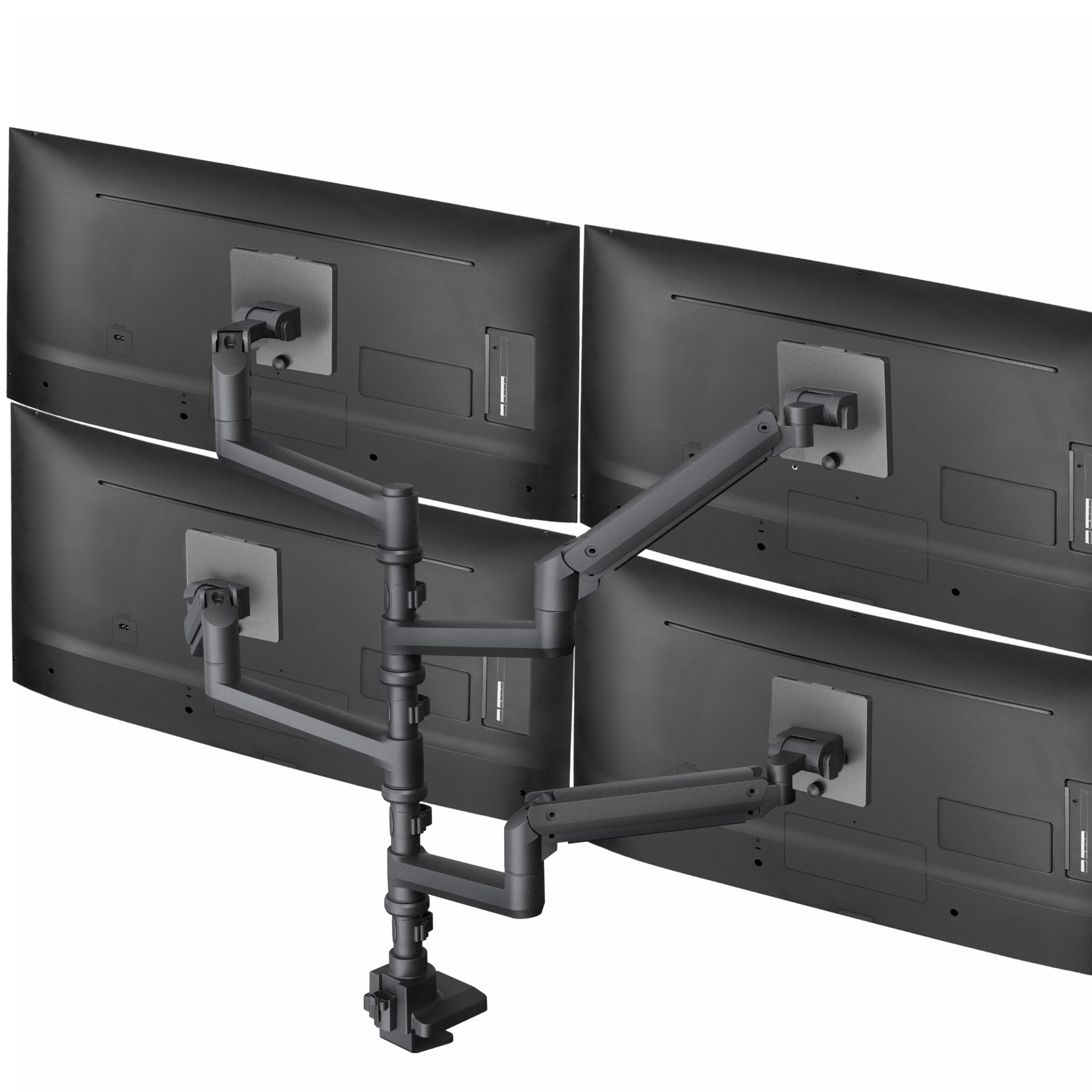
The VIVO STAND-V400D is the only quad mount designed for mixed ultrawide configurations, accommodating a 49-inch screen on one arm and three 38-inch panels on the others. Each pneumatic arm supports up to 44 lbs with a +55° to -25° tilt range, making it ideal for trading or simulation setups where the top screen angles downward.
Its cast aluminum clamp base grips desks up to 2 inches thick, and the detachable VESA plates simplify monitor attachment. The cable management system runs through the pole and arms, keeping four ultrawide cables completely hidden. Users appreciate the zero wobble even with heavy monitors on a sit-stand desk.
The main trade-off is the price — it sits in the premium tier, but the build quality justifies the cost for professionals. Some users report the pneumatic tension adjustment bolts require patience to dial in for perfectly balanced movement across all arms.
Why it’s great
- Handles one 49″ and three 38″ ultrawides
- Cast aluminum base, zero wobble
- Detachable VESA plates for easy mounting
Good to know
- Premium price bracket
- Pneumatic tension adjustment requires fine-tuning
3. Stand Steady 4 Monitor Mount

The Stand Steady 4 Monitor Mount delivers a powder-coated steel frame that feels industrial-grade. Each arm supports 17.6 lbs, and the base attaches via C-clamp or grommet to desks up to 3.5 inches thick. The 360-degree spin and 34-degree tilt per arm allow precise alignment for any four-monitor layout.
Built-in cable clips along the pole and arms keep cords organized, and the detachable VESA plates support quick installation. Users running mixed monitor sizes (e.g., a 32-inch center with 27-inch sides) report the mount handles the asymmetry without sag. The quick-release mechanism on the VESA plates is a standout feature for future upgrades.
Some users note the tilt joints require strong tightening to prevent drift on heavier monitors, and the side arm bump stops limit swing range. Cutting the bump stops is a common mod for wider setups. For a mid-range price, this stand offers exceptional build quality and stability.
Why it’s great
- Powder-coated steel with industrial strength
- Quick-release VESA plates
- Cable clips integrated into arms
Good to know
- Tilt needs heavy tightening for heavier monitors
- Side arm swing limited by bump stops
4. PUTORSEN Quad Mount 49″
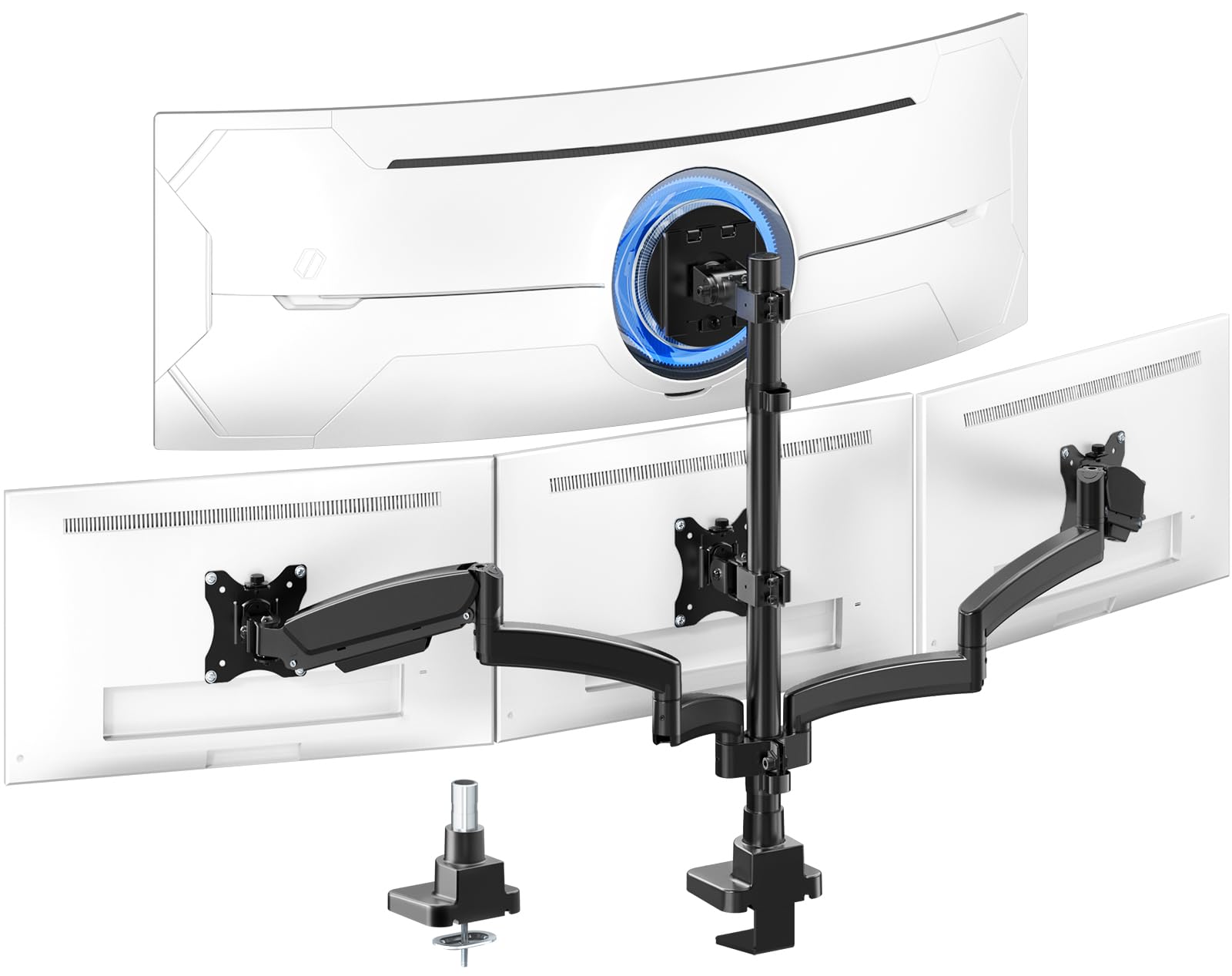
The PUTORSEN Quad Mount is purpose-built for the ultrawide-on-top, three-monitors-below layout. The top arm uses a gas spring rated for 44 lbs flat (30.8 lbs curved), while the three lower arms each hold 15.4 lbs. The 3-section arm design distributes weight evenly to prevent sag at the joints.
Its center bracket tilts +50°/-20°, and each lower arm tilts ±35° with 360-degree rotation. The 52-inch gas spring extension provides ample reach for a 49-inch ultrawide. Users appreciate the detachable VESA plates and the included C-clamp and grommet options for desks up to 1.77 inches thick.
Assembly is straightforward under 30 minutes. Some users with three 27-inch monitors below find the arm length tight for a wrap-around layout — adjusting the pole height helps. For traders who need a single massive primary screen above three smaller ones, this is the most affordable specialized solution.
Why it’s great
- Top arm holds 44 lbs for 49″ ultrawides
- 3-section arm prevents droop
- Easy 30-minute assembly
Good to know
- Bottom arms max out at 15.4 lbs each
- Straight layout may feel tight for three 27″ monitors
5. VIVO STAND-V104Y

The VIVO STAND-V104Y is a workhorse quad mount that supports 17- to 32-inch screens at 17.6 lbs each. Its aluminum construction keeps weight manageable while still offering 30-degree tilt, 180-degree swivel, and 360-degree rotation. The keyhole pattern VESA plates make monitor attachment simpler than threaded designs.
Integrated cable management clips run along the arms and center pole. The C-clamp secures desks up to 3.3 inches thick. Users running four 27-inch monitors report stable, drift-free positioning even after months of daily use. The height adjustment along the center pole reaches 32.5 inches to the center of the VESA plates.
The trade-off is that the top and bottom arm pairs move together rather than independently, limiting custom stacking options. Some users find the horizontal positioning difficult once monitors are attached. For a mid-range price, this delivers reliable stability without premium features.
Why it’s great
- Lightweight aluminum but sturdy
- Keyhole VESA plates for easy install
- 31.7-inch max height for stacked layouts
Good to know
- Top/bottom arm pairs move together
- Horizontal alignment tricky with monitors attached
6. WALI M004S Quad Mount
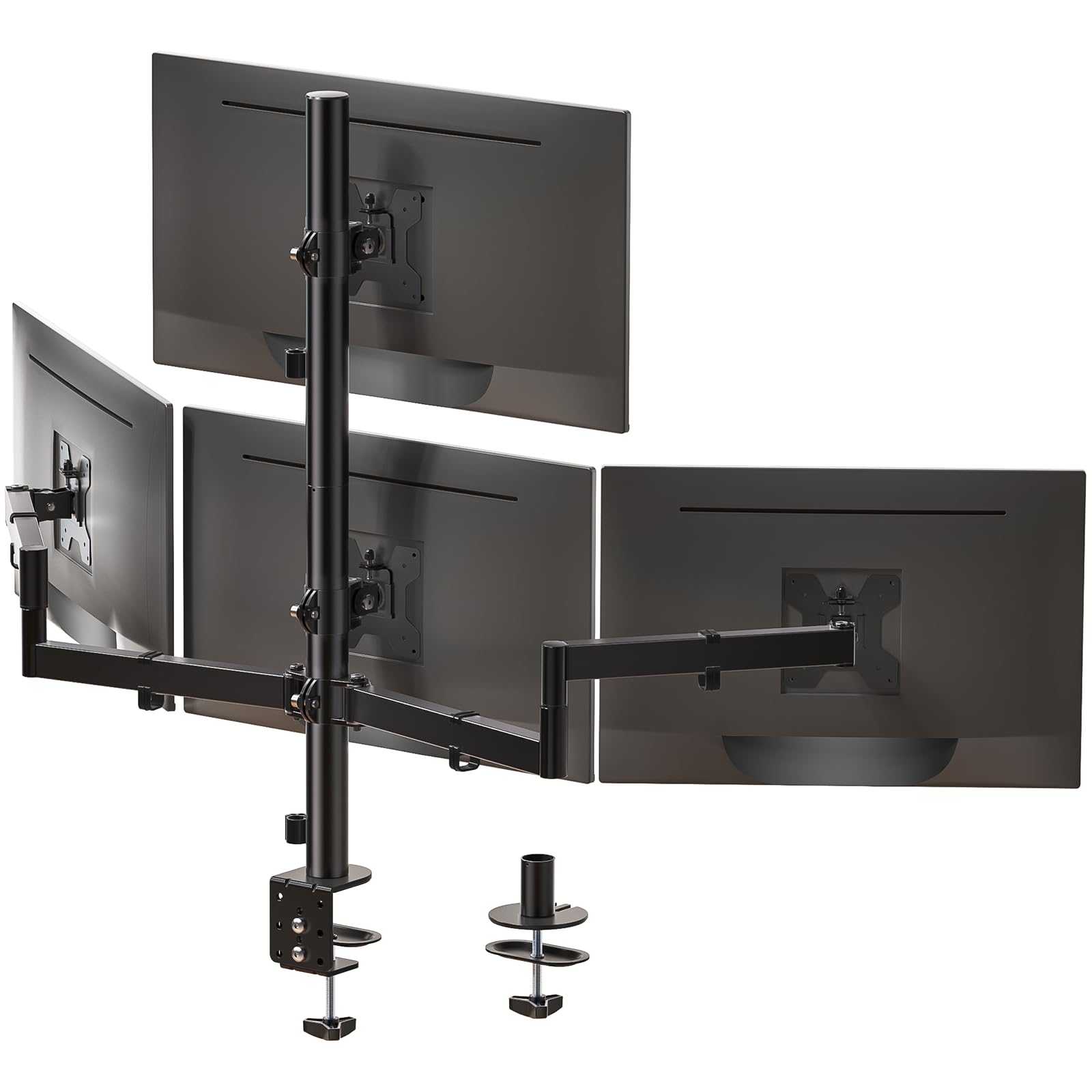
The WALI M004S carries a 22 lbs per arm capacity for 13- to 27-inch screens, making it one of the higher weight limits in the value tier. Its steel frame provides excellent stability, and the 90-degree tilt and 360-degree rotation allow portrait and landscape configurations. The max height reaches 31.65 inches with a 51.2-inch total extension.
Cable management is integrated into the arms, and the C-clamp fits desks from 0.2 to 3.62 inches thick. Users running 24-inch monitors on a standing desk report zero droop and easy one-hand adjustment. The grommet base option accommodates desks with pre-drilled holes.
Setup involves aligning all four arms on the pole, which takes patience to achieve perfect symmetry. Some users note the height adjustment nut is hard to grip when tightening. For the price, the WALI offers a strong steel build and high weight capacity that rivals more expensive options.
Why it’s great
- 22 lbs per arm exceeds most value-tier stands
- Steel frame, stable on standing desks
- Grommet and C-clamp included
Good to know
- Arm alignment requires patience
- Height adjustment nut hard to grip
7. Mount-It! MI-2754

The Mount-It! MI-2754 uses alloy steel for its main pole and arms, supporting 13- to 32-inch monitors at 17.6 lbs each. The height-adjustable pole lets you slide both arm assemblies vertically to balance screen positions. Each arm tilts 45 degrees, swivels 90 degrees, and rotates 180 degrees.
Integrated cable management keeps wires hidden, and both C-clamp and grommet options are included. Users with four 27-inch LG monitors report the stand handles them without droop. The assembly is straightforward, though the instructions could be clearer on screw selection for different monitor types.
Some users find the side arm range limited for 32-inch monitors, wishing for longer arms. The non-gas-piston design means you need to tighten the elbow joints firmly to prevent drift. For a reliable mid-range price, this is a solid choice for standard screen sizes.
Why it’s great
- Alloy steel construction, sturdy at 17.6 lbs
- Height-adjustable pole for balanced stacking
- Cable management clips included
Good to know
- Arm length may feel short for 32″ monitors
- Joint tightening needed to prevent drift
8. Pholiten MD18864

The Pholiten MD18864 is the most affordable gas spring quad stand on this list, supporting up to 32-inch monitors at 22 lbs each. The gas shocks enable smooth height and tilt adjustment — a rare feature at this price point. Each arm offers ±80° tilt, ±90° swing, and 360° rotation.
The C-clamp and grommet bases are both included, and the metal frame feels solid for the price. Users with four 24-inch monitors report stable support with no sag. The gas spring tension is adjustable, allowing you to dial in the counterbalance for different monitor weights.
Assembly is more time-consuming than premium options, with vague instructions on screw selection. The VESA screws provided are short — some users recommend longer screws for thicker monitors. For the budget-conscious buyer who still wants gas spring adjustability, this is the standout value pick.
Why it’s great
- Gas spring adjustability at entry-level price
- 22 lbs per arm capacity
- Wide 90-degree tilt range
Good to know
- Assembly instructions are unclear
- VESA screws may be too short
9. FlexiSpot Ultrawide Arm
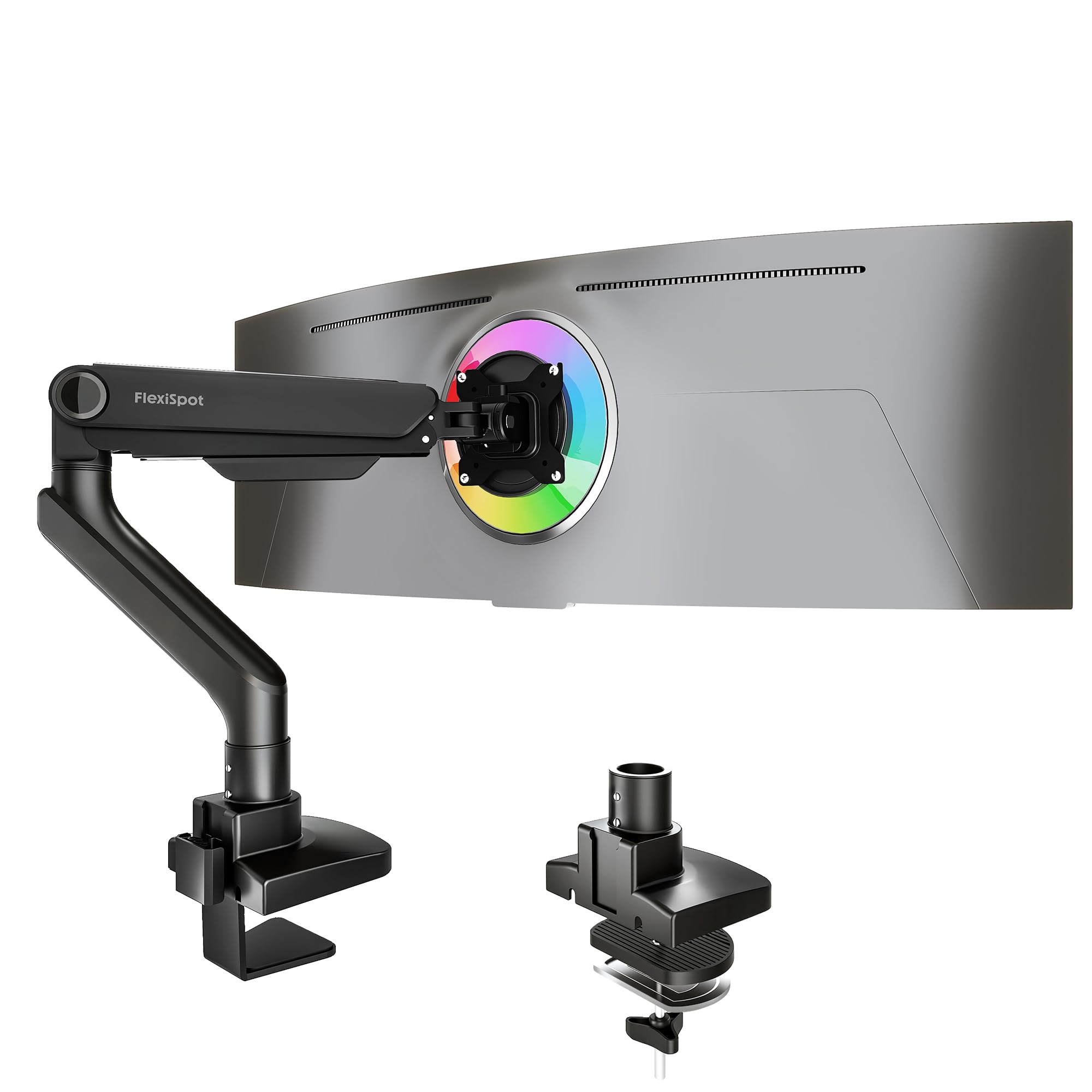
The FlexiSpot Ultrawide Arm is the only single-arm product here, intended for users who want one heavy-duty arm for a massive ultrawide while using other mounts for remaining screens. It supports monitors up to 49 inches and 44 lbs via a smooth gas spring mechanism tested for 20,000 cycles.
It offers -90° to 15° tilt, 180° swivel, and 360° rotation with a 24.5-inch extension. The C-clamp fits desks up to 2.17 inches thick, and the keyhole VESA plate allows one-person installation. Users with 34-inch ultrawides report rock-solid support with effortless one-hand adjustment.
The main limitation is that this is a single arm — you need three more arms or a separate quad stand for a full four-monitor build. Some users note the left arm bends slightly under a 35-inch monitor, though this is within spec. A great option for those mixing an ultrawide with smaller screens on a separate mount.
Why it’s great
- 44 lbs capacity for heavy ultrawides
- 20,000-cycle gas spring durability
- One-person keyhole VESA installation
Good to know
- Single arm – requires additional mounts for quad
- Minor bending under very heavy monitors
FAQ
Can a 4 monitor stand hold different sized screens?
Will a quad stand work on a standing desk?
How do I prevent monitor sag on a quad stand?
Final Thoughts: The Verdict
For most users, the 4 monitor stand winner is the ergounion Heavy Duty Quad 40″ because its mechanical spring system handles heavy ultrawides without any tension loss over time. If you want a pneumatic arm for a mixed ultrawide setup, grab the VIVO STAND-V400D. And for a smart mid-range price with quick-release VESA plates, nothing beats the Stand Steady 4 Monitor Mount.