
A single Ethernet cable from your router often leaves the rest of your home office, gaming rig, or streaming setup starving for a wired connection. That one port becomes a bottleneck the moment you need to connect a desktop, a console, a printer, and a smart TV all at once. A compact network switch solves this instantly by turning one port into four.
I’m Min — the co-founder and writer behind Gadgets Feed. I have spent hundreds of hours researching the technical specifications, real-world performance benchmarks, and customer feedback on essential networking hardware to help you choose a device that actually delivers on its speed claims.
This guide breaks down the top-rated models based on throughput, build quality, and ease of setup so you can find the perfect 4 port network switch without wasting time on underpowered options.
How To Choose The Best 4 Port Network Switch
Picking the right switch comes down to three core decisions: port speed, power requirements, and physical environment. A switch that works perfectly in a climate-controlled office may fail within months on a humid porch. Understanding these distinctions will save you from buying twice.
Port Speed: 1 Gigabit vs. 2.5 Gigabit
Most home internet plans top out at 1 Gbps, so a standard Gigabit switch (10/100/1000 Mbps) handles that perfectly without any bottleneck. However, if you have a fiber plan above 1 Gbps or you transfer large files between local NAS drives and PCs, a 2.5 Gigabit switch provides the headroom needed to actually use that bandwidth. The 2.5G switches also future-proof your network as multi-gig plans become more common.
Managed vs. Unmanaged
An unmanaged switch is pure plug-and-play — no configuration, no IP address, just connect cables and it works. This is the right choice for 99% of home users. A managed switch gives you control over VLANs, link aggregation (LACP), QoS, and port mirroring. Only choose managed if you need to segment traffic for security cameras, guest networks, or advanced home labs.
Power Delivery: PoE vs. Standard
Power over Ethernet (PoE) switches send both data and electrical power through the same Ethernet cable. If you are connecting IP cameras, wireless access points, or VoIP phones, a PoE switch eliminates the need for separate power adapters at each device. Standard switches only pass data. For outdoor installations, an IP65-rated PoE switch with lightning protection is critical for long-term reliability.
Quick Comparison
On smaller screens, swipe sideways to see the full table.
| Model | Category | Best For | Key Spec | Amazon |
|---|---|---|---|---|
| Binardat 4 Port 2.5G Managed | Managed | Advanced home labs & VLANs | 4x 2.5G + 2x 10G SFP+ | Amazon |
| MokerLink 2.5G + SFP | Unmanaged | Multi-gig home networks | 60 Gbps backplane bandwidth | Amazon |
| YuanLey Outdoor PoE | Outdoor PoE | Weatherproof camera setups | IP65 rating, 78W PoE budget | Amazon |
| NICGIGA Outdoor PoE | Outdoor PoE | Reliable outdoor PoE | 4KV lightning protection | Amazon |
| NICGIGA 5-Port PoE | Indoor PoE | Indoor PoE access points | 30W per port, VLAN mode | Amazon |
| WinRaybot 4-Port Hub | Value | Everyday wired expansion | Aluminum alloy housing | Amazon |
| Binardat 1-to-3 Splitter | Budget | Minimalist desktops | Type-C power, 1.4W draw | Amazon |
In‑Depth Reviews
1. Binardat 4 Port 2.5G Web Managed Switch

This Binardat is the rare switch that packs L2 management features into an ultra-compact metal chassis without overheating. The 4 x 2.5 Gigabit Ethernet ports give you genuine multi-gig throughput for a NAS or a gaming PC, while the two 10G SFP+ slots handle trunk uplinks to a core router or server at full wire speed. The 60 Gbps switching capacity means no packet drops even with all ports saturated.
Web-based management unlocks VLAN segmentation, LACP link aggregation, QoS, and IGMP snooping — enough to satisfy a homelab enthusiast without the complexity of a full CLI. Early buyers report stable VLAN configurations, jumbo frame support up to 15,000 bytes, and silent fanless operation that stays between 42-51°C under load. The SFP+ ports bridge seamlessly to 1G, 2.5G, or 10G optical modules.
Setup requires a manual IP configuration via your PC’s network adapter settings to access the web GUI at 192.168.2.1, which is standard for this tier. The power draw sits around 10W with three SFP+ transceivers plugged in, making it energy-efficient for a 24/7 device.
Why it’s great
- Web-managed VLAN and LACP in a mini metal case
- Two 10G SFP+ slots provide serious uplink flexibility
- Silent fanless operation with low power draw
Good to know
- Web GUI requires manual IP configuration to access
- No SFP+ modules included in the box
- Runs warm in enclosed spaces without ventilation
2. MokerLink 4 Port 2.5G Ethernet Switch with 2x10G SFP
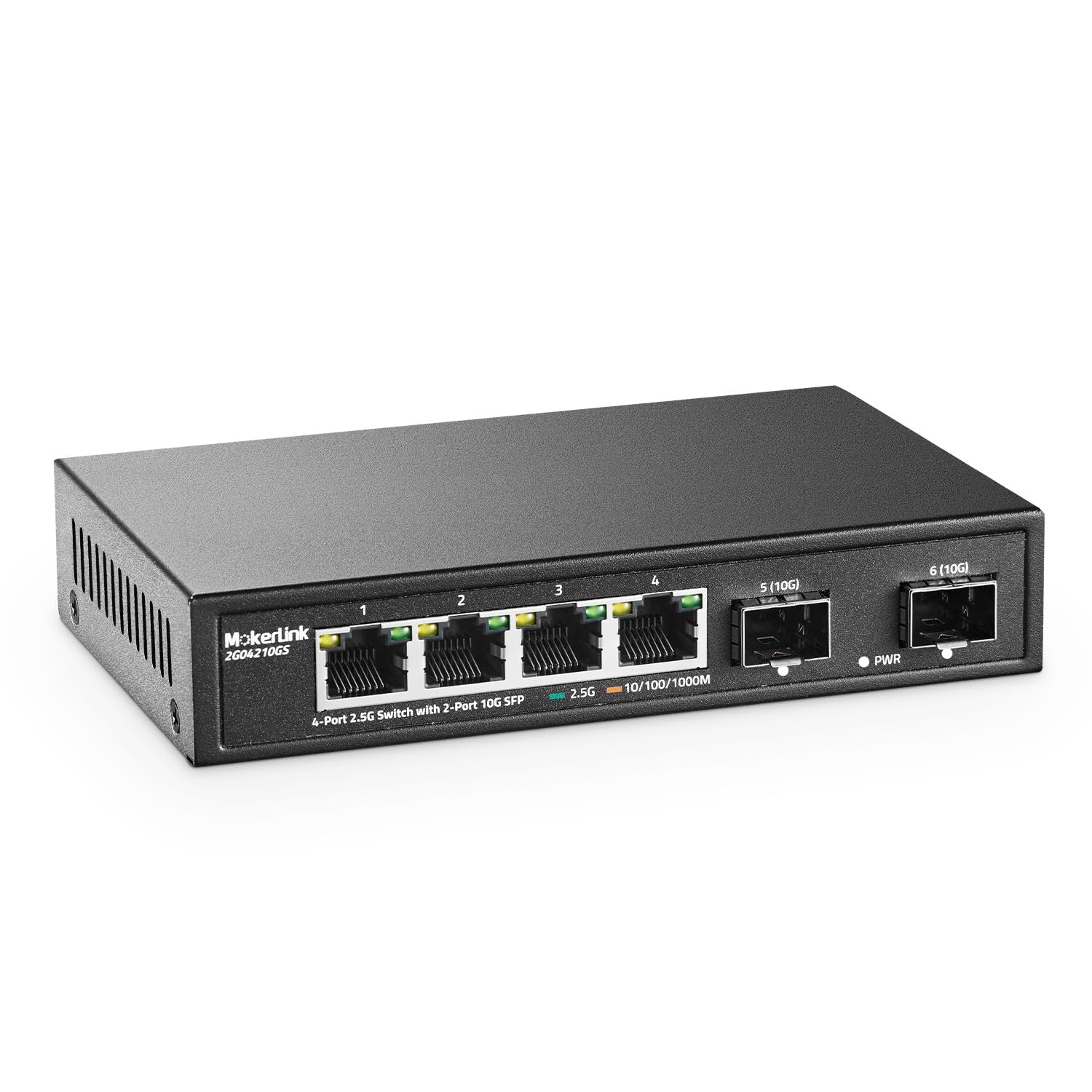
The MokerLink switch targets the user who needs 2.5G connectivity right now but doesn’t want to pay a premium for management features. The four 2.5 Gigabit Base-T ports auto-negotiate down to 10/100/1000 Mbps, so they’re backward compatible with any device. The two 10G SFP+ ports provide a future-proof uplink to a multi-gig router or a 10G-capable NAS without spending hundreds on a larger chassis.
Real-world testing shows it achieves approximately 2.48 Gbit/s with jumbo frames enabled, which is essentially line-rate for the 2.5G ports. Users with AT&T fiber and Google Fiber 8G plans report consistent 1.8 Gbps speeds under normal household loads. The unmanaged nature means zero configuration — just plug in power and Ethernet cables, and the switch handles everything automatically.
The metal casing and fanless design keep the unit silent, though a few users experienced port failures after 6-10 months. MokerLink’s customer service reportedly replaced faulty units quickly, which suggests the brand stands behind the hardware despite the occasional defect. This is best suited for users who value raw multi-gig speed above managed features.
Why it’s great
- True 2.5Gbps throughput with 10G SFP+ uplinks
- Complete plug-and-play with no configuration needed
- Compact metal chassis stays cool and silent
Good to know
- Some units have reported port failures after months
- No VLAN, QoS, or link aggregation features
- SFP modules not included
3. YuanLey 4-Port PoE Switch Gigabit Outdoor

YuanLey designed this switch for the elements — its IP65 rating means dust and low-pressure water jets won’t compromise the internals. The one-piece molded shell and seamless construction protect the four Gigabit PoE+ ports and the dedicated uplink port. With a total PoE budget of 78 watts and up to 30 watts per port, it can power four outdoor IP cameras or wireless access points without external injectors.
The One Key VLAN feature isolates the PoE ports from each other while keeping communication with the uplink, a useful security measure for camera traffic that prevents lateral movement between devices. The 4KV lightning protection adds a layer of safety during storms, which is essential for installations on eaves or poles. Wall and pole mounting kits are included, so you can secure it exactly where you need it.
The power cord length has been noted as shorter than ideal, so plan the installation location accordingly. The switch supports both PoE and non-PoE devices through automatic detection, making it versatile for mixed environments.
Why it’s great
- IP65 waterproof rating with 4KV lightning protection
- Full 78W PoE budget powers four devices simultaneously
- VLAN mode isolates ports for security camera traffic
Good to know
- Power cord is on the shorter side
- Some units may fail intermittently within weeks
- Only 48V PoE devices are supported
4. NICGIGA Outdoor Waterproof 4-Port Gigabit PoE Switch

NICGIGA’s outdoor PoE switch matches the YuanLey closely on paper but brings a slightly different value proposition with a focus on ease of installation. The four Gigabit PoE ports deliver up to 30 watts each with a combined 78-watt budget, enough for a full set of outdoor security cameras. The IP65 enclosure and 4KV lightning protection ensure survival in rainy, humid, or storm-prone environments.
The One Key VLAN toggle operates identically to the competition, isolating the PoE ports from one another while maintaining uplink connectivity. The unmanaged design requires no configuration at all — users report a simple plug-and-play experience that “just works.” The operating temperature range spans -10°C to 55°C, accommodating both freezing winters and hot summer attics.
Customer feedback highlights excellent after-sales support, with several reviews noting that NICGIGA honored their warranty quickly when issues arose. The white plastic casing blends into outdoor environments better than black alternatives. It has survived super rainy summers without a hitch, according to verified buyers, making it a reliable pick for long-term outdoor deployment.
Why it’s great
- IP65 waterproof with wide temperature tolerance
- Excellent warranty support from the manufacturer
- Genuine plug-and-play with VLAN isolation option
Good to know
- Only supports 48V PoE devices
- White casing may show dirt faster
- No managed features beyond basic VLAN
5. NICGIGA 4 Port Gigabit PoE Switch Unmanaged
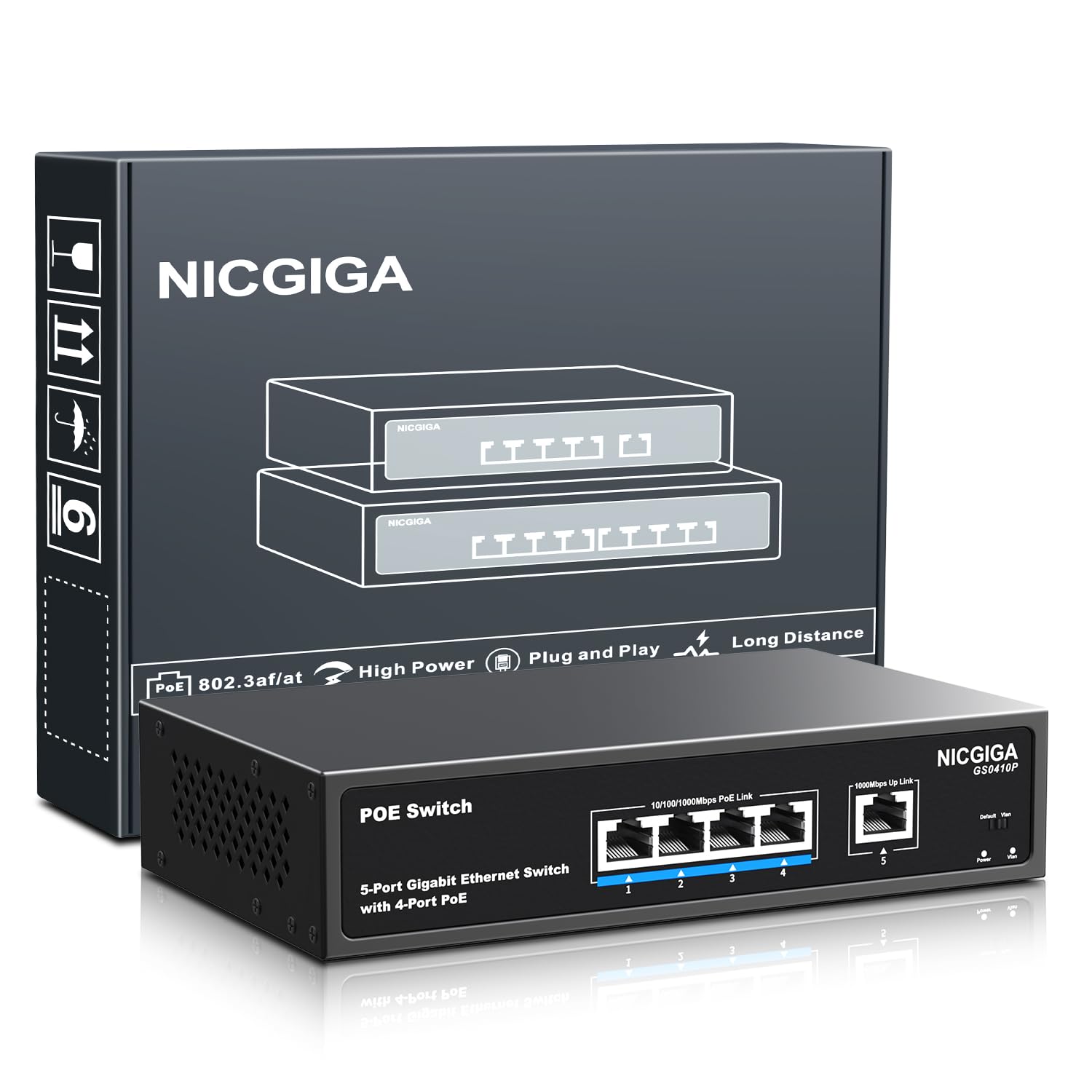
This NICGIGA switch is the indoor counterpart to the outdoor model, offering the same PoE capabilities without the weatherproof enclosure. It ships with four PoE+ ports delivering up to 30 watts each and a total power budget of 78 watts, plus one dedicated Gigabit uplink port. The rugged metal housing is designed for desktop or wall mounting in offices, server closets, or home entertainment centers.
The One-Key VLAN switch isolates the PoE ports from each other to prevent unnecessary broadcast traffic and improve security — a smart feature for isolating IoT devices or security cameras from your main network. The 4KV lightning protection is still present, offering peace of mind even indoors if lightning surges enter through Ethernet cables running between buildings.
Users report setup times under 15 minutes with the compact metal case running silent during operation. The front-facing LEDs clearly show port link status and PoE activity. It has been used successfully to power PoE access points and IP cameras in home and small business environments. The unmanaged nature means it works straight out of the box with zero software.
Why it’s great
- 30W per port with 78W total PoE budget
- One-Key VLAN isolates ports for better security
- Silent metal chassis with 4KV surge protection
Good to know
- Not waterproof — indoor use only
- Only 4 PoE ports plus one uplink
- No managed features beyond VLAN
6. WinRaybot Ethernet Splitter 4 Port Gigabit Hub
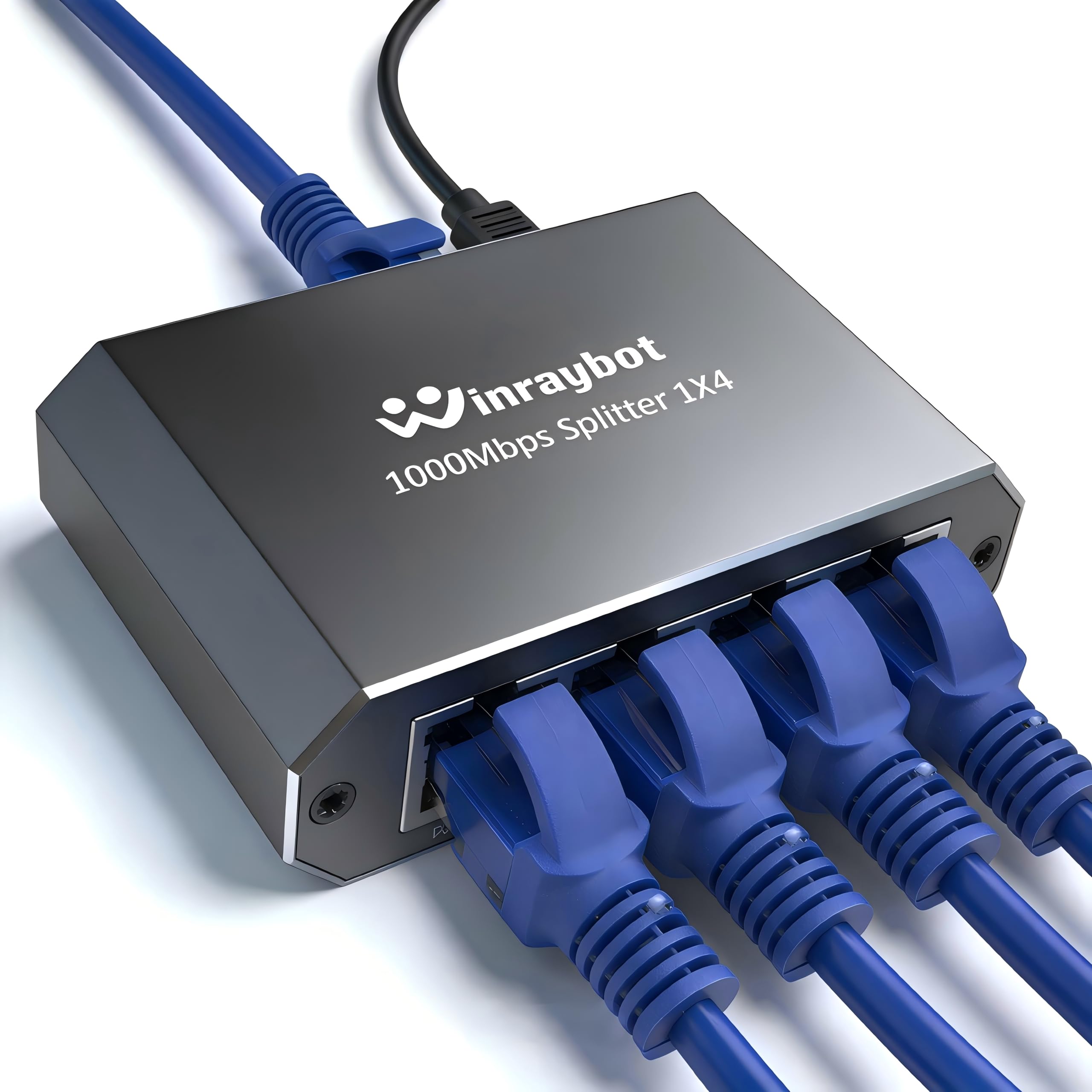
The WinRaybot is a solid entry-level switch for users who simply need to expand a single Ethernet drop without any frills. The four Gigabit ports deliver 1000 Mbps per connection, and the aluminum alloy housing keeps the unit lightweight at just 2 ounces. Power is supplied via the included USB cable, which means you can plug it into a USB port on your router or any standard 5V adapter.
The switch supports auto MDI/MDIX, so you don’t need crossover cables. It works with Cat5 through Cat8 cabling and is compatible with Starlink, ADSL modems, routers, and any standard network device. Each port has two indicator LEDs for clear visual feedback on link status and activity. The compact 2×0.5×2 inch footprint hides easily behind a desk or entertainment center.
Buyer feedback is overwhelmingly positive, with many noting the easy setup and reliable performance for basic tasks like connecting a TV, Roku, or laptop. The unit does require the USB cable to be plugged into power to function — it is not a passive splitter. Some users reported receiving the wrong plug type, but the core hardware has proven dependable for everyday wired networking needs.
Why it’s great
- Ultra-compact aluminum alloy housing
- USB powered for flexible placement
- True Gigabit throughput at a low cost
Good to know
- Requires USB power cable to function
- No PoE support at all
- Some compatibility issues with specific routers
7. Binardat 1 to 3 Gigabit Network Splitter
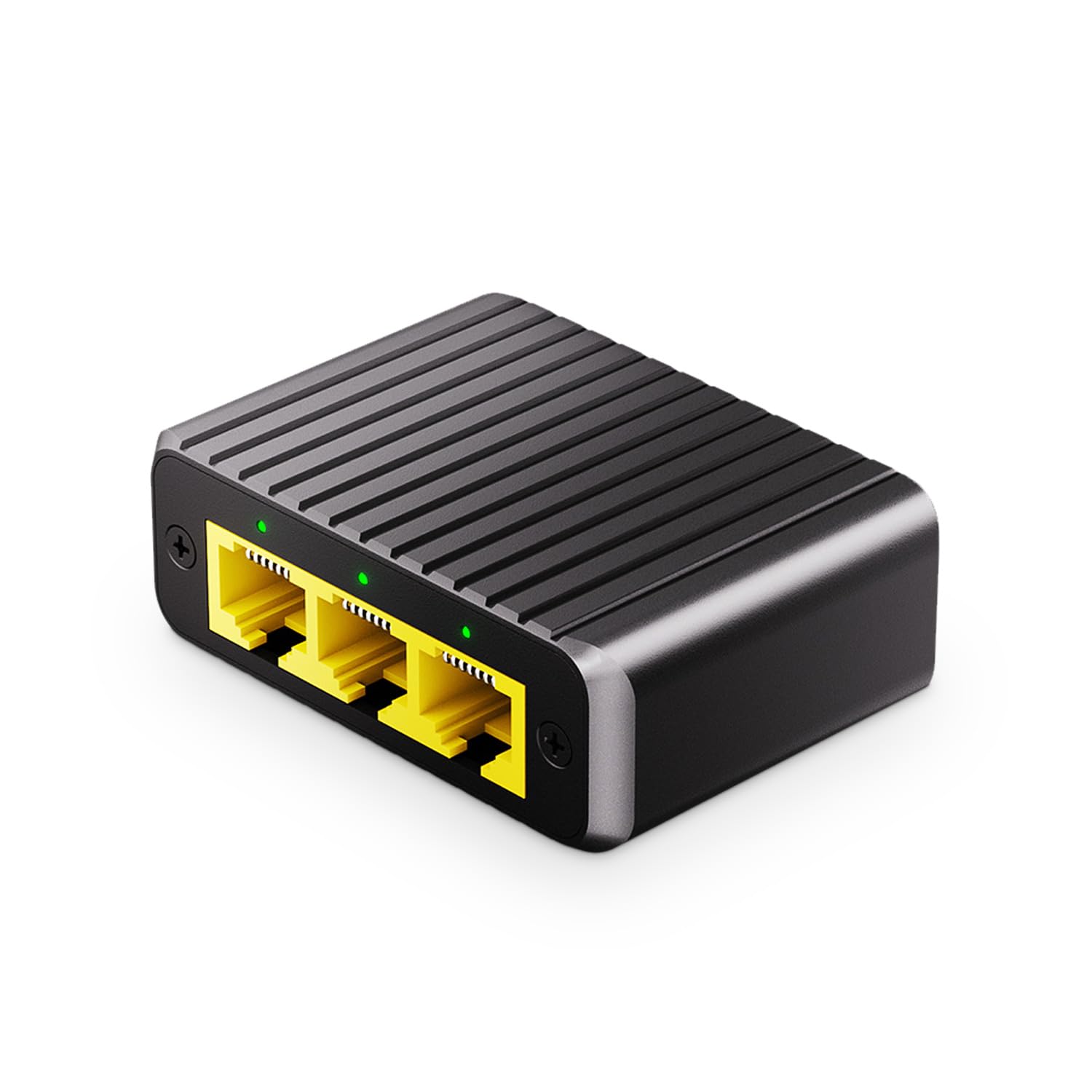
Binardat’s compact splitter takes a slightly different approach — it is designed as a 1-to-3 port expansion device rather than a traditional 4-port switch. One Gigabit port serves as the input from your router, and three Gigabit ports provide output to your devices. The Type-C power supply draws just 1.4 watts, making it one of the most energy-efficient options available. You can power it directly from a USB port on your router or any USB wall adapter.
The metal case provides better heat dissipation than plastic alternatives, and the fanless design means zero noise during operation. LED indicators on each port show connection status clearly. The plug-and-play nature means no configuration required — just connect the Type-C power cable, link the input to your network source, and plug in your devices. It works with Cat5 through Cat8 Ethernet cables.
Users consistently praise the ultra-fast performance for gaming consoles, laptops, and streaming devices, noting that it delivers full Gigabit speeds without data rate degradation. The unit has helped people wire up locations with weak WiFi, providing a stable wired connection to a TV and a Roku simultaneously. One negative review reported splitting issues, but the overwhelming majority of feedback rates it five stars for its simplicity and effectiveness.
Why it’s great
- Ultra-low 1.4W power consumption
- Type-C powered for modern device compatibility
- Durable metal case with silent operation
Good to know
- Only 3 output ports, not 4
- No PoE or management features
- Power cable must remain connected to function
FAQ
Can I plug a 4 port network switch into another switch to add more ports?
Does a network switch reduce internet speed or add lag?
What is the difference between a switch and a router?
Why would I need a managed switch for my home?
Can a PoE switch damage non-PoE devices?
Final Thoughts: The Verdict
For most users, the 4 port network switch winner is the Binardat 4 Port 2.5G Web Managed Switch because it delivers both multi-gig speed and essential management features in a silent, space-saving metal chassis. If you want a straightforward plug-and-play upgrade to 2.5G without management complexity, grab the MokerLink 2.5G + SFP. And for weatherproof outdoor installations where PoE cameras need reliable power, nothing beats the YuanLey Outdoor PoE Switch.