
Our readers keep the lights on and my morning glass full of iced black tea. As an Amazon Associate, I earn from qualifying purchases.
You sit down to work, and there it is — the dance of unplugging your mouse to plug in a flash drive, then swapping back. A 4 Port USB Hub ends that shuffle by turning one cramped laptop port into four accessible slots, all working at once. But not every hub handles the load the same way — some struggle with multiple drives, some get finicky with power, and a few just work silently for years. This guide cuts through the noise to show you which compact splitter actually delivers stable transfers and which ones leave you hunting for a wall outlet.
I’m Min — the co-founder and writer behind Gadgets Feed. This guide is built by comparing the manufacturers’ published specifications and the patterns across verified customer reviews, so you get each pick’s real strengths and trade-offs instead of marketing spin.
Whether you need a no-fuss travel companion or a powered station for external hard drives, these reviews cover the top contenders for the 4 port usb hub market, with a focus on real-world data speeds, build quality, and the quirks that only show up after months of daily use.
How To Choose The Best 4 Port USB Hub
Picking the right hub comes down to two things: what you plug into it and where you use it. A bus-powered hub (one that draws all its power from your laptop’s single USB port) is fine for a mouse, keyboard, and a flash drive. But the moment you connect a portable hard drive or try to charge a phone, that same hub can cause dropouts, corrupted files, or painfully slow transfers. That is where a powered hub — one with its own wall adapter — changes everything, delivering a steady 900mA (milliamps — the measure of electrical current) per port so every device gets what it needs. Always match the hub’s power delivery to your most demanding gadget.
Port Spacing and Physical Design
A surprising number of buyers report the same frustration: bulky USB drives or oddly-shaped connectors block adjacent ports, turning a “4 port” hub into a 2-port hub in practice. Before buying, look closely at the hub’s layout. Some designs (like the Cable Matters Ultra Mini) lay ports flat, which helps with wide plugs, while others (like the Acer USB Hub) space them out along a slim bar. If you regularly use chunky thumb drives or right-angle connectors, port spacing matters just as much as speed.
Data Transfer Speed vs. Real-World Performance
Every USB 3.0 hub on this list advertises 5Gbps (gigabits per second — a measure of data speed). That number is the ceiling, not the floor. Real-world performance depends on the speed of your flash drive or hard drive, the quality of the hub’s internal chipset, and whether the hub is sharing bandwidth across all four ports at once. A well-designed hub maintains full speed on each port simultaneously; a cheap one throttles when all four are active. Look for hubs with a dedicated controller chip (like the GL3510 in the Acer hub) for consistent throughput.
Quick Comparison
On smaller screens, swipe sideways to see the full table.
| Model | Category | Best For | Key Spec | Amazon |
|---|---|---|---|---|
| Anker 4-Port Aluminum Hub | Premium | Premium build & desk stability | 5 Gbps, aluminum unibody | Amazon |
| SABRENT HB-UM43 | Mid-Range | Individual port switches | 2.2 oz, 5Gbps, 2ft cable | Amazon |
| StarTech ST4300USB3 | Premium | IT pro reliability & power | 5Gbps, 900mA per port | Amazon |
| Belkin F4U058TT | Premium | Powered charging & Mac setup | 5Gbps, AC power adapter | Amazon |
| Acer USB Hub A4A03 | Mid-Range | USB-C power input for stability | 5Gbps, GL3510 chip, 4ft cable | Amazon |
| SABRENT HB-UMP3 | Mid-Range | Powered adapter & LED switches | 5Gbps, 2.5A adapter | Amazon |
| Cable Matters Ultra Mini | Budget | Ultra-portable travel companion | 5Gbps, 1 oz, 5 inch cable | Amazon |
In‑Depth Reviews
1. Anker 4-Port USB A Hub Unibody Aluminum

5 Gbps transfer speeds and a solid aluminum unibody make the Anker 4-Port Hub the top pick for anyone who wants a desk that looks clean and a device that stays cool even after hours of transferring large files.
Owners mention real-world read speeds hitting 154-155 MB/s (megabytes per second — the actual file-copy speed you see on screen), and the included hook-and-loop strap lets you secure it to your desk so it never slides around. It also handles USB audio interfaces and Nintendo Switch accessories without dropouts, a flexibility that cheaper hubs often lack. The data transfer rate reaches 5 Gbps, which means an HD movie moves in seconds rather than minutes.
The honest catch is that the 2-foot cable is slightly stiff and may feel short if your laptop sits on a tall stand — a few buyers wished for an extra 6 inches. Still, for pure build quality and a hub that stays cool under load, this is the one to beat. A confident one-line verdict: the Anker is the premium desk companion that does not cut corners on heat management or throughput.
Why it’s great
- Aluminum construction dissipates heat effectively — never gets hot to the touch
- 5 Gbps real-world transfers, verified by buyers at 154+ MB/s read speeds
- Compact candy-bar size fits in any bag or pocket
Good to know
- Stiff 2-foot cable can pull the hub; plugging/unplugging often needs two hands
- Not designed for charging high-power devices or 3.5-inch external hard drives
2. SABRENT 4-Port USB 3.0 Hub with Individual LED Power Switches (HB-UM43)

While the Anker leads on build quality, the SABRENT HB-UM43 beats it in one critical area: each of its 4 ports has its own LED-lit power switch, letting you toggle devices on and off without yanking cables — a feature that saves wear on connectors and is missing from the Anker entirely. At 2.2 ounces, it is 47% heavier than the SABRENT HB-UMP3 (which weighs just 1.5 ounces), giving it a more solid feel on the desk despite its slim 0.62-inch profile.
The 2-foot cable provides enough reach for most setups, and the switches are tactile enough to feel a click with each press.
Choose this SABRENT over the Anker if port-by-port control matters more to your workflow than an aluminum shell — or if you frequently connect and disconnect peripherals like YubiKeys or audio interfaces throughout the day. A confident one-line verdict: the HB-UM43 delivers the best per-port control in this lineup at a mid-range price.
Where it shines
- Individual LED switches allow selective device control — no more unplugging
- Works reliably with Macs and audio interfaces without external power
- Lightweight 2.2 oz build with a slim, portable footprint
Worth noting
- Bright blue LED light bleeds between switch buttons — can be distracting in a dark room
- Not a powered hub; high-draw devices like external hard drives may need separate power
3. SABRENT 4 Port USB 3.0 Hub with Individual LED Lit Power Switches, Includes Power Adapter (HB-UMP3)

If you connect external hard drives or multiple power-hungry devices, this is the hub that fixes the biggest weakness of bus-powered models: it includes a 2.5A (2.5 amp — enough current to keep multiple drives spinning reliably) power adapter. Customers note it “works with multiple external drives” and improves performance compared to previous underpowered hubs, and one reviewer using Logic Pro on a Mac Studio confirmed it allows the computer to sleep properly while keeping MIDI gear connected.
At just 1.5 ounces, it is significantly lighter than the HB-UM43 (a 47% weight difference), but buyers also note a real trade-off: “port spacing is tight” — wide USB connectors or chunky thumb drives often block the adjacent port, effectively turning it into a 2- or 3-port hub with bulky gear. The individual switches still work well, and the included power supply takes the strain off your laptop’s single USB port.
The standout spec here is the bundled 2.5A power adapter, which no other mid-range hub in this list includes — making it the right call if you regularly run external drives alongside your mouse and keyboard.
What stands out
- Includes 2.5A power adapter for reliable multi-drive operation
- Individual LED-lit switches enable power control per port
- Works with or without the power adapter for flexibility
The trade-offs
- Ports are tightly spaced — wide connectors may block adjacent ports
- Some reviewers point out blue LED light leaks between switch buttons
4. Acer USB Hub 4 Ports with Type C Power Port

The single number that matters most in a hub is often cable length, and the Acer delivers a 4-foot cable — twice as long as the Anker’s 2-foot lead and 9.6 times longer than the Cable Matters’ 5-inch tail — which means you can route it behind a desk or reach a tower PC on the floor without an extension. It also packs the GL3510 chip (a dedicated controller that manages data traffic across ports), which shoppers say keeps “4 ports work simultaneously with no speed degradation.”
The catch is that the USB-C port on this hub is strictly for power input, not data or charging other devices — it delivers 5V (volts — the electrical pressure) to stabilize the four USB-A ports when connecting hard drives. Without that power, external HDDs may not work reliably, as multiple reviewers noted. At 68 grams (about 2.4 ounces) and a slim 0.35-inch height, it remains very portable despite the longer cable.
For the price, you are getting a chipset (GL3510) and cable length (4ft) that are rare at this tier, alongside the reassurance that Acer engineering backs the thermal design. A price-to-value line: if cable reach and chipset quality are your deciding factors, the Acer punches above its weight on both.
The upsides
- 4-foot cable is the longest in this roundup — ideal for desktop towers
- GL3510 chip maintains full speed across all 4 ports simultaneously
- Slim 0.35-inch profile and lightweight design for travel
Keep in mind
- USB-C port is for power input only, not data or charging devices
- External hard drives require the USB-C power connection to function
5. StarTech.com 4-Port USB 3.0 SuperSpeed Hub with Power Adapter (ST4300USB3)

What you actually get at this lower price is a hub that delivers up to 900mA per port (nearly 5 amps total across all ports), matching the USB 3.0 spec for power-hungry peripherals like external DVD burners and 2.5-inch hard drives. At 3.7 inches long and 0.9 inches tall, it is bulkier than slim SABRENT options, but that extra space means the ports are better spaced for wide connectors.
Buyers consistently praise its reliability: one reviewer called it “tiny but mighty,” noting it daisy-chains with other hubs without losing speed or power. The included power adapter provides isolation for electrically noisy devices, which can prevent data corruption on sensitive drives. Another buyer who benchmark tested it confirmed “no speed loss vs. direct connection” to the computer’s USB port.
The downside, as a few buyers reported, is that the included power supply is 2A (2 amps) while the USB 3.0 spec technically calls for 3.6A+ — and the included USB 3.0 cable failed on day 2 for one reviewer. StarTech backs it with a 2-year warranty and free lifetime tech support, which takes the sting out of those early quality hiccups. This is the exact budget buyer it is perfect for: someone who needs guaranteed per-port power for IT-level workloads and wants the most spec-compliant option here.
Why we’d pick it
- 900mA per port handles multiple external drives reliably
- Daisy-chains with other hubs without speed loss
- 2-year warranty and lifetime tech support from StarTech
A few caveats
- Included 2A power supply is below the 3.6A USB 3.0 spec recommendation
- Some buyers report the bundled USB 3.0 cable fails early
6. Belkin 4-Port USB 3.0 Hub – SuperSpeed Powered Station (F4U058TT)

This Belkin hub is specifically for the Mac user who has tried other hubs and watched them fail with external drives — one reviewer stated it was the “ONLY ONE THAT WORKED WITH MACBOOK PRO” for running 3 self-powered external hard drives, outperforming Firewire 800 in transfer speeds. At 0.14 pounds (about 2.2 ounces), it is light enough to travel, but the included AC power adapter keeps each port’s power steady for reliable charging and data access.
The feature that serves this buyer best is the ability to charge connected devices when plugged into AC power — each of the four USB-A ports can deliver robust power output, meaning you can top up an iPhone or iPad while also running a printer and a flash drive. Owners mention it works well with multiple USB 3.0 and 2.0 drives (WD, Seagate) including bus-powered models, and it fits in tight desk spaces thanks to its slim profile.
The honest limit is that some Mac users have experienced intermittent issues — drives failing to mount or spontaneously ejecting — and the Micro-B receptacle (the port on the hub where the computer cable plugs in) can become unreliable over time on certain MacBook Pro models. Keep it on a stable desk rather than jostling it in a bag. A gentle caution about its one weakness: if you use a newer MacBook Pro, test the hub early in your return window for Micro-B port compatibility.
Strong points
- AC-powered hub provides robust charging for phones and tablets
- Works reliably with multiple 3.0 and 2.0 external drives on Mac setups
- Compact and travel-friendly at 0.14 pounds
Before you buy
- Some Mac users report issues with drives spontaneously ejecting
- Micro-B receptacle may become unreliable on certain MacBook Pro models
7. Cable Matters Ultra Mini 4 Port USB Hub (USB 3.0 Hub)
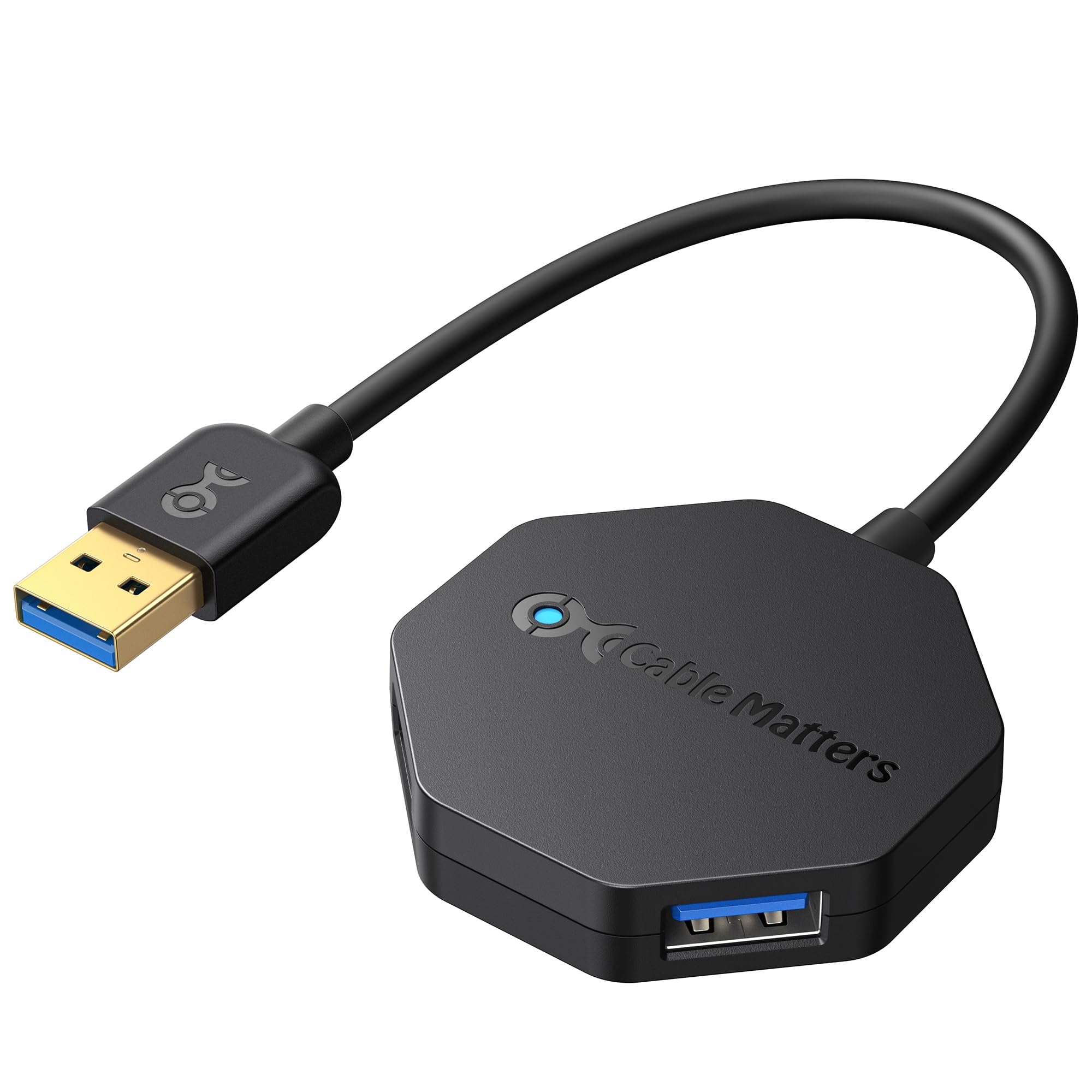
At the budget end of the field, the Cable Matters Ultra Mini delivers remarkable value: a 1-ounce footprint (about the weight of a paperclip) that expands to 4 USB 3.0 ports with 5 Gbps capability. At 2 inches square and 0.4 inches tall, it is the smallest hub in this roundup — over 2.1x smaller in length than the Acer hub’s 4.13-inch body — and the integrated 5-inch flexible cable tucks back into the hub itself for carrying in a laptop bag pocket.
What you give up is power and reliability under heavy loads. Some buyers reported the hub was “initially unstable with 3 Sandisk 128GB flash drives” causing disconnection issues, and the Logitech MX Master mouse receiver caused cursor jumping on all ports with a 2015 MacBook Pro. These are classic signs of a bus-powered hub running out of juice when multiple high-draw devices are connected simultaneously. For a mouse, keyboard, and a single flash drive, it works fine — but push it harder and it shows its limits.
This is the perfect hub for the traveler who needs a tiny emergency splitter for lightweight peripherals — not for the desktop worker running external drives or audio interfaces. The one clear reason to choose it: you want a backup hub that disappears into a laptop sleeve and handles basic mouse-keyboard-flash drive duty without fuss.
What we like
- Ultra-compact 2×2 inch design fits in any bag pocket
- Weighs only 1 ounce — barely noticeable in a laptop case
- Octagonal layout allows roomy access to all four ports despite small size
The downsides
- Not powerful enough for multiple high-capacity flash drives or external HDDs
- Some compatibility issues reported with specific wireless mouse receivers
Understanding the Specs
Data Transfer Rate (5 Gbps)
Every USB 3.0 hub in this guide supports up to 5 Gbps (gigabits per second — a measure of how fast data moves between your computer and the connected device). That is about 10 times faster than USB 2.0, which maxes out at 480 Mbps. In real terms, a 1 GB movie transfers in about 2 seconds at full speed, though actual speed depends on your drive’s own read/write limits and the hub’s chipset quality.
Bus-Powered vs. Powered
Bus-powered hubs (like the Cable Matters Ultra Mini and the Anker) draw all their electricity from your computer’s single USB port — typically providing up to 500mA (milliamps) per port. Powered hubs (like the StarTech and Belkin) come with their own wall adapter, delivering 900mA or more per port. The difference matters most when connecting external hard drives, which can need 500-900mA each; a bus-powered hub may cause dropouts or corruption under that load.
FAQ
Can I use a 4 Port USB Hub to charge my phone or tablet?
Why does my external hard drive disconnect when using a bus-powered hub?
Will a 4 Port USB Hub slow down my data transfer speeds?
Final Thoughts: The Verdict
If you want one dependable pick, the 4 port usb hub winner is the SABRENT HB-UM43 because it blends per-port control switches, proven long-term reliability (reviewers point out 5+ years of flawless use), and a slim bus-powered design that works for most everyday peripherals. If you need a premium desk piece with superior heat dissipation and a rock-solid aluminum build, grab the Anker 4-Port Aluminum Hub. And for powering external hard drives without fear of dropouts or data loss, the standout is the StarTech ST4300USB3 with its 900mA per port and 2-year IT-grade warranty.