
A $400 laptop budget sits exactly in the zone where one wrong spec choice can turn your machine into a sluggish paperweight within six months. The processor, RAM count, and storage type here vary wildly between genuinely usable daily drivers and devices that struggle with a dozen browser tabs. The difference between a smart pick and a frustrating mistake comes down to knowing which compromises are acceptable and which are deal-breakers at this price point.
I’m Min — the co-founder and writer behind Gadgets Feed. I’ve spent hundreds of hours analyzing the technical specifications, customer durability reports, and real-world performance benchmarks of sub- laptops to build this guide. My focus is on separating the usable from the obsolete, so you can spend your money on a machine that actually works.
After rigorously sifting through processor generations, RAM configurations, display resolutions, and real customer feedback across dozens of models, this analysis delivers the definitive list of the best $400 laptop options available right now, ranked by real-world usability and long-term value.
How To Choose The Best $400 Laptop
The $400 price bracket is a minefield of enticing specs and hidden compromises. You will find machines advertising a massive screen size or an appealing storage number, but the processor generation and RAM capacity are the true determinants of whether the laptop will feel fast or frustratingly slow. Below are the critical factors to evaluate before clicking buy.
RAM: 8GB is the Absolute Minimum
Windows 11 itself consumes between 3GB and 4GB of RAM on a fresh boot. With 4GB of RAM, opening a browser with a few tabs will max out the system, causing lag and stuttering. Always target 8GB as the baseline. The best configuration is 16GB, but that is rarer at this price. If you can find a model with a single slot that allows for a future RAM upgrade, that is a major long-term advantage.
Processor: Newer Intel N-series vs. Older Core i5/i7
New budget laptops in this range often use Intel’s N100 or N150 processors. These are fine for basic web browsing, document editing, and video streaming. However, a renewed business laptop with an Intel Core i5-8265U or better will deliver significantly more multi-core performance for multitasking and heavier applications. The trade-off is that you are buying a used or refurbished machine, which carries some risk regarding battery health and cosmetic wear.
Storage: SSD is Non-Negotiable, Watch for eMMC/UFS
An SSD (Solid State Drive) is mandatory for a responsive system. Avoid any laptop with a traditional spinning hard drive (HDD) as the primary drive; it will feel unbearably slow. Also, be aware that some budget models use UFS (Universal Flash Storage) or eMMC storage, which is slower than a proper NVMe SSD. While 128GB of UFS is acceptable for light use, a 256GB or 512GB SSD is far preferable for both speed and capacity.
Quick Comparison
On smaller screens, swipe sideways to see the full table.
| Model | Category | Best For | Key Spec | Amazon |
|---|---|---|---|---|
| NIMO 15.6″ AMD Ryzen 5 | Premium | Best Overall Performance | 16GB RAM / 512GB SSD | Amazon |
| Dell Latitude 5400 (Renewed) | Premium | Power Multitasker | 32GB RAM / 1TB SSD | Amazon |
| ASUS Vivobook Go 15 | Mid-Range | AMD Ryzen Efficiency | Ryzen 5 7520U / 512GB SSD | Amazon |
| Acer Aspire Go 15 | Mid-Range | Best New-Unit Specs | 8-Core Intel N355 / 8GB DDR5 | Amazon |
| HP 14″ AI Copilot | Mid-Range | All-In-One Bundle | 16GB RAM / 128GB+500GB | Amazon |
| NIMO 15.6″ N100 | Mid-Range | Feature-Rich Budget | 16GB RAM / 256GB SSD | Amazon |
| Lenovo IdeaPad Slim 3i | Budget | Basic Daily Tasks | Intel N100 / 128GB SSD | Amazon |
| HP 14″ Office 365 (Tranquil Pink) | Budget | Entry-Level with Office | 4GB RAM / 128GB UFS | Amazon |
| HP 15.6″ i3-7100U | Budget | Old HDD Workhorse | 4GB RAM / 1TB HDD | Amazon |
| SGIN 15.6″ Celeron | Budget | Lowest-Power Tasks | 4GB RAM / 128GB SSD | Amazon |
In‑Depth Reviews
1. NIMO 15.6″ IPS FHD Laptop, 16GB RAM 512GB SSD AMD Ryzen 5

The NIMO N152 stands out as the rare $400 laptop that feels like a machine on paper. An AMD Ryzen 5 processor paired with 16GB of DDR4 RAM and a 512GB PCIe SSD is a configuration that can handle moderate multitasking, light photo editing, and even some older Steam titles like Skyrim or Left 4 Dead 2 without choking. The 15.6-inch 1080p IPS anti-glare display with an 85% screen-to-body ratio delivers sharp visuals that put the 1366×768 panels found on many competitors to shame.
A metal A-shell gives the chassis a premium, rigid feel that resists flex under typing pressure, and the backlit keyboard includes useful touches like CapsLock and NumLock indicator lights. The 65W USB-C PD fast charger is a major convenience, letting you charge the laptop from a single cable that also works with phones and tablets, and a 15-minute top-up provides roughly two hours of use. The 2-year manufacturer warranty and 90-day return window provide strong peace of mind for a budget purchase.
Battery life comes in at around 5 to 6 hours of real-world web surfing and email, which is average for the category but not outstanding. The front-facing camera is grainy and lacks clarity for video calls, and the included charger brick is bulkier than slim GaN alternatives. The audio from the bottom-firing speakers is acceptable for casual listening but lacks bass. Overall, this is the most balanced and future-proof configuration available near the $400 ceiling.
Why it’s great
- 16GB RAM and 512GB SSD are exceptional for the price bracket
- AMD Ryzen 5 outperforms Intel N-series processors in multi-core tasks
- USB-C PD fast charging reduces cable clutter
- 2-year warranty and metal build offer durability confidence
Good to know
- Battery life is around 5 hours in practical use
- Webcam quality is poor for video conferencing
- Charger adapter is physically bulky
2. Dell Latitude 5400 14″ HD, Core i5-8265U, 32GB RAM, 1TB SSD (Renewed)

The Dell Latitude 5400 is a refurbished business-class machine that obliterates the performance ceiling of new budget laptops. An Intel Core i5-8265U from the 8th generation offers four cores and eight threads, which still holds up well against modern N-series processors for productivity workloads like spreadsheets, email, and having 30 browser tabs open simultaneously. The 32GB of RAM is frankly overkill for a $400 laptop, but it guarantees that you will never hit a memory bottleneck for years.
The 1TB NVMe SSD provides lightning-fast boot times and ample storage for a large media library or project files. The build quality is typical of the Latitude line: a robust, serviceable chassis designed for corporate lease cycles, with a keyboard that offers good tactile feedback for extended typing sessions. Port selection includes Thunderbolt, HDMI, USB 3.1, and a webcam, making it a genuinely versatile machine for office or home use. The 14-inch form factor is lightweight and portable compared to most 15.6-inch budget alternatives.
The major caveats are tied to its refurbished nature. Battery health varies between units — some users report excellent longevity while others note a need for battery optimization upon arrival. There is a risk of minor cosmetic wear, and one reviewer reported a loose USB port. The 1366×768 display is the weakest link; it lacks the sharpness of a 1080p panel, which is a notable downgrade when editing documents or watching video. The Core i5 architecture also lacks modern features like Wi-Fi 6, sticking to Wi-Fi 5.
Why it’s great
- 32GB RAM and 1TB SSD provide elite multitasking capacity
- Core i5-8265U outperforms new budget CPUs in multi-core tasks
- Business-grade keyboard and Thunderbolt port
- Lightweight and portable 14-inch chassis
Good to know
- 1366×768 display is a major resolution compromise
- Refurbished battery health may require management
- Lacks Wi-Fi 6 support
- Refurbished units carry cosmetic and minor hardware risk
3. ASUS Vivobook Go 15.6″ Slim Laptop, AMD Ryzen 5 7520U, 8GB, 512GB

ASUS packs a real AMD Ryzen 5 7520U processor into this slim 15.6-inch chassis, offering a significant performance advantage over Intel N-series chips for CPU-bound tasks. Combined with 8GB of RAM and a 512GB SSD, this configuration handles web browsing, office suites, and even light photo editing with responsive speed. The 1920×1080 NanoEdge display with slim bezels provides a much better visual experience than the 1366×768 panels that plague the category.
The laptop is surprisingly light and thin for its screen size, making it a strong candidate for students who need to carry it between classes. The SonicMaster audio system delivers clear, multi-dimensional sound that is a cut above the typical tinny laptop speakers. The webcam shield is a nice privacy touch, and the military-grade durability standard gives confidence that it can survive a bump in a backpack. USB-C connectivity allows for easy peripheral expansion.
The 8GB of RAM is soldered to the motherboard and cannot be upgraded later, which is a long-term limitation if your workload grows heavier. Some users report that the Wi-Fi driver required troubleshooting out of the box, and the plastic build does not feel as premium as a metal-chassis alternative. A 15% restocking fee applies to returns if the device is not deemed defective, so ensure compatibility before purchase. The 512GB SSD is a solid capacity sweet spot for this price.
Why it’s great
- AMD Ryzen 5 7520U offers strong multi-core performance
- 1920×1080 display with slim bezels looks sharp
- Lightweight chassis for portable use
- Good audio output for a budget laptop
Good to know
- RAM is soldered and not user-upgradeable
- Some users experienced Wi-Fi driver issues on arrival
- Plastic chassis feels less durable than metal alternatives
- Return policy includes 15% fee for non-defective units
4. Acer Aspire Go 15 AI Ready Laptop, Intel Core 3 N355, 8GB DDR5, 128GB UFS

The Acer Aspire Go 15 represents the best modern spec sheet you can buy new at this price point without going refurbished. The 8-core Intel Core 3 processor N355 is a significant step up from the dual-core N100, providing enough muscle for smooth web browsing, video streaming, and document editing. The 8GB of DDR5 RAM is faster than the DDR4 found in most competitors, contributing to snappier application loading and multitasking. The 128GB UFS storage is the weakest spec here, but it is sufficient for cloud-centric users.
The 15.6-inch 1920×1080 IPS display is the star of the show at this price, offering vibrant colors and wide viewing angles that make movie watching and document work genuinely pleasant. The dual full-function USB-C ports support up to 45W charging and display output, a rare and valuable feature in this price tier. The claimed 12.5-hour battery life is optimistic in real-world use but still excellent, with fast charging that takes the battery from empty to 93% in about 30 minutes. The Copilot key provides quick access to Microsoft’s AI assistant.
The plastic chassis scratches relatively easily, as noted by several owners, so a sleeve is recommended for daily carrying. The UFS storage is soldered and slower than a standard NVMe SSD, so heavy file transfers or large local applications may feel a bit sluggish. Some users found Windows 11 S mode restrictive and needed to switch out of it for full app compatibility. The sound quality from the speakers is adequate but lacks depth for serious media consumption without headphones.
Why it’s great
- 8-core Intel Core 3 N355 offers strong new-unit performance
- 1920×1080 IPS display is sharp and colorful
- Dual USB-C with PD and display output is a standout feature
- Excellent fast charging and long battery life
Good to know
- 128GB UFS storage is limited and slower than proper SSDs
- Plastic body scratches much easier than metal
- Runs Windows 11 in S mode by default
- Speakers are average for media consumption
5. HP 14 Laptop Student Business 2025, 13th Gen Intel N150, 16GB RAM, 628GB Storage
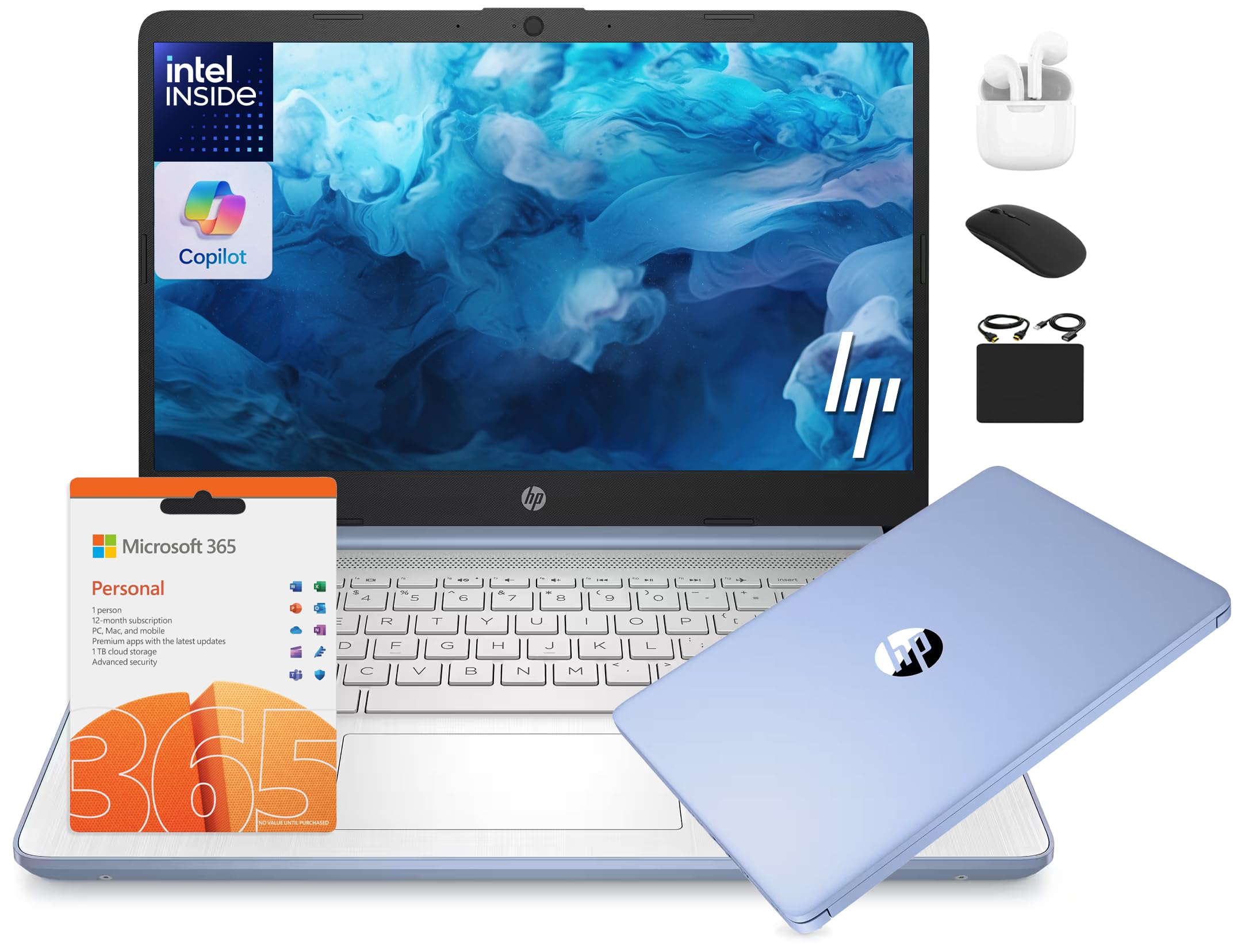
This HP 14-inch model balances 16GB of DDR4 RAM with a 128GB UFS drive and a bundled 500GB external hard drive, giving you a total of 628GB of usable storage out of the box. The 13th Gen Intel N150 processor (up to 3.6 GHz) handles basic productivity and web tasks without issue, and the 1-year Microsoft Office 365 subscription bundled with the accessory kit adds significant value for students or office users who would otherwise need to purchase software. The AI Copilot integration allows for voice- or text-based queries through Windows.
The 14-inch HD (1366×768) anti-glare display, while not Full HD, is adequate for document work and casual web browsing, and the anti-glare coating helps reduce reflections in bright rooms. The 720p HP True Vision webcam with dual array microphones is sufficient for Zoom and Google Classroom sessions. The accessories package — wireless earbuds, an external drive, a mouse, and cables — means you get everything needed to start working immediately without additional purchases. The sky blue color is a nice aesthetic touch.
The 128GB UFS internal storage is the primary bottleneck here; it is significantly slower than an NVMe SSD for boot times and application loading. The 1366×768 resolution is a noticeable step down from a 1080p panel for reading text or watching video. Multiple customer reviews report units that failed during initial setup or developed issues with the SSD stopping detection, and the seller’s customer service has been described as unresponsive. The N150 processor is entry-level, so heavy multitasking or video editing is off the table.
Why it’s great
- 16GB of RAM is excellent for multitasking at this price
- Includes 1-year Office 365 and a full accessory bundle
- AI Copilot integration adds voice-control functionality
- Anti-glare display aids outdoor or bright-room use
Good to know
- UFS internal storage is slow compared to SSD
- 1366×768 resolution feels dated next to 1080p panels
- Customer service and reliability reports are mixed
- N150 processor is entry-level, not for heavy use
6. NIMO 15.6″ FHD Laptop, 16GB RAM 256GB SSD, Intel N100, Backlit Keyboard, Fingerprint

The NIMO N100 laptop aggressively targets the features that buyers want most at this price: 16GB of RAM, a 256GB SSD, a 15.6-inch 1080p display, a backlit keyboard, and a fingerprint sensor. All of these are present in a single package that costs under $400, making it one of the most spec-dense offerings in the entire price bracket. The Intel N100 processor is a solid entry-level chip for web browsing, streaming, and document work, and the 65W USB-C PD charging keeps cables minimal.
The 1080p display with an 85% screen-to-body ratio delivers a modern viewing experience that avoids the dated look of cheaper HD panels. The fingerprint sensor allows for fast Windows Hello login, and the backlit keyboard is a rare luxury at this price point that makes late-night typing easier. The 2-year manufacturer warranty and 90-day return policy are above average for the category. The 12th Gen N100 processor has an efficiency advantage over older chips, translating to decent battery life for light workloads.
The N100 processor is a quad-core design that will show its limits under heavy multitasking or if you try to run demanding applications. The speakers are weak in volume and lack stereo depth, making headphones a necessity for enjoyable media consumption. Some users reported the laptop running warm under load, requiring a flat, ventilated surface for best performance. The backlight timeout is short and cannot be customized, and the included charger is a large brick that blocks other outlets on a power strip.
Why it’s great
- 16GB RAM, 256GB SSD, 1080p display, and fingerprint sensor in one package
- USB-C PD charging for travel convenience
- 2-year warranty provides strong buyer protection
- Backlit keyboard is a premium-feeling addition
Good to know
- N100 processor is entry-level and struggles with heavy tasks
- Speakers are quiet and lack bass
- Runs warm when placed on soft surfaces
- Charger brick is physically large
7. Lenovo IdeaPad Slim 3i, 15.6″ FHD, Intel N100, 4GB RAM, 128GB SSD
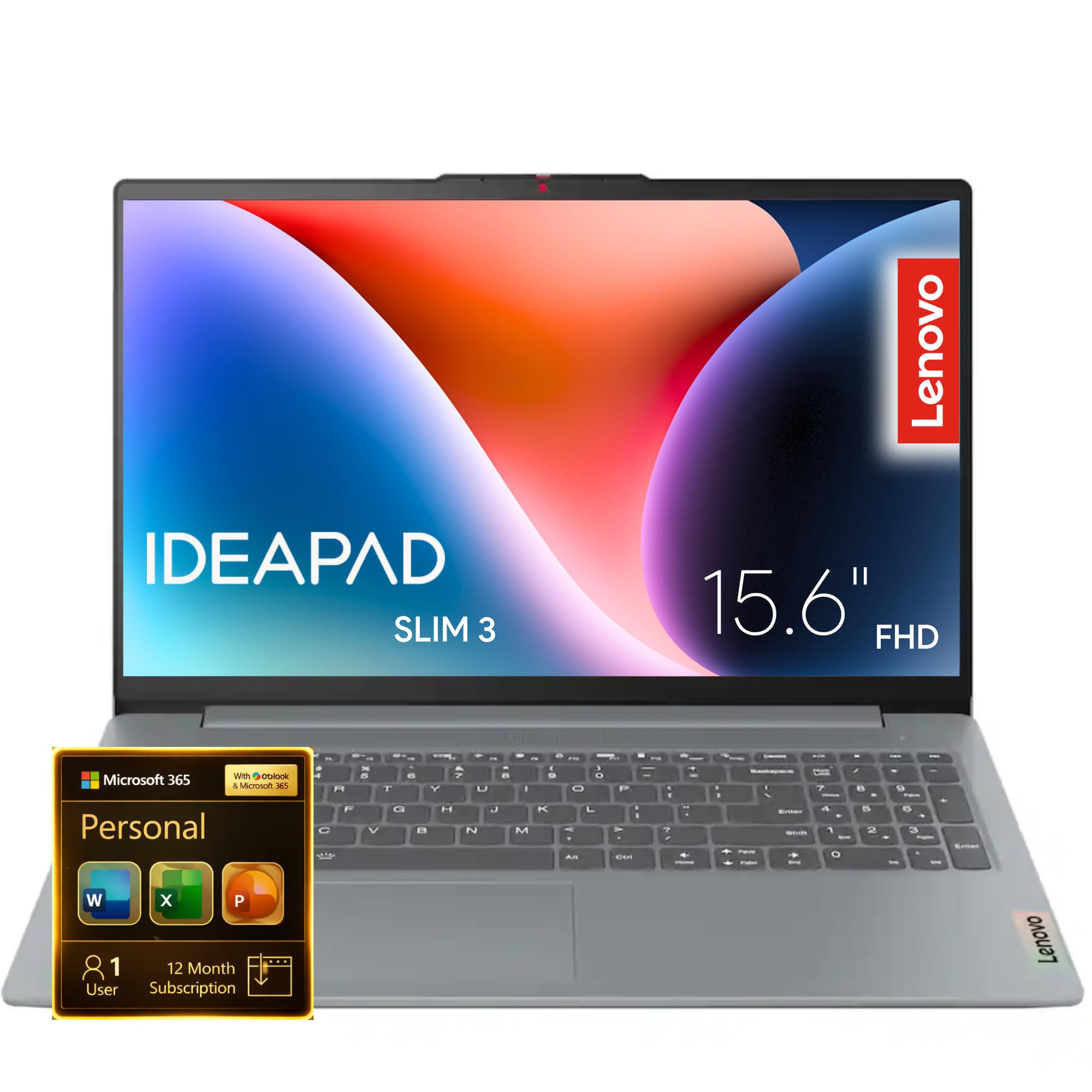
The Lenovo IdeaPad Slim 3i offers a 15.6-inch FHD display and an Intel N100 processor for under $400, but it makes a critical compromise with only 4GB of RAM. This amount of memory is insufficient for comfortable Windows 11 use — the operating system and a few browser tabs will consume nearly all available capacity, leading to frequent stuttering and slow task switching. The 128GB SSD is spacious enough for documents and a few applications, but RAM is the bottleneck that limits its usability.
The build quality benefits from military-grade durability testing, so it can withstand accidental drops or bumps better than some fragile budget alternatives. The FHD display is a genuine plus at this price, providing a crisp image for watching videos and reading text. The rapid charge feature offers two hours of use from a 15-minute charge, which is a helpful convenience. The Type-C port supports display output and power delivery, adding versatility.
Many users noted that memory usage often sits above 90%, causing the system to slow down significantly. The 128GB SSD is also on the smaller side if you store media locally. The laptop ships in Windows 11 S mode, which limits app installation to the Microsoft Store, though you can switch out freely. For a user who only needs a single-word processor and email client, the display and build are solid, but the RAM limitation is severe.
Why it’s great
- 15.6-inch FHD display offers strong visual clarity
- Military-grade durability testing for added drop protection
- Rapid Charge provides quick top-ups
- USB-C with display output and power delivery
Good to know
- 4GB of RAM is critically insufficient for Windows 11
- System will stutter once memory is exhausted
- 128GB SSD is limited for media storage
- Runs in S mode by default, limiting app choice
8. HP 14″ Laptop with Microsoft Office 365, 128GB UFS, 4GB RAM
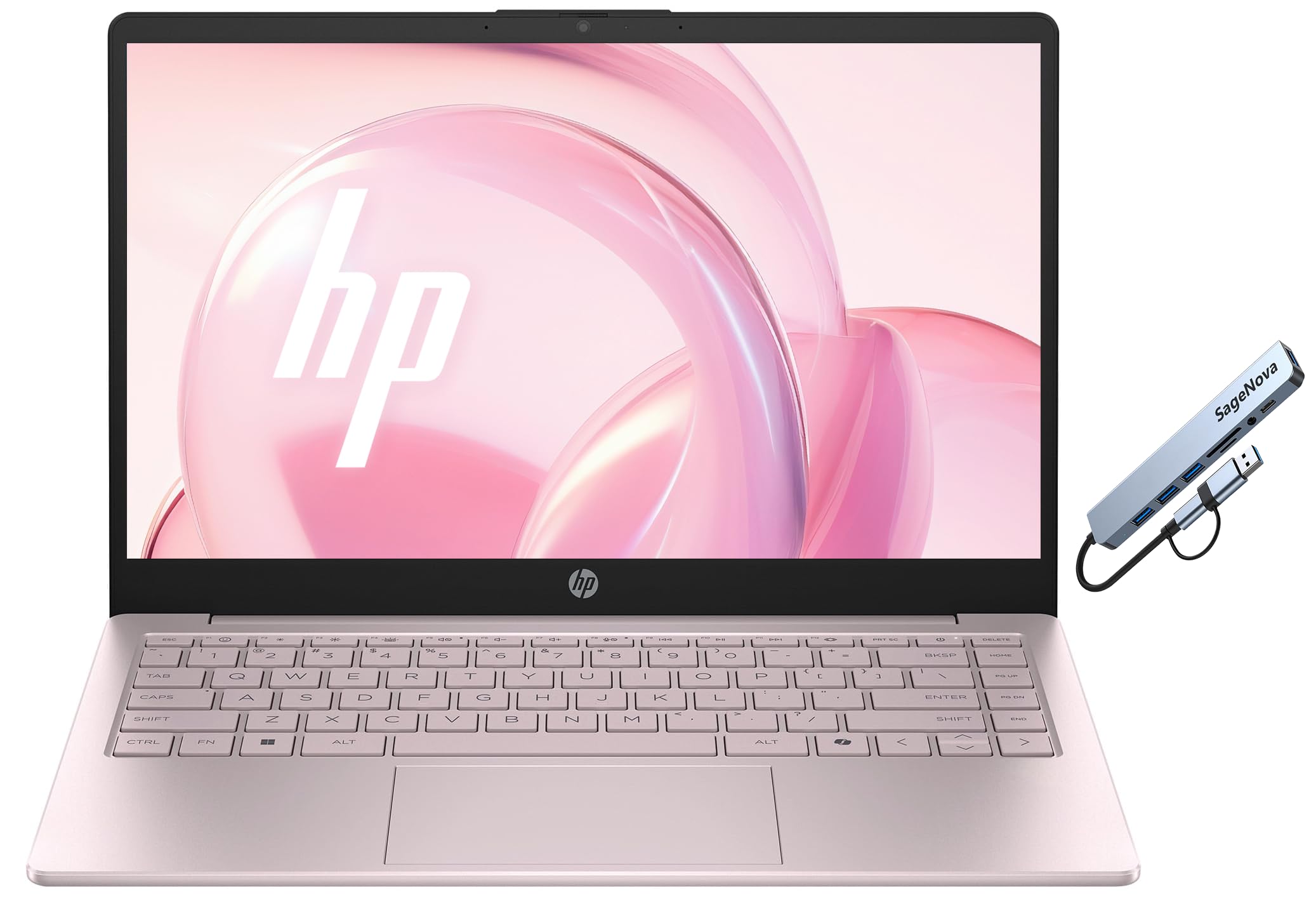
This HP 14-inch laptop is targeted at the absolute entry-level user who values a low price and a bundled 1-year Microsoft Office 365 subscription over raw performance. The Intel N150 processor is an adequate chip for light web browsing and document creation, but the 4GB of RAM paired with 128GB UFS storage creates a system that will feel strained with anything beyond a single application open. The Tranquil Pink color is a unique aesthetic choice that stands out among the sea of silver and gray.
Customer reviews consistently praise the device for being lightweight, easy to set up, and having decent battery life for basic use. Users who keep their workload to emails, web searching, and Word documents report satisfaction with the speed and feel of the device. The 14-inch LED display is manageable for portable use, and the included webcam allows for video calls without an external purchase. The bundled Office 365 subscription is a tangible saving for users who would otherwise pay for the software separately.
The 1366×768 display resolution is noticeably pixelated for reading text or enjoying HD video content. The UFS storage is not as fast as an SSD, resulting in slower boot times and application loading. The lack of a Thunderbolt port limits external monitor and high-speed peripheral options. This laptop is strictly for the most minimal of computing needs.
Why it’s great
- Included 1-year Microsoft Office 365 saves money for students
- Lightweight and compact design for easy portability
- Good battery life for basic browsing and document work
- Unique Tranquil Pink color option available
Good to know
- 4GB RAM is too low for comfortable Windows 11 use
- 1366×768 display resolution appears dated
- UFS storage is slower than a standard SSD
- No Thunderbolt port for high-speed external connectivity
9. HP 15.6″ HD Intel i3-7100U, 4GB RAM, 1TB HDD

This HP 15.6-inch laptop relies on a 7th generation Intel Core i3-7100U processor, which is several generations old but still offers dual-core performance that can handle basic productivity tasks. The 4GB of RAM is, as with other entries in this tier, the primary weakness, limiting the machine to light single-app usage. The 1TB hard disk drive (HDD) provides a large amount of storage space for files and media, but the 5400 RPM spinning drive makes the entire system feel slow during boot, application launches, and file transfers.
The 15.6-inch HD (1366×768) BrightView display is standard for the price, adequate for basic tasks but lacking the sharpness of a 1080p panel. The large screen size is good for users who prefer a spacious display for reading or spreadsheet work. The USB 3.1 ports allow for decent peripheral speeds, and the Windows 10 operating system is a stable choice for users who want to avoid the heavier footprint of Windows 11. Customer reviews note that the laptop works perfectly for basic email and document needs.
The 1TB HDD is the biggest red flag in 2025. A mechanical hard drive as the primary drive results in boot times of 60 seconds or more, and the system will feel sluggish even when performing simple tasks like opening a web browser. The 7th generation Core i3 lacks modern security features and efficiency improvements. The 1366×768 display is noticeably inferior to 1080p panels for clarity. This device is best suited for a user storing a massive local media library who has extreme patience for slow response times.
Why it’s great
- 1TB HDD provides massive local storage for files and media
- Core i3-7100U still handles basic single-app tasks
- Large 15.6-inch display for comfortable reading
- Stable Windows 10 operating system pre-installed
Good to know
- 1TB HDD is extremely slow as a primary boot drive
- 4GB RAM limits multitasking to a single app
- 7th Gen processor lacks modern efficiency and security
- 1366×768 display is low resolution by modern standards
10. SGIN 15.6″ Laptop, Intel Celeron J4105, 4GB RAM, 128GB SSD

The SGIN 15.6-inch laptop is an ultra-budget device that packs an Intel Celeron J4105 quad-core processor, 4GB of DDR4 RAM, and a 128GB SSD. The Celeron J4105 is a low-power, entry-level chip from several years ago that struggles with modern web pages and Windows 11’s overhead. The 128GB SSD is a positive note — it provides faster boot times than an HDD — but the processor and RAM combination severely caps what the system can do. The 15.6-inch HD (1366×768) IPS display offers acceptable image quality for basic use.
The laptop includes a variety of ports: two USB 3.2 ports, a Mini HDMI, a headphone jack, and a microSD slot, providing reasonable connectivity for peripherals and external displays. The slim chassis weighs about 3.5 pounds, making it genuinely portable for its screen size. The 38,000 mWh battery is advertised for up to 8 hours, though real-world usage tends to be less. The dual-band 2.4G/5GHz Wi-Fi is a decent inclusion for stable internet connectivity.
The processor is the primary bottleneck; even light multitasking with a few browser tabs will cause the system to lag. Multiple customer reviews report the device failing after a few months, with issues ranging from battery drain to complete system failure. The seller’s support is described as inconsistent, with some users receiving replacements and others left without functional devices. The 4GB of RAM is critically insufficient for Windows 11, and the overall user experience is described as “very slow” by several buyers. This should only be considered for the most desperate of budgets.
Why it’s great
- 128GB SSD provides faster boot times than HDD competitors
- Lightweight 3.5-pound chassis for a 15.6-inch screen
- Reasonable port selection including USB 3.2 and Mini HDMI
- Dual-band Wi-Fi supports 5GHz for faster networking
Good to know
- Celeron J4105 processor is very weak for modern tasks
- 4GB RAM is critically insufficient for Windows 11
- Reported long-term reliability issues and customer support problems
- System lags heavily with even moderate multitasking
FAQ
Is 4GB of RAM enough for a Windows 11 laptop in 2025?
Should I buy a new N100 laptop or a refurbished Core i5 from a few years ago?
What is the difference between UFS storage and an SSD in a budget laptop?
Final Thoughts: The Verdict
For most users, the best $400 laptop winner is the NIMO 15.6″ AMD Ryzen 5 because it delivers 16GB of RAM, a 512GB SSD, a 1080p IPS display, and a capable AMD processor in a single package with a 2-year warranty — a rare combination at this price point. If you want the absolute highest multitasking capacity and are comfortable with a refurbished unit, grab the Dell Latitude 5400 with its 32GB of RAM and 1TB SSD. And for the best new-unit specs with a modern 1080p IPS display and fast charging, nothing beats the Acer Aspire Go 15.