
Our readers keep the lights on and my morning glass full of iced black tea. As an Amazon Associate, I earn from qualifying purchases.
Specs are compiled from manufacturer listings and verified buyer reviews and can change over time — please confirm the key details on the product page before buying.
The RTX 4060 hits a balance for 1080p and 1440p gaming—solid frame rates without the power draw of bigger cards. But the real headache isn’t the GPU; it’s trusting a prebuilt to deliver on its parts list without cutting corners on the motherboard, the power supply, or the RAM. The right 4060 desktop handles modern titles like Fortnite, Call of Duty, and Baldur’s Gate 3 at high or ultra settings, and it arrives ready to play rather than needing a weekend of troubleshooting.
I’m Min — the founder and writer behind Gadgets Feed. This guide is built by comparing the manufacturers’ published specifications and the patterns across verified customer reviews, so you get each pick’s real strengths and trade-offs instead of marketing spin.
if you want the best out-of-box experience, the most upgradable internals, or the smallest footprint for a tight desk, these 10 desktops represent the best places to start when shopping for a 4060 gaming pc.
Our Picks at a Glance


How To Choose The Best 4060 Gaming PC
The RTX 4060 performs consistently across prebuilts; the real differences come from the CPU, RAM, storage, and power supply. CPU generation, memory type, storage speed, and power supply quality determine whether a 4060 prebuilt stays fast for years or requires costly upgrades.
CPU generation and core count
A 13th or 14th-gen Intel Core i5 or a modern AMD Ryzen 5 or 7 gives the 4060 enough breathing room to hit high frame rates without bottlenecking. Older CPUs like the 12th-gen i5-12400F still work well for gaming, but the newer chips handle multitasking and streaming more smoothly.
DDR5 vs DDR4 RAM
DDR5 memory transfers data faster than DDR4, shaving milliseconds off load times in open-world games. If a build has DDR5 and 16GB is the baseline, that set is better prepared for future titles that will demand faster memory bandwidth.
Storage speed and capacity
A PCIe 4.0 NVMe SSD loads games and boots Windows faster than a PCIe 3.0 drive. 1TB is the practical minimum for a modern game library; anything smaller means you will be uninstalling titles fairly often.
Power supply quality
An 80 Plus Gold PSU with 500W-600W delivers stable power and headroom for future GPU upgrades. Cheap no-name PSUs cause random shutdowns and are often the first component buyers replace.
Cooling and airflow
The RTX 4060’s low 115W power draw means a well-ventilated case with front intake and rear exhaust fans is sufficient cooling. Loud fans under light load signal a poorly designed air-cooling setup.
Quick Comparison
| Model | Best For | CPU | RAM | Storage | Amazon |
|---|---|---|---|---|---|
| CyberPowerPC GXiVR8060A24★ Best Overall | Best Overall 1080p/1440p | i5-13400F | 16GB DDR5 | 1TB PCIe Gen4 SSD | Amazon |
| MSI Codex R2 A14NUC5-232USDIY Dream | Best for VR and DIY Upgraders | i5-14400F | 16GB DDR5 | 1TB m.2 NVMe SSD | $1,319.99Amazon |
| Skytech Nebula RTX 4060Best Value | Best Air-Cooled Performance | Ryzen 5 5500 | 16GB DDR4 3200 | 1TB NVMe M.2 SSD | $1,199.99Amazon |
| MXZ Gaming PC I5 12400F | Best Budget 1080p Rig | i5-12400F | 16GB DDR4 3200 | 500GB NVMe SSD | $949.00Amazon |
| ViprTech Ghost 3.0 | Best Liquid-Cooled Value | Ryzen 7 3700X | 16GB DDR4 | 1TB SSD | $939.99Amazon |
| Skytech Shadow RTX 4060 | Best for Long Play Sessions | Ryzen 7 5700X | 16GB DDR4 3200 | 1TB NVMe SSD | $1,499.99Amazon |
| MSI Aegis Z2 C7NUC-817US | Best AMD Platform for Future Proofing | Ryzen R7-7700 | 16GB DDR5 | 1TB m.2 SSD | $1,539.99Amazon |
| Dell Tower Plus EBT2250 | Best for Office + Gaming Hybrid | Core Ultra 7 265 | 16GB RAM | 1TB SSD | $1,579.99Amazon |
| TOPGRO T1-Pro Mini PC | Best Small Form Factor | i9-13900HK | 32GB DDR5 | 1TB PCIe4.0 SSD | $1,699.00Amazon |
| Evounic Liquid Cooled PC | Best for Mass Multitasking | i7 Xeon E5 Series | 64GB RAM | 512GB NVMe + 1TB HDD | $829.88Amazon |
In‑Depth Reviews
1. CyberPowerPC Gamer Xtreme VR (GXiVR8060A24)
Our pick — over 4.5★ from 700+ verified ratings; the strongest balance of quality and price.
A no-tinkering machine that hits high FPS targets right from the start.
The i5-13400F paired with 16GB DDR5 memory gives you faster data transfer than older DDR4 builds, which helps games like Fortnite and Apex Legends load quickly and run smoothly at 1080p or 1440p. The 1TB PCIe Gen4 NVMe SSD is a solid start for your game library, and the RTX 4060 8GB handles ray tracing at high settings without breaking a sweat. Buyers report the WiFi card “downloads 2x faster than Xbox,” and the four-fan setup keeps noise low during long sessions—though the same owners mention the default 16GB DDR5 is sufficient for most Steam games but easy and cheap to upgrade if you want more.
Where this CyberPowerPC falls short is connectivity. It uses WiFi 5 and Bluetooth 4.2, which is Bluetooth 4.2 versus Bluetooth 5.4 on some competitors, and the WiFi standard is a generation behind. The case also shows fingerprints easily, and a few owners mention the included mouse and keyboard are usable but not premium. Still, for the price range, this is the most balanced 4060 desktop you can buy today.
What you gain
- DDR5 memory and a fast Gen4 SSD for snappy load times.
- Clean cable management and quiet fan operation.
- 1-year parts/labor warranty with free lifetime tech support.
Trade-offs
- WiFi 5 and Bluetooth 4.2 feel dated next to newer picks.
- RAM is fine for gaming but not enough for heavy multitasking.
- Casing attracts fingerprints easily.
Reach for this if: you want a polished out-of-box experience with DDR5 speed and quiet fans that doesn’t require any upgrades for a year or two of 1080p gaming.
Look elsewhere if: you need the latest WiFi 6E or Bluetooth 5.4, or you plan to run RAM-heavy creative apps from day one.
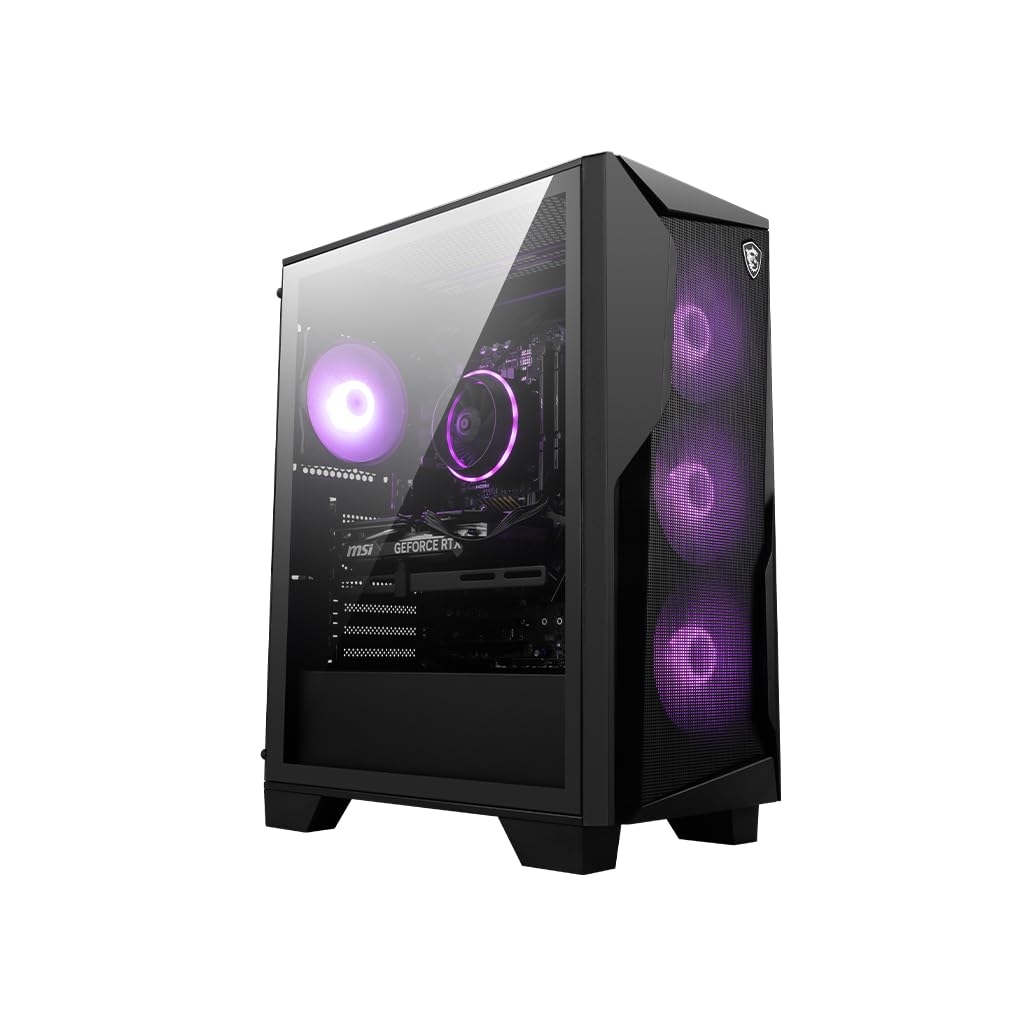
2. MSI Codex R2 (A14NUC5-232US)
A DIY-friendly chassis that welcomes RAM, storage, and fan upgrades without a fight.
The Codex R2 uses a 14th-gen Intel Core i5-14400F, a chip that boosts up to 4.7 GHz and outperforms the 13th-gen i5 in multi-threaded tasks like streaming while gaming. MSI includes four system cooling fans (three front, one rear) and an RGB CPU air cooler to keep the RTX 4060 cool during marathon sessions. Customers note it is “excellent for VR” and that the case has extra slots for SATA drives, making it easy to add more storage later.
A common note from owners is that the motherboard has only two RAM slots, not four, so upgrading from 16GB to 32GB means replacing the existing sticks rather than adding new ones. A few early units needed a BIOS update for the 14th-gen CPU. Those are manageable caveats if you are comfortable with basic PC maintenance, and the build quality and value make this a strong pick for the money.
Strengths
- 14th-gen CPU with 4.7 GHz boost for heavy multitasking.
- Four-system fan layout and air cooler keep temps under control.
- Easy to access internals for RAM, storage, and fan upgrades.
Weaknesses
- Only two RAM slots limit easy memory expansion.
- Some units require a BIOS update from the start.
- Included peripherals are basic.
Best for: buyers who want a clean, MSI-built base that they can customize over time with more RAM and extra SATA drives.
skip it if: you have no interest in ever opening the case—the two RAM slots make it harder to future-proof without replacing parts.
3. Skytech Nebula Gaming PC (RTX 4060)
Quiet air cooling that actually stays quiet while running modern titles at ultra.
The Nebula pairs a Ryzen 5 5500 (4.2 GHz turbo) with 16GB of DDR4-3200 RAM and a 1TB NVMe M.2 SSD, which is plenty of muscle for 1080p gaming at high settings. Skytech assembles these in the USA and installs no bloatware, so the Windows 11 Home experience is clean from the first boot. Reviewers point out the machine is “quiet, quick, and surprisingly powerful” and that it handles streaming via OBS and Twitch alongside gaming without stuttering.
The catch here is graphics connectivity. The RTX 4060 card has only one HDMI port—the rest are DisplayPorts, and the box does not include a DisplayPort cable. That means if you run dual monitors and both use HDMI, you will need to buy a DP-to-HDMI adapter or cable. The included keyboard and mouse are functional but feel cheap, though most buyers replace them anyway.
Pros
- Runs quietly under load with a high-performance air cooler and ARGB fans.
- No bloatware and minimal setup required.
- 1TB Gen4 SSD is fast and spacious.
Cons
- Only one HDMI port; no DisplayPort cable included.
- DDR4 RAM is slower than DDR5 options in the same price tier.
- Ryzen 5 5500 is a few years old and trails newer CPUs in productivity tasks.
Who it’s for: anyone who wants a clean, quiet, no-bloat prebuilt that delivers 60+ FPS on ultra settings at 1080p while staying affordable.
Who should pass: buyers running a dual-HDMI monitor setup who don’t want to buy extra adapters, or anyone who wants DDR5 memory for future-proofing.
4. MXZ Gaming PC (i5-12400F, RTX 4060)

A mid-tower that packs six RGB fans into a budget-friendly frame.
The 12th-gen Core i5-12400F (4.4 GHz turbo) paired with an RTX 4060 and 16GB of DDR4-3200 RAM makes this machine a strong contender for high-FPS competitive shooters. Shoppers say hitting “Apex 144-240 FPS, Fortnite 180-300 FPS” at max settings, which speaks directly to what most gamers care about. The 500GB NVMe SSD is smaller than the 1TB drives on more expensive picks, but the motherboard has space for an additional M.2 drive down the line.
The MXZ includes a PCI-E WiFi card and a 550W 80-plus power supply, plus Windows 11 Pro pre-installed. One owner noted a nonfunctional top USB port, so build quality at this level can be inconsistent. The case looks sharp with five RGB fans and a side window, and the noise level is low during normal use.
What works
- High FPS in popular shooters at max settings.
- Six RGB fans provide good airflow and visual flair.
- Affordable entry point with Windows 11 Pro included.
What doesn’t
- 500GB SSD fills up fast with modern games.
- Occasional quality control issues like dead USB ports.
- DDR4 RAM is a generation behind DDR5.
Best for: competitive gamers on a budget who want high FPS in Apex and Fortnite and don’t mind adding a larger SSD later.
Not ideal if: you need more than 500GB of storage from the start or want the latest DDR5 platform for future game releases.
5. ViprTech Ghost 3.0 (Ryzen 7 3700X, RTX 4060)

A hand-built USA rig that keeps cool under load with a 120mm liquid cooler.
ViprTech builds each Ghost 3.0 by hand in the USA and stress-tests it before shipping. Inside is an AMD Ryzen 7 3700X (4.4 GHz turbo) backed by 16GB of DDR4 RAM and a 1TB boot SSD. The 120mm RGB liquid cooler manages thermals well enough that one reviewer noted it runs “Stardew Valley with 170 mods without performance hit” and handles Fallout 76 and Once Human on max settings without overheating. The case has a button for RGB lighting control and a side window to show off the internals.
The downsides: the Ryzen 7 3700X is an older architecture that trails newer CPUs in single-threaded gaming performance, and wifi reliability has been inconsistent for some owners. A few reviewers experienced SSD failures that were quickly replaced by customer service, but the reliability track record is mixed. The 600W Gold-rated PSU is a solid foundation for future upgrades.
Highlights
- Hand-built and stress-tested in the USA.
- 120mm liquid cooler keeps temps stable during long sessions.
- 1TB SSD offers fast boot times and ample game storage.
Drawbacks
- Older Ryzen 7 3700X CPU limits future-proofing versus newer chips.
- WiFi connectivity can be inconsistent.
- Some reports of SSD failures and recurring boot loop issues.
Reach for this if: you value American assembly and liquid cooling in a mid-range budget and play CPU-friendly titles that don’t need the latest cores.
Look elsewhere if: you need rock-solid Wifi and want the highest single-thread gaming performance available in this price tier.
6. Skytech Shadow Gaming PC (Ryzen 7 5700X, RTX 4060)

A Ryzen 7-powered rig that targets 60+ FPS at 1080p ultra on the latest AAA releases.
The Ryzen 7 5700X (4.6 GHz Max Boost) gives you eight cores for heavy multitasking—streaming, recording, and playing simultaneously without performance dips. Skytech pairs this with an RTX 4060, 1TB NVMe SSD, and 16GB of DDR4-3200 RAM inside a tempered-glass case with four RGB ring fans. The machine is advertised to run titles like Elden Ring, Baldur’s Gate 3, and Call of Duty Warzone at ultra settings, and owners generally confirm the experience.
The 600W Gold-rated PSU is a good foundation, but a few long-term buyers reported the front fans stopped spinning after a year or two. The case is tricky to open for cleaning, and the factory thermal paste application may need improving for sustained heavy use. Skytech’s customer support is generally responsive, but these reliability concerns have come up in multiple reviews.
Strengths
- Eight-core CPU handles streaming and gaming simultaneously.
- 1TB NVMe SSDs provide fast loading and plenty of space.
- 600W Gold PSU supports moderate future upgrades.
Weaknesses
- Fan reliability issues reported after extended use.
- Airflow and thermal management could be better from the start.
- Case is difficult to open for cleaning and maintenance.
Best for: streamers or power users who need the extra cores of the Ryzen 7 and are comfortable with basic maintenance like reapplying thermal paste.
pass on it if: you want the simplest setup possible and don’t want to worry about fan failures down the road.
7. MSI Aegis Z2 (C7NUC-817US)

A 2024 AMD platform that keeps upgrade options open with standardized MSI parts.
The Aegis Z2 pairs the Ryzen R7-7700, a modern Zen 4 CPU that boosts up to 5.3 GHz, with 16GB of DDR5 memory and an RTX 4060. This is the best CPU-and-memory combination on this list for pure gaming performance, with DDR5 bandwidth that helps open-world games load faster. The case has four cooling fans (three front, one rear) and an RGB air cooler to handle the 4060’s heat output.
The motherboard has only two RAM slots, which surprised some buyers who expected four based on the listing, so a 32GB upgrade requires replacing the existing 16GB kit. A few units arrived dead on arrival or had black screen issues after Windows updates. MSI’s design is DIY-friendly, with easy access to the interior, making it a good base for those who want to swap parts later.
What it does well
- Modern Ryzen R7-7700 CPU with fast 5.3 GHz boost clock.
- DDR5 memory enables quicker data transfer than DDR4.
- Standardized MSI components simplify future upgrades.
Where it stumbles
- Only two RAM slots limit memory expansion options.
- Some reports of DOA units and post-update black screens.
- Bundled keyboard and mouse are very basic.
Best suited for: AMD fans who want the latest Ryzen 7 platform and don’t mind replacing RAM sticks rather than adding them for a future 32GB upgrade.
Not recommended if: you want to buy once and not open the case for years, or you are nervous about potential DOA issues.
8. Dell Tower Plus EBT2250
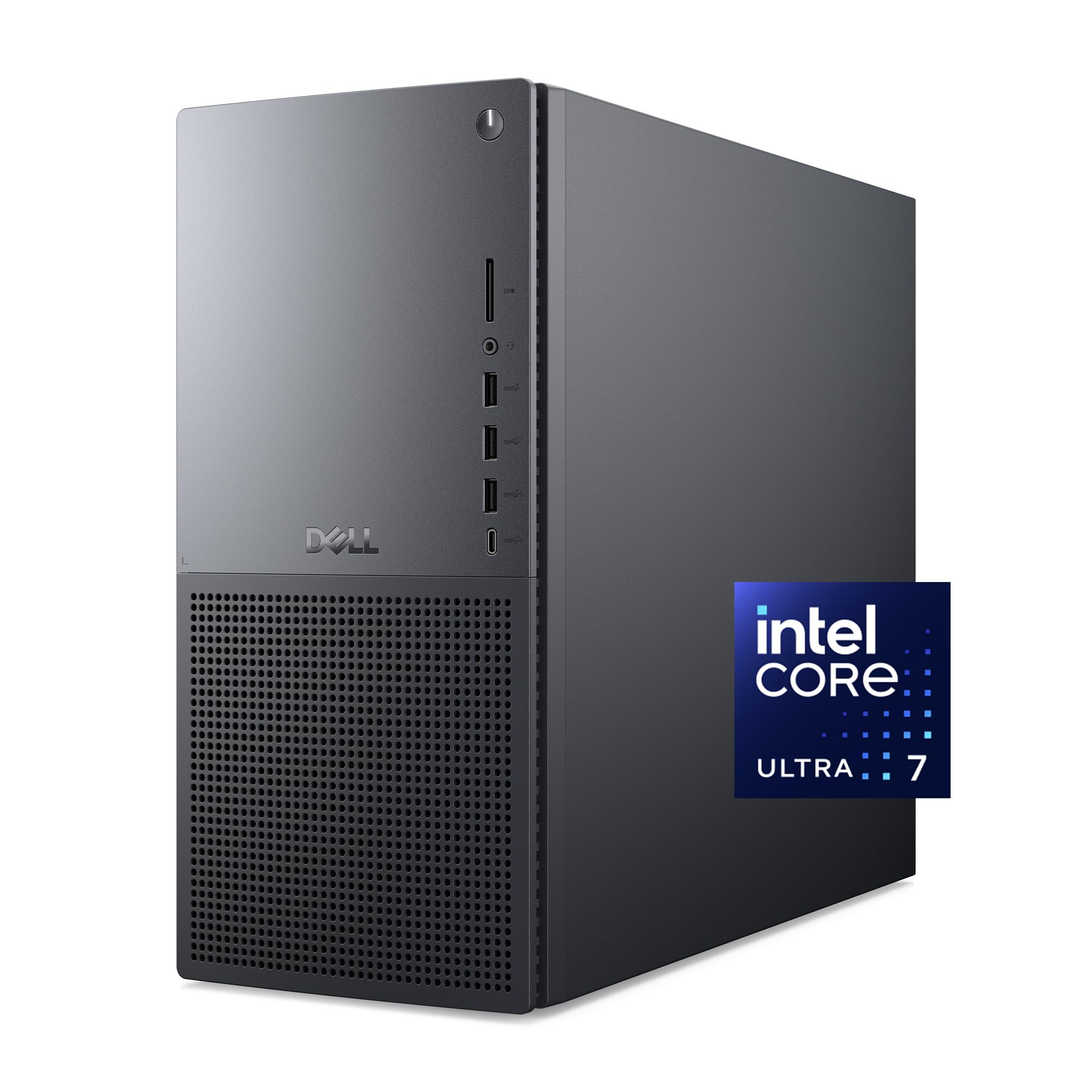
A professional tower that pairs an NPU-enhanced Core Ultra CPU with an RTX 4060.
Dell’s Tower Plus is designed for a hybrid office-and-gaming workload. The Intel Core Ultra 7 265 has a dedicated NPU (a processor core meant specifically for AI tasks) that helps accelerate creative apps like video editors and photo suites. It also ships with 1 Year Onsite Service, meaning Dell will come to your home or office if a hardware issue can’t be resolved remotely. The RTX 4060 handles gaming just fine for most 1080p titles, and the 16GB of RAM is enough for multitasking across multiple monitors.
The major setback: this Dell lacks standard 3.5mm audio jacks on the back, which means you can’t plug in most wired speakers or headsets directly. You will need USB speakers or a USB audio adapter. The case is also not designed for easy DIY upgrading like the MSI or Skytech models, so this is more of a long-term workhorse than a tinkerer’s machine.
Advantages
- AI-enhanced Core Ultra 7 CPU with three dedicated AI engines.
- 1 Year Onsite Service is rare in this price range.
- Supports dual internal SSDs for storage expansion.
Disadvantages
- No rear 3.5mm audio jacks; USB audio is required.
- Not built for easy internal upgrades or gaming-focused customizations.
- 16GB RAM may feel tight for heavy creative workloads.
Best for: professionals who need a reliable office PC with gaming capability and want on-site service if something breaks.
it’s not for you if: you use wired speakers or headphones with a standard 3.5mm plug, or plan to upgrade internals frequently.
9. TOPGRO T1-Pro Mini Gaming PC

A laptop-silicon mini PC that packs an i9 and 32GB of DDR5 into a carry-friendly chassis.
The T1-Pro is technically a gaming laptop without the screen—it uses a mobile Intel Core i9-13900HX (up to 5.4 GHz) and a mobile RTX 4060 with 8GB GDDR6. This makes it small enough to toss in a bag, though it still needs a power adapter and peripherals. It comes with 32GB of DDR5 RAM and a 1TB PCIe 4.0 SSD, a RAM capacity that beats every other pick on this list. WiFi 6E and Bluetooth 5.3 ensure modern wireless connectivity, and a 2.5Gbps LAN port is useful for high-speed wired setups.
The trade-off is noise. Under load, the cooling fan is loud because the small chassis can’t dissipate heat as effectively as a full tower. Some buyers also note the RGB lighting is not customizable—you can only turn it on or off. The value is strong for its size, but this is not a quiet machine.
Great parts
- 32GB DDR5 RAM is double the capacity of most competitors.
- Compact and portable with WiFi 6E and Bluetooth 5.3.
- 2.5Gbps Ethernet for fast wired networking.
Rough edges
- Fans are very loud under gaming load.
- RGB lighting can’t be programmed—only toggled on/off.
- Mobile CPU and GPU mean less raw performance than full desktop parts.
Who it fits: anyone who needs serious gaming performance in a small, portable package and can tolerate fan noise in exchange for desk space.
Who should reconsider: buyers who play in quiet rooms or open offices, or anyone who wants a traditional tower with full-size desktop components.
10. Evounic Liquid Cooled PC (i7 Xeon, RTX 4060)

64GB of RAM and liquid cooling in a white case that stands out on any desk.
This Evounic build stuffs 64GB of DDR4 RAM into an older i7 Xeon 12-core platform paired with an RTX 4060. It also uses a dual-drive setup—512GB NVMe SSD for the OS plus a 1TB HDD for game storage—plus WiFi 6 and Bluetooth 5.4. The white case with seven ARGB fans and liquid cooling looks distinct from the sea of black towers. Buyers report it is “fast performance, smooth gaming” for a first gaming PC and that the 64GB RAM is great for multitasking.
The Xeon CPU is an older workstation chip, which means single-thread gaming performance is not as strong as a modern Core i5. Some units have arrived with immediate failures, including one buyer who got a “black screen after rebooting to recover” message on the first boot. Quality control seems inconsistent, and upgrading internal components later is more complicated than on standard consumer-platform builds.
What stands out
- Massive 64GB RAM for heavy multitasking and virtual machines.
- WiFi 6 and Bluetooth 5.4—the fastest wireless on this list.
- Liquid cooling and seven ARGB fans for excellent airflow.
What holds it back
- Older Xeon CPU underperforms modern gaming CPUs in single-thread tasks.
- Quality control is inconsistent; some units fail from the start.
- Upgrading is difficult because parts are tightly packed.
Best for: users who need enormous RAM for productivity, virtual machines, or modded games and want the fastest WiFi and Bluetooth available.
Not ideal if: you play CPU-bound games where single-thread speed matters, or you want a reliable out-of-box experience without risk of a defective unit.
Understanding the Specs
DDR5 vs DDR4 memory
DDR5 memory operates at higher frequencies than DDR4, meaning data moves between the RAM and CPU faster. For an RTX 4060 gaming PC, this shows up as slightly faster level loading in games like Starfield and less stutter when the CPU has to shuttle data in open worlds. A DDR5 build costs more but is better prepared for games releasing over the next few years that will assume faster memory bandwidth is available.
WiFi 5 vs WiFi 6 vs WiFi 6E
These are wireless standards that define how fast your PC can talk to your router. WiFi 5 (802.11ac) tops out around 800 Mbps in real-world conditions, which is fine for gaming but can lag during large downloads. WiFi 6 (802.11ax) offers higher speeds and handles multiple devices better. WiFi 6E adds a 6 GHz band for even lower latency. For competitive online gaming, WiFi 6 or 6E makes a noticeable difference in ping stability if you are not using an Ethernet cable.
PCIe 4.0 NVMe vs SATA SSDs
PCIe 4.0 is the connection standard for the fastest SSDs currently affordable. A PCIe 4.0 NVMe drive can transfer data at roughly 7,000 MB/s, while a SATA SSD caps out around 550 MB/s. That speed means games load in seconds instead of tens of seconds, and Windows boots in under 10 seconds. Almost every 4060 gaming PC on this list uses PCIe 4.0, but a few older or value-oriented builds may still ship with slower drives.
80 Plus Gold power supply rating
This is an efficiency rating, not a measure of quality. An 80 Plus Gold PSU is at least 87% efficient at converting AC power to DC under typical load, meaning less heat and waste electricity. More importantly, a Gold-rated unit is more likely to have stable voltage regulation and better components than a no-name or White-rated PSU, which reduces the risk of random shutdowns and protects your RTX 4060 from power spikes.
FAQ
Is an RTX 4060 good for 1440p gaming?
Can I upgrade the CPU in a prebuilt 4060 gaming PC?
How much RAM do I need for a 4060 gaming PC?
Do I need liquid cooling for an RTX 4060?
What is the difference between PCIe 4.0 and PCIe 5.0 for gaming?
Will a 4060 gaming PC work with VR headsets?
Why does one prebuilt have WiFi 5 and another have WiFi 6E?
How do I check if a prebuilt’s power supply is good enough?
Can I play 4K games on a 4060 gaming PC?
What warranty should I expect on a prebuilt 4060 PC?
Is the RTX 4060 a good upgrade from a GTX 1660 or RTX 2060?
Why do some 4060 desktops use laptop CPUs?
Final Thoughts: The Verdict
Across the board, the best 4060 gaming pc is the CyberPowerPC Gamer Xtreme VR (GXiVR8060A24) because it balances a modern i5-13400F, fast DDR5 memory, and a reliable 1TB PCIe Gen4 SSD in a quiet, well-cooled case with a strong warranty. If you want the most upgrade-friendly platform, grab the MSI Codex R2. And for the smallest footprint with the most RAM, the standout is the TOPGRO T1-Pro Mini PC.
How We Picked
We do not accept paid placement. Every pick is matched to a real buyer and a real use-case; we do not hands-on test units.
Sources & Methodology
Specifications: manufacturer listings and product documentation. Review insights: verified customer reviews, as of July 2026. Pricing: not shown on this page (it changes often); check the current price via the retailer link.
As an Amazon Associate, Gadgets Feed earns from qualifying purchases. This does not affect which products we feature.
Related Guides
Product prices and availability are accurate as of the date/time indicated and are subject to change. Any price and availability information displayed on Amazon at the time of purchase will apply to the purchase of this product. As an Amazon Associate I earn from qualifying purchases.
CERTAIN CONTENT THAT APPEARS ON THIS SITE COMES FROM AMAZON. THIS CONTENT IS PROVIDED "AS IS" AND IS SUBJECT TO CHANGE OR REMOVAL AT ANY TIME.
Amazon and the Amazon logo are trademarks of Amazon.com, Inc. or its affiliates.