
Our readers keep the lights on and my morning glass full of iced black tea. As an Amazon Associate, I earn from qualifying purchases.
Specs are compiled from manufacturer listings and verified buyer reviews and can change over time — please confirm the key details on the product page before buying.
Choosing a prebuilt with an RTX 4060 Ti is about balancing processor muscle, memory speed, and storage so none of it bottlenecks the graphics card.
I’m Min — the founder and writer behind Gadgets Feed. This guide is built by comparing the manufacturers’ published specifications and the patterns across verified customer reviews, so you get each pick’s real strengths and trade-offs instead of marketing spin.
Whether you are gaming at 1080p or dabbling in 1440p, the right 4060 ti gaming pc pairs a strong CPU with fast DDR5 RAM to keep frame rates high and stutter low.
Our Picks at a Glance

How To Choose The Best 4060 Ti Gaming PC
The RTX 4060 Ti delivers strong 1080p and entry-level 1440p gaming, but the CPU, RAM, and storage must keep pace to avoid bottlenecks.
Match the CPU to the GPU
A weak CPU can bottleneck the RTX 4060 Ti, causing stutter in CPU-heavy games. Look for a modern Intel Core i7 or i9, or an AMD Ryzen 7, to keep the 4060 Ti fed.
DDR4 versus DDR5 memory
DDR5 RAM offers faster data transfer than DDR4, improving load times and multitasking smoothness. Older DDR4 is still fine, but if you want the most from a modern CPU, DDR5 is the safer long-term bet.
Storage and upgrade room
An NVMe SSD speeds up boot and game loads, while a secondary HDD provides extra storage for large libraries. Check how many RAM slots and drive bays remain for future upgrades.
Quick Comparison
| Model | Best For | Processor | Memory | Storage | Amazon |
|---|---|---|---|---|---|
| CLX Set★ Best Overall | Content creation and heavy multitasking | Intel Core i9 12900KF up to 5.2 GHz | 32GB DDR4 | 1TB NVMe SSD + 4TB HDD | Amazon |
| iBUYPOWER TraceMesh | Fast DDR5 gaming and clean build | Intel Core i7 14700F up to 5.4 GHz | 32GB DDR5 5600 | 1TB NVMe SSD | Amazon |
| Evounic Ryzen 7 8700F | Budget-friendly 1080p gaming | AMD Ryzen 7 8700F up to 5.0 GHz | 16GB DDR5 | 1TB NVMe SSD | Amazon |
In‑Depth Reviews
1. CLX Set Gaming PC
Our pick — over 4.5★ from 100+ verified ratings; the strongest balance of quality and price.
The 16-core i9 workhorse that doubles as a triple-monitor productivity station
This machine leans into raw processing muscle with an Intel Core i9 12900KF that turbos up to 5.2 GHz, so demanding tasks like 3D rendering and video export have plenty of headroom alongside the RTX 4060 Ti 8GB GDDR6 graphics. Buyers report using it for 3D scanning flawlessly within 30 minutes of setting it up, which tells you the internals are tuned for serious work, not just gaming.
The storage setup is unusually generous for a prebuilt: a 1TB NVMe M.2 SSD for your operating system and active games, plus a 4TB HDD for the rest of your library. That 4TB drive makes this a rare pick if you hoard large files, and the 32GB of DDR4 RAM in a 2 x 16GB layout keeps multitasking smooth without needing an immediate upgrade.
Build quality is the second most-praised trait here, and it shows in the number of peripheral slots that let owners run a smooth three-monitor setup. The 750-watt power supply leaves room for future upgrades, though a few owners note the machine can run a bit warm and the optional auxiliary fan is noisy unless you switch it off.
What owners love
- Performance is the standout — 22 buyers single it out for praise
- 1TB SSD plus a 4TB HDD is a huge storage pairing
- Handles 3D scanning and triple-monitor setups smoothly
What to know
- DDR4 memory is older tech than the DDR5 in newer builds
- Noise is hit-or-miss; the auxiliary fan is loud unless toggled off
- Sits at the premium end of the price range
Reach for this if: you are a creator or power user who needs heavy CPU grunt and huge storage in one box.
Look elsewhere if: you want the latest DDR5 memory and a quieter fan profile from the start.
2. iBUYPOWER TraceMesh Gaming PC

The clean, no-bloatware build that pairs a fast 5.4 GHz i7 with DDR5 memory
This iBUYPOWER rig pairs an Intel Core i7 14700F that hits 5.4 GHz — the fastest boost clock in this lineup — with 32GB of DDR5 5600 RAM in a 16 x 2 config. That means the memory runs in dual-channel mode from day one, and it beats the CLX’s DDR4 for snappier loading and smoother multitasking.
Setup is a highlight here: owners describe easy assembly and smooth high-settings gaming right after unboxing, helped by the fact that the system ships with no bloatware. The tempered glass case with 16-color RGB lighting and a free iBUYPOWER keyboard and mouse make it feel like a complete package rather than a bare tower.
The storage is a single 1TB NVMe SSD, which is fast but gives you less total space than the CLX’s dual-drive setup. A few owners mention issues with the graphics card and some fan noise, so this is the pick to choose if you value speed and a clean Windows install over maximum storage capacity.
Why it wins
- Fastest CPU clock in the group at 5.4 GHz
- 32GB DDR5 5600 RAM for quick loading and multitasking
- Ships with no bloatware and includes keyboard and mouse
Keep in mind
- Only a 1TB SSD, with no secondary HDD for bulk storage
- Some customers note graphics card issues and light fan noise
Best for: gamers who want the newest memory tech and a clutter-free Windows install without tinkering.
Think twice if: you need more than 1TB of storage or want the absolute quietest operation.
3. Evounic Gaming PC Desktop Ryzen 7 8700F
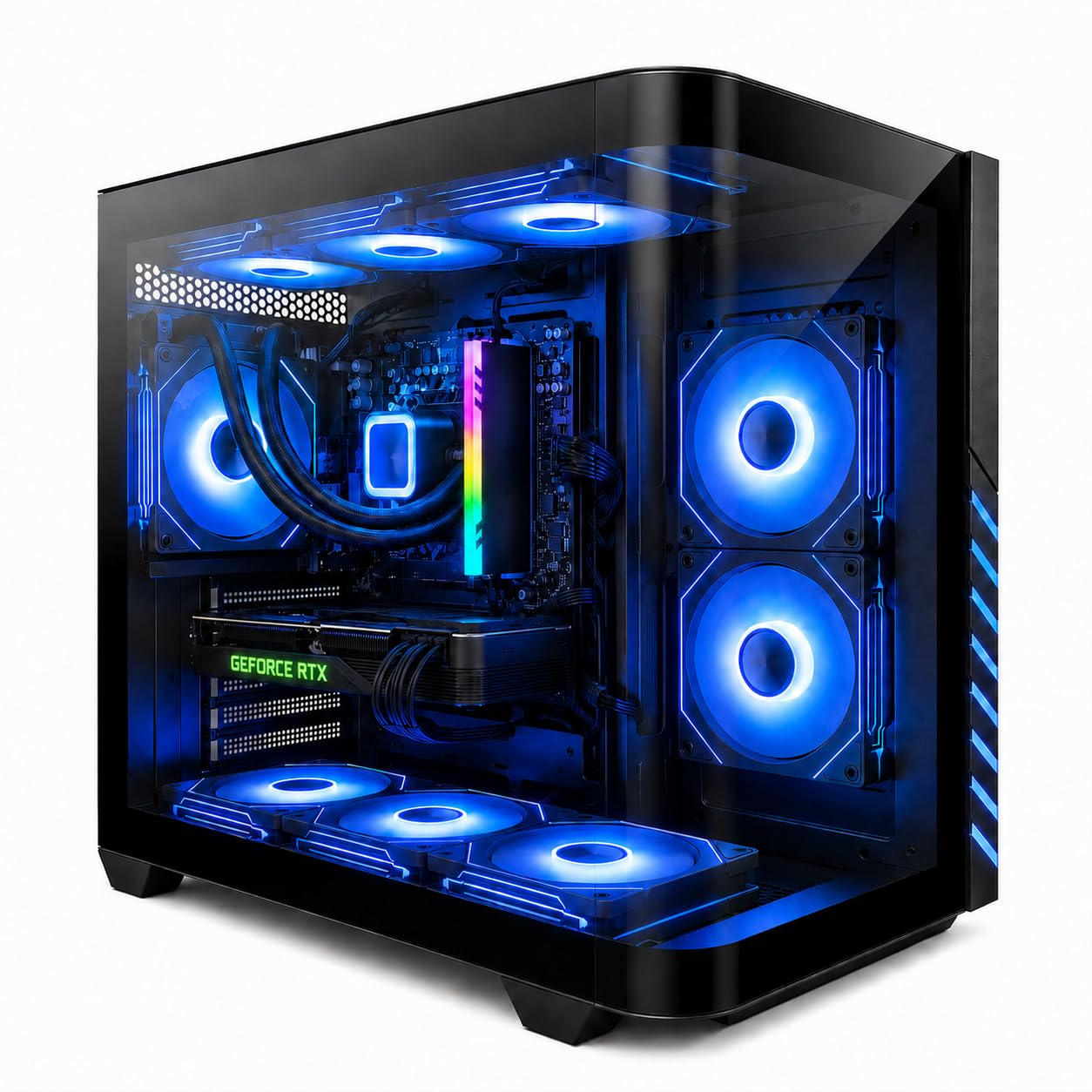
The value-focused 1080p machine with wild RGB and liquid cooling inside
This Evounic build goes all-in on value, pairing an AMD Ryzen 7 8700F that boosts up to 5.0 GHz with an RTX 4060 Ti and 16GB of DDR5 RAM. It targets smooth 1080p gaming with high FPS and ray tracing support, and reviewers point out it runs games at high settings without lag or stutter right from the start.
The cooling story is impressive for the tier: liquid cooling plus 9 ARGB fans keep temperatures stable during long sessions, and the visual effect is a big draw. It also ships with WiFi 6, Bluetooth 5.4, and a mechanical keyboard and mouse, so it is genuinely plug-and-play for someone who does not want to buy peripherals separately.
The honest catch is reliability — feedback is genuinely mixed, with some units running flawlessly while others hit crashes or arrive with a dead WiFi stick. One buyer put it plainly: the computer itself works great, but the included WiFi stick did not work and the wrong monitor cable was in the box. The other two picks each offer 32GB of RAM, compared with the 16GB here.
The appeal
- Lowest entry price for a complete gaming setup
- Liquid cooling and 9 ARGB fans for stable thermals
- Includes WiFi 6, Bluetooth 5.4, and mechanical keyboard and mouse
The risk
- 16GB of single-stick DDR5 can limit dual-channel performance
- Reliability is mixed; some units arrive with a dead WiFi stick
- Windows activation issues reported in a small number of units
Choose it for: a budget-friendly 1080p gaming rig with flashy looks and a full accessory bundle.
skip it if: you want guaranteed reliability and dual-channel memory from the start.
Understanding the Specs
CPU boost clock
This is the maximum speed a processor can reach under load, measured in gigahertz (GHz). A higher boost clock, like 5.4 GHz on the i7 14700F, means snappier single-core performance for gaming.
DDR4 versus DDR5 memory
RAM is your system’s short-term memory for active tasks. DDR5 transfers data faster than DDR4, which helps with load times and multitasking, but it requires a compatible motherboard and CPU.
FAQ
Is the RTX 4060 Ti good for 1440p gaming?
How much RAM do I need in a 4060 Ti gaming PC?
Is DDR5 memory worth it over DDR4?
What power supply do I need for an RTX 4060 Ti?
How much storage do I need for a gaming PC?
Can I upgrade the RAM in these prebuilt gaming PCs?
What is the difference between air and liquid cooling?
What should I check when my prebuilt gaming PC arrives?
Is an RTX 4060 Ti good for video editing and streaming?
Final Thoughts: The Verdict
For most people, the 4060 ti gaming pc winner is the CLX Set because its Intel Core i9 processor, 32GB of memory, and massive 1TB SSD plus 4TB HDD combo make it the most versatile machine for both gaming and heavy workloads. If you want the fastest processor and DDR5 memory with a clean build, grab the iBUYPOWER TraceMesh. And for a budget-friendly 1080p gaming setup with all the accessories included, the Evounic Ryzen 7 is the one to reach for, provided you are comfortable with its mixed reliability reports.
How We Picked
We do not accept paid placement. Every pick is matched to a real buyer and a real use-case; we do not hands-on test units.
Sources & Methodology
Specifications: manufacturer listings and product documentation. Review insights: verified customer reviews, as of August 2026. Pricing: not shown on this page (it changes often); check the current price via the retailer link.
As an Amazon Associate, Gadgets Feed earns from qualifying purchases. This does not affect which products we feature.