
Our readers keep the lights on and my morning glass full of iced black tea. As an Amazon Associate, I earn from qualifying purchases.
Specs are compiled from manufacturer listings and verified buyer reviews and can change over time — please confirm the key details on the product page before buying.
You want a laptop that can actually run the latest games at high settings without sounding like a jet engine or melting your desk. The RTX 4070 is the balance—it delivers genuine ray-traced performance without the eye-watering price tag of a 4080 or 4090. But the chassis around that GPU matters just as much; a poorly cooled 4070 will throttle and feel slower than a well-built 4060. This guide breaks down ten real 4070 laptops, giving you the honest trade-offs on battery life, screen quality, and build so you know which one is actually worth buying.
I’m Min — the founder and writer behind Gadgets Feed. This guide is built by comparing the manufacturers’ published specifications and the patterns across verified customer reviews, so you get each pick’s real strengths and trade-offs instead of marketing spin.
Every laptop here packs the same core graphics chip, but how they cool it, power it, and display your games varies wildly — find your perfect match among this year’s top 4070 laptop options that balance raw speed with everyday livability.
Our Picks at a Glance


How To Choose The Best 4070 Laptop
Finding the right 4070 laptop is less about the GPU itself and more about everything surrounding it. The RTX 4070 is a consistent performer across models, but it only shines if the laptop has strong cooling, a solid screen, and a battery that doesn’t keep you tethered to an outlet.
Cooling Matters Most
A hot RTX 4070 will lower its clock speed to protect itself, which destroys performance. Look for laptops with multiple fans, multiple heat pipes, and quality thermal paste. A well-cooled laptop runs quieter and maintains frame rates for hours.
Screen Quality Defines Your Experience
You are looking at this screen for every game and every task. A 1080p 144Hz panel is fine for competitive shooters, but a QHD 165Hz or 240Hz display shows far more detail and motion clarity. A brighter screen with good color coverage (like 100% DCI-P3) makes games look richer.
RAM and Storage for Real Use
16GB of DDR5 RAM is the baseline for modern games, but 32GB gives you headroom for streaming, editing, or running heavy mods. Storage is also key — many modern games exceed 100GB, so a 1TB SSD is a much safer bet than a 512GB drive.
Quick Comparison
| Model | Best For | Display | CPU | RAM / Storage | Amazon |
|---|---|---|---|---|---|
| ASUS ROG Strix G16 (Nebula) | Premium Gaming | 16″ QHD 240Hz | i9-13980HX | 32GB / 1TB | $1,729.43$2,199.99Amazon |
| Acer Predator Triton Neo 16 | Creator & Gamer | 16″ WQXGA+ 165Hz | Core Ultra 9 185H | 32GB / 1TB | $1,899.99Amazon |
| Lenovo Legion 5i | Balanced Value | 16″ WQXGA 165Hz | i7-14650HX | 32GB / 512GB | Amazon |
| msi Katana 15 | Budget Performance | 15.6″ QHD 165Hz | i7-13620H | 16GB / 1TB | $1,439.99Amazon |
| msi Katana A15 AI | AMD Multitasking | 15.6″ QHD 165Hz | Ryzen 9-8945HS | 32GB / 1TB | from $1,385.72Amazon |
| ASUS ROG Strix G16 (FHD) | High-End Power | 16″ FHD 165Hz | i9-13980HX | 16GB / 1TB | $1,999.99Amazon |
| Alienware X16 R2 | Premium Build | 16″ QHD+ 240Hz | Core Ultra 7-155H | 16GB / 1TB | $2,099.00Amazon |
| Razer Blade 16 | Ultra-Premium Compact | 16″ QHD+ 240Hz | i9-13950HX | 16GB / 1TB | $3,788.88Amazon |
In‑Depth Reviews
1. ASUS ROG Strix G16 (2023) – Nebula Display
The ROG Strix G16 with its Nebula display raises the bar for what a 4070 laptop screen can look like.
What you get here is a 16″ QHD 240Hz 3ms panel that covers 100% DCI-P3 and is Pantone Validated — so colors pop accurately in games and creative work alike. The RTX 4070 runs at a full 140W Max TGP, and the i9-13980HX CPU is paired with 32GB of DDR5-4800MHz memory, which means you can realistically stream, edit, and game without slowdowns.
The cooling system uses Thermal Grizzly’s Conductonaut Extreme liquid metal on the CPU and a third intake fan, helping sustain high frame rates during long sessions. Buyers report that “battery life is pretty good but does weigh a bit more than other laptops.” It is heavier than some rivals, but the screen quality and build are tough to top at this level.
Best for: Gamers and creators who demand a top-tier QHD 240Hz display and need 32GB of RAM for heavy multitasking.
A trade-off to consider: It’s noticeably heavier than the Katana 15 and some other 16-inch models, so if you carry your laptop daily, the weight is a real factor.
Verdict: If the screen is your priority, this is the RTX 4070 laptop to buy — the display is genuinely a class above.
2. Acer Predator Triton Neo 16
The Acer Predator Triton Neo 16 blends a creator-focused Calman Verified screen with RTX 4070 gaming punch.
This machine features a 16″ WQXGA+ (3200 x 2000) IPS display with a 165Hz refresh rate and exceptional color accuracy. It is powered by an Intel Core Ultra 9 processor 185H reaching 5.1 GHz, paired with an RTX 4070, 32GB of LPDDR5X memory, and a 1TB PCIe Gen 4 SSD — so you have both the horsepower and the high-resolution canvas for video editing and 3D work.
The cooling is handled by 5th Gen AeroBlade 3D Fan Technology and liquid metal thermal grease. Owners mention it is “powerful, easy to use, clear screen, fast, long battery life, quick charging” and praise the heat resistance. It also includes a Thunderbolt 4 port and HDMI 2.1, giving you plenty of docking flexibility. One detail worth noting: it lacks a wired network adapter, so competitive gamers may want a USB-to-Ethernet dongle.
Best for: Users who split their time between creative software and gaming and want a high-resolution, color-accurate screen.
What to know: The Predator overclocking app sometimes needs a reboot, and the USB/power jack placement has been noted as inconvenient.
Reach for this if: You need a 4070 laptop that pulls double duty for creative work and high-refresh-rate gaming.
3. Lenovo Legion 5i

The Legion 5i offers a rare combination — 32GB of RAM and 8 hours of battery life in a clean, portable chassis.
The 16″ WQXGA 2560×1600 display is bright and sharp, driven by an Intel Core i7-14650HX clocked up to 5 GHz and an RTX 4070. It also comes with 32GB of RAM, which is a genuine advantage for gaming and multitasking. The battery life of 8 hours is much better than the Katana 15’s 10-hour standby claim, and a 15-minute Rapid Charge gives you 2 more hours of use.
One buyer who has owned it for about a year says it “runs the games I play flawlessly (APEX & Arc Raiders),” and another noted the fans keep it cool without needing a cooling pad. The 512GB SSD is the main compromise here — modern game libraries will fill it fast, and an upgrade may be needed.
Best for: Users who want a balanced, long-lasting laptop with generous RAM and a crisp 1600p display from the start.
Consider this: The 512GB storage is limited for a gaming machine; expect to add a second SSD or use an external drive.
Who it beats: It offers 32GB of RAM and 8 hours of battery life.
4. msi Katana 15
The msi Katana 15 delivers desktop-level performance thanks to its unique cooling that keeps temperatures surprisingly low.
This laptop packs a 13th Gen Intel Core i7-13620H and an RTX 4070 inside a chassis with Cooler Boost 5, which uses dual fans and dedicated heat pipes. One reviewer noted that “CoolerBoost keeps CPU/GPU at 60-75°C under max BG3 settings, preventing thermal throttling” — an impressive thermal result that helps the machine last longer over the years. The 15.6″ QHD 165Hz display adds clarity that benefits both gaming and daily use.
It comes with 16GB of DDR5 and a 1TB NVMe SSD, so you are ready to go from the start. However, multiple buyers have flagged a quality control issue where heatsink grease is missing on the CPU dies, causing overheating. If you get a good unit, the performance is outstanding for the price, but the QC gamble is real.
Performance Highlights
- Excellent cooling keeps CPU/GPU below 75°C under load
- 1TB SSD and QHD 165Hz display for a great price
Known Shortfalls
- Quality control issues with missing heatsink grease on some units
- Mediocre battery life and loud fans under load
Reach for this if: You are comfortable checking the thermals on arrival and want the best raw cooling performance per dollar.
5. msi Katana A15 AI

The msi Katana A15 AI swaps Intel for AMD’s Ryzen 9-8945HS, clocked at 5.2 GHz, while keeping the sturdy cooling.
With 32GB of DDR5 and a 1TB SSD, this is the multitasking version of the Katana line. The Ryzen 9-8945HS processor runs at a maximum of 5.2 GHz, which gives it a slight clock-speed edge over the Lenovo Legion 5i’s i7-14650HX at 5 GHz. The 15.6″ QHD 165Hz display remains sharp, and Cooler Boost 5 handles the thermals.
Customers note that the laptop was “stable after initial setup (BIOS/Windows/driver updates, ~25 mins)” and that the 4070 performs well for gaming and business. The major drawback is short battery life — one buyer mentioned it only lasts a few hours, plus about 2 more in power saving mode. The speakers are mediocre as well, so a good headset is recommended.
Best for: Anyone wanting an AMD processor with a fast clock speed, 32GB of RAM, and the 4070 GPU for gaming and productivity.
A real limitation: Battery life is short compared to the Lenovo Legion 5i’s 8 hours, so plan to stay near an outlet during long sessions.
Who it suits: AMD fans and multitaskers who value CPU clock speed and RAM capacity over portability.
6. ASUS ROG Strix G16 (FHD 165Hz)
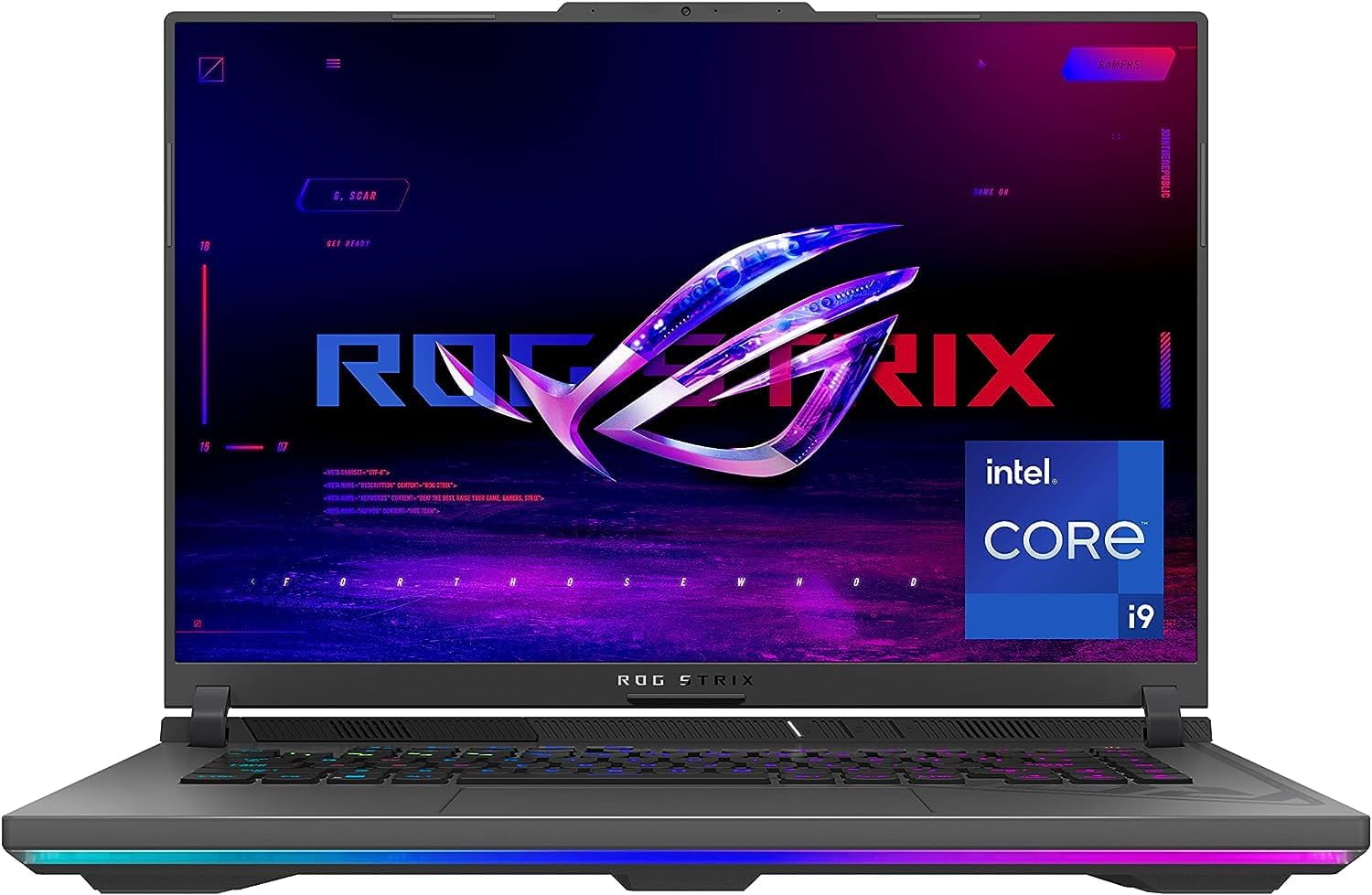
The second ROG Strix G16 variant trades the high-end display for a lower price point while keeping the same i9 CPU and 4070 GPU.
This version comes with a 16″ FHD 165Hz panel, 16GB of DDR5-4800MHz memory, and a 1TB PCIe 4×4 SSD. It features the same ROG Intelligent Cooling with Thermal Grizzly liquid metal on the CPU and a third intake fan. The MUX Switch with Advanced Optimus lets you automatically switch between integrated and discrete graphics, which helps with battery life.
Buyers praise its upgradeability — one person upgraded to 64GB of RAM and a 4TB SSD with no issues. However, the 6-hour battery life is short, and some units have coil whine or backlight bleed on the FHD screen. One owner reported the FHD screen has some backlight bleed, which is a step down from the QHD 240Hz panel on the other Strix model.
Strengths
- Powerful i9-13980HX CPU with excellent upgrade potential
- Effective liquid metal cooling with a third intake fan
Drawbacks
- FHD 165Hz screen has more backlight bleed risk compared to the Nebula display
- Only 6 hours of battery life; fans can be loud even in Silent mode
skip it if: A high-quality display is a must — the Nebula version of the Strix G16 is worth the extra for the QHD 240Hz panel.
7. Alienware X16 R2

The Alienware X16 R2 delivers a premium 240Hz QHD+ display and a sleek design with a 2.1 speaker setup.
This laptop features a 16″ QHD+ display at 240Hz with 100% DCI-P3 and NVIDIA G-SYNC. It runs on an Intel Core Ultra 7-155H processor (up to 4.8 GHz) and an RTX 4070 with 8GB GDDR6 memory. The cooling design expels warm air through the sides and takes cooler air in at the top of the keyboard, which keeps the chassis thin.
Buyers praise the incredible display and fast M.2 drive, but note that better value options exist. There are some reports of a boot issue (shutting off the first time) which is a known Dell firmware bug. The 16GB of LPDDR5x memory is soldered, so you cannot upgrade it later — a major limitation compared to the fully upgradable Strix G16.
Standout Features
- Stunning QHD+ 240Hz display with 100% DCI-P3
- Excellent 2.1 speaker system with Dolby Atmos
Limitations
- 16GB soldered RAM is not upgradable
- Some units have a known boot issue firmware bug
Reach for this if: You want a thin, premium-built 4070 laptop with a top-tier screen and don’t plan to upgrade the RAM.
10. Razer Blade 16

The Razer Blade 16 packs a desktop-grade i9 HX CPU and RTX 4070 into a unibody aluminum chassis smaller than most 15-inch laptops.
This machine is CNC-milled from a single aluminum block, giving it a premium, rigid feel. It features a 16″ QHD+ 240Hz display with NVIDIA G-SYNC, a 13th Gen Intel Core i9-13950HX processor, and an RTX 4070 running at up to 140W TGP. The included GaN charger is up to 60% smaller than standard adapters, which makes travel easier.
One reviewer calls it a “high-octane gaming powerhouse” with a vibrant display and premium build. However, it is the most expensive RTX 4070 laptop here, and reviewers point out poor battery life, loud fans under load, and a unit that runs hot. Some Amazon orders have arrived with body damage, so check the seller carefully.
Premium Aspects
- Stunning CNC aluminum unibody build quality
- Compact 16″ body and small GaN charger make it more portable than the Strix G16
Key Compromises
- Very expensive for an RTX 4070 laptop
- Poor battery life and loud fans under load
Who it beats: The Razer Blade 16 is more compact than many 15-inch gaming laptops, making it the best build for ultra-portability.
Understanding the Specs
GPU Wattage (TGP)
Not all RTX 4070s are created equal. The “Total Graphics Power” (TGP) determines how much power the GPU can draw, which directly impacts performance. A 140W RTX 4070 will run faster than a lower-wattage version in the same chassis. Look for models that advertise “140W Max TGP” for the best gaming performance.
Display Resolution & Refresh Rate
The display is what you see every time you open the laptop. A QHD (2560×1440) screen shows more detail than FHD (1920×1080), and a higher refresh rate like 240Hz makes motion smoother than 144Hz. For most gamers, a QHD 165Hz screen is a great balance between sharpness and speed.
RAM Amount & Upgradeability
16GB of DDR5 is the minimum for modern gaming. 32GB gives you room for streaming, video editing, or heavy mods. Some laptops like the Alienware X16 R2 have soldered RAM that cannot be upgraded, while the ASUS ROG Strix G16 lets you swap it out later.
Cooling System Design
Effective cooling lets the RTX 4070 run at its full potential without thermal throttling. Look for features like multiple fans, heat pipes, and quality thermal compound (like liquid metal). A laptop with good cooling runs quieter and maintains frame rates for longer periods.
FAQ
What is the difference between an RTX 4070 and an RTX 4060 in a laptop?
How long does a 4070 laptop battery last?
Can a 4070 laptop run 4K games?
Is 16GB of RAM enough for a 4070 laptop?
Should I get a 4070 laptop in 2024 or wait for the 5000 series?
What is a MUX Switch and do I need it?
Do all RTX 4070 laptops have the same gaming performance?
Which 4070 laptop has the best cooling?
Can I upgrade the RAM and SSD in a 4070 laptop?
Is a 144Hz screen enough for an RTX 4070?
Final Thoughts: The Verdict
For most people, the best 4070 laptop is the ASUS ROG Strix G16 (Nebula Display) because it combines a stunning 240Hz QHD screen, 32GB of RAM, and sturdy liquid metal cooling in a premium package. If you want the best battery life and a clean, balanced design, grab the Lenovo Legion 5i. And for the biggest screen experience with a 240Hz panel, the standout is the ASUS ROG Strix G17.
How We Picked
We do not accept paid placement. Every pick is matched to a real buyer and a real use-case; we do not hands-on test units.
Sources & Methodology
Specifications: manufacturer listings and product documentation. Review insights: verified customer reviews, as of July 2026. Pricing: not shown on this page (it changes often); check the current price via the retailer link.
As an Amazon Associate, Gadgets Feed earns from qualifying purchases. This does not affect which products we feature.
Related Guides
Product prices and availability are accurate as of the date/time indicated and are subject to change. Any price and availability information displayed on Amazon at the time of purchase will apply to the purchase of this product. As an Amazon Associate I earn from qualifying purchases.
CERTAIN CONTENT THAT APPEARS ON THIS SITE COMES FROM AMAZON. THIS CONTENT IS PROVIDED "AS IS" AND IS SUBJECT TO CHANGE OR REMOVAL AT ANY TIME.
Amazon and the Amazon logo are trademarks of Amazon.com, Inc. or its affiliates.