
Our readers keep the lights on and my morning glass full of iced black tea. As an Amazon Associate, I earn from qualifying purchases.
A 43-inch 4K TV hits the balance for a bedroom, a smaller living room, or a dorm setup — big enough to feel cinematic, but not so massive it dominates the room. The challenge is cutting through the marketing noise to find a set with a genuinely good picture, a smart system you can stand, and the right connections for your devices, all without overspending.
I’m Min — the founder and writer behind Gadgets Feed. This guide is built by comparing the manufacturers’ published specifications and the patterns across verified customer reviews, so you get each pick’s real strengths and trade-offs instead of marketing spin.
If you need vibrant HDR (High Dynamic Range, which makes bright parts pop and dark parts stay deep) performance, smooth motion for gaming, or a clean smart interface, this roundup of the 43 inch 4k tv market highlights the models that deliver the best value and picture quality for your money.
Quick Picks
- Samsung 43-Inch Class QLED Q8F (2025 Model) — Premium Pick
- Sony BRAVIA 2 II 43 Inch 4K Ultra HD LED Smart TV (K-43S20M2) — Best Overall
- TCL QLED 43″ 43P7K UltraHD 4K Dolby Atmos Google TV — High-End Value
- VIZIO 43-inch MQ6 Series 4K QLED HDR Smart TV (M43Q6M-K04) — Best Value
- Samsung 43-Inch Class Crystal UHD U8000H Series (2026 Model) — Smart Pick
- Amazon Fire TV 43″ Omni QLED Series 4K UHD smart TV — Amazon Ecosystem
- Westinghouse Roku TV – 43 Inch Smart TV, 4K UHD QLED — Value QLED
- Westinghouse 43-inch Smart TV, 4K UHD Xumo TV w/ HDR10, Dolby Vision — Budget Champion
How To Choose The Best 43 Inch 4K TV
Picking the right TV for your space depends on a few key decisions. Do not get lost in the spec sheet — focus on these factors that actually affect your daily viewing.
Panel Technology: QLED vs Standard LED
A standard LED TV uses a basic backlight and is perfectly fine for a budget-friendly setup. A QLED (Quantum Dot LED) TV uses a layer of nanoparticles to produce a wider range of more vibrant colors. If you watch a lot of HDR movies or play colorful games, paying extra for a QLED model is worth it for the richer, more lifelike picture.
Smart TV Platform: Your Daily Driver
The built-in operating system dictates how you navigate apps. Roku TV is praised for its simplicity and ease of use. Google TV offers a deep integration with Google services and a huge app library. Fire TV is powerful if you are deep in the Amazon ecosystem. Samsung’s Tizen and LG’s webOS are also robust, but some brands use a less common OS like Xumo, which buyers sometimes find limiting. Pick a platform you find intuitive.
Refresh Rate and Gaming Features
Most 43-inch TVs have a standard 60Hz refresh rate (how many times the screen updates per second). That is fine for movies and standard TV. If you play fast-paced console or PC games, look for a 120Hz native panel (like the Sony or TCL below) for much smoother motion. Features like VRR (Variable Refresh Rate, which stops screen tearing in games) and Auto Low Latency Mode (ALLM, which cuts input lag) are also critical for a tear-free, responsive gaming experience.
Quick Comparison
On smaller screens, swipe sideways to see the full table.
| Model | Best For | Panel Type | Refresh Rate | HDR Support | Amazon |
|---|---|---|---|---|---|
| Samsung QLED Q8F | Premium Picture & Gaming | QLED | 144Hz | HDR10+ | $397.99$547.99Amazon |
| Sony BRAVIA 2 II | PS5 Gaming & Movies | LED | 120Hz | HDR10 | $399.99Amazon |
| TCL QLED 43P7K | High Value QLED | QLED | 120Hz | HDR10 | Amazon |
| VIZIO MQ6 | Feature-Rich Mid-Range | QLED | 60Hz | Dolby Vision & HDR10+ | Amazon |
| Samsung U8000H | Reliable Samsung Picture | LED | 60Hz | HDR10 | $247.99Amazon |
| Amazon Fire TV Omni QLED | Amazon Ecosystem & Alexa | QLED | 60Hz | Dolby Vision IQ | $289.99$439.99Amazon |
| Westinghouse Roku TV | Best Value QLED | QLED | 60Hz | Dolby Vision & HDR10+ | Amazon |
| Westinghouse Xumo TV | Budget Friendly 4K | LED | 60Hz | Dolby Vision & HDR10 | Amazon |
In‑Depth Reviews
1. Samsung 43-Inch Class QLED Q8F (2025 Model)

The 43-inch 4K TV that delivers over a billion colors and buttery-smooth high-refresh-rate gaming.
This Samsung is the performance leader, built for those who want the absolute best picture and motion clarity. The Quantum Dot panel achieves what Samsung calls 100% Color Volume, meaning over a billion colors that stay rich and accurate even in bright rooms. For gamers, this is one of the few 43-inch models with a 144Hz variable refresh rate (VRR, which syncs the screen with your game so you see no tearing or stutter) panel, so fast races and shooters stay tear-free and twice as smooth as a standard 60Hz set.
The Q4 AI Processor upscales lower-resolution content to near-4K quality, which buyers report makes everything from cable TV to streaming look remarkably crisp. Reviewers consistently praise the “incredible picture quality, color, brightness, and viewing angles.” The AirSlim design helps it sit nearly flush against the wall. The built-in Samsung TV Plus gives you access to 2,700+ free channels without any subscription, a major bonus.
The catch is the audio; several owners note the built-in sound lacks depth and recommend pairing it with a Samsung soundbar. This is a premium TV, and the price reflects that.
The case for it: The only 43-inch TV in this roundup with a native 144Hz panel, making it the undisputed choice for smooth PC and console gaming alongside stunning QLED color.
The downside: You will almost certainly want an external soundbar to enjoy movies and games fully, adding to the overall cost.
Best for: Gamers and film enthusiasts who want the highest refresh rate and best color accuracy in a 43-inch size.
Skip if: You are on a strict total budget, because the audio weakness means you should factor in a soundbar.
2. Sony BRAVIA 2 II 43 Inch 4K Ultra HD LED Smart TV (K-43S20M2)

A perfectly balanced 43-inch 4K TV that delivers a superb picture, a smooth 120Hz panel, and exclusive PS5 features.
The Sony BRAVIA 2 II hits the balance for the price. It uses the 4K Processor X1 to deliver natural, lifelike pictures with rich colors and sharp details, even from lower-quality sources, thanks to the 4K XR-Reality PRO upscaling. It is one of the few picks here with a 120Hz native panel, making it an excellent choice for gamers who want smooth motion in a 43-inch form.
For PlayStation 5 owners, this TV is a special fit. It features exclusive Auto HDR Tone Mapping and Auto Genre Picture Mode, which automatically optimize the picture settings for gaming and streaming. Buyers confirm it “plays our PS5 with really nice graphics.” The Google TV interface puts all your streaming apps in one place, and it even includes access to the Sony Pictures CORE movie service.
The trade-off is that the base audio is just decent, and a few reports mention rare Wi-Fi stability issues, though many buyers praise the reliable connectivity. The thin remote can be a bit small for larger hands, but the responsiveness is often praised.
The case for it: Unique PS5 integration and a smooth 120Hz panel make this the best-balanced 43-inch TV for both gaming and movie quality at this price tier. It is sharper at night than the Samsung U8000H thanks to its dedicated upscaling processor.
One limitation: The core contrast ratio on a standard LED panel won’t quite match the inky blacks of the premium QLED models from Samsung and TCL.
Best for: PS5 owners who want a great all-rounder for gaming, movies, and streaming.
Skip if: You want the absolute best black levels and HDR brightness for a dedicated home theater room.
3. TCL QLED 43″ 43P7K UltraHD 4K Dolby Atmos Google TV
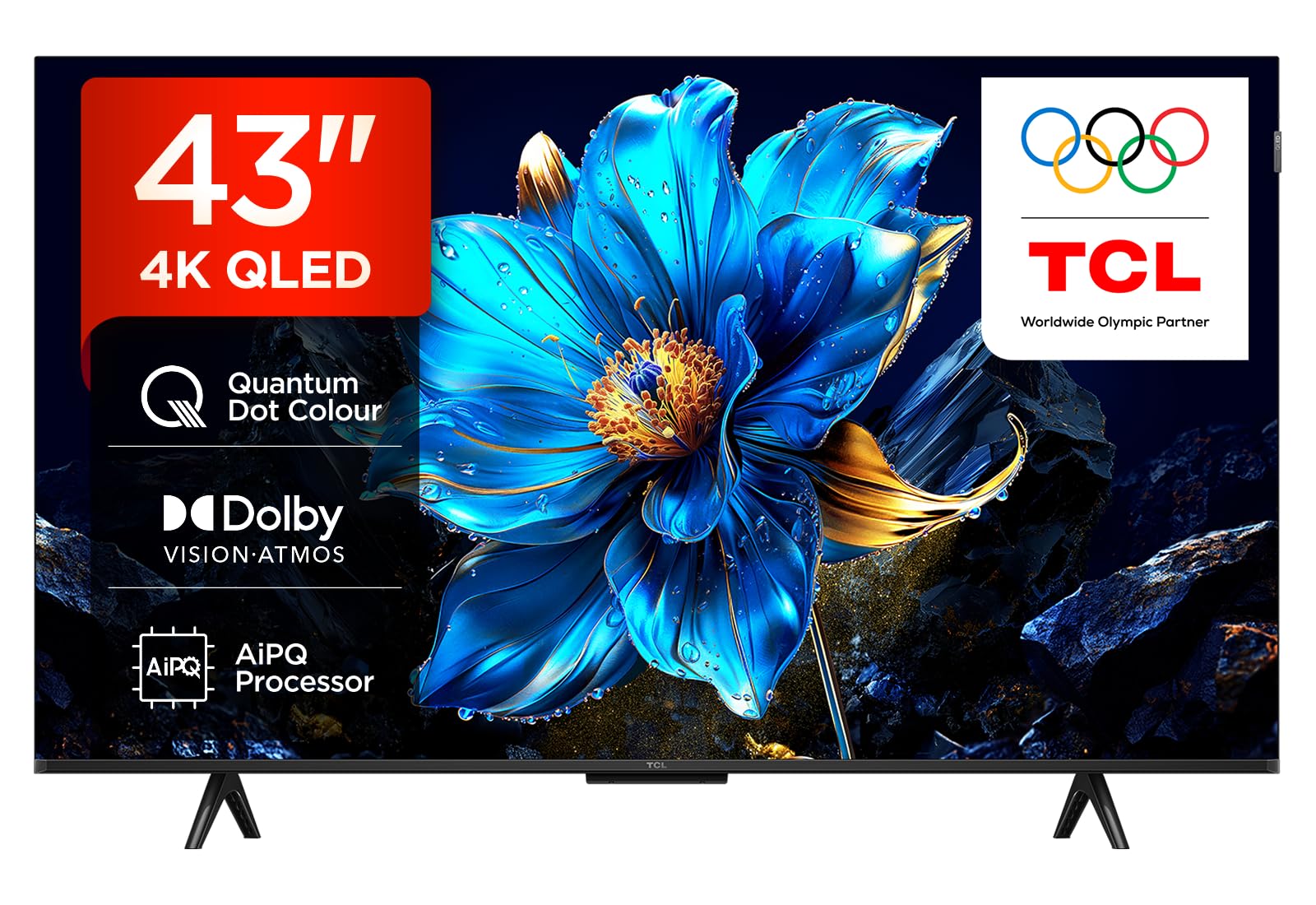
A QLED 43-inch 4K TV with a 120Hz accelerator mode that brings high-refresh gaming to a mid-range price.
The TCL 43P7K is a smart budget-focused choice for gamers. It is a QLED panel, so you get the wider color gamut and better brightness of quantum dot technology over standard LED. The headline feature is the 120Hz Game Accelerator, which allows the panel to accept a 120Hz signal for smoother gameplay, a rare find at this price point. It costs less than the Samsung Q8F while still offering fast motion.
Google TV runs the show, giving you a clean, customizable interface and built-in Chromecast for easy phone-to-TV casting. Reviews from European buyers highlight the “ottimo livello con elevato contrasto e nitidezza” (excellent level of high contrast and sharpness), with many praising the fantastic price-to-quality ratio. The energy consumption is very low at 73 Kilowatt Hours per year, a nice bonus for an eco-conscious buyer.
One consistent comment from reviews is that the software can have some minor glitches, and the vast number of features can feel overwhelming initially. This is the ideal model if you want premium QLED color and gaming motion on a budget.
Why it’s great
- QLED panel for superior color and contrast at a great price.
- 120Hz Game Accelerator for smooth motion in compatible games.
- Google TV operating system is intuitive and app-rich.
Good to know
- Some users report occasional minor software glitches.
- The 120Hz mode is an accelerator, not a true native 120Hz panel.
Best for: Budget-conscious gamers who want QLED color and 120Hz motion support.
Skip if: You need a rock-solid software experience with zero quirks right out of the box.
4. VIZIO 43-inch MQ6 Series 4K QLED HDR Smart TV (M43Q6M-K04)

A heavily-featured 43-inch QLED that delivers over 1 billion colors and the fastest Wi-Fi on the block.
If you want every modern feature without spending premium money, the Vizio MQ6 is a strong contender. It is a Quantum Color QLED display, so you get over 1 billion colors with Dolby Vision, HDR10+, and a Full Array LED backlight for good brightness control. Unlike many competitors, it supports both major HDR formats (Dolby Vision and HDR10+), ensuring you get the best picture from any streaming service.
A standout future-proofing feature is its support for WiFi 6E, which uses the 6GHz band. This means it has double the bandwidth of standard 5G Wi-Fi, providing ultra-fast streaming and no buffering even in a crowded home network. Owners mention for the price, the “TV works great, looks great” and 4K content “looks great,” with color that benefits from the QLED technology.
The main drawbacks are the “chicken-leg stand” that looks a bit flimsy, and the Vizio smart TV interface has a few quirks. Some customers note annoying home screen ads and the occasional network error on startup.
The case for it: Unmatched mix of QLED color, Dolby Vision + HDR10+ support, and ultra-fast WiFi 6E at this price point.
The compromise: The physical stand feels cheap, and the Vizio smart platform can be slow to connect on first boot.
Best for: Tech-savvy buyers who want a future-proof TV with WiFi 6E and premium HDR support.
Skip if: You want a simple, no-nonsense smart TV experience and hate interface ads.
5. Samsung 43-Inch Class Crystal UHD U8000H Series (2026 Model)

A reliable Samsung 43-inch 4K TV that focuses on picture purity and a huge library of free content.
This Samsung U8000H is a solid, no-drama TV for the mainstream buyer. The Crystal Processor 4K powers the set, focusing on enhancing colors and sharpening details from any source. It uses a technology called Color Booster to make colors more vibrant, while Motion Xcelerator smooths out fast action in sports and games at up to 4K 60Hz. This is a standard LED panel, so do not expect the color volume of a QLED, but the picture quality is highly regarded.
One huge value-add is Samsung TV Plus, which gives you access to 2,700+ free channels (including sports, news, and movies) with no subscription. Bluetooth version 5.3 is built-in, which is a small edge over the Westinghouse Xumo’s 5.1, giving you more stable wireless audio for headphones or soundbars. Buyers regularly state it has “excellent picture quality and value,” calling the 4K picture “crystal clear.”
The main complaints surround the remote, which some find too small, and the overly complicated initial setup process that requires an internet connection and account creation. This is a great set for Samsung fans who prioritize picture quality and free channels over the latest panel tech.
Why it’s great
- Terrific picture quality for a standard LED 4K TV.
- Vast library of 2,700+ free channels with Samsung TV Plus.
- Smooth 4K motion for sports and gaming.
Good to know
- The remote is tiny and hard to use for some people.
- Initial setup is a hassle, requiring an internet connection and multiple accounts.
Best for: Cord-cutters who want a huge library of free TV channels and a reliable picture.
Skip if: You want the vibrant color boost of a QLED display for HDR movies.
6. Amazon Fire TV 43″ Omni QLED Series 4K UHD smart TV

A QLED 43-inch 4K TV with Dolby Vision IQ and a built-in ambient display that blends into your room.
The Amazon Fire TV Omni QLED is a standout in the mid-range. It uses a 4K Quantum Dot (QLED) display to produce bright, rich colors, and supports Dolby Vision IQ, HDR10+, and HLG. The “IQ” part means the TV uses a built-in sensor to automatically adjust the brightness and picture settings based on the lighting in your room, keeping the image optimized all day. Reviewers point out the picture is “amazing” with “very clear and sharp” detail and “good sound for the price.”
Its unique selling point is the Fire TV Ambient Experience, which turns the TV into a canvas for artwork or personal photos when not in use, a nice aesthetic touch for a living room. The hands-free Alexa integration means you just speak to control the TV and find content. For audio, you can wirelessly pair Echo speakers to build a home theater system using Alexa Home Theater.
A major caveat drivers report is the smart interface. While the picture is great, the Fire TV OS can feel “clunky with inescapable ads” and suffers from “severe hardware lag” for some users, causing crashes. Many recommend using a separate streaming device if you value a snappy interface.
The case for it: The QLED panel with Dolby Vision IQ delivers a vibrant, automatically optimized picture, and the ambient art mode is a cool bonus for the price.
The drawback: The Fire TV software can be slow and intrusive with ads, often frustrating users who want a quick, clean interface.
Best for: Amazon Prime households who want hands-free Alexa and a beautiful display that doubles as art.
Skip if: You prioritize a fast, ad-free smart TV experience over picture quality.
7. Westinghouse Roku TV – 43 Inch Smart TV, 4K UHD QLED
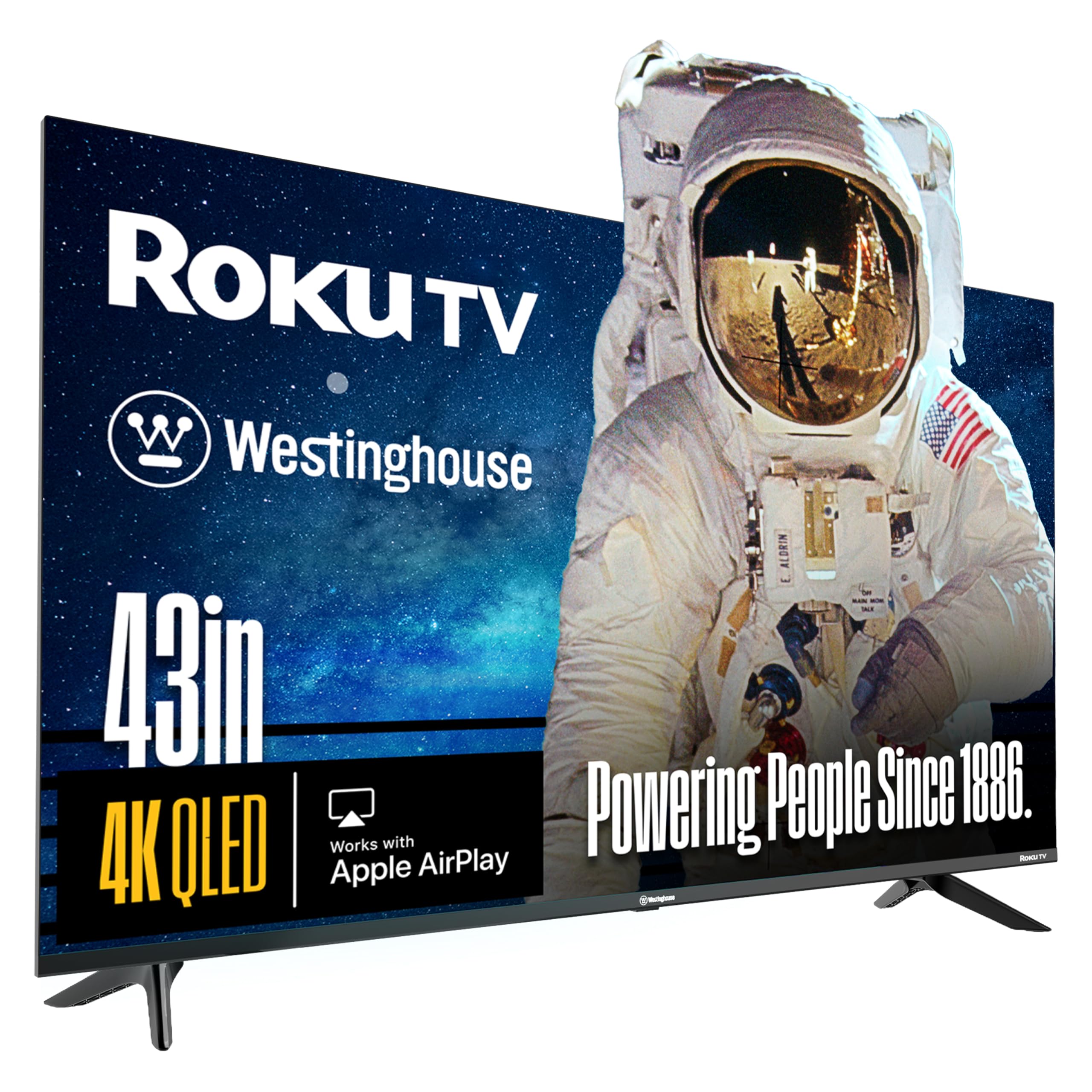
An affordable 43-inch QLED with a famously simple user interface and support for both HDR formats.
This Westinghouse is the entry point into true QLED color without the premium price tag. It uses quantum dot technology for brighter and more vivid colors than a standard LED TV, and it supports both Dolby Vision and HDR10+, ensuring compatibility with the major HDR standards from Netflix, Disney+, and others. The contrast ratio is listed as over 5000:1, which is excellent for deep blacks in a dark room.
The biggest asset here is the Roku TV platform, widely considered the most user-friendly and responsive smart TV interface. It offers access to 350+ free live channels and thousands of streaming apps. Buyers call it “amazing value” and “one of the best TVs on the market for the price.” The bezel-less edgeless design makes the screen feel bigger, and it works with Apple HomeKit, Alexa, and Google Assistant for voice control.
A minority of buyers, however, have reported inconsistent picture quality, with one reviewer noting the picture was “dull and washed out.” This suggests some panel variation, so you may want to buy from a store with a good return policy. This is a winner for simplicity and value.
Why it’s great
- Genuine QLED panel with Dolby Vision and HDR10+ at a great price.
- Roku smart platform is the easiest and fastest to use.
- Edgeless design looks more modern and immersive.
Good to know
- Some panel variability reported by a few buyers regarding brightness.
- Contrast ratio is high, but black levels won’t match premium sets.
Best for: Anyone who values a simple, fast, and intuitive smart TV experience with the color boost of QLED.
Skip if: You need a perfectly consistent picture guaranteed right out of the box.
8. Westinghouse 43-inch Smart TV, 4K UHD Xumo TV w/ HDR10, Dolby Vision
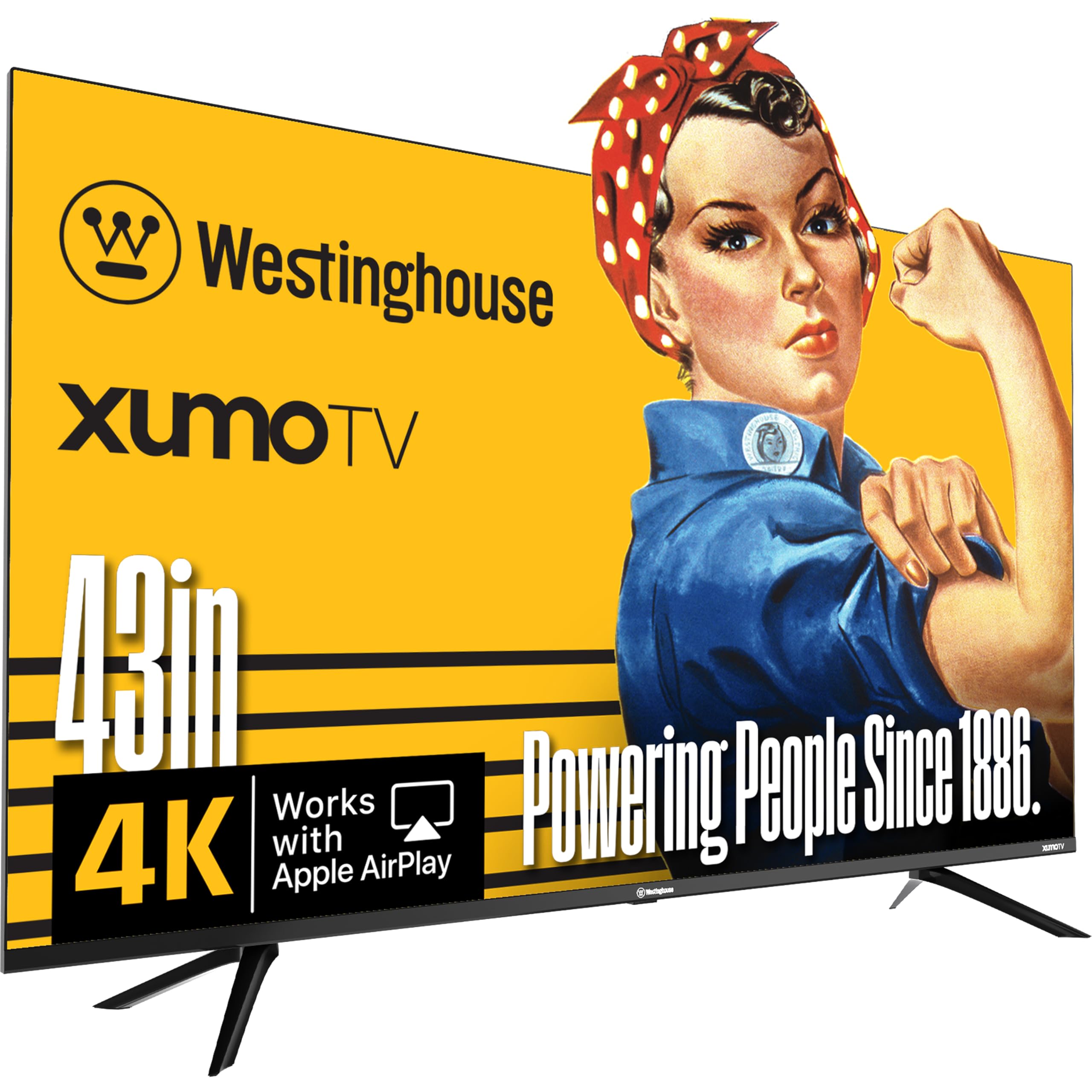
The budget-friendly 43-inch 4K TV that gives you Dolby Vision and a surprisingly good picture for the price.
If you simply want the most screen for the least cash, the Westinghouse Xumo TV delivers where it counts. Despite the low price, it has a 4K UHD display with Dolby Vision and HDR10+ support, giving you that enhanced contrast and color accuracy for HDR content. It is an LED panel with a 1200:1 contrast ratio, so blacks are decent but not as deep as a QLED, but the picture is “extremely good, considering it’s not a ‘brand name’ television,” according to one buyer.
The Xumo TV platform is a bit different. Shoppers say it is an “unobtrusive” OS, essentially a simple alternative to more aggressive smart systems, with one reviewer saying they bought the TV as a “dumb” TV alternative. It comes with a voice remote and universal search. Apple AirPlay is built-in, so iPhone users can easily cast to the screen. The connectivity is solid with 3 HDMI ports, USB, optical audio, and Bluetooth 5.1.
The catch is the Xumo OS. It is not as fast or app-rich as Roku or Google TV. Some users noted that it is “slower than Apple TV” and the interface for adding apps is not intuitive. This is a fantastic TV for a guest room or second TV where picture quality matters more than smart features.
The case for it: You get Dolby Vision HDR and Apple AirPlay at the lowest entry price for a 43-inch 4K TV, with a simple, ad-light OS.
The downside: The Xumo smart platform is slow and not as feature-rich, so plan to use an external streaming stick for the best experience.
Best for: The absolute best value for a basic 4K screen in a bedroom or guest room where picture quality is still important.
Skip if: You need a fast, app-heavy smart TV experience right out of the box.
Understanding the Specs
HDR (High Dynamic Range)
HDR is what makes the bright parts of a scene pop and the dark parts stay deep and detailed. The most common formats are HDR10 (standard), Dolby Vision (dynamic metadata per scene), and HDR10+ (similar to Dolby Vision). A TV that supports Dolby Vision and HDR10+ is the most future-proof. If this matters to you, look for those logos in the specs.
Refresh Rate (60Hz vs 120Hz+)
Measured in Hertz (Hz), this is how many times the screen updates per second. A standard TV is 60Hz, which is fine for movies and TV shows. A 120Hz or 144Hz panel updates twice as fast, making motion look smoother and reducing blur in fast sports and video games. It is essential for competitive gaming but unnecessary for casual viewers.
FAQ
Is a 43-inch TV too big or too small for a bedroom?
What is the difference between a 60Hz and 120Hz TV for everyday use?
Will I see a big difference between QLED and a standard LED 43-inch TV?
Which smart TV platform is the best for a 43-inch TV?
Can I use a 43-inch TV as a computer monitor?
What does “HDR10+” mean for my TV viewing?
Does the 43-inch TV’s refresh rate affect movie watching?
Is it worth paying more for a TV with Dolby Atmos support?
Final Thoughts: The Verdict
If you want one dependable pick, the 43 inch 4k tv winner is the Sony BRAVIA 2 II because it offers the best all-around package of a superb picture, a smooth 120Hz panel, and unique PS5 integration at a reasonable price. If you want the absolute best picture quality and high-refresh gaming, grab the Samsung QLED Q8F. And for the best value with a simple, user-friendly smart experience, the standout is the Westinghouse Roku TV.
How We Picked
We do not accept paid placement, and we did not hands-on test every unit. Instead, we match each pick to a real buyer and use-case by comparing the manufacturers’ published specifications against the patterns in verified customer reviews — so you get each pick’s real strengths and trade-offs instead of marketing copy.
Sources & Methodology
Specifications: manufacturer listings and product documentation. Review insights: verified customer reviews, as of July 2026. Pricing: not shown on this page (it changes often); check the current price via the retailer link.
As an Amazon Associate, Gadgets Feed earns from qualifying purchases. This does not affect which products we feature.
Product prices and availability are accurate as of the date/time indicated and are subject to change. Any price and availability information displayed on Amazon at the time of purchase will apply to the purchase of this product. As an Amazon Associate I earn from qualifying purchases.
CERTAIN CONTENT THAT APPEARS ON THIS SITE COMES FROM AMAZON. THIS CONTENT IS PROVIDED "AS IS" AND IS SUBJECT TO CHANGE OR REMOVAL AT ANY TIME.
Amazon and the Amazon logo are trademarks of Amazon.com, Inc. or its affiliates.