
Our readers keep the lights on and my morning glass full of iced black tea. As an Amazon Associate, I earn from qualifying purchases.
Specs are compiled from manufacturer listings and verified buyer reviews and can change over time — please confirm the key details on the product page before buying.
You are looking at a single screen that is big enough to replace two or three smaller monitors, without any bezels splitting your view or cables tangling across your desk. But moving from a common 24-inch or 27-inch display to a 43-inch monitor raises real questions about how deep your desk needs to be, how sharp the text will look, and whether you are better off with a TV that acts like a monitor or a true productivity tool. This guide lays out the options so you pick the giant canvas that fits your work or play.
I’m Min — the founder and writer behind Gadgets Feed. This guide is built by comparing the manufacturers’ published specifications and the patterns across verified customer reviews, so you get each pick’s real strengths and trade-offs instead of marketing spin.
The right 43-inch monitor for you depends on the panel type (the screen technology), refresh rate (how many times per second the image updates), and how you connect your devices — if you need a massive workspace for spreadsheets and code, a living-room-friendly gaming screen, or a smart display that pulls double duty as a TV.
Quick Picks
- SAMSUNG 43″ Odyssey Neo G7 Series — Best Overall
- Dell UltraSharp 43 4K USB-C Hub Monitor — Premium Pick
- Samsung 43” Smart Monitor M7 — Best Value
- SAMSUNG 43-Inch M7 (M70D) Series 4K UHD Smart — Smart Choice
- ViewSonic VX4381-4K 43 Inch 4K Monitor — Versatile Pick
- Dell U4320Q 43 Inch 4K UltraSharp Monitor — Office Standard
How To Choose The Best 43 Inch Monitor
A 43-inch monitor is a big investment in desk space and usually a purchase you will keep for several years. Getting it wrong means living with a screen that feels too slow, too reflective, or too fuzzy for daily work. Here are the three things to get right.
Resolution and Pixel Density
Almost every 43-inch monitor on the market runs 4K (3840 x 2160 pixels, meaning nearly four times the detail of standard HD). At this size, the pixel density sits around 103 pixels per inch (ppi — the number of tiny dots of light that make up the image per inch of screen) — well below a typical laptop screen but perfectly readable as a large-format display. You will almost certainly need to use scaling in Windows or macOS (setting it to 125% to 150%) so text and icons are not too small. The practical upside is massive screen real estate; you can snap four 1080p windows side by side without losing detail.
Refresh Rate and Response Time
A standard 43-inch office monitor runs at 60Hz (updates the image 60 times per second), which is fine for spreadsheets, coding, and video. But if you plan to game on this screen, look for a 120Hz or 144Hz panel paired with a 1ms response time (how fast a pixel can change color, measured in milliseconds) so fast motion stays blur-free. Remember that pushing 4K at high frame rates demands a powerful graphics card — a setting like 144Hz is wasted on a machine that cannot drive it.
Connectivity and Smart Features
Size alone is not enough; you need the right ports. USB-C with Power Delivery (65W or 90W — the watts measure how fast it charges your laptop) lets you charge a laptop through a single cable while sending video. Built-in KVM switching (Keyboard, Video, Mouse — a feature that lets you control two or more computers with one keyboard and mouse) lets you control two or more PCs with one keyboard and mouse. Smart monitors add streaming apps and a remote control, turning your workspace into a living room screen. Decide if you want a pure PC monitor or a hybrid device before you buy.
Quick Comparison
| Model | Best For | Panel Type | Refresh Rate | Contrast Ratio | Amazon |
|---|---|---|---|---|---|
| Samsung 43″ Odyssey Neo G7 | High-FPS 4K Gaming | VA (Mini LED) | 144Hz | 1,000,000:1 | Amazon |
| Dell UltraSharp U4323QE | Multi-PC Productivity Hub | IPS | 60Hz | 1,000:1 | Amazon |
| Samsung 43″ Smart Monitor M7 (M70F) 2025 | Budget Smart Monitor / TV | VA | 60Hz | 5,000:1 | Amazon |
| Samsung 43-Inch M7 (M70D) Series | Smart Dual-Use (Work & Streaming) | VA | 60Hz | 5,000:1 | Amazon |
| ViewSonic VX4381-4K | Multi-Source Office Viewing | MVA | 60Hz | 4,000:1 | Amazon |
| Dell U4320Q UltraSharp | No-Compromise IPS Office Monitor | IPS | 60Hz | 1,000:1 | Amazon |
In‑Depth Reviews
1. SAMSUNG 43″ Odyssey Neo G7 Series

The 43-inch that finally gives you 4K gaming without turning motion into mush.
If you want to game on a 43-inch canvas, the Odyssey Neo G7 is worth the higher price because its 144Hz refresh rate and 1ms MPRT (Moving Picture Response Time — the time a pixel takes to fully change, measured in milliseconds) keep fast-paced shooters crisp. That is a huge leap from the 60Hz on standard office screens. The Quantum Matrix Technology uses Mini LEDs (tiny light-emitting diodes that can dim in very small zones) to push the contrast ratio (the difference between the brightest white and darkest black) to 1,000,000:1. This delivers deep blacks and bright highlights that make games feel more lifelike than on a typical LCD (Liquid Crystal Display) panel. Unlike the ViewSonic VX4381-4K below, which struggles with gaming motion, this Samsung is built for it. One caution: buyers report that a proper DisplayPort 1.4 cable is critical to hit 144Hz reliably; a cheap HDMI will cause black screen flashes.
The smart TV side is not an afterthought either. Samsung Gaming Hub gives you instant access to cloud streaming services, and the built-in Tizen apps let you watch Netflix or Prime without a separate box. That said, the Neo G7 carries a higher investment than a pure office monitor, and some owners note the Smart Hub interface can feel sluggish. Two-year owners say the picture holds up beautifully, but the finicky input detection is a small daily friction.
Why It Hurries Ahead of the Pack
- 144Hz refresh rate keeps competitive gameplay silky smooth
- 1,000,000:1 contrast ratio and VESA DisplayHDR600 for vivid visuals
- Flex Move Screen lets you shrink the active area from 43 down to 20 inches
Where It Stumbles
- Picky about cables — a poor HDMI causes flickering at high refresh rates
- Speakers are merely adequate, not great
- Smart Hub interface can feel slow compared to a dedicated streaming device
Reach for it if: you want a single 4K screen that handles fast gaming and smart TV streaming without compromise. The Neo G7 leads the group on refresh rate and contrast, making it the top performer for anyone who values smooth, vivid motion.
Look elsewhere if: your workday is all spreadsheets and static documents — you will pay for gaming features you do not need, and a pure office monitor delivers equal clarity for less.
2. Dell UltraSharp 43 4K USB-C Hub Monitor – U4323QE
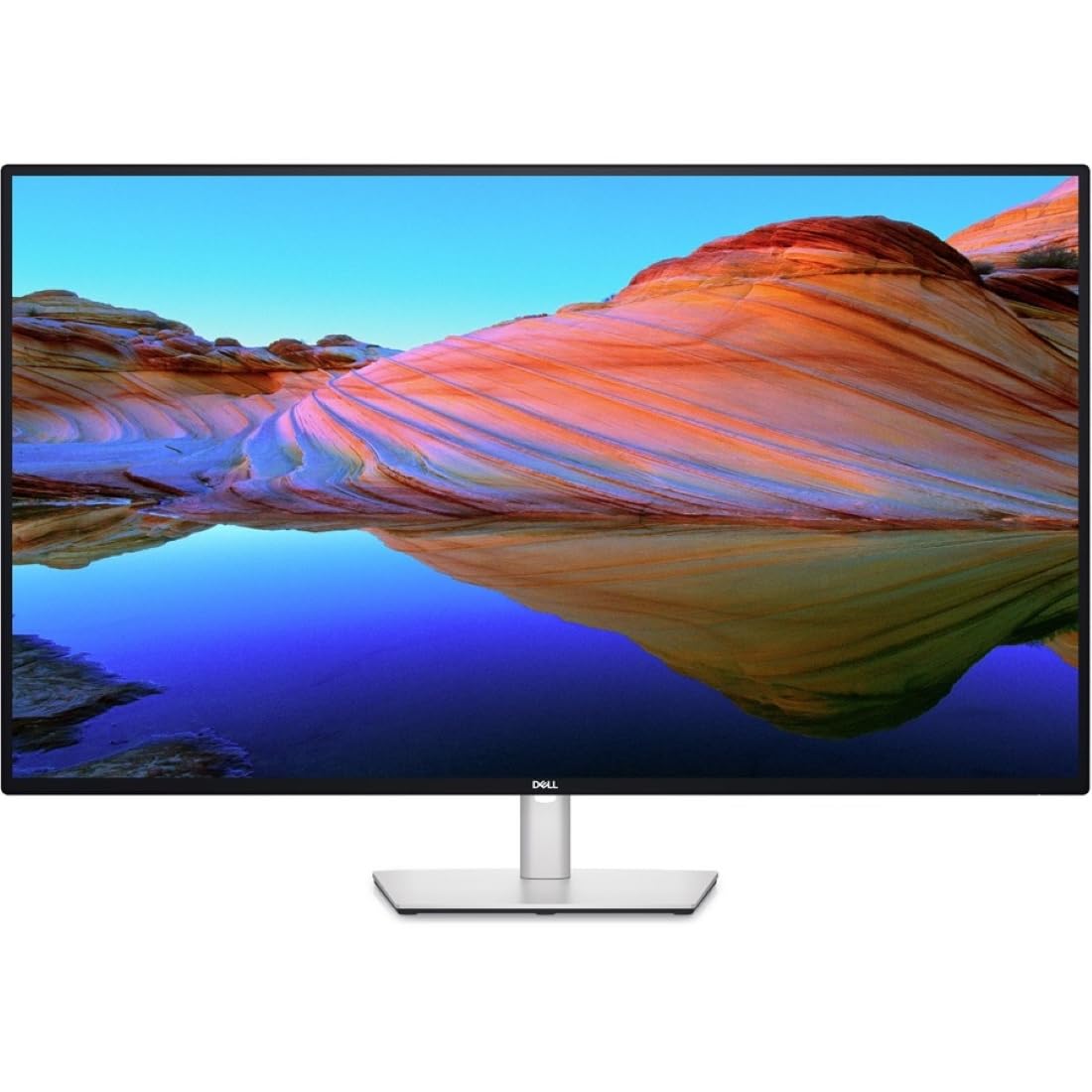
The workstation hub that turns one giant IPS panel into four separate 1080p desktops.
This Dell is built for people who live in multiple applications or even multiple computers at once. Its Internal Multi-Stream Transport (iMST) technology splits the 43-inch 4K screen into four distinct 1080p partitions from a single PC connection — no extra software needed. That saves time for anyone juggling dashboards, code editors, or Adobe Suite panels. For multi-PC setups, the KVM (Keyboard, Video, Mouse) and Auto KVM let you control up to four different machines with one keyboard and mouse, and you can switch between them smoothly.
Buyers consistently praise the convenience of the front-facing pop-out USB-A and USB-C (15W charging) ports, keeping peripherals tidy. The 4K IPS panel delivers excellent viewing angles and consistent color across the entire 43 inches, making it a strong choice for light graphics work. The one catch is the KVM — owners mention it is software-based and can crash occasionally, forcing you to switch manually via the rear controls. At 60Hz this is strictly a productivity tool, not a gaming screen, but for its intended audience the U4323QE is hard to top.
What Makes It a Power User’s Dream
- iMST splits the screen into four FHD partitions from a single PC
- KVM and Auto KVM control up to four different computers
- Front-facing pop-out USB ports for easy peripheral access
The Downside to Know
- Software-based KVM can crash, requiring a manual reset
- 60Hz refresh rate limits it to productivity — not for gaming
- Higher price point than most office monitors
Who It Serves Best: IT professionals, developers, and financial analysts who need a massive organized workspace across multiple PCs. The U4323QE is the most versatile hub monitor on this list if connectivity is your top priority.
An Honest Trade-off: The same premium features mean you pay for KVM and iMST, so if you only ever connect one computer, a simpler 43-inch monitor like the Dell U4320Q will work just as well for less.
3. Samsung 43” Smart Monitor M7 (M70F) 4K UHD Display

A budget-friendly 43-inch that doubles as a smart TV with Samsung Vision AI.
For anyone who wants a giant 4K screen that is also a living-room TV, the M70F (2025 model) is the most affordable way to get both. It comes with Samsung Vision AI (a system the brand says adapts the picture depending on what you are doing — richer blacks for gaming, sharper text for documents). The 5000:1 contrast ratio is noticeably deeper than the 1000:1 on typical IPS office monitors like the Dell U4320Q, so movies and games look punchier. It also includes Samsung TV Plus, giving you live channels and on-demand content without any subscription.
Customers note this screen replaces a 32-inch and a 27-inch side by side, which is the main draw — you get massive real estate for a very low investment. The downside is the 60Hz refresh rate makes it unsuitable for competitive gaming, and some reviewers point out compatibility issues with certain PCs over HDMI. One reviewer noted the sound is treble-heavy and recommends external Bluetooth speakers. If you want a no-fuss primary PC monitor without smart features, a pure productivity screen is a better bet, but as a hybrid work-and-watch device the M70F delivers an incredible value.
What You Gain at This Price
- Smart TV apps and Samsung TV Plus built right in
- 5000:1 contrast ratio delivers rich blacks for movies
- USB-C, HDMI, and USB-A ports for single-cable laptop connection
The Catch
- 60Hz refresh rate — no fast-paced gaming
- Some Windows PCs have HDMI detection issues
- Built-in speakers are treble-heavy, not great for music
Best for: buyers who need one large screen for daily productivity and evening streaming, and who want to keep the total cost low. The M70F packs the most features per dollar in this lineup.
skip it if: you are a gamer who needs high frame rates, or if you rely on DisplayPort — this monitor has no DP input, only HDMI and USB-C.
4. SAMSUNG 43-Inch M7 (M70D) Series 4K UHD Smart Monitor

A 43-inch hybrid that serves split duty between home office and guest-room TV.
The M70D is very close to the M70F above, but with a few notable differences. It runs the same 4K 60Hz VA (Vertical Alignment) panel with a 5000:1 contrast ratio, so HDR10 (High Dynamic Range 10 — a standard that lets the screen show a wider range of brightness) content looks rich and colors are vibrant. what separates it is the SolarCell Remote (solar-powered, no batteries needed) and sturdy vision accessibility tools — low-vision users get screen magnification and color switching built into the monitor’s settings. The Smart Hub gives you OTT streaming apps, and the Samsung Gaming Hub means you can play cloud games without a console. Shoppers say the 4K picture is stunning and the USB-C port charges a laptop while sending video.
However, this monitor relies on a TV-like interface with no physical buttons, only a remote. One buyer flagged that it was completely incompatible with a Lenovo desktop and laptop despite clean diagnostics — a rare but serious compatibility risk. Also, it uses a glossy screen coating that looks great for movies but can reflect ambient light in a bright room. If you need a reliable pure PC monitor and have no interest in smart features, the M70D is not the best fit, but for a dual-use living-space screen it is a strong contender.
What Stands Out
- SolarCell Remote is eco-friendly and never needs charging
- Vision accessibility tools (magnification, color switching) for low-vision users
- 5000:1 contrast ratio with HDR10 support
Points to Consider
- No DisplayPort and no physical buttons — remote only
- Compatibility issues reported with some Lenovo laptops
- Glossy screen can reflect bright room lighting
Who It Works Well For: someone who wants a 43-inch screen that pulls duty as a home office monitor by day and a streaming TV in the evening. The M70D is particularly good for low-vision users thanks to its accessibility features.
What Holds It Back: the risk of PC compatibility hiccups is real, so check your laptop’s HDMI/C output before buying. If you need a no-surprises pure monitor, stick with a Dell UltraSharp.
5. ViewSonic VX4381-4K 43 Inch 4K Monitor
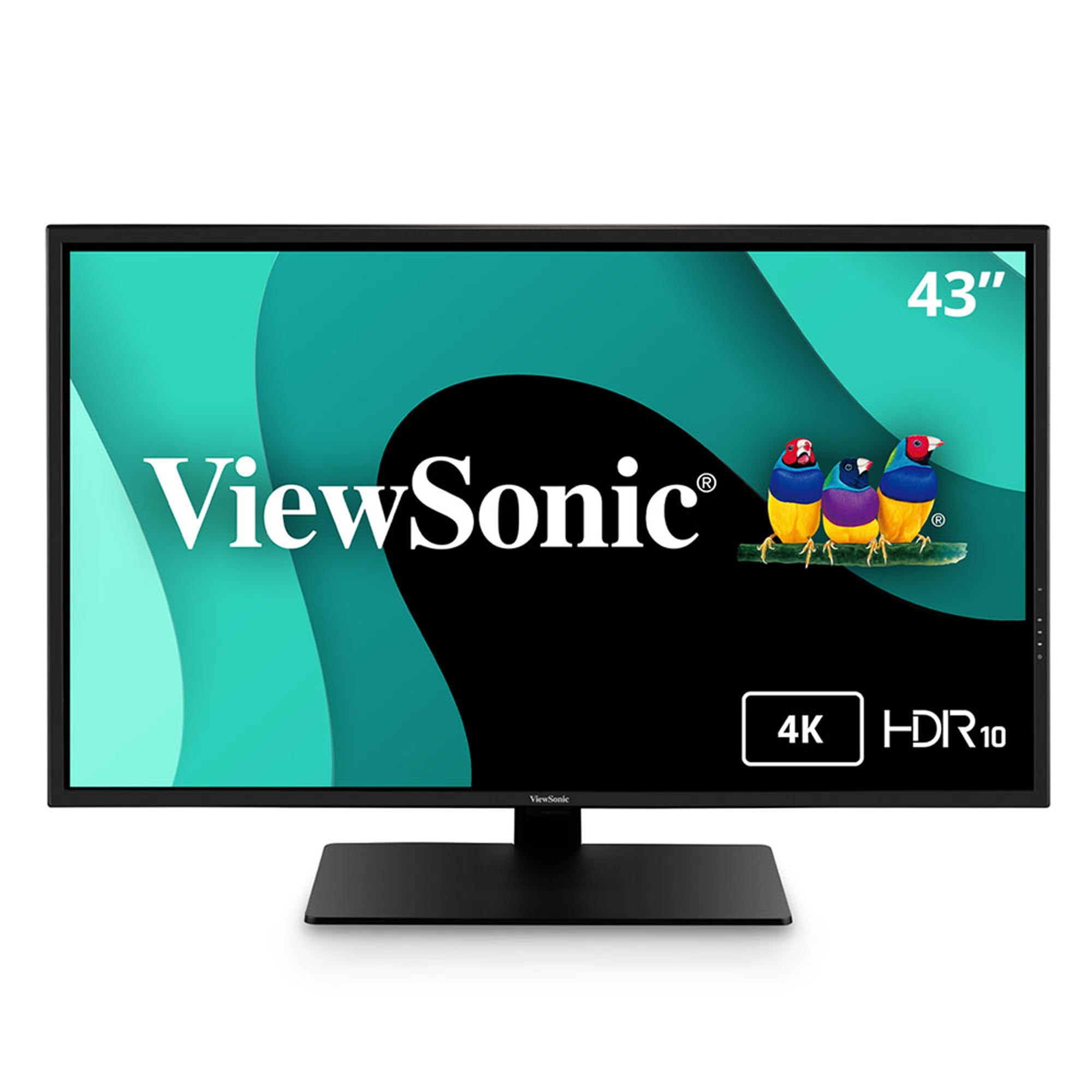
The 43-inch MVA monitor that lets you watch four video feeds at once.
The VX4381-4K’s defining trick is its Multi-Picture functionality: it can display up to four Full HD 1080p sources simultaneously on one screen, which is a big win for security camera feeds, trading dashboards, or any situation where you need to monitor multiple inputs. Its MVA (Multi-Domain Vertical Alignment — a panel type that balances contrast and viewing angles) panel delivers a 4,000:1 contrast ratio, which gives richer blacks than the 1,000:1 on standard IPS screens — noticeable when watching dark movie scenes. The 450 cd/m² brightness (candelas per square meter — how bright the white areas can get) is among the highest on this list, making it usable in a well-lit room. One buyer reports it is “still great after 3+ years,” pointing to solid long-term reliability for productivity work like Excel and browsing.
The catch is that this monitor is not for color-critical work. Several buyers report the image can look grainy with poor colored text, and they suspect a 6-bit panel with dithering (a technique that simulates more colors by flickering between shades). The built-in speakers are universally described as terrible — thin and tinny. And while it can accept a 75Hz signal at lower resolutions, it maxes at 60Hz at 4K, so it is not a gaming display. If your job is multi-source monitoring with decent contrast, the VX4381-4K is a unique and durable option. For pure office clarity, an IPS screen like the Dell U4320Q is a safer choice.
The Strong Suit
- Multi-Picture shows four 1080p inputs at once
- 4,000:1 contrast ratio with 450 cd/m² brightness for a vibrant image
- Long-term reliability noted by several 3-year owners
What Holds It Back
- Color quality is poor for photo or video editing
- Speakers are extremely tinny — plan on external audio
- Not suitable for gaming beyond basic titles
Grab It For: multi-monitor-style workflows where you need to watch four different video sources simultaneously. The VX4381-4K is a unique tool for security desk setups, trading floors, or system monitoring.
Look Past It If: you need color accuracy for design work, or if you plan to play fast-paced games — the 60Hz limit and slow response times make it a poor gaming choice.
6. Dell U4320Q 43 Inch 4K UltraSharp Monitor

The IPS workhorse that consolidates your entire workspace into one sharp panel.
The Dell U4320Q is the classic office-first pick in this list. Its IPS (In-Plane Switching) panel delivers consistent, wide viewing angles and accurate color reproduction, making it the best choice for professionals who deal with color-sensitive work. The 4K resolution at 42.5 inches gives you enough vertical space to see a full spreadsheet or a long code file without scrolling. The built-in USB-C port can drive the display, charge your laptop, and transfer data through a single cable — one buyer mentioned this reduced their desk from 10 cables to one, which is a huge win for tidiness.
Unlike the Samsung M-series smart monitors, the U4320Q is a pure monitor with no TV apps or remote. That keeps the interface simple and reliable. Buyers consistently call it the best monitor they have ever owned for IT work, noting crisp text and excellent build quality. The trade-off is a 1000:1 contrast ratio — noticeably shallower than the 5000:1 on the Samsung M7 series — so dark movie scenes will look more gray than inky black. And at 60Hz, it is purely a productivity panel. If your work is reading, writing, and spreadsheets, the U4320Q is a bulletproof classic that outperforms many newer models.
Why It Is a Productivity Legend
- IPS panel gives wide angles and accurate colors for design
- Single USB-C cable handles video, data, and laptop charging
- Built like a tank — buyers consistently cite years of flawless use
The Real Limitations
- 1000:1 contrast ratio is low for watching movies in a dark room
- 60Hz refresh rate, no gaming capability
- Heavy unit — the stand and monitor together are a workout to move
Who Should Choose This: the office worker who spends 8-12 hours daily in documents, code, or spreadsheets and values rock-solid reliability above all. The U4320Q is the monitor your IT department would pick for you.
The Honest Reason to Pass: if you also use your screen for movies or casual gaming, the lower contrast ratio and lack of smart features will leave you wanting more. Pick a Samsung smart monitor instead for dual use.
Understanding the Specs
Contrast Ratio and HDR
Contrast ratio measures the difference between the brightest white and the darkest black a monitor can show. A 1000:1 ratio is standard for IPS office panels — it is clear and sharp, but blacks look more like dark gray in a dark room. VA and MVA panels, like those from Samsung and ViewSonic, typically offer 4000:1 to 5000:1, making blacks look much deeper and movies more rich. The Samsung Odyssey Neo G7 goes further with 1,000,000:1 thanks to Mini LED backlights that can dim in tiny zones. HDR (High Dynamic Range) certification like HDR10 or VESA DisplayHDR600 means the monitor can handle a wider brightness range, keeping highlights bright without washing out shadows.
Panel Type: IPS vs. VA vs. MVA
IPS (In-Plane Switching) panels are the gold standard for color accuracy and wide viewing angles — the Dell U4320Q and U4323QE use them. Colors stay consistent even when you look from the side. The trade-off is lower native contrast. VA (Vertical Alignment) panels, used by Samsung’s smart monitors, sacrifice a bit of viewing angle for much deeper blacks and higher contrast — great for movies. MVA (Multi-Domain Vertical Alignment), used by the ViewSonic VX4381-4K, sits between the two with decent contrast and better viewing angles than standard VA. For office work, IPS wins. For movies and gaming in a dark room, VA is better.
FAQ
Will a 43-inch monitor fit on my desk?
Do I need a special graphics card for a 43-inch 4K monitor?
Can I use a 43-inch monitor as a TV?
Is 60Hz enough for a 43-inch monitor?
What is the difference between a smart monitor and a regular monitor?
Will a 43-inch monitor cause eye strain?
Which is better for a 43-inch monitor, IPS or VA?
Can I mount a 43-inch monitor on a wall?
How do I connect multiple computers to one 43-inch monitor?
Is the Samsung Odyssey Neo G7 worth the extra cost vs. the M7 series?
Final Thoughts: The Verdict
The Samsung Odyssey Neo G7 stands out as the top all-arounder because it pairs a 144Hz gaming refresh rate with a 1,000,000:1 contrast ratio and smart TV apps in one package. For a pure productivity hub with a built-in KVM and four-part screen splitting, go with the Dell UltraSharp U4323QE. And the Samsung Smart Monitor M7 (M70F) is the value leader that doubles as a living-room TV at the lowest cost.
How We Picked
We do not accept paid placement. Every pick is matched to a real buyer and a real use-case; we do not hands-on test units.
Sources & Methodology
Specifications: manufacturer listings and product documentation. Review insights: verified customer reviews, as of July 2026. Pricing: not shown on this page (it changes often); check the current price via the retailer link.
As an Amazon Associate, Gadgets Feed earns from qualifying purchases. This does not affect which products we feature.