
The 45-inch ultrawide gaming monitor segment is a battlefield where resolution and refresh rate collide. You are hunting for a panel that replaces a dual-monitor setup with a single, sweeping curve, delivering a 32:9 or 21:9 canvas that pulls you into the cockpit of a racer or the command center of an RTS. The central tension here is simple: a massive screen demands enough pixels—usually DQHD (5120×1440) or WUHD (5120×2160)—to keep the image sharp, and a refresh rate of at least 120Hz to keep motion fluid. This article breaks down the top contenders, from value-packed VA panels to premium OLEDs with near-instant response times.
I’m Min — the co-founder and writer behind Gadgets Feed. I’ve spent hundreds of hours analyzing technical specifications, cross-referencing real-world user data, and mapping the price-to-performance curve across every major 45-inch-class monitor on the market.
Whether you prioritize blistering 240Hz motion clarity or pixel-dense 5K2K productivity, this guide to the 45 inch gaming monitor landscape will help you match the right panel to your rig and your eyes.
How To Choose The Best 45 Inch Gaming Monitor
Stepping up to a 45-inch gaming monitor is a major investment in immersion. The panel size introduces a unique set of considerations that you won’t face with smaller screens. The key is balancing pixel density, panel technology, and refresh rate to match your hardware and the games you play most.
Resolution: The DQHD Standard vs. 4K Ultrawide
At 45 inches, standard 1440p (2560×1440) is too low; pixel density suffers and the image looks grainy. The baseline you want is DQHD (5120×1440), which offers a pixel-per-inch (PPI) count similar to a 27-inch QHD monitor, keeping text and fine details sharp. For even more vertical real estate, look for WUHD (5120×2160) panels, which deliver a 21:9 aspect ratio with significantly more pixels and a higher PPI. This is crucial if you plan to do photo editing, read code, or play games that benefit from a taller field of view.
Panel Technology: VA vs. OLED
Almost all affordable 45-inch monitors use VA panels. They offer excellent native contrast (3000:1), deep blacks, and good brightness, making them a solid choice for most gaming and media consumption. The trade-off is slower pixel response times, which can lead to slight black smearing in fast, dark scenes. OLED panels are the premium upgrade. They deliver infinite contrast, perfect blacks, and near-instantaneous pixel response (0.03ms), resulting in unmatched motion clarity. However, OLED monitors are significantly more expensive and carry a risk of permanent burn-in from static desktop elements over years of use.
Refresh Rate and Adaptive Sync
A 45-inch monitor is a large canvas, and driving it at high frame rates is demanding. A 120Hz panel offers a noticeable upgrade from 60Hz, especially in single-player, story-driven games. For competitive shooters, a 144Hz or 240Hz panel provides a substantial advantage in motion fluidity and target tracking. Pair this with Adaptive Sync technology—either AMD FreeSync or NVIDIA G-Sync Compatible—to eliminate screen tearing and stuttering without the input lag penalty of V-Sync. Matching the monitor’s adaptive sync to your GPU brand ensures the smoothest experience.
Quick Comparison
On smaller screens, swipe sideways to see the full table.
| Model | Category | Best For | Key Spec | Amazon |
|---|---|---|---|---|
| LG 45GS95QE Ultragear OLED | Premium OLED | Competitive & Immersive Gaming | 240Hz, 0.03ms, 800R Curve | Amazon |
| Gawfolk 45″ DQHD Curved | Value DQHD | High-FPS Gaming & Multitasking | 240Hz, 5120×1440, 1ms | Amazon |
| Samsung 40” Odyssey G7 (G75F) | High-Resolution | WUHD Productivity & HDR Gaming | 180Hz, 5120×2160, HDR600 | Amazon |
| CRUA 45″ DQHD Curved | Budget 240Hz | Budget-Conscious High Refresh Rate | 240Hz, 5120×1440, 1ms MPRT | Amazon |
| INNOCN 45C1R | Productivity Focus | Workstation & Content Creation | 120Hz, 5120×1440, USB-C 90W | Amazon |
| Westinghouse 49″ DQHD | Entry Ultrawide | Entry-Level Large Screen Gaming | 120Hz, 5120×1440, 1800R | Amazon |
| Amzfast 49″ DQHD | Eco-Gaming | Split-Screen Productivity | 120Hz, 5120×1440, PIP/PBP | Amazon |
| msi MPG 321URX QD-OLED | Compact OLED | 4K HDR Gaming & Productivity | 240Hz, 3840×2160, 0.03ms | Amazon |
| Philips Evnia 49M2C8900L | Premium OLED | Immersive HDR & Dual-PC Workflows | 144Hz, 5120×1440, 0.03ms | Amazon |
| Samsung Odyssey Ark | Giant Screen | Console & Cockpit Mode Gaming | 165Hz, 3840×2160, 1000R | Amazon |
| Acer Predator Z57 | Ultra-High Res | Professional & Sim Racing | 120Hz, 7680×2160, Mini LED | Amazon |
In‑Depth Reviews
1. LG 45GS95QE Ultragear OLED Curved Gaming Monitor
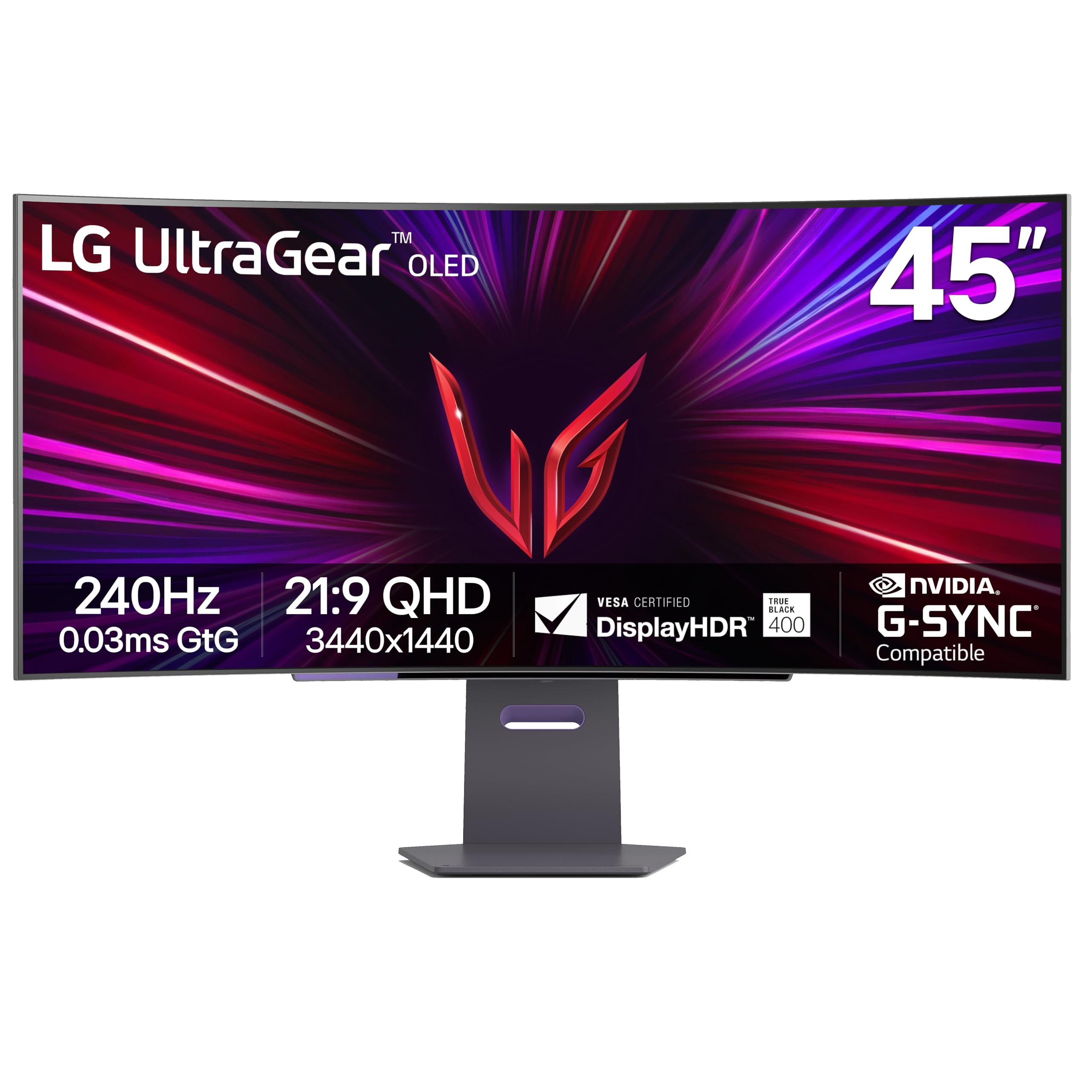
The LG 45GS95QE sets the benchmark for what a 45-inch gaming monitor should be. Its WQHD (3440×1440) resolution on a 45-inch OLED panel delivers vibrant colors and perfect blacks, while the aggressive 800R curve fully envelops your peripheral vision, creating a truly immersive cockpit feel. The 240Hz refresh rate and 0.03ms GtG response time ensure that motion is buttery-smooth with zero ghosting, making it a top-tier choice for both competitive first-person shooters and cinematic single-player titles.
This monitor supports both AMD FreeSync Premium Pro and NVIDIA G-Sync Compatible, guaranteeing a tear-free experience regardless of your GPU brand. The anti-glare, low-reflection coating is a significant practical benefit, reducing distracting ambient light reflections during extended sessions. While the 275 nits typical brightness is lower than high-end Mini-LED panels, the infinite contrast of OLED compensates, delivering impressive HDR impact in dark scenes.
The ergonomic stand offers tilt, height, and swivel adjustments, providing a good range of motion for finding the perfect viewing angle. Some users note that text clarity at this resolution and size can appear slightly soft compared to a 4K panel, but this is a minor trade-off for the exceptional gaming performance. The built-in speakers are decent for casual use, but a dedicated gaming headset or soundbar is recommended for the full experience.
Why it’s great
- Stunning OLED contrast and colors with near-instant response
- Aggressive 800R curve maximizes peripheral immersion
- Dual certification for both FreeSync Premium Pro and G-Sync Compatible
- Solid build quality with a fully adjustable stand
Good to know
- 3440×1440 resolution means lower pixel density than some competitors
- Peak brightness is modest compared to Mini-LED displays
- OLED carries a risk of burn-in over long-term use with static elements
2. Samsung 40” Odyssey G7 (G75F) WUHD Gaming Monitor

The Samsung Odyssey G7 G75F is a unique contender in the 45-inch-class space, offering a WUHD (5120×2160) resolution on a 40-inch 1000R curved VA panel. This gives you a 21:9 aspect ratio with significantly more vertical pixels than a standard 32:9 DQHD monitor, providing an incredibly sharp and detailed image that is excellent for both gaming and productivity. The 180Hz refresh rate and 1ms GtG response time are a step above the typical 120Hz panels in this resolution class.
VESA DisplayHDR 600 certification ensures that highlights pop and contrast is strong, making HDR-enabled games look vivid and punchy. The 1000R curvature matches the human field of view, creating a deeply immersive experience that feels natural. The G7 is also compatible with both FreeSync Premium Pro and G-Sync, providing smooth, stutter-free gameplay. The stand is sturdy and offers height, tilt, and swivel adjustments for flexible ergonomic setup.
The main compromise is the 40-inch size, which is slightly smaller than the 45-inch panels in this guide. Some users report that the monitor requires some color calibration out of the box to achieve the best visual accuracy. However, for those who prioritize pixel density and a slightly more manageable desk footprint, this is a fantastic high-resolution gaming display that avoids the bulk of a true 49-inch super ultrawide while delivering superior image clarity.
Why it’s great
- Sharp WUHD 5K2K resolution for excellent detail and productivity
- High 180Hz refresh rate with fast 1ms response
- VESA DisplayHDR 600 for strong HDR performance
- Deep 1000R curve for high immersion
Good to know
- 40-inch size may feel small compared to 45-inch or 49-inch models
- Some users note color calibration is needed out of the box
- Stand base is large and can take up significant desk space
3. Gawfolk 45 inch Ultra-Wide Curved Gaming Monitor
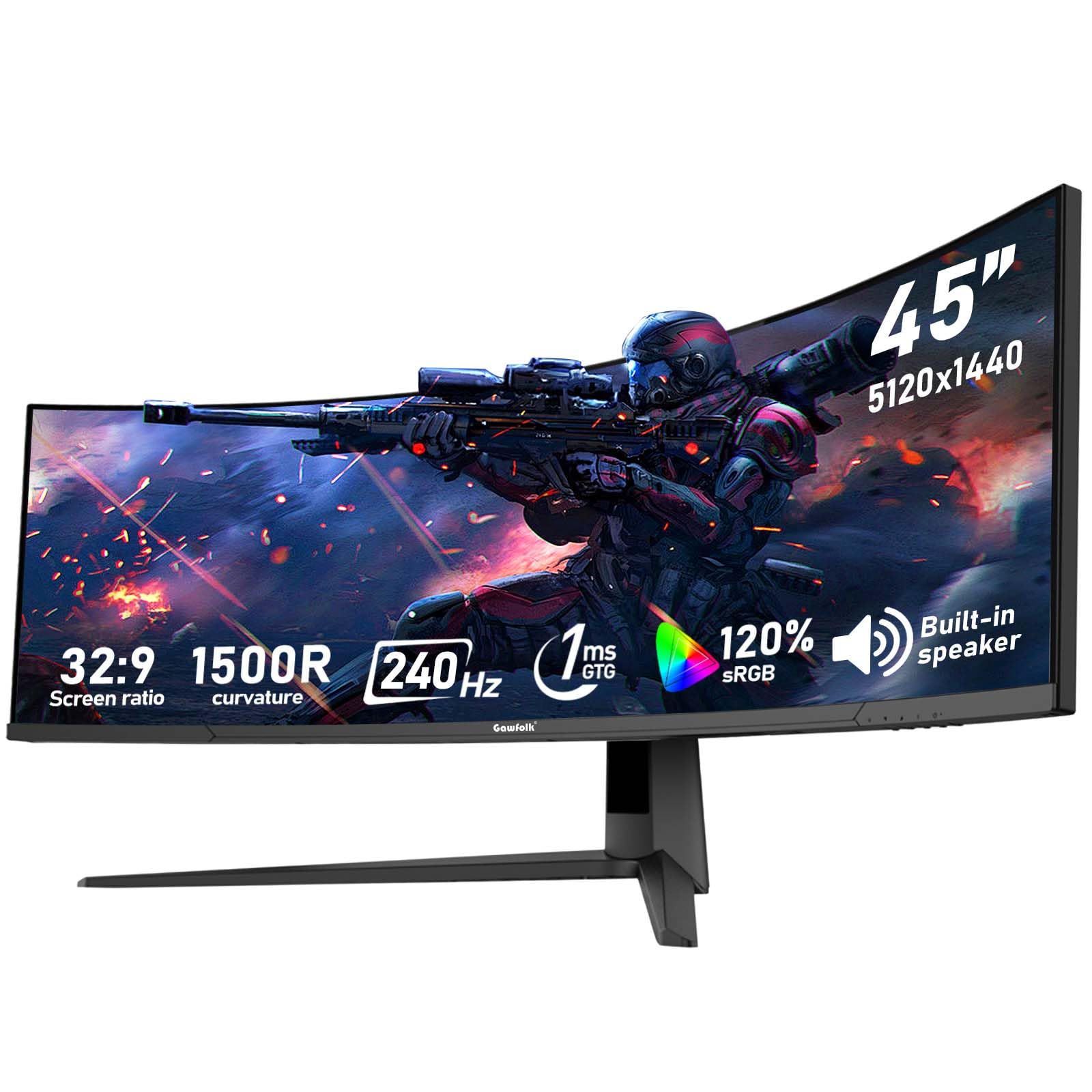
The Gawfolk 45-inch monitor is a standout for value, delivering DQHD (5120×1440) resolution and a 240Hz refresh rate at a price point that undercuts many competitors. This 32:9 VA panel offers a 1500R curvature and a 3000:1 contrast ratio, providing deep blacks and vibrant colors that are excellent for both immersive gaming and productivity. The high refresh rate ensures that motion is fluid and responsive, making it a strong pick for fast-paced shooters and racing sims.
Connectivity is well-covered with 2x HDMI 2.1 and 2x DisplayPort 1.4 ports, allowing you to connect a high-end PC, a PS5, and an Xbox Series X simultaneously without needing to swap cables. The monitor also supports both FreeSync and G-Sync Compatible modes, minimizing screen tearing. The built-in low blue light filter and flicker-free technology are welcome features for reducing eye strain during long sessions.
The primary consideration is that this is a budget-oriented model, and some units have reported quality control issues or failures within the first few months. The included stand is functional but basic, lacking the robust ergonomic adjustments of pricier monitors. If you are willing to accept a slightly higher risk of minor defects to secure top-tier specs at a bargain price, the Gawfolk is an incredible deal that punches well above its weight class.
Why it’s great
- Exceptional value: DQHD resolution with a 240Hz refresh rate
- Great contrast ratio for a VA panel delivers deep blacks
- Full HDMI 2.1 and DP 1.4 ports for next-gen console support
- Low blue light and flicker-free for eye comfort
Good to know
- Potential quality control issues reported by some users
- Stand is functional but lacks premium ergonomic adjustment
- Warranty is only 12 months, shorter than some competitors
4. CRUA 45″ Curved Gaming Monitor
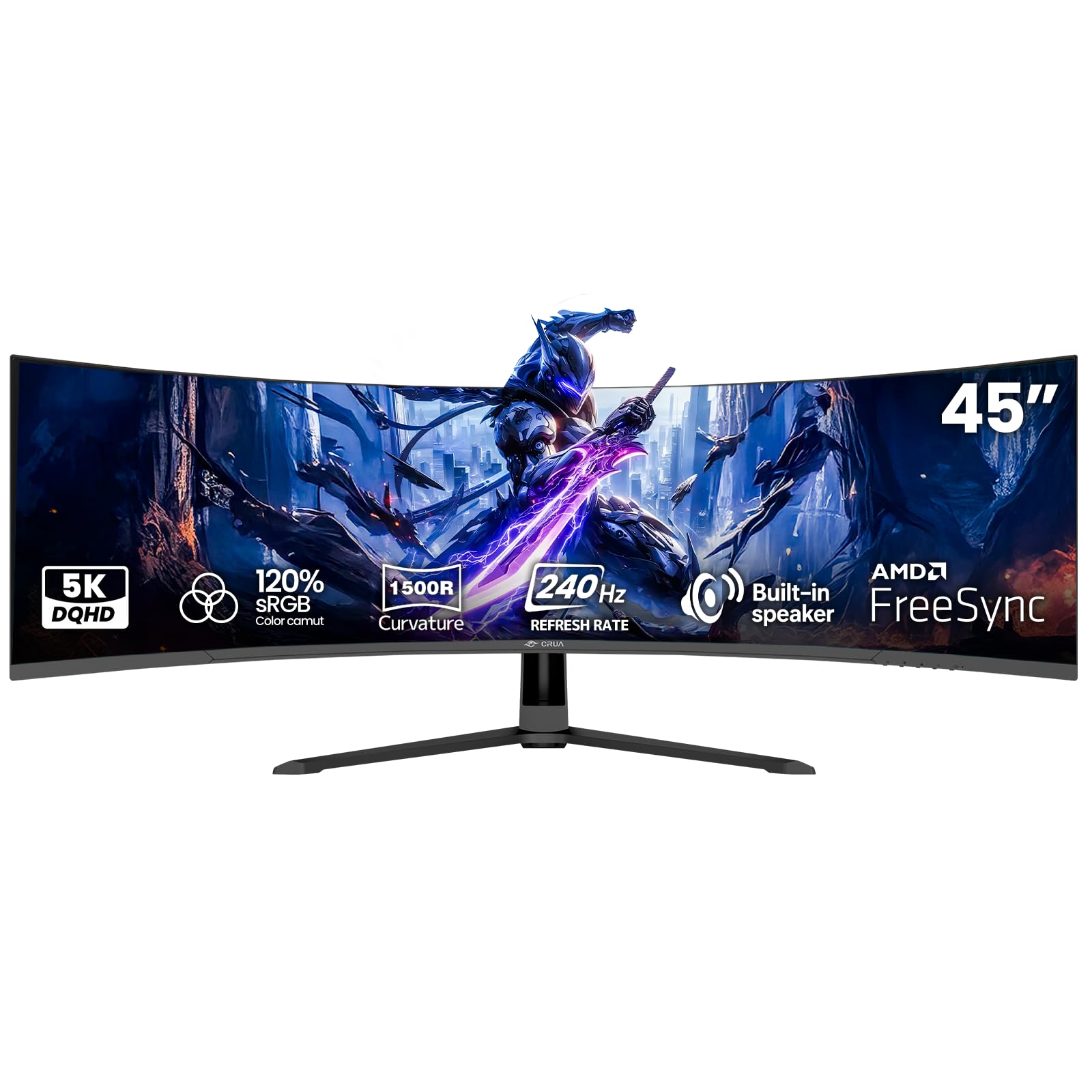
The CRUA 45-inch monitor joins the ranks of budget-focused 240Hz DQHD panels, offering a very similar specification sheet to the Gawfolk at a comparable price. It features the same 5120×1440 resolution, 32:9 aspect ratio, and 1500R VA panel, delivering a wide, immersive field of view with solid contrast. The 240Hz refresh rate, combined with AMD FreeSync, makes it capable of delivering a very smooth and responsive gaming experience in titles like Call of Duty or Overwatch.
Connectivity is handled by a single HDMI 2.1 port and a DisplayPort 1.4 port, which is sufficient for a single high-performance PC and a console. The monitor includes built-in speakers, which are a nice convenience for casual use. A significant positive noted by users is the effective blue light filter, which has noticeably reduced eye strain and fatigue for those coming from older monitors.
The critical trade-off is that to achieve the 240Hz refresh rate, you must use the DisplayPort 1.4 connection; the HDMI port is capped at a lower rate. Some user reports also mention a high-pitched whine from the power adapter and less-than-vibrant color accuracy out of the box. For the budget-conscious gamer who values high refresh rate and a massive screen above all else, the CRUA is a compelling, if slightly imperfect, entry point into large-format ultrawide gaming.
Why it’s great
- Very competitive pricing for a 45-inch 240Hz DQHD panel
- Effective blue light filter that reduces eye fatigue
- HDMI 2.1 support for console compatibility
- Wall-mountable 100×100mm for flexible setup
Good to know
- 240Hz refresh rate only achievable through DisplayPort
- Some users report a high-pitched whine from the power adapter
- Color accuracy may require manual adjustment out of the box
5. INNOCN 45C1R Ultrawide Curved Gaming Monitor

The INNOCN 45C1R is a 45-inch 5120×1440 32:9 ultrawide that emphasizes productivity as much as gaming. Its key differentiator is the USB-C port with 90W power delivery, allowing you to connect and charge a modern laptop with a single cable, making it a fantastic hub for a hybrid work/gaming desk. The 120Hz refresh rate and VA panel provide a smooth and immersive experience for most games, though it is not targeting the competitive 240Hz crowd.
The monitor is equipped with a rich array of ports, including multiple USB-A ports, an RJ45 ethernet jack, and HDMI 2.1 inputs. This effectively allows it to function as a full-featured docking station. The built-in PIP/PBP feature is particularly robust, enabling you to display content from two separate input sources simultaneously on the same screen—a huge boon for work-from-home setups or streaming.
The main drawbacks are centered on build quality and ergonomics. While the stand is height-adjustable, some users report it being bulky and difficult to adjust precisely, and the VESA mount is recessed in a way that can interfere with some standard mounting plates. The built-in speakers have also been noted to fail unexpectedly. For the user who needs a massive, high-resolution display that serves as a central hub for both a gaming PC and a work laptop, the INNOCN 45C1R offers excellent value and versatile connectivity.
Why it’s great
- USB-C with 90W PD for single-cable laptop connectivity
- Extensive port selection including RJ45 for a true hub experience
- Robust PIP/PBP functionality for dual-input workflows
- Good value for a productivity-focused DQHD display
Good to know
- Stand is bulky and can be difficult to adjust precisely
- Built-in speakers have been reported to fail in some units
- VESA mount design may be incompatible with standard plates
6. Westinghouse 49 Inch Curved Gaming Monitor
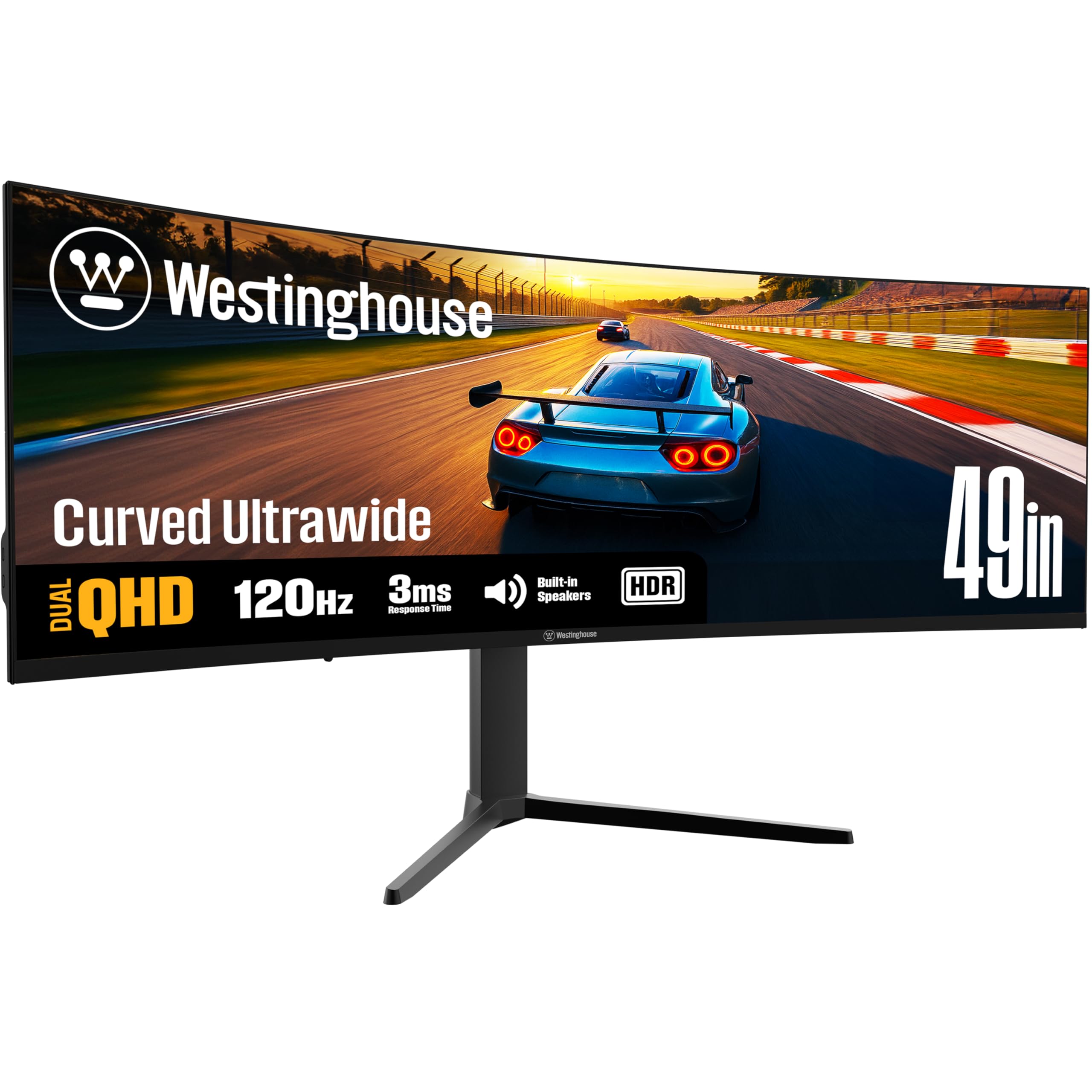
The Westinghouse 49-inch monitor is an entry-level large-format option that offers a wide 32:9 DQHD (5120×1440) canvas at a very accessible price point. It features a 1800R curvature, a 120Hz refresh rate, and a VA panel with a 3000:1 contrast ratio and 124% sRGB color gamut. This makes it a good choice for users upgrading from smaller dual-monitor setups who want a single, unified screen for both work and casual gaming without spending a fortune.
The monitor includes multiple gaming modes (FPS, RTS, MOBA) and Eye Rest technology to reduce strain. Connectivity is reasonable with an HDMI port, a DisplayPort, and a USB-C port supporting 65W power delivery. The stand offers height, tilt, and swivel adjustment, providing good ergonomic flexibility for finding a comfortable viewing position. Users have found the monitor excellent for tasks like photo editing and general multitasking.
The most significant concern is a notable pattern of reliability complaints, with some buyers reporting persistent screen flickering, random blackouts, and complete unit failures. The 120Hz refresh rate is also a step down from the 144Hz and 240Hz options that are becoming standard in this segment. For the risk-tolerant buyer on a strict budget who wants a massive screen, this Westinghouse model can be a great deal, but a good return policy is strongly advised.
Why it’s great
- Very low price for a 49-inch DQHD ultrawide monitor
- Wide 124% sRGB color gamut for vibrant colors
- Ergonomic stand with height, tilt, and swivel adjustments
- USB-C port with 65W power delivery
Good to know
- Higher risk of quality control issues and failures reported by users
- 120Hz refresh rate is lower than many competitors
- Built-in speakers are considered weak and borderline unusable
7. Amzfast 49 Inch Curved Monitor

The Amzfast 49-inch monitor presents a strong value proposition for users who want the vast 32:9 DQHD form factor at a budget-friendly price. It delivers a 5120×1440 resolution on a curved VA panel with a 120Hz refresh rate and Adaptive Sync support, providing a smooth gameplay experience in most titles. Its 1500R curvature wraps comfortably around your field of view, enhancing immersion in racing and flight simulators.
A key feature is the robust PIP/PBP functionality, which allows you to manage two separate input sources side-by-side, effectively turning the massive screen into two separate QHD monitors. This is invaluable for users who need to run two computers or a console and a PC simultaneously. The stand is fully adjustable, offering height, tilt, and swivel adjustments, including a 20-degree rotation in both directions, adding significant ergonomic value at this price tier.
The primary drawback is that the stand itself has been criticized for poor quality, with reports of a noticeable rightward tilt and a forward lean even when adjusted to the maximum setting. The maximum refresh rate of 120Hz via DisplayPort also limits its appeal to serious competitive gamers who benefit from higher frame rates. However, for the user seeking a versatile, large-screen monitor for a mix of productivity, console gaming, and PC gaming, the Amzfast delivers excellent value and a feature set that is hard to beat at this price point.
Why it’s great
- Excellent price for a 49-inch DQHD monitor with PIP/PBP
- Fully ergonomic stand with height, tilt, and swivel adjustments
- Adaptive Sync for tear-free gaming and video playback
- Useful for multi-PC setups thanks to its split-screen capabilities
Good to know
- Stand build quality is low, causing leaning and tilt issues
- 120Hz refresh rate is not ideal for competitive e-sports gaming
- HDR performance is basic and lacks the pop of more expensive panels
8. msi MPG 321URX QD-OLED Gaming Monitor

The MSI MPG 321URX is a 32-inch 4K QD-OLED gaming monitor that prioritizes ultimate image quality and pixel density over sheer screen real estate. While not a 45-inch model, it represents the pinnacle of what a premium gaming monitor can achieve and is the perfect choice for the gamer who values a sharp, vibrant, and incredibly fast display above all else. Its 3840×2160 resolution at 32 inches results in a very sharp image with crisp text and incredible detail.
The QD-OLED panel delivers 99% DCI-P3 coverage with a 0.03ms GtG response time, resulting in stunning colors, perfect blacks, and motion clarity that is simply unmatched by any LCD panel. The 240Hz refresh rate ensures ultra-smooth gameplay, and VESA DisplayHDR True Black 400 certification provides outstanding HDR performance in dark scenes. The monitor also includes a KVM switch, PIP/PBP, and a USB-C port with 90W power delivery for serious productivity flexibility.
The main compromise is the 32-inch 16:9 form factor, which offers a completely different experience from a 45-inch 32:9 ultrawide. It is a better fit for users with smaller desks or those who prefer a traditional aspect ratio for competitive gaming and content creation. The high price also reflects the cutting-edge OLED technology. For the right user, the MPG 321URX is arguably the best gaming monitor currently available in a standard 16:9 format.
Why it’s great
- Outstanding QD-OLED picture quality with perfect blacks and vibrant colors
- Top-tier 240Hz refresh rate with 0.03ms response time
- High pixel density results in sharp text and incredible detail
- KVM switch and 90W USB-C PD for a clean workstation setup
Good to know
- 32-inch 16:9 format is not a 45-inch ultrawide experience
- Premium price reflects the high-end QD-OLED technology
- Brightness is capped at a modest level for OLED panel longevity
9. Philips Evnia 49M2C8900L DQHD OLED Gaming Monitor
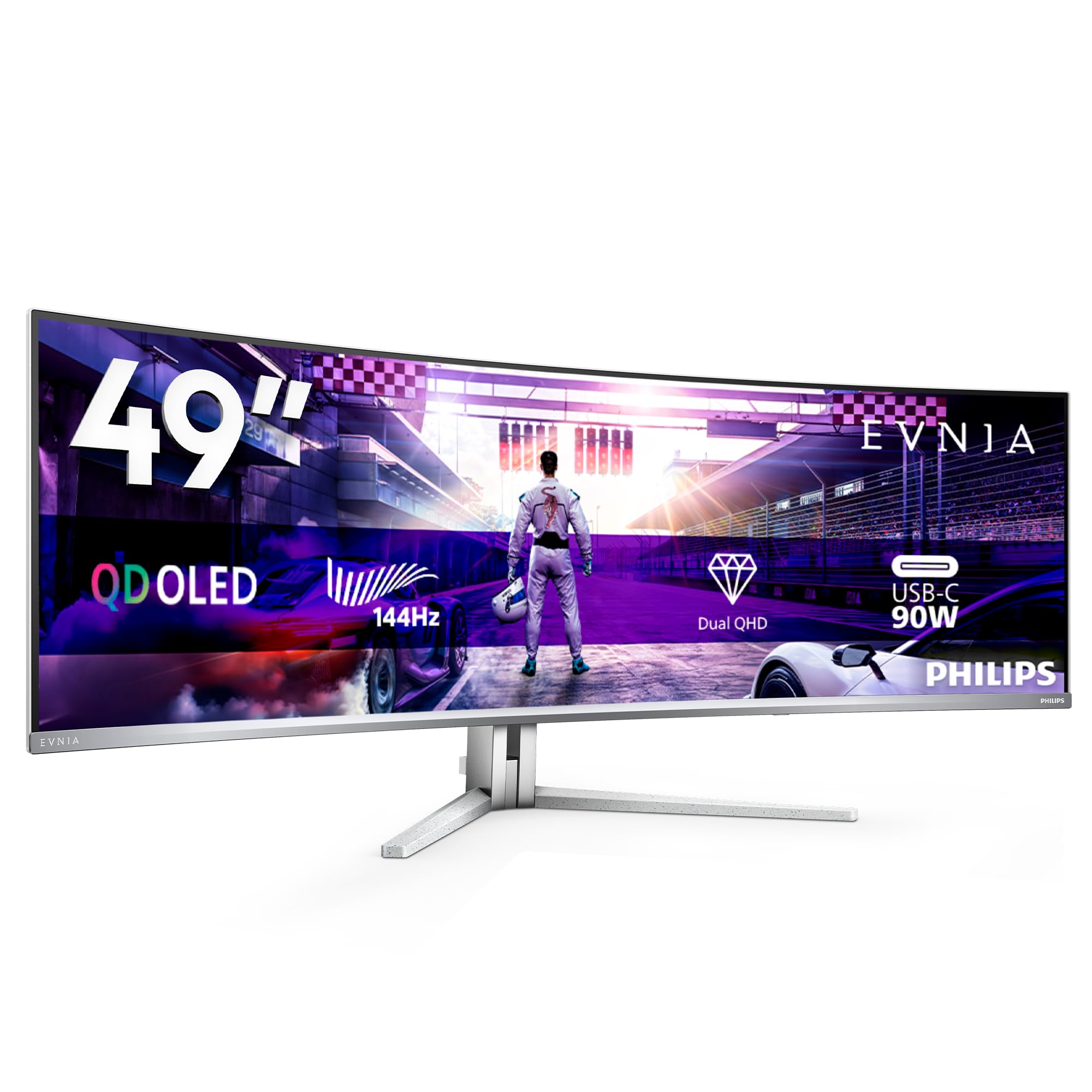
The Philips Evnia 49M2C8900L is a statement piece that combines a massive 49-inch DQHD (5120×1440) screen with a stunning QD-OLED panel. This pairing delivers the best of both worlds: the immersive, super-ultrawide 32:9 format that replaces a dual-monitor setup, and the infinite contrast and vibrant colors that only OLED can provide. The 1800R curvature feels natural for the width, wrapping the image around you without the aggressive distortion of steeper curves.
With a 144Hz refresh rate and 0.03ms GtG response time, this monitor is both a visual treat and a high-performance gaming machine. The DisplayHDR True Black 400 certification ensures that HDR content looks phenomenal, with deep, inky blacks and pinpoint highlights. The monitor’s connectivity is excellent, featuring a USB-C port with 90W power delivery, a built-in KVM switch, and surprisingly robust DTS sound speakers for a monitor.
The most obvious drawback is the very high price, which puts it in a premium tier accessible only to the most dedicated enthusiasts. The 144Hz refresh rate, while very good, is not the class-leading 240Hz that some competing OLEDs offer. Some users also find the mandatory pixel refresh cycle a minor annoyance during work hours. For those who can afford it and want the absolute best visual experience in a super-ultrawide format, the Philips Evnia is an almost perfect display.
Why it’s great
- Stunning QD-OLED image quality with perfect blacks and wide color gamut
- 49-inch DQHD format is incredible for immersion and productivity
- Excellent connectivity with USB-C 90W PD and KVM switch
- Built-in speakers are surprisingly good for a monitor
Good to know
- High price makes it a significant investment
- 144Hz refresh rate is lower than some premium competitors
- Pixel refresh cycles can be a minor inconvenience during work
10. SAMSUNG 55-inch Odyssey Ark 4K QLED Gaming Monitor

The Samsung Odyssey Ark is a category of its own—a 55-inch 4K QLED gaming display that can be rotated into a unique ‘Cockpit Mode’ by tilting and pivoting the screen. This is the ultimate monitor for users who want the most visually overwhelming experience possible, with a 1000R curvature that creates a dome-like field of view. The 165Hz refresh rate and 1ms response time ensure smooth gameplay for a screen of this size.
The Ark features a 60-watt 2.2.2 channel sound system with four corner speakers and two central woofers, delivering a rich and immersive audio experience that eliminates the need for a separate soundbar in most cases. Its Multi View feature allows you to display up to four different input sources simultaneously, which is perfect for streaming, monitoring, and gaming all on one massive canvas. The Eclipse Lighting adds a premium ambient backlight that enhances the immersive atmosphere.
The primary trade-offs are its enormous physical footprint and weight, which requires a very large, sturdy desk and nearly forces a two-person setup. The software and user interface have been heavily criticized for being buggy and unintuitive, often ruining the plug-and-play experience. For the user with the space, budget, and tolerance for finicky software, the Odyssey Ark delivers a truly unmatched, theater-level gaming experience that no other monitor can replicate.
Why it’s great
- Unmatched visual scale and immersion with Cockpit Mode rotation
- Powerful built-in 2.2.2 channel sound system with Dolby Atmos
- Multi View supports up to 4 simultaneous inputs
- Aggressive 1000R curve creates a unique cocoon-like feel
Good to know
- Extremely large and heavy, requiring dedicated desk space and two people to set up
- Software and UI are buggy and often frustrating to use
- Very expensive and niche, not suited for standard gaming setups
11. Acer Predator Z57 57″ Mini LED Gaming Monitor

The Acer Predator Z57 is a technological behemoth aimed at the user who demands the absolute highest resolution available. It boasts a 57-inch DUHD (7680×2160) panel—effectively two 4K monitors side-by-side—powered by a 2304-zone Mini LED backlight. This combination delivers an exquisitely sharp image with deep blacks and bright highlights, making it the king of detail for professional work, flight simulators, and open-world RPGs.
With a 120Hz refresh rate and a 1ms response time, motion handling is very good, though the sheer processing power required to drive this resolution at high frame rates is immense, even for top-tier graphics cards. VESA DisplayHDR 1000 and DCI-P3 98% color coverage produce vibrant, lifelike visuals with stunning HDR performance. The 1000R curved 32:9 screen is deeply immersive, and the monitor features a KVM switch and a USB-C port with 90W power delivery.
The major hurdle is the price, which places it in a very exclusive tier. Quality control has been a recurring theme, with reports of dead pixels, ghosting issues, and flickering requiring multiple unit replacements. The 120Hz refresh rate is also a limiting factor for competitive gamers who prioritize speed over raw pixel count. For the professional or enthusiast who needs an uncompromised, ultra-high-resolution canvas for work and immersive gaming, the Predator Z57 is unmatched, but it demands a high tolerance for potential initial defects.
Why it’s great
- Unprecedented DUHD resolution (7680×2160) for incredible detail
- Mini LED local dimming with 2304 zones for excellent HDR contrast
- Massive 57-inch 32:9 screen is incredibly immersive
- Includes KVM switch and USB-C with 90W PD for professional workflows
Good to know
- Very expensive, targeting a niche professional and enthusiast audience
- Quality control issues like dead pixels and flickering are reported
- 120Hz refresh rate is a limiting factor for competitive gaming
- Requires an extremely powerful GPU to drive effectively
FAQ
What graphics card do I need to run a 45-inch DQHD gaming monitor?
Is a 1500R or 1000R curve better for a 45-inch monitor?
How does a VA panel compare to an OLED panel for a 45-inch gaming monitor?
Final Thoughts: The Verdict
For most users, the 45 inch gaming monitor winner is the LG 45GS95QE Ultragear OLED because it delivers the perfect balance of immersive size, incredible OLED motion clarity, and a high 240Hz refresh rate, making it a true all-rounder for every type of gamer. If you want the highest pixel density for sharp text and stunning detail, grab the Samsung 40” Odyssey G7 G75F. And for the budget-conscious gamer who refuses to compromise on refresh rate, nothing beats the value of the Gawfolk 45 inch DQHD.