
Our readers keep the lights on and my morning glass full of iced black tea. As an Amazon Associate, I earn from qualifying purchases.
Specs are compiled from manufacturer listings and verified buyer reviews and can change over time — please confirm the key details on the product page before buying.
Looking for a monitor that truly swallows your desk and your field of view? At this size, you are choosing between a super-ultrawide that replaces two side-by-side screens or a single massive display that wraps around you. This guide sorts through the 49-inch curved gaming monitors that dominate this space, focusing on what actually matters: refresh rate smoothness, color depth, and how much graphics card power you will need to drive that many pixels.
I’m Min — the founder and writer behind Gadgets Feed. This guide is built by comparing the manufacturers’ published specifications and the patterns across verified customer reviews, so you get each pick’s real strengths and trade-offs instead of marketing spin.
The best 48 inch gaming monitor choices here are actually super-ultrawide 49-inch panels, and this deep-dive explains exactly which one fits your rig and your games.
Our Picks at a Glance


How To Choose The Best 48 Inch Gaming Monitor
These massive curved monitors are the closest thing to a cockpit display you can put on a desk. The first decision is panel type: QD-OLED delivers the deepest blacks and most vibrant colors, but you pay more and must manage burn-in risk. Traditional VA panels on a 49-inch screen offer the best brightness and are easier on the wallet, while a 1080p ultrawide is the easiest for a mid-range graphics card to run.
Resolution: The Graphics Card Reality Check
You will find two main resolutions here: 3840×1080 (a dual-FHD panel) and 5120×1440 (called DQHD or 5K2K). The higher DQHD resolution is dramatically sharper, but it is also closer to 4K in pixel count. That means you need a powerful GPU to hit high frame rates at that resolution. The 1080p ultrawide is far easier to drive, making it a better fit for a mid-range desktop.
Refresh Rate and Motion Smoothness
For fast shooters and racing games, refresh rate is the number that defines the experience. A 144Hz panel updates the image 144 times per second, which feels buttery smooth. A 240Hz panel is even smoother, a real edge in competitive play, but it also demands a top-tier graphics card to actually deliver those extra frames. The response time — 0.03ms on OLEDs versus 1ms or 3ms on VA panels — controls ghosting during fast motion.
Quick Comparison
| Model | Best For | Resolution | Refresh Rate | Panel Type | Amazon |
|---|---|---|---|---|---|
| ASUS ROG XG49VQ★ Best Overall | Undemanding smoothness | 3840 x 1080 | 144Hz | VA | Amazon |
| Samsung Odyssey G9Design Focus | Peak brightness & immersion | 5120 x 1440 | 240Hz | VA | Amazon |
| MSI MPG 491CQPXTop Performer | Top-end 240Hz OLED | 5120 x 1440 | 240Hz | QD-OLED | Amazon |
| Gawfolk 49 | Budget DQHD clarity | 5120 x 1440 | 120Hz | VA | Amazon |
| DJiEX 49 | High refresh on budget | 5120 x 1440 | 165Hz | VA | Amazon |
| Deco Gear 49 VA | Coding & multitasking | 3840 x 1080 | 144Hz | VA | Amazon |
| MSI MPG 491CQP | OLED color upgrade | 5120 x 1440 | 144Hz | QD-OLED | Amazon |
| INNOCN 49Q1S | 240Hz OLED speed | 5120 x 1440 | 240Hz | QD-OLED | Amazon |
| Deco Gear 49 OLED | Color-accurate QD-OLED | 5120 x 1440 | 144Hz | QD-OLED | Amazon |
| Samsung Odyssey OLED G9 | Infinite contrast | 5120 x 1440 | 144Hz | QD-OLED | Amazon |
| INNOCN 49Q1R | Laptop one-cable setup | 5120 x 1440 | 144Hz | QD-OLED | Amazon |
In-Depth Reviews
1. ASUS ROG XG49VQ 49 Inch 1080p 144Hz Ultrawide Curved Gaming Monitor
Our pick — over 4★ from 850+ verified ratings; the strongest balance of quality and price.
The crowd-pleasing ultrawide that trades raw pixels for easy 144Hz smoothness.
If your graphics card is mid-range rather than a flagship, this 49-inch 3840×1080 panel is the smart starting point. The dual-FHD resolution is far easier to drive than higher-res ultrawides, which means you can actually enjoy its 144Hz refresh rate without needing a 4090-class GPU. The 1800R curve and FreeSync 2 HDR support on this VA display keep fast-moving scenes tear-free for a genuinely smooth session.
The physical build quality is what consistently wins people over — owners describe it as looking “like a billion bucks” on the desk, with a sturdy, height-adjustable stand that keeps a large footprint compact. The 90% DCI-P3 color coverage supports accurate photo editing., and the ASUS Display Widget software lets you snap windows across the 32:9 span with ease. The eye-care filters and GamePlus overlays (like an FPS counter) add real day-to-day usefulness for long sessions.
You get a smooth, reliable, rich work-and-play screen that makes a 25% productivity boost over dual 24-inch monitors feel easy. The trade-off: with 1080p spread across this width, text and gaming visuals can show visible pixels, and a few titles lack native resolution support, forcing you to run their menus at 1080p. HDR is modest at DisplayHDR 400 (a basic HDR standard), so do not expect dramatic contrast. This is not a pixel-peeper’s panel. Buyers rave about the physical quality, with gaming suitability earning strong secondary praise.
wide-screen gamers: you want buttery 144Hz gaming and a huge workspace without upgrading your GPU to a flagship.
sharpness purists: you are a pixel-perfectionist who wants a pin-sharp 1440p image across the whole width.
2. Samsung 49″ Odyssey G9 Series DQHD 1000R Curved Gaming Monitor
You get the most rich field of view here thanks to a 1000R curve (a tight bend that wraps around your vision) on a 49-inch VA panel.
With a sharper 1000R curve than most rivals, this Odyssey G9 wraps your peripheral vision in a way that draws you into the action — buyers report gaming here “almost feels like cheating” because you can see everything. A 240Hz refresh rate with 1ms(GtG) response time keeps ultra-fast esports titles buttery and blur-free. The 1000-nit peak brightness and 1,000,000:1 contrast ratio make HDR content punchy and vivid., far ahead of budget HDR400 panels.
This is a productivity monster for a 12-hour IT workday too, with enough 5120×1440 real estate to run multiple full-size apps. AMD FreeSync Premium Pro syncs the panel to your GPU for stutter-free scenes, while CoreSync lighting projects on-screen colors into the room for extra immersion. The swivel, tilt, and height-adjustable “Hexa” stand, plus standard VESA mounting, let you dial in a perfect view, and a TÜV-certified eye comfort mode cuts blue light and flicker.
The honest catch is reliability: while many units work flawlessly from the start, a notable number of owners mention the display failing after several months and Samsung’s support being unhelpful. The aggressive 1000R curve can also take a day to get used to. If you want the brightest, most wrapped-in screen at this size and accept the lottery, it is an unforgettable display.
high-res gaming: gamers who want the maximum immersion and brightness that a VA panel can push.
budget builds: you prioritize long-term reliability and responsive after-sales support over peak specs.
3. MSI MPG 491CQPX QD-OLED 49-inch Gaming Monitor
You get flagship smoothness at 240Hz (240 refreshes per second) plus a three-year burn-in confidence from this QD-OLED (a panel that uses quantum dots for richer color).
This is the speed king of the QD-OLED lineup here, pushing a 240Hz refresh rate with a 0.03ms response time — numbers that translate to silky, ghost-free motion in the fastest shooters. The 5120×1440 DQHD panel with VESA DisplayHDR True Black 400 delivers the deep blacks and vibrant colors buyers describe as “visual perfection,” with G-Sync compatibility keeping the image tear-free. The 32:9 aspect ratio fits three browser windows side-by-side, so it doubles as a massive productivity canvas.
What sets this model apart is the built-in protection suite. MSI OLED Care 2.0 reduces the risk of burn-in on static images, and the KVM feature lets you control two connected PCs with one keyboard and mouse. Console mode gives HDMI 2.1 full 48 Gbps bandwidth, so your next-gen console runs at full speed. Customers note the fanless design keeps it silent, and a 3-year burn-in warranty covers the main OLED worry.
The catch is the 0.03ms and 240Hz only matter if your GPU can deliver those frames — buyers advise a top-tier build like an RTX 4080 and i9 for max settings. The panel’s glossy finish shows fingerprints, and it demands a deep desk or a monitor arm. If you have the hardware to feed it, this is the best-performing 49-inch screen on the list.
color-critical work: enthusiasts with flagship GPUs who want the fastest, deepest-looking OLED experience.
tight budgets: anyone on a mid-range PC that cannot push past 120 frames at this resolution.
4. DJiEX 49 Inch Curved Ultrawide Monitor, DQHD 5K, 165Hz
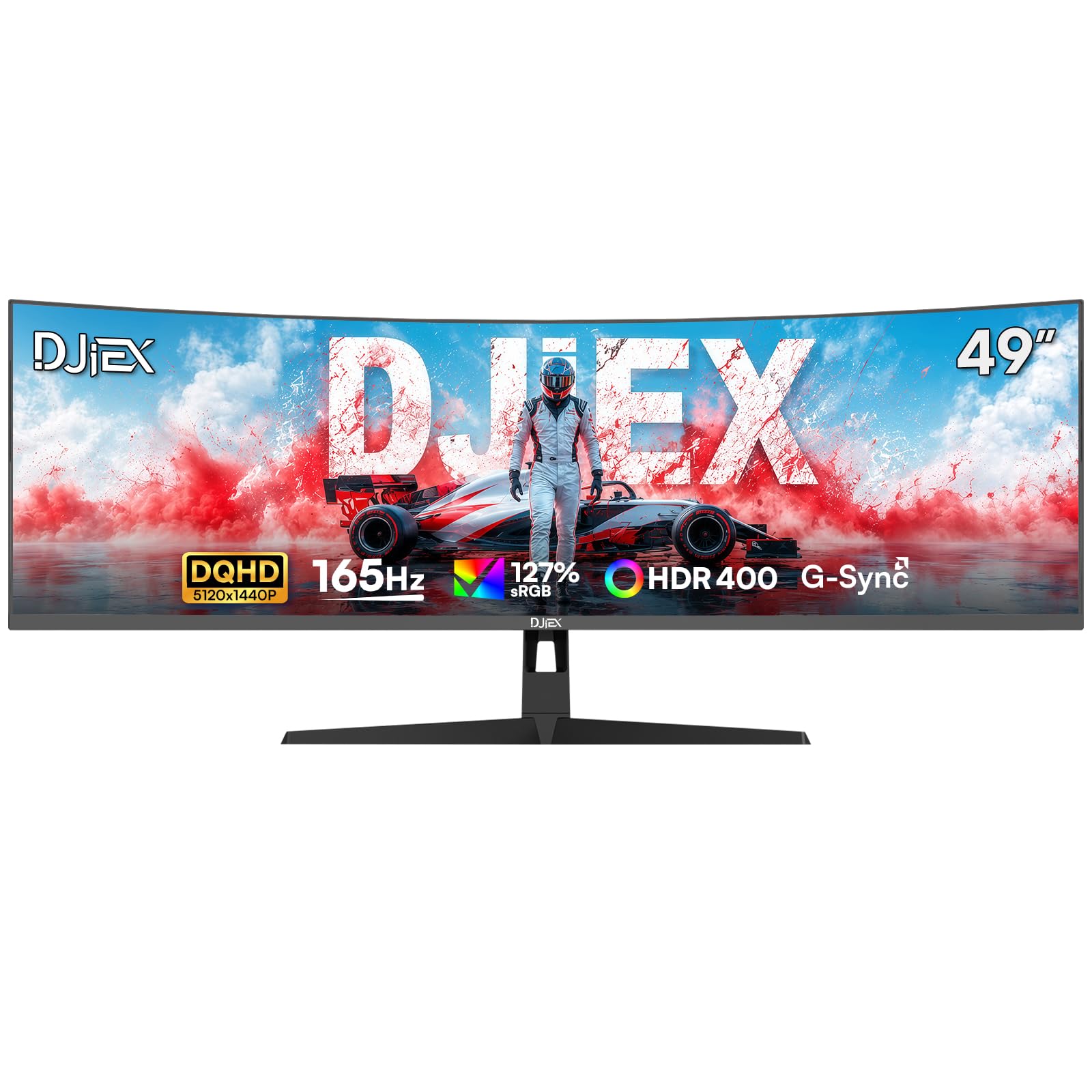
The sharpest budget pick, offering DQHD clarity and 165Hz for a mid-range price.
This is the value champion because it gives you the high 5120×1440 DQHD resolution at a 165Hz refresh rate — a mix of sharpness and speed that most rivals cost more to deliver. The 3000:1 contrast ratio VA panel and 127% sRGB coverage deliver rich, accurate colors., and the HDR400 support handles dark game scenes with detail. It supports G-Sync and FreeSync, so a compatible graphics card gets a tear-free image across the 32:9 landscape.
Owners consistently praise the display quality. One buyer reports a completely dead-pixel-free panel from the start; another says the text is so crisp they do not need their glasses while using it. The screen replaces dual monitors with one smooth 32:9 workspace (an ultra-wide aspect ratio) for multitasking, trading, video editing, or office productivity. The ergonomic height, tilt, and swivel stand, plus VESA 100x100mm mount compatibility (a standard mounting pattern), make setup flexible, and the built-in earphone jack handles external audio.
The trade-off is some minor ghosting (a faint trail behind fast-moving objects) in fast motion. Buyers’ verdict: “a bit of ghosting but worth the money for an economical monitor.” Brightness is rated at 400 nits (a measure of screen luminance), solid for indoor play but not a sunny-room beater. For the price, this is the best all-rounder for someone who wants sharp 5K resolution without a flagship budget.
fast-paced play: a bright, sharp 1440p-class ultrawide with a high refresh rate on a budget.
reliability worriers: you cannot tolerate any ghosting in the fastest-paced competitive shooters.
5. Samsung 49″ Odyssey OLED G9 (G91SD) Dual QHD QD-OLED Curved Gaming Monitor

On this QD-OLED, true blacks and a 0.03ms response time make games look almost 3D.
If color depth is your obsession, this OLED G9 is a strong contender. The QD-OLED panel delivers a wider color spectrum with “class-leading” screen quality, and the 1,000,000:1 contrast ratio (the difference between the brightest white and darkest black) means pure black pixels with no light bleed — a standout for horror titles and any dark scene. The 5120×1440 resolution delivers 110 pixels per inch for sharp detail., so detail stays sharp across the span, and the 0.03ms response time (how fast a pixel changes color) with 144Hz refresh keeps motion fluid.
Samsung’s burn-in protection is a highlight, with a thermal modulation system that predicts surface temperature, automatic dimming on logos and taskbars, and a screen saver that dims after 10 minutes of inactivity. G-Sync compatibility and AMD FreeSync Premium Pro sync the panel to your GPU for choppiness-free play. A Picture-in-Picture sub-screen and an ergonomic stand complete the package for multitaskers, while the aluminum-silver finish adds a premium desk presence.
The honest downsides: reviewers point out a slight brightness mismatch between the two fused 27-inch panels that can show a faint gradient on dim gray screens, and warranty support via Amazon is effectively short. It needs a DP 1.4 cable under 3 feet to run full resolution. For pure color fidelity and deep blacks, this is exceptional value, but treat the support channel with caution.
contrast lovers: color-critical gamers and creators who want OLED contrast without paying for 240Hz.
static screens: those who need a simple, sturdy warranty experience from the manufacturer.
6. Gawfolk 49 Inch Curved Gaming Monitor 120hz, 1500R DQHD
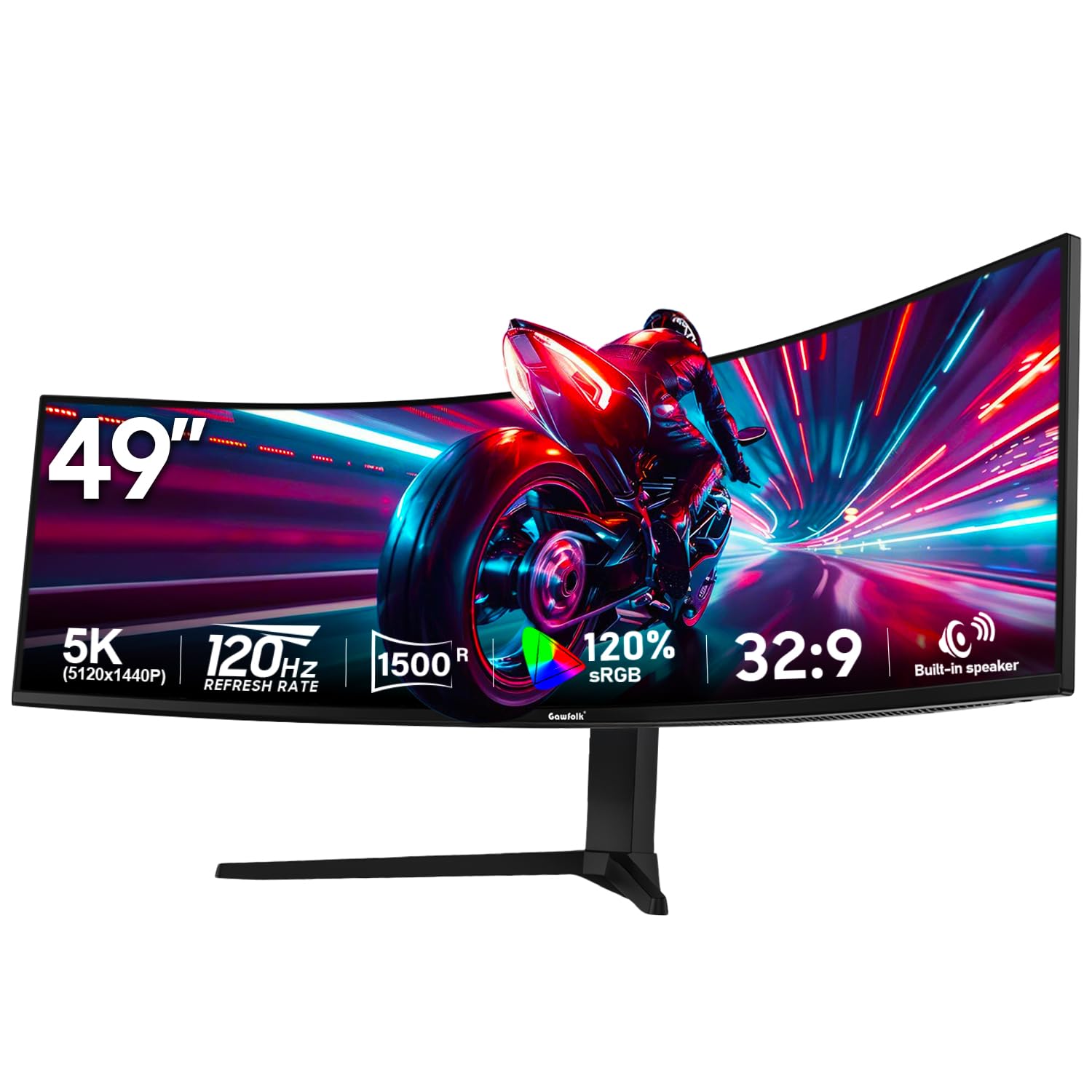
The entry-level DQHD monitor that stretches a budget across 5120×1440 pixels of space.
This is the lowest-priced path into 5120×1440 DQHD sharpness, pairing a 120Hz refresh rate with a 3000:1 contrast ratio VA panel. At the 32:9 aspect ratio with a 1500R curve, you get a full 5120-pixel-wide workspace to stretch financial charts or video timelines without scrolling — buyers compare it favorably against far more expensive options for value. The 85% NTSC color gamut and 16.7 million colors keep creative work looking true..
Connectivity is comprehensive for the price, with 2x HDMI 2.1 and 2x DisplayPort 1.4, plus built-in 5W speakers for desktop audio. The Picture-by-Picture and Picture-in-Picture modes let you switch between a work laptop and a gaming PC on one set of peripherals, and the full swivel and pivot stand with VESA 100x100mm mounting makes setup flexible. An on-screen crosshair overlay enhances aiming in FPS games, and RGB lighting adds ambient flair.
The reliability record is the honest concern here — there is a documented report of a “weird vertical and horizontal line” appearing after about 45 days of usage, with the manufacturer failing to respond to support requests. Build quality is described as “cheap plastic,” though the physical quality and value for money still earn consistent praise. This is a gamble, but one that pays off if you get a good unit and need the pixels.
casual gaming: your budget is tight and DQHD resolution is non-negotiable for work and play.
bright rooms: you need reliable long-term support and a premium-feeling chassis.
7. Deco Gear 49 Inch Curved Monitor, 3840×1080 Ultrawide
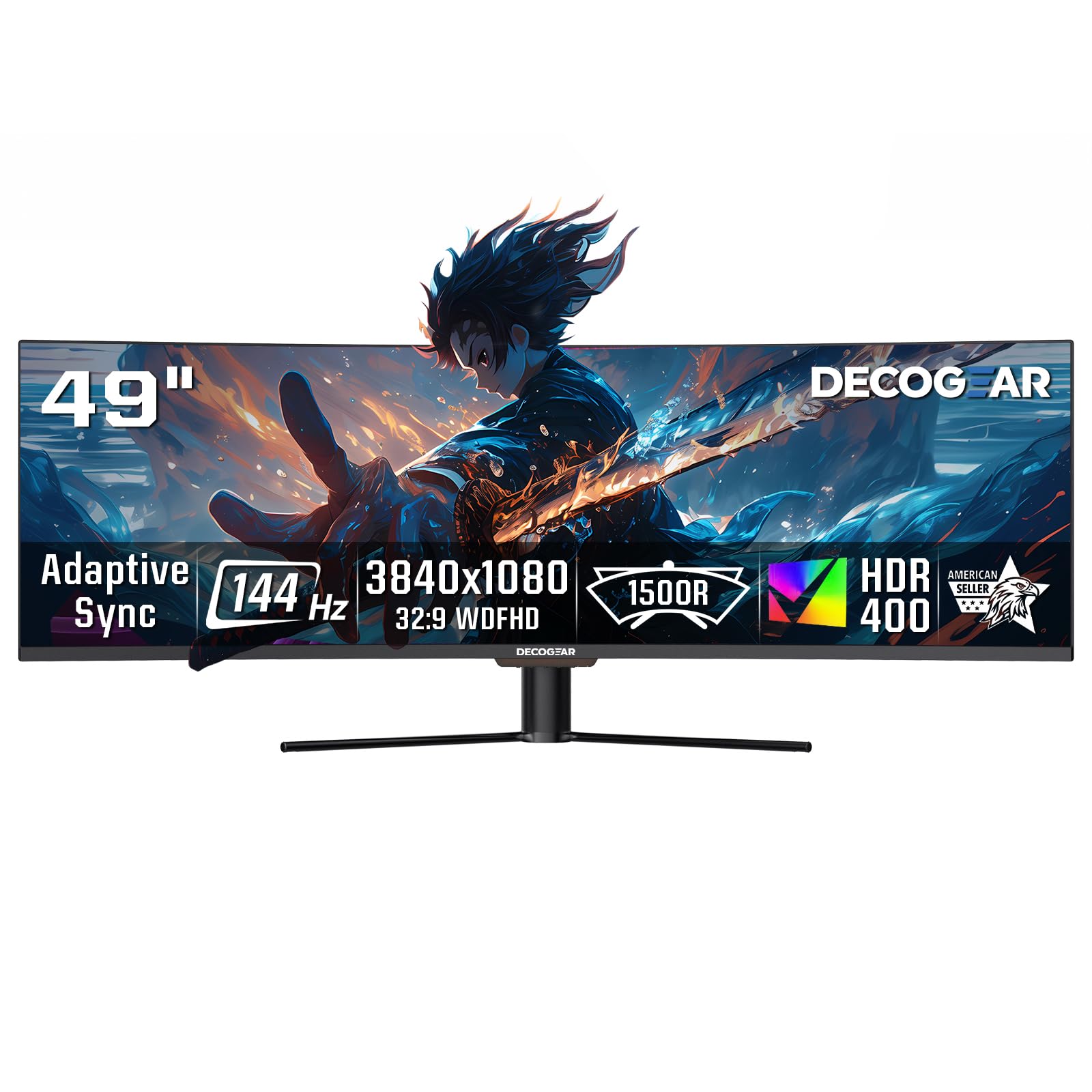
A dual-FHD workhorse that adds USB-C power delivery and KVM to a 144Hz panel.
This is the pick for serious multitaskers who also game, balancing a 3840×1080 resolution with a 144Hz refresh rate and 3ms response time. The lower-resolution panel is easier to drive than DQHD, so you get smooth gameplay on more modest PC setups, which buyers appreciate as excellent value. The 1800R curve and 3000:1 contrast ratio VA panel handle HDR400 content with rich contrast and detailed shadows.
What makes it stand out is desktop convenience: USB-C with 65W power delivery charges your laptop through a single cable, and the KVM switch lets you control two systems with one keyboard and mouse. Picture-in-Picture and Picture-by-Picture modes support viewing two sources at once, ideal for a work PC and a gaming rig side-by-side. The screen quality wins the most praise, with owners noting outstanding text crispness and enough real estate to spread out 4-5 documents.
The catch is reliability: while many units work perfectly from the start, there are documented reports of the USB-C port failing after a couple of months, alongside a generally cheap build and screws that can arrive loose. It also has no audio output port, so you connect speakers directly to your computer. This is a capable, feature-rich desk hub, but its support record is a known weakness.
budget ultrawide: developers and office workers who want one cable for a laptop and a big multitasking canvas.
detail seekers: you need rock-solid reliability over months of heavy use.
8. MSI MPG 491CQP QD-OLED 49-inch Gaming Monitor

The QD-OLED that brings flagship picture quality down to a more reachable price.
This is the OLED upgrade path for gamers who want incredible color and deep blacks without jumping all the way to a 240Hz flagship. The QD-OLED panel delivers Delta E≤2 color accuracy with 99% DCI-P3 and 98% Adobe RGB coverage for professional work.. The 0.03ms response time with 144Hz refresh keeps motion blur and ghosting essentially nonexistent.
VESA DisplayHDR True Black 400 certification means HDR scenes show true blacks with no light bleed, and MSI OLED Care 2.0 reduces the risk of image sticking. The KVM feature lets you control multiple devices with one keyboard and mouse, and Console Mode provides HDMI 2.1 with full 48 Gbps bandwidth for next-gen consoles. The stand offers tilt and height adjustment with a 5120×1440 DQHD resolution across a 32:9 field.
The main ritual is the forced daily “Panel Protect” maintenance, which runs a 10-minute pixel refresh — some buyers find this intrusive as it can interrupt a session at an awkward time. It also demands a powerful GPU for AAA titles at full resolution, and some prefer a cheaper VA panel for pure raw brightness. For the price, this remains one of the best-balanced OLED experiences available.
esports players: gamers and creators demanding premium OLED color without a 240Hz budget.
laptop users: anyone who cannot tolerate an automatic 10-minute pixel-refresh cycle.
9. INNOCN 49Q1S 5K2K 240Hz QD-OLED Curved Gaming Monitor

A 240Hz OLED with a one-cable USB-C hub that handles work devices and consoles alike.
This is the speed-and-connectivity specialist, pairing a 240Hz refresh rate with a 0.03ms response time on a 5120×1440 QD-OLED panel. That combination means fast esports titles play with exceptional fluidity, while the 1,000,000:1 contrast ratio delivers the deep blacks and rich detail buyers praise as crisp and sharp. The 1800R curve wraps the 32:9 view around your vision and is noted for reducing eye fatigue during long sessions.
It is a full docking station in disguise: a 90W USB-C port charges your laptop while carrying video, plus 2x DP 1.4 (DisplayPort), 1x HDMI 2.1, 2x USB-A, a USB-B port, an RJ45 ethernet jack, and a 3.5mm audio out. That means you can plug in a Mac, a phone, a tablet, and a PS5 all at once and switch between them. The PIP/PBP split-screen modes (picture-in-picture and picture-by-picture) show two input sources at the same time, making multitasking smooth.
The reliability record is the main caution — some shoppers say the display stopping working, and value-for-money opinions are split, with several buyers feeling it is not worth the premium. Older games may not display correctly at the ultrawide ratio, and some apps show tiny or misaligned text. If you get a good unit and value the USB-C hub, it is a phenomenal all-in-one.
productivity plus: a fast 240Hz OLED that also charges your laptop and connects everything you own.
mid-range cards: you are worried about reliability reports and prefer a more established support brand.
10. Deco Gear OLED 49 Inch Curved Monitor, 5K2K QD-OLED
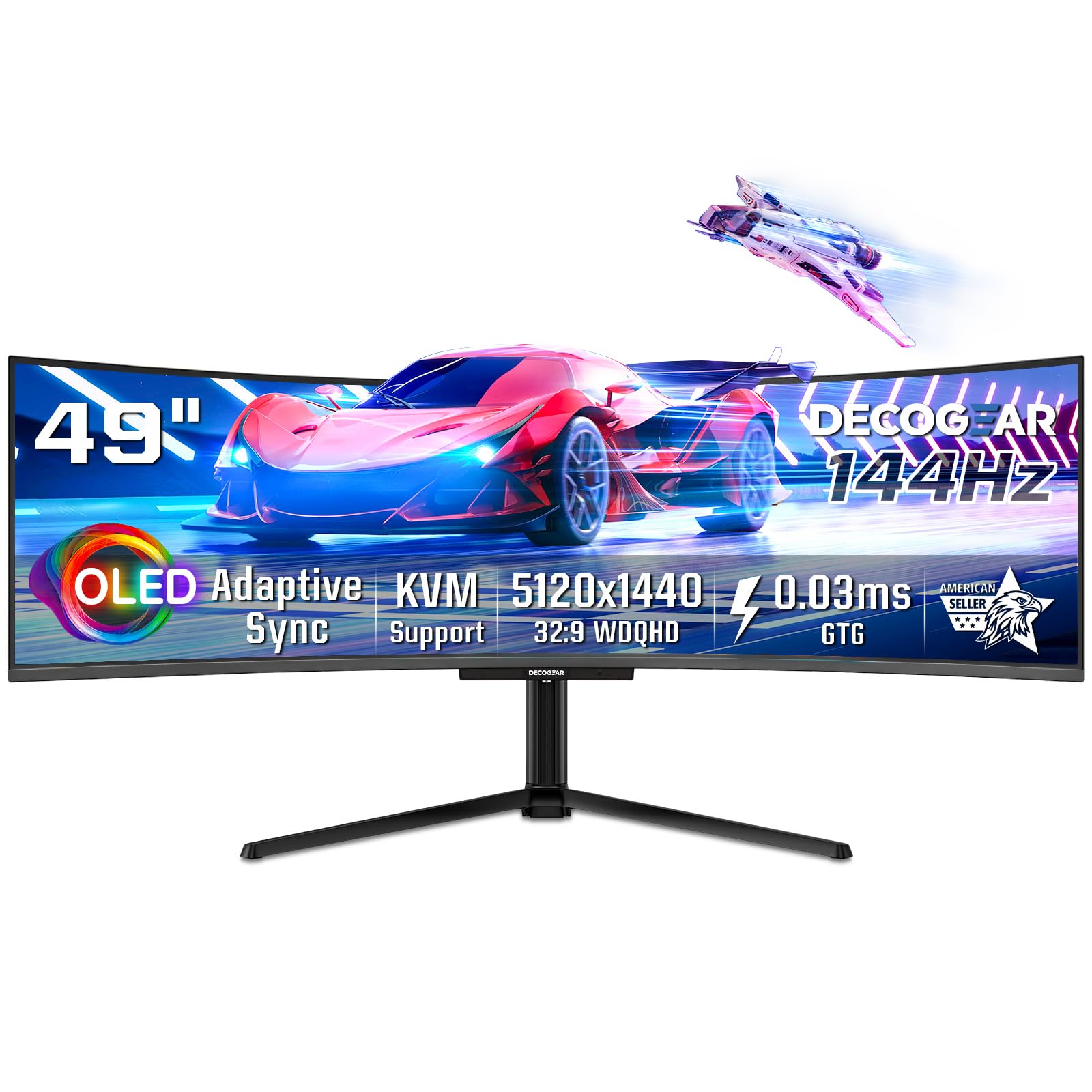
A U.S.-backed QD-OLED that nails color accuracy and adds serious burn-in protection.
If U.S.-based support matters to you, this Deco Gear stands out as an American-owned brand promising U.S.-managed customer care. The QD-OLED panel delivers deep blacks and vibrant colors with a 1,500,000:1 contrast ratio and HDR400 True Black support, plus 100% sRGB, 95% Adobe RGB, and 99% DCI-P3 coverage for exceptional color accuracy.. The 0.03ms response time with 144Hz refresh keeps fast action smooth across the 5120×1440 resolution.
The QD-OLED Care protection suite is unusually thorough: burn-in protection shifts images slightly at regular intervals, static screen detection dims static elements like icons, and a heat dissipation array with graphene cooling film manages temperature to prolong lifespan. A KVM switch lets you manage multiple computers with one keyboard and mouse, while the 90W USB-C port, HDMI 2.1, and DisplayPort 1.4 cover modern devices. The height-adjustable stand with tilt, swivel, and pivot keeps you comfortable.
Owners praise the vibrant, crisp picture, with one buyer saying to “save your money” over a Samsung and grab this instead. The notable caveat is that while the HDMI port is 2.1, the DisplayPort is only 1.4, and there are isolated reports of the USB-C intake failing after a few weeks. The 21.1-pound weight demands a sturdy desk or a monitor arm, and full resolution and refresh need a powerful GPU.
media creators: creative professionals who want accurate QD-OLED color and U.S.-based brand support.
value hunters: those who plan to rely primarily on a DisplayPort 2.1 connection, which this lacks.
11. INNOCN 49Q1R QD-OLED 5K2K 144Hz Ultrawide Curved Monitor

A 144Hz QD-OLED that doubles as a complete one-cable dock for modern laptops.
This is the developer-favorite QD-OLED, praised by software engineers who swapped out a Samsung G9 for its superior input selection. At its heart is a 5120×1440 OLED panel with a 1,500,000:1 contrast ratio and 99% sRGB coverage, delivering deep blacks and great video quality. The 144Hz refresh rate with 0.03ms response time keeps games and fast window movement fluid, and the 1800R curve (a gentle bend) limits eye strain during eight-hour coding sessions.
The connectivity is the standout feature: a single USB-C 90W cable docks a laptop with power delivery, data, and display, so you leave one cable plugged in. It offers 2x HDMI 2.1, 1x DisplayPort 1.4, 2x USB-A, a USB-B port, RJ45 ethernet, and a 3.5mm audio jack, plus a KVM switch to control two systems. PIP/PBP split-screen modes let you view two inputs at once, and the tilt, swivel, and height-adjustable stand is tool-free to assemble.
The trade-off is reliability: one owner reports a unit failing after three months with black screens and a vertical strip of flashing pixels, and opinions on value are split between “tremendous value” and questioning the price point. The built-in speakers are weak, and full resolution needs a DisplayPort or USB-C connection. For a one-cable laptop setup with stunning colors, this is tough to top if you get a good unit.
rich sims: you want a single USB-C dock that charges and drives a gorgeous OLED ultrawide.
line-sensitive work: you prioritize a flawless reliability record over all other features.
Understanding the Specs
Refresh Rate and Response Time
Refresh rate, measured in Hz (hertz), is how many times the screen redraws per second — 144Hz is double the smoothness of a standard monitor, and 240Hz is the elite tier for competitive play. Response time, measured in milliseconds (ms), controls how quickly a pixel changes color; a 0.03ms OLED response is effectively instant, while a 1ms or 3ms VA response can show slight ghosting on fast-moving objects. Together they determine how blur-free and fluid your games feel.
Panel Technology: VA vs QD-OLED
A VA panel is an LCD type that offers strong contrast and high brightness at a lower cost, with a 3000:1 or 1,000,000:1 contrast ratio depending on the model. QD-OLED is a self-emissive panel where each pixel creates its own light, delivering true blacks, infinite contrast, and vivid colors — but it costs more and carries a burn-in risk that requires protective features. You trade raw brightness and lower cost for perfect blacks and color depth when choosing OLED.
FAQ
Will a 49-inch ultrawide fit on a standard desk?
What graphics card do I need to run a 5120×1440 ultrawide?
What is the difference between 3840×1080 and 5120×1440 ultrawide resolution?
Is OLED burn-in a real concern on these monitors?
Can I use a 49-inch gaming monitor for work and productivity?
Will my PS5 or Xbox work with a 49-inch ultrawide monitor?
What does a 1000R or 1500R curve mean?
Do these monitors have built-in speakers?
Is a 144Hz refresh rate enough for competitive gaming?
What is DisplayHDR 400 and does it matter?
Final Thoughts: The Verdict
The crowd favorite for a 48 inch gaming monitor is the ASUS ROG XG49VQ because its 1080p resolution and 144Hz refresh rate are the most accessible combination for a wide range of PCs. If you want the highest-speed OLED performance with a three-year warranty, the MSI MPG 491CQPX is worth the premium. And for a budget-friendly path to sharp DQHD resolution, the DJiEX 49 delivers theclearest win for the money. Whatever you pick, make sure your desk is deep enough and your GPU is strong enough to feed the pixels you are buying.
How We Picked
We do not accept paid placement. Every pick is matched to a real buyer and a real use-case; we do not hands-on test units.
Sources & Methodology
Specifications: manufacturer listings and product documentation. Review insights: verified customer reviews, as of August 2026. Pricing: not shown on this page (it changes often); check the current price via the retailer link.
As an Amazon Associate, Gadgets Feed earns from qualifying purchases. This does not affect which products we feature.