
Every pixel is its own light source, which makes a 48 inch OLED monitor the final word in contrast and color accuracy. The pure black levels, instantaneous response time, and wide viewing angles redefine how you see a desktop — whether you’re line-editing video, dissecting a gigapixel photo, or pushing through a campaign at 4K.
I’m Min — the co-founder and writer behind Gadgets Feed. For this guide, I analyzed burn-in mitigation technology, pixel response data, and HDR luminance curves to separate the best displays from the compromises you’d regret in year two.
If you need a screen large enough to replace a multi-monitor setup but precise enough for color-critical work, the best 48 inch oled monitor delivers a viewing experience that smaller panels simply cannot match.
How To Choose The Best 48 Inch OLED Monitor
Buying a monitor this size is a strategic decision — it will anchor your desk for years. The three specs that define whether you end up satisfied or frustrated are panel generation, refresh rate, and burn-in warranty.
Panel Technology: QD-OLED vs WOLED
QD-OLED panels use quantum dots over a blue OLED layer to produce wider color volume and higher peak brightness, especially in well-lit rooms. WOLED panels (found in LG C-series and Sony A90K) use a white OLED with color filters and generally deliver lower peak luminance but superior off-axis color stability. If your room has direct sunlight, QD-OLED’s anti-reflective coating matters more.
Refresh Rate and Your GPU
144Hz is the baseline for smooth desktop navigation and console gaming, while 240Hz requires a high-end GPU to drive 4K at those frame rates. A 48-inch 4K panel at 240Hz needs HDMI 2.1 bandwidth — no older cable standard will work. If you work in color-critical apps and game occasionally, 144Hz saves money without sacrificing productivity performance.
Burn-in Mitigation and Warranty
Every OLED monitor eventually shows pixel wear. The best models include automatic pixel refresher cycles, logo luminance adjustments, and screen shift features. A three-year burn-in warranty — like ASUS and LG offer — is the minimum coverage that protects your investment. Without it, a static taskbar can become a permanent ghost.
Quick Comparison
On smaller screens, swipe sideways to see the full table.
| Model | Category | Best For | Key Spec | Amazon |
|---|---|---|---|---|
| LG 48″ C4 OLED | TV/Monitor Hybrid | Cinema + Console Gaming | 144Hz, 0.1ms response | Amazon |
| Sony 48″ A90K | Professional OLED TV | Color-Accurate Viewing | XR Cognitive Processor | Amazon |
| Samsung 48″ S90F | QD-OLED TV | Bright Room + Vibrant Color | 144Hz, QD-OLED panel | Amazon |
| LG 48″ C5 OLED | Latest-Gen OLED TV | Future-Proofed Hybrid Use | α9 AI Gen7, 144Hz | Amazon |
| Samsung 48″ QN48S90F | QD-OLED Bundle | All-In-One Package | 4K AI Upscaling Pro | Amazon |
| LG 45GX950A-B | Ultrawide Gaming | Sim Racing / Immersion | 5K2K, 165Hz | Amazon |
| Sony XR48A90K Bundle | Professional Bundle | PS5 + Protected Purchase | XR OLED Contrast Pro | Amazon |
| ASUS ROG Swift PG32UCDM | Gaming Monitor | Competitive 4K Gaming | 240Hz, 0.03ms | Amazon |
| Alienware AW3225QF | Premium Gaming | Dolby Vision Gaming | 4K QD-OLED, 240Hz | Amazon |
| Philips Evnia 49M2C8900L | Ultra-Wide OLED | Productivity + Wide Gaming | 5120×1440, 144Hz | Amazon |
| GIGABYTE AORUS CO49DQ | Ultrawide Gaming | Sim Racing / Immersion | DQHD, 144Hz | Amazon |
| INNOCN GA27W1Q | Budget Gaming | Entry-Level OLED Gaming | 240Hz, 0.03ms | Amazon |
| Dell UltraSharp U4025QW | Professional IPS | Color-Critical Productivity | 5K2K, 120Hz, IPS Black | Amazon |
In‑Depth Reviews
1. LG 48″ OLED evo C4

The LG C4 is the most versatile 48-inch OLED you can buy because it works equally well as a TV and a desktop monitor. Its 144Hz refresh rate covers everything from console gaming at 120fps to smooth 4K productivity scrolling, and the four HDMI 2.1 ports let you connect a gaming PC, a PS5, and a soundbar without an external switch.
The α9 AI Processor Gen7 handles upscaling of 1080p content to near-4K quality, which matters when you are watching older streamed media on a panel this large. Dolby Vision and Filmmaker Mode preserve the director’s intended color temperature and frame cadence, making this the best choice for mixed use between work and entertainment.
Burn-in mitigation includes automatic pixel refresher and screen shift, and the webOS 24 interface keeps streaming apps lag-free. The included Magic Remote with pointer control simplifies navigation, though the stand is wide at 18.5 inches, so a VESA mount is recommended for desk setups.
Why it’s great
- Four HDMI 2.1 ports for multi-device setups
- Dolby Vision + Dolby Atmos certified
- 144Hz, 0.1ms response for fluid gaming
Good to know
- WebOS includes ad prompts that require setup to disable
- Matte screen absent; glossy finish reflects direct light
2. Sony 48″ A90K Bravia XR

Sony’s Cognitive Processor XR analyzes how the human eye focuses, which makes the A90K’s image look more natural than any other 48-inch OLED. XR OLED Contrast Pro boosts peak brightness in specular highlights while maintaining true black — meaning a star field in a dark scene looks layered, not crushed. This is the panel to pick if you work with HDR video or color-grade for broadcast.
Acoustic Surface Audio+ turns the entire screen into a speaker, delivering dialogue that comes directly from the characters’ mouths. For PS5 owners, Auto HDR Tone Mapping and Auto Genre Picture Switch are exclusive features that optimize input lag to 8.5ms and match SDR/HDR modes to game type without manual adjustment.
The Google TV interface is faster than older Sony smart platforms, and the remote is backlit. The multi-position stand accommodates a soundbar underneath. The premium price reflects the XR processing advantage, but for professional color work, no other panel at this size matches its motion clarity.
Why it’s great
- XR Cognitive Processor delivers natural HDR
- PS5-specific auto HDR and genre switching
- Acoustic Surface Audio+ screen-as-speaker design
Good to know
- Only two HDMI 2.1 ports
- Base brightness lower than QD-OLED competitors
3. Samsung 48″ S90F QD-OLED

The S90F uses a QD-OLED panel that hits higher peak brightness than WOLED alternatives, making it the best 48-inch OLED for rooms with ambient light. The NQ4 AI Gen3 processor upscales 1080p and 1440p content to 4K using 128 neural networks, so even cable TV or older YouTube videos look crisp on this 48-inch canvas.
Motion Xcelerator 144Hz ensures smooth frame pacing during fast-paced shooters, and the low input lag means competitive players won’t feel delay. Samsung’s Tizen smart platform is fast, though the solar-powered remote lacks a number pad and requires menu diving for brightness and contrast adjustments.
The anti-reflective coating is effective but fragile — aggressive cleaning can damage the layer. VESA mounting requires a 300x200mm bracket, which is less common than the standard 100x100mm found on monitors, so double-check your arm compatibility.
Why it’s great
- QD-OLED panel hits higher peak brightness
- 4K AI Upscaling with 128 neural networks
- 144Hz with VRR for tear-free gaming
Good to know
- Anti-reflective coating is easily damaged by cleaning
- Tizen menus include persistent ad prompts
4. LG 48″ C5 OLED evo Bundle
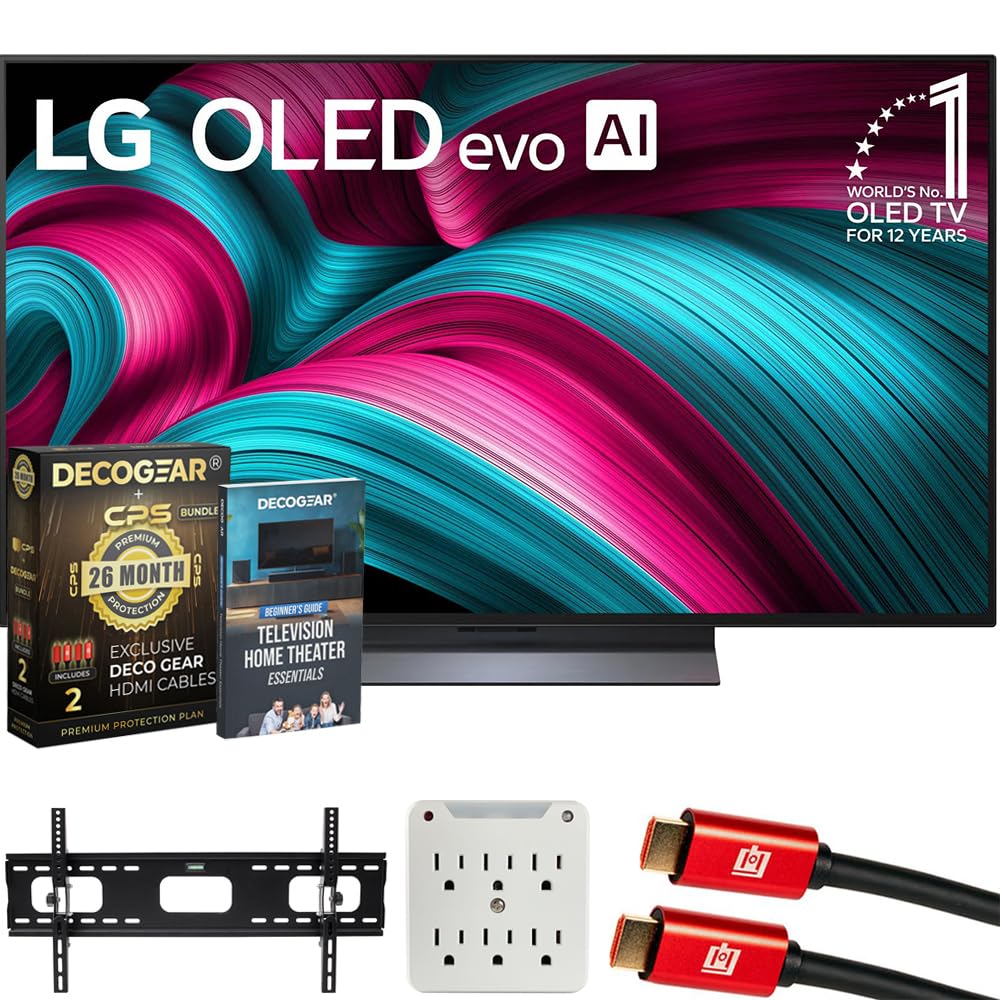
The C5 improves on the C4 with the newer α9 AI Gen7 processor, which fine-tunes per-scene tone mapping and AI sound optimization. This 2025 model retains the same 48-inch OLED evo panel with 144Hz and four HDMI 2.1 inputs, so the upgrade is in the processing and the webOS 25 smart platform that offers faster app loading.
The bundle adds a 26-month extended protection plan with burn-in coverage, two HDMI cables, a wall mount kit, and a surge protector — effectively lowering the total cost of ownership. For users who want a single-purchase solution with warranty peace of mind, this package removes the need to buy accessories separately.
One downside is the stand design: it is difficult to install without two people and the screen tips forward slightly on the included base. VESA mounting avoids this issue and is recommended for a stable desktop setup.
Why it’s great
- Next-gen α9 AI Gen7 processor
- 26-month burn-in coverage included
- Complete bundle saves on accessories
Good to know
- Stand is heavy and difficult to install solo
- Incremental upgrade over C4 for most users
5. Samsung 48″ QN48S90FAEXZA Bundle
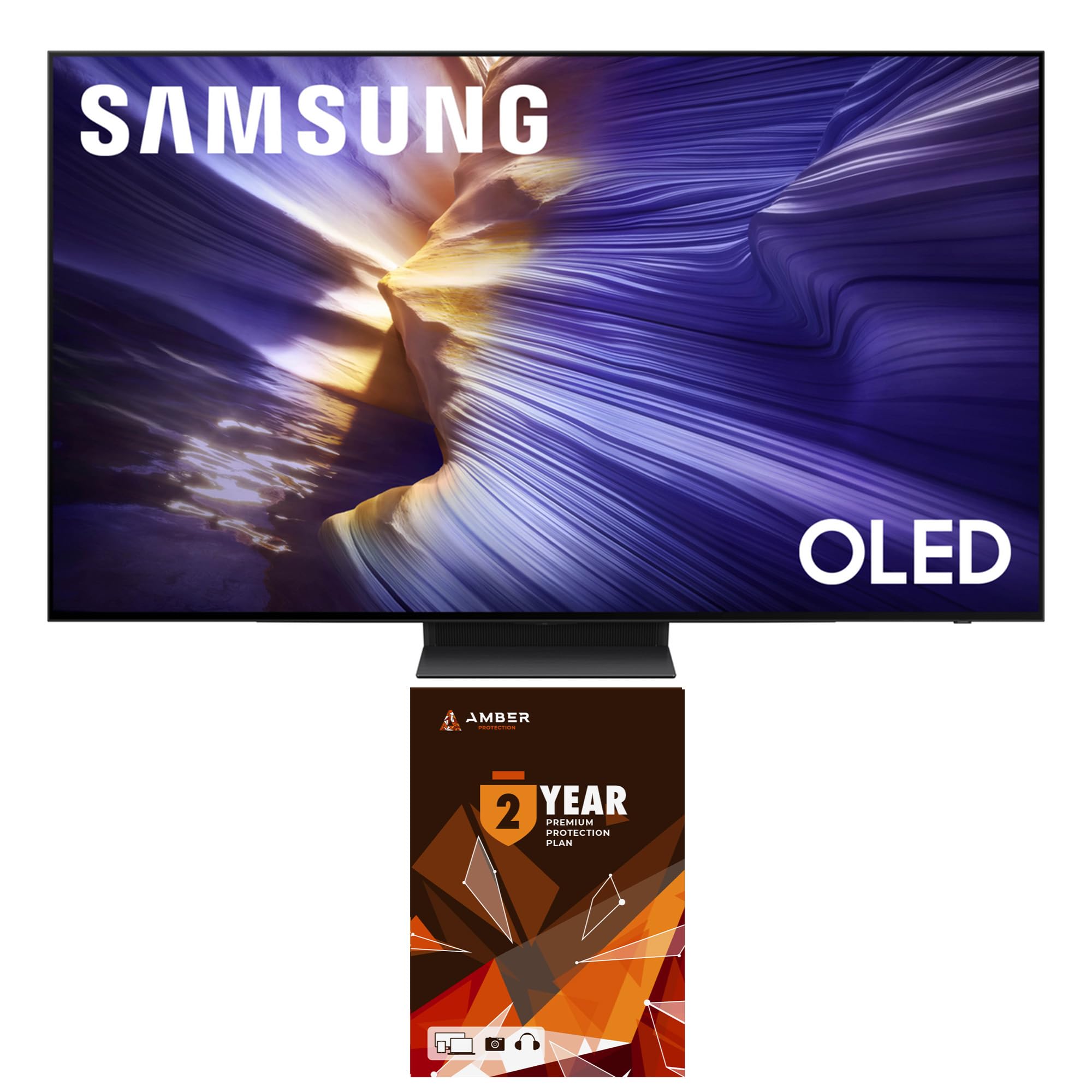
This bundle pairs the Samsung 48S90F with a 2-year Amber Protection Plan and a screen cleaning kit, making it a strong value play for buyers who want warranty coverage without a separate purchase. The QD-OLED panel delivers the same vibrant color volume as the S90F, with Motion Xcelerator 144Hz and OLED HDR for deep contrast.
The NQ4 AI Gen3 processor handles 4K AI Upscaling Pro, which sharpens lower-resolution sources to near-4K detail, and Real Depth Enhancer adds a three-dimensional quality to foreground objects. This is especially noticeable during landscape shots in nature documentaries or cinematic cutscenes.
The bundled protection plan covers burn-in for three years total (one year manufacturer plus two years Amber), which is above the industry standard. The screen cleaner is a useful inclusion for a large OLED, which attracts fingerprints and dust.
Why it’s great
- Total 3-year burn-in protection
- QD-OLED with Real Depth Enhancer
- 4K AI Upscaling Pro for low-res sources
Good to know
- 48-inch version lacks anti-glare coating found on 65-inch
- Tizen smart platform shows advertisements
6. LG 45GX950A-B Ultragear

The 45GX950A-B is the first 5K2K WUHD (5120 x 2160) OLED gaming monitor, offering a pixel density of 125 PPI that eliminates the color fringing common on older ultrawide OLEDs. The 800R curve wraps around your peripheral vision, and the dual-mode system lets you switch between native 5K2K at 165Hz for immersive games or WFHD at 330Hz for competitive esports — all via a single hotkey.
DisplayPort 2.1 delivers the bandwidth needed for the full 5K2K at 165Hz without chroma subsampling, and USB-C with 90W power delivery charges a laptop while driving the display. The anti-glare coating is UL-certified and reduces reflections better than most glossy OLED panels.
Text clarity is genuinely sharper than earlier ultrawide OLEDs thanks to the updated subpixel layout. The main drawback is the price: this is a premium investment that demands a high-end GPU to fully leverage its resolution and refresh rate.
Why it’s great
- 5K2K OLED with 125 PPI for sharp text
- Dual-mode: 5K2K 165Hz or WFHD 330Hz
- DisplayPort 2.1 and USB-C 90W PD
Good to know
- Requires RTX 5080 or better for native 5K2K
- HDR flicker reported with HDMI input
7. Sony XR48A90K Bundle
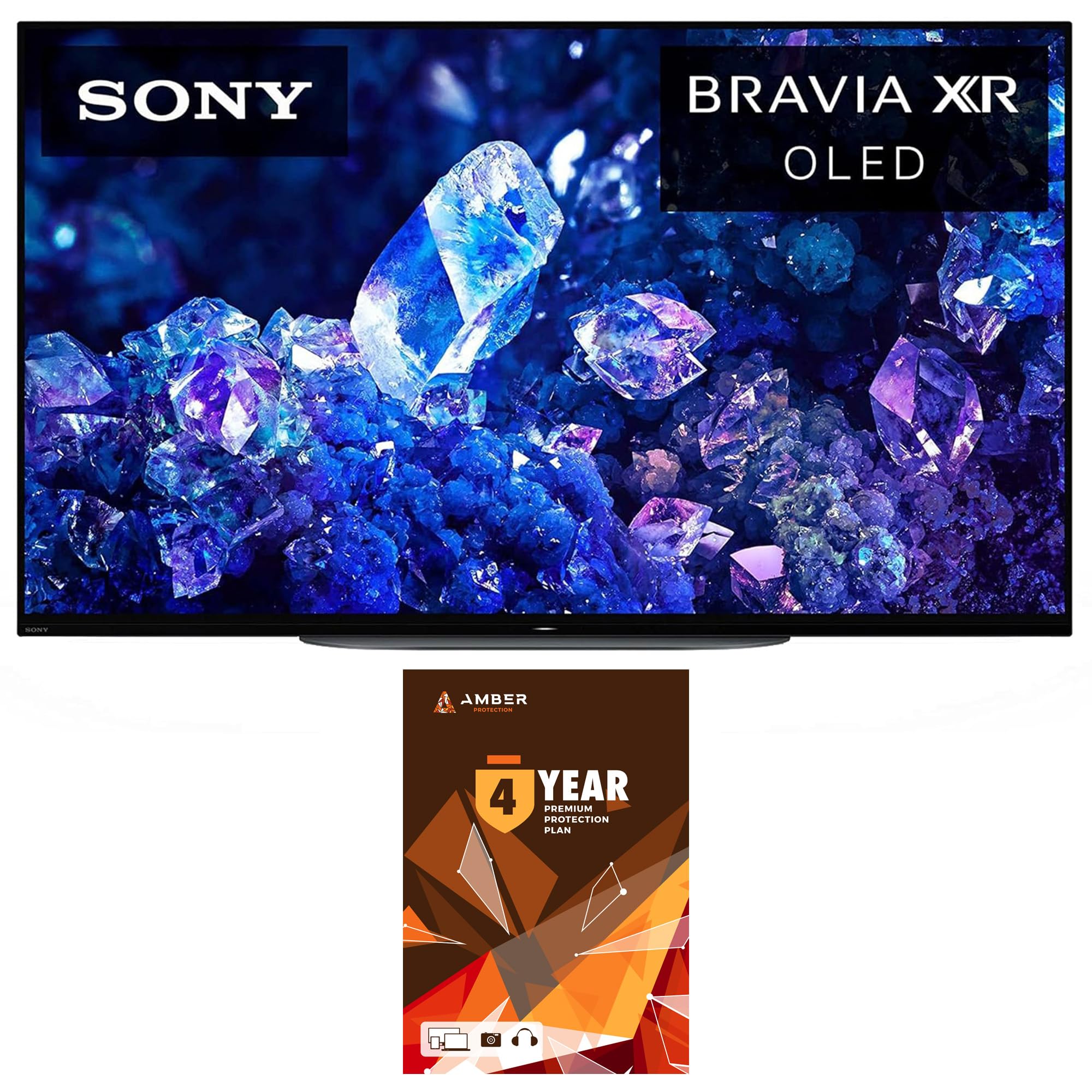
This bundle wraps the Sony A90K with a 4-year Amber Protection Plan and a screen cleaner, giving you the longest burn-in coverage in this list. The panel itself is the same WOLED with XR OLED Contrast Pro, which delivers deep blacks and high peak brightness controlled by the Cognitive Processor XR. For color-critical work and PS5 gaming, this is the most protected option available.
The 120Hz refresh rate is sufficient for console gaming at 120fps, and the 8.5ms input lag with Auto HDR Tone Mapping makes it the best pairing for a PlayStation 5. Cable management is clean thanks to the multi-position stand that accommodates a soundbar beneath the panel.
The Acoustic Surface Audio+ turns the screen into a speaker, which is impressive for dialogue clarity but can distort on bass-heavy content. The bundle price is higher than the standalone A90K, but the extended warranty effectively covers burn-in for four years.
Why it’s great
- 4-year burn-in coverage through Amber Protection
- XR Cognitive Processor for natural HDR
- PS5 exclusive Auto HDR Tone Mapping
Good to know
- Limited to 120Hz, not for 240Hz gaming
- Surface acoustics can distort at high volumes
8. ASUS ROG Swift PG32UCDM

The PG32UCDM is a 32-inch QD-OLED that hits 240Hz at 4K with a 0.03ms GTG response time, making it the fastest gaming monitor in this selection. The custom heatsink combined with graphene film dissipates heat more effectively than standard OLED cooling, which directly reduces burn-in risk during extended gaming sessions. DisplayHDR 400 True Black compliance ensures that dark scenes retain detail without washing out.
G-SYNC Compatible certification means it pairs perfectly with NVIDIA GPUs, and the DisplayWidget Center software allows mouse-controlled OLED Care adjustments and uniform brightness settings without digging into the OSD. The glossy finish handles reflections surprisingly well for a glossy panel, and text clarity on the QD-OLED subpixel layout is adequate for mixed work use.
ASUS includes a 3-year warranty with burn-in coverage, which is essential for a monitor with this refresh rate and brightness. The 32-inch size is smaller than 48 inches, but the pixel density is higher, making it a better choice for competitive gamers who prioritize speed over sheer screen real estate.
Why it’s great
- 4K 240Hz with 0.03ms response time
- Custom heatsink + graphene for burn-in resistance
- 3-year burn-in warranty included
Good to know
- 32-inch size is smaller than category standard
- Glossy finish still reflects direct overhead light
9. Alienware AW3225QF

The AW3225QF is one of the few gaming monitors with Dolby Vision certification, which gives it an edge in HDR content playback over standard HDR10 displays. The 32-inch 4K QD-OLED panel delivers 240Hz refresh rate and the same 0.03ms response time as the ASUS PG32UCDM, but the Dolby Vision tuning provides smoother gradients and more consistent brightness across different content types.
The design is premium with a white-and-black finish that stands out on a desk, and the build quality feels solid with minimal panel flex. Connectivity includes DisplayPort, HDMI, and USB 3.2 Gen 1 ports, though there is no USB-C with power delivery, which is a limitation for laptop users.
Mac users should note that M1 Macs require a USB-C to DisplayPort cable to achieve 120Hz, as HDMI is limited to 60Hz on those machines. The anti-reflective coating works well, but text clarity on the QD-OLED subpixel layout is not as sharp as a standard LCD for productivity-focused users.
Why it’s great
- Dolby Vision certified for superior HDR
- 4K 240Hz with 0.03ms response
- Premium build with distinctive design
Good to know
- No USB-C with power delivery
- Mac M1 needs USB-C to DP for 120Hz
10. Philips Evnia 49M2C8900L
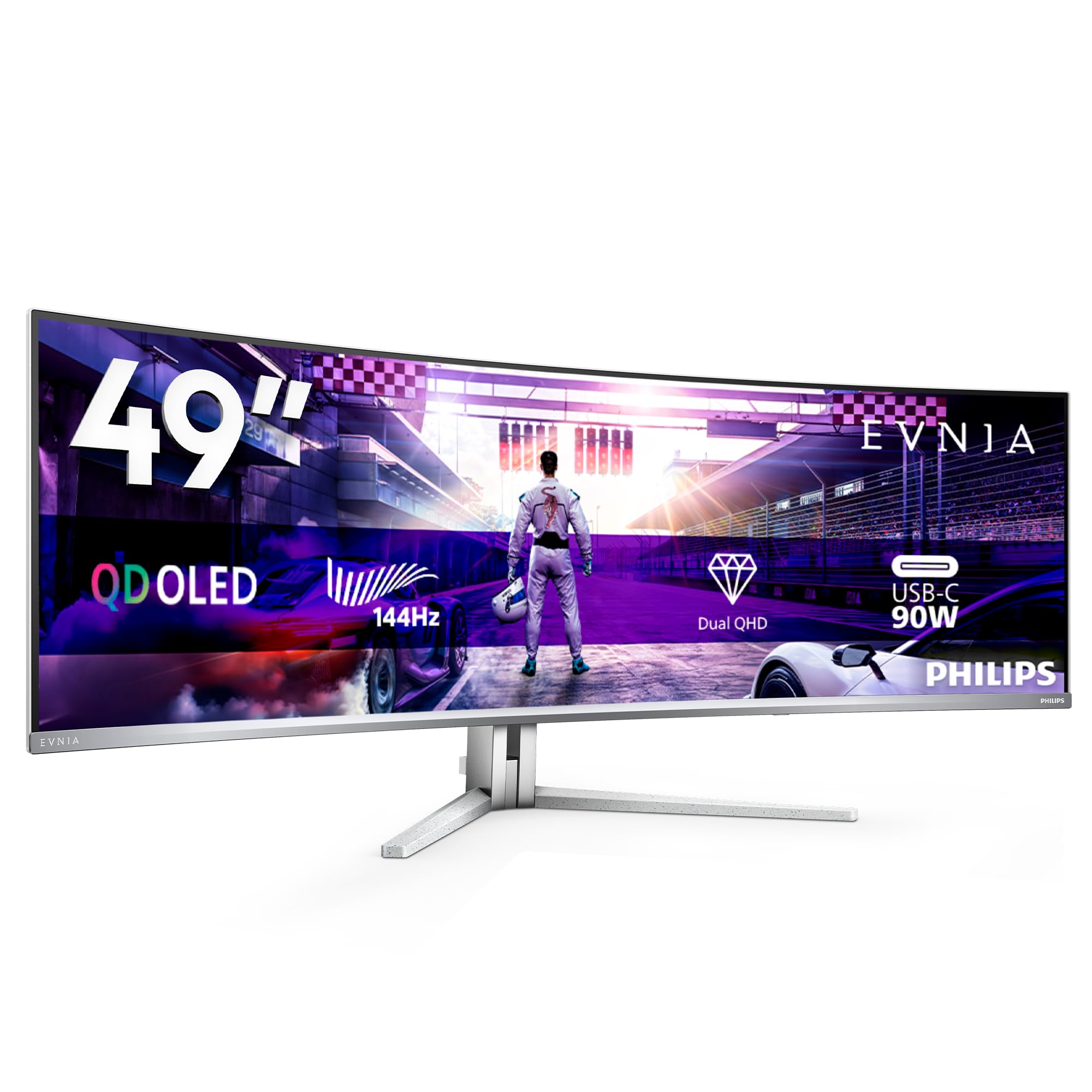
The Evnia 49M2C8900L uses a 49-inch DQHD (5120 x 1440) QD-OLED panel with a 32:9 aspect ratio that replaces dual 27-inch monitors without a bezel gap. The 1800R curve is steep enough to wrap around your peripheral vision but not so aggressive that it distorts straight lines in spreadsheets or code editors. The integrated KVM switch allows seamless control of two PCs with a single keyboard and mouse.
FreeSync Premium Pro ensures tear-free HDR gaming, and the 144Hz refresh rate is smooth enough for most genres. The built-in 4x 7.5-watt speakers produce room-filling sound that is surprisingly good for monitor speakers, and the Ambiglow lighting adds bias lighting that reduces eye strain in dark rooms.
The pixel refresh reminder appears every 16 hours and can interrupt a workflow if you do not schedule it manually. The large size requires a desk depth of at least 30 inches for comfortable viewing, and the weight is substantial at around 12 kilograms.
Why it’s great
- 32:9 QD-OLED replaces dual monitor setup
- Integrated KVM for two-PC workflows
- Good built-in speakers with DTS sound
Good to know
- Pixel refresh notifications can be intrusive
- Requires deep desk for comfortable viewing
11. GIGABYTE AORUS CO49DQ

The AORUS CO49DQ is a 49-inch DQHD (5120 x 1440) OLED with a 144Hz refresh rate and 0.03ms response time, built specifically for sim racing and immersive flight simulators. The 32:9 aspect ratio matches the field of view of a racing cockpit, and the OLED contrast makes night tracks and shadows look realistic rather than washed out. The Gigabyte Control Center software allows per-app color profiles and quick switching between gaming and productivity presets.
The panel is calibrated for 99% sRGB and 90% DCI-P3 out of the box, which is sufficient for gaming and media consumption. FreeSync Premium Pro ensures tear-free performance with AMD GPUs, but NVIDIA G-SYNC compatibility works via the DisplayPort connection.
One notable omission is the lack of a 100x100mm VESA mounting plate included in the box — you must purchase it separately. The stand is height-adjustable but slightly lower than expected, so a monitor arm is recommended for ergonomic viewing.
Why it’s great
- 49-inch DQHD OLED for immersive sim racing
- 0.03ms response with 144Hz refresh
- Gigabyte Control Center for per-app profiles
Good to know
- VESA 100×100 mount plate not included
- Stand is lower than ideal for ergonomic use
12. INNOCN GA27W1Q

The GA27W1Q is a 27-inch 4K QD-OLED monitor that offers flagship specs — 240Hz, 0.03ms response, 1,500,000:1 contrast — at an entry-level price. The panel uses the same QD-OLED technology found in premium monitors but skips the premium build quality, using an external power brick and a plastic shell that feels less sturdy than competitors. For budget-conscious buyers who want OLED performance, this is the most accessible option.
MAC-View Mode adjusts the color profile to match macOS gamma and white point, reducing the color cast that often appears when connecting a Mac to a generic display. The LED atmosphere lights on the back provide ambient lighting that can be customized via the OSD.
The built-in speakers are weak and lack bass, so an external audio solution is necessary. The OSD menu is not intuitive, and the lack of included HDMI cables means you will need to buy your own for high-bandwidth 4K 240Hz connections.
Why it’s great
- 4K 240Hz QD-OLED at budget-friendly price
- MAC-View Mode for accurate macOS colors
- 1,500,000:1 contrast ratio
Good to know
- External power brick and plastic build
- Weak built-in speakers require external audio
13. Dell UltraSharp U4025QW

The U4025QW uses an IPS Black panel — not OLED — but it offers the closest alternative for professionals who prioritize text clarity and burn-in-free static content over pure contrast. The 5K2K (5120 x 2160) resolution at 40 inches provides 33% more workspace than a standard 32-inch 4K monitor, and the 120Hz refresh rate ensures smooth scrolling during document review and code editing.
The built-in KVM hub allows seamless switching between two computers, and the Thunderbolt 4 port delivers up to 140W power delivery to a laptop. The IPS Black technology achieves a 2000:1 contrast ratio, which is significantly higher than standard IPS panels and comes close to OLED in moderate lighting conditions.
Color accuracy is factory-calibrated to Delta E < 2, making it suitable for photo editing and design work. The downside is the price, which exceeds many OLED alternatives, and the contrast ratio still falls short of OLED’s infinite black levels.
Why it’s great
- 5K2K resolution for maximum productivity
- IPS Black panel with 2000:1 contrast
- Thunderbolt 4 with 140W power delivery
Good to know
- Not OLED — contrast inferior to true black
- Premium price above many OLED competitors
FAQ
Will a 48-inch OLED monitor work as a computer monitor?
How do I prevent burn-in on a 48-inch OLED monitor?
Which is better for a 48-inch OLED monitor: QD-OLED or WOLED?
Final Thoughts: The Verdict
For most users, the best 48 inch oled monitor winner is the LG 48″ OLED evo C4 because it combines four HDMI 2.1 ports, 144Hz refresh, Dolby Vision, and the best balance of price and feature set for mixed use. If you want the highest brightness and most vibrant color, grab the Samsung 48″ S90F QD-OLED. And for color-critical professional work with exclusive PS5 features, nothing beats the Sony 48″ A90K Bravia XR.