
Choosing a 48-port managed switch means you’re building or expanding a network that demands serious port density, VLAN segmentation, and reliable uptime. Whether you’re wiring a growing office, a school campus, or a homelab, the wrong switch introduces bottlenecks, security gaps, or excessive noise that your users will feel every day.
I’m Min — the co-founder and writer behind Gadgets Feed. I’ve spent hundreds of hours cross-referencing switching capacity, SFP uplink specs, PoE budgets, and management interfaces across dozens of models to isolate exactly what separates a reliable investment from a headache waiting to happen.
The models covered in this guide were selected for their ability to handle real-world loads, and every recommendation is built around the specific specs that matter for your 48-port managed switch. You’ll leave with a clear winner for your specific deployment.
How To Choose The Best 48-Port Managed Switch
The core decision isn’t just about 48 copper ports. You need to weigh the management depth, uplink speed, and thermal profile against your actual network topology. Here’s what separates the long-term winners from the shelf queens.
Management Depth: Smart vs. L2+ vs. L3
A smart-managed switch offers VLANs, QoS, and basic SNMP through a web GUI. Perfect for small offices that need segmentation without a dedicated network engineer. L2+ adds static routing, letting you route traffic between VLANs on the switch itself without a separate router. Full L3 brings dynamic routing protocols like OSPF, which matters only in multi-site or campus core deployments. If you’re buying a 48-port switch for a single building, L2+ static routing is usually the sweet spot.
Uplink Ports and Bandwidth Ceilings
The 48 gigabit ports are only as fast as the uplink bottleneck you feed them. At minimum, you need 4 x 1G SFP to avoid oversubscription on heavy traffic flows. Models with 10G SFP+ uplinks — even two — give you headroom for server connections, backbone interconnects, and future ISP upgrades. Ignore the uplink spec and you’re capping your entire 48-port array to a single gigabit pipe.
Power Over Ethernet Budget
If your switch needs to power IP cameras, VoIP phones, or Wi-Fi 6 access points, look at the total PoE budget — not just the number of PoE ports. A 48-port PoE switch with 384W delivers roughly 8W per port, enough for standard phones and basic cameras. For PTZ cameras or high-power access points, you need a 740W budget or higher. Every port’s power draw adds up fast.
Thermal Acoustics in Your Environment
48-port switches generate significant heat. Fanless designs are rare and typically limited to lower-power non-PoE models. Smart fans that adjust speed based on temperature are a huge quality-of-life improvement. Some switches at this density hit 60+ dBA — that’s loud enough to disturb a quiet office. If the switch sits in an open workspace, look for models with fan noise ratings under 35 dBA.
Quick Comparison
On smaller screens, swipe sideways to see the full table.
| Model | Category | Best For | Key Spec | Amazon |
|---|---|---|---|---|
| TP-Link Omada SG3452 | Smart / L2+ | Omada SDN ecosystem | 4 x 1G SFP slots | Amazon |
| NETGEAR GS748T | Smart Managed | Ease of use + cloud | 4 x 1G SFP (2 shared) | Amazon |
| HPE Instant On 1830 | Smart-Managed | Fan-less, small biz | 4 x 1G SFP uplinks | Amazon |
| Zyxel GS1900-48 | Smart Managed | Value L2 features | 2 x 1G SFP slots | Amazon |
| YuanLey 54-Port L3 | L3 Managed | 10G uplinks on a budget | 6 x 10G SFP+ slots | Amazon |
| Linksys LGS352MPC | Managed PoE+ | High-power PoE+ | 740W PoE budget | Amazon |
| NETGEAR GS752TP | Smart Managed PoE+ | PoE+ with 384W budget | 4 x 1G SFP / 384W PoE | Amazon |
| Ubiquiti UniFi US-48-500W | Managed PoE | UniFi ecosystem / homelab | 2 x 10G SFP+ / 500W PoE | Amazon |
In‑Depth Reviews
1. TP-Link Omada SG3452

The Omada SG3452 hits the L2+ sweet spot with 48 gigabit ports and 4 SFP slots, all integrated into TP-Link’s cloud-based Omada SDN platform. That means you get Zero-Touch Provisioning, centralized VLAN and ACL management, and remote monitoring without needing a dedicated controller nearby. The 5-year warranty reinforces its prosumer durability.
From a technical standpoint, the SG3452 supports 802.1Q VLANs, IGMP Snooping, LACP link aggregation, and DHCP Snooping. The CLI feels familiar to anyone who has worked with Cisco syntax, and the web interface is thorough — though you’ll want to save the running config manually between sessions. The fanless design keeps noise low, making it suitable for open-office racks.
The only real trade-off is that this is an L2+ switch, not full L3. Static routing handles inter-VLAN traffic fine for most single-site deployments, but you won’t get OSPF or BGP. For a growing business or advanced homelab that wants cloud orchestration without per-port subscription fees, this is the single most balanced 48-port managed switch on the market today.
Why it’s great
- Omada SDN cloud management with zero recurring cost
- Fanless operation keeps noise floor low
- 5-year warranty provides long-term confidence
Good to know
- No dynamic routing protocols (L2+ only)
- Boot time is noticeably slow compared to enterprise gear
2. Zyxel GS1900-48

The Zyxel GS1900-48 delivers genuine smart-managed L2 features — VLANs up to 4K, QoS via 802.1p, IGMP Snooping, and SNMP v1/v2/v3 — at a price point that undercuts almost every other 48-port competitor. The 100 Gbps switching capacity and 74 Mpps forwarding rate ensure line-rate performance across all ports under mixed workloads.
Build quality is respectably commercial: a metal housing, 2 x 1G SFP uplinks, and a smart fan that modulates between 23 and 41 dBA depending on thermal load. It’s not fanless, but the temperature-controlled fan curve means it stays quiet unless the rack gets warm. The included rack mount kit and 525 KB buffer handle bursty traffic from camera streams or print queues without drops.
The web GUI and ZON Utility are functional rather than flashy, and some users report a learning curve on initial VLAN setup. But for the price, you’re getting legitimate managed Layer 2 control with SNMP monitoring and DoS prevention. If your budget is tight but you can’t sacrifice VLAN segmentation or QoS, this is the rational pick.
Why it’s great
- Lowest entry price for full smart-managed L2 features
- Temperature-controlled fan reduces noise when cool
- Metal housing with rack mount included
Good to know
- Fans become audible under sustained load (up to 41 dBA)
- No PoE support; strictly a data switch
3. HPE Networking Instant On 1830

HPE’s Instant On 1830 is engineered specifically for small businesses that want enterprise reliability without the enterprise subscription cost. This smart-managed Layer 2 switch offers 48 gigabit ports plus 4 dedicated 1G SFP uplinks — no shared/combo ports — and runs completely fanless, eliminating mechanical noise entirely.
Setup is genuinely fast: scan the QR code with the Instant On mobile app, and the switch is online in minutes. The web GUI includes a quick-start wizard, and the VLAN management interface is widely regarded as the most intuitive in this class — IT pros who migrated from Ubiquiti consistently praise the clarity. It supports SNMP for deeper monitoring, plus LACP, STP, and IGMP Snooping.
The main limitation is the lack of a CLI. If you need to script configurations or automate deployments via SSH, this switch forces you to use the GUI or SNMP. Some units have reported power supply failures after two years, though the limited lifetime warranty from HPE backs the investment. For a lobby, retail floor, or light-duty office where silence and simplicity matter most, it’s a strong contender.
Why it’s great
- Completely fanless — zero mechanical noise
- Best-in-class VLAN management GUI for non-engineers
- Limited lifetime warranty from Hewlett Packard Enterprise
Good to know
- No command-line interface for advanced automation
- Some reliability reports of PSU failure after 2 years
4. Linksys LGS352MPC

The Linksys LGS352MPC packs 48 PoE+ ports with a massive 740W power budget and 4 dedicated 10G SFP+ uplinks — making it one of the few switches in this class that can simultaneously power high-draw devices like Wi-Fi 6E access points and PTZ cameras while maintaining a 10G backbone to the core router. The metal housing and front-facing ports simplify rack cable management.
On the management side, you get QoS traffic prioritization, static routing, IGMP Snooping, and MAC-based port security. The web interface is functional and the browser-based firmware update works, though it uses HTTP rather than HTTPS. Installation can be completed under an hour even for less experienced administrators. The 5.5-year warranty is among the longest in this class.
The most significant drawback is acoustic: at idle, the fans can reach 60-70 dBA with speeds up to 8200 RPM, and the noise profile doesn’t drop under load. This is not a switch for a quiet office or a desk-side rack — it belongs in a dedicated telecom closet or server room. For homelabbers or SMBs that need high PoE density and 10G uplinks without paying Cisco rates, it’s a powerhouse.
Why it’s great
- 740W PoE+ budget powers heavy-draw devices with ease
- 4 x 10G SFP+ uplinks prevent backbone bottlenecks
- Metal chassis with 5.5-year warranty
Good to know
- Extremely loud — not suitable for open workspaces (60+ dBA)
- Firmware updates run over HTTP only, not HTTPS
5. NETGEAR GS752TP-100NAS (GS752TP)

The NETGEAR GS752TP is a 48-port smart-managed PoE+ switch with a 384W power budget, with the first 8 ports supporting PoE+ for higher-draw devices. It also includes 4 x 1G SFP fiber uplinks and static routing support for up to 32 routes, making it capable of inter-VLAN routing without a separate router for moderate traffic volumes.
This switch runs on NETGEAR’s Smart Managed Pro firmware, which includes Auto Voice and Auto Video VLANs that simplify QoS for VoIP and surveillance deployments. It supports IPv6 management, ACLs, and LACP link aggregation. Many users report running 46+ PoE devices continuously for years without a single failure, which speaks to its build quality.
On the downside, the web interface is sluggish and requires Chrome or Safari in compatibility mode. Some early units had PoE functionality defects, though Amazon’s return process resolved most cases quickly. Fan noise is also a factor — earlier revisions ran loud, though the GS752TPv2 revision is noticeably quieter. For medium-density PoE environments with existing NETGEAR infrastructure, this switch holds up well over time.
Why it’s great
- 384W PoE budget across 48 ports with 8 PoE+ ports
- Static routing (32 routes) for inter-VLAN traffic
- Long-term reliability reported across many deployments
Good to know
- Web interface is slow and requires browser workarounds
- Early production units had PoE defect issues
6. YuanLey 54-Port L3 Managed Switch
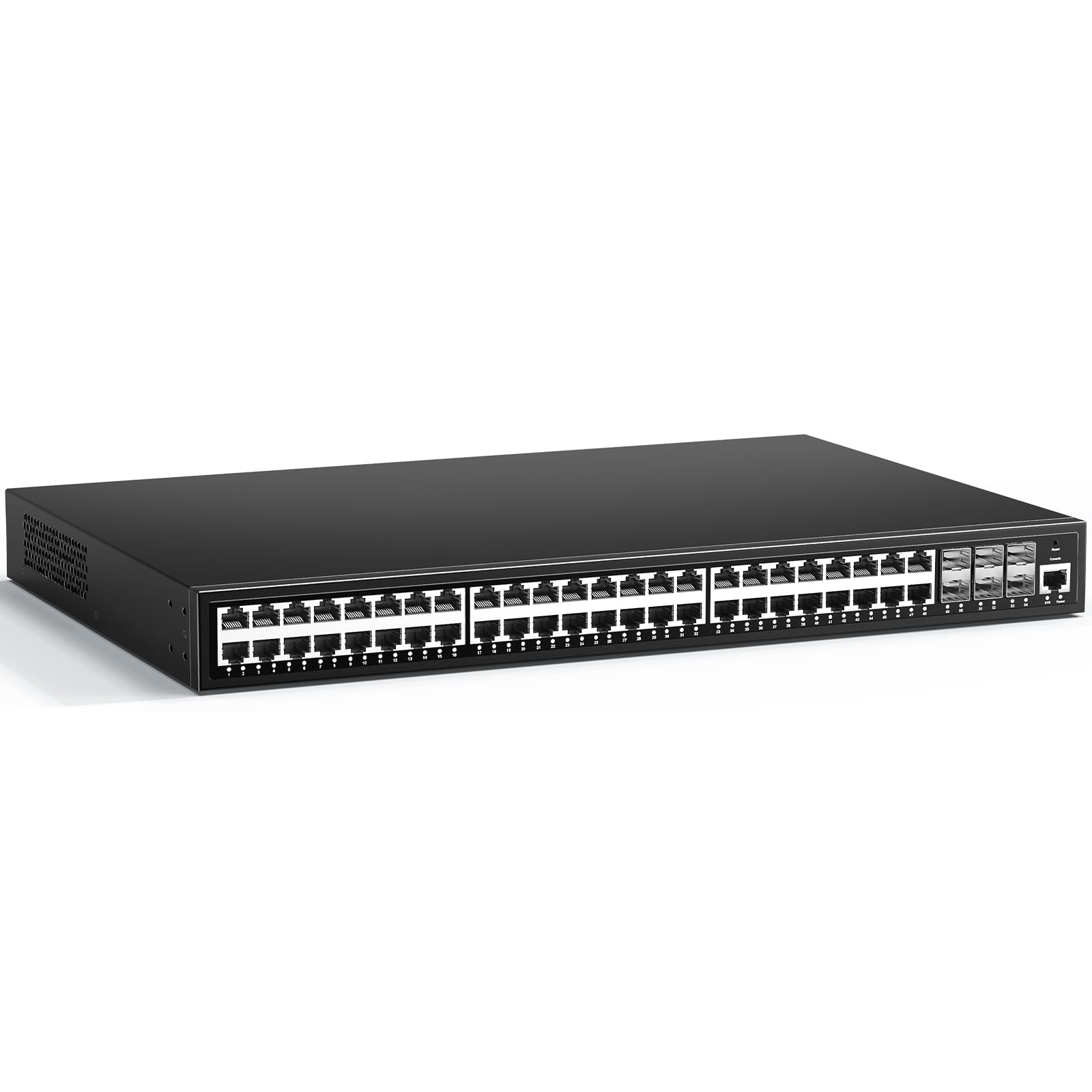
The YuanLey 54-port managed switch is an aggressive value proposition: 48 gigabit RJ45 ports plus 6 x 10G SFP+ uplinks, all in a metal housing with a claimed 216 Gbps switching capacity. For deployments that need 10G server or backbone uplinks without the usual premium markup, this switch checks the box at a fraction of the usual cost.
It supports L3-level features including static routing, ACL, IGMP Snooping, quadruple binding (IP+MAC+VLAN+port), 802.1X authentication, and spanning tree protocols (STP/RSTP/MSTP). Management can be done via web GUI, CLI (Console/Telnet), or SNMP v1/v2/v3. The fanless design further reduces power consumption and noise compared to actively cooled competitors.
However, the L3 feature set is incomplete — reviews confirm it lacks DHCP server functionality despite being marketed as L3, limiting its use as a standalone router replacement. Multiple reports of units failing within the first month raise reliability concerns. For a lab or secondary network where 10G connectivity is needed on a strict budget it has merit, but for a mission-critical core switch, the track record isn’t there yet.
Why it’s great
- Six 10G SFP+ ports at an entry-level price point
- Fanless design reduces noise and power draw
- Multiple management interfaces (Web, CLI, SNMP)
Good to know
- No DHCP server; L3 features are limited to static routing
- Reliability is inconsistent — some units fail within weeks
7. Ubiquiti UniFi US-48-500W

The UniFi US-48-500W is the backbone switch for Ubiquiti’s ecosystem, offering 48 auto-sensing PoE ports with a 500W budget and two 10G SFP+ uplinks. The 140 Gbps switching capacity ensures line-rate forwarding across all ports, and the UniFi Controller software provides a polished, unified management interface for the entire network stack — switches, gateways, and APs.
Key features include 802.1X authentication, Radius VLAN assignment, port mirroring, LACP aggregation, and STP. The fan noise is notably lower than competing 48-port PoE switches — rated at 27.5 dBA with three fan levels — making it tolerable in a nearby IT closet. Real-time traffic stats and per-port PoE monitoring through the controller software give visibility without SNMP complexity.
The biggest caveat is the lack of a built-in web interface. The switch must be adopted by a UniFi Controller running on a PC, Mac, or Cloud Key — it cannot be managed standalone via browser. The warranty is only 1 year, which is shorter than the competition. And some units have shown PSU failures after the warranty period. For users already in the UniFi ecosystem, the integration is unmatched. For standalone use, other options offer better autonomy.
Why it’s great
- Seamless UniFi Controller integration for unified network management
- 10G SFP+ uplinks and 500W PoE budget
- Low fan noise for a 48-port PoE switch (27.5 dBA)
Good to know
- No standalone web GUI; requires UniFi Controller software
- 1-year warranty is below industry average
8. NETGEAR GS748T
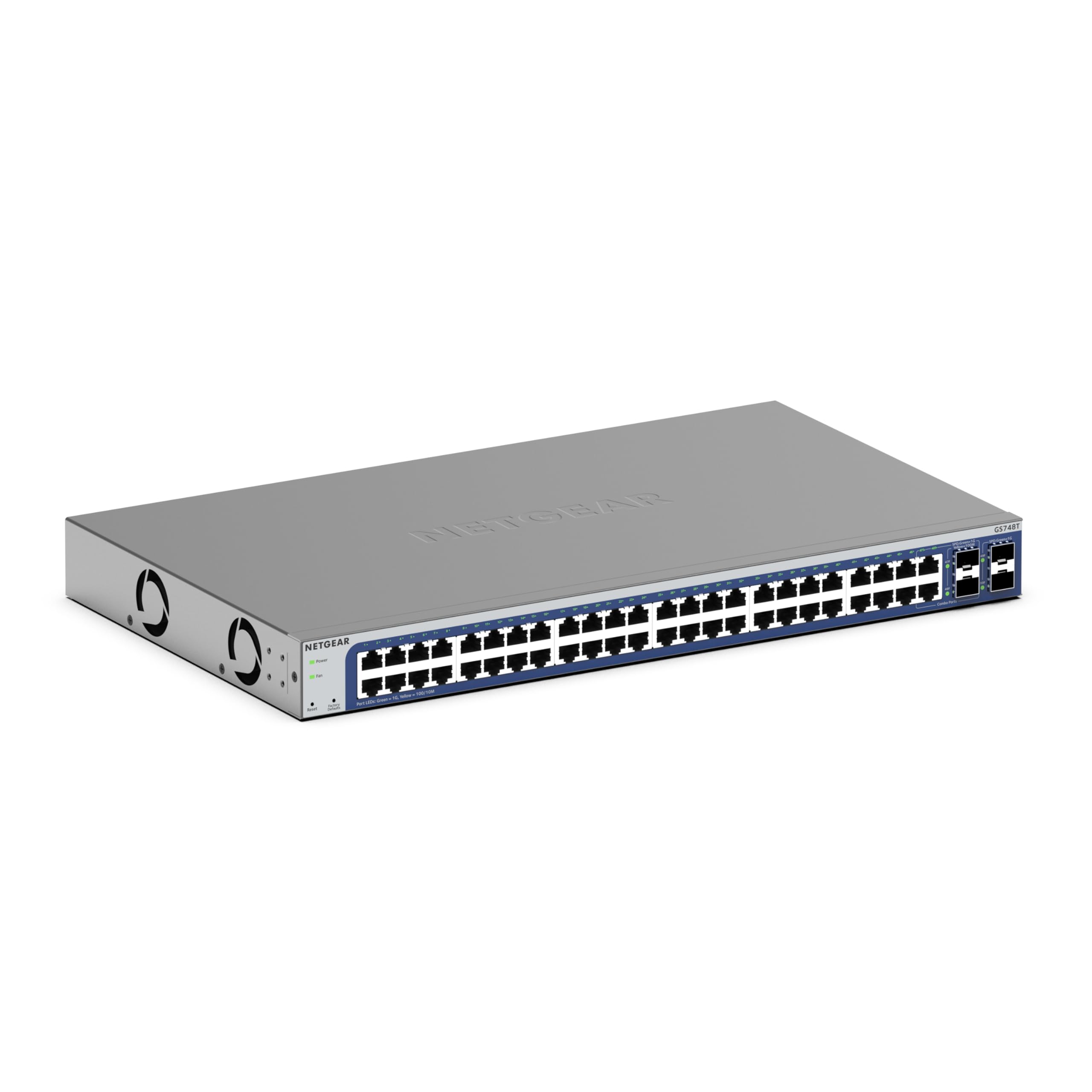
The NETGEAR GS748T is a 48-port gigabit smart managed switch that includes a 1-year subscription to NETGEAR Insight for cloud-based remote management. You get 48 RJ45 ports plus 4 x 1G SFP (2 shared) for uplinks, and the switch supports VLAN configuration, link aggregation, QoS, and SNMP management through an intuitive web interface.
The hardware is designed for quiet operation and energy efficiency, complying with IEEE 802.3az Energy Efficient Ethernet. It supports both desktop and rackmount placement with all necessary hardware included in the box. For environments where cloud visibility is desired but a full SDN platform feels overkill, the Insight app provides dashboard-level monitoring from any device.
The trade-off is that after the first year, Insight cloud management requires a paid subscription if you want to keep remote access. The SFP ports are fewer and shared in this model compared to dedicated uplink ports on other switches. For a straightforward 48-port deployment where the primary need is reliable Layer 2 connectivity with optional cloud oversight, it gets the job done without complexity.
Why it’s great
- 1-year NETGEAR Insight cloud management included
- Quiet operation suitable for open office racks
- Energy-efficient design with 802.3az compliance
Good to know
- Cloud management requires paid subscription after year one
- Only 4 SFP ports, 2 of which are shared with copper ports
FAQ
What’s the difference between a smart-managed and a fully managed L3 switch at 48 ports?
How do I calculate the uplink bandwidth I need for 48 gigabit ports?
Does a 48-port managed switch need a dedicated IT staff to maintain?
Final Thoughts: The Verdict
For most users, the 48-port managed switch winner is the TP-Link Omada SG3452 because it combines L2+ static routing, Omada SDN cloud management, and a 5-year warranty without requiring a dedicated controller appliance. If you need high PoE power for cameras and access points, grab the Linksys LGS352MPC for its 740W budget and 10G uplinks. And for a silent, fan-free deployment in a quiet office, nothing beats the HPE Instant On 1830.