
Our readers keep the lights on and my morning glass full of iced black tea. As an Amazon Associate, I earn from qualifying purchases.
Specs are compiled from manufacturer listings and verified buyer reviews and can change over time — please confirm the key details on the product page before buying.
If you are staring at a half-built server rack or a closet full of dangling Cat6 cables, the difference between a frustrating weekend and a tidy, professional install often depends on one piece of metal: the patch panel. A good 48-port model keeps your runs organized, your terminations secure, and your network signal clean — but the wrong one can leave you fighting keystones that refuse to click in or punchdowns that feel like wrestling a spring.
I’m Min — the founder and writer behind Gadgets Feed. This guide is built by comparing the manufacturers’ published specifications and the patterns across verified customer reviews, so you get each pick’s real strengths and trade-offs instead of marketing spin.
Whether you are outfitting a home lab, a small business wiring closet, or a data center patch field, this breakdown of the best 48-port patch panel options will help you match the right hardware to your actual cabling needs and installation skill level.
Our Picks at a Glance

![Cable Matters [UL Listed] 48 Port 10Gbps Cat6 Patch Panel, 2U](https://m.media-amazon.com/images/I/71Wh7+T9aSL.jpg)
How To Choose The Best 48-Port Patch Panel
Every 48-port patch panel does the same basic job — it terminates your horizontal cables into a fixed, organized block that your switch patch cords plug into. But the way it does that job splits into two very different experiences: blank keystone (you buy jacks separately, snap them in) and pre-loaded punchdown or coupler (everything is ready to terminate). The blank keystone route gives you total flexibility to mix Cat6, fiber, HDMI, or coax in the same panel, while pre-loaded panels save time when all your runs are the same cable type. Your choice here dictates your installation speed, cost per port, and how easily you can swap a bad jack later.
Shielded vs. Unshielded
In a typical home or office with standard Ethernet runs, an unshielded patch panel is perfectly fine and much easier to ground. If your cables run through a factory floor, next to industrial motors, or in a data center aisle with dense equipment, a shielded (STP) panel with a metal housing acts like a barrier against EMI and RFI noise — electromagnetic and radio-frequency interference that eats into your signal quality. The crowd favorite for this is the TRENDnet shielded model, which at 2.3 pounds is noticeably heavier than its unshielded siblings, a direct sign of the extra metal inside.
1U vs. 2U Height and Port Density
A 2U (3.5-inch tall) patch panel spreads 48 ports across two rack spaces, giving each keystone slot more room to breathe. The practical payoff is that thicker keystone jacks with larger boots fit without crowding each other, and you get a better bend radius on the cables entering the rear. Owners often note that high-density 1U panels “may not fit” certain bulkier keystone jacks. If your cabling uses chunky Cat6a shielded jacks or you want easy hands access, a 2U model is the safer bet.
Quick Comparison
| Model | Best For | Type | Height | Shielding | Amazon |
|---|---|---|---|---|---|
| TRENDnet TC-KP48S★ Best Overall | Interference-prone environments | Blank Keystone | 2U | Shielded | Amazon |
| FGB 10Gbps Cat6ATop Performer | Pro-grade punchdowns | Punchdown | 2U | Unshielded | Amazon |
| Cable Matters 48-PortPremium Pick | UL-listed reliability | Punchdown | 2U | Unshielded | Amazon |
| TRENDnet TC-KP48 | Budget-friendly blank keystone | Blank Keystone | 2U | Unshielded | Amazon |
| Rapink 48-Port | Tool-free pass-through setup | Pass-Through Coupler | 1U | Unshielded | Amazon |
| Jadaol 48-Port Cat6 | Tool-free with spare couplers | Pass-Through Coupler | 2U | Unshielded | Amazon |
| NewYork Cables 48-Port | 10Gb support on a budget | Punchdown | 2U | Unshielded | Amazon |
| iwillink 48 Port | Ultra-flexible keystone mixing | Blank Keystone | 1U | Unshielded | Amazon |
In‑Depth Reviews
1. TRENDnet 48-Port Blank Keystone Shielded 2U HD Patch Panel (TC-KP48S)
Our pick — over 4.5★ from 600+ verified ratings; the strongest balance of quality and price.
The heavy metal defender for racks where interference is the enemy.
If you are running cables near power lines, motors, or in a dense server room, the shielded housing on this TRENDnet panel acts as a literal wall between your signal and the electrical noise that wants to corrupt it. That shielding is why this panel weighs 2.3 pounds — at 2.3 pounds versus the TC-KP48 at 1.01 pounds — and it is the crowd favorite, with the highest star rating in the category. The metal body is built from sturdy cast alloy and plastic molding, and owners consistently call it “thick, durable, no flex.”
It is a blank keystone panel, so you supply your own jacks. TRENDnet recommends its own TC-K06C6A Cat6a shielded keystones, but the feedback from owners confirms it works with a wide range of third-party keystones. The back includes a numbered cable management bar that the review pages sum it up as “a nice upgrade over plastic clips.” An occasional unit arrives with a slight warp — the review pages note “arrived a bit warped but otherwise really high quality” — but the consensus is that the metal is sturdy enough that it straightens out once mounted.
Shielding that delivers: quality and build quality are the top praised aspects, with owners calling it “fantastic” for Cat6a and Cat8 runs. The cable management bar is a genuine plus for keeping rear bundles tidy.
Reach for this if: you need EMI/RFI protection in your setup or want the rock-solid metal feel of a panel that can survive multiple re-terminations.
Look elsewhere if: your rack is all unshielded runs in a clean environment — you can save weight and money with the unshielded version.
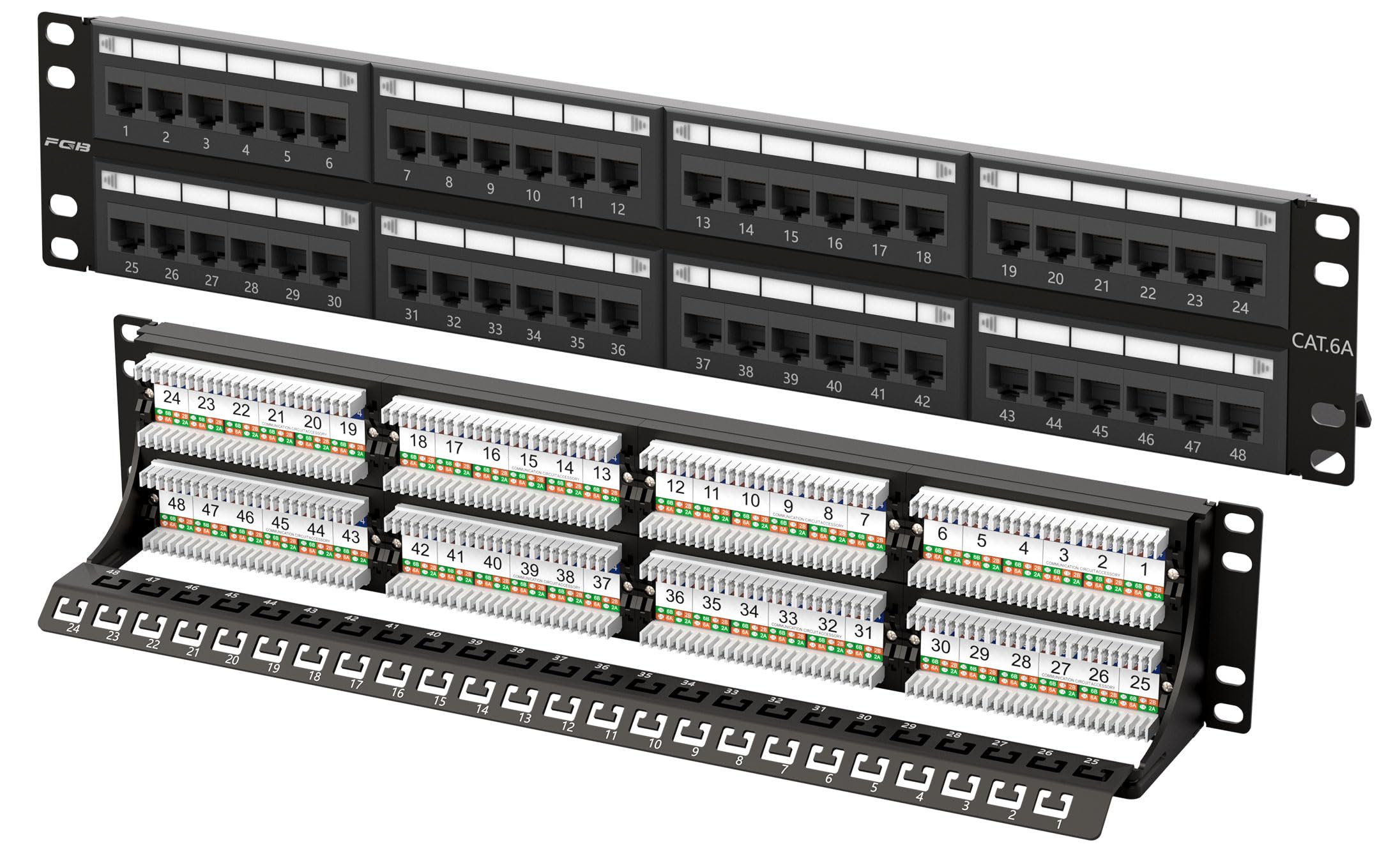
2. FGB 10Gbps Cat6A Patch Panel, 48-Port
The punchdown specialist that feels like it was built for an IT pro’s hands.
This is a 2U punchdown panel rated for Cat6A at 10Gbps and up to 500 MHz bandwidth, and it weighs a hefty 3.08 pounds — the heaviest panel in this list. The extra heft translates directly into a frame that owners describe as “very sturdy” and that “allows for a tight punch.” It is fully backward-compatible with Cat6, Cat5e, and Cat5, so it slots into an existing network without forcing a full cable upgrade. The removable back bar and included D-rings and cable ties keep rear cable bundles under control.
Owners are explicit that this is best suited for someone comfortable with a 110 punchdown tool; it is not a click-and-snap keystone panel. The color-coded T568A and T568B wiring diagram printed on the panel makes the process straightforward, and one verified owner called it “great quality product” that “makes punch downs a lot easier.” The trade-off is that re-doing a termination is harder than with a replaceable-keystone panel — a false move means re-punching, not swapping a coupler.
Pro-grade heft: the weight and sturdy frame give confidence for high-volume data centers. Perfect for an installer who values a solid anchor over modular flexibility.
Best for: IT pros or experienced home-lab owners who prefer a permanent punchdown over keystone couplers and want Cat6A 10Gbps readiness without paying a premium.
Not ideal for: a first-time installer who wants the option to swap a single damaged port without re-terminating the entire cable.
3. Cable Matters [UL Listed] 48 Port 10Gbps Cat6 Patch Panel, 2U
The UL-certified workhorse that survives re-termination after re-termination.
Cable Matters brings a 2U UL-listed (E486099) punchdown panel that owners consistently call “really well made” and “solid.” It supports 10-Gigabit Ethernet on Cat6 cabling (within 55 meters / 180 feet) and is backward-compatible with Cat5e and Cat5. The gold-plated RJ45 contacts aim to keep signal loss minimal, and the panel officially supports PoE, PoE+, and PoE++ — important if you are running IP cameras or wireless access points off the same structured cabling. Quality and functionality are the two most-praised aspects by a wide margin.
One IT pro installed two of these at a client site and reported re-terminating all cabling several times “with no issues with the patch panel” — the punchdown blocks held up without loosening. The included D-rings and cable ties help organize the rear. The recurring practical note is that mounting hardware (rack screws) is not included, so have your own on hand. While the panel is stamped steel rather than a luxury billet, owners agree it delivers “great value” for the build quality.
Built to last: the fact that it comes UL-listed for fire safety is a tangible plus for commercial or insurance-scrutinized installs. The strongest praise is for the quality (44 mentions) and functionality (42 mentions).
Reach for this if: you need a dependable, high-cycle punchdown panel for a professional environment or a demanding home lab where re-work is inevitable.
Consider alternatives if: you prefer a tool-free coupler system for ease — this is pure punchdown, no shortcuts.
4. TRENDnet 48-Port Blank Keystone 2U HD Patch Panel (TC-KP48)
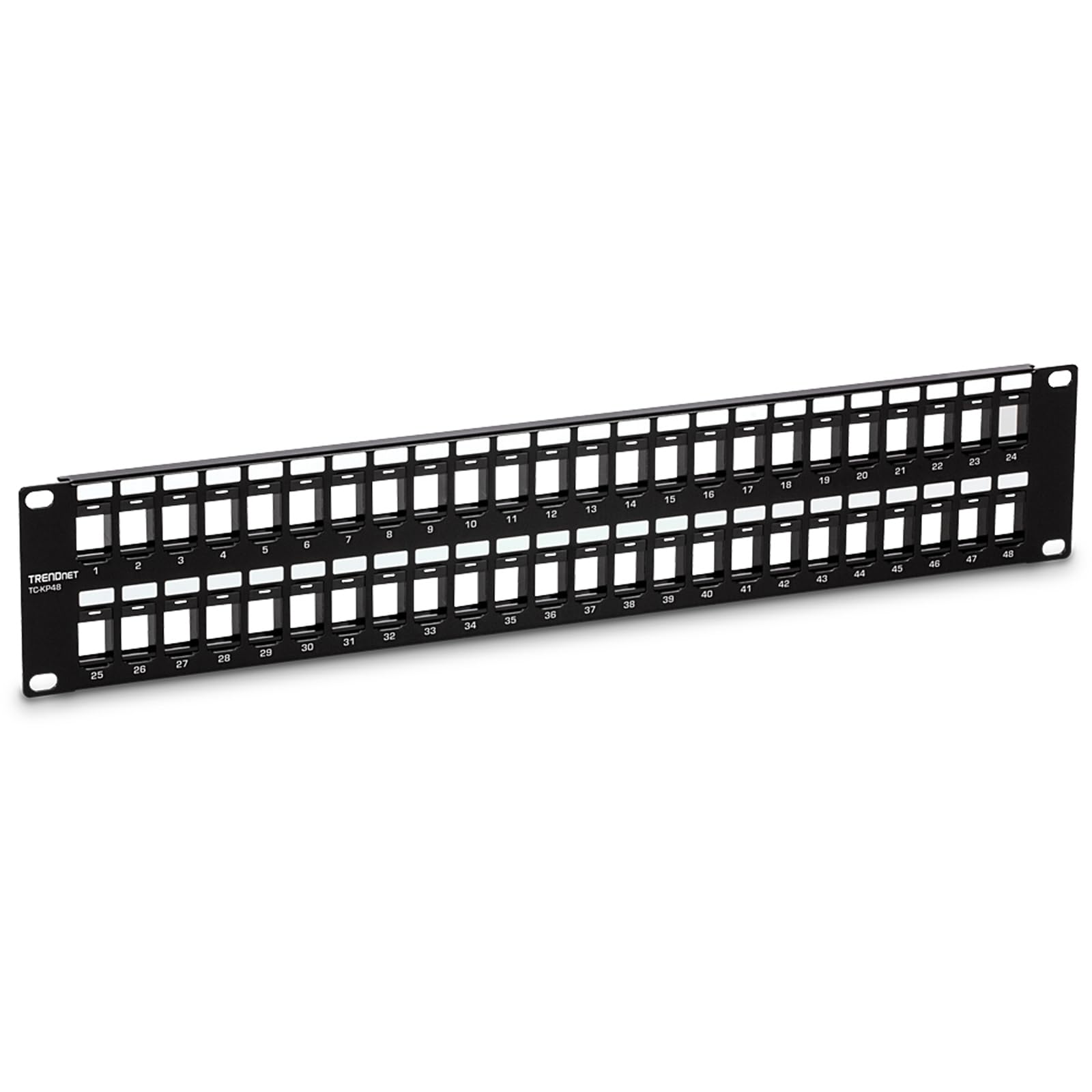
The slim blank keystone panel that gives you total jack freedom.
At just 1.01 pounds, this is the lightest 48-port blank keystone panel in the comparison — a direct result of its unshielded SPCC steel and ABS plastic construction. It is a 2U 19-inch rackmount panel that accepts standard HD keystone jacks and comes pre-numbered with writable label strips. The crowd praise is immediate: functionality and quality both earn 10 positive mentions each, and owners call it “an awesome solution for any rack” that is “slim and easy to use.”
The honest design trade-off is the nature of high-density blank keystone panels: spacing between the slots is tight. A verified owner explicitly warned that “some keystone jacks may not fit due to the limited spacing between them.” That does not mean it is a bad panel — it means you should check that your keystone jacks are standard-profile, not oversized boots. It comes with a 2-year TRENDnet manufacturer protection policy and NDAA compliance for U.S. and Canada government-adjacent projects.
Flexible and affordable: you choose exactly which jacks to load — Cat6, fiber, coax — all in one panel. The catch is that not every keystone will physically fit; standard-profile jacks are the safe bet.
Best for: anyone building a budget-conscious rack with standard Cat6 keystones who wants the versatility of a blank panel.
skip it if: you already own bulky, wide-body keystone jacks that may conflict with the tight slot spacing.
5. Rapink 48 Port Cat6 Patch Panel with Inline Keystone Pass-Thru Coupler

The tool-free pass-through panel that saves hours by skipping the punchdown.
This 1U panel comes pre-loaded with 48 inline keystone couplers that accept already-terminated RJ45 plugs — you feed the cable through the front, click it into the rear keystone, and you are done. No punchdown tool, no wire map struggles. The pass-through design means if a port fails, you swap the keystone coupler rather than re-terminate the whole cable. That is a massive time-saver for reusing factory-made patch cables as your horizontal runs.
Ease of use is the top praised aspect with 34 mentions. Owners consistently report it makes “cleaning up a rat’s nest of cables” simple and that the keystone format allows swapping to HDMI, coax, or fiber keystones in the future. The detachable back bar uses zip ties for strain relief. The honest note from the review pages is that the build quality feedback is mixed — the clips for the support brackets feel “flimsy” to some — and a few owners mention that the support rail can make releasing the RJ45 clip a tight squeeze. It is a 1U panel, so 48 ports are packed densely, which means cable bend radius is tighter than a 2U.
Speed is the feature: no punchdown tool, no wire map — just plug and go. The trade-off is a 1U dense layout and build quality that some owners call “cheaply made” even as the functionality scores high.
Reach for this if: you want the fastest possible install using pre-terminated patch cables and hate the idea of punchdown blocks.
Look elsewhere if: you prefer the solid feel of a 2U metal structure or plan to use thick shielded RJ45 boots that may not fit the couplers easily.
6. Jadaol [UL Listed] 48 Port Cat6 Patch Panel, 2U
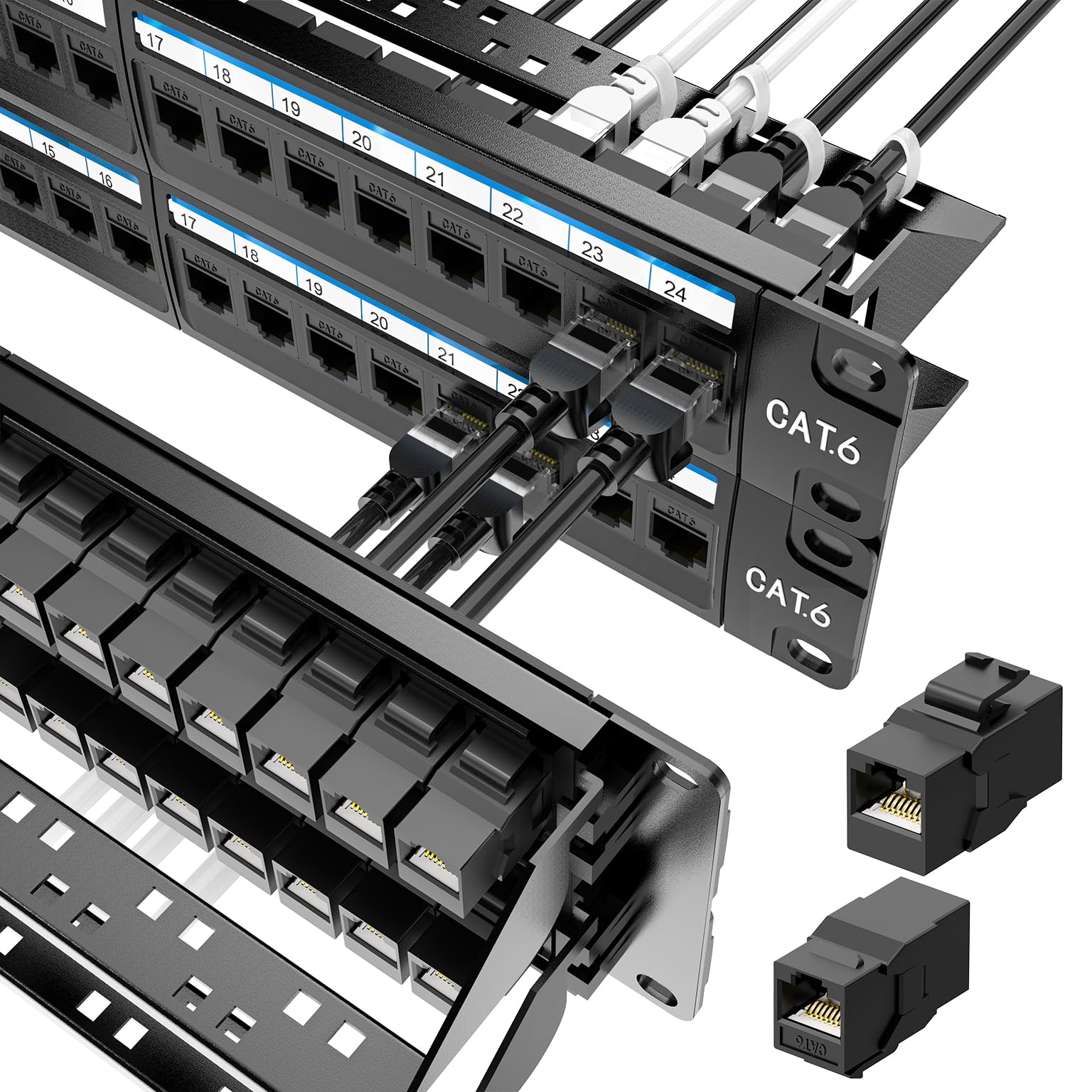
The modular 2U that ships with two spare keystones so a single port failure doesn’t ruin your day.
Jadaol packs 48 pre-loaded Cat6 feed-through couplers into a 2U steel frame, plus two spare keystones so you can swap a bad port without re-wiring. Gold-plated contacts support up to 10Gbps when paired with Cat6 at distances under 55 meters. The tool-free design works just like pass-through panels: terminate your cables into RJ45 plugs and click them into the couplers from the rear. The detachable back bar with zip ties keeps the cable bundle organized and reduces strain on the keystones.
Fit and finish earned 7 positive mentions, and owners call it “great quality” with “reliable tight fit for good connectivity.” The ability to replace a single keystone coupler rather than re-terminate an entire 48-port run is the standout advantage here — a real consideration for PoE security camera systems where a single port may fail under load. The 2U form factor gives you more finger room than the Rapink 1U, but both share the same fundamental pass-through architecture. Functionality is the top praised aspect with 18 mentions.
Modular confidence: the two spare keystones are not a gimmick — they directly reduce network downtime if a coupler dies. The 2U height keeps cable bending gentle.
Best for: a medium-density rack where you want the convenience of pass-through plus the breathing room of a 2U frame, especially with PoE cameras.
Consider the Rapink instead if: you need to save that one rack unit of space and can accept the tighter bend radius.
7. NewYork Cables 48 Port Cat6 Patch Panel, 2U
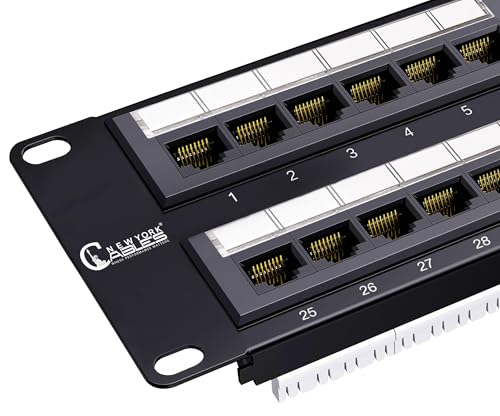
The bare-bones punchdown that delivers 10Gb performance at a price that rivals blank keystone panels.
This is a 2U punchdown panel with gold-plated RJ45 contacts and color-coded T568A/B wiring diagrams, supporting Cat6, Cat5e, and Cat6a cables with 10-Gigabit Ethernet capability. It is a traditional punchdown — you need a 110 or Krone punch tool — but owners confirm it “works very well” for home and business use. Value for money is the top praised aspect with 6 mentions, and the panel includes a cable support bar and cable ties for rear strain relief.
The catch here is that reliability feedback is mixed, with 10 mentions that Amazon itself flags as neither fully positive nor fully negative. One owner reported a specific 17% failure rate on a large batch, though the consensus from home users is that individual panels arrive functional and perform well for the price. The punchdown shoulders are described as “soft” by a few owners, meaning a sharp punch tool is needed for clean terminations. For a home lab on a budget where you can test each port as you wire it, this is a solid contender; for a mission-critical 48-port production network, the extra cost of the Cable Matters or TRENDnet punchdown panels buys more documented reliability.
10Gb on a shoestring: gold-plated contacts and 10GbE readiness at a price that undercuts most keystone panels. The trade-off is some mixed feedback on long-term reliability.
Reach for this if: your budget is tight and you are comfortable punching down 48 ports yourself in a home lab or non-critical setup.
Look elsewhere if: you are installing for a client or in a production environment where even a single port failure creates downtime — the reliability data is too mixed to bet on.
8. iwillink 48 Port Keystone Patch Panel with Blank Keystone Jack Inserts

The blank canvas that lets you mix keystones for any cable type in a single 1U frame.
This 1U blank keystone panel accepts a wide range of keystones — HDMI, Cat6, Cat6a, USB, and more — and ships with 6 blank inserts to keep unused ports dust-free. The snap-in design lets you install or swap jacks without disassembling the rack. Bold numbering on a removable writing pad makes port labeling straightforward. Fit is the top praised aspect with 21 mentions, with owners confirming it works well with Rapink and True Cable keystones.
The practical tension here is ease of installation. While the concept is simple, the feedback is equally split: 26 mentions on installation, classified as mixed by Amazon. Some owners called it “easy” and “worked great for my needs,” while others found the keystone slots “too tight” and needed a screwdriver to seat the blank inserts. One owner noted the numbers printed upside-down relative to their rack orientation. For the price and the flexibility of mixing keystone types, it is a strong value — just budget a few extra minutes for the port seating.
Mix anything: HDMI for your media system, Cat6 for data, and coax for legacy runs — all in one 1U space. The trade-off is that some keystones fight you on insertion.
Best for: a custom AV-and-data rack where you need HDMI and Ethernet in the same panel, and you are okay with a snug keystone fit.
Not ideal for: someone who wants a perfectly friction-free snap-in experience or needs all ports populated with the same type of heavy-duty keystone.
Understanding the Specs
Shielding (STP vs. UTP)
A shielded patch panel has a metal housing that acts as a barrier against electromagnetic interference (EMI) and radio-frequency interference (RFI) — the kind of noise that comes from power cables, motors, and densely packed server equipment. If your cable runs stay inside a standard drywall office or home, an unshielded panel is perfectly adequate and easier to ground. The physical giveaway is weight: a shielded 48-port panel like the TRENDnet TC-KP48S weighs 2.3 pounds, compared to the unshielded TC-KP48 at 1.01 pounds, because of the extra metal.
Blank Keystone vs. Punchdown vs. Pass-Through
A blank keystone panel is an empty frame: you buy the individual jacks (Cat6, fiber, HDMI) separately and snap them in. That gives you total flexibility to mix cable types in one panel. A punchdown panel has fixed 110-style blocks that you terminate each wire into with a punch tool — permanent and sturdy, but harder to repair. A pass-through coupler panel comes with pre-installed inline keystones: you plug an already-terminated RJ45 cable into the back. Pass-through is the fastest to install but usually costs more per port.
FAQ
Can I use any keystone jack with a blank keystone patch panel?
Is a 1U or 2U patch panel better for 48 ports?
Do I need a shielded patch panel?
What tools do I need for a punchdown patch panel?
How do I ground a shielded patch panel?
Will a 48-port patch panel work with Cat6a or Cat8 cable?
Can I wall-mount a 48-port patch panel?
What does UL listing mean on a patch panel?
Why are some 48-port panels so much lighter than others?
Can I use a 48-port patch panel for PoE cameras and access points?
Final Thoughts: The Verdict
For most buyers, the 48-port patch panel winner is the TRENDnet TC-KP48S because its shielded metal frame and 2U layout give you the broadest compatibility across keystone types while protecting against interference in any environment. If you want a tool-free pass-through setup for speed, grab the Rapink 48-Port — just know you are trading 2U room for a 1U density.
How We Picked
We do not accept paid placement. Every pick is matched to a real buyer and a real use-case; we do not hands-on test units.
Sources & Methodology
Specifications: manufacturer listings and product documentation. Review insights: verified customer reviews, as of July 2026. Pricing: not shown on this page (it changes often); check the current price via the retailer link.
As an Amazon Associate, Gadgets Feed earns from qualifying purchases. This does not affect which products we feature.