
Our readers keep the lights on and my morning glass full of iced black tea. As an Amazon Associate, I earn from qualifying purchases.
Specs are compiled from manufacturer listings and verified buyer reviews and can change over time — please confirm the key details on the product page before buying.
If you are shopping for a 49-inch ultrawide, the monitor itself was only half the battle. The real question is whether the arm underneath it can hold that massive curved panel steady at full extension, without sagging into your keyboard or drifting out of position overnight. A 49-inch screen is a heavy, wide lever arm, and a flimsy mount turns a great setup into a frustrating one.
I’m Min — the founder and writer behind Gadgets Feed. This guide is built by comparing the manufacturers’ published specifications and the patterns across verified customer reviews, so you get each pick’s real strengths and trade-offs instead of marketing spin.
Before you commit, you need to know which 49 inch monitor arm actually prevents sag, fits your VESA pattern, and clears your desk clamps — without paying for features you will never use.
Our Picks at a Glance

How To Choose The Best 49 Inch Monitor Arm
Choosing a mount for a 49-inch monitor is different from picking one for a standard 27-inch screen. The extra width and curvature put far more leverage on the joints, so you need to prioritize things like weight capacity, VESA layout, and desk clamping range before anything else.
Check the Weight Rating Before the Screen Size
The screen size is only a hint; the weight is the real spec. A 49-inch ultrawide can weigh anywhere from 20 to 44 lbs depending on the model, so you need an arm whose stated capacity covers your exact monitor. Ignoring this means risking a slow, annoying sag that no amount of tightening will fix.
Verify Your VESA Pattern
VESA is the standard hole pattern on the back of your monitor. Most ultrawides use 100x100mm, but some bigger models use wider patterns like 200x100mm. Check your monitor’s manual — if the arm you want only supports 100x100mm, you may need an adapter plate, or you may need to look for an arm with a Max VESA rating that matches.
Measure Your Desk Clamp Range
Arms attach with either a C-clamp or a grommet mount, and each only fits a specific desk thickness. A thin gaming desk might be 0.5″ thick, while a solid wood desk could be 3.5″. Before buying, measure your desk edge and compare it to the clamp’s range, otherwise the arm simply will not mount securely.
Quick Comparison
| Model | Best For | Max Weight | Tilt Range | Max Extension | Amazon |
|---|---|---|---|---|---|
| HUANUO TitanLift★ Best Overall | Heaviest 49″ ultrawides | 44 lbs | +50° to -50° | 22.5″ | Amazon |
| ARES WING UltrawideBest Value | Budget-friendly motion | 44 lbs | +50° to -20° | 22.4″ | Amazon |
| MSI MAG MT201Top Performer | Trusted brand, easy release | 44 lbs | +50° to -20° | — | Amazon |
| PUTORSEN Triple | Multi-monitor setups | 44 lbs (center) | ±35° | — | Amazon |
| VIVO STAND-V100H | Wider VESA plates | 39.6 lbs | +45° to -45° | — | Amazon |
| FlexiSpot Ultrawide | Longest extension range | 44 lbs | -90° to 15° | 24.5″ | Amazon |
| VIVO STAND-V110K | Tall height adjustments | 44 lbs | +55° to -25° | — | Amazon |
| ARES WING Dual | Two-monitor vertical stacking | 44 lbs per arm | +50° to -20° | 22.4″ | Amazon |
| ULTRARM MA20P-S | Huge 57″ screens | 44 lbs | +25° to -25° | 13″ height lift | Amazon |
In‑Depth Reviews
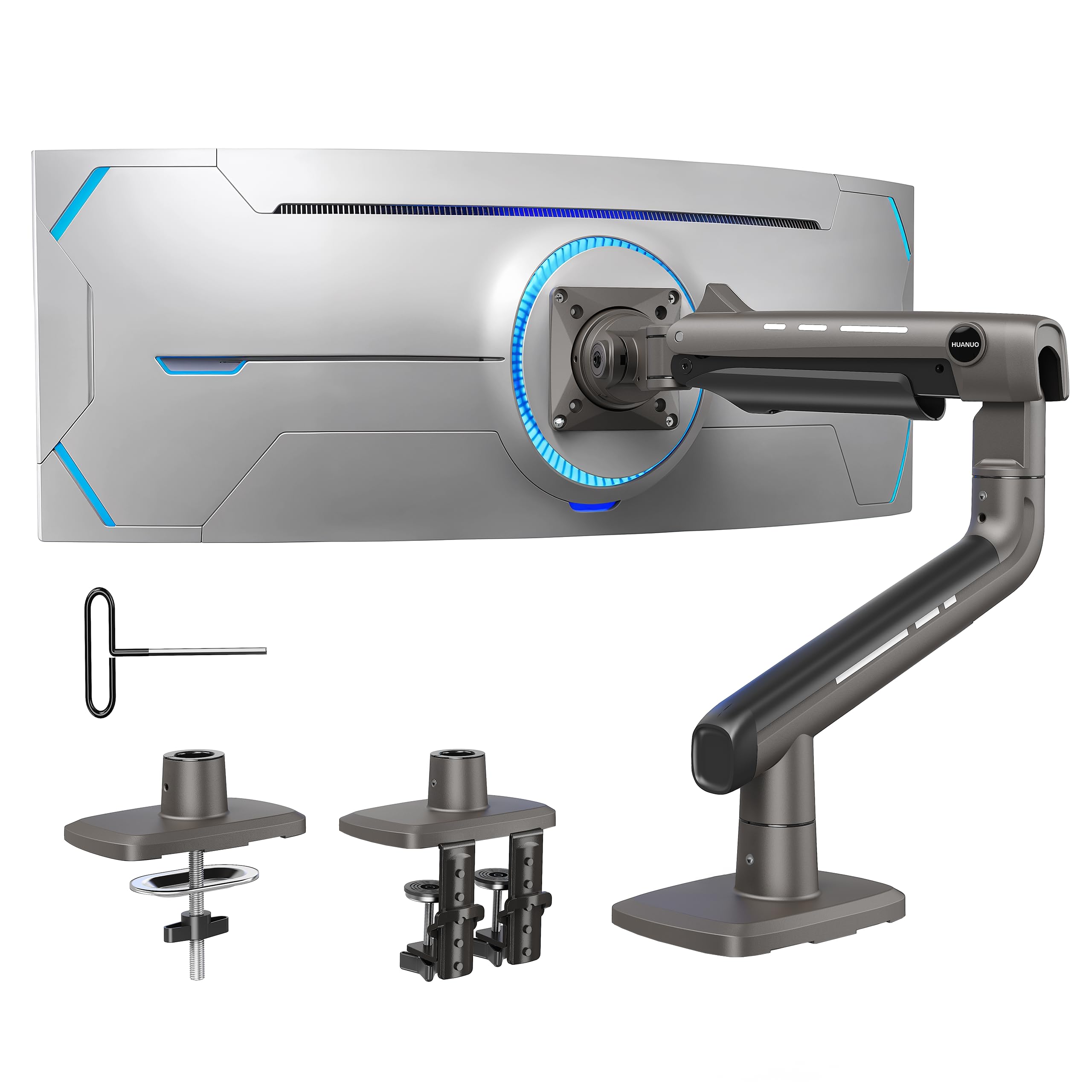
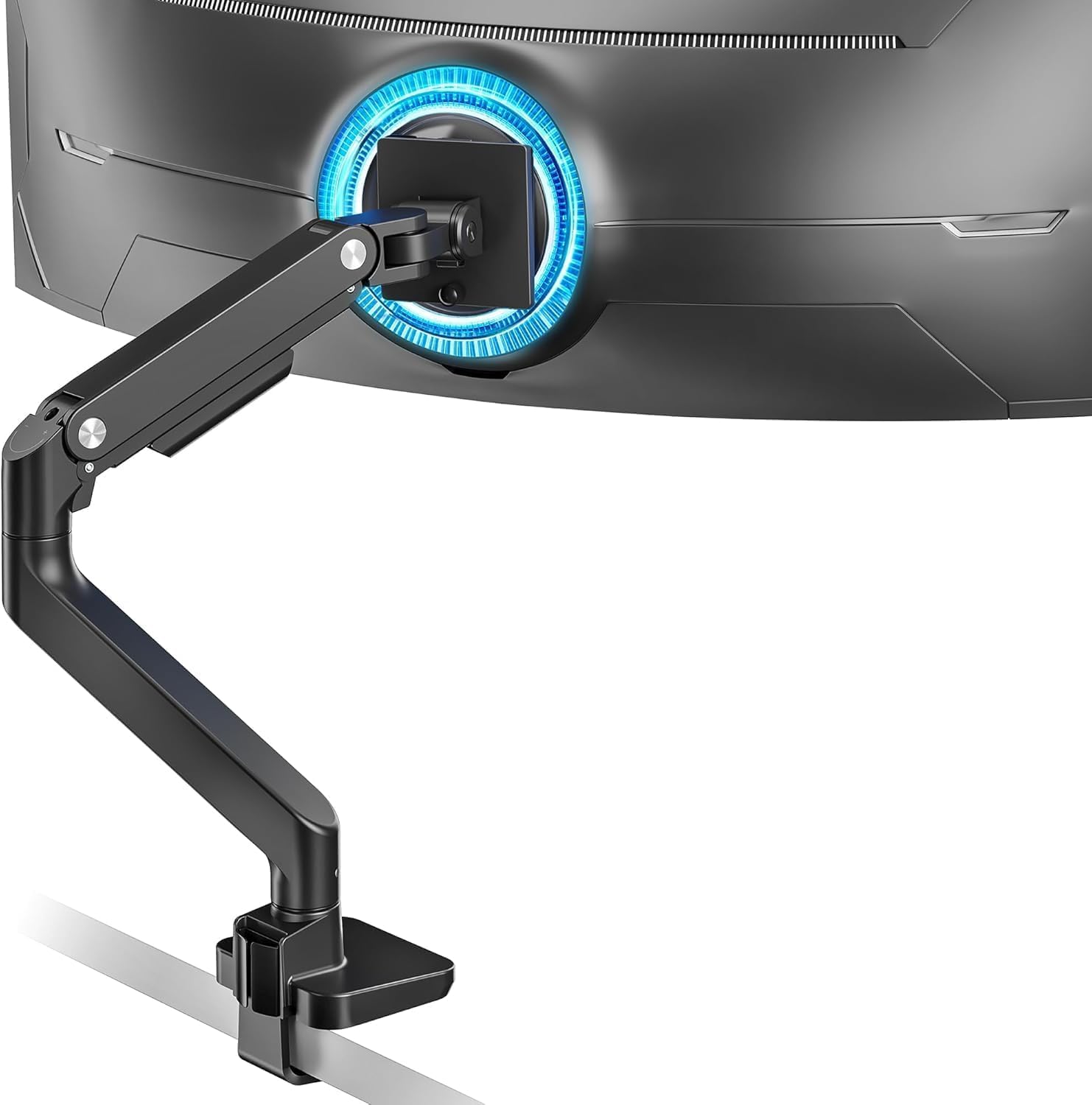
1. HUANUO TitanLift Heavy Duty Monitor Arm
Our pick — over 4.5★ from 400+ verified ratings; the strongest balance of quality and price.
The rock-solid tower that keeps a 48-inch Samsung perfectly level at full stretch.
If you have ever watched a heavy ultrawide monitor slowly droop into your workspace, the TitanLift is built to stop that. It holds up to 44 lbs, and buyers back it up: “Holds heavy 48″ Samsung perfectly; stable, strong, easy install, excellent materials.” That stability at full extension is what owners praise most — well over sixty buyers single out the sturdiness. It passed a 50,000-cycle motion test and a 3X load test, proving durability through repeated use.
The range of motion is genuinely deep. You get a tilt from +50° to -50°, a 180° swivel, and a 360° rotation, with arm extension reaching 22.5″. Compared to the ARES WING arm below, that is a touch more reach (22.5″ vs 22.4″) — a marginal edge, but it shows HUANUO is not skimping. Height adjustment climbs to 19.6″ from the desk surface to the VESA center, which clears clutter and gets the screen to eye level. Cable management runs through the arm, so the back stays tidy instead of a spaghetti mess.
The catch is the desk. HUANUO only recommends wooden desks — plastic and glass are out — and the clamp needs a surface between 0.8″ and 3.5″ thick. That is a 60% wider clamp gap than the ARES WING (0.5″-1.8″), so a thick solid-wood desk is exactly where this arm shines. Owners note the cable routing takes patience and some Velcro ties, but the final result is a clean, organized desk. A 4.7-star average across hundreds of ratings makes it the clear crowd favorite.
Why Owners Love It
- Stable at full extension with zero sag on heavy ultrawides
- Massive ±50° tilt and 360° rotation for any viewing angle
- Easy one-hand tension adjustment with the included Allen key
Before You Buy
- Only wooden desks work — plastic and glass are not supported
- Cable management takes patience and extra ties
Reach for it if: you own a heavy 48″ or 49″ ultrawide on a thick wooden desk and want zero wobble at full extension.
Look elsewhere if: your desk is glass, plastic, or thinner than 0.8″ — the clamp simply will not grip it.
2. ARES WING Ultrawide Monitor Desk Arm
The budget pick that punches above its price with clean, tool-free assembly.
If you want to spend less without feeling like you bought a compromise, this ARES WING arm delivers. It holds 44 lbs across 17 to 49-inch screens, and buyer reports confirm it: “Holds 32″ monitor firmly, no sag; likely supports more weight.” The overall quality is what wins people over — nearly eighty owners single out the build — and the tool-free topside installation means you are not crawling under the desk to tighten bolts. For a 49-inch ultrawide on a budget, that is a strong value story.
The motion range is built for gaming. You get +50° to -20° tilt, 180° swivel, and 360° rotation, with height adjustable from 8.7″ to 18.7″. The arm extends to 22.4″, which is almost identical to the HUANUO’s 22.5″. Unlike the HUANUO, this one takes the gas spring approach — an internal pneumatic strut that counterbalances the screen weight so you can nudge it into place with one hand. The clamp fits desks 0.5″-1.8″ thick, and there is a grommet option for 0.5″-2″ desks.
The honest trade-off is in the fine print. A couple of owners hit wobble at specific tension settings, and one flagged the adjustability as mixed — the tension screws need the right touch. But the overwhelming pattern is positive: the range of articulation “suited my needs perfectly,” as one buyer put it. A 4.3-star average across 600+ ratings makes it the smart budget pick for a dependable 49-inch mount.
Your Best Bet: 49-inch ultrawide owners who want a gas-spring arm with easy installation on standard desks (0.5″ to 1.8″).
The One Caveat: tension tuning takes a bit of trial and error — a few owners found the screws finicky before the arm felt dialed in.
3. MSI MAG MT201 Premium Monitor Stand Arm
A trusted gaming brand’s take on a heavy-duty ultrawide arm with a quick-release VESA plate.
MSI brings its reputation to the mount world, and the MAG MT201 does not disappoint. It handles screens from 17 to 49 inches and weights from 4.4 to 44 lbs. The standout feature here is the quick-release VESA plate — you attach the plate to the monitor first, then click the whole screen onto the arm in seconds. That is a huge quality-of-life win if you plan to move the arm between desks or swap monitors often. Stability is what buyers report most — with zero sag reported once the tension is tightened — and it even works on glass desks, which is rare for this category.
The clamp and grommet bases cover different desk thicknesses, so you have flexibility. The clamp fits desks 10mm to 85mm thick, while the grommet option fits 10mm to 35mm — covering everything from a thin IKEA top to a chunky hardwood slab. The tilt reaches up to +50°/-20°, the swivel goes +90°/-90°, and the screen can rotate +180°/-180°. Compared to the ARES WING above, the MSI offers a similar weight capacity but adds that tool-free quick release, which the ARES WING does not have.
The recurring gripe is the vertical tilt. A few owners found it nearly impossible to level perfectly, even with an 18 lb monitor, and the tilt has to be locked firmly once set. It is not a deal-breaker — most owners mention great stability once configured — but it is the kind of quirk you should know before you mount a fragile expensive ultrawide. A 4.3-star average across nearly 300 ratings makes it a solid mid-range pick for brand trust and quick-release ease.
Snapshot: 49-inch owners who want MSI’s trusted build and a quick-release plate for easy monitor swaps, on desks from 10mm to 85mm thick.
Keep in Mind: the tilt joint can be stubborn to level perfectly — budget a few extra minutes during setup.
4. PUTORSEN Triple Monitor Mount
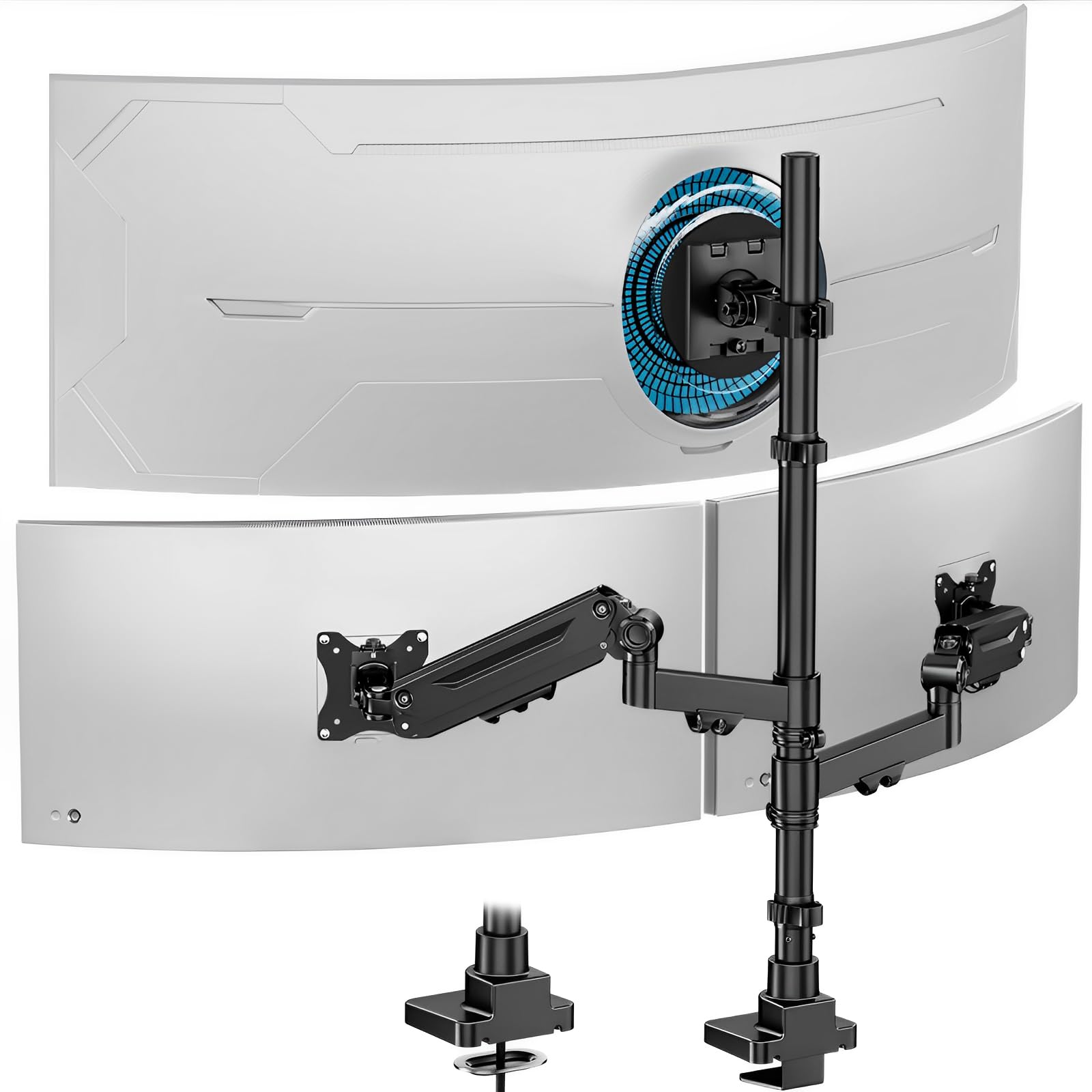
One pole, three screens — a 49-inch center with gas-spring sides for a full command center.
If your desk is a cockpit, this PUTORSEN mount turns it into a proper one. The center arm supports a 49-inch monitor (4.4 to 44 lbs), while the two side gas-spring arms each handle up to 35 inches and 26.4 lbs. That configuration is the balance for a streaming setup or a trading desk — a big ultrawide in the middle with two supporting screens flanking it. Owners running a 34-inch ultrawide plus two 27-inch monitors report zero sag and a clean, heavy-duty aluminum build. The adjustability is the thing people rave about most, with smooth gas-spring movement on the sides.
The movement specs are tuned for ergonomics: tilt is ±35°, swivel ±90°, and rotation is a full 360°. The center screen is height-adjustable, and the side arms extend, retract, and lift with that gas-spring assist. The C-clamp fits desks 0.4″ to 1.8″ thick, and the included cable management system hides wires behind the mount for a professional look. It works on standing desks too, which is a nice bonus for sit-stand setups.
The honest caveat is the assembly. Some owners found the instructions picture-only (IKEA-style) and one had to lubricate the bottom pole to get it to slide in. It is not hard, just slightly more fiddly than a single-arm mount. A 4.6-star average makes it the top pick for a full multi-monitor rig without buying three separate arms. The value is real — you are effectively getting three mounts in one.
The Multi-Screen Advantage
- Center holds a 49″ ultrawide at 44 lbs while sides handle 35″ screens
- Gas spring sides move smoothly for a dynamic setup
- Full 360° rotation for portrait or landscape side screens
Setup Realities
- Picture-only instructions require some patience
- Pole insertion can be tight and may need lubrication
Pick this if: you run a 49-inch ultrawide plus side monitors and want one sturdy pole to hold it all.
Think twice if: you only have one screen — a single-arm mount will be simpler and cheaper.
5. VIVO Aluminum Ultrawide Monitor Stand STAND-V100H

The VESA-flexible arm that fits wider mounting patterns most rivals ignore.
This VIVO STAND-V100H stands out for one big reason: it supports VESA patterns up to 200x100mm, not just the usual 75×75 and 100×100. That makes it the rare arm for heavier ultrawides with a wider hole spread — the adapter plate is included. The pneumatic arm gives you quick height adjustment, and the bracket tilts +45° to -45° with 180° swivel and 180° rotation.
Functionality is the top praise here — over fifty buyers highlight how well it works with 49-inch Samsung monitors specifically. It attaches to desks up to 8.4cm thick via a heavy-duty C-clamp or optional grommet mount, and the integrated cable cover routes power and AV cords cleanly out of sight. VIVO backs it with a 3-year manufacturer warranty, which is real confidence for a product that takes daily abuse.
The fit note: stability is the most-discussed aspect, but it is mixed — some owners had to tighten the tension arm several turns to stop the tilt from dropping, and the tilt adjustment itself drew negative mentions because it takes force on a heavy screen. One owner called the VESA slide piece plastic, which raised durability concerns. If you have a 49-inch Samsung and a desk at least 8.4cm thick, this is a strong contender — just expect to spend a few minutes dialing in the tension.
Standout Spec: 200x100mm VESA support makes it one of the few arms that fits wider mounting plates without an aftermarket adapter.
Fair Warning: the tilt joint needs real force to adjust on heavy screens — budget time to set it once and leave it.
6. FlexiSpot Ultrawide Monitor Arm
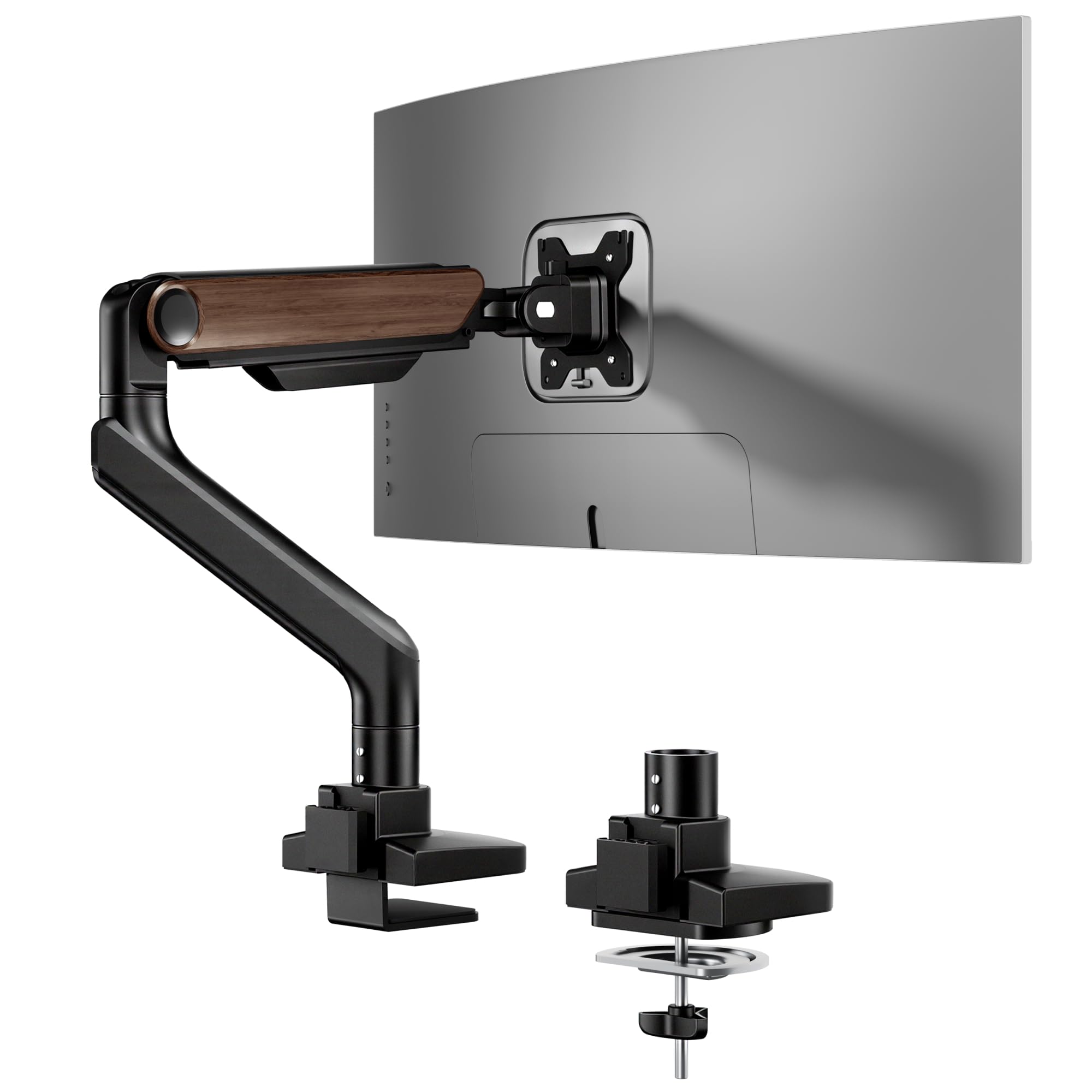
The longest-reaching arm in the lineup, letting a 49-inch screen float up to 24.5 inches from the pole.
FlexiSpot is a name known for standing desks, and this arm brings that same ergonomic thinking to screen mounting. It holds monitors up to 49 inches and 44 lbs, and the reach is the headline: the arm extends up to 24.5″, which beats the HUANUO’s 22.5″ by a solid 2 inches. That extra reach is huge for deep desks or for pulling the screen closer when you need to focus. The tilt range is also unusual — from -90° to 15° — giving you a much wider sweep than the standard +50°/-20° you see on most arms. The gas spring is tested to 20,000 cycles, backed by FlexiSpot’s 5-year support.
The keyhole VESA panel is a clever touch: you can assemble the display by yourself because the panel lets you hang the monitor first, then tighten. No wrestling a 30-lb screen while holding a screwdriver. It mounts to desks up to 2.17″ thick with either a C-clamp or grommet base, and the wood grain finish makes it one of the few arms that does not look like a black metal robot part. It is VESA-compatible with 100x100mm and 75x75mm patterns.
The caveat: this is a premium-priced arm, and a few owners found the arm bends slightly under a heavy 35-inch monitor, with a minor rotational wobble on one side. It is not a universal complaint — most customers note stable, smooth operation — but it is note if your monitor is at the very top of the weight range. The quality is the top praise, and the assembly is straightforward. For a sit-stand desk where you adjust the screen often, the extra reach and smooth gas spring are worth the premium.
Why It Wins: 24.5″ extension and a -90° to 15° tilt make it the most flexible arm for deep desks and unusual angles.
Who It Skips: budget buyers — this is a premium pick, and some heavy loads cause slight arm flex.
7. VIVO Pneumatic Arm Extra Tall STAND-V110K
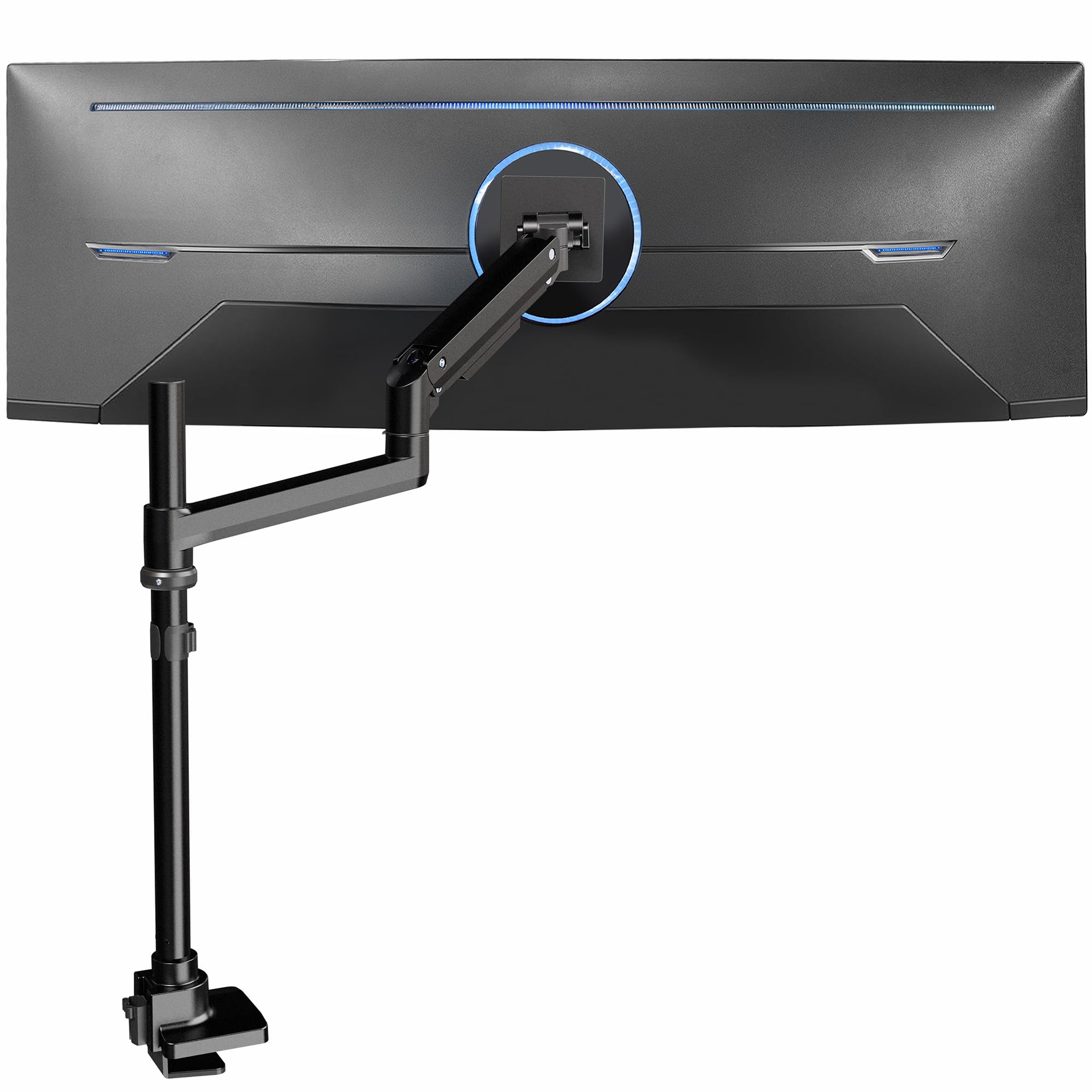
The extra-tall pole that lifts a 44-lb screen high above the desk for standing-desk enthusiasts.
Most arms top out around 19 inches of height, but this VIVO STAND-V110K is built for screens that need to sit higher. It holds ultrawides up to 49 inches and 44 lbs, with a cast aluminum base and arm designed to resist scratching and sagging. The tilt joint is high-capacity, which is exactly what you need when a heavy curved screen wants to pull the head forward. The pneumatic height adjustment lets you counterbalance the monitor’s weight so you can find the ideal height with a light touch — essential for a sit-stand desk where the screen moves with you.
The articulation specs are generous: +55° to -25° tilt (one of the widest upward tilt ranges in this list), 180° swivel, and 360° rotation. The detachable VESA plate makes mounting easier, and it fits desks up to 1.8″ thick with a heavy-duty clamp. Quality is the top praise — over forty buyers call it out — and owners say it holds dual 32-inch monitors with barely any wobble. Some even run three screens on it for a full command center, though that pushes the limits.
The weight spec is mixed for some owners — the arm itself is heavy, and the included screws are reportedly not long enough for some desks, so you may need to buy longer ones. It holds 5.5 lbs to 44 lbs per arm, so light monitors will need careful tension tuning. A 4.5-star average makes it a premium pick for tall setups where standard arms fall short. The stability is the key win — barely any wobble even with big screens.
Best For: sit-stand desk users who need the screen to rise well above seated eye level without sagging.
Watch Out: the arm is heavy and the stock screws may be too short for thicker desks — check before you tighten.
8. ARES WING Dual Monitor Arm (17-49 Inch)
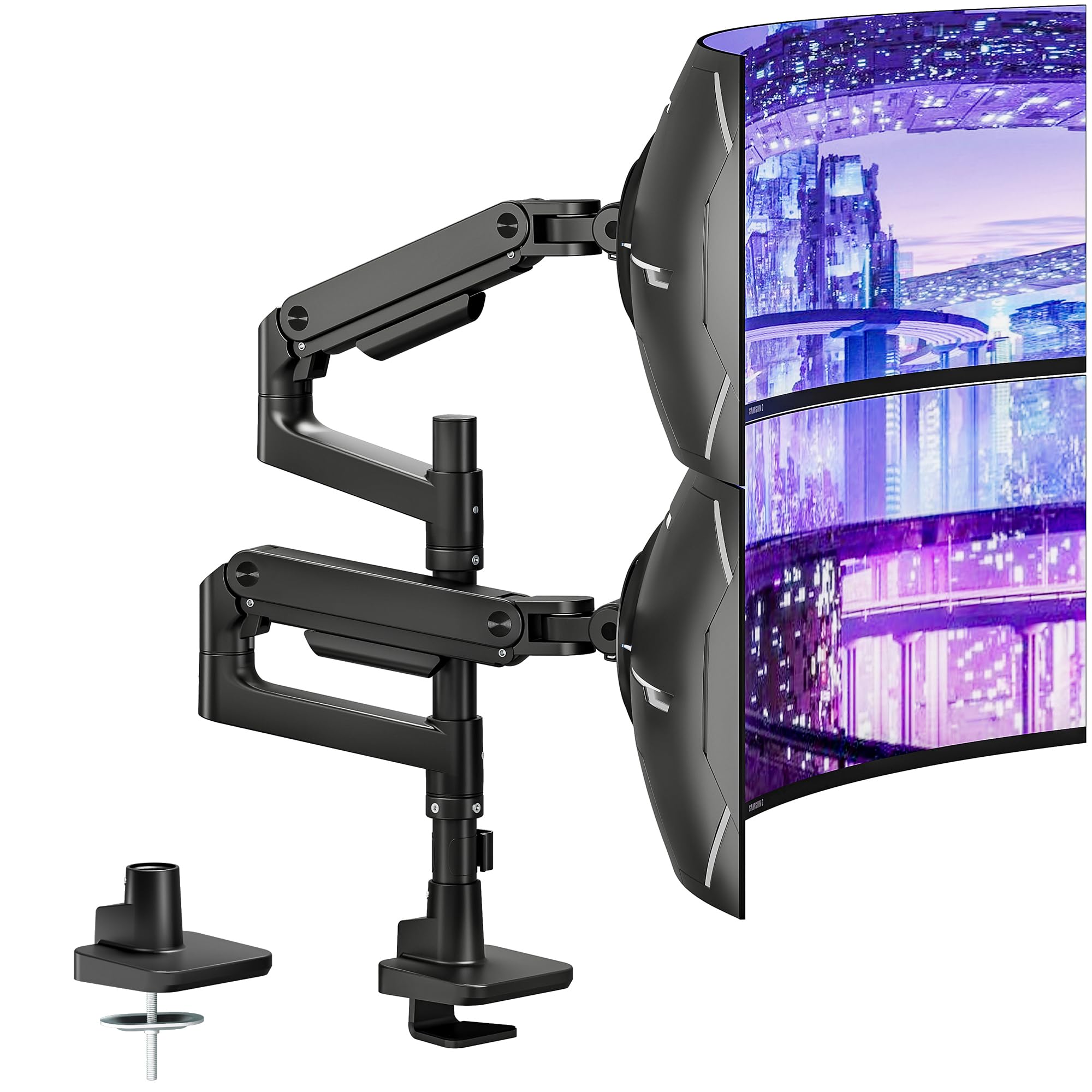
A dual-arm system where each side holds 44 lbs, built for stacked ultrawide towers.
If you want two monitors on one pole, this ARES WING dual mount is the heavy-duty answer. Each arm supports up to 44 lbs, so you can run two 49-inch ultrawides stacked vertically — or a 27-inch + 32-inch combo, which is what the majority of owners actually run. The shared anchor pole means both arms rotate around the same axis, which keeps the whole setup stable. Stability is the top praise, with buyers noting zero wobble even on a Secretlab Magnus XL desk. The advanced tilt mechanism is specifically tuned for 1000R curved ultrawides, so the aggressive curve of a Samsung Odyssey G9 does not fight the mount.
The adjustability is deep: height goes up to 27.9″, each arm extends to 22.4″, and you get +50° to -20° tilt, ±90° swivel, and 360° rotation. The gas spring survived 20,000+ fatigue cycles, keeping motion smooth for years. The quick-release VESA panels and picture/video instructions make installation straightforward — no crawling under the desk. It fits C-clamp desks 0.5″-1.8″ thick and grommet desks 0.5″-2″ thick.
The weak point is the cable management. A few owners found the plastic cable clips fragile — two broke during install on one unit. The build itself is premium steel and aluminum, and owners say it beats pricier brands like AVLT and Ergotron on fit and finish. If you need two heavy screens on one pole, this is a top contender at a value price.
The Dual-Arm Appeal
- 44 lbs per arm handles stacked 49″ ultrawides
- 27.9″ height range with smooth gas spring motion
- Quick-release VESA panels for easy install
Small Gripes
- Plastic cable clips can break during install
- Heavier than single arms (needs a solid desk)
Go for it if: you are stacking two ultrawides vertically and want one clean pole instead of two separate mounts.
Pass if: you only need a single screen — this is overkill and takes up more desk space than necessary.
9. ULTRARM MA20P-S Heavy Duty Monitor Arm

The only arm here that goes beyond 49 inches — rated for massive 57-inch ultrawides.
Future-proofing is the whole story with this ULTRARM. It holds one screen up to 44 lbs and fits ultrawides up to a massive 57 inches, while staying fully compatible down to 49 inches and 24 inches. That makes it the only pick here that will survive a future upgrade to a Samsung Odyssey G9 57-inch without buying a new mount. Owners confirm it holds the G9 57-inch without sagging — the key test — and the sturdiness is the most-praised aspect, with over seventy buyers highlighting it. It handles 900R curved screens too, which is the tightest curve on the market.
The modular design is a hidden gem. The base and extra-tall pole have an 88-pound mounting capability, and you can upgrade it later to a dual or triple monitor mount. A dual stacked setup fits two 49-inch ultrawides, and a triple config fits two stacked monitors plus a sideways one. That means you can start with a single 57-inch and grow your setup without discarding the base. The pneumatic spring gives 13 inches of height adjustment, tilt is +25° to -25°, and you get 180° swivel and rotation. The 75×75 and 100×100 VESA bracket is quick-release.
The downside is the tilt, specifically. One owner found the tilt could not hold its position on a 57-inch G9, despite the arm holding the weight fine. It is a minority report — most reviewers point out the screen “stays put” with no jiggle — but it is note if you demand a rock-solid tilt on the heaviest screens. The clamp fits desks 0.6″ to 3.3″ thick, and the grommet fits 0.6″ to 1.9″. At a 4.3-star average, this is the premium pick for the biggest screens on the market.
Headline Spec: supports 57-inch ultrawides at 44 lbs — the only arm here that outgrows the 49-inch class entirely.
Note the Quirk: on the very heaviest 57″ screens, the tilt joint may need extra tightening to hold its angle.
Understanding the Specs
Weight Capacity (lbs)
This is the maximum load the arm can hold without sagging. For a 49-inch ultrawide, you want at least 40 lbs of capacity — most of the arms here top out at 44 lbs. Check your monitor’s actual weight, not just its screen size, because a 49-inch panel can weigh anywhere from 20 to 44 lbs depending on the model.
Tilt Range & VESA Pattern
Tilt range is the up/down angle of the screen; a wider range like +50°/-50° gives you more flexibility for glare reduction. VESA is the hole pattern on the back of your monitor — most ultrawides use 100x100mm, but wider screens may need 200x100mm. Match the arm’s VESA support to your monitor’s pattern, or you will need an adapter plate.
FAQ
Will any 49 Inch Monitor Arm fit my Samsung Odyssey G9?
What does VESA 100x100mm mean and why does it matter?
How do I know if my desk is thick enough for a monitor arm clamp?
Will a 49 Inch Monitor Arm work on a glass or plastic desk?
What is the difference between a pneumatic arm and a fixed pole mount?
Can I mount a 49-inch monitor on a dual-arm mount and add a second screen later?
Why does my monitor arm sag even though the monitor is within the weight limit?
Is a more expensive 49 Inch Monitor Arm always better?
Final Thoughts: The Verdict
Across the board, the 49 inch monitor arm winner is the HUANUO TitanLift because it combines a 44 lb capacity, the widest desk-clamp range (0.8″ to 3.5″), and a deep +50° to -50° tilt with proven stability that owners rave about. If you want the best balance of price and gas-spring motion, grab the ARES WING Ultrawide. And for the biggest screens on the market or a future-proof upgrade to 57 inches, the ULTRARM MA20P-S is the one to reach for.
How We Picked
We do not accept paid placement. Every pick is matched to a real buyer and a real use-case; we do not hands-on test units.
Sources & Methodology
Specifications: manufacturer listings and product documentation. Review insights: verified customer reviews, as of August 2026. Pricing: not shown on this page (it changes often); check the current price via the retailer link.
As an Amazon Associate, Gadgets Feed earns from qualifying purchases. This does not affect which products we feature.