
Our readers keep the lights on and my morning glass full of iced black tea. As an Amazon Associate, I earn from qualifying purchases.
Specs are compiled from manufacturer listings and verified buyer reviews and can change over time — please confirm the key details on the product page before buying.
A 49-inch 32:9 ultrawide replaces three side-by-side monitors with one smooth, wraparound display. The real question is which spec combo—resolution, refresh rate, panel type, and curvature—fits your work and play, as prices vary widely for different reasons.
I’m Min — the founder and writer behind Gadgets Feed. This guide is built by comparing the manufacturers’ published specifications and the patterns across verified customer reviews, so you get each pick’s real strengths and trade-offs instead of marketing spin.
Whether you’re eyeing Dual QHD (5120×1440) or a blistering 240Hz OLED, the right 49 inch ultrawide monitor transforms your workflow into a single, rich command center without the bezel clutter.
Our Picks at a Glance

How To Choose The Best 49 Inch Ultrawide Monitor
At this size, you’re redesigning your entire desk setup, not just adding a display. The biggest mistake is ignoring whether your GPU can actually drive the resolution at your desired refresh rate.
Panel Tech: VA vs QD-OLED
Most 49-inch ultrawides use VA panels, which offer excellent 3000:1 contrast ratios for deep blacks at a reasonable cost. If you’re a hardcore gamer or editor demanding the absolute best, QD-OLED panels excel with per-pixel lighting, true blacks, and insanely fast 0.03ms response times—but they come at a premium. Your graphics card’s muscle will determine which makes sense.
Curvature and Ergonomic Adjustability
A 1000R curve wraps the screen tightly around your field of vision, maximizing immersion for gaming. A gentler 1800R curve is often praised by editors for keeping straight lines accurate. Beyond the curve, check whether the stand offers height, tilt, and swivel adjustments—your neck will thank you during 10-hour spreadsheet marathons.
Quick Comparison
| Model | Best For | Resolution | Refresh Rate | Curvature | Amazon |
|---|---|---|---|---|---|
| Z-Edge 49″ DQHD★ Best Overall | Best Overall Value | 5120×1440 | 165Hz | 1500R | Amazon |
| INNOCN 49C1RMac-Friendly Pick | Mac & USB-C Workflows | 5120×1440 | 120Hz | 1800R | Amazon |
| ZZA Ultrawide 49Console Ready | Console Gaming | 5120×1440 | 165Hz | 1500R | Amazon |
| Deco Gear 49″ 5K2K | Budget-First Multitasking | 5120×1440 | 120Hz | R1500 | Amazon |
| Z-Edge 5K 240Hz | High-Refresh Gaming | 5120×1440 | 240Hz | 1800R | Amazon |
| Deco Gear R1000 240Hz | Curved Racing Sims | 5120×1440 | 240Hz | 1000R | Amazon |
| ASUS ROG XG49VQ | Mid-Range PC Gaming | 3840×1080 | 144Hz | 1800R | Amazon |
| Samsung ViewFinity 49 | Business Productivity Hub | 5120×1440 | 120Hz | 1000R | Amazon |
| Samsung Odyssey G9 | High-End PC Gaming | 5120×1440 | 240Hz | 1000R | Amazon |
| INNOCN 49Q1R OLED | Majestic Contrast & Color | 5120×1440 | 144Hz | 1800R | Amazon |
| MSI MPG 491CQPX | Pro-Grade Gaming FPS | 5120×1440 | 240Hz | 1800R | Amazon |
In-Depth Reviews
1. Z-Edge 49 inch Ultrawide Curved Computer Monitor
Our pick — over 4.5★ from 750+ verified ratings; the strongest balance of quality and price.
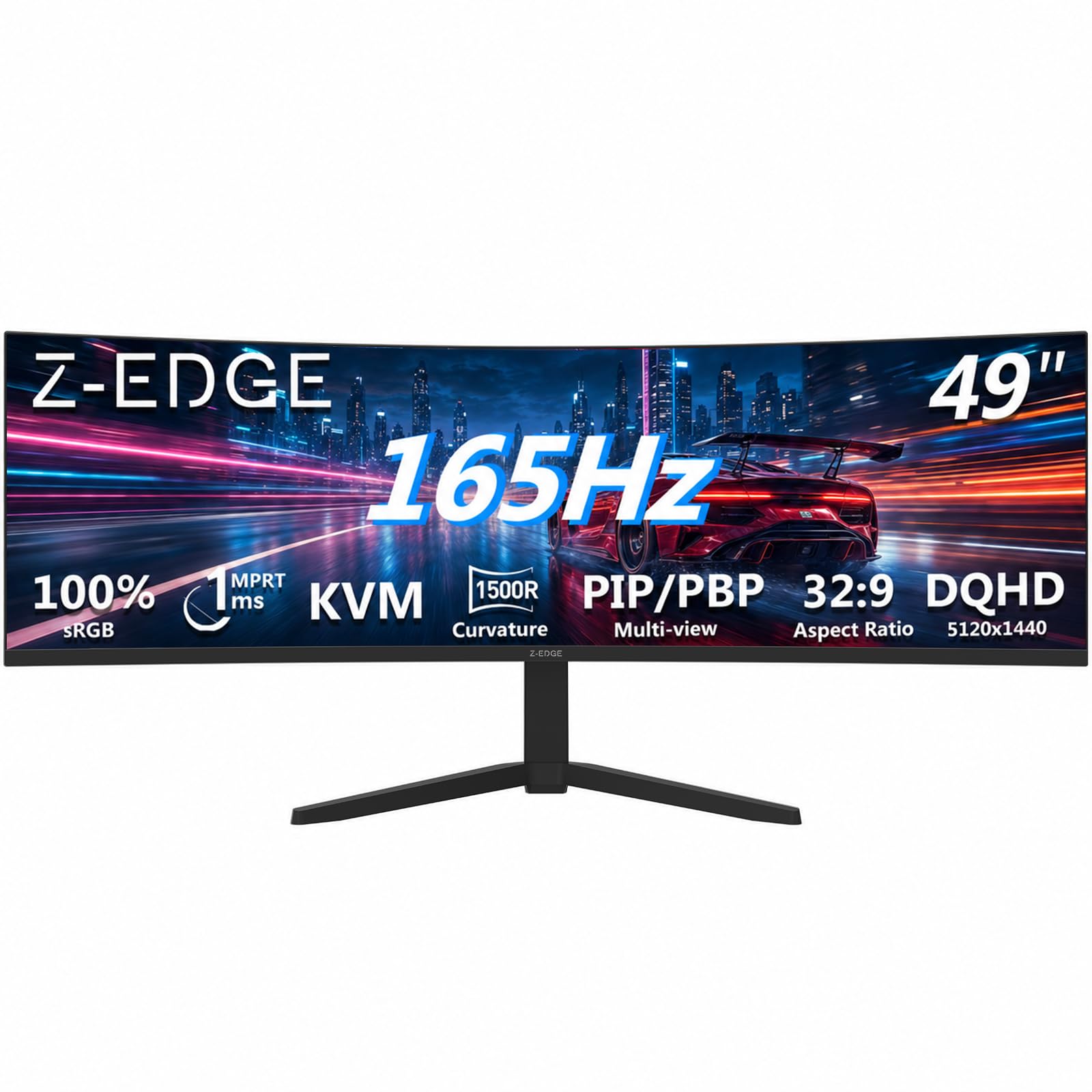
The best overall value, balancing 165Hz speed, sharp 5120×1440 resolution, and a KVM switch at a mid-range price.
For most people, this is the balance of the whole category. It pairs a 5120×1440 Dual QHD resolution with a lightning-fast 165Hz refresh rate, which makes both your workspace and your games feel instantly fluid. The 1500R curvature wraps gently around your vision, and the 32:9 aspect ratio means you’re effectively getting two QHD monitors with no bezel splitting them apart.
The defining feature here is the built-in KVM switch. That means you can control two different computers with a single keyboard and mouse, flipping between your work PC and a personal rig without cable shuffling. The ergonomic stand offers tilt and height adjustments, and buyers report it feels light enough for a VESA mount without any sag.
What wins people over is the sheer quality and picture clarity delivered for the price. As owners mention: “Upgraded from 2019 HP Omen (240Hz/1080p/) to this ~ monitor.” They rave about the rich curve and “very light beautiful colors” that make it look like a far more expensive display.
Why It Shines
- Fluid 165Hz refresh rate over HDMI 2.1 or DP 1.4 with 1ms MPRT response time
- Built-in KVM lets you run two PCs with one keyboard and mouse
- Dual speakers and FreeSync support add value from the start
- VESA mount friendly, with owners noting the lightweight frame holds steady
Watch Out For
- Some units have arrived with yellow lines on the right side of the display
- A few buyers found the setup instructions confusing, especially locating the power button
Your best bet: The strongest balance of high refresh rate, sharp resolution, and everyday practicality for both work and play.
Consider another: If you demand flawless panel uniformity right from the start, be ready to test it early.
2. INNOCN 49″ Curved Monitor Ultrawide Gaming 5K2K 120Hz
The productivity pick, delivering 65W USB-C power delivery and a 120Hz refresh for laptop-centric desks.
If your desk is built around a laptop, this is the one cable to rule them all. The 49C1R’s USB-C port delivers 65W of power delivery, which means you can plug in your Mac (or PC) and get video, data, and charging through a single connection. Reviewers confirm it runs natively at 5120×1440 on a Mac Mini via USB-C to DP 1.4 at 120Hz, making it a smooth fit for Apple setups.
As customers note, this “Excellent 49″ VA panel, 1800R curve, 109 PPI, great brightness/colors/HDR” holds its own against rivals that cost significantly more. It offers a gentler 1800R curve, which a professional video editor noted was actually preferable to a tighter curve for accurate, distortion-free color work. The stand offers both height and tilt adjustments to dial in your perfect viewing angle.
Reliability is the theme here—one trader using TradingView praised the matte screen and sturdy build, while other long-term reviewers point out it stays “flawless after 6 months.” The recurring trade-off people flag is that the built-in speakers are weak, so plan on external audio for anything critical.
The Editor’s Take: The best choice for USB-C ecosystem users who want a full desk hub that doubles as a high-refresh display.
One Shade: Expect to supply your own soundbar or headphones because the integrated speakers won’t fill a room.
3. ZZA Ultrawide 49 Inch Curved Monitor 5120x1440P 165Hz
A 49-inch canvas with a 120% sRGB gamut, ideal for color-focused creators and console gamers.
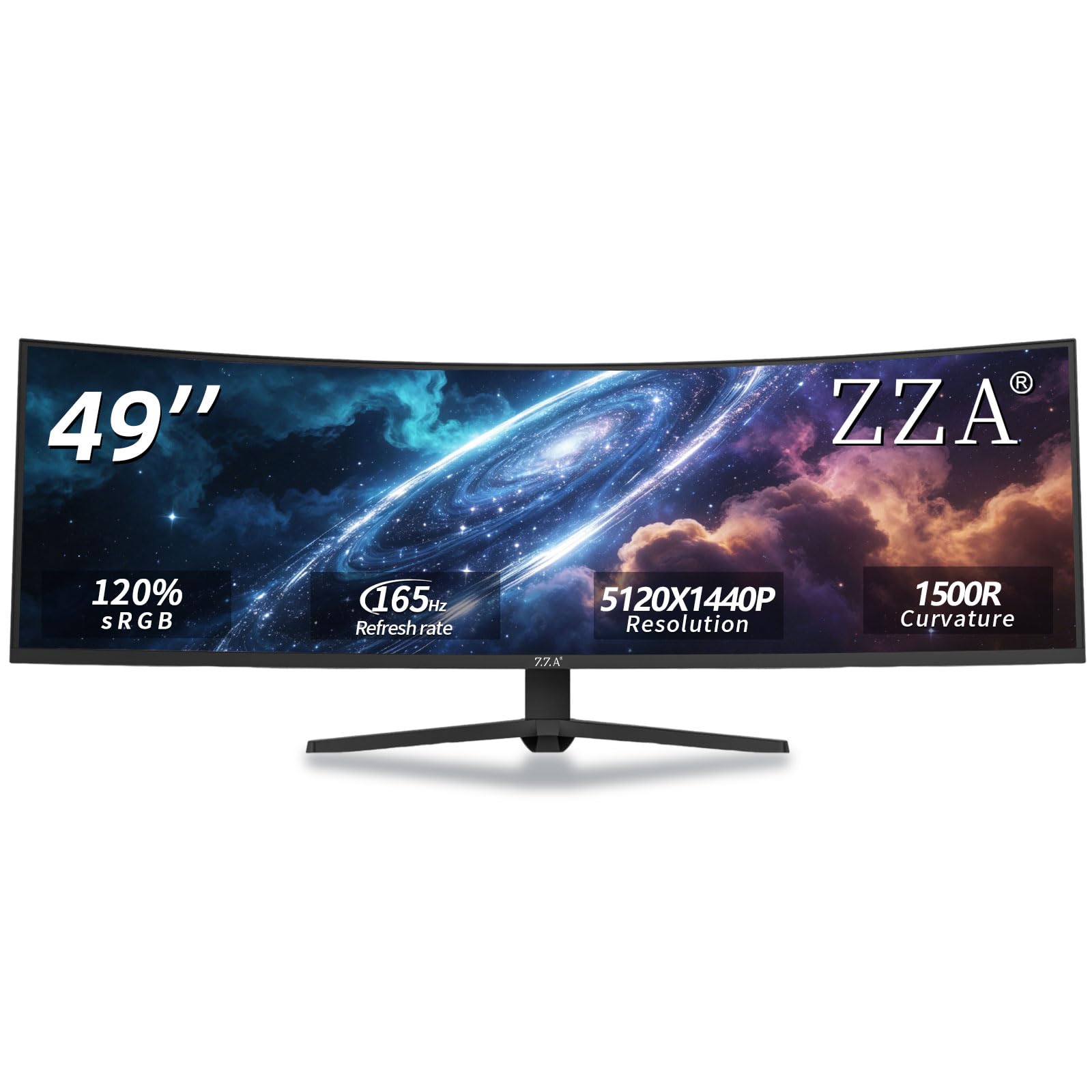
While most competitors list 99% sRGB coverage, the ZZA steps up with a 120% sRGB color gamut. That means you get a wider, punchier color range right from the start, which is a real plus for photo editing, streaming overlays, and any visual work where reds and greens need to pop. Brightness sits at up to 300 cd/m² with a 3000:1 contrast ratio for solid depth.
The refresh rate is flexible at 144Hz standard but can reach up to 165Hz with the right connection. It uses AMD FreeSync Premium to reduce screen tearing, and the HDMI 2.1 port means it plays nicely with modern consoles. Shoppers say it runs 1440p at 120Hz on an Xbox Series X via the included HDMI cable, making it a strong pick for console fanatics who want a massive screen.
What wins people over is the size and the ergonomic stand that supports height, tilt, and swivel adjustments. One notable catch: this model does not include built-in speakers, unlike many rivals, so you’ll need a 3.5mm audio jack connection to external speakers or headphones.
The Highlights
- Broad 120% sRGB gamut for vivid, saturated color work
- Flexible 144Hz to 165Hz refresh with FreeSync Premium
- HDMI 2.1 and DP 1.4 support console and PC connections
The Honest Gripes
- No speakers built-in, so audio requires an extra device
- A few VA panel users noted motion smear and backlight flicker in fast scenes
- Controls can be poorly labeled and slow to navigate
Reach for this if: You want a color-rich 49-inch panel for mixed creation and console gaming, and you already own speakers.
Look elsewhere if: You have a high-end PC—the 165Hz ceiling might leave more powerful GPUs underused.
4. Deco Gear 49″ Super Ultrawide Curved Monitor
A 5K2K workspace that brings big-screen multitasking into the budget tier.
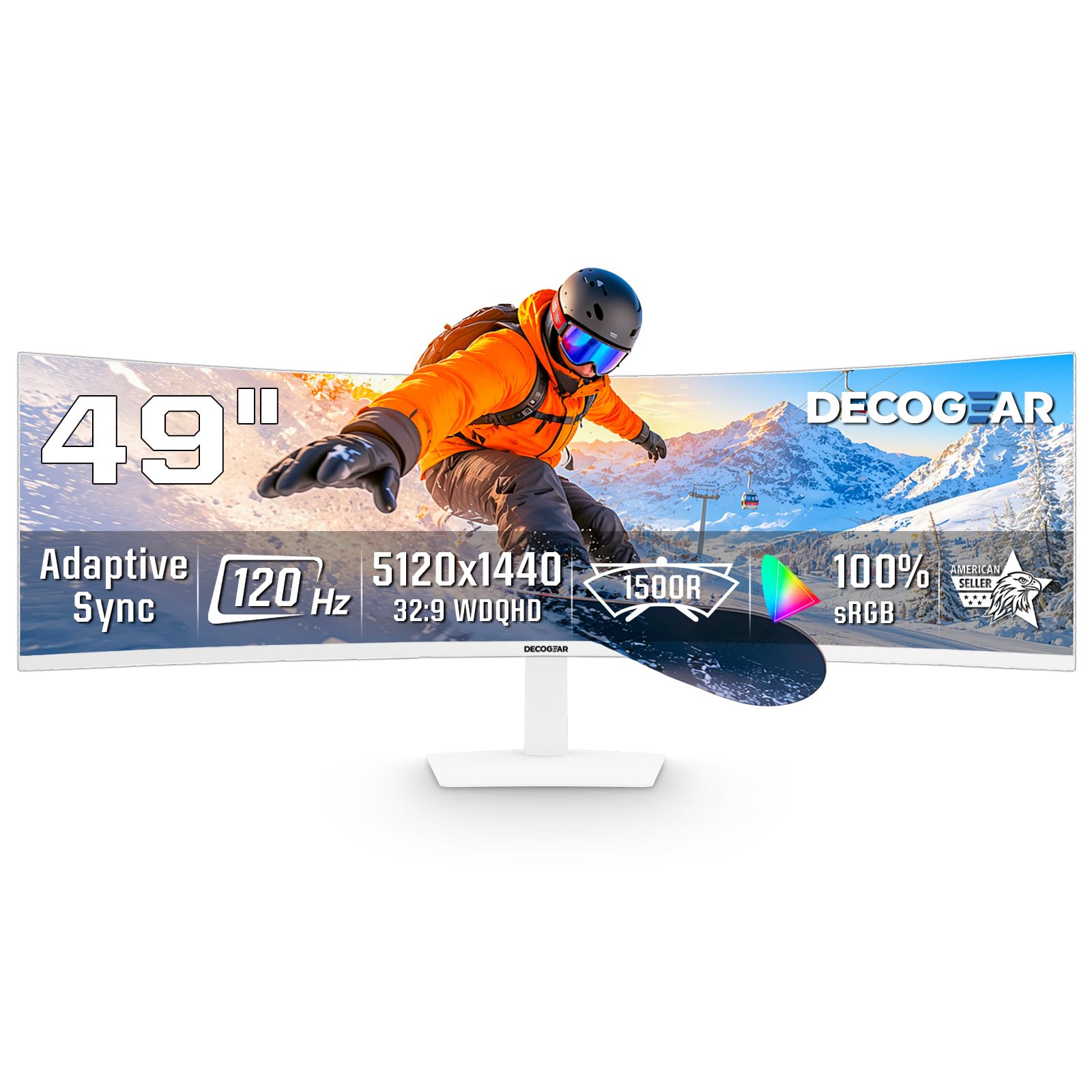
If you calculate value by square inches of screen per dollar, this white 49-inch panel is tough to beat. It delivers the full 5120×1440 5K DQHD canvas alongside a 120Hz refresh rate and 1ms MPRT response time, which is a compelling package at this price. The VA panel’s 3000:1 contrast ratio keeps blacks deep for late-night spreadsheets or movies.
Deco Gear packed a surprising amount of premium connectivity into this budget frame. There’s a USB-C port that carries video, data, and up to 65W of power for compatible laptops, plus a KVM switch feature so one keyboard and mouse can control two connected computers. PIP/PBP modes allow you to view two sources at once, which buyers found perfect for running a work PC and a personal system side by side.
Owners were impressed with the secure packaging and overall build for the price. The catch is the stand: it offers tilt but lacks height adjustment, so you may need to add a monitor arm or riser to get the perfect ergonomic setup.
What Shines: An entry-level 49-inch panel that doesn’t skimp on the 5K2K resolution or essential connectivity like 65W USB-C and KVM.
The Cost-Saving Catch: The limited stand adjustment and occasional quality control issues are the trade-offs you accept for the lower price.
5. Z-Edge 5K 49 Inch Curved Gaming Monitor

A 240Hz DQHD monster that gives competitive gamers the speed they crave.
Judged purely on speed, this is one of the fastest 49-inch panels you can buy at this price. It pushes a 5K2K resolution (5120×1440) at a blistering 240Hz refresh rate with a 1ms response time, making it a genuine fit for fast-paced FPS and racing games. The 1800R curve is more relaxed than some, but it still wraps the action around you without the distortion that some tight curves introduce.
Buyers report this monitor “performs particularly well in fast-paced FPS and racing games,” highlighting its capability in the most demanding scenarios. With a 99% sRGB color gamut and a 3000:1 contrast ratio, it handles both vivid gaming visuals and color-accurate photo editing tasks with ease. The frameless design and height-adjustable stand keep the setup looking clean.
The standout value is undeniable, especially when it hits a sale price. Some buyers noted the included DisplayPort cable was faulty and needed replacing, and a few found the stand a bit flimsy relative to the massive panel, so a VESA arm mount is worth considering for long-term stability.
Why It’s Fast
- Ultra-smooth 240Hz refresh rate with 1ms response time
- 99% sRGB gamut and 3000:1 contrast for rich, accurate color
- PIP/PBP functions let you run two sources at full resolution
Minor Setup Hurdles
- The included DisplayPort cable has been unreliable for some
- Stand stability is adequate but a monitor arm adds confidence
Best for: Competitive gamers who refuse to compromise on refresh rate and want it paired with a massive, sharp canvas.
Think twice if: You have a mid-range GPU—hitting 240Hz at 5120×1440 requires serious horsepower.
6. Deco Gear R1000 49″ Curved Super Ultrawide Monitor
The deepest 1000R wrap on this list pulls you inside the race cockpit.
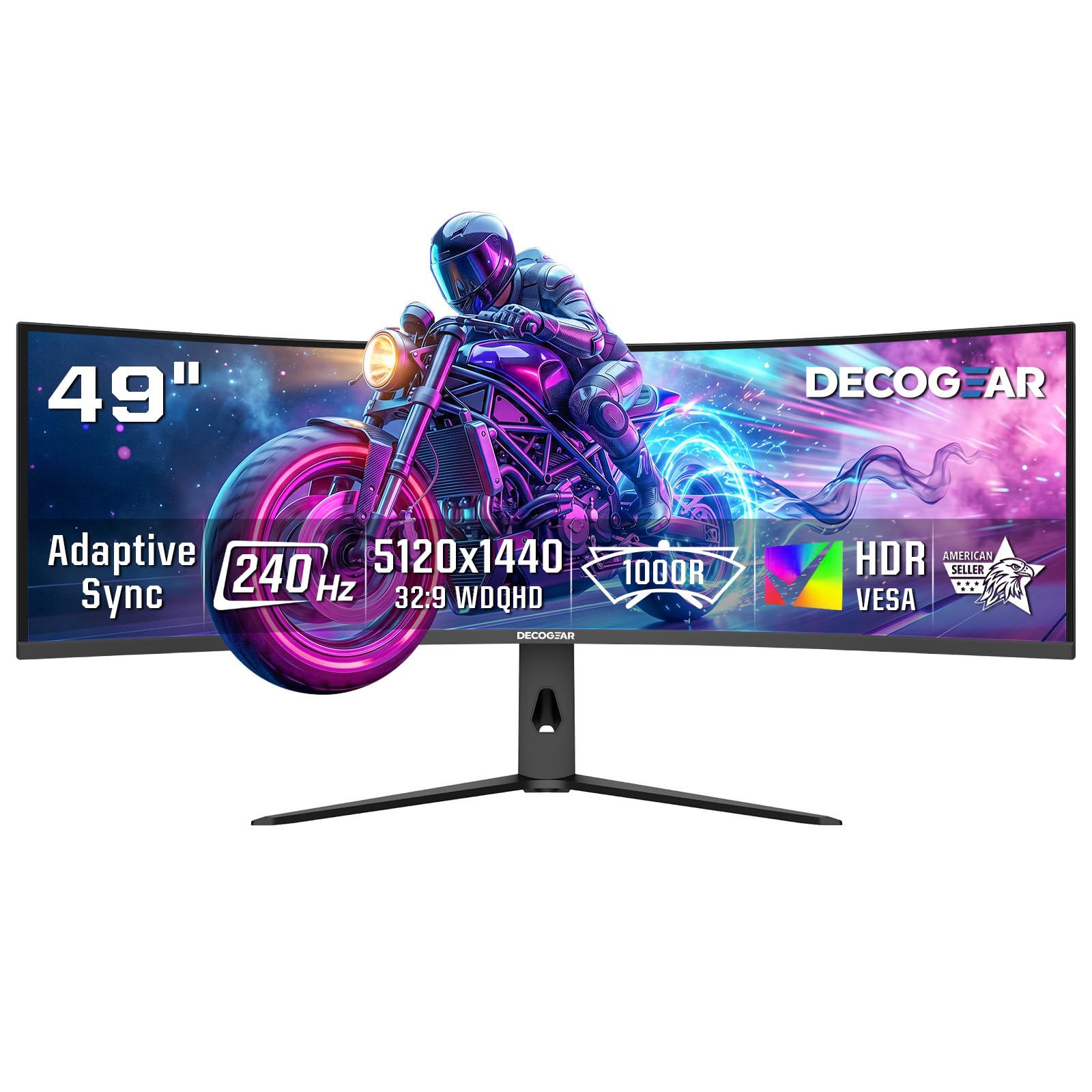
If total immersion is your goal, the 1000R curvature of this Deco Gear is the strongest tool here. It’s the most aggressive curve available, wrapping the massive 5120×1440 Dual QHD image tightly around your peripheral vision. This makes it an absolute standout for racing simulators and flight combat games where seeing the full environment is everything.
This is a pure speed demon, too. It pairs a 240Hz refresh rate with an OverDrive feature that delivers a 2.3 ms response time, eliminating ghosting in fast motion. The connectivity suite uses two HDMI 2.1 ports (48 Gbps) and DisplayPort 1.4, all capable of pushing 240Hz at full resolution.
The owners who love it, love it hard. Owners mention one loved it so much at the office they “bought another for my home workstation,” and others rave about the “Heavy Duty Quality” that entices repeat purchases. The most common practical note is that one unit’s power cable was tightly folded and broken, requiring a simple replacement, and some GPUs struggle to actually hit the full 240Hz.
Immersion King: The 1000R curve and 240Hz refresh make this the go-to for sim rigs and high-FPS gaming.
Reality Check: Enjoy it at 120-140Hz if your graphics card can’t drive the full 240Hz; the experience is still exceptional.
7. ASUS ROG XG49VQ 49 Inch 1080p 144Hz Ultrawide

The wise choice when your graphics card isn’t built for 5120×1440 gaming.
This ASUS ROG makes a deliberate trade-off that a lot of PC gamers will appreciate. It’s a 49-inch DFHD (3840×1080) panel, which is half the pixel count of the Dual QHD models. That lower resolution is a blessing in disguise: your mid-range GPU can actually drive it at high frame rates, so you get the rich ultrawide experience without needing to upgrade your entire PC.
At 144Hz with FreeSync 2 HDR support, it excels in fast racing games where motion fluidity matters more than raw pixel density. Customers note hitting 169-178 FPS on a 1080ti, and the VA panel delivers “better picture and color quality than a TN monitor.” The 1800R curve keeps the image distortion-friendly for long work sessions too.
What wins people over is the solid physical build and the premium ROG gaming toolset, including GamePlus overlays. The honest trade-off is that 1080p across a 49-inch screen means you’ll see visible pixels and slightly aliased text up close, so it’s not the right fit if your work involves lots of small text or detailed photo editing.
Why It’s Accessible
- Runs smooth 144Hz on mid-range GPUs without stuttering
- Full ergonomic stand with swivel, tilt, and height adjustment
- DisplayHDR 400 certification with 90% DCI-P3 coverage for movie nights
The Resolution Reality
- 1080p across 49 inches yields visible pixels for close-up text work
- HDR performance is limited, with some owners noting dull highlights
Your best bet: If you game with a 1070ti or 1080ti and want an rich ultrawide now, this is the smooth-running solution.
Consider another: If you’re a spreadsheet warrior who stares at 8pt text, the sharper Dual QHD models are worth the extra GPU investment.
8. Samsung 49″ Business Curved Ultrawide Dual QHD Monitor

A one-cable docking station and a 5120×1440 canvas built for serious desk warriors.
This Samsung ViewFinity is a productivity weapon disguised as a monitor. It goes beyond just displaying your work—it acts as a docking station, with USB-C inputs that deliver 90W of charging power to your laptop. Plus, with DisplayPort, 2 HDMI inputs, USB, and Ethernet ports, you can connect your entire desk setup through the monitor itself, keeping cables hidden and your desk uncluttered.
The 1000R curve wraps a 49-inch Dual QHD (5120×1440) screen tightly around you. For business users, this means you can tile several applications or windowed spreadsheets (even up to 30 columns) without losing detail. Reviewers point out it’s ideal for window tiling and that the strong, easy-assembly stand holds the massive panel securely.
The eye-care features are a big draw for all-day use, with an ambient light sensor that automatically adjusts brightness to match your room. A 120Hz refresh rate keeps scrolling smooth and makes casual gaming pleasant. The minor frustrations are the small, awkward menu controls and the lack of auto-power-on over HDMI.
The Professional’s Pick: Combines 90W laptop charging, Ethernet, and a 1000R curve to replace both a monitor and a dock.
One Annoyance: You’ll be reaching for the manual power button more often than you’d like, since it doesn’t auto-wake from HDMI.
9. Samsung 49″ Odyssey G9 Series DQHD Curved Gaming Monitor

The G9’s thunderous 240Hz and 1,000,000:1 contrast make it a legend in gaming circles.
This is the heavyweight champion of the 49-inch category, and the crowd rating reflects it. It pairs a 1000R curve with a 5120×1440 Dual QHD resolution, creating a smooth arc that fills your entire peripheral vision. For gaming, this is as close as you get to a VR headset without wearing one, which is why pilots and simulator enthusiasts swear by it.
The performance numbers are page-topping: a 240Hz refresh rate with 1ms(GtG) response time, VESA DisplayHDR 1000 for stunning brightness peaks, and a 1,000,000:1 contrast ratio. Buyers are emphatic the “brightness is unreal for a VA panel without Fald” and that for gaming, “it almost feels like cheating” because you can see everything in fast-paced shooters.
Samsung’s CoreSync adds ambient lighting that projects game colors into your room, deepening immersion. Some buyers reported issues with dead pixels and long-term reliability, though the majority have an overwhelmingly positive experience. To boost brightness, the Odyssey G9 also uses an Adaptive Picture sensor that automatically adjusts the screen based on ambient light.
The rich Edge
- 1,000,000:1 contrast ratio and 1000 nit peak brightness for jaw-dropping HDR
- 240Hz refresh rate with 1ms(GtG) response for blur-free esports
- FreeSync Premium Pro ensures stutter-free, tear-free motion
- CoreSync RGB lights boost desktop atmosphere
The Heavy Cost
- Some units have arrived with dead pixels or developed issues within months
- The premium price tag demands a high-end GPU to be fully utilized
The Enthusiast’s Endgame: The best-in-category contrast, brightness, and fluidity for those who want the absolute premier gaming ultrawide.
Only if you accept: The improve risk of panel issues is a real part of the ownership experience for a small minority.
10. INNOCN 49″ QD-OLED 5K2K 144Hz Ultrawide Curved Monitor

The QD-OLED panel that open up infinite contrast for a deeper visual experience.
Step up to QD-OLED, and you’re leaving traditional LCD compromises behind. This INNOCN panel offers a 1500000:1 contrast ratio, meaning each pixel lights itself independently for true, inky blacks and zero light bleed around bright objects. It’s a transformative jump for watching movies in dark rooms or gaming with dynamic lighting, and it offers the 144Hz refresh rate and 99% sRGB coverage you’d expect.
The 49Q1R is also built to be the centerpiece of a modern laptop desk. It delivers powerful 90W USB-C power delivery, so a single USB-C cable from a MacBook Pro or Mini PC provides video, data, and a full charge. With 2x HDMI 2.1, DP 1.4, USB hub, and RJ45 ethernet, it functions as a comprehensive docking station that buyers found ideal for replacing a Samsung G9 in a daily work setup.
What wins people over is the simple menu system, tool-free assembly, and the ability to run two full-screen applications side-by-side with zero bezels. The main drawbacks are the weak built-in speakers and a few isolated reliability reports where units developed persistent black screens within a few months. For many, the visual leap outweighs those risks.
The OLED Allure: Per-pixel contrast and vibrant QD color make this the choice for cinematic gaming and video editing.
Weigh This: Accept the reality of OLED burn-in risk and occasional quality control issues; ensure your return window is clear.
11. MSI MPG 491CQPX QD-OLED 49-inch DQHD Monitor

The fastest pixel response on the market—at 0.03ms—for zero-compromise competitive play.
If you want the absolute bleeding edge of speed and color, the MSI MPG 491CQPX is the pinnacle. It boasts a 0.03ms GtG response time, which is spec-sheet perfection for eliminating ghosting entirely, paired with a 240Hz refresh rate. This is the display for esports players who want every single frame rendered in perfect, crisp motion with zero blur.
The QD-OLED panel delivers the deep blacks and vibrant colors that buyers describe as “absolute visual perfection.” It comes with VESA DisplayHDR True Black 400, which is a specialized standard for OLED displays that ensures detailed shadow areas in HDR content. Owners note the HDR in games like Cyberpunk 2077 is “revelatory” and that blacks are so deep they “blend into the bezel.”
MSI’s OLED Care 2.0 helps mitigate burn-in risks, and the built-in KVM switch adds serious desk utility. Buyers love the 3-year burn-in warranty that comes with it, offering confidence for a long-term investment. The only common complaint is the lack of built-in speakers (so plan to use the 3.5mm audio out or your own setup) and an overall thin, glossy frame that’s prone to fingerprints.
The Elite Specs
- Record-setting 0.03ms GtG response time eliminates all motion blur
- 240Hz refresh rate paired with VESA DisplayHDR True Black 400
- ClearMR 13000 for crisp fast motion
- 3-year burn-in warranty for OLED confidence
The Premium Quirks
- No built-in speakers, so external audio is mandatory
- Glossy screen surface attracts fingerprints; keep a microfiber cloth handy
The Pro’s Choice: The definitive monitor for competitive gamers and digital artists who obsess over every micro-detail and millisecond.
Be Prepared: This is a significant investment in a fragile, high-performance panel—handle the mounting process with care.
Understanding the Specs
Resolution and Pixel Density
You’ll see two main tiers: Dual QHD (5120×1440) and DFHD (3840×1080). Dual QHD is effectively two 27-inch QHD monitors side-by-side, giving you far sharper text and images for productivity. If you’re choosing between the Z-Edge (5120×1440) and the ASUS ROG (3840×1080), the former holds 38% more pixels, meaning noticeably crisper detail for design and spreadsheets.
Refresh Rate and Response Time
Refresh rate (measured in Hz) dictates how many times the screen updates per second. A 165Hz or 240Hz rate makes fast motion look buttery smooth. Response time (in ms) is how quickly a pixel changes color; lower numbers mean less ghosting. For pure gaming, the MSI’s 0.03ms response time outperforms typical VA panels that sit around 1ms to 4ms, which is why that spec carries a hefty premium.
FAQ
Can my graphics card run a 5120×1440 ultrawide monitor?
Is a 1000R or 1800R curve better for me?
What does a KVM switch do on an ultrawide monitor?
How much desk space does a 49-inch monitor need?
Is a 49-inch ultrawide good for programming?
What is the best refresh rate for console gaming on a 49-inch?
Is OLED worth the higher price for a 49-inch monitor?
Will a 49-inchdisplay work with a MacBook Pro?
How important is HDR certification on a 49-inch ultrawide?
Can I use a 49-inch ultrawide for a racing simulator?
Final Thoughts: The Verdict
For most buyers, the 49 inch ultrawide monitor winner is the Z-Edge 49″ DQHD because it nails a strong balance of 165Hz speed, sharp 5120×1440 resolution, and practical KVM features at a price that undercuts the big brands. If you’re working in a Mac-heavy or laptop-centric setup, grab the INNOCN 49C1R for its 65W USB-C power delivery and flawless compatibility. And for the competitive gamer chasing every frame, the MSI MPG 491CQPX is the one to reach for, with its 0.03ms response time and 240Hz refresh making it the most future-proof display of the group.
How We Picked
We do not accept paid placement. Every pick is matched to a real buyer and a real use-case; we do not hands-on test units.
Sources & Methodology
Specifications: manufacturer listings and product documentation. Review insights: verified customer reviews, as of August 2026. Pricing: not shown on this page (it changes often); check the current price via the retailer link.
As an Amazon Associate, Gadgets Feed earns from qualifying purchases. This does not affect which products we feature.