
Buying a 4GB RAM laptop in 2025 is walking a tightrope between thrift and frustration. The wrong pick leaves you fighting a spinning wheel on a second browser tab, while the right one handles documents, lectures, and video calls without complaint. The difference comes down to processor generation, storage type, and operating system — not just the memory spec on the box.
I’m Min — the co-founder and writer behind Gadgets Feed. I’ve pored over performance benchmarks, customer feedback, and real-world usage reports across dozens of budget-tier laptops to isolate which units stretch that 4GB envelope further than others.
After sorting through nine distinct models ranging from Chromebooks to Windows laptops, one machine consistently delivered the smoothest experience for students, remote workers, and casual users looking for the best 4gb ram laptop without second-guessing their purchase.
How To Choose The Best 4GB RAM Laptop
4GB RAM sits at the entry-level threshold for both Windows 11 and Chrome OS. The key is matching the memory ceiling to a processor that won’t choke and a storage drive that doesn’t drag the entire system down. Here are the three factors that separate usable from unusable.
Processor Generation Is the Real Bottleneck
An Intel Celeron N4020 from 2019 and an Intel N100 from 2024 are both budget chips, but the architecture gap is massive. Newer cores handle basic background tasks like Windows Defender scans and Chrome extensions without stealing all 4GB. Look for at least a Gemini Lake Refresh (N4020/N4120/N4500) or the newer Alder Lake-N (N100/N200) to avoid daily frustration.
Storage Type — eMMC vs SSD vs Expandable
eMMC storage is soldered and slow. When 4GB RAM runs out, Windows begins paging to the drive, and a 150 MB/s eMMC drive makes that paging painfully visible. A proper M.2 SATA or NVMe SSD, even a 128GB one, keeps the system responsive under memory pressure. Expandable storage (microSD or a second SSD slot) adds flexibility for media files without filling the boot drive.
Operating System: Chrome OS vs Windows 11
Chrome OS is leaner by design. A 4GB Chromebook with an N4120 processor can genuinely run eight browser tabs, a Google Doc, and a YouTube stream simultaneously. Windows 11 Home with 4GB requires disabling startup programs and avoiding more than a handful of apps at once. If your workflow is browser-based, a Chromebook stretches 4GB further. If you need offline desktop software, prioritize a Windows model with an SSD and an upgradeable RAM slot.
Quick Comparison
On smaller screens, swipe sideways to see the full table.
| Model | Category | Best For | Key Spec | Amazon |
|---|---|---|---|---|
| Lenovo 15.6″ FHD Chromebook | Chromebook | Efficient multitasking & students | 15.6″ FHD 1920×1080 | Amazon |
| HP 2023 Chromebook 14″ | Chromebook | Budget-friendly learning | 14″ 1366×768 | Amazon |
| Lenovo Chromebook 192GB | Chromebook | Heavy cloud storage usage | 192GB (64GB eMMC + 128GB SD) | Amazon |
| HP 14 Laptop N4020 | Windows 11 | Windows basics & portability | Intel Celeron N4020 | Amazon |
| ASUS Vivobook Go Slim | Windows 11 | Full HD screen & light typing | 128GB SSD | Amazon |
| Phatom 15.6″ FHD Laptop | Windows 11 | Upgradeable DDR3L RAM | Pentium Gold (up to 16GB RAM) | Amazon |
| OTVOC Core i5 Laptop | Windows 11 | Performance with active cooling | Core i5-7Y57 (up to 3.3GHz) | Amazon |
| Jumper 15.6″ Laptop Office 365 | Windows 11 | Office suite users | Intel 5205U (1.9GHz) | Amazon |
| HP Laptop 15″ FHD (2026) | Windows 11 | Latest CPU & large storage | Intel N100 (3.4 GHz) | Amazon |
In‑Depth Reviews
1. Lenovo 15.6″ FHD Chromebook
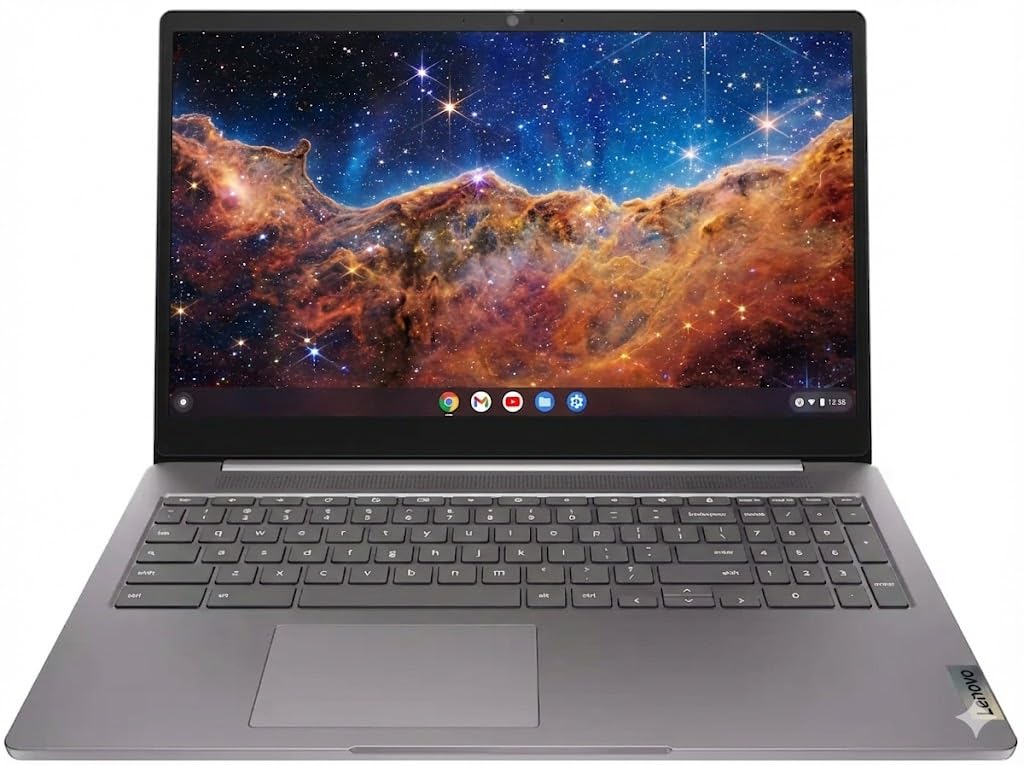
The Lenovo Chromebook packs a 15.6-inch Full HD display — rare at this tier — and an Intel Quad-Core N4120 processor that outperforms the older N4020 by a healthy margin. Chrome OS boots in under ten seconds and keeps 4GB of RAM feeling ample because the operating system is built around the browser rather than background processes. The full keyboard with a ten-key pad and the surprisingly bright screen make it comfortable for long sessions.
Wi-Fi 6 and Bluetooth 5.2 future-proof connectivity, while the privacy camera shutter adds a layer of security that budget laptops often ignore. The 128GB storage combo (64GB eMMC plus 64GB SD card) gives you breathing room for offline files without relying solely on cloud storage. Battery life comfortably exceeds a full school or workday at around ten hours of mixed use.
If you need a responsive, low-maintenance machine for web-based productivity, video streaming, and document editing, the Lenovo Chromebook delivers a screen size and processor combo that few competitors at this level match.
Why it’s great
- Full HD 1080p display is crisp and spacious
- Wi-Fi 6 delivers fast, stable wireless
- Includes a physical privacy shutter for the camera
Good to know
- No backlit keyboard
- Not a touchscreen display
2. HP 2023 Chromebook Laptop, 14 Inch

The HP Chromebook carries the same N4120 processor found in the Lenovo above but scales down the display to a 14-inch 1366×768 panel and drops to 64GB eMMC storage. The lower resolution is actually a slight advantage for the 4GB RAM — the integrated Intel UHD Graphics 600 needs less memory to drive fewer pixels, freeing up headroom for tabs and apps.
Connectivity includes one USB-C, two USB-A 3.0 ports, and Bluetooth 5.0. The lightweight chassis is ideal for a student backpack or a secondary travel device. Chrome OS handles the 4GB cap gracefully, making this a solid pick for virtual learning, email, and streaming. The main trade-off is storage — 64GB eMMC fills fast if you sync Google Drive files for offline access.
For the price, the HP Chromebook is a reliable entry point into the 4GB laptop category, especially if you prioritize a compact form factor and are comfortable relying on cloud storage.
Why it’s great
- Very affordable for the N4120 platform
- Lightweight and easy to carry
- Chrome OS keeps 4GB feeling faster than Windows
Good to know
- Only 64GB of eMMC storage
- Screen resolution is 1366×768, not Full HD
3. Lenovo 15.6″ FHD Chromebook 192GB
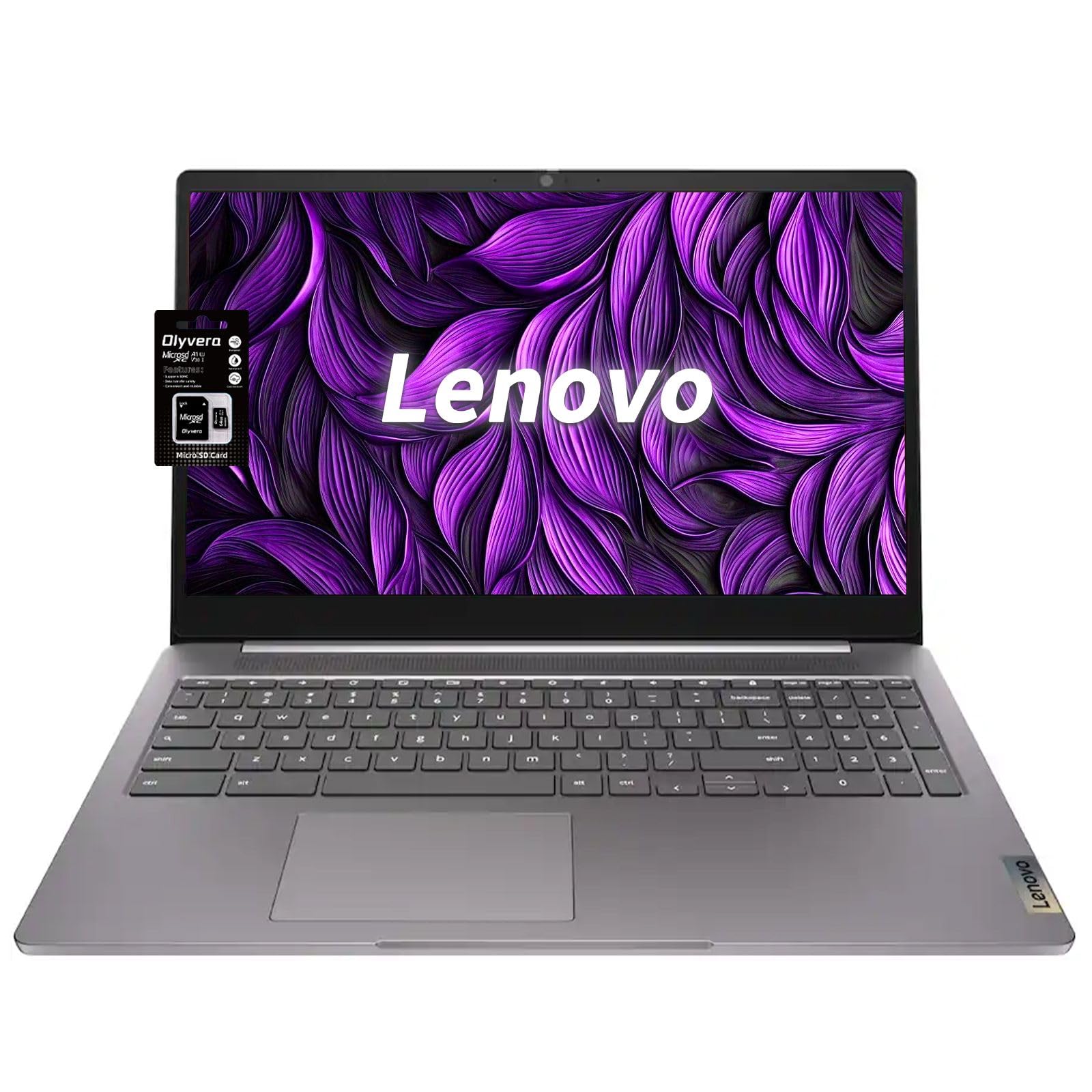
This Lenovo Chromebook mirrors the Best Overall unit but doubles the storage capacity to 192GB by bundling a 128GB SD card alongside the integrated 64GB eMMC. The 15.6-inch Full HD 1920×1080 display, N4120 processor, Wi-Fi 6, and privacy camera remain identical. The added SD storage is a practical advantage for offline media libraries, document archives, or installing Linux apps through the Chrome OS container.
Customer reviews consistently highlight fast startup times, all-day battery life (8-12 hours in real-world testing), and the sleek Arctic Grey design. The Chromebook’s built-in virus protection and automatic updates remove the maintenance overhead that plagues budget Windows machines.
If you plan to store more than a handful of files locally — like a music collection, photo library, or offline course materials — the extra 128GB SD card turns this from a capable Chromebook into a genuinely usable daily driver without external drives.
Why it’s great
- 192GB total storage is generous for a Chromebook
- FHD display with slim bezels
- Excellent battery life for all-day use
Good to know
- SD card adds bulk if left inserted
- Not designed for gaming or heavy multitasking
4. HP 14 Laptop, Intel Celeron N4020
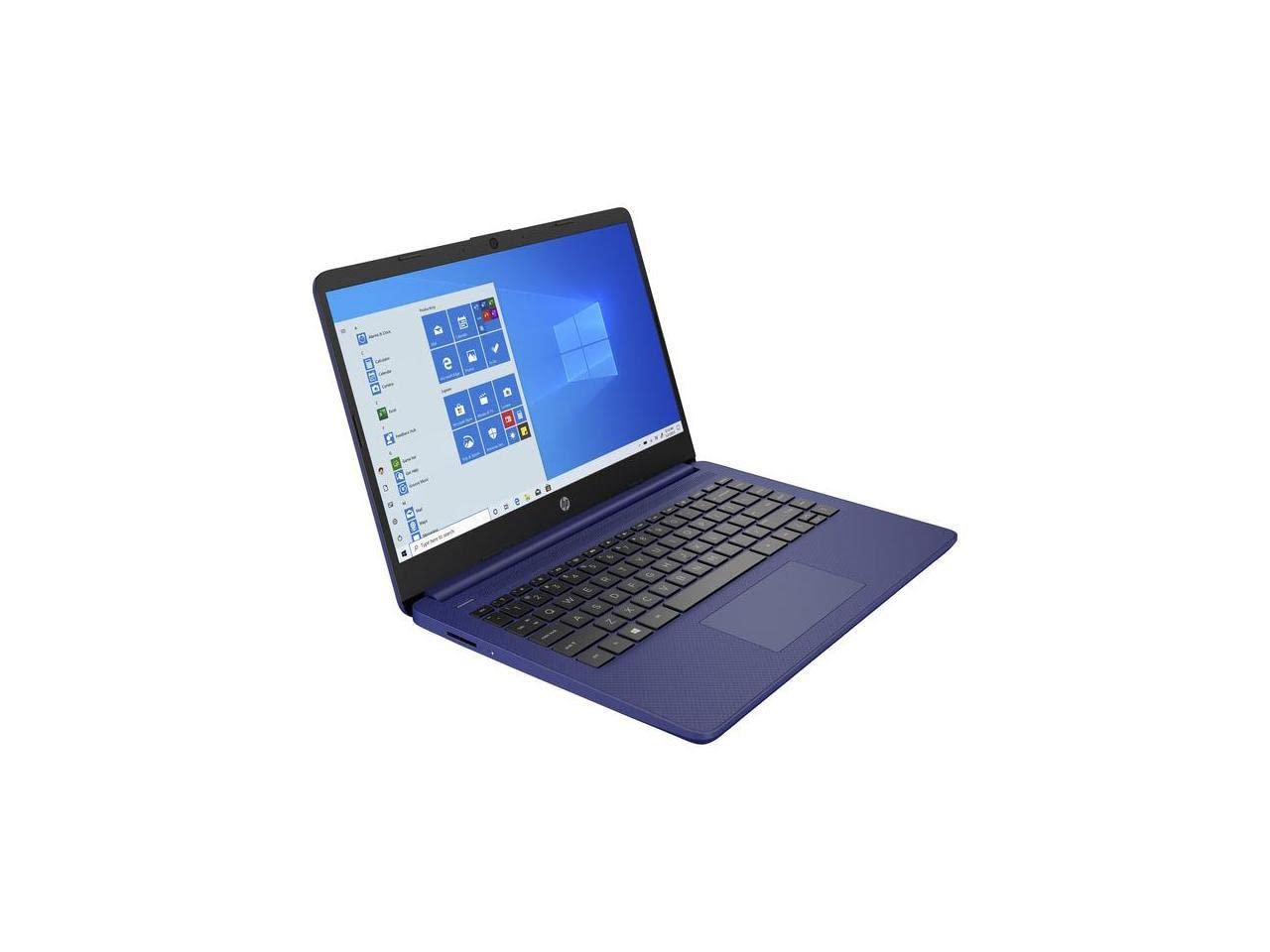
The HP 14 brings Windows 11 Home into the 4GB RAM conversation with a slim micro-edge design and an Indigo Blue finish that stands out from the sea of gray and black. The Intel Celeron N4020 dual-core processor is a step behind the N4120 in quad-core tasks, but the thin 6.5 mm bezel and 79% screen-to-body ratio give it a modern look that rivals more expensive models.
With 4GB RAM and a 64GB eMMC drive, this is strictly a light-duty Windows machine. Web browsing, email, Office 365 web apps, and 720p video streaming are within its comfort zone. The full-size keyboard and generous touchpad make typing comfortable, and the 10-hour battery life covers a full shift. The plastic chassis feels a bit hollow, but the dark textured finish hides smudges well.
If you specifically need Windows 11 on a budget and value portability over raw speed, the HP 14 is a practical choice — just keep expectations in check regarding multitasking and app load times.
Why it’s great
- Thin profile with narrow bezels
- Includes Windows 11 with Office 365
- Battery lasts a full workday
Good to know
- Dual-core N4020 lags with multiple apps open
- 64GB eMMC fills quickly
5. ASUS 15.6” Vivobook Go Slim

ASUS offers a 15.6-inch Full HD display on a Windows laptop at a price point where most competitors stop at 1366×768 panels. The Vivobook Go runs on an Intel Celeron N4500, a Gemini Lake Refresh chip that handles web apps and office productivity reasonably well. It ships with 4GB DDR4 RAM and a 128GB SSD — that SSD makes a tangible difference in boot times and app responsiveness compared to eMMC rivals.
The star feature is the display: 1920×1080 at 60Hz with 220 nits peak brightness. It’s not the brightest panel in direct sunlight, but indoors the sharpness is a genuine upgrade over HD screens for reading documents and watching videos. The SonicMaster audio system delivers louder-than-average sound, and the 42Wh battery includes fast-charge support (60% in 49 minutes via USB-C).
For students who stare at spreadsheets or research articles all day, the extra pixel density of the Vivobook’s FHD screen reduces eye strain and makes this Windows laptop stand out from the HD crowd.
Why it’s great
- Full HD screen at an HD price
- 128GB SSD is much faster than eMMC
- USB-C fast charging included
Good to know
- Screen brightness is modest at 220 nits
- Speakers are loud but lack bass
6. Phatom 15.6″ FHD Laptop
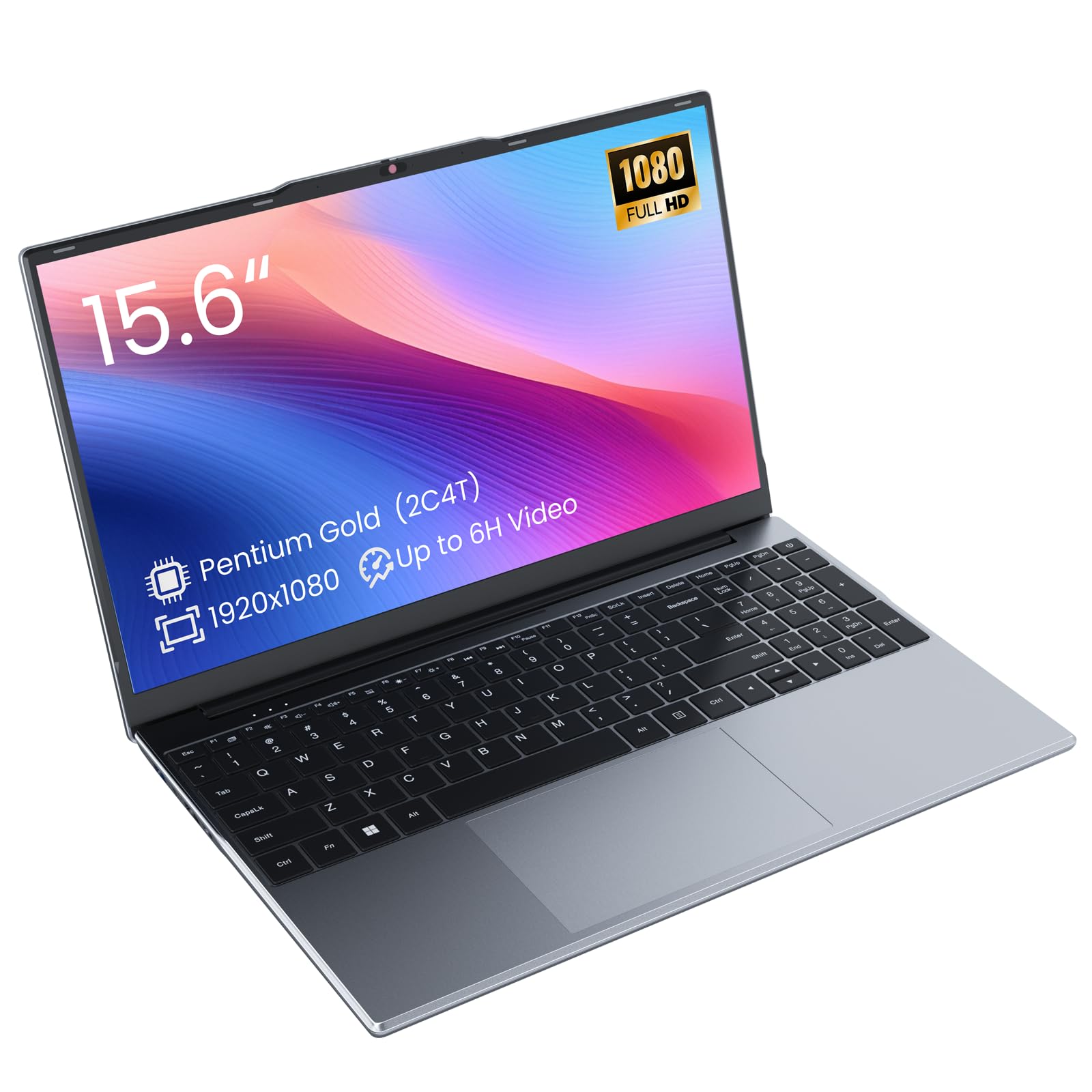
The Phatom laptop takes a different approach: it pairs a 4GB stick of DDR3L RAM in a dual SO-DIMM setup that allows upgrades up to 16GB. The Pentium Gold 4415Y processor is older (Kaby Lake, 2017) and capped at 1.6 GHz, but the active cooling fan keeps it from throttling during sustained loads. The 15.6-inch Full HD IPS display is a bright spot, offering wide 178° viewing angles.
The 128GB M.2 SATA SSD delivers snappy boot and load times. Users report real-world battery life around 3–4 hours during local video playback, which is below average for the category but workable for short sessions. The inclusion of USB-C (USB 2.0 speed), HDMI (up to 4K@24Hz), and a microSD slot provides solid connectivity for a second monitor or external storage.
Buy this model if you plan to upgrade the RAM yourself in the near future. At 4GB out of the box, it handles basic browsing and Office work, but adding an 8GB stick transforms it into a noticeably more capable multitasking machine.
Why it’s great
- RAM is upgradeable to 16GB
- Full HD IPS display with wide viewing angles
- Includes a built-in cooling fan
Good to know
- Battery life is shorter than average
- Processor is older, base clock only 1.6 GHz
7. OTVOC Core i5 15.6″ Laptop
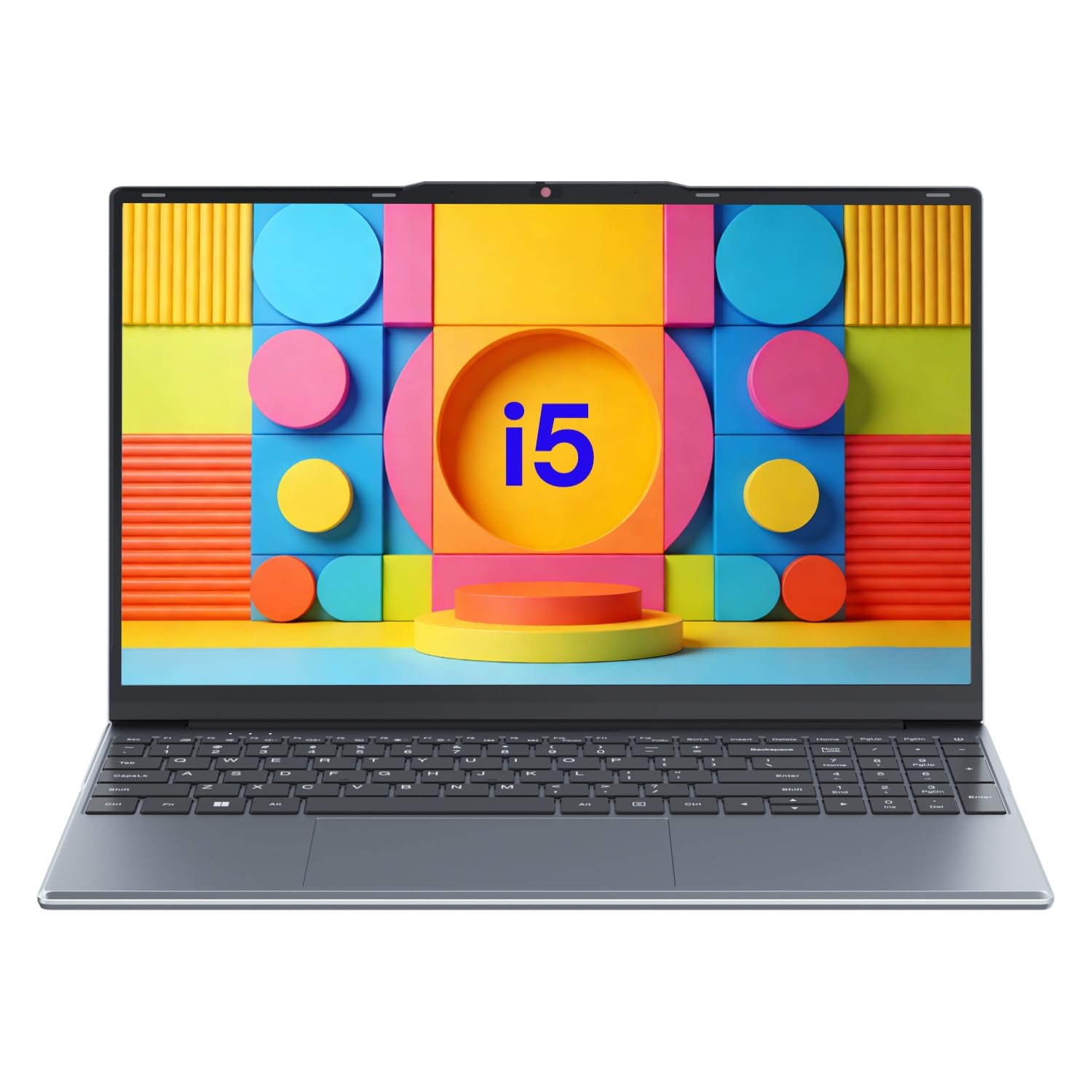
The OTVOC laptop stands out by stuffing a Core i5-7Y57 processor into the 4GB RAM segment. This 7th-gen Kaby Lake chip benefits from active cooling that stabilizes TDP at 15W — higher than the standard 4.5W — allowing sustained boost to 3.3 GHz. The result is noticeably faster single-threaded performance for web apps, PDF editing, and light spreadsheet work compared to Celeron-based peers.
The 128GB SSD is expandable up to 2TB via an M.2 slot. The 15.6-inch FHD IPS display delivers 1920×1080 resolution with 178° viewing angles and a 180-degree lay-flat hinge for easy screen sharing. The full-size keyboard includes a numeric keypad, and the 2MP webcam has a physical privacy shutter. At just 1.57 kg, it’s one of the lightest 15-inchers in this roundup.
If you value raw CPU speed for single tasks and plan to upgrade RAM later, this is the most potent processor in the group.
Why it’s great
- Core i5 processor is faster than Celeron alternatives
- Very lightweight for a 15.6″ model
- 180-degree lay-flat hinge for collaboration
Good to know
- 4GB RAM limits the i5’s multitasking potential
- Some units reported quality control issues
8. Jumper 15.6″ Laptop with Office 365

The Jumper S7HI comes preinstalled with Windows 11 and a one-year Office 365 subscription, making it one of the most turnkey solutions for students and office workers. The Intel 5205U processor (Comet Lake, 2 cores, 4 threads) runs at a base 1.9 GHz with a boost to 2.3 GHz — adequate for Word, Excel, PowerPoint, and browser-based research. The 128GB internal storage can be expanded up to 1TB via a dedicated SSD slot.
At 3.6 lbs, the chassis is light enough for daily commuting. The 15-inch HD IPS display (1366×768) is adequate for productivity but lacks the sharpness of Full HD panels. Connectivity includes USB-C, HDMI, SD card reader, and dual-band Wi-Fi 5 with Bluetooth 4.2.
This laptop is best for buyers who need Microsoft Office out of the box and want the option to add more storage without opening the chassis. The 4GB RAM handles light multitasking, but expect slowdowns if you keep a dozen tabs open alongside a large Excel file.
Why it’s great
- Includes one-year Office 365 subscription
- Storage expandable to 1TB via SSD slot
- Quiet and cool operation during office tasks
Good to know
- HD display lacks Full HD resolution
- Bluetooth 4.2 instead of 5.0 or newer
9. HP Laptop 15″ FHD (2026 Model)

The 2026 HP Laptop 15 is the only model in this list that exceeds 4GB RAM — it ships with 16GB DDR4, but its architecture and price anchor it to the same buyer who considers 4GB machines. The Intel Processor N100 (Alder Lake-N, 4 cores, up to 3.4 GHz) is the most modern and power-efficient chip in the roundup, offering significantly better single-thread and multi-thread performance than Celeron or Pentium alternatives. The 256GB PCIe NVMe SSD provides lightning-fast storage.
The 15.6-inch Full HD anti-glare display is comfortable for long work sessions, and the 45W USB-C charging makes it easy to top up with a phone charger. Wi-Fi 6 and Bluetooth 5.3 represent the latest wireless standards. The chassis weighs only 3.5 lbs with a 0.7-inch profile, rivaling ultrabooks at a fraction of the price.
This HP is the premium choice for anyone who wants to future-proof their purchase. The 16GB RAM means it will never struggle with multitasking, and the N100 processor handles everything from Office suites to light photo editing without breaking a sweat. It’s the only model that genuinely runs Windows 11 Home without compromise.
Why it’s great
- Fastest processor in the roundup (Intel N100)
- 16GB RAM is future-proof
- Wi-Fi 6 and Bluetooth 5.3
Good to know
- Higher price than all other 4GB-tier models
- Some user reviews mention SSD size upgrade is needed for heavy software
FAQ
Can a 4GB RAM laptop run Windows 11 smoothly?
Is a Chromebook with 4GB RAM faster than a Windows laptop with the same memory?
What is the most important spec to check besides RAM in a 4GB laptop?
Final Thoughts: The Verdict
For most users, the best 4gb ram laptop winner is the Lenovo 15.6″ FHD Chromebook because its Full HD display, quad-core N4120 processor, and lean Chrome OS make the most of every megabyte. If you want the raw CPU power of a Core i5 in a lightweight chassis, grab the OTVOC Core i5 Laptop. And for a future-proof Windows experience with 16GB RAM already installed, nothing beats the HP Laptop 15″ FHD.