
Our readers keep the lights on and my morning glass full of iced black tea. As an Amazon Associate, I earn from qualifying purchases.
Specs are compiled from manufacturer listings and verified buyer reviews and can change over time — please confirm the key details on the product page before buying.
Finding a true 4K TV at 24 inches is almost impossible — the market skipped that size. But what a growing number of programmers, photo editors, and desk-squeezed buyers actually want is a 24-inch 4K monitor that feels exactly like a TV for work and movies. The real question is which one delivers the sharpest text, the truest colors, and the most practical stand without the typical compromises of this rare screen size.
I’m Min — the founder and writer behind Gadgets Feed. This guide is built by comparing the manufacturers’ published specifications and the patterns across verified customer reviews, so you get each pick’s real strengths and trade-offs instead of marketing spin.
These three picks represent the whole category of the 4k 24 inch tv — covering a strong premium option with USB-C power delivery, a feature-rich mid-range model, and a professional-grade monitor built for all-day precision work, each with verified specs and honest buyer feedback.
Quick Picks
- AG Neovo EM2451 24 Inch 4K Monitor — Premium Pick
- CUNPU 24″ 4K UHD Professional USB-C Monitor — Best for Mac
- CUNPU 24 Inch 4K UHD IPS Monitor — Best Value
How To Choose The Best 4K 24 Inch Screen
A 24-inch 4K monitor is a niche category, but its value for anyone who stares at text all day is enormous. The key is knowing which specs actually affect how the screen looks and feels for your specific setup.
Pixel Density (PPI) Is the Real Star
At 24 inches, a 4K resolution (3840 x 2160) packs around 185 pixels per inch (PPI). That is significantly denser than a 27-inch 4K screen (~163 PPI) or a standard 24-inch 1080p screen (~92 PPI). Higher PPI means text looks as crisp as printed paper, with zero visible pixels — ideal for coding, reading, and photo editing.
Color Gamut: sRGB vs DCI-P3
Color gamut (the range of colors a screen can show) comes in two main standards here. sRGB is the baseline for web content and most office apps. DCI-P3 is wider and used for professional video editing and high-end photography. If you edit photos or videos for print or cinema, look for at least 90% DCI-P3. For general office use, 100% sRGB is plenty.
Connectivity That Matches Your Devices
If you use a laptop — especially a MacBook — a monitor with USB-C and power delivery (PD) lets you charge and display video through a single cable. Without it, you will need separate HDMI and power cables. For older equipment, dual HDMI ports and DisplayPort offer more flexibility.
Quick Comparison
| Model | Best For | Brightness | Color Gamut | USB-C PD | Amazon |
|---|---|---|---|---|---|
| AG Neovo EM2451 | Premium office & creative work | 350 cd/m² | 100% sRGB / 93% DCI-P3 | 65W | $239.00Amazon |
| CUNPU 24″ USB-C (B0GJCS5VVG) | Mac & laptop users on a budget | 300 cd/m² | 100% sRGB / DCI-P3 | 15W | $205.99$219.79Amazon |
| CUNPU 24″ 4K IPS (B0DSP9NFKT) | Best value for multi-purpose use | 350 cd/m² | 100% DCI-P3 | — | $199.99Amazon |
In‑Depth Reviews
1. AG Neovo EM2451 24 Inch 4K Monitor

The 24-inch 4K monitor that a programmer called “perfect for reading and writing.”
This AG Neovo is the premium choice for a reason: it delivers 350 candela brightness and a 100% sRGB plus 93% DCI-P3 color gamut — the highest DCI-P3 coverage in this roundup. That means colors pop vividly for photo editing and video grading, while text stays razor-sharp at 185 PPI (pixels per inch, a measure of how dense the tiny dots on the screen are). Unlike the other two picks, it includes a USB-C port with 65W power delivery, so you can connect a MacBook or laptop with one cable that charges the device and sends video at the same time.
Buyers report that the “pixel density, picture clarity, and color gamut are fantastic for this price range.” One reviewer called it “crisp” and said it has been “very easy for the eyes” during daily use. The stand is height-adjustable and also rotates, tilts, and swivels — a feature that makes switching to portrait mode for coding or long documents easy. It has dual HDMI 2.1 ports and DisplayPort 1.4, more modern connectivity than either CUNPU model.
The main trade-off a buyer should know: some users report temporary image burn-in (ghosting of windows that takes about 5 minutes to fade) and earlier units had a few dead or stuck pixels, though this varies by unit. One data analyst wrote that the “picture quality is superior to LG 24-inch 4K” for system work. At 350 cd/m² brightness it leads the CUNPU USB-C model by 50 cd/m², making it noticeably brighter in a well-lit room.
Best for pros who need one-cable simplicity: If you edit photos, code all day, or use a MacBook, the USB-C 65W charging + wider DCI-P3 color makes this the most polished pick here.
The honest catch: Occasional image retention and the external power brick add minor friction, and you don’t get a built-in USB hub.
Reach for this if: You are a creative professional or developer who wants the sharpest text, brightest screen, and modern USB-C charging without switching cables.
Look elsewhere if: You need a monitor with built-in speakers or a USB hub — this one skips both.
2. CUNPU 24″ 4K UHD Professional USB-C Monitor
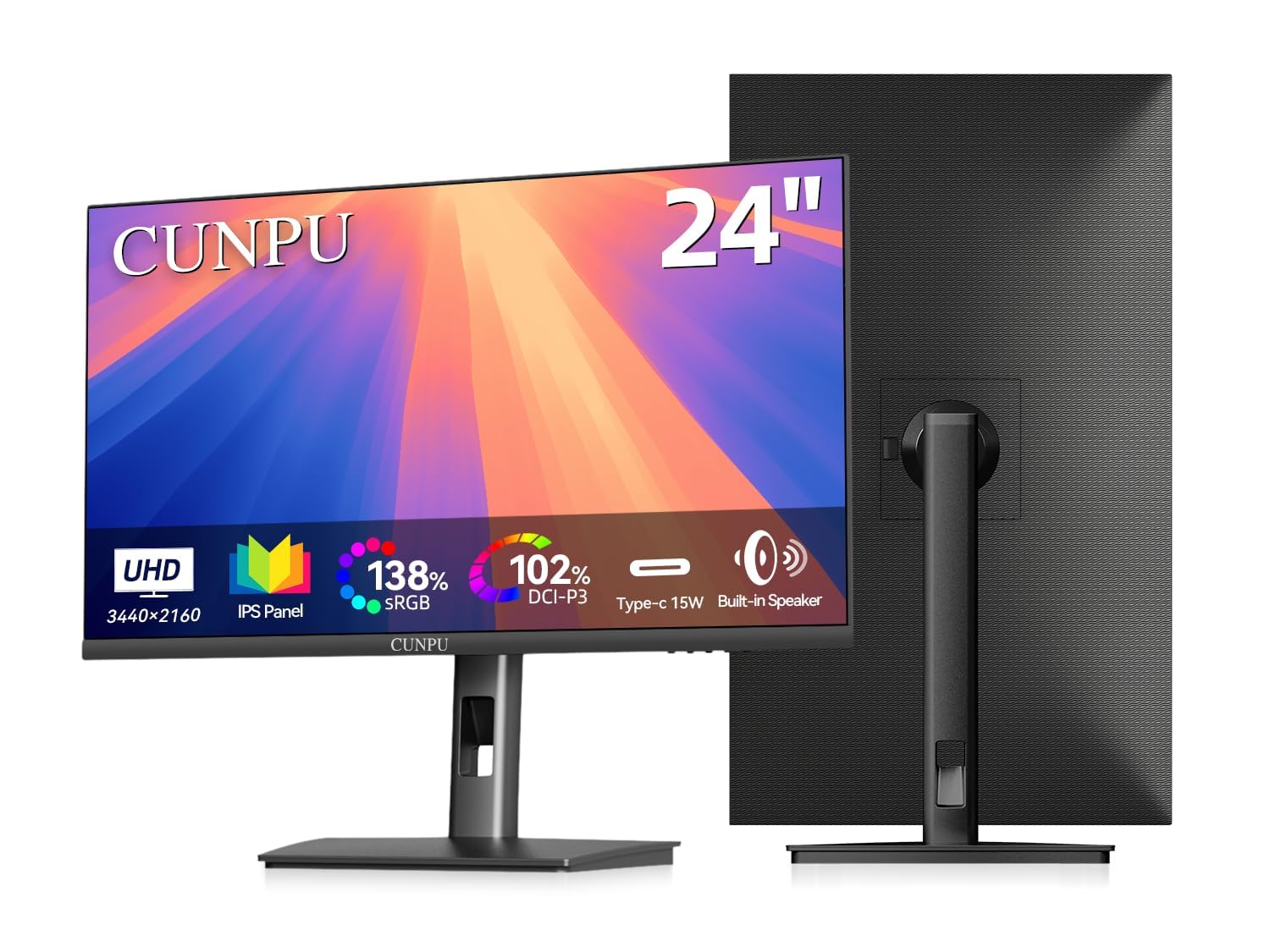
A budget-friendly 24-inch 4K that pairs well with a MacBook or laptop.
This CUNPU model is the entry-level USB-C option, offering a single-cable connection with 15W power delivery (enough to trickle-charge a laptop but not enough for fast charging during heavy use). It covers 100% sRGB and DCI-P3, the same wide color gamut as the AG Neovo, but its brightness sits at 300 candela — a 17% gap behind the AG Neovo’s 350 candela. For everyday office work and photo editing in a normal room, 300 cd/m² is still very usable.
Owners mention that the “picture is very sharp, colors look accurate and vibrant, and text is super clear thanks to the high PPI.” The stand is fully adjustable — height, pivot, tilt, and swivel — matching the ergonomics of the more expensive model. It also includes Picture-by-Picture (PBP) and Picture-in-Picture (PIP) modes, letting you view two computers on the same screen at once, a feature the AG Neovo lacks.
The honest downside: some reviewers report a power savings bug where the monitor’s red LED stays on after sleep and the monitor refuses to wake without unplugging the DC power cord, particularly on older Acer laptops. One buyer explained it happens “every time from sleep” on older equipment, though newer Apple desktops have no issues. The monitor is also “very fussy for HDMI cables” — a loose fit can cut the display from vibration. For its price, it is a strong value, but the compatibility caveats mean it is safest with modern hardware.
What impressed buyers
- Excellent 185 PPI sharpness and accurate colors
- Fully ergonomic stand with height, pivot, tilt, swivel
- PBP/PIP mode for multi-device workflows
- Built-in speakers save desk space
What frustrated buyers
- Power savings bug (red LED) on older equipment, not fixable via menu
- Loose HDMI port that can cut display from slight vibration
- Only 15W USB-C power delivery, not enough for fast laptop charging
Best budget-friendly USB-C pick: Ideal for MacBook or modern laptop users who want a single-cable monitor with good color and an adjustable stand without paying premium.
The catch: If your laptop is older than a few years, the power savings issue is a real headache — test with your device before relying on it daily.
3. CUNPU 24 Inch 4K UHD IPS Monitor
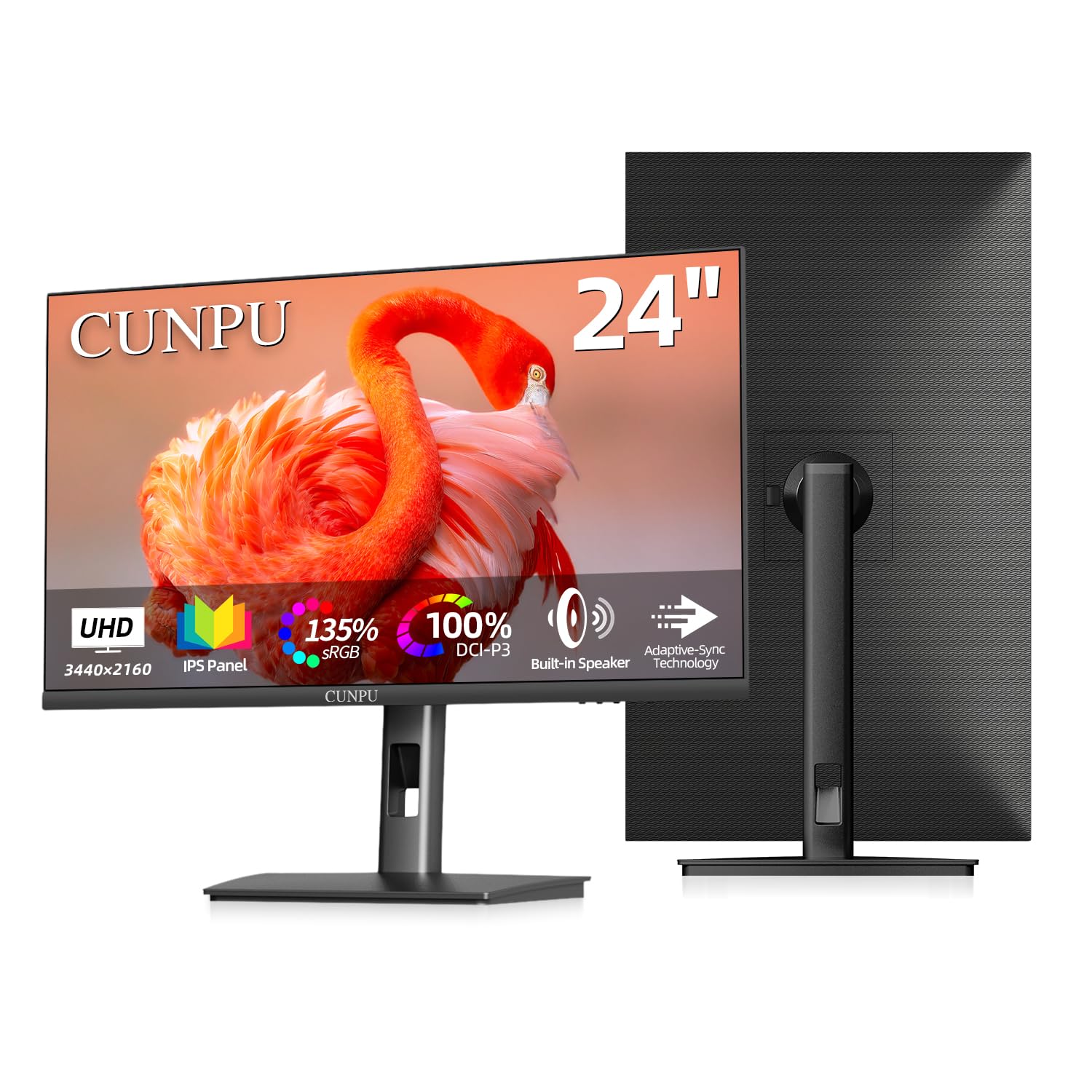
A true 4K monitor at 24 inches that costs less than most 1080p screens.
This CUNPU model is the straight-ahead value pick: no USB-C, no PBP modes, just clean 4K at 185 PPI with 100% DCI-P3 color coverage and 350 candela brightness — matching the AG Neovo on brightness and gamut. The lack of USB-C means you connect via HDMI or DisplayPort, but for desktop users with a PC, that is rarely an issue. It includes built-in dual speakers, something neither the AG Neovo nor the USB-C CUNPU offers.
Customers note it as a “good budget upgrade for photo editing,” noting the “high resolution, tilt/height/portrait adjustments, decent built-in speakers.” The stand is adjustable in height, pivot, tilt, and swivel, letting you use the monitor in portrait mode for documents or coding — a feature that is often missing at this tier. One reviewer described it as “sharp 24-inch 4K with accurate colors and clear text,” and said the build feels solid though the monitor is heavy.
The main sacrifice is the absence of USB-C, which means no single-cable charging for laptops. And like its sibling, some reviewers point out the red LED power savings issue on older equipment, though less frequently. At 350 cd/m² brightness it matches the AG Neovo, outperforming the USB-C CUNPU’s 300 cd/m² — so it is a better pick for brightly lit rooms. For a desktop setup where you just need accurate colors and sharp text at the smallest possible budget, this is the easiest recommendation.
Best for no-fuss desktop users: If you have a PC or a laptop you are willing to charge separately, this gives you the same brightness and wider DCI-P3 gamut as the premium pick for noticeably less money.
The honest limitation: No USB-C means no single-cable laptop connection, and the power savings bug can still pop up with older computers.
Grab this for: A photo editing or office PC where you want the sharpest text and full DCI-P3 color without paying for USB-C features you don’t need.
skip it if: You need a MacBook-friendly single-cable solution — then the AG Neovo or the USB-C CUNPU is a better fit.
Understanding the Specs
PPI (Pixels Per Inch) — Why 185 Matters
PPI tells you how many tiny dots of light are packed into each inch of screen. At 185 PPI, a 24-inch 4K monitor shows text that looks like it is printed on paper — no jagged edges, no visible pixels. For comparison, a standard 24-inch 1080p screen is around 92 PPI, so you get double the sharpness. This makes a huge difference for reading code, editing spreadsheets, or looking at high-res photos all day.
Color Gamut: sRGB vs DCI-P3
Color gamut (the range of colors a screen can display) is measured against industry standards. sRGB is the most common, covering the colors used on the web. DCI-P3 is about 25% wider and is used in professional video production. A monitor with 100% DCI-P3 shows richer reds and greens, so photos and films look more vibrant. For office work, 100% sRGB is enough — for creative work, look for high DCI-P3.
FAQ
Will a 24 inch 4K monitor work as a TV?
Can I use a 24-inch 4K monitor with a MacBook?
What does Delta E < 2 mean?
Is 24-inch 4K too small for readable text?
Do these monitors support HDR?
What is USB-C power delivery and why does it matter?
Which stand is best for ergonomics?
What cable do I need to get 4K at 60Hz?
Are built-in speakers on these monitors any good?
Final Thoughts: The Verdict
For the majority of shoppers, the 4k 24 inch tv winner is the AG Neovo EM2451 because its USB-C 65W charging, highest DCI-P3 coverage, and bright 350 cd/m² panel make it the most versatile single-cable solution for creative work and desk-based viewing. If you want a USB-C monitor on a tighter budget, grab the CUNPU USB-C model. And for the purest value with the same DCI-P3 color and brightness but no USB-C, the CUNPU 4K IPS is the smartest pick for a desktop PC setup.
How We Picked
We do not accept paid placement. Every pick is matched to a real buyer and a real use-case; we do not hands-on test units.
Sources & Methodology
Specifications: manufacturer listings and product documentation. Review insights: verified customer reviews, as of July 2026. Pricing: not shown on this page (it changes often); check the current price via the retailer link.
As an Amazon Associate, Gadgets Feed earns from qualifying purchases. This does not affect which products we feature.
Product prices and availability are accurate as of the date/time indicated and are subject to change. Any price and availability information displayed on Amazon at the time of purchase will apply to the purchase of this product. As an Amazon Associate I earn from qualifying purchases.
CERTAIN CONTENT THAT APPEARS ON THIS SITE COMES FROM AMAZON. THIS CONTENT IS PROVIDED "AS IS" AND IS SUBJECT TO CHANGE OR REMOVAL AT ANY TIME.
Amazon and the Amazon logo are trademarks of Amazon.com, Inc. or its affiliates.