
Our readers keep the lights on and my morning glass full of iced black tea. As an Amazon Associate, I earn from qualifying purchases.
Specs are compiled from manufacturer listings and verified buyer reviews and can change over time — please confirm the key details on the product page before buying.
Upgrading to a 4K OLED monitor delivers the most dramatic visual improvement for your PC. Colors are vivid, blacks are deep, and motion is fluid, creating an rich experience. With many panels sharing the same core specs, choosing the right one for your setup can be challenging.
I’m Min — the founder and writer behind Gadgets Feed. This guide is built by comparing the manufacturers’ published specifications and the patterns across verified customer reviews, so you get each pick’s real strengths and trade-offs instead of marketing spin.
These ten monitors represent the best current options for competitive gaming or cinematic HDR. Here is your complete guide to finding the perfect 4k 27 inch oled monitor for your needs.
Our Picks at a Glance


How To Choose The Best 4K 27 Inch OLED Monitor
Choosing a 4K OLED monitor hinges on a few key factors beyond image quality. Consider your usage and graphics card capabilities.
Panel Type & Connectivity
Most high-end 27-inch monitors now use QD-OLED technology, which uses a quantum dot layer to boost color volume and brightness compared to older OLED panels. You also need to check the connectivity: a DisplayPort 2.1 connection gives you full 80Gbps bandwidth for 4K at 240Hz without needing to use Display Stream Compression (DSC), while monitors with DP 1.4a or HDMI 2.1 can still deliver the same performance using DSC, which is visually lossless. For console use, HDMI 2.1 is essential.
Burn-In Protection & Refresh Rate
All modern OLED monitors include built-in software to prevent burn-in from static images, which is the biggest longevity concern for this technology. Look for features like pixel refresh cycles, proximity sensors that detect when you leave, and automatic logo dimming. The 240Hz refresh rate ensures fluid motion in fast-paced content. The 0.03ms response time virtually eliminates motion blur, a major upgrade over LCD.
Quick Comparison
| Model | Best For | Connectivity | Brightness | Color Gamut | Amazon |
|---|---|---|---|---|---|
| ASUS ROG PG27UCDM★ Best Overall | Enthusiast Gaming | DP 2.1, USB-C 90W | — | 145% | Amazon |
| INNOCN GA27W1QBudget Champion | Value/Entry-Level OLED | HDMI 2.1, DP | — | 99% DCI-P3 | Amazon |
| GIGABYTE MO27U2Smart Value | Smart Value + OLED Care | HDMI 2.1, USB-C | 1000 cd/m² | 99% DCI-P3 | Amazon |
| MSI MAG 272UP | Best Bang for Buck OLED | HDMI 2.1, DP 1.4a | — | 99% DCI-P3 | Amazon |
| Samsung Odyssey G8 G81SF | Brand Trust + Anti-Glare | DP, HDMI | 250 cd/m² | 99% DCI-P3 | Amazon |
| Alienware AW2725Q | Dolby Vision HDR | DP, USB-C | 250 cd/m² | 99% DCI-P3 | Amazon |
| MSI PRO MAX 271UPXW12G | Mac Productivity | Dual USB-C (98W) | 856.5 cd/m² | 97.5% DCI-P3 | Amazon |
| ASUS ROG Strix XG27UCDMG | Premium All-Rounder | HDMI, USB-C | — | 145% DCI-P3 | Amazon |
| MSI MPG 272URX | Future-Proof Connectivity | DP 2.1a, USB-C 98W | 450 nits | 99% DCI-P3 | Amazon |
| Samsung Odyssey G8 G80SH | Pro/Creative + Gaming | DP 2.1, USB-C 96W | 250 cd/m² | — | Amazon |
In‑Depth Reviews
1. ASUS ROG PG27UCDM 27 Inch 4K 240Hz OLED Gaming Monitor QD-OLED
Our pick — 4.5★ from 150+ verified ratings; the strongest balance of quality and price.
The feature set that leaves almost nothing to want.
This is the monitor for gamers who want the absolute latest connectivity and a rich set of convenience features. The ASUS ROG PG27UCDM delivers stunning HDR, and it is the only monitor on this list with a KVM switch, so you can control a desktop and a laptop with one mouse and keyboard. It also has a Neo Proximity Sensor that automatically detects when you step away and switches the screen to black, helping prevent burn-in. The 145% color gamut makes colors look incredibly vivid and lifelike.
The consensus from owners is that this is a top-tier performer, with its stunning display quality and beautiful colors earning the most praise. However, owners point out a couple of real-world quirks: the triangular QD-OLED subpixel layout can make Windows fonts look a little soft (though this does not affect game text), and the monitor has no built-in speakers. The ports also face downward, which can make plugging in cables a bit fiddly.
Flagship Features
- Full 80Gbps bandwidth via DP 2.1 for true 4K 240Hz without compression.
- Smart Neo Proximity Sensor and OLED Care Pro for burn-in protection.
- Dolby Vision HDR and KVM switch for multi-device setups.
Setup Quirks
- No built-in speakers, so you need external ones or a headset.
- Triangular pixel layout can slightly blur text in Windows.
Reach for this if: you want the most future-proofed, feature-rich OLED gaming monitor with top-tier burn-in protection.
Think twice if: you need built-in audio or do all your reading and browsing in Windows and are sensitive to font clarity.
2. INNOCN 27″ OLED 4K 240Hz Monitor, G-SYNC Compatible, VRR, HDMI 2.1, DP, HDR 400, 0.03ms – GA27W1Q
The price that makes OLED ownership a real possibility.
The INNOCN GA27W1Q delivers the core OLED experience—a 240Hz refresh rate, a 1500000:1 contrast ratio, and 99% DCI-P3 color gamut—at a price point that undercuts the big brands significantly. It is a 27-inch 4K UHD (3840x2160p) monitor with a 0.03ms response time, making it a serious contender for fast-paced gaming. Buyers who have made the leap report that it “exceeded my expectations in every way,” noting its quality and style.
The value is undeniable, but you get what you pay for in the build quality and convenience. The main trade-offs are a cheaper-feeling build, a menu system that lacks instructions (especially for HDR settings where “Normal” means “HDR1000” and “Highlights” means “True Black 400”), and short included cables. The built-in speakers are poor, which is typical for monitors. It is a great entry point to OLED, but you may miss the polish of the more expensive models.
Worth noting: this monitor offers three HDR modes — Standard, Normal, and Highlights — but the documentation gives you no clue what each one does. You will need to experiment to find the look you prefer.
Who it works for: The budget-conscious gamer who wants the core OLED advantages of 4K and 240Hz and is willing to compromise on build quality and a polished menu.
The honest trade-off: The build feels less premium, cables are short, and you will have to guess at the HDR settings — it is not plug-and-play.
Grab it if: your budget is tight and the ASUS or Samsung options feel out of reach. The OLED panel performance is genuine.
Pass it up if: you want a polished, fuss-free setup with a premium feel and proper instructions.
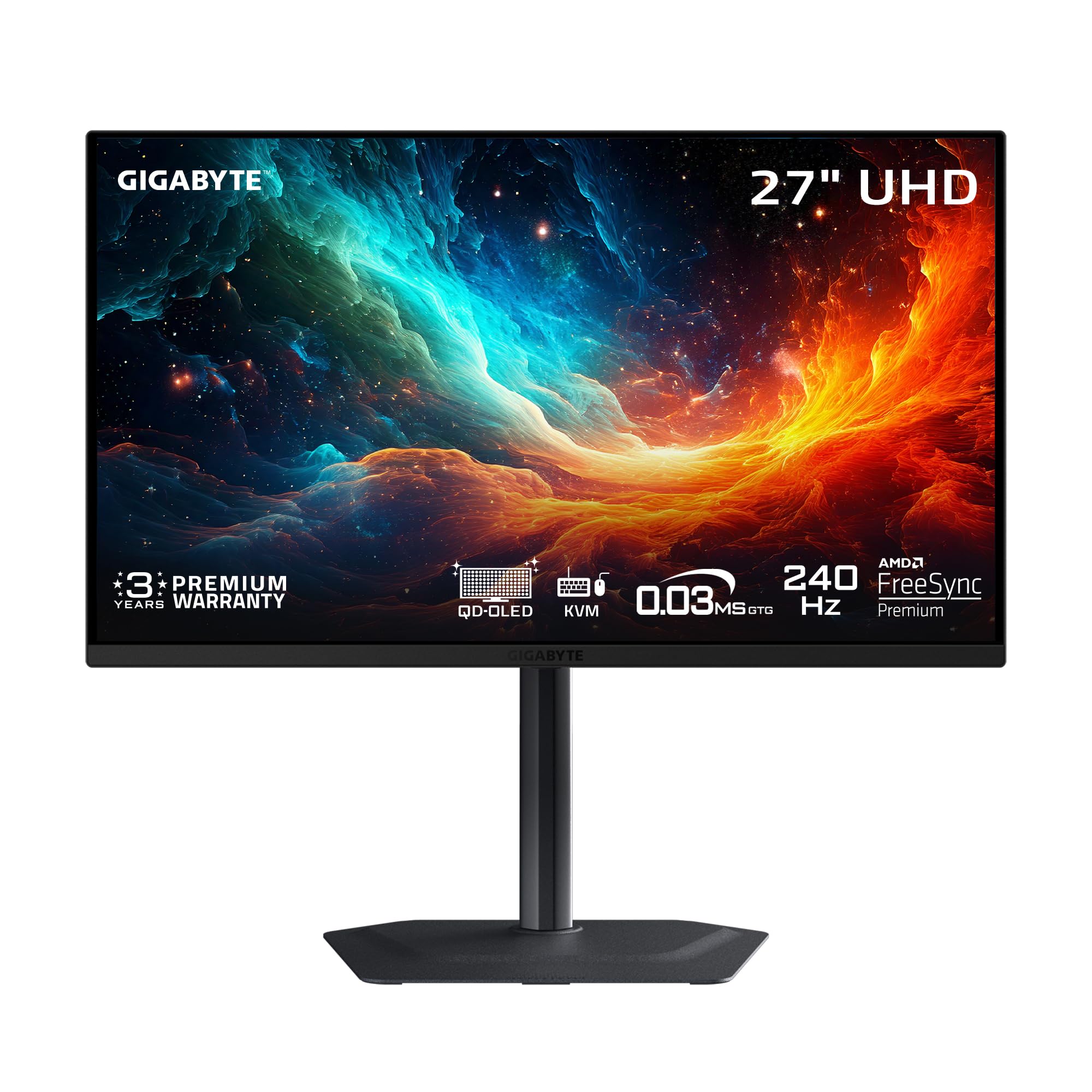
3. GIGABYTE MO27U2 27″ QD-OLED Gaming Monitor
A smart balance of quality and cost that wins owner praise.
The GIGABYTE MO27U2 offers a premium QD-OLED experience with a 240Hz refresh rate and a 0.03ms response time, all while undercutting the competition on price by a significant margin. It features GIGABYTE’s exclusive AI-based OLED Care to minimize burn-in risks and a graphene thermal film with a fanless design for excellent heat dissipation. One owner captured the sentiment perfectly, saying the jump from an older IPS panel was “truly the ‘looking through a window’ effect,” which perfectly sums up the visual leap.
This monitor is a genuine crowd-pleaser, but it does lack DisplayPort 2.1, sticking with HDMI 2.1 instead (which is fine for consoles and most PCs). The built-in speakers are poor, which is a common theme here, and while the glossy screen delivers incredible vibrancy, it handles reflections only decently in bright rooms. The consensus is that it offers “unbeatable picture” for its price tier.
Best for: Gamers who want a top-tier QD-OLED panel with smart burn-in protection but do not need the absolute fastest DisplayPort 2.1 connection. The value is consistently praised.
skip it if: built-in speakers matter to you or you absolutely require DP 2.1 for future-proofing on a top-end graphics card.
Who this is for: anyone looking for the best all-round value in a 4K OLED monitor. The picture quality is excellent and the price is tough to top.
Who should look elsewhere: users who need a professional-grade OSD or the most premium build quality available.
4. MSI MAG 272UP QD-OLED X24 27-Inch 4K UHD Gaming Monitor

The cheapest way into a 4th-gen QD-OLED panel.
The MSI MAG 272UP is a 26.5-inch 4K UHD monitor that checks all the right boxes for a high-end gaming setup: a 240Hz refresh rate, a 0.03ms response time, and a VESA DisplayHDR True Black 400 certification for deep, rich blacks. It uses an advanced graphene heatsink (fanless) to enhance panel durability and includes MSI’s OLED Care 2.0 with AI-supported software to prevent burn-in. One owner who upgraded from a 1440p 144Hz IPS monitor called it the “best monitor upgrade I’ve ever made,” noting the “vibrant colors, deep blacks, crisp 4K, bright HDR.”
The value here is exceptional, but you are limited to HDMI 2.1 and DP 1.4a with DSC (which most users cannot see a difference with). The real catch, according to a small but vocal minority, is reliability. One owner reported the screen falling asleep mid-use and the settings menu quitting entirely after 2 months, though the overall rating of 4.4 stars with 45 ratings suggests this is not the norm. The consensus is that the image quality—its appearance and color—is what wins people over.
Value Leader
- among the most affordable ways to get a true 4K 240Hz QD-OLED experience.
- Excellent color accuracy with Delta E ≤2 and a 1.07 billion color palette.
- Built-in OLED Care 2.0 and a graphene heatsink for longevity.
Potential Downsides
- Connectivity is DP 1.4a with DSC, not the full bandwidth of DP 2.1.
- Reliability reports are mixed, with a few owners experiencing software glitches.
Reach for this if: you want to boost your budget and get the best possible specs for the lowest cost. The image quality is a genuine upgrade.
Think twice if: you are risk-averse and want a proven track record of reliability over several years.
5. SAMSUNG 27-inch Odyssey QD-OLED G8 (G81SF) 4K Gaming Monitor

Samsung’s signature matte display that fights glare.
This is the monitor for you if your setup is in a bright room with windows or overhead lights. The Samsung Odyssey G8 G81SF features a “Glare Free” technology that makes the screen 54% less glossy than a conventional anti-reflection film, so you see the game and not your own face reflected back at you. It delivers a 240Hz refresh rate and 0.03ms response time on a 27-inch 4K QD-OLED panel. It also includes a Pulsating Heat Pipe cooling system, which Samsung claims is a world-first for a monitor, designed to dissipate heat five times faster than a graphite sheet to prevent burn-in.
The display quality and picture quality are the most praised aspects, with owners calling the image “stunning… rich colors and jet blacks.” However, the color quality and reliability get mixed and negative feedback respectively. Several buyers report the monitor developing dead pixels after a couple of months of use. The matte finish itself is a double-edged sword: while it kills reflections, some find it reduces the crispness of text. The 1-year warranty (instead of an expected 3-year) is another point of frustration for some buyers.
Standout feature: The Glare Free coating is genuinely effective. It keeps the screen clear of reflections from external light sources, making it the best choice for a sunlit room.
The big catch: Mixed reliability and durability reports, with a notable number of owners experiencing dead pixels within a few months. The warranty period has also been a point of confusion.
Best if: your desk is in a bright, reflective environment and you need a matte screen that still delivers a premium QD-OLED image.
Look elsewhere if: long-term durability is your top concern, or you want a pure glossy display for maximum contrast.
6. Alienware 27 4K QD-OLED Gaming Monitor AW2725Q

Alienware’s design with Dolby Vision, but reliability risks.
The Alienware AW2725Q is a 26.7-inch 4K UHD QD-OLED monitor with a super-dense 166 PPI pixel density, a 240Hz refresh rate, and a 0.03ms response time. It stands out by offering Dolby Vision support for incredible HDR, producing a stunning range of dark to light colors. The new design features 360-degree ventilation and improved cable management. When it works, the picture quality is described as “top-tier” with “amazing viewing angles, color, and features.”
The problem is that screen reliability is the most-mentioned aspect by a wide margin, and it is overwhelmingly negative. Multiple owners mention the monitor failing within three months. One detailed review noted it “died after 1 year (won’t turn on)” and described a slow warranty process with Dell offering a refurbished replacement. Others report a wake-from-standby issue. While the appearance is praised, the constant fear of a failure makes it a risky pick compared to the more reliable ASUS or MSI options. It uses DP 1.4, not DP 2.1, which is another small downgrade.
Visual Strengths
- Stunning Dolby Vision HDR and a high 166 PPI for sharp, detailed images.
- Elegant, classy design with good cable management features.
Major Concerns
- High failure rate reported by numerous owners, often within the first year.
- Warranty and RMA process with Dell is criticized as slow and difficult.
Reach for this if: you are willing to gamble on the panel lottery for a beautiful image with Dolby Vision, and you are prepared for potentially difficult warranty support.
Think twice if: long-term reliability and a smooth ownership experience are your top priorities. The reviews suggest you are taking a risk.
7. MSI PRO MAX 271UPXW12G 27 inch 4K UHD QD-OLED Hub Monitor

The 120Hz professional OLED that treats your Mac like a first-class citizen.
This is the only monitor on the list that prioritizes productivity over pure gaming speed, but in a very smart way. The MSI PRO MAX 271UPXW12G is a 27-inch 4K QD-OLED hub monitor with a 120Hz refresh rate. It comes with MSI’s Mac Optimization Software, which syncs macOS color and allows you to use Mac shortcut keys. The headline features for a desk setup are the dual USB-C ports with up to 98W of power delivery, so you can charge your laptop and send a video signal with a single cable. The display quality is the most praised aspect by a huge margin, with the “breathtakingly beautiful HDR” being a common refrain.
The 120Hz refresh rate is half of what the gaming-oriented monitors offer, but it is still much smoother than a standard 60Hz office monitor and perfectly adequate for productivity and casual gaming. It is also a white monitor, which stands out if you are building a clean, light-colored setup. A tiny but important note: some owners have reported a handshake issue when running dual monitors on a Mac, but disabling DSC and locking to the DP input fixes it, giving you a stable, perfect black, and vibrant image ideal for productivity on Apple Silicon.
Standout spec: The dual USB-C ports with 98W power delivery make this a true one-cable solution for a MacBook Pro.
Who it is for: Creative professionals and home-office users who want a stunning OLED display for work and a fast-ish 120Hz refresh for light gaming, all with a clean white aesthetic. The refresh rate means you are not getting the 240Hz that competitive gamers want.
Grab it if: you use a MacBook as your primary machine and want a single-cable, high-DPI OLED setup that looks incredible. The 120Hz is a welcome upgrade from 60Hz for everyday scrolling.
Pass it up if: you are a competitive gamer who needs the full 240Hz refresh rate or you require a black monitor.
8. ASUS ROG Strix 27” 4K QD-OLED Gaming Monitor (XG27UCDMG)

ASUS’s refined gaming monitor with incredible color accuracy.
The ASUS ROG Strix XG27UCDMG uses the latest 4th-generation QD-OLED technology for sharper imagery and longer lifespan over previous-gen OLEDs. It features OLED Anti-Flicker 2.0 which reduces flicker by 20%, and an OLED Care Pro system with a Neo Proximity Sensor for burn-in protection. Owners consistently praise the image quality, with one calling it a “huge upgrade from 1080p” and another saying it “outperforms previous 1440p OLED.”
The monitor is a fantastic all-rounder, but it is expensive, and the value for money gets mixed feedback. One owner noted that the Neo Proximity Sensor “doesn’t work as advertised.” The glossy coating means you need to be careful with cleaning, using distilled water, as the manual recommends a specific 6-minute pixel cleaning routine. This monitor is almost identical in specs to the PG27UCDM but lacks the DP 2.1 and KVM switch, making it a slightly lower-spec alternative at a higher price.
Best for: Gamers who want ASUS’s excellent build quality and image processing, including true 10-bit color and Delta E < 2 color difference for photo/video editing.
pass on it if: you are debating between this and the PG27UCDM. The PG27UCDM offers DP 2.1 and a KVM switch for a similar price, making this a less compelling value.
Who this is for: creative gamers who demand accurate, true 10-bit color for editing and want a premium, well-built 240Hz gaming monitor.
Who should look elsewhere: anyone who wants the absolute latest connectivity (DP 2.1) or a KVM switch for multi-device setups.
9. MSI MPG 272URX QD-OLED 27 Inch 4K UHD Gaming Monitor

The fully loaded MSI that is ready for the next decade of GPUs.
The MSI MPG 272URX is a top-spec gaming monitor that leaves no stone unturned. It features a 5-layer tandem OLED panel with EL Gen 3 technology for improved efficiency and an elite graphene heatsink (fanless) for durability. The defining spec is the inclusion of DisplayPort 2.1a, giving you full 80Gbps bandwidth for uncompressed 4K at 240Hz. It also has a USB-C port with 98W Power Delivery, making it a great partner for a gaming laptop. Owners praise the “amazing colors and contrast vs. mini-LED” and note that it “works perfectly with Macs and Linux.”
The MPG 272URX is a stellar performer, but its main drawback is the mixed feedback on brightness—some find it stellar, others “very low.” One owner reported a serious issue with “bubbles underneath the screen,” and noted that the RMA process required them to pay extra shipping costs, which is a sour note for a premium product. It also uses a 5-layer tandem OLED, which is an advanced panel technology, but some owners find the brightness underwhelming compared to single-layer QD-OLEDs.
Cutting-Edge Specs
- Full DP 2.1a bandwidth for uncompressed 4K 240Hz gaming.
- Advanced 5-layer tandem OLED panel with EL Gen 3 for improved efficiency.
- USB-C with 98W power delivery for charging a laptop.
Areas to Consider
- Mixed feedback on overall brightness levels from buyers.
- A small number of customers note panel defects (bubbles) and a costly RMA process.
Reach for this if: you have a top-tier graphics card (RTX 5090/5080) and want the full, uncompressed DP 2.1 bandwidth now and for years to come.
Think twice if: the potential for a costly RMA in case of a defect worries you, or if high brightness is your absolute priority.
10. Samsung 27″ Odyssey OLED G8 (G80SH) Gaming Monitor
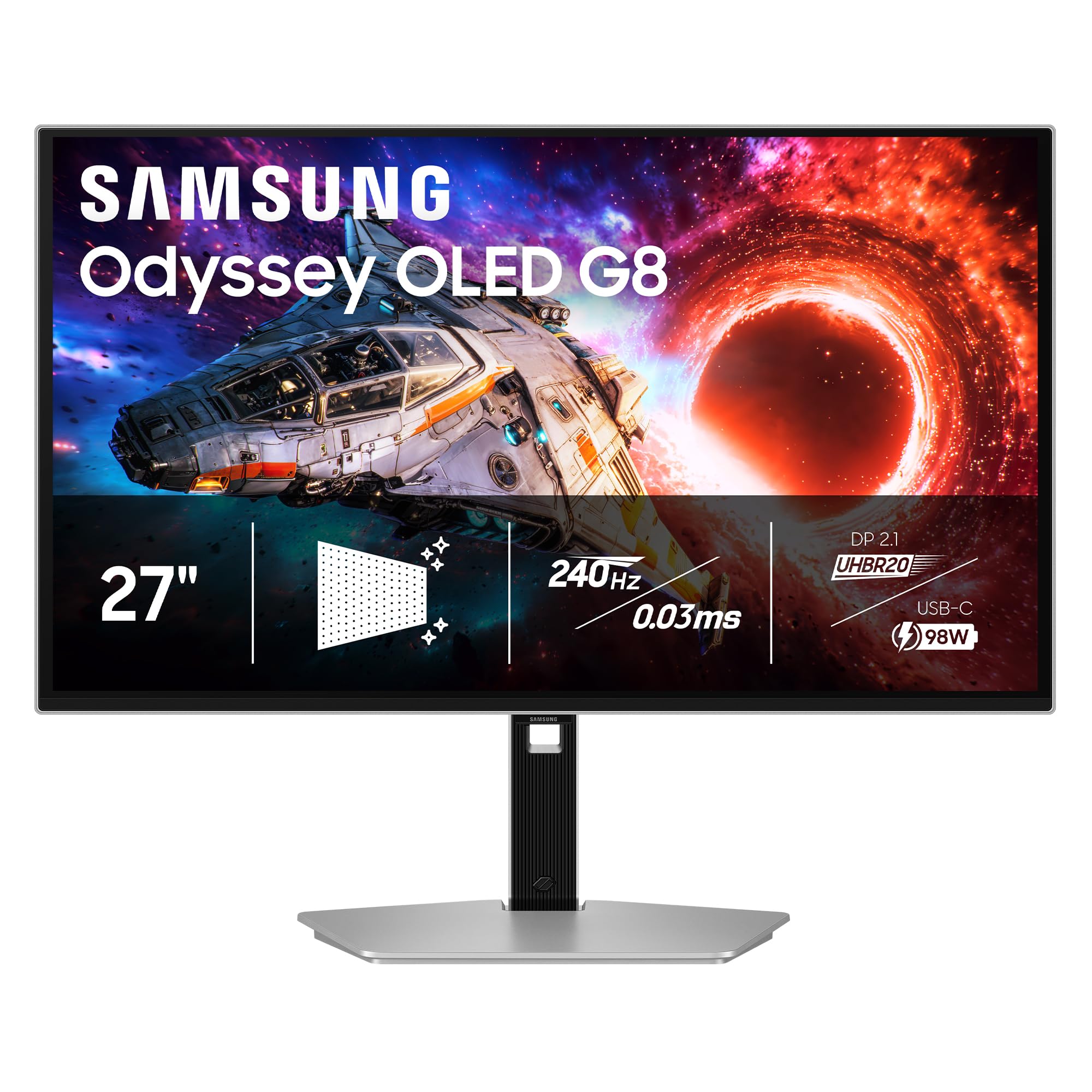
A premium, silver-finished monitor built for the enthusiast.
The Samsung Odyssey G8 G80SH is the most refined-looking monitor on the list. Its silver stand and shell look incredibly premium and professional, blending high-end gaming specs with an aesthetic that would not look out of place in a design studio. It features a QD-OLED panel with a 166 PPI pixel density, a 240Hz refresh rate, and a 0.03ms response time. It includes DP 2.1 for full bandwidth and a USB-C port with 96W power delivery. The “OLED Safeguard+ technology” and “Glare Free Technology” are the same advanced features found in the G81SF model, ensuring burn-in protection and a reflection-free image.
Owners are very positive about this monitor, with one calling it “an outstanding monitor” and praising the “beautiful picture, fluidity, and performance.” The build quality and “silver stand and shell are particularly high quality.” However, it shares the same potential pitfalls as its G81SF sibling: the Glare Free (matte) coating, while effective, is not for everyone, and the brightness is listed at a modest 250 cd/m². There are also reports of needing manual color calibration from the start. One owner noted it has no built-in speakers and a massive power brick.
Standout design: The silver chassis is instantly recognizable and looks much more refined than the standard black boxes. It is a monitor you show off.
One trade-off: Like the G81SF, the matte anti-glare coating is excellent for bright rooms but may soften the raw “pop” of a full glossy OLED a little. The 250 cd/m² brightness is also on the lower end for HDR content.
Best for: The enthusiast who values aesthetics as much as performance and wants a premium-looking, future-proofed (DP 2.1) OLED for their desk.
Look elsewhere if: you want a pure glossy OLED look for the highest contrast in a dark room, or if the potential for color calibration from the start is a deal-breaker.
Understanding the Specs
Refresh Rate (Hz) & Response Time (ms)
The refresh rate (240Hz is the standard here) tells you how many new images your monitor can show every second. A 240Hz refresh rate can show 240 frames per second, making motion in fast-paced games look incredibly smooth and fluid. The response time (0.03ms for all the monitors here) is how fast a pixel can change from one color to another. A lower number means less motion blur or “ghosting” behind fast-moving objects, giving you a clearer, sharper picture in competitive gaming.
Burn-In Protection (OLED Care)
OLED burn-in happens when a static image (like a taskbar or HUD element) is left on the screen for hours, causing a permanent ghostly imprint. Every modern OLED monitor includes software to prevent this. Look for features like “pixel refresh” (a routine that evens out pixel wear), “logo detection” (which dims bright static logos), and “proximity sensors” (which turn the screen black when they detect you have stepped away). A good burn-in warranty is also a sign of manufacturer confidence in the panel.
FAQ
What is the difference between QD-OLED and standard OLED?
Do I need a special graphics card for a 4K 240Hz OLED monitor?
Will text look blurry on a QD-OLED monitor?
Is there any risk of burn-in on a modern 4K OLED monitor?
What is the difference between DisplayPort 2.1 and HDMI 2.1?
Can a 4K OLED monitor be used for photo and video editing?
Are the built-in speakers on these monitors any good?
What does DisplayHDR True Black 400 mean?
What is the PPI of a 27-inch 4K monitor and why does it matter?
Should I buy a matte or a glossy OLED monitor?
Final Thoughts: The Verdict
If you want one dependable pick, the 4k 27 inch oled monitor winner is the ASUS ROG PG27UCDM because it combines the latest DP 2.1 connectivity, a powerful KVM switch, and the most comprehensive burn-in protection features in a single, high-performing package. Its 145% color gamut ensure this is the best-looking monitor on this list. If you want a smart, cheaper entry into OLED without sacrificing the core experience, grab the GIGABYTE MO27U2. And for the creative professional using a Mac, the MSI PRO MAX 271UPXW12G is the one to reach for, offering a stunning 4K OLED display with the convenience of a 98W USB-C hub.
How We Picked
We do not accept paid placement. Every pick is matched to a real buyer and a real use-case; we do not hands-on test units.
Sources & Methodology
Specifications: manufacturer listings and product documentation. Review insights: verified customer reviews, as of July 2026. Pricing: not shown on this page (it changes often); check the current price via the retailer link.
As an Amazon Associate, Gadgets Feed earns from qualifying purchases. This does not affect which products we feature.