
A capture card that drops frames or introduces audio drift kills a live stream faster than a bad internet connection. For gamers and creators moving beyond 1080p, the jump to 4K at a full 60 frames per second demands hardware that processes HDR metadata, maintains VRR sync, and manages HDMI 2.0 bandwidth without choking the USB bus. One wrong purchase leaves you stuck with a signal that stutters, a passthrough that delays, or an audio track that never aligns.
I’m Min — the co-founder and writer behind Gadgets Feed. I’ve spent countless hours combing through driver-level compatibility, real-world latency figures, and format support tables across dozens of models to isolate the units that actually deliver honest 4K60 capture without hidden bottlenecks.
This guide breaks down the nine most relevant options on the market today, from budget-friendly external dongles to premium internal PCIe beasts, so you can confidently invest in the best 4k 60fps capture card for your exact streaming or recording setup.
How To Choose The Best 4K 60fps Capture Card
Not every card advertised as “4K60” actually captures 4K at 60 frames per second. Many accept a 4K60 input signal but internally downscale to 1080p for recording. Others achieve 4K60 in MJPEG format but fall to 30fps in YUY2. Understanding the difference between input resolution, passthrough resolution, and capture resolution is the first step to buying the right device.
Passthrough vs. Capture Resolution
Passthrough sends your console signal to your monitor untouched so you can play in full 4K HDR while the card captures a potentially lower resolution. A card that passes 4K60 HDR to your display is not the same as one that records 4K60. Always check the max recording resolution, especially the frame rate at your target quality format.
USB Bandwidth and Video Format
USB 3.0 offers up to 5Gbps, but 4K60 in uncompressed YUY2 requires roughly 1.8Gbps per frame — pushing the bus hard. Many cards fall back to MJPEG (compressed) to sustain 60fps, which introduces mild visual artifacts. Look for support for RGB24 or YUY2 at 4K60 if quality is non-negotiable, and verify the format your streaming software prefers.
Audio Channel Support and Latency
Audio drift and missing channel data are common failure points. A quality card passes multichannel PCM audio from the console to both the passthrough display and the recorded file without desync. Dedicated 3.5mm ports for mic and line-in give you flexibility for commentary, but HDMI audio capture must remain clean and in sync at all times.
Quick Comparison
On smaller screens, swipe sideways to see the full table.
| Model | Category | Best For | Key Spec | Amazon |
|---|---|---|---|---|
| AVerMedia Live Gamer Ultra GC553 | Premium External | 4K30 HDR capture with 1080p120 mode | 4K60 pass-through / 4K30 capture | Amazon |
| Elgato 4K Pro | Premium Internal | Low-latency dual-PC streaming | 8K60 passthrough / 4K60 HDR capture | Amazon |
| RØDE Streamer X | Hybrid Premium | Integrated XLR audio interface + capture | 4K60 passthrough / 4K30 capture | Amazon |
| VIXLW K801-C Internal | Internal Mid-Range | Single/dual PC 4K60 recording | PCIe / 4K60 capture / 240fps 1080p | Amazon |
| OREI VC-8KTUSB3 | Mid-Range External | 8K input support with loop-out | 8K60 input / 4K60 YUY2 capture | Amazon |
| Osee GoStream M2 | Multi-Input Mid-Range | Dual camera/console switching with PIP | 2x 4K60 input / 1080p60 capture | Amazon |
| Portta DX20R | Mid-Range External | VRR passthrough with monitoring display | 4K60 capture / 1080p240 passthrough | Amazon |
| UGREEN 4K60 Capture Card | Budget-Friendly External | Multi-port audio integration | 4K60 capture / 1080p240 passthrough | Amazon |
| UNISHEEN UR-M2 | Standalone Recorder | TF card recording without a PC | 4K60 input / 1080p60 H.264 recording | Amazon |
In‑Depth Reviews
1. AVerMedia Live Gamer Ultra GC553

The AVerMedia Live Gamer Ultra GC553 has been a benchmark external card for years because it delivers uncompressed 4K30 HDR capture and 1080p120 recording for high-frame-rate gameplay. Its HDMI 2.0 passthrough runs at full 4K60 HDR, so your gaming monitor never sees a downgraded signal while the card handles the capture load via USB 3.1 Type C.
On macOS, users report flawless 1080p60 capture using QuickTime Player and SwiftCapture for 4K30 H.264 recording, bypassing official software issues. The card supports YUY2 at 1080p60 for zero-compression streaming and handles 1440p60 capture from a 4K source, though native 1440p input is not officially listed. The compact aluminum housing stays cool under extended sessions.
Where the GC553 stumbles is HDCP handling — you must toggle it off via the RECentral software before capturing from consoles, and some firmware updates require a recovery tool if they fail mid-cycle. The provided USB-C cable is also mandatory; third-party cables frequently cause connection drops. For streamers who want a proven external solution with broad platform support, this remains a top-tier pick.
Why it’s great
- Uncompressed 4K30 HDR capture with low latency
- 1080p120 mode for high-FPS recording
- Solid macOS support via UVC protocol
Good to know
- HDCP must be disabled via proprietary software
- 4K capture limited to 30fps, not 60fps
- Strict USB cable compatibility
2. Elgato 4K Pro

The Elgato 4K Pro is the internal card that serious dual-PC streamers gravitate toward because it leverages the PCIe bus directly — no USB bottleneck, no dropped frames. It supports 8K60 passthrough via HDMI 2.1 alongside 4K60 HDR10 capture, and can record 1080p at up to 240fps for slow-motion content. VRR passthrough eliminates screen tearing on your gaming monitor.
Users consistently praise the plug-and-play installation: drop it into any PCIe x4/x8/x16 slot and the Elgato 4K Capture Utility recognizes the device instantly. Flashback Recording lets you capture up to four hours of gameplay retroactively even if you forgot to hit record. The card also integrates seamlessly with OBS, Streamlabs, and Twitch Studio for a unified streaming dashboard.
On the downside, the 4K Pro is extremely picky with HDMI cable quality — using a substandard cable can split the image into four quadrants or trigger signal dropouts. Some users need to reset Windows Explorer after extended gaming sessions to prevent a GUI crash. For a premium internal solution that prioritizes latency and bandwidth over convenience, this card sets the standard.
Why it’s great
- 8K60 passthrough with HDMI 2.1 bandwidth
- VRR passthrough for tear-free gameplay
- 240fps 1080p recording for slow-motion capture
Good to know
- Extremely sensitive to HDMI cable quality
- May require periodic Windows Explorer restart
- Internal PCIe installation limits portability
3. RØDE Streamer X

The RØDE Streamer X merges a professional-grade audio interface and a 4K capture card into one chassis, making it ideal for streamers who want XLR mic input without a separate audio chain. It records up to 4K30 or 1440p60 via HDMI, and passes through 4K60 with HDR for real-time monitoring. The Neutrik combo input with RØDE’s Revolution Preamp delivers clean, broadcast-level audio from an SM7b or similar dynamic mic.
Dual USB-C outputs let you connect two computers simultaneously — one for the game feed and one for streaming — simplifying dual-PC setups. An on-board wireless receiver pairs natively with RØDE Series IV wireless mics like the Wireless GO II, cutting out RF noise and cable clutter. The unit also includes voice processing, a noise gate, and programmable effects accessible via the Unify software.
The main trade-offs involve software stability: Unify can consume up to 17% CPU on an i9-9980HK, and the device sometimes locks up when the host PC wakes from sleep, requiring a full power cycle. Audio devices occasionally vanish on Windows 11 until a firmware update is applied. If you value integrated audio quality and don’t mind occasional software tinkering, the Streamer X is a unique multifunction tool.
Why it’s great
- Integrated XLR preamp with professional audio quality
- Dual USB-C for separate capture and streaming PCs
- Native RØDE wireless mic receiver on board
Good to know
- Unify software is CPU-intensive
- 4K capture capped at 30fps
- Device can lock up after system sleep
4. VIXLW 4K Internal Capture Card K801-C
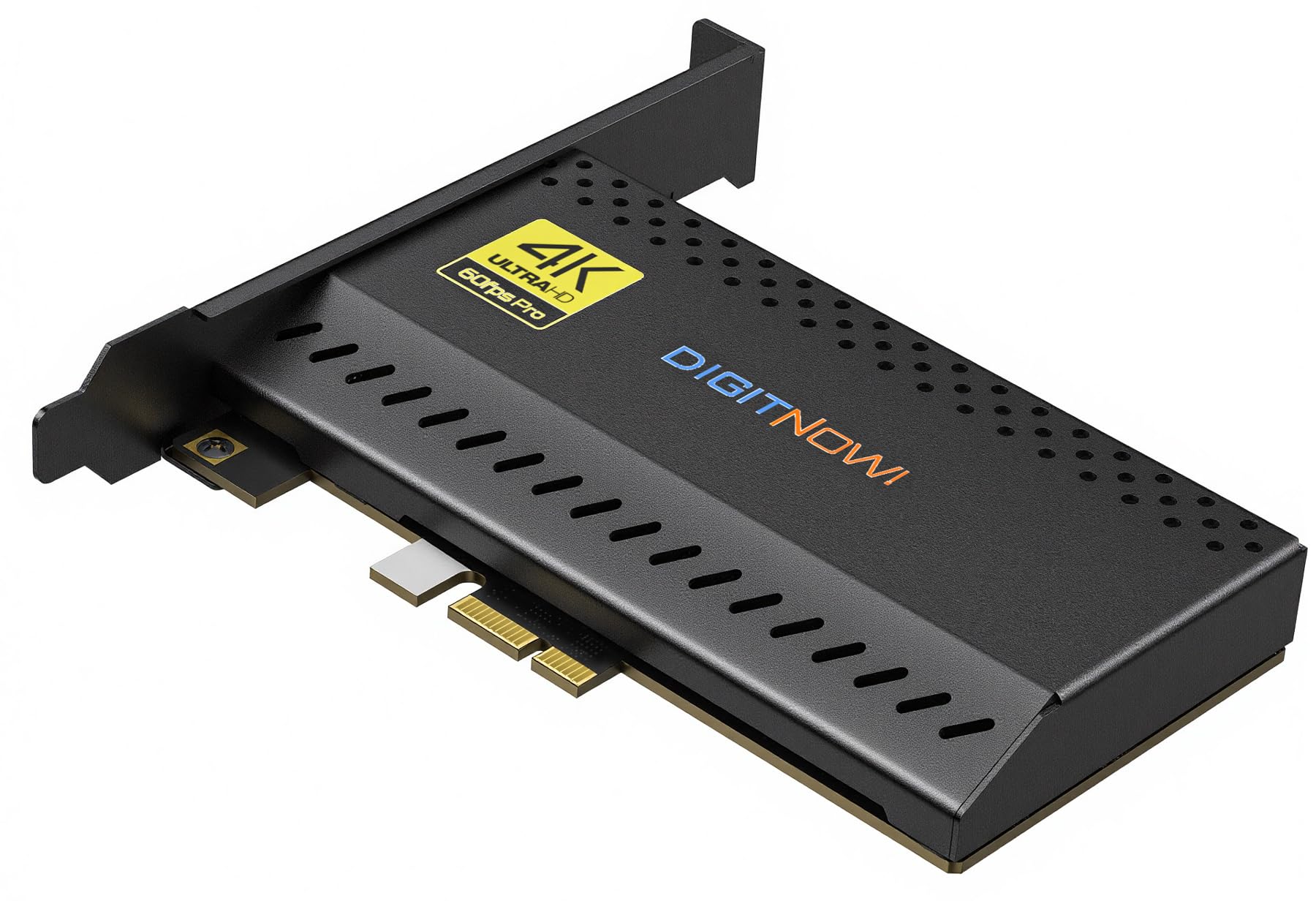
The VIXLW K801-C brings internal capture card performance to a mid-range price point, offering 4K60 capture and passthrough alongside up to 240fps recording at 1080p. It uses a standard PCIe interface to bypass USB bandwidth constraints entirely, making it a solid choice for dual-PC streamers who want consistent low-latency capture without paying Elgato premiums.
Installation is straightforward — the card fits into any x1 or larger PCIe slot on Windows systems, and OBS recognizes it as a standard video input device without extra drivers. Users report reliable 4K60 recording with no dropped frames, and the 240fps 1080p mode works well for slow-motion clips from high-refresh sources like a 240Hz PC monitor or a PS5 in performance mode.
The card doesn’t include bundled software or advanced audio mixing, so you’ll need to manage audio routing through OBS or a third-party tool. A lifetime warranty backs the purchase, which adds confidence for a long-term streaming investment. For creators who need internal reliability on a tighter budget, the K801-C delivers the core specs without frills.
Why it’s great
- PCIe connection eliminates USB latency
- 4K60 capture plus 240fps 1080p mode
- Lifetime warranty included
Good to know
- No bundled capture software
- Windows-only compatibility
- Limited advanced audio features
5. OREI 4K60 HDMI Capture Card VC-8KTUSB3
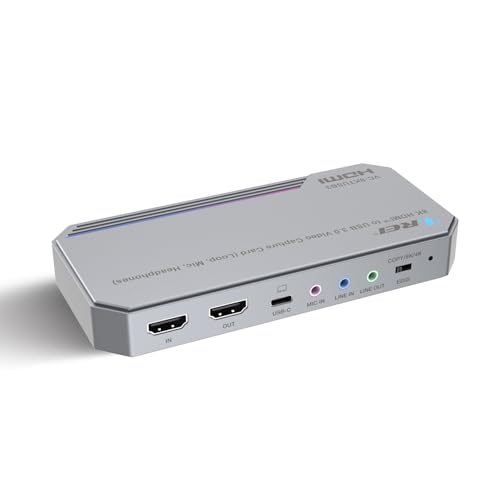
The OREI VC-8KTUSB3 stands out by accepting up to 8K60 input while capturing at 4K60 in YUY2 format, preserving uncompressed color detail for critical streaming workflows. Its USB 3.2 Gen 1 interface delivers 5Gbps bandwidth, and the integrated HDMI loop-out port provides zero-delay monitoring to a secondary display without passing through the PC.
Build quality is above average for the tier: an aluminum housing with a non-slip base (though users note the lack of rubber feet) and a bright LED status indicator that stays on during use. The card is UVC/UAC compliant, so OBS, vMix, and Zoom recognize it instantly on Windows, macOS, and Linux. Audio mixing includes a 3.5mm mic input and line-in, letting you layer commentary directly into the capture stream.
The included USB-C cable is only three feet long, which may be tight for some desk layouts. The bright LED cannot be dimmed, which could be distracting in a dark streaming room. For a mid-range external card that supports higher-than-4K input and uncompressed capture formats, the OREI is a forward-looking option.
Why it’s great
- Accepts 8K60 input for future-proofing
- YUV2 4K60 capture preserves color fidelity
- Zero-delay HDMI loop-out with audio mixing
Good to know
- Short included USB-C cable
- Bright LED strip cannot be dimmed
- No rubber feet on bottom panel
6. Osee GoStream M2

The Osee GoStream M2 is a two-input capture switcher that accepts two separate 4K60 HDMI sources — ideal for streamers who need to switch between a gaming console and a camera feed without an external HDMI switch. It captures at 1080p60 via USB 3.0 and outputs 1080p60 HDMI to a projector or second monitor, with picture-in-picture (PIP) and picture-by-picture (PBP) layouts that offer four zoomable presets each.
Built-in 3.5mm microphone and audio input/output ports allow you to embed external commentary directly into the video stream without a separate mixer. The unit is powered entirely over USB-C and requires no driver installation on Windows, Android, macOS, or Linux. Users in church streaming and corporate training environments particularly value the seamless switching and PIP overlays for presentation-style content.
A notable limitation is that the HDMI output is restricted to RGB 8-bit limited range, which can cause a green tint on high-end field monitors and Atomos recorders. The card also lacks firmware update support or software-based control, so what you get out of the box is final. For multi-source streaming on a budget, the GoStream M2 offers unique functionality despite its output quirks.
Why it’s great
- Two 4K60 HDMI inputs with hardware switching
- PIP and PBP layouts with zoom control
- Plug-and-play across multiple operating systems
Good to know
- HDMI output limited to RGB 8-bit limited range
- No firmware updates or software control
- No power button — LEDs stay lit with PC off
7. Portta DX20R
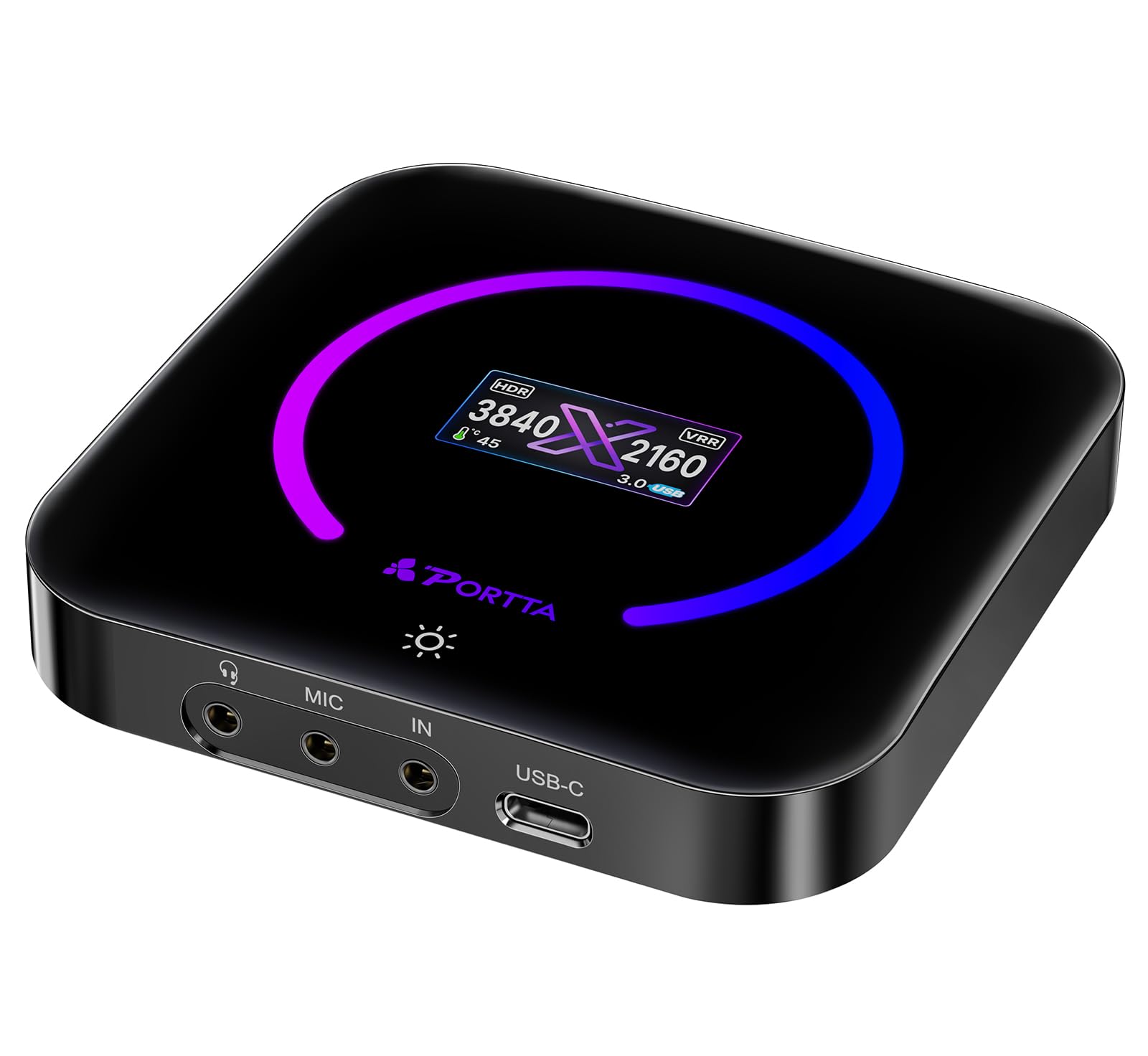
The Portta DX20R differentiates itself with a built-in OLED display that shows real-time capture resolution, signal status, and internal temperature — a rare convenience for troubleshooting without alt-tabbing to software. It captures 4K60 in YUY2 and NV12 formats, and passes through 1080p240 or 2K144 for high-refresh-rate gaming monitors. VRR and HDR support ensure smooth variable-refresh gameplay without stutter.
The included Portta CapHub utility for Windows and macOS lets you adjust EDID modes, toggle VRR, and update firmware, giving experienced users granular control over the capture pipeline. The aluminum body weighs only 68 grams and measures compactly, making it easy to slot into a travel bag. Users report zero dropped frames and consistent audio sync during multi-hour streaming sessions.
USB 3.0 bandwidth means large 4K60 files fill storage quickly, and HDR passthrough requires manual configuration in OBS to display correctly. The utility software, while functional, has a basic interface. For streamers who want a portable external card with a diagnostic display and solid format support, the DX20R punches well above its size.
Why it’s great
- Built-in OLED shows resolution, signal, and temperature
- YUV2 4K60 capture with VRR passthrough
- Portta CapHub utility for EDID and firmware control
Good to know
- 4K60 files consume storage quickly
- HDR passthrough requires manual software config
- Utility software interface is basic
8. UGREEN 4K60 Capture Card

UGREEN’s entry into the capture card space delivers 4K60 capture and 4K60 loop-out in an aluminum housing with active cooling vents, all at a price point that undercuts most competitors. It supports VRR and HDR passthrough, and captures in MJPEG format at 4K60 or YUY2 at lower resolutions, making it a viable option for console gamers updating from a 1080p capture setup.
The standout physical feature is triple 3.5mm ports: one for headphones, one for a microphone, and one for a line-in mixer — a configuration typically found on cards costing twice as much. RGB lighting with seven modes adds cosmetic flair for visible desk setups. The card is widely compatible with Windows, macOS, Linux, iOS 17, and Android, working with OBS, XSplit, and Potplayer right out of the box.
Linux support is functional but limited — some resolutions and capture formats only work on Windows or macOS. A small number of users report audio issues, including a 15dB drop in HDMI audio signal and modulated digital noise in the recorded track, which may be unit-specific. For a clean, cost-effective HDMI capture solution with generous audio I/O, the UGREEN card is hard to beat at this tier.
Why it’s great
- Triple 3.5mm ports for headphone, mic, and mixer
- 4K60 capture with VRR and HDR passthrough
- Aluminum body with RGB lighting
Good to know
- Linux capture format support is limited
- Some units report audio signal degradation
- MJPEG compression at 4K60 reduces color detail
9. UNISHEEN UR-M2
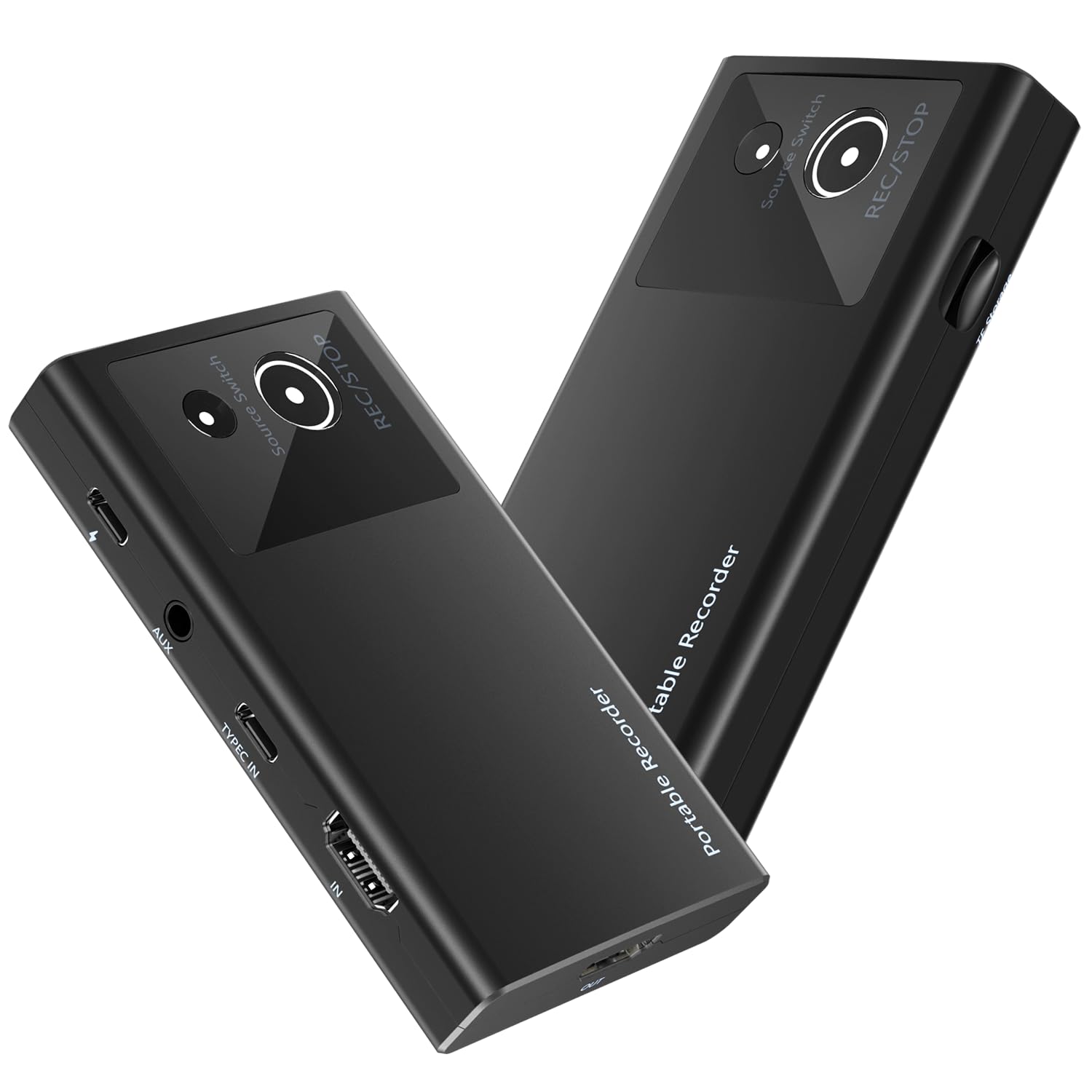
The UNISHEEN UR-M2 is the only standalone recorder in this roundup — it writes video directly to a TF (microSD) card with no computer required. It accepts 4K60 input via HDMI or DisplayPort over USB-C (DP1.2/1.3/1.4) and records 1080p60 in H.264 format, making it ideal for travel, conference capture, or any situation where you want to record without a laptop. AUX earphone monitoring lets you verify audio levels on the fly.
Internally, the UR-M2 uses a Rockchip RV1106 processor with GSCoolink bridge chips, supporting H.264/AAC at a variable bitrate defaulting to 16384 kbps. It records to FAT32, NTFS, or exFAT microSD cards, and pulls only 3W while recording — low enough to run off a phone power bank via USB-C PD passthrough. The compact 107x60x18mm build fits into a pocket alongside its included cables.
The biggest caveat is the lack of simultaneous passthrough: once you start recording to the card, the HDMI output is disabled, so you cannot monitor gameplay on a separate screen during capture. Configuration requires editing a settings file rather than using an on-screen menu. For on-the-go recording without a PC tether, this is a unique and power-efficient tool.
Why it’s great
- Standalone recording to microSD without a PC
- Accepts HDMI and DisplayPort input via USB-C
- Low power consumption for portable operation
Good to know
- No HDMI passthrough during recording
- Configuration requires editing text files
- 1080p recording only — no 4K capture
FAQ
Can a USB 3.0 capture card really handle 4K60 without dropping frames?
Why does my 4K capture card only record in 1080p when my console outputs 4K?
Is an internal PCIe capture card always better than an external USB card for 4K60?
Final Thoughts: The Verdict
For most users, the best 4k 60fps capture card winner is the AVerMedia Live Gamer Ultra GC553 because it balances proven reliability, uncompressed 1080p120 capture, and 4K60 passthrough with broad platform support at a reasonable investment. If you want an internal card with zero USB overhead and 8K60 passthrough, grab the Elgato 4K Pro. And for the unique combination of professional XLR audio and 4K30 capture in a single box with dual-PC capability, nothing beats the RØDE Streamer X.