
Our readers keep the lights on and my morning glass full of iced black tea. As an Amazon Associate, I earn from qualifying purchases.
Specs are compiled from manufacturer listings and verified buyer reviews and can change over time — please confirm the key details on the product page before buying.
You have one 4K source—a gaming console, a streaming box, a cable receiver—and you want that picture on two, three, or even eight screens at once. The problem is that many HDMI splitters drop the resolution, introduce a flickering black screen, or simply refuse to talk to your older 1080p TV while feeding a 4K monitor. The real distinction is not just “does it split”—it is whether the splitter can handle 4K at 60Hz (the smooth 60-frames-per-second standard for modern gaming and video) without glitching, and whether it can intelligently downscale that signal so every display, old or new, gets a usable picture.
I’m Min — the founder and writer behind Gadgets Feed. This guide is built by comparing the manufacturers’ published specifications and the patterns across verified customer reviews, so you get each pick’s real strengths and trade-offs instead of marketing spin.
The right unit keeps your 4K picture crisp and your audio intact. Read on for the decisive specs and honest trade-offs that separate a solid 4k 60hz hdmi splitter from a frustrating one.
Our Picks at a Glance

How To Choose The Best 4K 60Hz HDMI Splitter
A 4K 60Hz HDMI splitter sounds simple—one signal in, multiple screens out—but a few spec details determine whether your setup runs flawlessly or frustrates you with black screens and flicker. Here is what to check before you buy.
Bandwidth: 18Gbps Is The Floor
True 4K at 60Hz with full 4:4:4 color (the most detailed color sampling standard, which keeps text and fine edges sharp) requires 18Gbps of bandwidth. Anything less than that number forces the splitter to drop color information or frame rate. Every splitter on this list meets that 18Gbps requirement.
HDCP Compliance: The Streaming Gatekeeper
HDCP (High-bandwidth Digital Content Protection) is an anti-piracy handshake between your source and your display. If the splitter does not support the same HDCP version as your device—typically HDCP 2.2 or 2.3 for 4K content—you get a black screen or an error message. Most modern streaming boxes and Blu-ray players enforce this strictly.
Downscaling: One Source, Mixed Screens
If you own a 4K TV in the living room and a 1080p monitor in the next room, you need a splitter that can send 4K to the main display while automatically downscaling the second output to 1080p. Not all splitters do this—some simply mirror the same resolution, which leaves the 1080p display blank or confused.
EDID Management: Why Your Screen Goes Black
EDID (Extended Display Identification Data) is the digital handshake your source uses to learn what resolutions each display supports. Without proper EDID control, a splitter may send a signal one display cannot handle, resulting in a black screen or flicker. Look for EDID copy or auto-setting to avoid this.
Quick Comparison
| Model | Best For | Outputs | Max Resolution | Downscaling | Amazon |
|---|---|---|---|---|---|
| EZCOO SP12H2★ Best Overall | Home theater with old AVR | 2 | 4K@60Hz 4:4:4 | 4K→1080P | $29.99Amazon |
| J-Tech Digital JTECH-4KSP2Top Performer | Mixed-resolution displays | 2 | 4K@60Hz 4:4:4 | 4K→1080P | $26.99Amazon |
| J-Tech Digital JTECH-SP12M18G | Reliable mirroring | 2 | 4K@60Hz 4:4:4 | 4K→1080P | $27.95Amazon |
| UGREEN 1 in 4 Out | Four-screen distribution | 4 | 4K@60Hz | No | $29.99$39.99PrimeAmazon |
| MT-VIKI MT-SP144 | Budget four-output setup | 4 | 4K@60Hz 4:4:4 | No | $32.99Amazon |
| SHERRIVA 1 in 4 Out | Auto downscaling to 1080p | 4 | 4K@60Hz | Auto 4K→1080P | $48.97Amazon |
| MT-VIKI MT-SP148 | Large multi-screen setups | 8 | 4K@60Hz 4:4:4 | No | $64.80Amazon |
In‑Depth Reviews
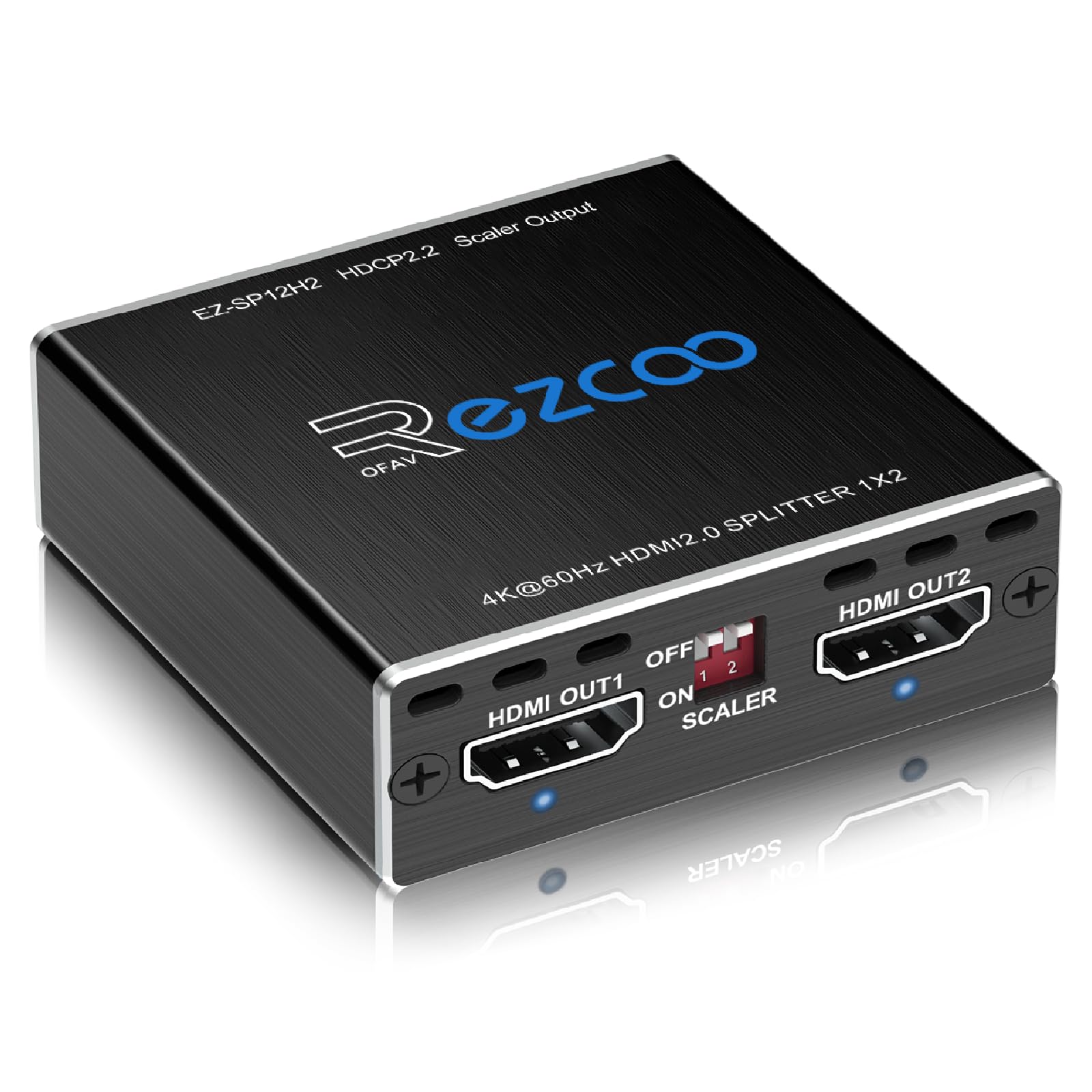
1. EZCOO SP12H2 4K HDMI Splitter
Our pick — over 4★ from 950+ verified ratings; the strongest balance of quality and price.
The one that bridges a 4K source to an old 1080p receiver without stripping the audio.
If you have a PS5 or a 4K Blu-ray player but your AV receiver only handles 1080p, you are stuck. This splitter solves that dead end: it sends 4K HDR at 60Hz to your TV on one output while downscaling that same signal to 1080p on the other for your older receiver. The downscaling is not just a checkbox—buyers report it “instantly took my 4k input and turned it into 1080p flawlessly.” It supports Dolby Atmos, DTS:X, Dolby TrueHD, and 7.1CH lossless audio, so your surround sound system runs at full quality.
Unlike the J-Tech Digital JTECH-4KSP2, which has 2 outputs, this EZCOO unit also offers firmware-upgradeable Dolby Vision and VRR support (contact the seller to update). Be aware this unit has no CEC and no upscaling—it only downscales. It also requires HDMI 2.0 cables under 3 meters for reliable performance at the full 18Gbps bandwidth.
Why it wins
- Auto downscales 4K to 1080P so old displays work without a handshake issue
- Passes Dolby Atmos and DTS:X for full rich audio
- USB-powered for easy placement anywhere
The limitations
- No CEC support—you will need separate remotes
- No upscaling (1080P in stays 1080P out)
Reach for this if: you are streaming or gaming in 4K but need to feed a legacy 1080p receiver so your full surround sound works.
Look elsewhere if: you need CEC for single-remote control or you want to upscale old content to 4K.
2. J-Tech Digital HDMI Splitter (JTECH-4KSP2)
A premium splitter that mixes 4K and 1080p displays without a hitch.
The claim to fame here is Multi-Resolution Output (MRO)—you can feed a 4K projector and an old 1080p TV from the same source without one going blank. It supports HDCP 2.3, the latest content-protection standard, so streaming apps like Netflix and Disney+ will not throw a black-screen error. Bandwidth reaches the full 18Gbps for 4K@60Hz 4:4:4, and it handles Dolby Vision, HDR10, and all high-definition audio formats including Dolby Atmos and DTS:X.
That said, there is a critical catch for gamers. One verified buyer reports that the display will “intermittently flash black for a few seconds and then resume the A/V signal” when used with gaming consoles. J-Tech’s support team offered a “generic troubleshooting script,” which did not solve the issue. If your primary use is Xbox or PS5, the EZCOO above is a safer bet. This unit is better suited for media players, cable boxes, and streaming sticks where the handshake is steady.
Standout strength: HDCP 2.3 compliance makes it among the most future-proof splitters for streaming services.
The red flag: intermittent black-screen flicker reported with game consoles—skip this if console gaming is your main use.
Best for: Roku, Apple TV, or cable-box users who need reliable 4K and 1080p mixing with the latest copy protection.
Not for: anyone building a gaming rig where a flickering screen during a match is unacceptable.
3. J-Tech Digital HDMI Splitter (JTECH-SP12M18G)
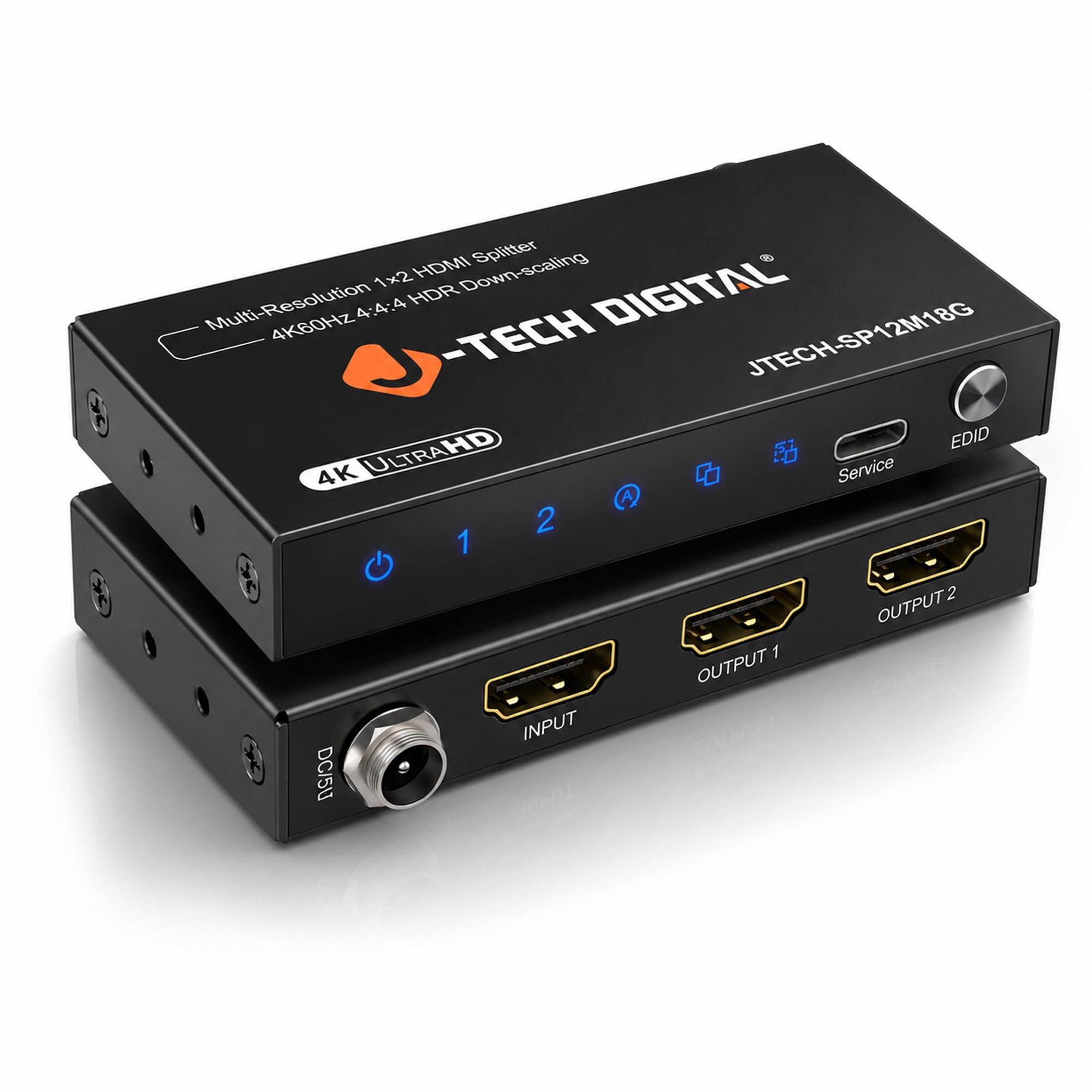
The no-surprises 2-output splitter that mirrors 4K to two screens reliably.
Sometimes you just want a straight mirror—one source, two identical displays, no handshake drama. This J-Tech Digital model does exactly that with 18Gbps throughput, HDCP 2.2 compliance, and 4K@60Hz 4:4:4 support. It also includes a downscaling mode that sends 4K to your main monitor while feeding 1080p to a second display, though it will not downscale HDR metadata or go to 720p. One reviewer noted, “all 4 hdmi splitters took the 4k signal and divided it with no issues,” and the unit features a secure locking power input to prevent accidental disconnection.
Compared to the SP12H2 from EZCOO, this J-Tech unit does not support Dolby Vision or DTS:X—it is limited to standard digital audio formats. But it earns points for build quality and a compact footprint at 3.54″ x 0.55″ x 1.73″ and just 0.25 pounds. The 1-year warranty and free lifetime technical support from Stafford, TX add confidence that the EZCOO’s 30-day refund window does not match.
Solid points
- Secure, lockable power input prevents loose connections
- 3 EDID settings (auto, copy, downscale) for tricky source/display combos
- Free lifetime US-based tech support
What it lacks
- No Dolby Atmos or DTS:X audio passthrough
- Does not downscale HDR metadata to 1080p
Grab this if: you want a straightforward, durable 2-output splitter with a long warranty and responsive support.
skip it if: you need premium audio codecs like Dolby Atmos for a home theater surround setup.
4. UGREEN HDMI Splitter 1 in 4 Out

One source, four screens—a clean 18Gbps splitter for multi-room or multi-monitor setups.
The UGREEN 1 in 4 Out does exactly one thing and does it solidly: it duplicates a single 4K@60Hz HDMI source across four displays simultaneously. It supports HDCP 2.2/1.4, 3D, and HDR, and it uses an EDID control switch to prevent black screens when displays have different resolution limits. A smart design choice is that Output 1 supports CEC, so you can use a single remote to power off your TV and source together.
There is no downscaling here—every output receives the same resolution. If one display is 1080p and another is 4K, the 1080p display may either show nothing or force the whole chain to 1080p. That limits its usefulness if you have mixed screens. At 5.2 inches wide and weighing 0.15 kilograms, it is compact enough to hide behind a console. It holds a 4.4 rating from 437 reviews, making it among the most consistent performers in the multi-output category.
Smart feature: CEC on Output 1 lets you control power via one remote.
Trade-off: no downscaling means all four screens must handle the same resolution.
Best for: a single TV split to multiple identical 4K monitors or projectors in a retail or office setting.
Not for: mixing a 4K TV with an older 1080p display unless you set all to 1080p.
5. MT-VIKI 1×4 HDMI Splitter (MT-SP144)
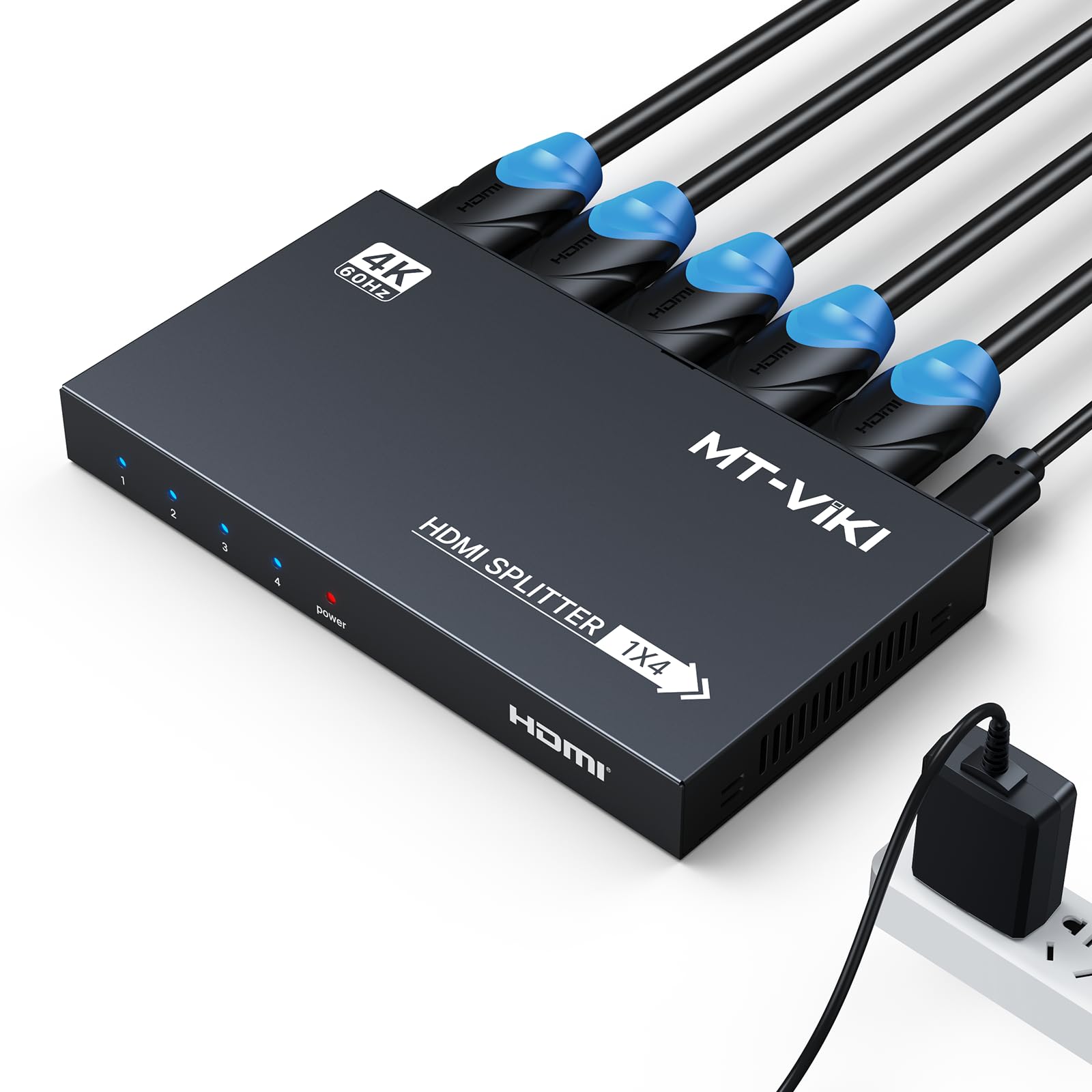
An affordable 4-port duplicator for commercial or classroom mirroring.
The MT-VIKI MT-SP144 is a no-frills 1-in-4-out mirror splitter that supports 4K@60Hz with RGB 4:4:4 chroma at 18Gbps and HDCP 2.2 compliance. It includes an AC power adapter in the box, which is reassuring for setups where USB power might be unreliable. One music education nonprofit buyer reports using it “to project lyrics from songs to three screens from our mac air simultaneously”—it worked beautifully with no configuration needed.
This splitter is not a switch and does not support ARC, eARC, or audio extraction. It also lacks any downscaling, so all four outputs must receive the same resolution. With only 18 ratings on Amazon (4.2 average), it has a thin track record compared to the UGREEN above, but the 2-year warranty offers decent coverage. It is essentially the same hardware philosophy as the UGREEN but at a noticeably lower price point, making it a strong entry-level pick for basic digital signage.
Why it works
- AC-powered for stable long-term operation
- 2-year warranty outlasts most competitors
- Plug-and-play with Mac, PC, and consoles
Shortfalls
- No downscaling—all displays must use the same resolution
- Very few buyer reviews to confirm long-term reliability
Ideal for: digital signage, classroom presentations, or any setup where all screens are the same resolution.
Pass on it if: you need to feed both 4K and 1080p displays from one source.
6. SHERRIVA 4K HDMI Splitter 1 in 4 Out
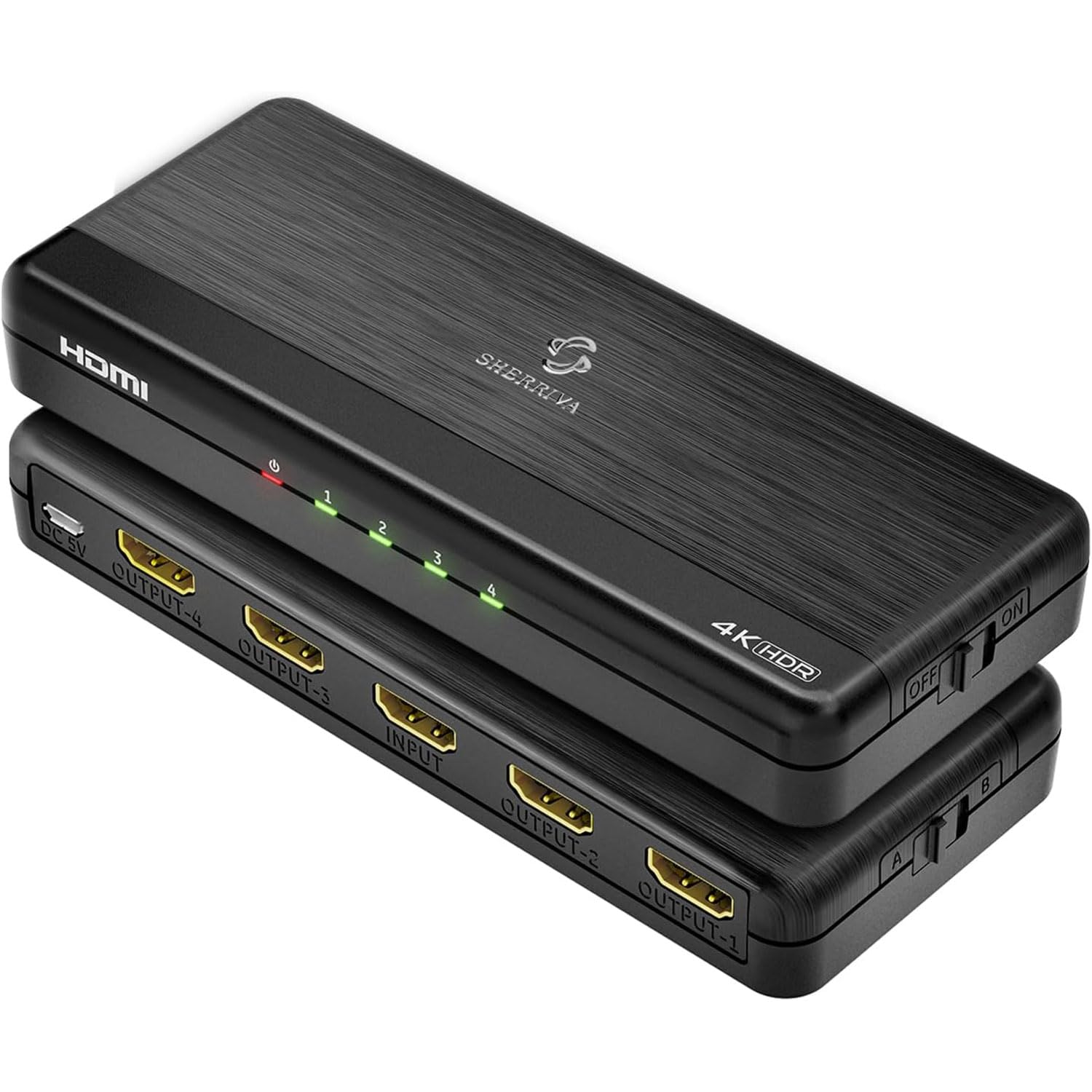
The rare auto-downscaling splitter that sends 4K to one TV and 1080p to another without fuss.
Most budget 4-output splitters force every connected display to the same resolution. The SHERRIVA breaks that pattern with automatic downscaling: it reads each display’s capability and sends the optimal signal, so a 4K TV gets 4K while a 1080p monitor gets 1080p—all from the same source. It supports up to 4K@60Hz and even 1080p@240Hz, making it surprising capable for high-refresh-rate gaming on a 1080p monitor. HDCP 2.3 is included, ensuring compatibility with the latest streaming services.
One buyer confirmed it works “splitting a 4k FIOs source to a screen capable of 4k and one 1080p”—their older splitter was flagged by the FIOS box, but this one handled it without complaint. The catch is that downscaling does not support 720p or 480p, so very old displays may still be incompatible. At 0.23 pounds and 5.98 inches deep, it is a slim unit that fits behind most entertainment centers.
Key advantage over UGREEN: SHERRIVA offers auto downscaling, while UGREEN forces all four outputs to the same signal.
Minor limitation: does not downscale to 720p or 480p, so very old TVs are out of luck.
Best for: mixed-resolution households—a 4K living room TV and a 1080p bedroom TV sharing one cable box.
pass on it if: you need to feed a 720p or 480p display; check your old TV’s native resolution first.
7. MT-VIKI HDMI Splitter 1 in 8 Out (MT-SP148)
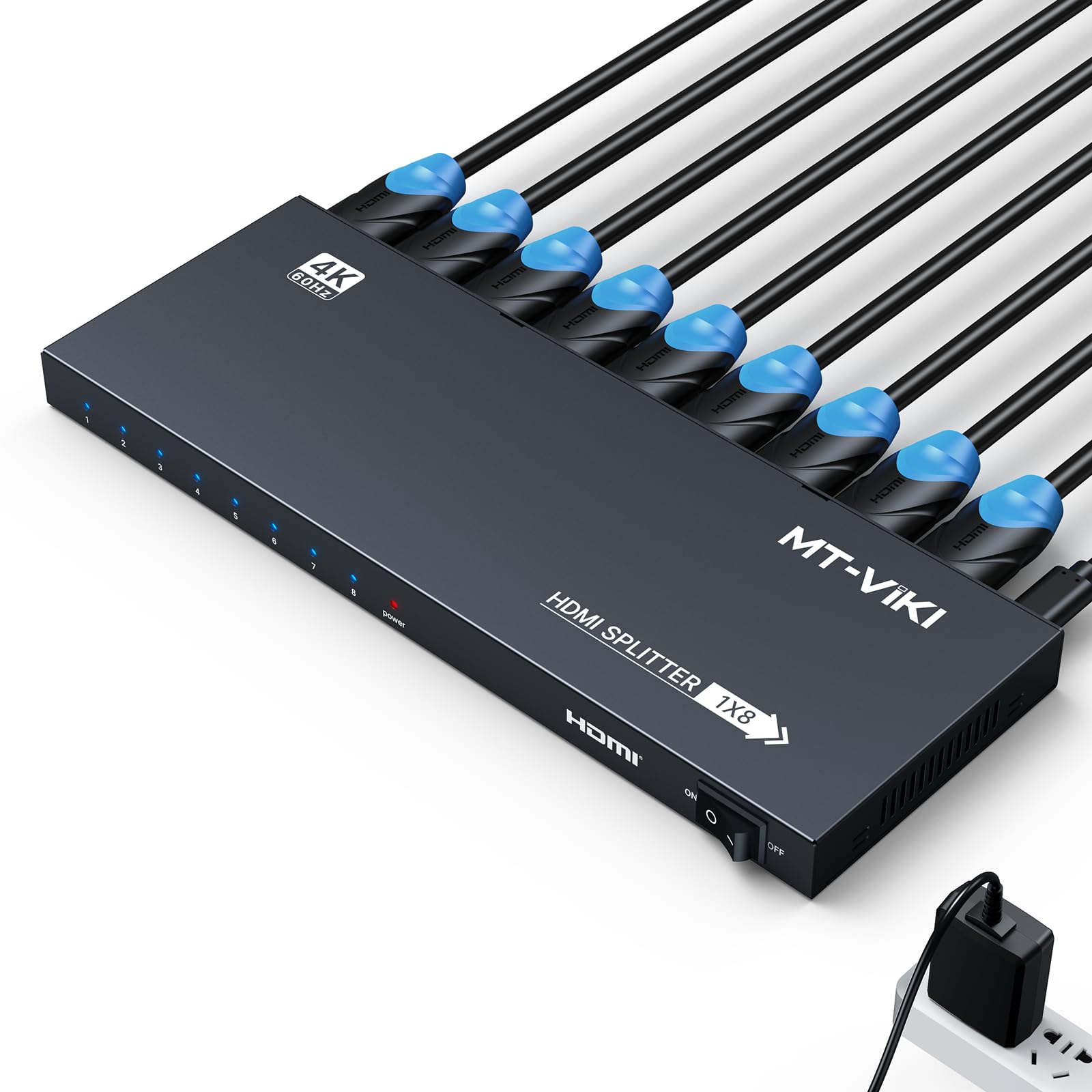
The heavy-duty 8-output splitter for commercial installations that demand one signal everywhere.
When you need to push a single 4K@60Hz signal to eight screens—for a sports bar, a conference room, or a digital signage network—the MT-VIKI MT-SP148 is purpose-built. It splits 1 HDMI input across 8 outputs at full 18Gbps bandwidth, supporting HDMI 2.0b, HDCP 2.2, and RGB 4:4:4 color. It includes a rack-mount bracket, a feature most splitters at this scale lack, which makes permanent wall or server-rack installation tidy. The 2-year warranty is also generous for a device that may run 12 hours a day.
Like the 4-output MT-VIKI, this one has no downscaling and no audio extraction—every output receives the exact same video signal. One business buyer reported it “splits the HDMI output well” for in-office advertising. At 563 ratings and a 4.3 average, it has a solid track record. If you only need 2 or 4 outputs, the smaller units above are cheaper, but nothing here matches the 8-output reach for the same price.
Strong suits
- Rack-mount bracket included for professional installation
- Eight outputs from one source, full 4K@60Hz on every port
- 2-year warranty adds confidence for commercial use
Limitations
- No downscaling—all eight screens must share the same resolution
- No audio extraction or ARC support
Reach for this if: you need to mirror one 4K source across eight screens in a commercial or large-event setup.
Look elsewhere if: your screens have mixed resolutions—you will need a splitter with auto downscaling or individual outputs.
Understanding the Specs
18Gbps Bandwidth
This is the data pipeline the splitter uses to move video and audio. To deliver true 4K at 60Hz with full 4:4:4 color sampling—which keeps text and edges razor-sharp—you need at least 18Gbps. Anything less forces the splitter to drop color detail or reduce the frame rate. Every pick on this list meets that threshold, but it is the first spec to check if you see a cheaper splitter advertising “4K 60Hz” without mentioning bandwidth.
HDCP (High-bandwidth Digital Content Protection)
HDCP is a digital handshake between your source (like a streaming box or Blu-ray player) and your displays. If the splitter does not support the same HDCP version—HDCP 2.2 or 2.3 for 4K content—your screen may go black or show an error. Buyers who plug a splitter into a Roku or Apple TV and see nothing are often hitting this wall. Always confirm the splitter’s HDCP version matches your source.
Downscaling vs. Mirroring
Mirroring sends the same resolution to every output. If one display is 4K and another is 1080p, the 1080p display will either go blank or force the whole signal down to 1080p. Downscaling fixes this by converting 4K to 1080p on specific outputs while keeping 4K on others. This is the single most important feature if you own screens of different generations.
EDID (Extended Display Identification Data)
EDID is the handshake your source uses to detect what resolutions and audio formats each display supports. A splitter with EDID control allows you to specify a “common denominator” resolution so all screens receive a signal they can handle. Without it, you may get flickering, black screens, or audio dropouts when connecting multiple different monitors.
FAQ
Will a 4K 60Hz HDMI splitter work with my PS5 or Xbox Series X?
What is the difference between an HDMI splitter and an HDMI switch?
Can I use a 4K 60Hz HDMI splitter with a 1080p TV?
Do I need a powered HDMI splitter?
Why does my screen go black when I connect a splitter?
What cable do I need between the splitter and my display?
Can I extend my desktop across multiple monitors with an HDMI splitter?
How long do HDMI splitters typically last?
Final Thoughts: The Verdict
For most people, the 4k 60hz hdmi splitter winner is the EZCOO SP12H2 because it handles the hardest scenario—sending 4K to a modern TV while downscaling to 1080p with Dolby Atmos audio intact. If you need four outputs and all your displays run the same resolution, go with the UGREEN 1 in 4 Out for its reliable EDID control and CEC support. And for a commercial installation pushing one signal to eight screens, the MT-VIKI 1 in 8 Out is the only real contender with its rack-mount design and 2-year warranty.
How We Picked
We do not accept paid placement. Every pick is matched to a real buyer and a real use-case; we do not hands-on test units.
Sources & Methodology
Specifications: manufacturer listings and product documentation. Review insights: verified customer reviews, as of July 2026. Pricing: not shown on this page (it changes often); check the current price via the retailer link.
As an Amazon Associate, Gadgets Feed earns from qualifying purchases. This does not affect which products we feature.
Related Guides
Product prices and availability are accurate as of the date/time indicated and are subject to change. Any price and availability information displayed on Amazon at the time of purchase will apply to the purchase of this product. As an Amazon Associate I earn from qualifying purchases.
CERTAIN CONTENT THAT APPEARS ON THIS SITE COMES FROM AMAZON. THIS CONTENT IS PROVIDED "AS IS" AND IS SUBJECT TO CHANGE OR REMOVAL AT ANY TIME.
Amazon and the Amazon logo are trademarks of Amazon.com, Inc. or its affiliates.